TikTok Web Version Login Guide 2026: How to Log in and Use TikTok Web Safely
 2026.04.20 07:21
 YT.Shi
TikTok Web in 2026 has become an essential part of content workflows for creators, brands, and social media teams. It allows users to access their accounts directly from a browser, manage content, upload videos, and interact with audiences without relying on the mobile app.
At the same time, TikTok applies the same security system across mobile and web environments. This means login behavior, device verification, and account protection steps are all part of the standard access process.
This guide explains how to log in to TikTok Web properly, how to use its main features, and how to manage multiple accounts in a safe and stable way based on current platform behavior.
Why TikTok Web Version Is Widely Used in 2026
TikTok Web is no longer just a secondary viewing tool. It is widely used because it supports real production workflows.
Most creators now edit videos on desktop tools before publishing. Uploading directly from a browser avoids file transfers and makes content publishing faster. It also improves efficiency when writing captions, managing hashtags, and organizing multiple posts.
For teams and agencies, the browser version provides a more structured working environment. Tasks such as reviewing analytics, adjusting content, and managing multiple accounts are easier to handle on a larger screen.
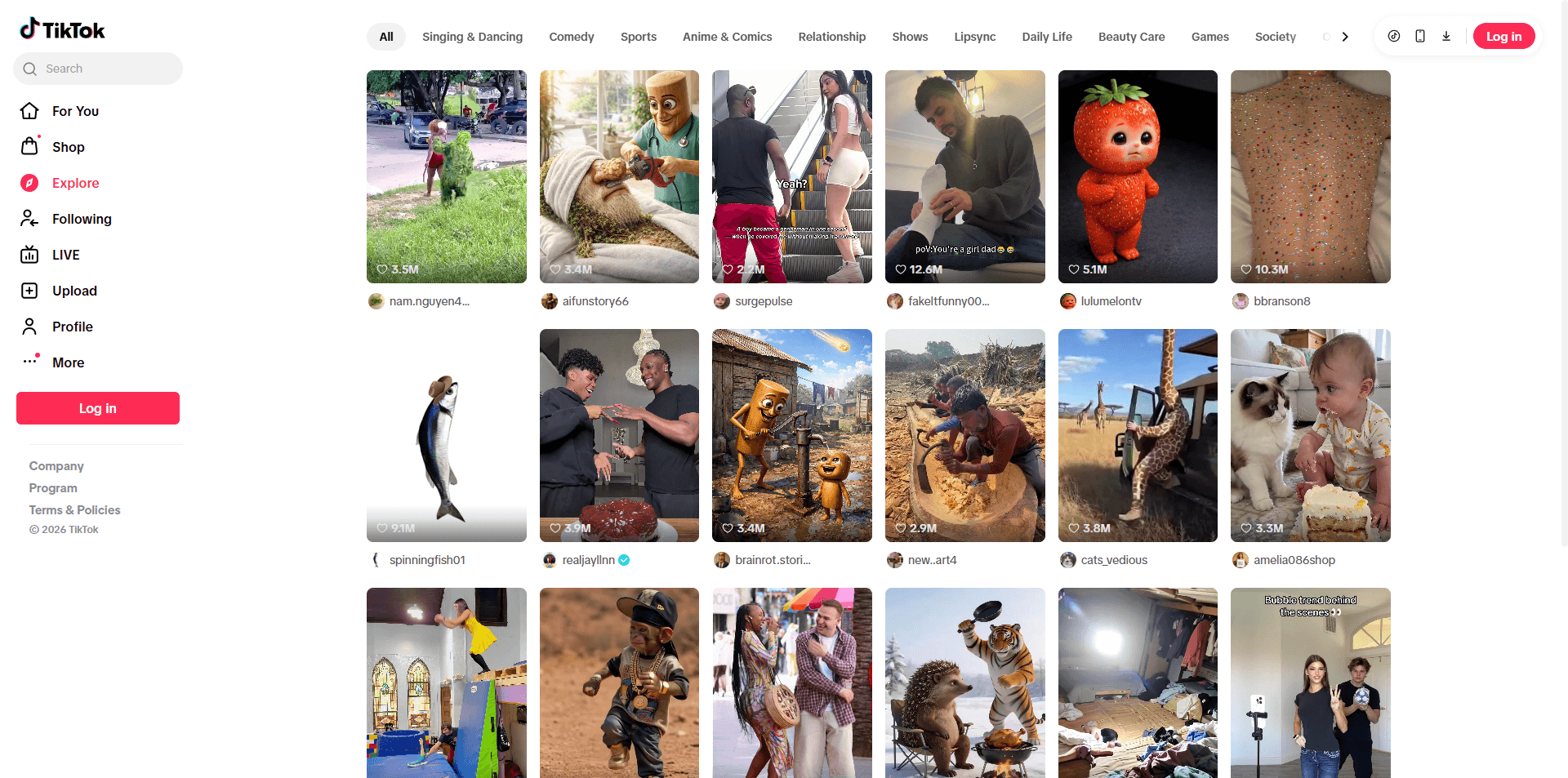
TikTok officially supports web access through its main platform, which allows users to log in and use core account features through a browser.
TikTok Web vs. Mobile App: What’s the Difference
Users often search for this comparison. A table works best here:
| Feature | TikTok Mobile App | TikTok Web (Desktop) |
|---|---|---|
| Video Editing | Advanced (filters, effects) | Basic (trimming, captions) |
| Uploading | Fast, mobile-shot | Best for high-res PC files |
| Live Streaming | Full support | Limited (mostly viewing) |
| Analytics | Harder to read on small screen | Excellent for deep dives |
How to Log in to TikTok Web Version Step by Step
To access TikTok Web, open https://www.tiktok.com using a modern browser such as Chrome, Edge, or Firefox. Before logging in, it is recommended to ensure your browser is updated and cookies are enabled, as login sessions depend on stable storage of authentication data.
Once on the homepage, click the Log In button in the top right corner. TikTok will present several login methods depending on your account type and region.
Step 1: Choose a login method
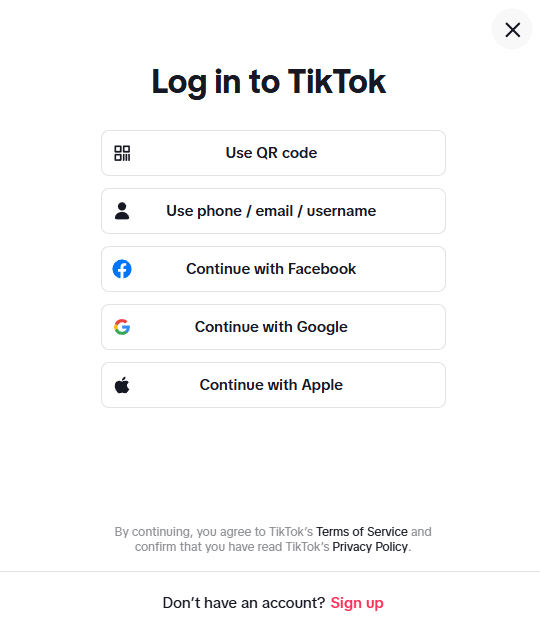
TikTok provides multiple official login options:
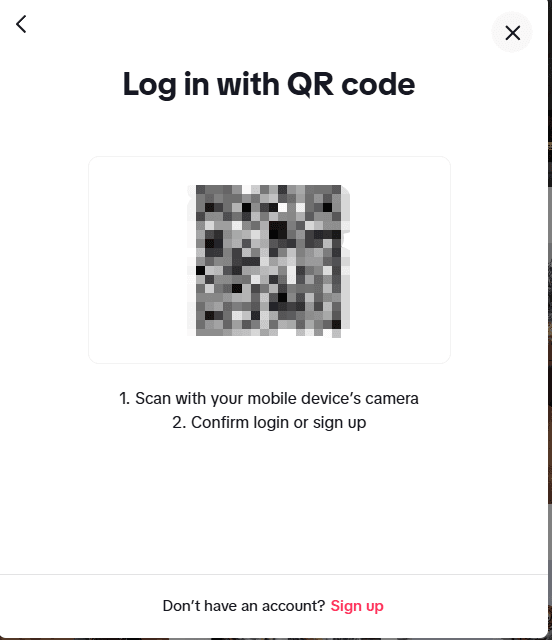
● QR code login using the TikTok mobile app
● Phone number, email, or username login
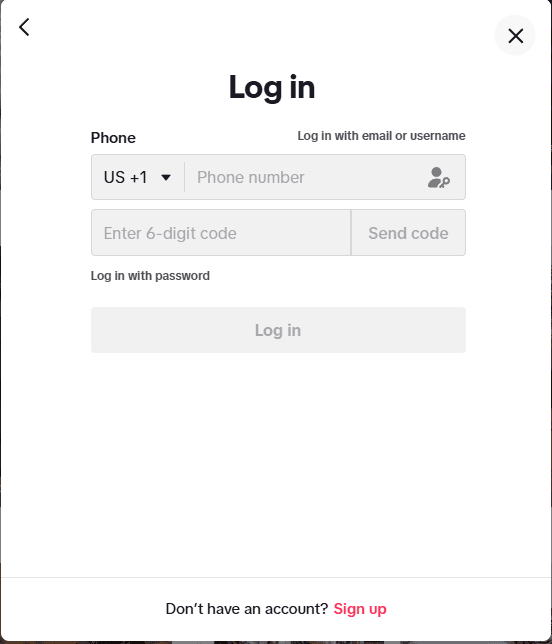
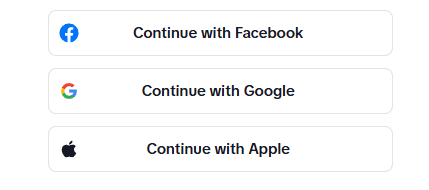
● Third-party login such as Google, Apple, Facebook, or other supported services
QR code login is commonly used because it connects your desktop session with an already authenticated mobile device. This helps streamline verification, especially on new devices.
Step 2: Complete verification if required
In some cases, TikTok may request additional verification before allowing access. This is part of its standard account security system.
You may be asked to:
● Enter a verification code sent to your phone or email
● Complete a CAPTCHA check
● Confirm login through the mobile app
These steps typically appear when logging in from a new device, browser, or location.
Step 3: Access your account
After successful verification, you will be directed to your TikTok feed and account dashboard.
From here, you can browse content, interact with videos, and manage your profile. Depending on your account type, additional tools such as analytics and creator features may also be available.
Common TikTok Web Login Issues
Although TikTok Web is stable, login issues can still occur due to security verification or browser environment factors.
Verification loop or CAPTCHA repetition
This usually happens when multiple login attempts are made in a short time or when the system detects unstable access conditions.
In this case, waiting a few minutes before retrying is recommended.
Verification code not received
This issue is often related to email filtering or SMS delivery delays.
Users should check spam folders and ensure their registered contact information is correct.
Session logout after login
This can occur when multiple sessions are active at the same time or when cookies are not properly stored.
Keeping a single active session per browser usually improves stability.
What Can You Do on TikTok Web? (Top Features for Power Users)
While many people view TikTok as a mobile-only platform, the TikTok desktop version is actually a powerhouse for creators, marketers, and professional managers. Here is a breakdown of what you can do when you log in via your browser:
1. High-Quality Video Uploading
For creators who use professional editing software (like Premiere Pro or CapCut) on their computers, the web version is a lifesaver.
● No compression issues: Avoid the quality loss that sometimes happens when transferring large files to a mobile device.
● Detailed captions: It is much easier to type long, keyword-rich descriptions and add hashtags using a physical keyboard.
● Schedule posts: The web version allows you to schedule your videos in advance, a feature that is essential for maintaining a consistent posting rhythm.
2. Deep-Dive Analytics
If you are serious about growth, the TikTok Analytics dashboard on the web is far superior to the mobile view.
● Visual Data: View follower growth, profile views, and video performance on large, easy-to-read graphs.
● Data Export: You can export your analytics data as a CSV or Excel file for deeper reporting—something you simply cannot do on the app.
3. Manage Your Community with Ease
Managing engagement is significantly faster on a PC.
● Reply to Comments: Use your keyboard to respond to fans quickly and efficiently.
● Check Direct Messages (DMs): Stay on top of your private conversations and brand inquiries without having to pick up your phone.
● Search Trends: Use the "Explore" tab to see what’s trending globally and discover new hashtags or sounds for your next campaign.
4. TikTok Ads Manager Access
For digital marketers, the web version is the gateway to the TikTok Ads Manager. From here, you can set up pixel tracking, run sophisticated ad campaigns, and monitor your ROAS (Return on Ad Spend) in real-time.
5. Multi-Account Management (For Professionals)
The web interface is the preferred environment for social media managers handling multiple profiles. Using the browser version allows for a more "work-focused" workflow, making it easier to switch between tools, research competitors, and execute SEO strategies across different accounts simultaneously.
Pro Tip: If you want to browse anonymously online or without an account, the web version allows you to watch public videos and see trending topics without even logging in.
How to Safely Manage Multiple TikTok Accounts
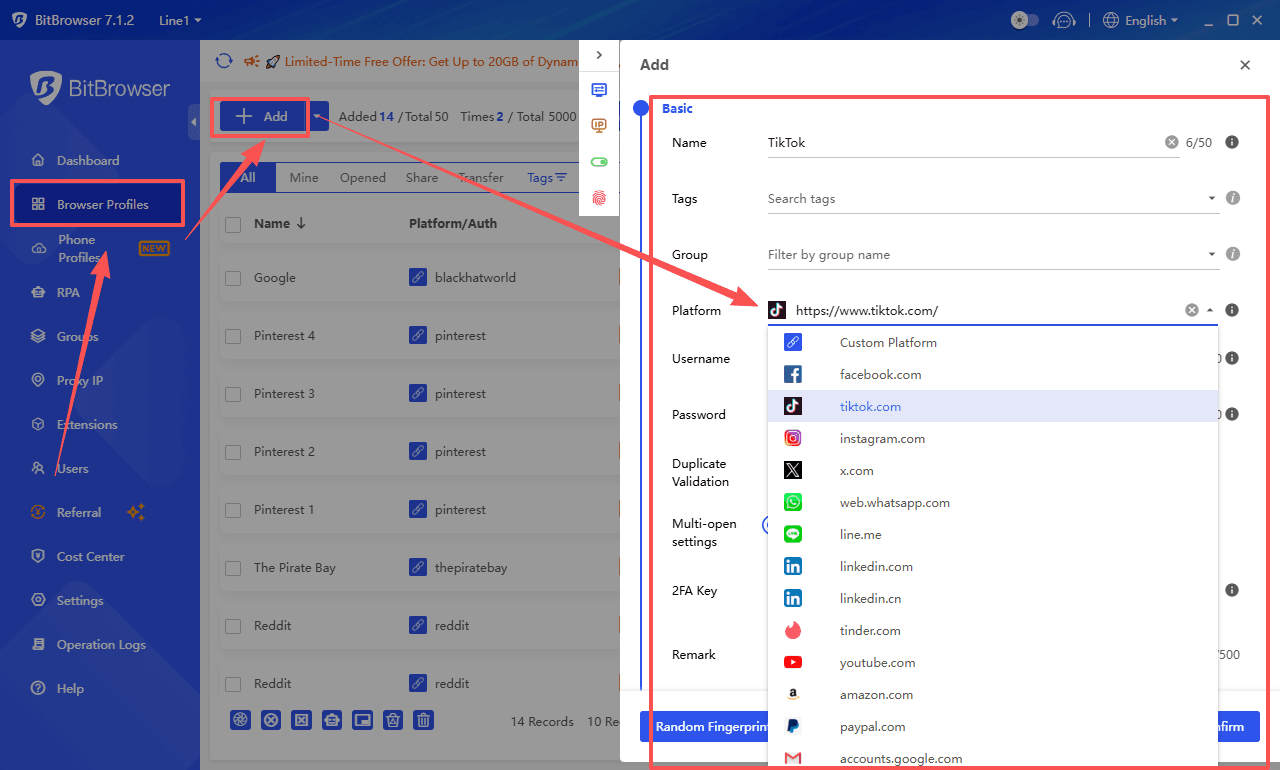
For teams or individuals managing multiple TikTok accounts, the browser environment opens up another layer of efficiency. TikTok's security system treats each browser profile as a separate environment, which is why logging into several accounts in the same window often triggers verification loops or temporary restrictions. Using a dedicated multi account browser like BitBrowser helps keep each TikTok identity isolated and stable.
Multi Account Isolation for Anti Association
BitBrowser creates independent browser profiles that each store their own cookies, cache, and local data. To TikTok, these look like separate devices running in different locations. This isolation is what prevents account association and keeps verification steps to a minimum during daily operations.
Sign Up
Proxy Integration by Account
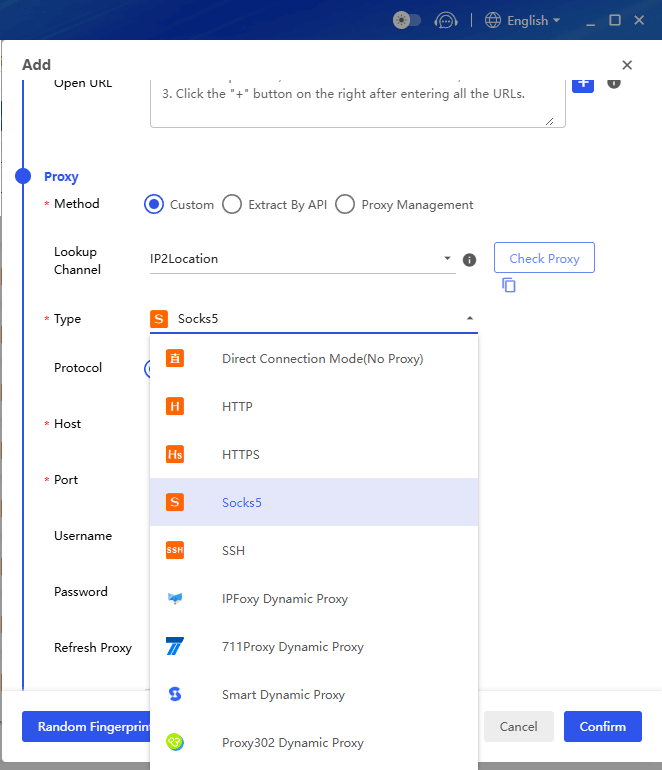
The browser also integrates proxy support directly into each profile. You can assign a specific IP address or proxy type to every TikTok account, matching its registered region. This becomes especially useful when managing accounts from different countries or when team members work remotely.
RPA Automation and Synchronizer
Automation is another area where BitBrowser adds value. With built in RPA workflows, repetitive tasks like checking notifications, logging daily activity, or performing routine engagement can run unattended across multiple accounts.
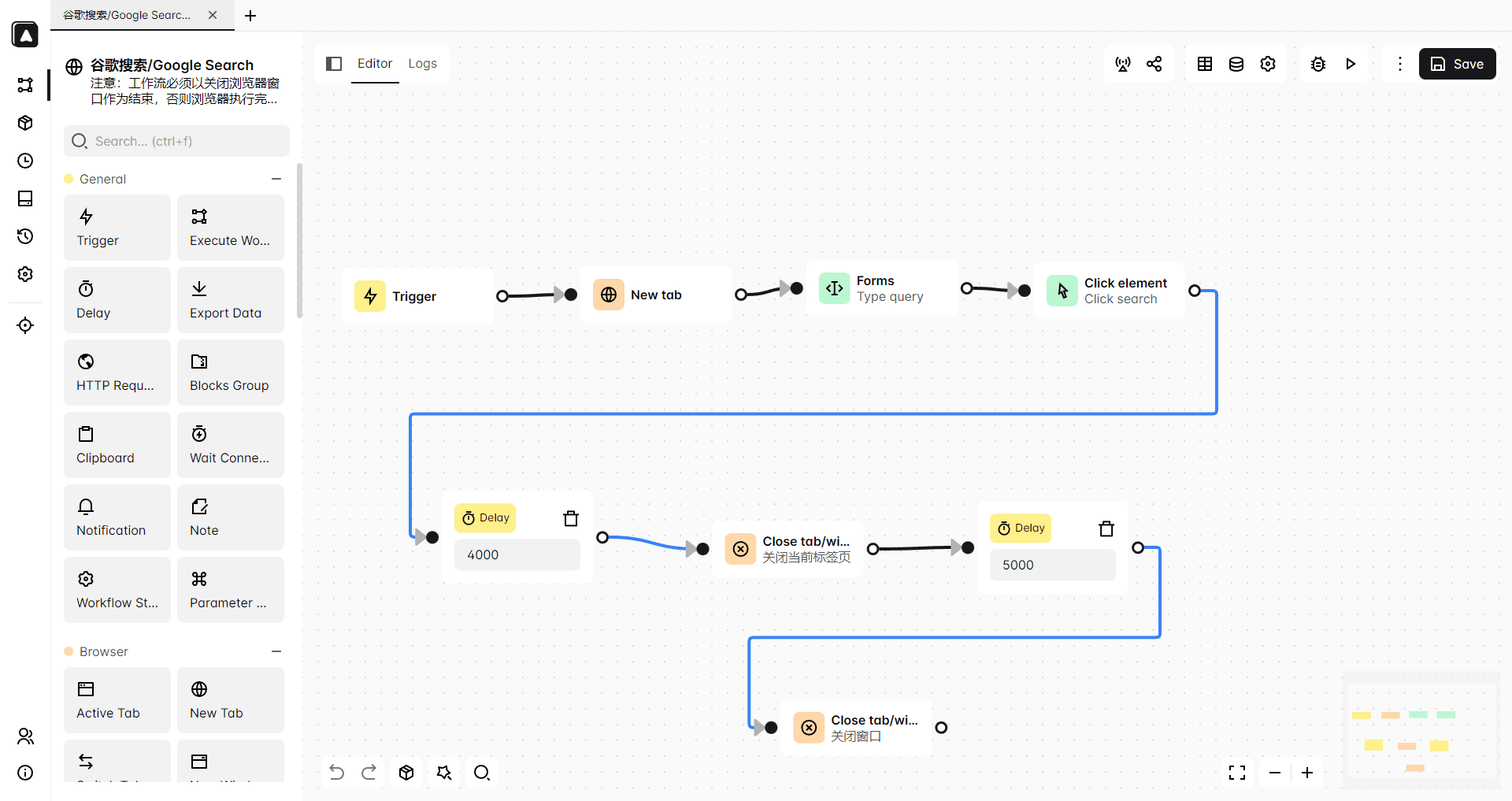
For tasks that require real time human input, the multi window sync feature lets you mirror actions across selected profiles. Updating a bio, posting the same video, or adjusting privacy settings can be done once and applied everywhere. This cuts down repetitive clicking without compromising account security.
Team Collaboration and Access Control
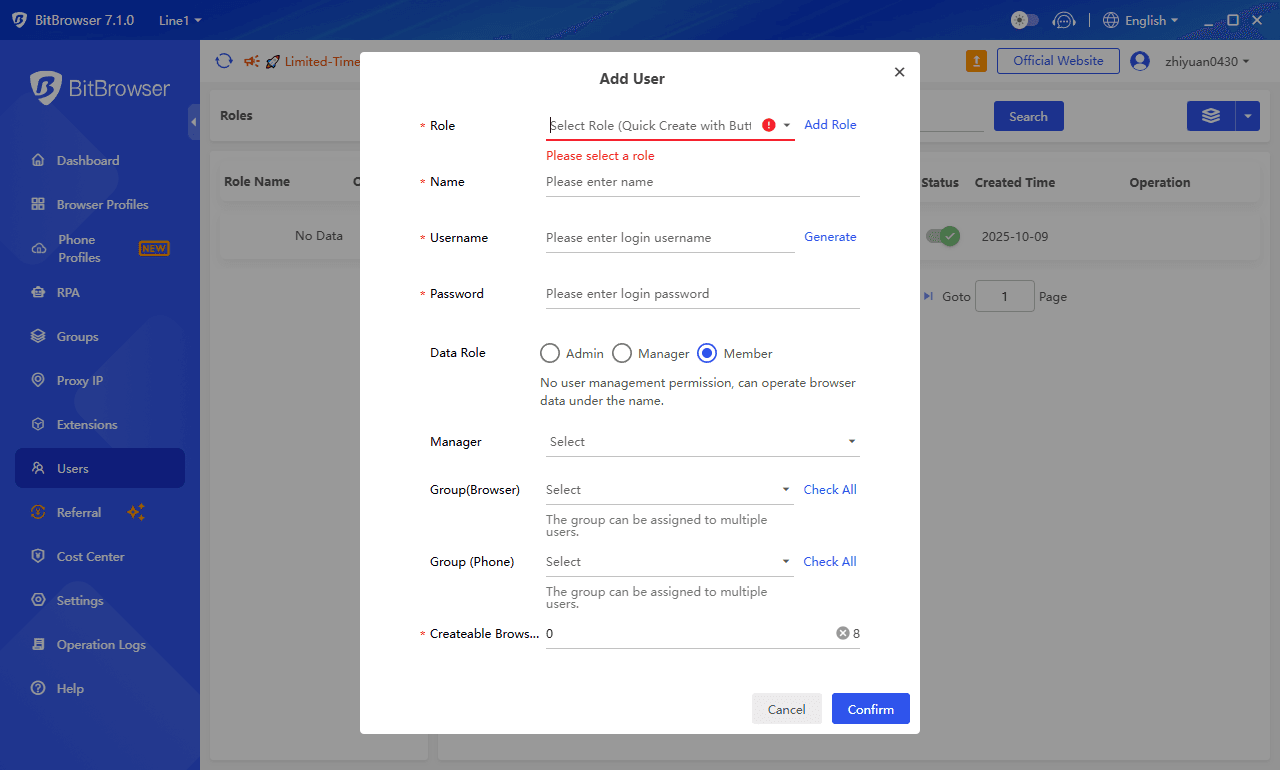
Finally, team collaboration is built into the core of BitBrowser. Account access can be shared with team members through permission controls, allowing different people to manage specific TikTok profiles without sharing raw passwords. Activity logs keep a clear record of who accessed which account and when.
Keeping TikTok Accounts Stable at Scale
Managing multiple TikTok accounts safely in 2026 comes down to keeping environments separate, stable, and organized. BitBrowser turns the browser into a structured workspace where each TikTok identity stays protected and every team member knows exactly what to handle.
You can also manage your TikTok accounts across multiple mobile devices through the Cloud Phone section of BitBrowser.
Conclusion
TikTok Web in 2026 is a fully capable platform for creators and teams who need to publish, analyze, and engage without switching devices. Logging in properly and understanding the verification process keeps accounts accessible.
For those handling more than one profile, keeping browser environments separate is the practical way to avoid flags and interruptions. BitBrowser provides that structure through isolated profiles, proxy control, automation, and team access management. It turns multi account work from a risk into a routine.
Sign Up
FAQ
Can I use TikTok Web without downloading the mobile app?
Yes. You can access TikTok through any modern browser at tiktok.com and log in using email, phone, or third party services. The QR code option requires the mobile app for scanning but you are not locked out without it.
Why does TikTok keep asking me to verify my login on the web version?
Verification requests usually appear when logging in from a new device, browser, or IP address. This is part of TikTok's standard security system to confirm account ownership.
How do I manage multiple TikTok accounts safely on one computer?
Using a multi account browser like BitBrowser creates separate, isolated environments for each profile. Each profile stores its own cookies and local data so TikTok sees them as distinct sessions rather than one user switching accounts repeatedly.
Does TikTok Web support video uploads and scheduling?
Yes. The desktop version allows high quality video uploads and includes a scheduling feature for planning posts in advance. This is especially useful for creators who edit on a computer.
Can my team access TikTok accounts without sharing passwords?
BitBrowser includes team collaboration tools with permission controls. You can grant access to specific profiles without exposing raw login credentials, and activity logs track who did what.

 Multi-Account Management
 Prevent Account Association
 Multi-Employee Management
Recommended
See More