9HTTP Proxies and BitBrowser: Building a Flexible Work Environment for Cross-Border Business
 2026.10.23 08:57
 BitBrowser
In cross-border e-commerce, overseas market research, and global business testing, companies often need to handle network access across different regions, public data collection, and multi-account management. Choosing the right proxy IP solution and managing browser environments effectively are important parts of building a business workflow.
9HTTP provides proxy IP resources covering multiple regions and supports different network connection requirements. Combined with BitBrowser’s browser environment management features, users can establish clearer workflows for cross-border operations, market research, and website testing.
9HTTP: Proxy IP Solutions for Global Business
9HTTP is a proxy IP service provider for businesses, developers, and data teams. It offers multiple proxy solutions for use cases such as public data collection, cross-border e-commerce analysis, ad display verification, and multi-region website testing.
9HTTP’s proxy network covers 195+ countries and regions, with over 90 million real residential IPs, and supports HTTP(S) and SOCKS5 protocols. Users can choose a suitable solution based on target locations, connection methods, session duration, and traffic requirements.
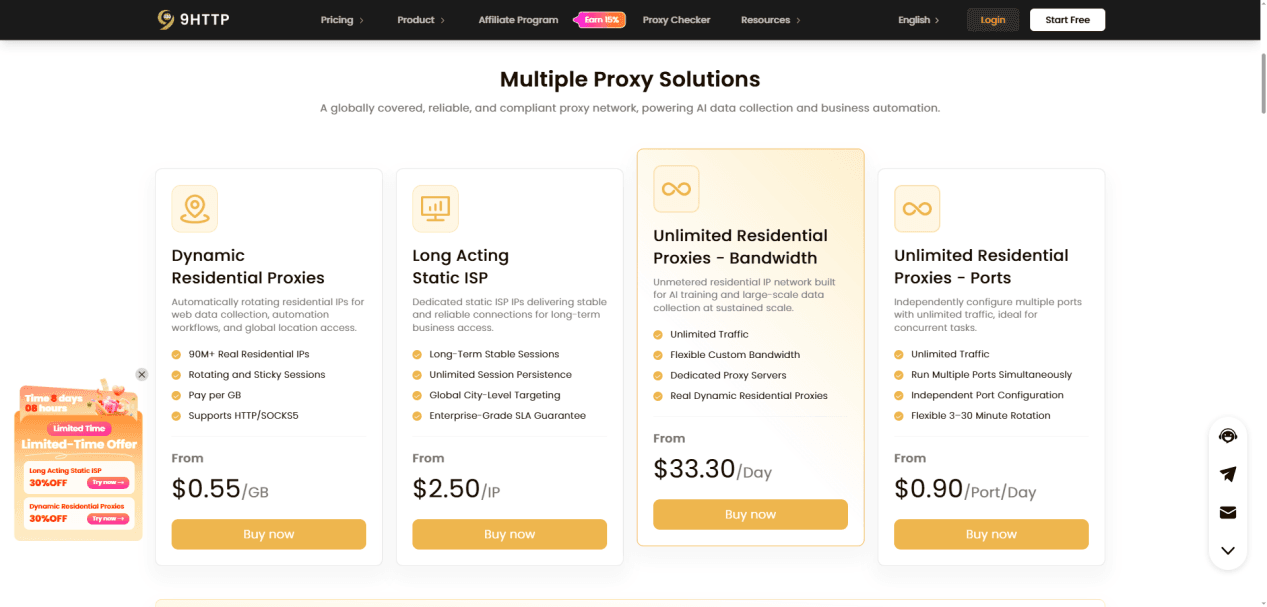
1. Dynamic Residential Proxies
Dynamic Residential Proxies support IP rotation and sticky sessions, making them suitable for tasks that require flexible IP usage, such as public data collection, search result analysis, market research, and cross-region content verification.
2. Long Acting Static ISP
Long Acting Static ISP is suitable for scenarios that require longer-lasting IP connections, such as ongoing business access, continuous administrative tasks, and testing workflows that require connection consistency.
3. Unlimited Residential Proxies
Unlimited Residential Proxies are designed for workloads with high traffic requirements or continuous usage needs. They offer unlimited traffic and support bandwidth and port configuration.
Teams can plan resources according to task volume, concurrency requirements, and bandwidth needs to better accommodate their workloads.
These three solutions focus on IP flexibility, connection persistence, and sustained traffic usage. Identifying business needs before choosing a product can help reduce unnecessary configuration and resource allocation.
Use Cases: Supporting Diverse Cross-Border Business Needs
Cross-Border E-Commerce: Manage network access environments for different markets and support daily store operations and product analysis.
Overseas Market Research: Access public web content and market information from different regions to support business decisions.
SEO Search Result Analysis: Examine regional search results to support keyword analysis and ranking monitoring.
Localized Content Verification: Check website languages, page content, and region-specific displays across different countries and regions.
Public Data Collection: Support compliant collection and organization of data from publicly accessible web pages.
Competitor Analysis: Research publicly available competitor product information, website content, and market developments.
Social Media Management: Manage browser environments and network connections according to business needs.
Different use cases have different requirements for IP types, geographic coverage, and session duration. Users can select a suitable 9HTTP proxy solution based on their specific tasks to establish a clearer workflow.
How to Use 9HTTP Proxies with BitBrowser
9HTTP and BitBrowser address network connectivity and browser environment management, respectively. Combining the two creates a basic workflow covering proxy selection, browser configuration, and connection verification.
Step 1: Identify Your Proxy Requirements
Choose a suitable 9HTTP proxy solution based on target locations, task duration, traffic volume, and connection methods.

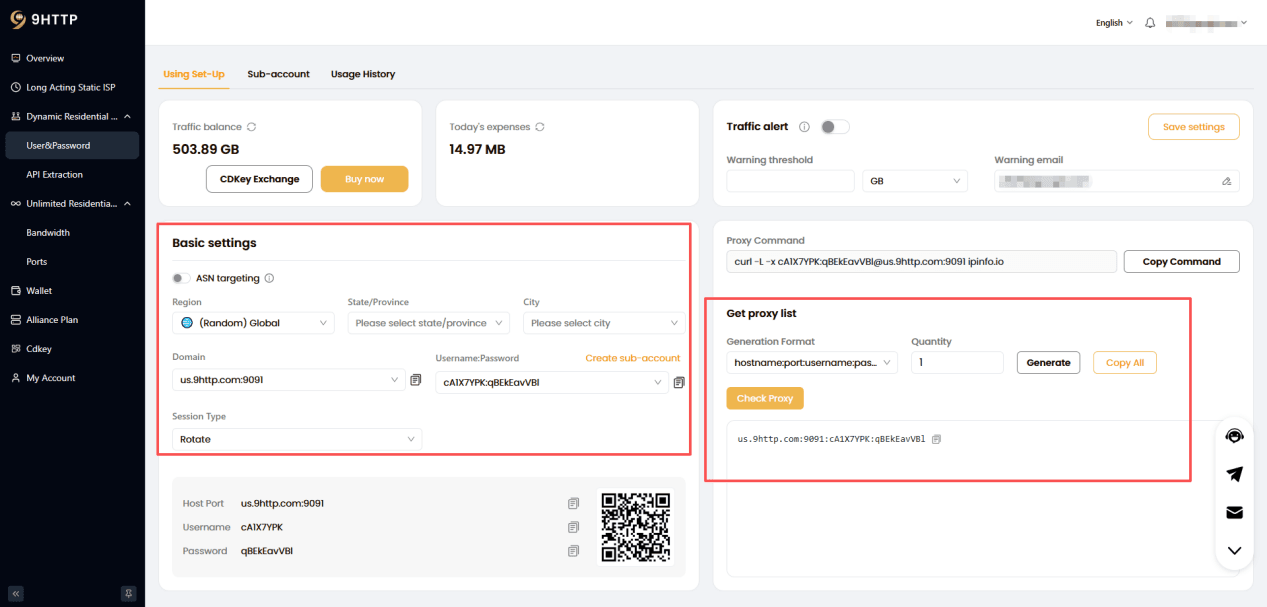
Step 2: Obtain Proxy Connection Details
Select the required proxy settings in the 9HTTP dashboard and obtain the corresponding connection details.
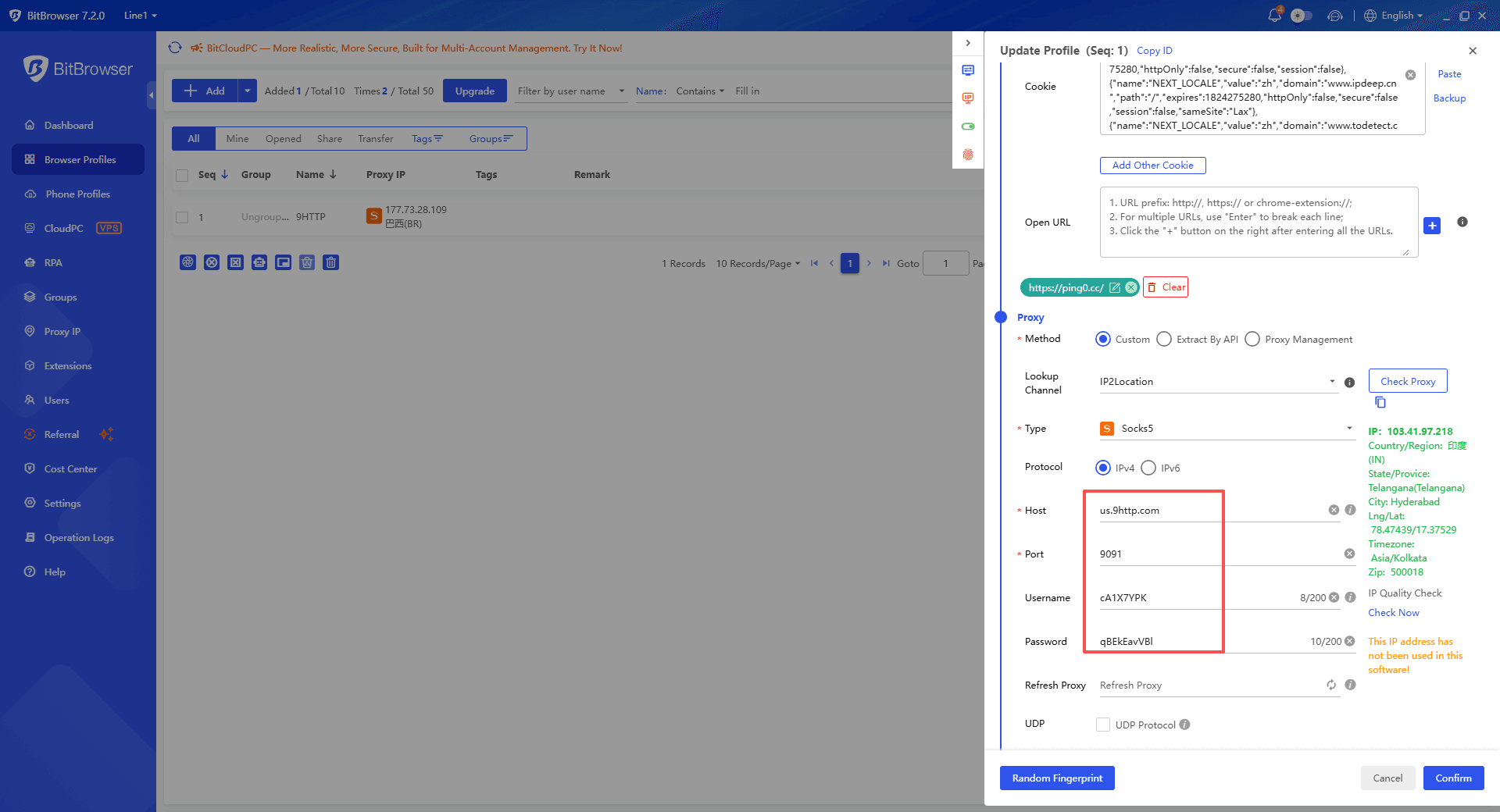
Step 3: Create a Browser Window
In BitBrowser, create a browser window, configure the relevant settings, and enter the connection details provided by 9HTTP in the proxy settings section.
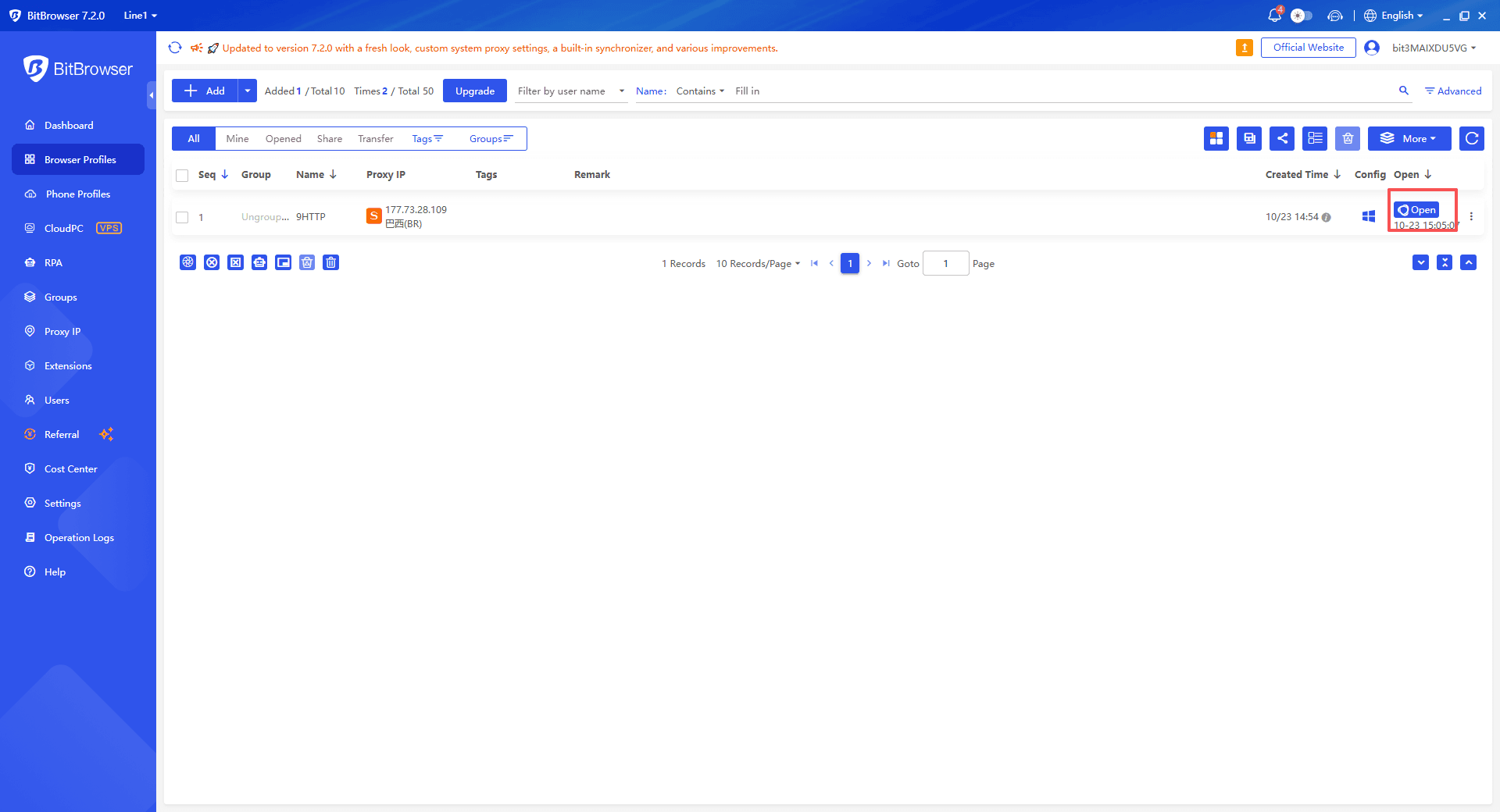
Step 4: Verify the Network Connection
Open the browser and check the proxy connection status, actual exit IP address, and geographic location to confirm that they match your expectations.
 Conclusion
9HTTP offers Dynamic Residential Proxies, Long Acting Static ISP, and Unlimited Residential Proxies to help users choose resources according to different connection and traffic requirements.
For teams involved in cross-border e-commerce, market research, and website testing, identifying business needs before selecting a suitable proxy solution is an important step toward building a clear workflow.