Best Proxy for Telegram in 2026: Top Providers, Setup Guide, and Smart Alternatives
 2025.12.31 04:31
 petro
petroProxies for Telegram help maintain stable access to the messenger when users face connection issues, regional restrictions, or the need to separate multiple usage scenarios. Depending on your goals, proxies can improve reliability, bypass network limitations, and make Telegram usage more predictable.
In this guide, you’ll learn:
Why proxies are actually needed for Telegram—and when they matter
Which proxy types work best and how they differ
How to configure proxies on Android, iOS, desktop, and web
Where to buy reliable proxies for Telegram
Why proxies alone are often not enough for professional workflows
How to Set Up a Telegram Proxy on Desktop
Setting up a Telegram proxy on your desktop is quick and easy. Telegram has built-in proxy support to bypass geo-blocking and ensure your privacy. Here's how to do it:
Open Telegram on your computer.
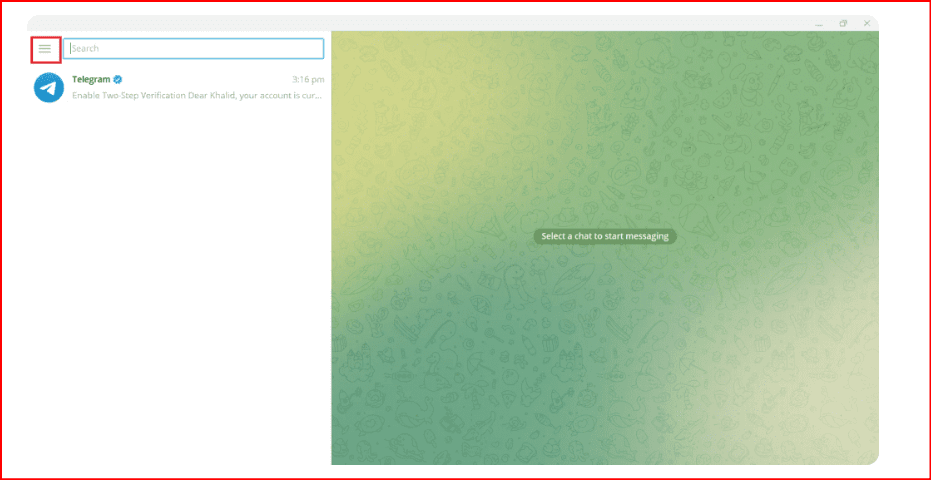
Click on the three vertical lines in the upper left corner to open the main menu.
Select Settings to open the configuration options window.
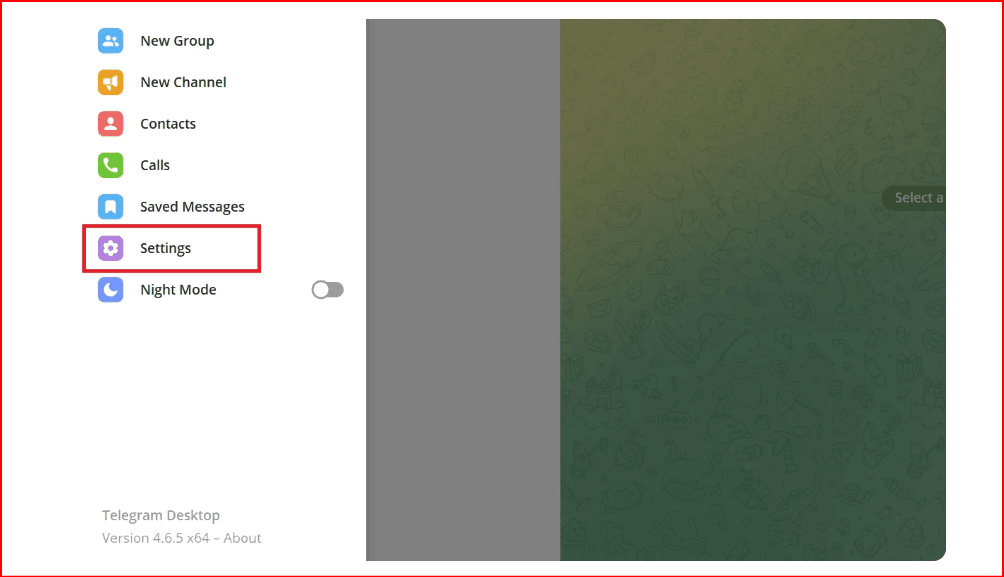
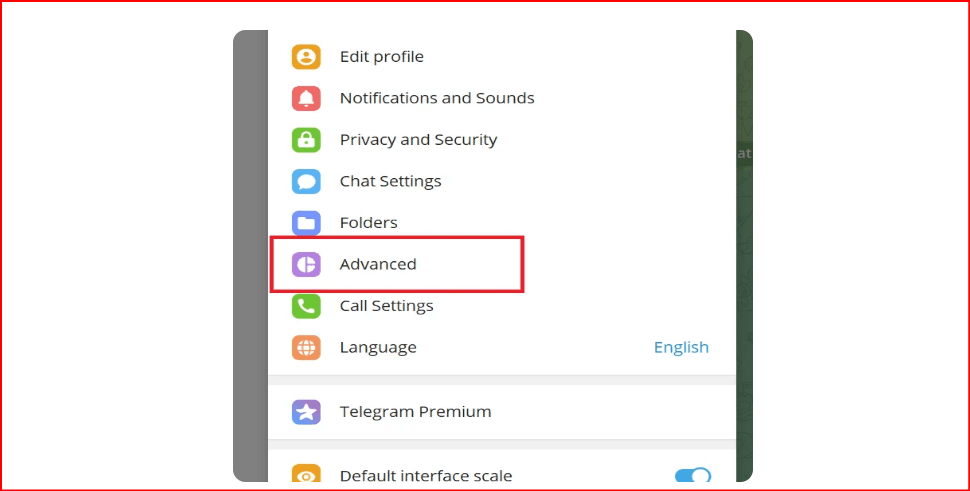
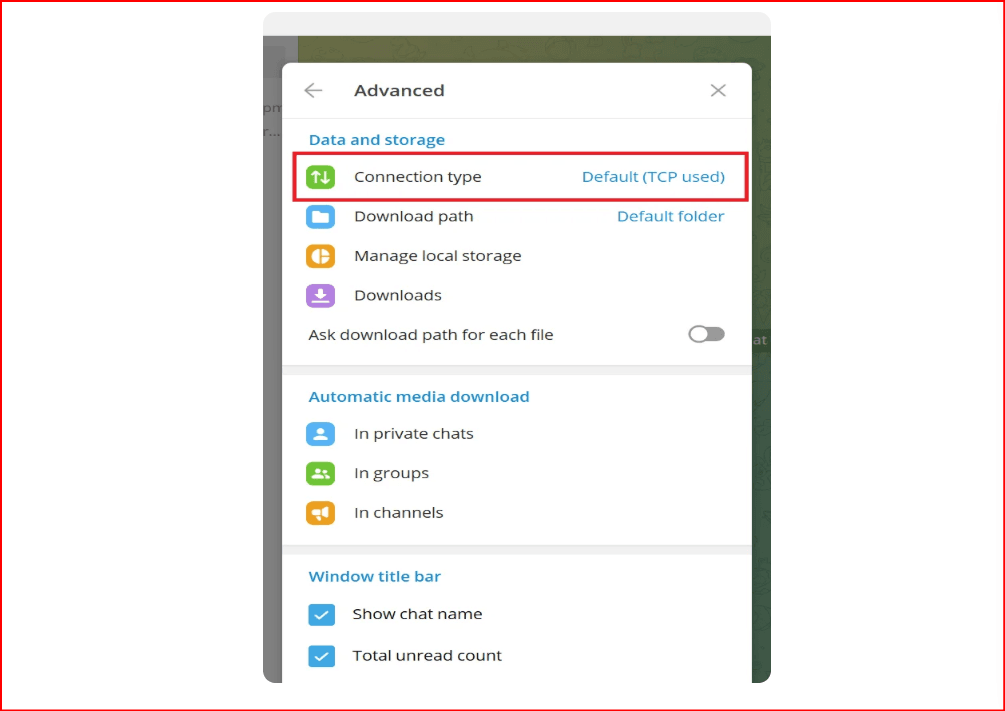
Scroll down and click on Advanced.
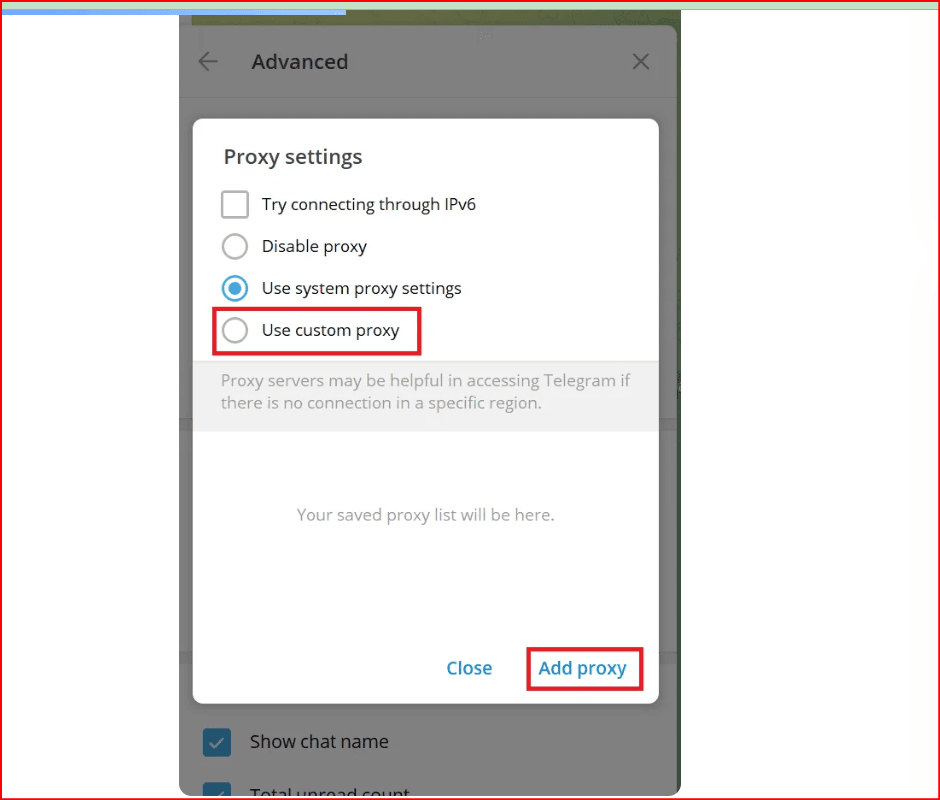
In the Connection Type section, you'll see the default option, "Use system proxy settings." Click on the Add Proxy button or select Use Custom Proxy.
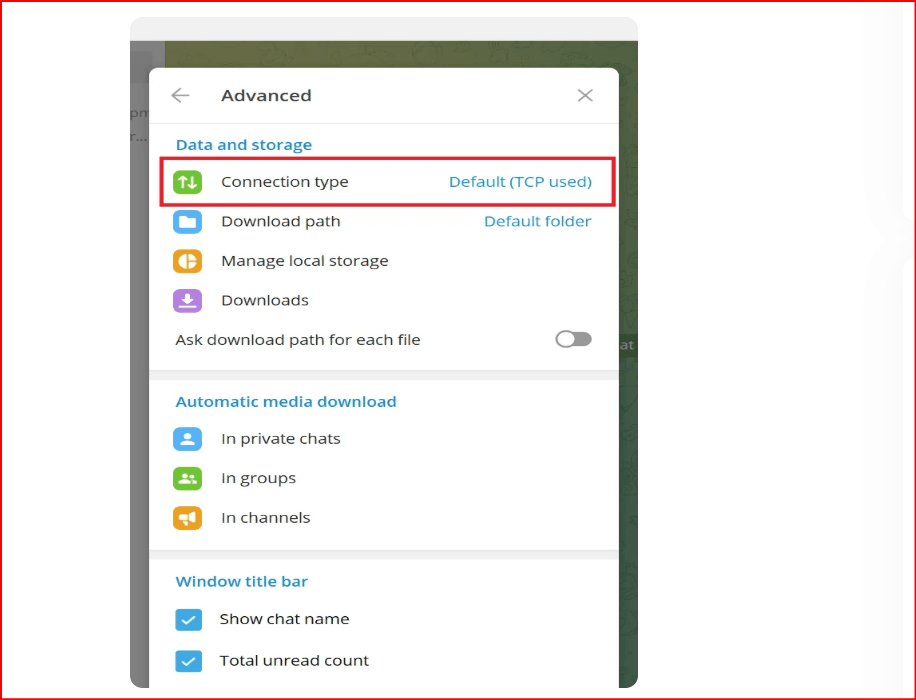
Choose one of the following proxy types:
SOCKS5 or HTTP: Enter the proxy's hostname or IP address, port number, and, if required, a username and password.
MTProto Proxy: Enter the IP address or hostname, port number, and the Top-Secret Password.
Save your settings.
Why Use Proxies for Telegram (and When You Really Need Them)
When Telegram connects slowly, fails to load messages, or disconnects entirely, users often turn to alternative routing methods. A proxy acts as an intermediate server, routing traffic through a different network path to reach Telegram servers more reliably.
In simple terms, a Telegram proxy creates an additional connection route that bypasses unstable or restricted network segments and restores normal app performance.
Most common reasons to use proxies
- Telegram servers are unstable or slow from your location
- Temporary or regional access restrictions
- Work tasks require uninterrupted access
- Separation of personal, work, or multiple Telegram accounts
What Proxies Solve (and What They Don’t)
What proxies actually help with
- Restoring access when Telegram works intermittently
- Improving connection stability and message loading
- Maintaining long Telegram sessions
What proxies do not do
- Do not provide full anonymity
- Do not hide device or account fingerprints
- Do not prevent behavior-based restrictions
A proxy only changes the network route—everything else remains visible.
Telegram Proxy Types: Practical Overview
MTProto Proxy
Telegram’s native protocol, optimized for bypassing blocks.
Best for: censored regions, quick access recovery, short-term usage.
SOCKS5 Proxy
The most universal and reliable choice for Telegram.
Best for: multi-account usage, long-term work, routine and high-volume actions.
HTTP / HTTPS Proxy
Configured outside the Telegram app.
Best for: Telegram Web, testing, short sessions.
Protocol Comparison
Feature | SOCKS5 | MTProto | HTTP/HTTPS |
Built-in Telegram support | Yes | Yes | No |
Speed | Fast | Fast | Moderate |
Stability | High | Medium–High | Medium |
Multi-account support | High | Medium | Low–Medium |
Best use case | Long-term work | Bypass blocks | Web usage |
Proxy Types by IP: Datacenter, Residential, Mobile
- Datacenter: fast, affordable, predictable
- Residential: cleaner IPs with good stability
- Mobile: highest trust level, most expensive
How to Set Up Proxies in Telegram
Telegram supports direct proxy configuration on Android, iOS, and Desktop.
Required data:
- Server IP or hostname
- Port
- Login and password (if required)
(Setup steps for Android, iOS, and Desktop remain unchanged.)
Telegram Web: Web A vs Web K
Feature | Web A | Web K |
Architecture | Modern | Lightweight |
Proxy tolerance | Lower | Higher |
Best for | Regular users | Proxies, weak networks, multi-accounting |
Recommendation: Use Web K when working with proxies or multiple sessions.
Telegram Proxies by Country: What to Consider
Telegram access differs by region.
Countries with frequent restrictions:
China, Iran, Pakistan, Indonesia, Brazil
In these regions, proxies are essential for stable Telegram usage, especially for business-related or automated workflows.
Where to Buy Proxies for Telegram (Updated Providers)
NodeMaven
A premium proxy provider offering residential and mobile IPs optimized for long, stable sessions.
Why it works for Telegram
- SOCKS5 support
- Sticky sessions
- Strong IP reputation and geo-targeting
Best for: scaling Telegram accounts with reduced risk.
nscoks.net
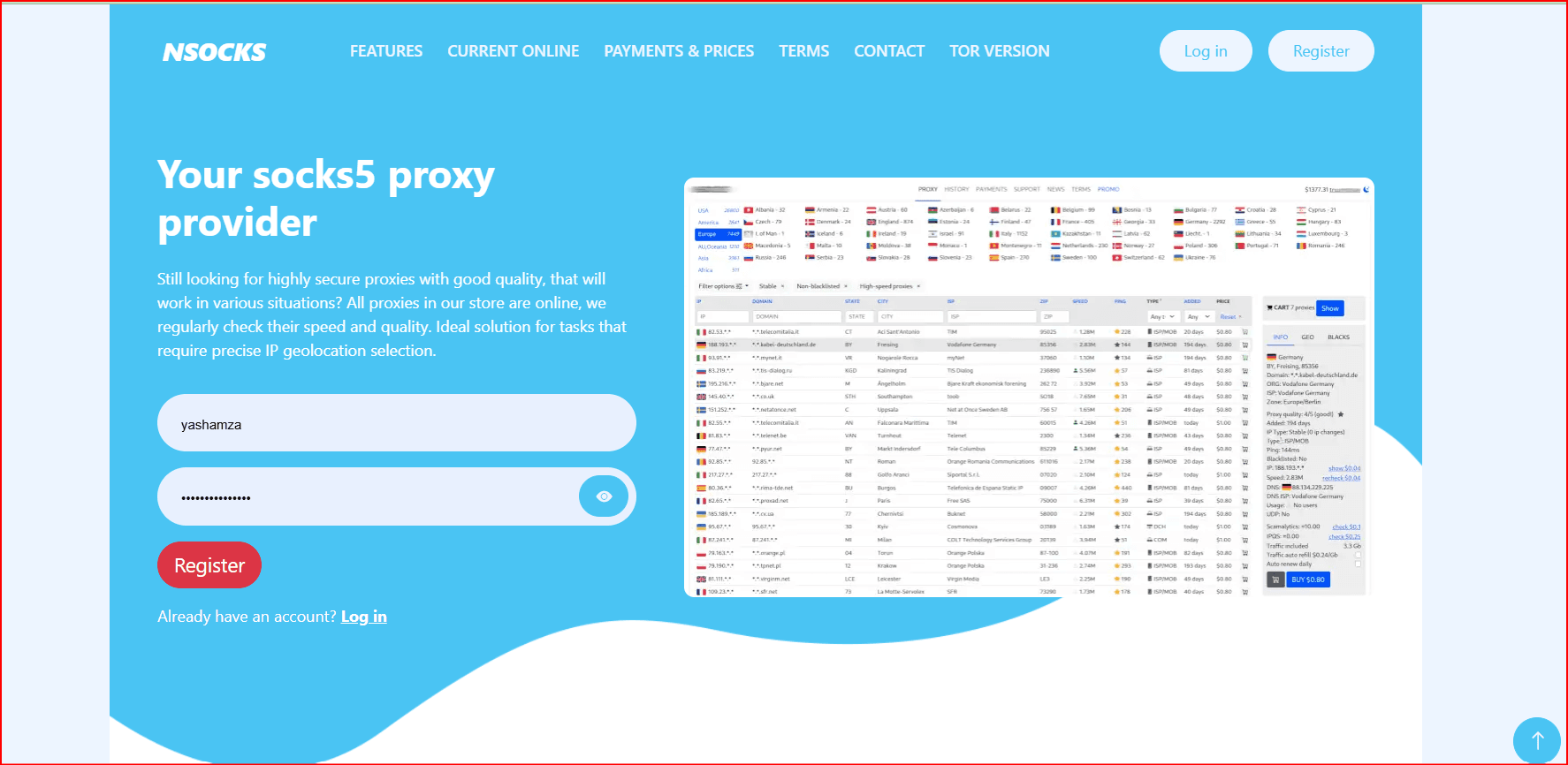
A niche SOCKS5 proxy provider focused on direct messenger compatibility.
Why it works for Telegram
- SOCKS5 proxies compatible with Telegram apps
- Simple authentication
- Competitive pricing
Best for: small to medium Telegram workflows where simplicity matters.
Smartproxy
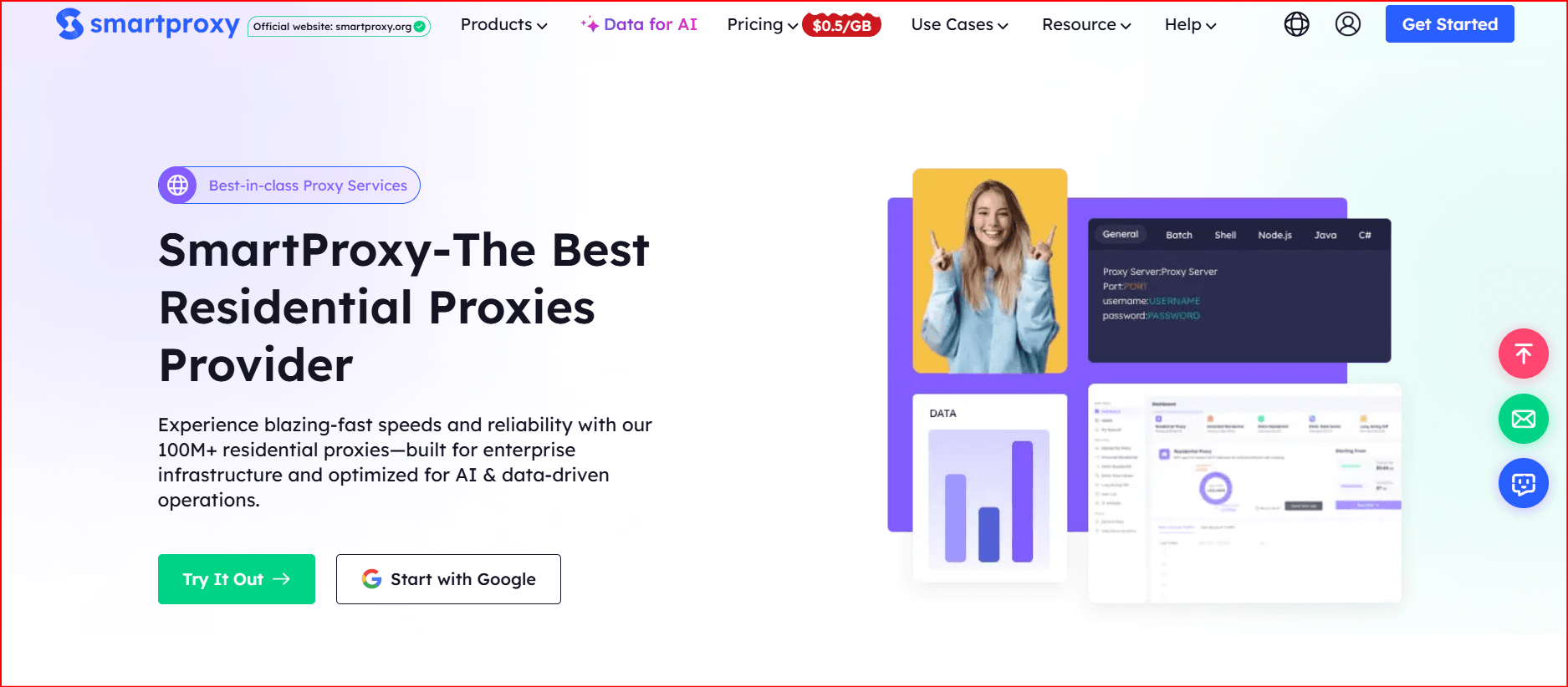
A well-known residential proxy provider balancing usability and infrastructure quality.
Why it works for Telegram
- Large residential IP pool
- Stable sessions for Web and Desktop
- Clean dashboard and API
Best for: professionals needing reliable residential proxies without enterprise pricing.
Proxy.Market
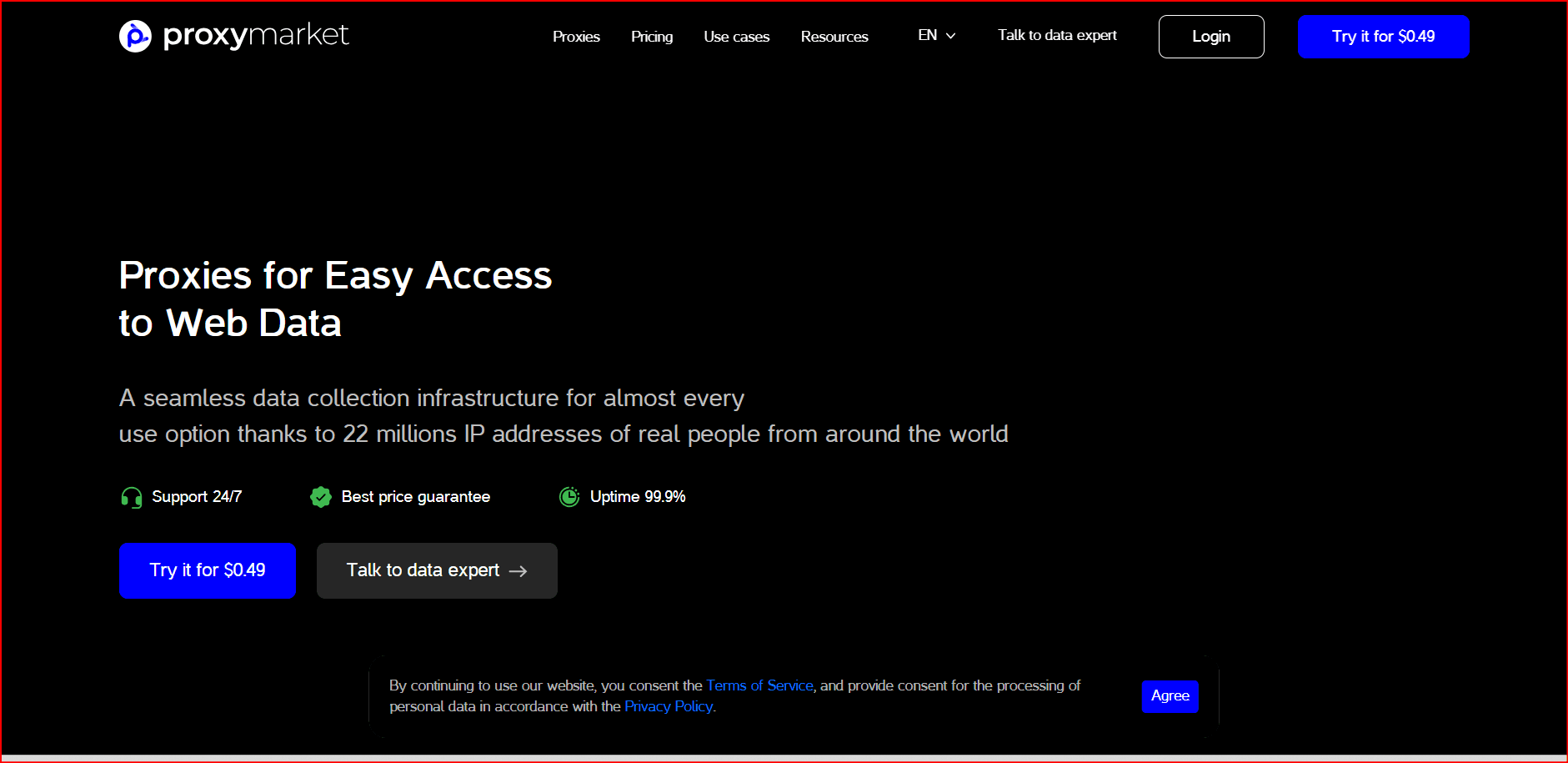
A flexible proxy rental service with multiple IP types.
Why it works for Telegram
- Datacenter, residential, and mobile options
- Dedicated and shared proxies
- Proxy checker tools
Best for: moderate Telegram workloads.
Oxylabs
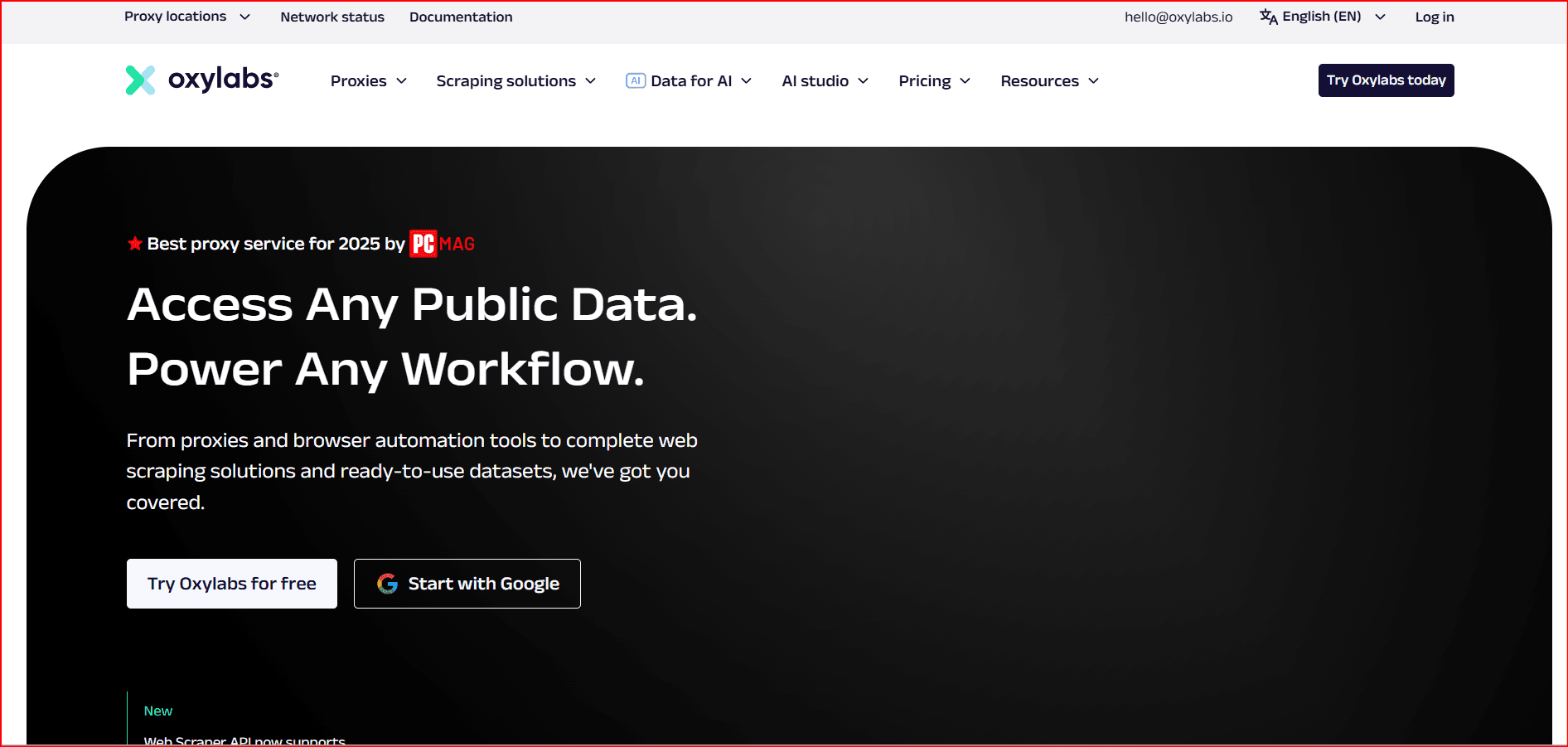
An enterprise-grade provider with one of the cleanest IP pools available.
Why it works for Telegram
- Extremely high IP reputation
- Advanced session control
- Excellent uptime
Best for: large-scale Telegram operations where cost is secondary.
What to Check Before Buying Telegram Proxies
- IPv4 availability
- IP stability (low rotation)
- One proxy per account for risky actions
- Country matching with account registration
- Clear proxy type disclosure
Why Proxies Alone Are Not Enough
Proxies only change the IP address. Telegram can still identify:
- Device characteristics
- Operating system and app parameters
- Usage patterns
This is why multiple accounts may still be linked even when different proxies are used.
What Is a Browser Fingerprint and Why It Matters
A browser or environment fingerprint includes:
- OS and device type
- Language and timezone
- Screen resolution and system features
Proxies do not modify these attributes.
Why BitBrowser Is a Practical Alternative
When Telegram is used professionally or at scale, environment isolation becomes essential.
BitBrowser addresses this by creating fully isolated browser profiles.
Key advantages of BitBrowser for Telegram
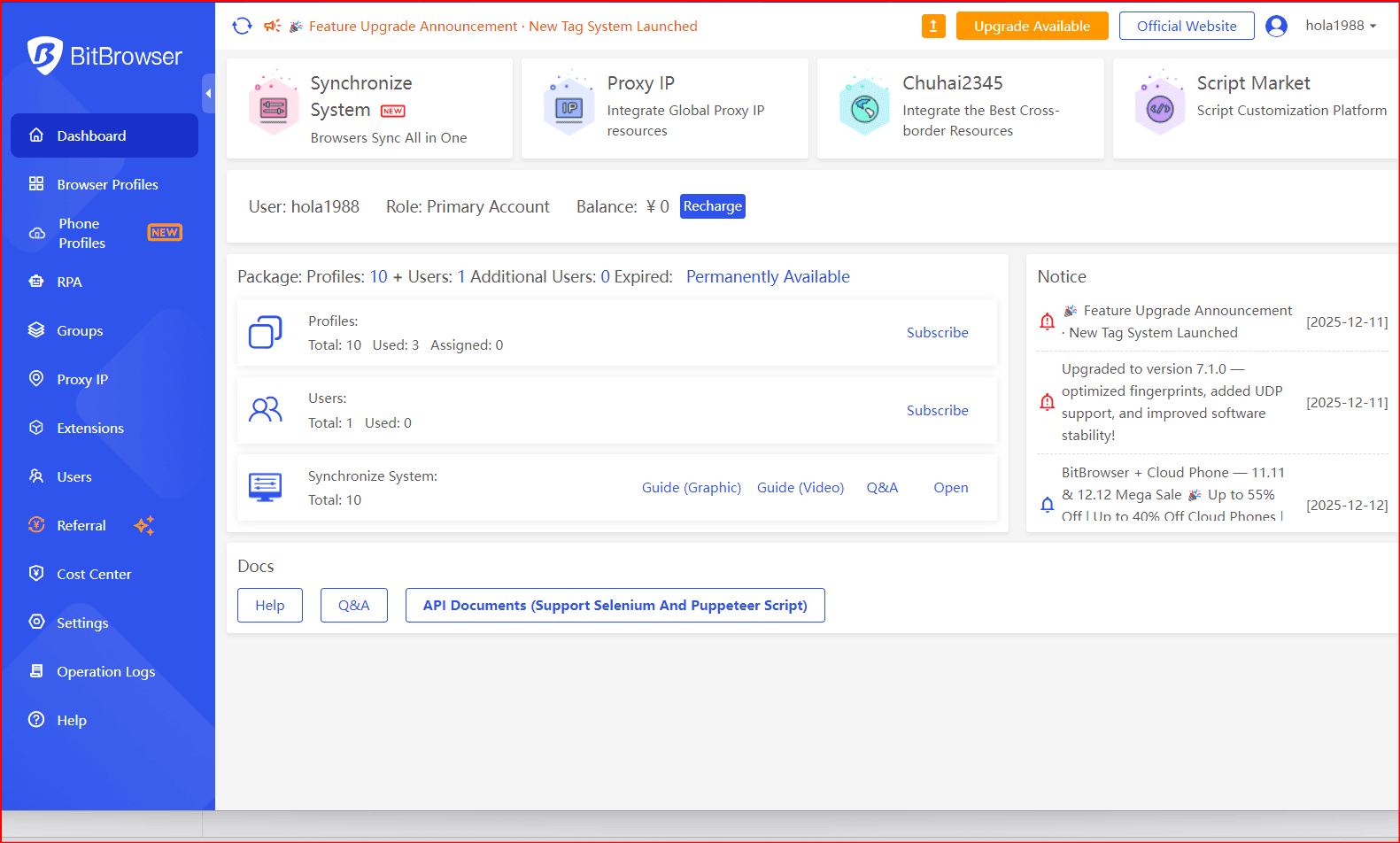
- Independent browser environments for each account
- Unique and persistent fingerprints
- Proxy integration per profile (SOCKS5, HTTP, mobile, residential)
- Support for Telegram Web and automation scenarios
- Team collaboration and profile sharing
- Automation support via APIs and browser control
Instead of relying on proxies alone, BitBrowser allows Telegram accounts to operate in clean, separated environments.
Final Thoughts
In 2026, the best proxy for Telegram depends on how you use the platform:
- Occasional access → MTProto
- Long-term or multi-account usage → SOCKS5
- Sensitive workflows → Residential or mobile IPs
- Professional scaling → Proxies combined with isolated browser environments
Proxies remain a powerful tool—but their effectiveness increases significantly when combined with proper environment isolation and disciplined workflows.

 Multi-Account Management
 Prevent Account Association
 Multi-Employee Management
Recommended
See More 



