Cloud Phones vs Mobile Emulators: Which One Really Works for Managing Multiple Accounts?
 2026.02.01 03:35
 petro
petroIf you manage multiple mobile accounts — whether for social media marketing, e-commerce, or app testing — you’ve probably faced the same question:
Should you use a mobile emulator or a cloud phone?
At first glance, both seem to do the same thing. They let you run mobile apps on a desktop, avoid buying dozens of physical phones, and simplify account management.
But under the hood, they are fundamentally different, and that difference often determines whether accounts stay safe or get banned.
Modern platforms like Instagram, TikTok, Facebook, and even banking or crypto apps aggressively analyze device behavior. They don’t just look at logins — they examine hardware signals, system consistency, and environmental fingerprints.
Most emulators fail these checks sooner or later.
This guide explains:
- What cloud phones and mobile emulators really are
- How they differ technically
- Why platforms detect emulators but trust cloud phones
- Which option works best for real multi-account operations
If account safety matters, understanding this difference is critical.
What Is a Cloud Phone? (Real Devices Hosted Remotely)
A cloud phone is a real Android smartphone located in a data center and accessed remotely from your computer or browser.
You can think of it as remote desktop access — but instead of controlling another PC, you’re controlling an actual Android phone that physically exists somewhere else.
How Cloud Phones Work
1. Real Android hardware
Cloud phones are physical smartphones, not virtual machines. They are mounted in server racks and include:
- Genuine chipsets (Snapdragon, MediaTek, etc.)
- Real IMEI, Android ID, and MAC address
- Functional sensors (GPS, accelerometer, gyroscope)
- Authentic memory and storage profiles
Because the hardware is real, platforms see them exactly like normal phones.
2. Remote control interface
You access the cloud phone via:
- Desktop software (Windows / macOS)
- Web browser
- Mobile control apps
Your clicks and taps are transmitted to the phone, and you receive a live video stream of the screen.
3. Persistent environment
Everything on a cloud phone is saved:
- Installed apps remain installed
- Login sessions stay active
- App data, cache, and system settings persist
When you reconnect later, the phone is exactly as you left it — just like a personal device.
4. Network flexibility
Cloud phones can connect through:
- Residential or mobile IPs
- Custom proxy setups
- Data-center networks
You can match IP location and device behavior to your account’s target region.
Key takeaway:
Cloud phones are real Android devices. There is no emulation layer for platforms to detect.
What Is a Mobile Emulator? (Android Simulated in Software)
A mobile emulator is software that imitates Android on a PC or Mac.
Instead of running on phone hardware, Android runs inside a virtual environment on your computer.
How Mobile Emulators Work
Software-based virtualization
Emulators simulate mobile hardware by:
- Translating ARM instructions to x86
- Emulating GPU rendering
- Spoofing sensors
- Generating fake device identifiers
Popular examples include BlueStacks, NoxPlayer, LDPlayer, MEmu, and Android Studio Emulator.
Artificial device signals
When an app checks device information, emulators return:
- Generated IMEI numbers
- Fake MAC addresses
- Simulated Android IDs
- Non-standard hardware combinations
These values look real at first glance, but they don’t behave like genuine devices.
Optimized for desktop use
Emulators are designed for convenience:
- Keyboard and mouse support
- Multiple instances on one PC
- Fast installation and switching
Common uses include gaming, development testing, automation, and screen recording.
The core problem:
Emulators create simulated identities, and modern platforms are extremely good at detecting them.
Cloud Phones vs Mobile Emulators: Key Differences
Feature | Cloud Phone | Mobile Emulator |
Hardware | Physical Android device | Software simulation |
Device Identity | Genuine IMEI, Android ID, MAC | Generated / spoofed |
Detection Risk | Very low | High |
App Compatibility | 100% | Partial |
Persistence | Full | Depends on setup |
Account Isolation | True device separation | Shared PC fingerprint |
Sensor Data | Real | Simulated |
Banking & Secure Apps | Supported | Often blocked |
Social Media Stability | High | Frequent bans |
The most important difference
Running 10 emulator instances on one PC still exposes a single underlying machine fingerprint.
Even with different fake device IDs, platforms can link them together.
With cloud phones, each session is a separate physical device. There is no shared fingerprint to leak.
How Platforms Detect Emulators
Platforms use dozens of signals to identify virtual environments, including:
Hardware consistency checks
Real phone models follow strict hardware profiles.
Emulators often combine impossible configurations (CPU, GPU, resolution mismatches).
Virtualization artifacts
Emulators expose tell-tale system properties, such as:
- Emulator-specific build values
- QEMU or virtual hardware flags
- Non-manufacturer kernel data
CPU and instruction sets
Most emulators run on x86 CPUs. Apps can detect this even when translation is used.
Sensor behavior
Real sensors produce noisy, imperfect data.
Emulators often return static or mathematically perfect values.
Graphics fingerprints
Desktop GPUs render Android graphics differently than mobile GPUs, revealing the environment.
Integrity checks
Google Play Integrity and similar systems fail on most emulators, blocking banking and secure apps.
Why Device Identity Matters for Multiple Accounts
The biggest risk isn’t “using an emulator.”
The real danger is account linking.
What happens with emulators
- Multiple accounts share the same PC fingerprint
- Network behavior correlates across instances
- Timing and performance patterns match
Once one account is flagged, others are quickly associated.
What happens with cloud phones
- Each account runs on a different physical device
- Hardware identifiers are genuinely unique
- No shared system fingerprint exists
Accounts remain isolated. One issue doesn’t cascade into others.
Real-World Use Cases
Social media agencies
Managing dozens of Instagram or TikTok accounts requires authentic mobile behavior.
Cloud phones provide stability and long-term trust.
Best choice: Cloud phones
E-commerce operations
Marketplaces aggressively link seller accounts.
True device separation is essential.
Best choice: Cloud phones
Mobile gaming
Emulators are perfectly fine for gaming and casual use.
Best choice: Emulator
App development
Emulators are ideal for fast testing.
Cloud phones are better for final QA on real hardware.
Best choice: Both
Crypto and Web3 operations
Many wallet apps detect emulators. Device clustering is heavily monitored.
Best choice: Cloud phones
Setup Comparison
Mobile emulator setup
Software installation
Instance configuration
Proxy setup per instance
Continuous anti-detection tweaks
Frequent account replacements
Time: 30–60 minutes per instance
Skill level: Medium to high
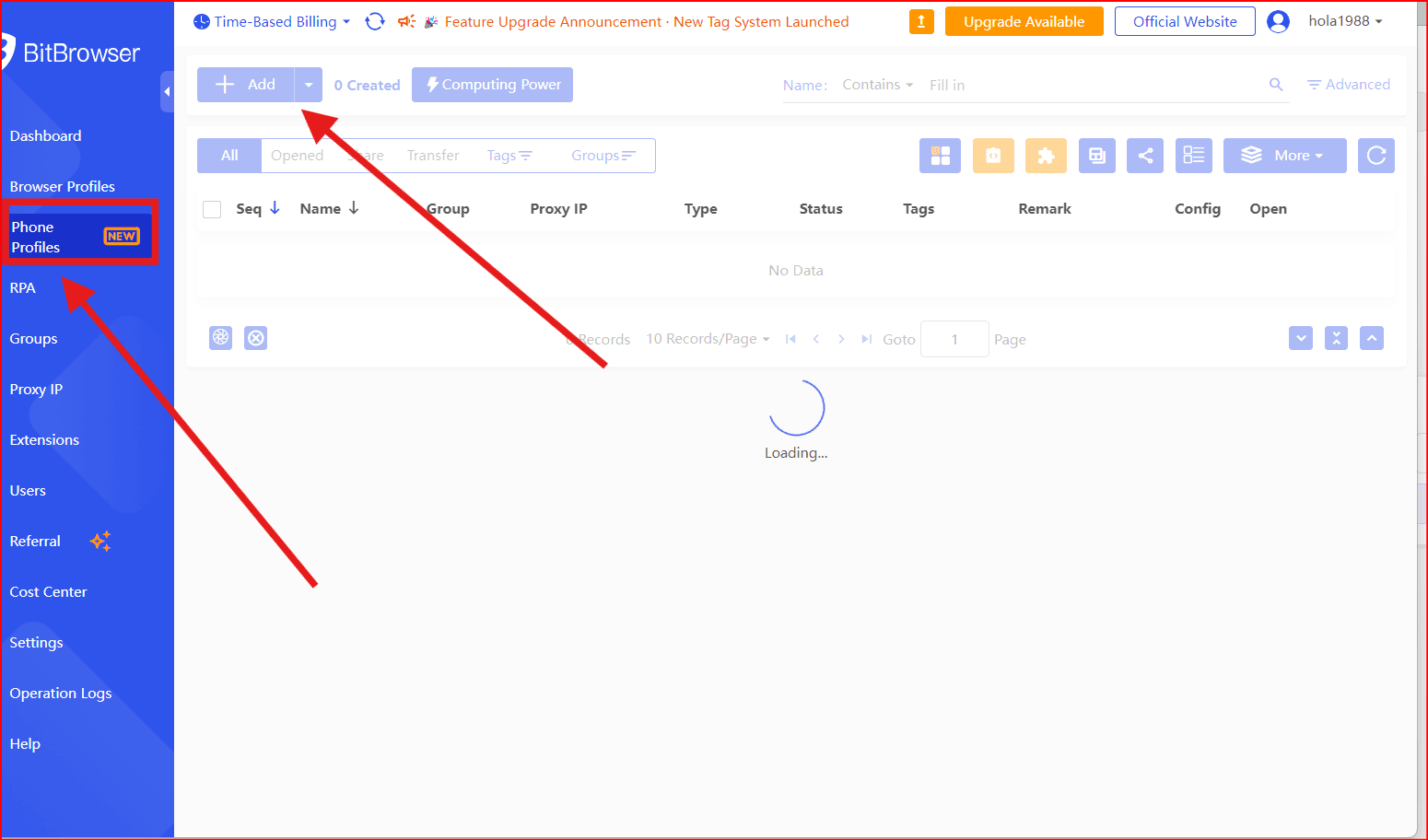
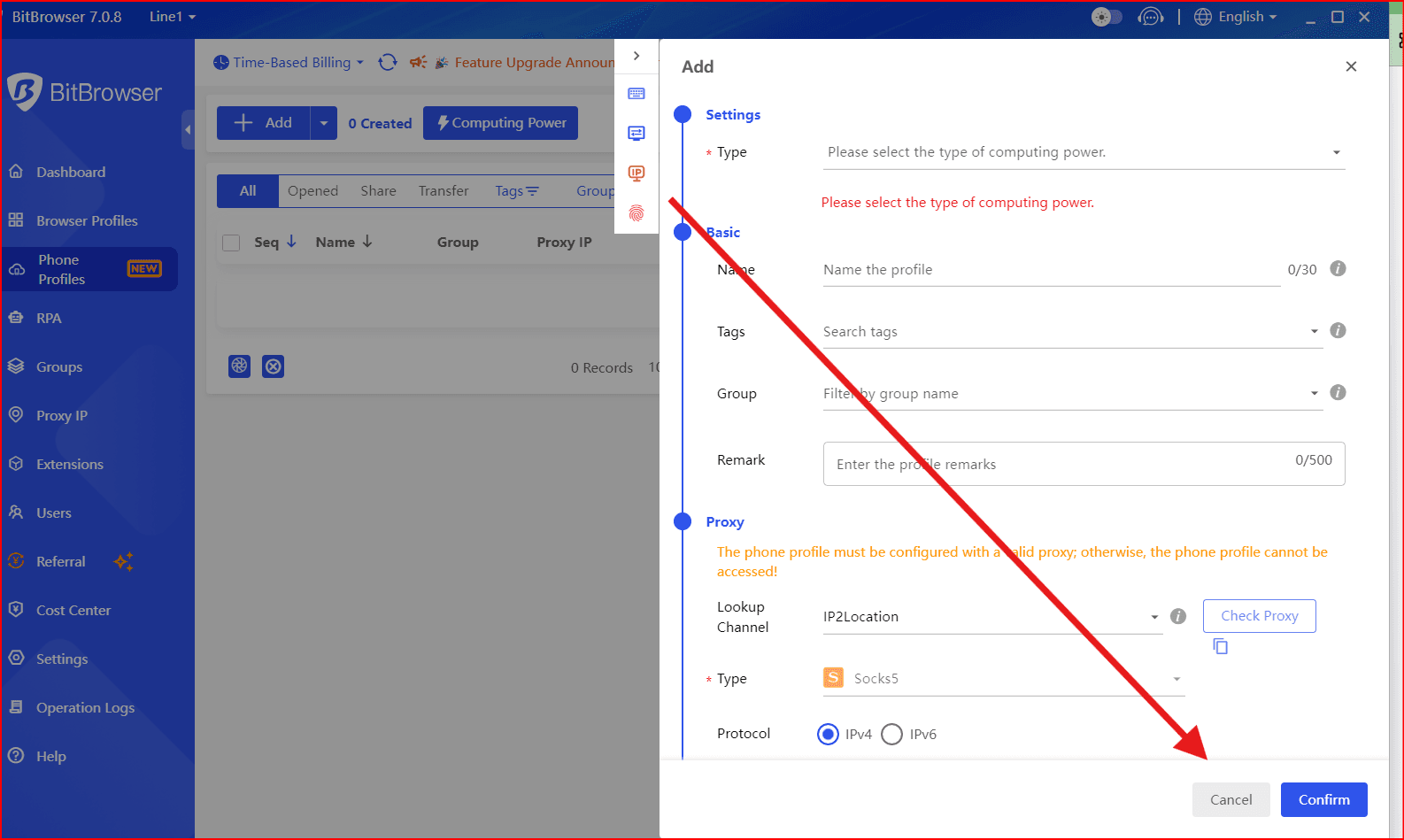
BitCloudphone setup (BitBrowser)
Launch a cloud phone profile
Choose device model and location
- Install apps and log in
Why BitBrowser for BitCloudPhone Are a Safer Choice
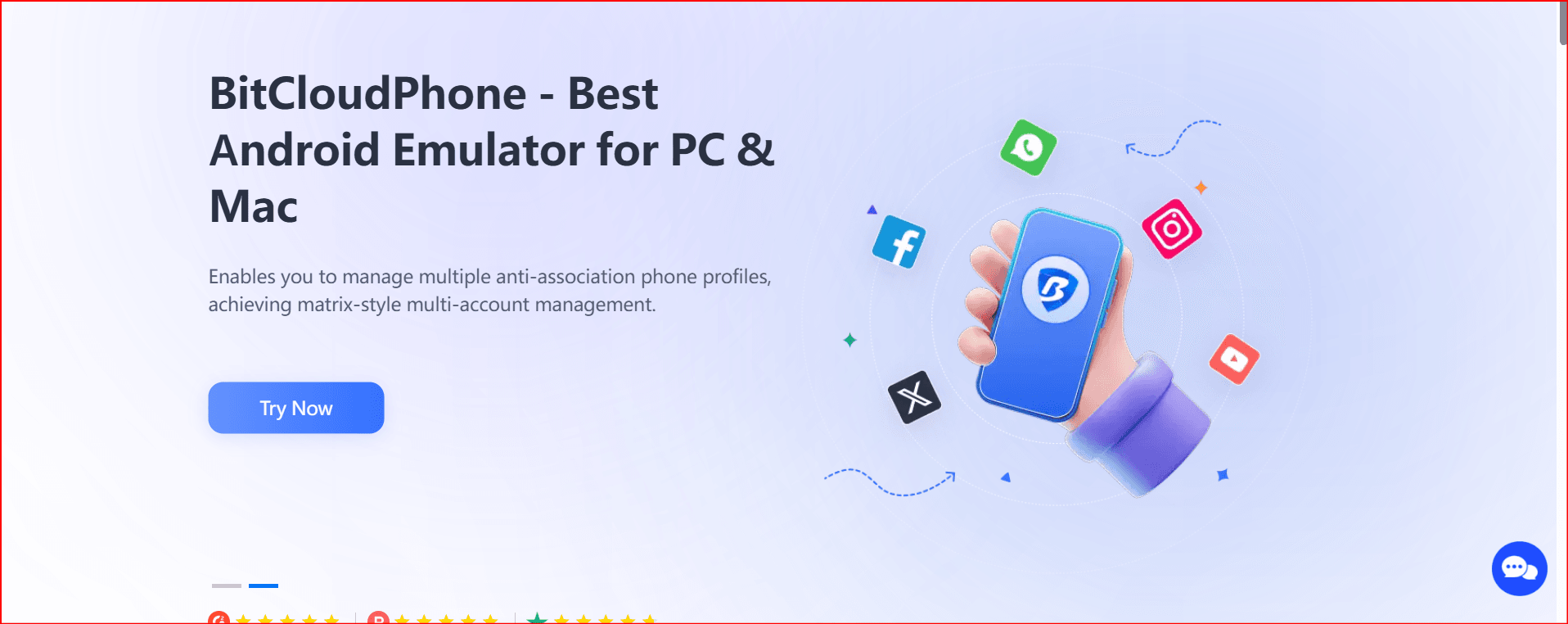
BitBrowser cloud phones are built specifically for long-term account stability:
- ✔ Real Android devices with authentic hardware identifiers
- ✔ Multiple phone models and Android versions
- ✔ Built-in mobile and residential IP support
- ✔ Persistent sessions and app data
- ✔ Centralized desktop management
- ✔ Team access and permission control
- ✔ Pay-for-usage pricing
There’s no emulation to detect — because everything runs on real hardware.
Final Verdict
If you’re managing multiple mobile accounts for business, emulators introduce unnecessary risk.
Detection systems evolve constantly, and simulated environments fall behind just as fast. The cost of bans, replacements, and lost trust quickly exceeds the price of proper infrastructure.
Cloud phones offer what emulators cannot: real devices, true isolation, and long-term stability.
For serious multi-account work, BitBrowser cloud phones are the practical, scalable solution.

 Multi-Account Management
 Prevent Account Association
 Multi-Employee Management
Recommended
See More 



