What Is YouTube AdSense? Complete Guide to Earning Money with YouTube Ads in 2026
 2026.06.08 06:15
 YT.Shi
If you have ever watched a YouTube video and seen an ad before it starts, you have already seen YouTube AdSense in action. And if you are a creator, it is still one of the most important ways to earn money on YouTube in 2026.
In this guide, I will walk you through what YouTube AdSense is, how it works, the YouTube Partner Program requirements in 2026, how to set up AdSense step by step, and what to expect from payouts. I will also cover common questions like using one AdSense account for multiple YouTube channels, plus some practical tips for managing multiple monetized channels efficiently.
What Is YouTube AdSense?
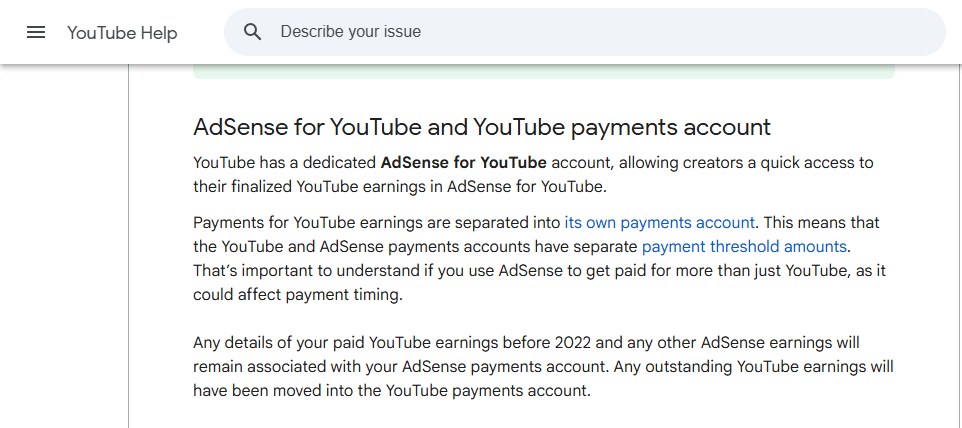
YouTube AdSense is the system that allows creators to receive advertising revenue from their YouTube content.
When advertisers pay to show ads on YouTube videos, Google collects those advertising payments and shares a portion of the revenue with eligible creators. AdSense acts as the payment platform that tracks earnings and sends payouts to creators.
Once your channel is in the YouTube Partner Program, you can connect an AdSense account. After that, eligible views on your videos can generate revenue from ads. This can include ads that play before the video, during the video if it is long enough, after the video, or display style ads depending on device and format.
A key point. YouTube AdSense mainly handles ad based earnings. In 2026, many creators earn from other sources too, like YouTube Premium revenue, memberships, Super Chat, and shopping features. Some of those still flow through the same overall payout system, but AdSense is the classic “ads money” component most people mean when they say YouTube AdSense.
How Does YouTube AdSense Work?
Here is the simple version of how YouTube AdSense works in 2026.
First, you create videos and build an audience. Then, once you meet the YouTube Partner Program requirements, you apply for monetization. If you are accepted, you connect your channel to an AdSense account. From that point on, YouTube can show ads on your eligible videos and track the revenue.
In general, you should expect YouTube Partner Program requirements like:
1. Meeting a watch time or Shorts views threshold within a set period:
● 1,000 subscribers plus 4,000 valid public watch hours in the past 12 months, or
● 1,000 subscribers plus 10 million valid public Shorts views in the past 90 days
2. Having advanced features access on YouTube.
3. Turning on two step verification on your Google account
4. Having no active community guideline strikes, and following monetization policies
5. Living in a country or region where YPP is available
Once approved, creators can connect an AdSense account and begin earning revenue from eligible content.
Creators do not get paid just because an ad is shown once. Earnings depend on factors like viewer location, ad type, your niche, seasonality, and how advertiser friendly your content is.
Inside YouTube Studio, you will see estimated revenue, RPM, and other metrics. These are updated regularly, but final revenue takes time to confirm. This is why your numbers can shift slightly before the month closes.
Also, not every view is monetized. Some viewers use ad blockers, some watch in countries with lower ad rates, and some videos may have limited ads if the content is not suitable for all advertisers. So the real goal is consistent, advertiser friendly content that keeps viewers watching.
How to Set Up a YouTube AdSense Account
Setting up a YouTube AdSense account is not hard, but you do want to do it in the right order. Here is a practical step by step process.
Step 1: Apply for monetization in YouTube Studio
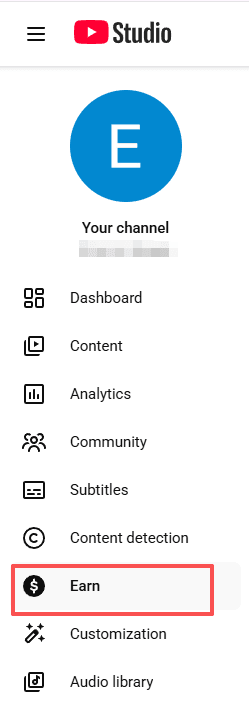
Go to YouTube Studio, then click Earn. If you meet the YouTube Partner Program requirements, you will see an option to apply. Follow the steps to review and accept the terms.
Step 2: Connect an AdSense account
During the monetization setup, YouTube will prompt you to connect AdSense. If you already have an AdSense account, you can usually connect it. If not, you can create a new one.
Step 3: Enter correct personal and tax information
Fill in your legal name, address, and payment profile details carefully. This affects verification and payouts later. Add your tax information in the payments section as well, since tax withholding rules depend on your country.
Step 4: Verify your identity and address
In many cases, Google will ask for identity verification, and then mail you a PIN to verify your address. The PIN can take time to arrive, so do not wait until the last minute.
Step 5: Add your payment method
Once eligible, add a bank account or other available payment method in your region. Double check account numbers. A tiny mistake here can delay payouts for weeks.
After all that, you are basically ready. Now it becomes a game of uploading good videos, keeping your channel policy clean, and learning what content earns well.
How Much Money Can You Make with YouTube AdSense?
This is the question everyone wants answered, and the honest answer is: it depends, a lot.
YouTube AdSense earnings are usually discussed using RPM, which is revenue per one thousand views. RPM changes based on niche, audience location, time of year, and how many ads are shown. For example, finance and business content often earns more per view than general entertainment, but it is also harder to compete in.
Here is a realistic way to think about it. If your channel has 100,000 views in a month, your AdSense earnings might be modest, decent, or surprisingly high depending on RPM. A channel with an RPM of 2 dollars might earn around 200 dollars for 100,000 views. A channel with an RPM of 10 dollars might earn around 1,000 dollars for the same views. And yes, there are channels that earn more or less.
If you want to increase YouTube AdSense revenue, focus on:
● Making longer videos where it makes sense, because more watch time can allow more ad opportunities
● Improving audience retention so people actually keep watching
● Targeting topics that advertisers value, without forcing it
● Staying advertiser friendly so your videos do not get limited ads
Also, do not ignore non AdSense income. Many creators in 2026 rely on sponsorships, affiliate links, digital products, and memberships, because ad revenue alone can be unstable.
Can You Use One AdSense Account for Multiple YouTube Channels?
Yes. In most cases, you can use one AdSense account for multiple YouTube channels.
An AdSense account is linked to one payment profile, but it can receive earnings from several monetized channels that you own. This makes managing your YouTube income much easier.
However, there are a few things to keep in mind.
● If you manage channels for clients or partners, avoid linking their channels to your personal AdSense account unless ownership and payment arrangements are clearly defined.
● If you transfer or sell a channel, you may also need to update its monetization setup.
● Most importantly, follow YouTube and AdSense policies carefully. If your AdSense account is suspended, all linked channels may be affected.
Managing Multiple Monetized Channels Efficiently
Running one monetized YouTube channel is already a lot. Running multiple channels can get messy fast. You forget which email owns what, which channel has which settings, which one is waiting for verification, and suddenly you are wasting hours. A practical setup in 2026 looks like this.
First, organize ownership using Google accounts and YouTube Brand Accounts properly.
Keep a clear map of which channels belong to which Google account. Use a simple spreadsheet with channel name, login email, recovery email, phone number, and AdSense connection status.
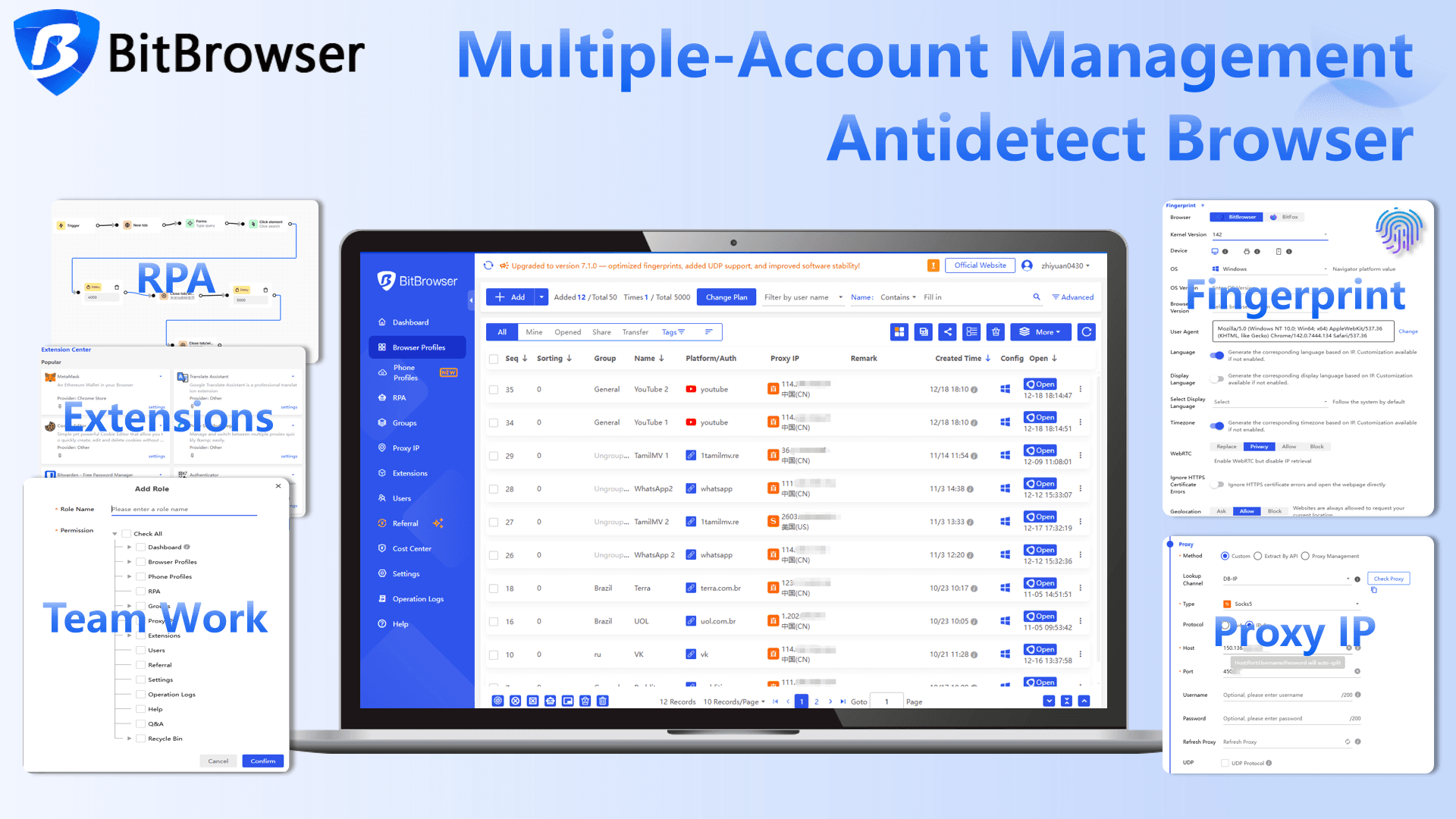
If you manage a large number of channels, it can also help to use a browser profile management tool such as BitBrowser. Separate browser profiles make it easier to keep channel logins organized and reduce the confusion that often comes with switching between multiple accounts.
By creating isolated browser environments with separate fingerprints, cookies, and account data, BitBrowser helps reduce the risk of account association across multiple channels. This added separation can improve account security and lower the risk of operational issues spreading across your account network if a particular channel encounters restrictions or policy problems.
Second, standardize your upload workflow.
Use templates for titles, descriptions, pinned comments, and end screens. Not to spam, just to reduce repeated work.
Third, separate creative work from admin work.
Batch record and edit, then batch upload, then do one admin session to handle monetization checks and comments.
Fourth, keep policy risk low.
If you manage many channels under one AdSense, one mistake can affect everything. Avoid borderline content, avoid reused clips without real transformation, and do not play games with misleading metadata.
And finally, track performance by channel, not by vibes.
In YouTube Studio, watch RPM, retention, and traffic sources so you know which channel is actually worth your time.
Final Thoughts
YouTube AdSense is still a big piece of how creators earn money on YouTube in 2026, but it works best when you treat it like a system. Meet the YouTube Partner Program requirements, connect the right AdSense account, verify everything early, and build content that viewers actually want to stick with.
If you are managing more than one channel, the main thing is staying organized and staying consistent. Most people do not fail because they lack ideas. They fail because the process gets chaotic and they stop uploading.
One last practical note. If you are running multiple channels, switching between accounts, or managing separate workflows, having a clean browser environment can save time and reduce mistakes. Tools like BitBrowser can help you keep profiles and logins separated in a more controlled way, which is useful when your YouTube setup starts to scale.
Frequently Asked Questions
How much money can you make with YouTube AdSense?
There is no fixed amount. Your earnings depend on factors such as your niche, audience location, watch time, advertiser demand, and RPM. Some channels earn a few dollars per thousand views, while others earn significantly more.
Do you need 1,000 subscribers to get YouTube AdSense?
To earn advertising revenue through the YouTube Partner Program, you generally need 1,000 subscribers and either 4,000 public watch hours in the past 12 months or 10 million valid Shorts views in the past 90 days. Requirements may change, so always check the latest guidelines in YouTube Studio.
Can I use one AdSense account for multiple YouTube channels?
Yes. In most cases, you can connect multiple monetized YouTube channels that you own to a single AdSense account. This allows you to manage earnings, payments, and tax information from one place.
How long does it take to get paid by YouTube AdSense?
YouTube earnings are finalized after the end of each month. If you meet the payment threshold and have completed verification, payments are usually issued through AdSense between the 21st and 26th of the following month.
What happens if my YouTube channel is not approved for monetization?
If your monetization application is rejected, YouTube will usually explain the reason. Common issues include reused content, policy violations, or insufficient original value. After addressing the problem, you can typically reapply after the waiting period specified by YouTube.

 Multi-Account Management
 Prevent Account Association
 Multi-Employee Management
Recommended
See More 



