how to run google ads without getting suspended
 2026.04.23 05:36
 petro
petroGoogle Ads is one of the most powerful ways to grow a business online—but many advertisers get suspended without fully understanding why. In most cases, suspensions happen because of policy violations, lack of transparency, or risky account behavior.
This guide will walk you through how to set up and run your campaigns safely, so you can avoid suspension and build a stable, long-term advertising account.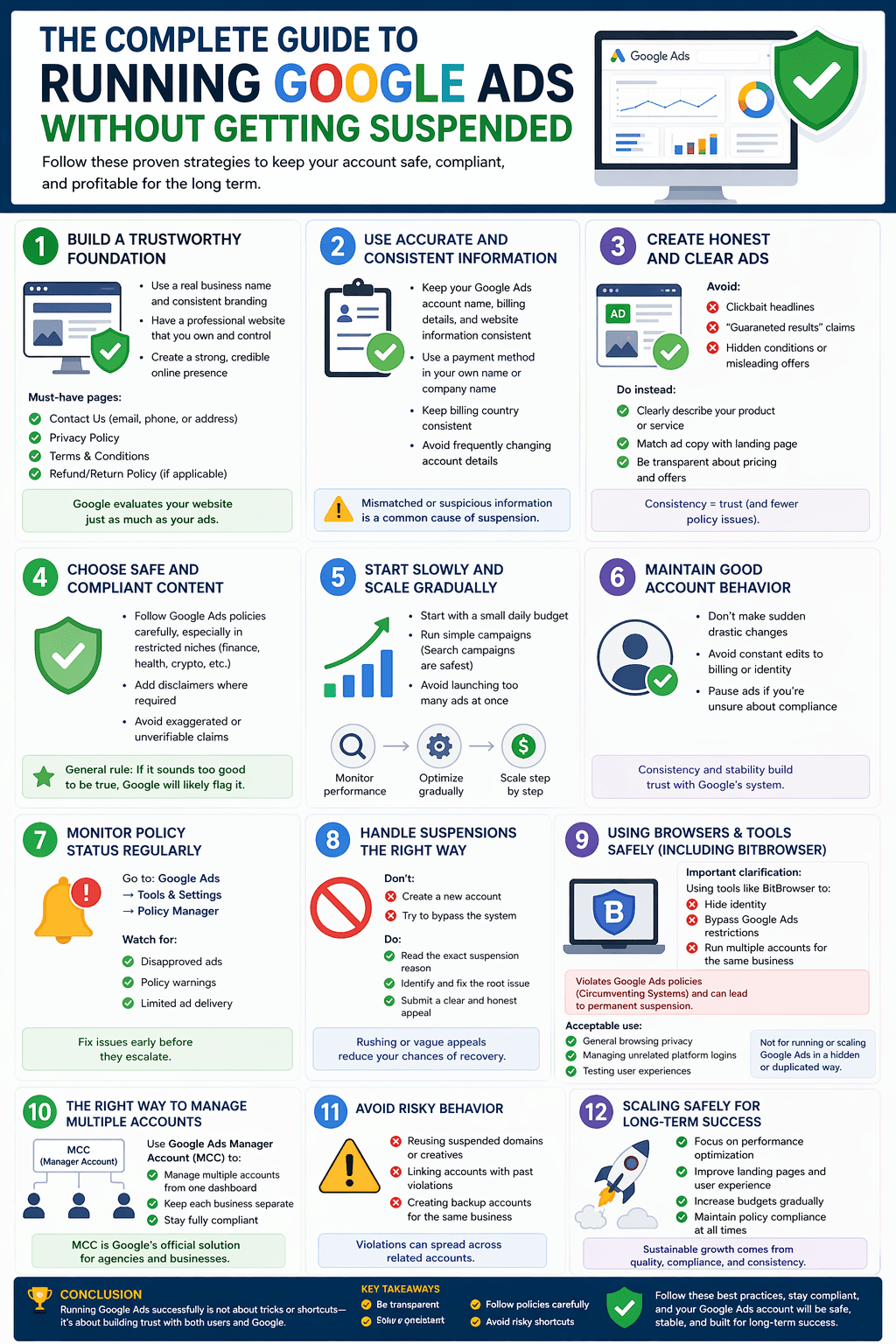
1. Build a Trustworthy Foundation
Before running any ads, make sure your business looks legitimate and transparent.
Essential requirements:
- Real business name and consistent branding
- Professional website (no broken pages or unfinished pages)
- A domain you own and fully control
Must-have pages on your website:
- Contact Us (email, phone number, or address)
- Privacy Policy
- Terms & Conditions
- Refund/Return Policy (if selling products/services)
Google evaluates your website just as much as your ads. A weak or unclear website is a major red flag.
2. Use Accurate and Consistent Information
Your account details must match across all elements of your business.
Keep consistent:
- Google Ads account name
- Billing details
- Website business information
Best practices:
- Use a payment method in your own name or company name
- Keep billing country consistent with your business location
- Avoid frequently changing account details
Mismatched or suspicious information is one of the top causes of suspension.
3. Create Honest and Clear Ads
Your ads should reflect exactly what users will find on your website.
Avoid:
- Clickbait headlines
- “Guaranteed results” or unrealistic promises
- Hidden conditions or misleading offers
Do instead:
- Clearly describe your product or service
- Match ad copy with your landing page
- Be transparent about pricing, delivery, or outcomes
Consistency between ad and landing page builds trust and reduces policy issues.
4. Choose Safe and Compliant Content
Some industries are more sensitive than others (finance, health, crypto, etc.).
If you are in a restricted niche:
- Follow Google Ads policies carefully
- Add disclaimers where required
- Avoid exaggerated or unverifiable claims
General rule:
If it sounds too good to be true, Google will likely flag it.
5. Start Slowly and Scale Gradually
New accounts are more sensitive and require a careful approach.
Smart launch strategy:
- Start with a small daily budget
- Use simple campaigns (Search campaigns are safest)
- Avoid launching too many ads at once
Then:
- Monitor performance
- Optimize gradually
- Increase budget step by step
Sudden aggressive scaling can trigger risk signals.
6. Maintain Good Account Behavior
Google evaluates patterns over time, not just individual actions.
Keep your account healthy:
- Avoid sudden drastic changes
- Don’t frequently change billing or identity details
- Pause campaigns if you’re unsure about compliance
Stability builds trust with Google’s system.
7. Monitor Policy Status Regularly
Check your account frequently to catch issues early.
Go to:
Google Ads → Tools & Settings → Policy Manager
Watch for:
- Disapproved ads
- Policy warnings
- Limited ad delivery
Fix issues immediately before they escalate into suspension.
8. Handle Suspensions the Right Way
If your account gets suspended:
Don’t:
- Create a new account to bypass the suspension
- Try to “work around” the system
Do:
- Read the exact suspension reason
- Identify and fix the root issue
- Submit a clear and honest appeal
Rushing or submitting vague appeals reduces your chances of recovery.
9. Using Browsers & Tools Safely (Including BitBrowser)
Some advertisers explore tools like BitBrowser or other multi-profile browsers.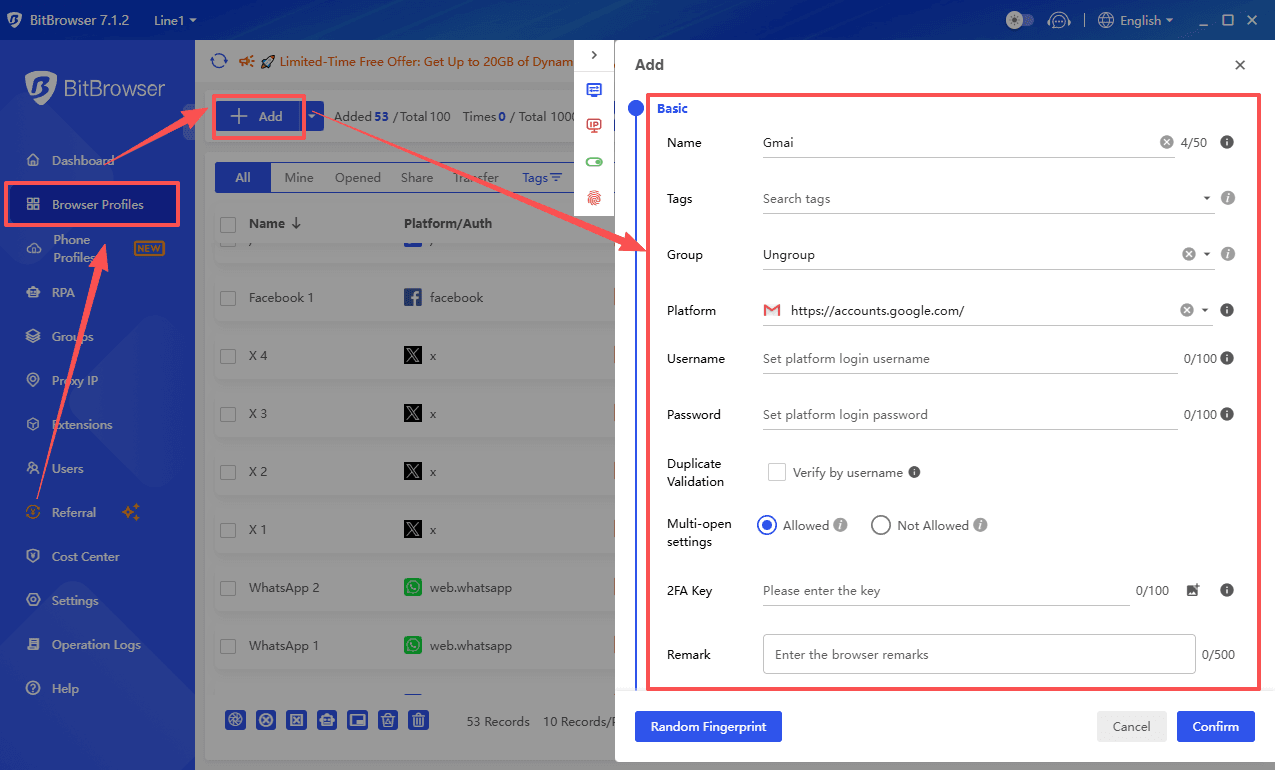
Important clarification:
Using such tools to:
- Hide identity
- Bypass Google Ads restrictions
- Run multiple accounts for the same business
When these tools are acceptable
They can be used for:
- General browsing privacy
- Managing unrelated platform logins
- Testing user experiences
But not for running or scaling Google Ads in a hidden or duplicated way.
10. The Right Way to Manage Multiple Accounts
If you manage ads for multiple businesses or clients, use:
✅ Google Ads Manager Account (MCC)
This is Google’s official solution that allows you to:
- Manage multiple accounts from one dashboard
- Keep each business separate
- Stay fully compliant
Best practices:
- One account per business
- Unique domain per business
- Separate billing method per account
- Clear and transparent identity
11. Avoid Risky Behavior
Even with multiple accounts, avoid:
- Reusing suspended domains or creatives
- Linking accounts with past violations
- Creating backup accounts for the same business
Violations can spread across related accounts.
12. Scaling Safely for Long-Term Success
To grow your campaigns safely:
- Focus on performance optimization
- Improve landing pages and user experience
- Increase budgets gradually
- Maintain policy compliance at all times
Conclusion
Running Google Ads successfully is not about tricks or shortcuts—it’s about building trust with both users and Google.
Key takeaways:
- Be transparent
- Stay consistent
- Follow policies carefully
- Scale gradually
- Avoid risky shortcuts
If you follow these principles, your account will be far less likely to get suspended—and much more likely to grow sustainably.
Final Thought
Tools and tactics don’t protect your account—compliance and trust do.
Build your advertising strategy the right way, and you won’t need to worry about bans.

 Multi-Account Management
 Prevent Account Association
 Multi-Employee Management
Recommended
See More 



