How Do You Make Money on Twitch in 2026? (Complete Guide)
 2025.12.20 05:08
 petro
petroTwitch has evolved dramatically since the early days of casual livestreaming. By 2026, the platform has become a full creator economy—with clearer monetization systems, higher brand demand, and more tools for beginners to start earning sooner. Whether you're a new streamer wondering how to make money on Twitch, an agency managing multiple creators, or someone curious about how much money you can make on Twitch, this guide breaks everything down step by step.
Using the latest trends, monetization rules, and industry insights, here’s exactly how streamers make money on Twitch in 2026—and how you can turn your channel into a real income stream.
How Twitch Monetization Works in 2026
Twitch monetization continues to rely on a mix of platform-built revenue tools and off-platform income streams. The most reliable way streamers make money on Twitch is through a diversified income stack:
Subscriptions
Viewers pay monthly ($4.99, $9.99, $24.99). In 2026, Twitch still shares revenue 50/50 for most creators, while Partners and high-performing Affiliates may negotiate better splits.Bits & Cheers
Bits act like Twitch’s built-in tipping currency. Streamers receive approximately $1.00 for every 100 Bits cheered.Ad Revenue
Ad payouts in 2026 depend heavily on viewer geography and stream length. Twitch’s improved Ads Manager allows creators to control mid-roll timing better, helping retain viewers.Sponsorships & Brand Collaborations
Brands now prioritize Twitch more than ever, especially gaming, tech, lifestyle, and food delivery companies. Even micro-streamers can land deals.Affiliate Links & External Merch Sales
From Amazon Associates to game-key stores, affiliate marketing remains a strong passive income source.Donations Through Third-Party Services
Streamlabs, StreamElements, and PayPal donations provide higher payout value with fewer fees.
In 2026, the top-earning streamers rely on all six—not just one. This diversified stack protects income and accelerates growth.
Requirements to Make Money on Twitch
Before you earn directly through Twitch, you must qualify for Twitch Affiliate or Partner status.
Twitch Affiliate Requirements (2026)
To be eligible for monetization:
50 followers
Stream at least 8 hours
On at least 7 different days
Average 3 concurrent viewers
Once you hit Affiliate, you can earn through subs, Bits, and ads.
Twitch Partner Requirements (2026)
For creators aiming for more features and higher payouts:
1,000 followers
Stream 25 hours
On at least 12 different days
Average 75 concurrent viewers
Partnership unlocks more emote slots, better support, and sometimes improved revenue share.
Ways to Make Money on Twitch in 2026 (Including for Beginners)
Now let’s break down how to make money on Twitch for beginners and experienced streamers alike. Each method below includes practical examples and modern 2026 strategies.
1. Subscriptions: The Foundation of Twitch Income
Subscriptions create recurring monthly income. To increase your sub count:
Offer valuable perks (emotes, badges, Discord access)
Use strong calls-to-action: “If you’re enjoying the stream, Prime subs are free!”
Create sub-only events, VODs, or tournaments
Many viewers don’t realize they get a free monthly Prime sub, so remind them consistently.
2. Bits, Cheers & Stream Goals
Bits work well when paired with:
On-screen milestone trackers
Fun reactions (“I do a challenge every 1,000 Bits”)
Community events (“Bit trains unlock rewards”)
Micro-donations add up quickly across consistent streams.
3. Ads (Improved in 2026)
Streamers now strategically trigger ads during:
Matchmaking
Break screens
Downtime conversations
Running 3 minutes of ads per hour can significantly boost revenue while disabling pre-rolls for new viewers.
4. Sponsorships & Brand Deals
This is where high-earning creators shine. Even small channels can negotiate deals in niches like:
Keyboard/mouse brands
Energy drinks
Indie game developers
VPN providers
Snack food companies
Keep a simple media kit with:
Demographics
Average concurrents
Past collaborations
Pricing
Brands care more about engagement than raw viewer count.
5. Affiliate Links & Product Recommendations
Affiliate marketing is one of the easiest ways to start earning immediately—even before becoming Affiliate. Examples include:
“The mic I use” affiliate link
Game key or DLC stores
Tech accessories
Gaming chairs
To maximize clicks, use chat commands like !mic, !setup, or !keyboard.
6. Merch & Digital Products
By 2026, print-on-demand tools have improved dramatically. You can sell:
Themed apparel
Stickers
Mugs
Digital guides
Coaching PDFs
Game strategies or build guides
Digital products have no inventory cost, making them ideal for beginners.
7. Third-Party Donations
Many viewers prefer tipping via:
Streamlabs
Ko-fi
PayPal
StreamElements
Third-party donations pay out more than Bits and often come with customizable alerts.
8. Making Money by Playing Games on Twitch
If you’re wondering how to make money on Twitch playing games, these formats perform the best:
Competitive Ranked Streams (Great for coaching packages, affiliate guides, and subs from viewers wanting to improve.)
Speedrunning (Tightly-knit communities reward consistency, skill, and hype moments.)
Challenge Runs (e.g., “Chat picks my loadout,” “No-death Elden Ring run”)
Cozy Variety Gaming (Story-driven or relaxing games monetize through personality and community connection, not difficulty.)
These formats encourage Bits and donations.
Can You Make Money on Twitch Without Showing Your Face?
Yes—absolutely. And in 2026, it’s more common than ever.
Many creators ask: Can you make money on Twitch without showing your face? The answer: yes, especially with these formats:
VTubing (Virtual avatars allow anonymity while enabling expressive content.)
Gameplay-Only Streams (Great for speedrunning, FPS gameplay, or strategy coaching.)
Radio-Style or Commentary Streams (Where voice + gameplay overlay is enough.)
Tutorial or Educational Streams (Coding, editing, or analytics streams don’t require a facecam.)
Plenty of faceless streamers earn full-time income. What matters is audio quality, personality, and consistency—not appearance.
Pro Tips to Maximize Your Twitch Income in 2026
To move from hobbyist to income-earning streamer, apply these advanced strategies.
Master the First 30 Seconds
Retention is everything. Viewers decide instantly whether to stay. Start with:
A clear objective
Urgency
Narrative (“Attempt #54—this could be the one”)
Build a Community Outside Twitch
Twitch discovery is limited. Use:
TikTok
YouTube Shorts
Instagram Reels
Discord
Your off-platform community will drive your Twitch income dramatically.
Create Recurring Stream Formats
Themed days increase viewer return rate:
“Coaching Fridays”
“Community Game Night”
“Speedrun Saturday”
Appointment-style content boosts subs and Bits.
Use On-Screen Prompts
Simple overlays reminding viewers:
Follow
Use Prime Sub
Join Discord
Check !donate
A passive viewer becomes a supporter when prompted.
Analyze Your Data Weekly
Track:
Average concurrent viewers
First-minute retention
Chat activity
Subscription conversion rates
This data reveals which content earns most.
How BitBrowser Helps Twitch Streamers Grow Faster (Practical Use Cases)
In 2026, many creators and agencies manage multiple channels for testing niches, building regional audiences, or running brand accounts. This leads to a crucial problem: Twitch detects connected accounts through IPs, browser fingerprints, cookies, and behavior patterns.
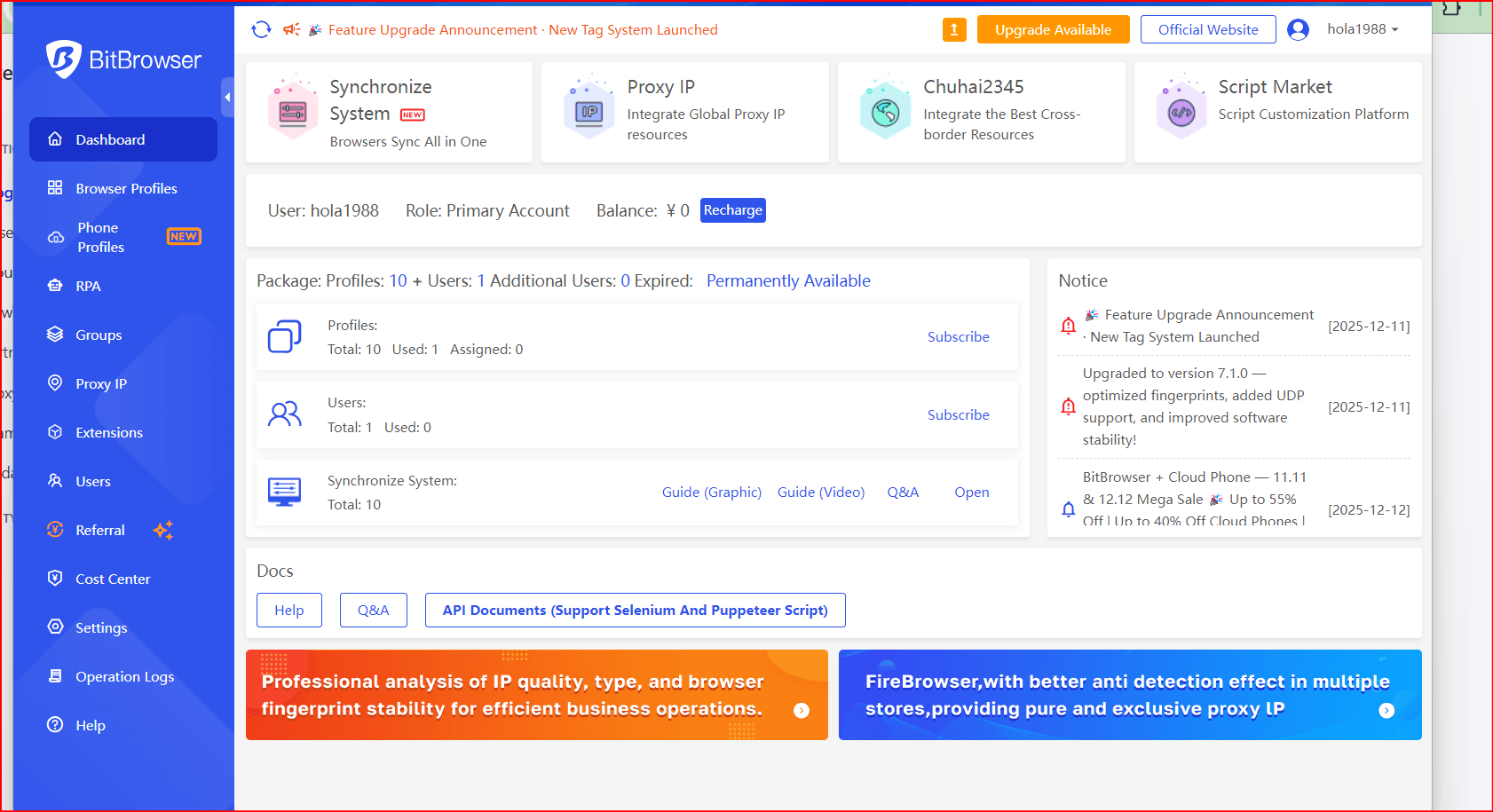
BitBrowser solves this by giving each account a separate, isolated browsing profile, making every channel appear as if it is running on a unique device.
Practical Use Cases for Twitch Streamers
Testing Multiple Niches Safely
Want to test cozy gaming, FPS ranked climbs, VTubing, or educational commentary? With BitBrowser, each test runs in a separate fingerprinted environment, so Twitch cannot connect the accounts.Agencies Managing Multiple Creators
Agencies often run 5–50 creator accounts, brand channels, and experimental content streams. BitBrowser ensures none of these accounts overlap or trigger multi-account flags.Protecting High-Value Accounts
Losing a Partner or Affiliate account to an identity mismatch can be devastating. BitBrowser keeps cookies, histories, and device profiles intact—making the account behave like a stable, single-user setup.Region-Specific Streaming
Some creators need access to US server games, Japanese launches, or EU esports events. Residential proxies + BitBrowser device profiles help you appear hyper-local anywhere.Collaborations Across Teams
Brands working with multiple influencers often need to share account credentials across different creative or management teams. With BitBrowser, they can distribute access safely without worrying about shared device fingerprints or overlapping footprints.

 Multi-Account Management
 Prevent Account Association
 Multi-Employee Management
Recommended
See More 



