How to Make TikTok Videos: Everything You Need to Know
 2026.01.18 06:30
 petro
petroWant to start posting on TikTok but aren’t sure how to stand out? You’re not alone. TikTok feels deceptively simple—anyone can record a video—but growing an audience takes far more than pressing the record button.
Creating videos is easy. Creating videos that people actually watch, engage with, and follow you for is the real challenge.
This guide walks you through the entire process, from setting up your account to creating content that supports long-term growth. You’ll learn not only how to make TikTok videos, but how to position them so they work for you.
How to Set Up a TikTok Account
Before you can post, you’ll need an account. TikTok’s setup process is quick and beginner-friendly.
Download the TikTok app from the App Store or Google Play.
Open the app and choose a sign-up method (phone/email, Google, Apple, or Facebook).
Enter your birthdate (you must be at least 13).
Create a secure password if you’re signing up with email or phone.
Choose a username. If you already have an audience elsewhere, keep it consistent across platforms.
Once registered, complete your profile. Upload a recognizable photo, add a clear name, and write a short bio that explains what viewers can expect from your content. If you’re a brand, your logo or a clean brand graphic works well.
How to Make TikTok Videos
There are several ways to create TikTok videos depending on whether you’re recording from scratch or uploading existing content.
Recording Videos In-App
If you’re filming directly inside TikTok, preparation helps more than most creators realize. A simple outline or script keeps you focused and reduces editing time.
To record in-app:
Log in and tap the + icon at the bottom of the screen.
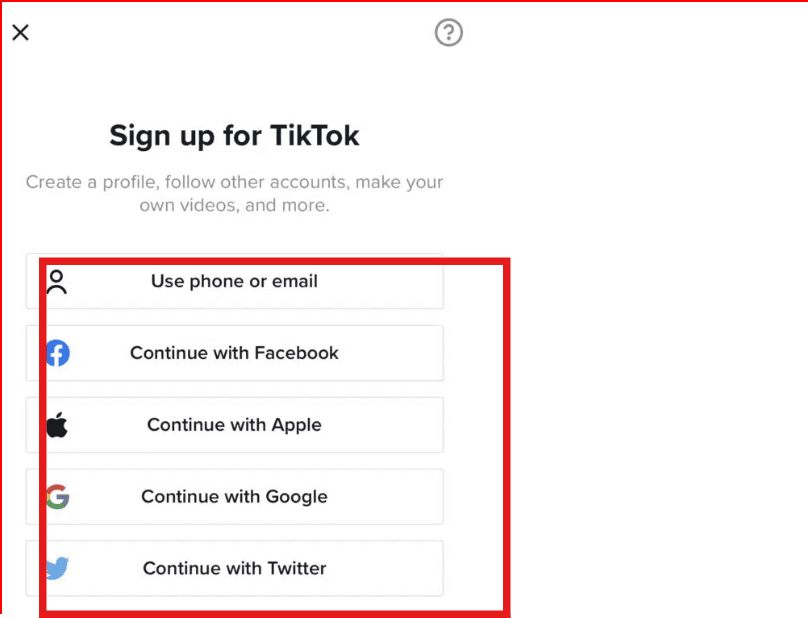
Grant camera and microphone permissions.
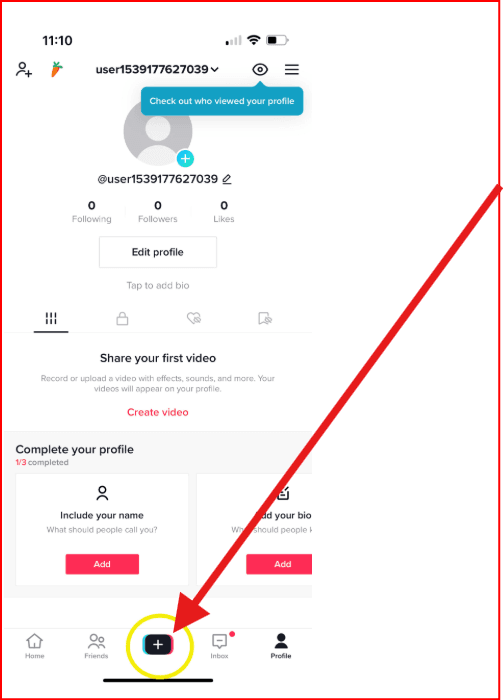
Choose your format and video length (15 seconds, 60 seconds, or up to 10 minutes).
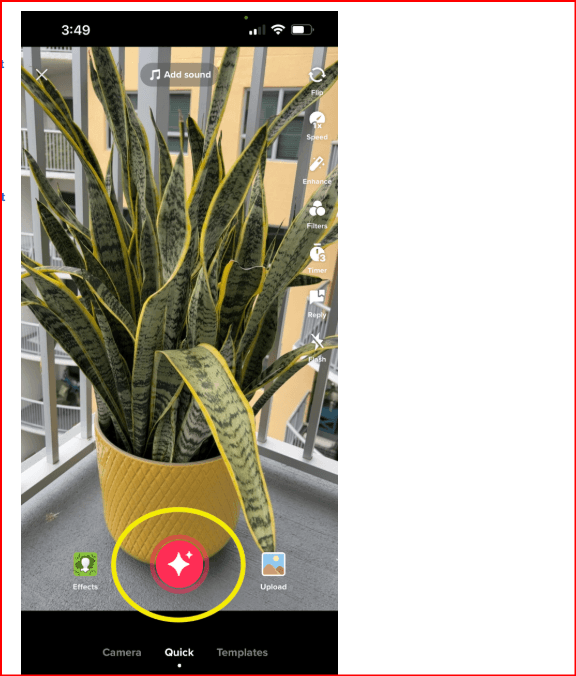
Press the red button to record.
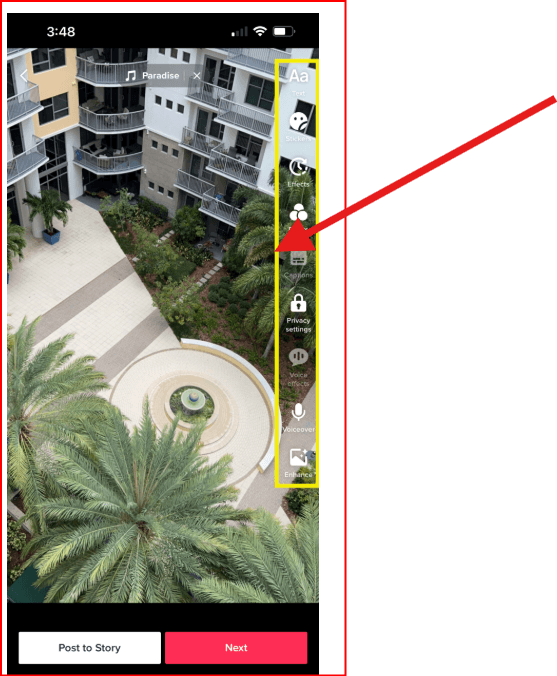
Edit your clip using TikTok’s tools—add text, sounds, filters, or effects.
Tap Next, then add hashtags, mentions, and privacy settings.
Uploading a Pre-Recorded Video or Multiple Clips
If you already have content saved on your device:
Tap the + icon.
Select Upload.
Choose a video and tap Next.
Edit using TikTok’s tools, then publish.
To upload multiple videos:
Select Upload, then choose up to 30 clips.
Reorder or trim them as needed.
Select a sound (original or suggested).
Customize and publish.
Creating a Video With Images
TikTok also allows photo-based slideshows.
Tap +, then Upload.
Select Photos to filter images.
Choose your images in order.
TikTok automatically converts them into a slideshow.
Add music, text, effects, or filters.
Publish when ready.
TikTok Video Ideas
TikTok supports nearly every content style imaginable. If you’re unsure where to start, here are formats that consistently perform well:
Dance trends and lip-syncs
Storytime or personal experiences
Tutorials and how-to videos
Behind-the-scenes clips
Day-in-the-life mini vlogs
Product reviews
Food content (recipes, reviews, Mukbangs)
Educational videos
Comedy skits and memes
The key is choosing ideas that fit your personality or brand and repeating formats your audience responds to.
Can You Post Content From Other Platforms on TikTok?
Yes—but do it carefully.
If you repost videos from Instagram or YouTube Shorts, remove watermarks first. TikTok deprioritizes videos it detects as recycled content, which can limit reach. Watermark removal tools help avoid this issue and improve distribution.
TikTok Video Best Practices
Not every video performs well. To improve your chances, focus on the fundamentals below.
Prepare Before You Record
Preparation saves time and improves quality.
Outline your idea or script
Practice briefly before filming
Use a stable camera setup
Film vertically (9:16 aspect ratio)
Ensure good lighting and clear audio
Choose a clean, quiet background
Keep Videos Concise
TikTok supports long videos, but shorter clips often perform better. Higher completion rates signal quality to the algorithm.
To tighten your videos:
Start immediately—no long intros
Cut filler
Trim unnecessary pauses
Break long topics into series
That said, test both short and long formats. Some audiences prefer deeper, longer explanations.
Hook Viewers Immediately
The first few seconds decide whether people keep watching. Use a bold statement, surprising fact, or clear value proposition right away.
Focus on Authenticity
TikTok rewards relatability more than perfection. Clean visuals and audio matter, but overly polished videos can feel less engaging.
Leave room for natural moments. Slight imperfections often make creators feel more human and approachable.
Use Effects, Filters, and Transitions Thoughtfully
Effects and transitions enhance storytelling when used intentionally.
Green screen works well for tutorials
Slow motion adds emphasis
Filters help maintain visual consistency
Transitions keep multi-clip videos engaging
Avoid overusing them—clarity always comes first.
Encourage Engagement
Engagement drives reach. Increase interaction by:
Offering real value
Asking questions
Replying to comments
Posting when your audience is active
Adding captions for sound-off viewers
Collaborate With Other Creators
Collaboration exposes your content to new audiences. Duets, stitches, and joint videos can significantly boost visibility—especially when creators share similar niches or values.
Stay Consistent
TikTok favors active accounts. Regular posting keeps your content circulating and your account visible.
Managing consistency becomes harder when handling multiple TikTok accounts. This is where tools like BitBrowser help. BitBrowser allows creators and teams to manage multiple TikTok accounts safely by isolating each account in its own browser profile with a unique fingerprint.
This setup helps reduce login conflicts, protects account integrity, and makes it easier to maintain posting schedules across several profiles—without triggering platform detection.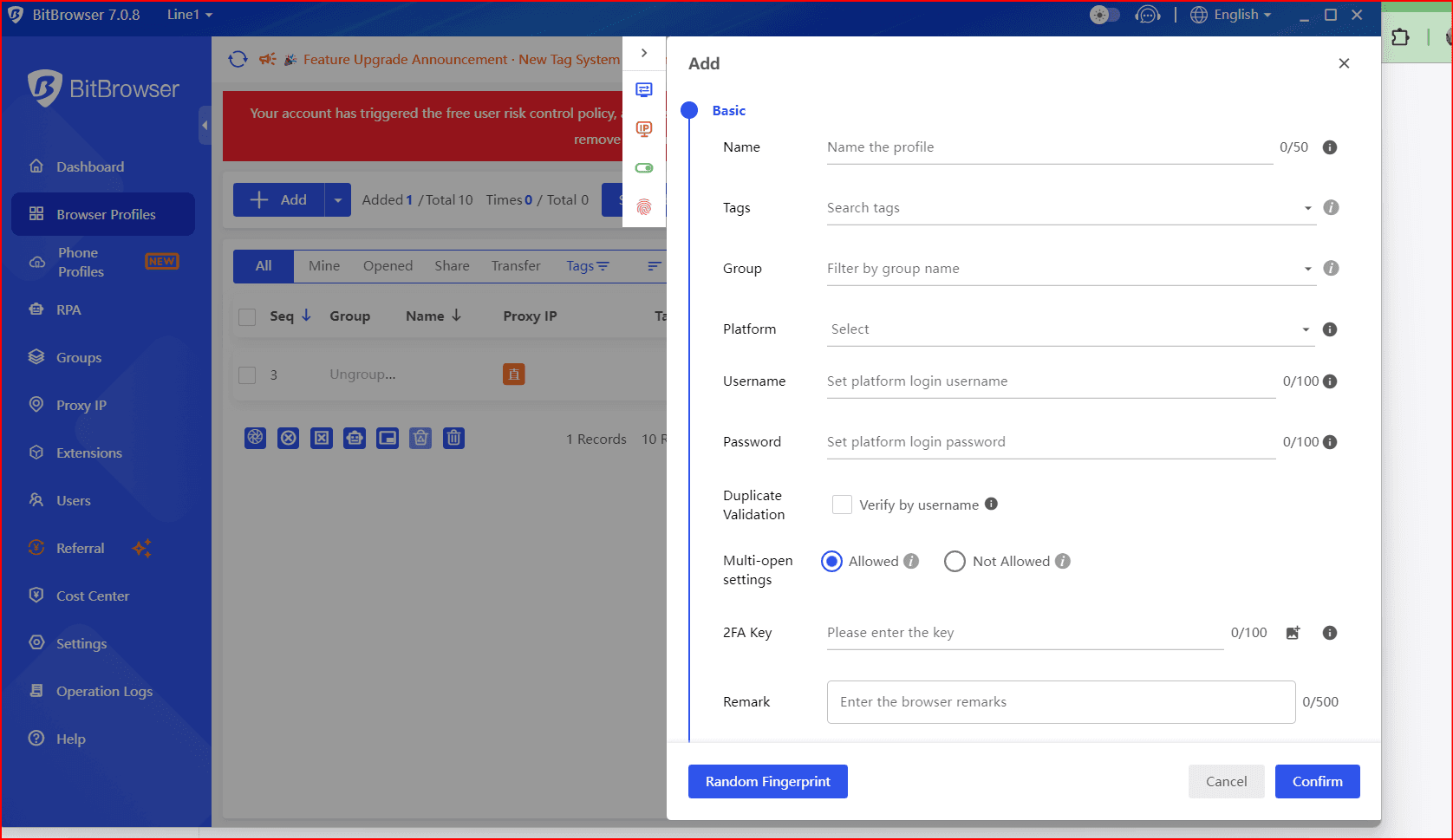
Start Creating on TikTok Today
Making TikTok videos isn’t complicated, but success requires more than uploading clips. Strong hooks, consistent posting, authentic delivery, and thoughtful editing all play a role.
When paired with the right workflow and tools like BitBrowser for multi-account management, staying consistent becomes far more manageable.
Start experimenting, track what works, and refine as you go.
FAQs
Can I make TikTok videos in-app?
Yes. TikTok provides built-in recording and editing tools. In-app recordings are limited to 10 minutes.
How do I make a video on TikTok?
Tap the + icon, record or upload content, edit, and publish.
What types of videos work best on TikTok?
Short, engaging videos with clear value, strong hooks, and authentic delivery tend to perform best.
Can I repost videos from other platforms?
Yes, but remove watermarks to avoid reduced reach.

 Multi-Account Management
 Prevent Account Association
 Multi-Employee Management
Recommended
See More 



