How to Safely Manage Multiple Crypto Wallets from One Device with BitBrowser
 2026.03.23 01:43
 petro
petroManaging multiple crypto wallets from a single device can be risky if not done properly. Wallet tracking, browser fingerprinting, IP correlation, and behavioral analysis can all link accounts together — potentially exposing your activity or putting your assets at risk.
This is where antidetect browsers like BitBrowser become essential.
In this guide, you’ll learn how to safely manage multiple crypto wallets using BitBrowser while minimizing detection risks.
Why Managing Multiple Wallets Is Risky
Using multiple wallets on the same device without isolation can lead to:
- Wallet linking through browser fingerprints
- IP-based tracking
- Cookie and session leaks
- Behavioral pattern detection
Even if you use different wallet addresses, platforms and services can still associate them with the same user.
What Is BitBrowser and How It Helps
BitBrowser is an antidetect browser that allows you to create isolated browser profiles, each with a unique digital fingerprint.
Each profile behaves like a completely separate device, with its own:
- Browser fingerprint (Canvas, WebGL, fonts, OS, etc.)
- Cookies and storage
- Proxy/IP address
- Session data
This makes it possible to manage multiple wallets without cross-contamination.
Step-by-Step: Managing Multiple Crypto Wallets Safely
1. Create Separate Profiles for Each Wallet
Never use the same browser profile for multiple wallets.
Create one BitBrowser profile per wallet
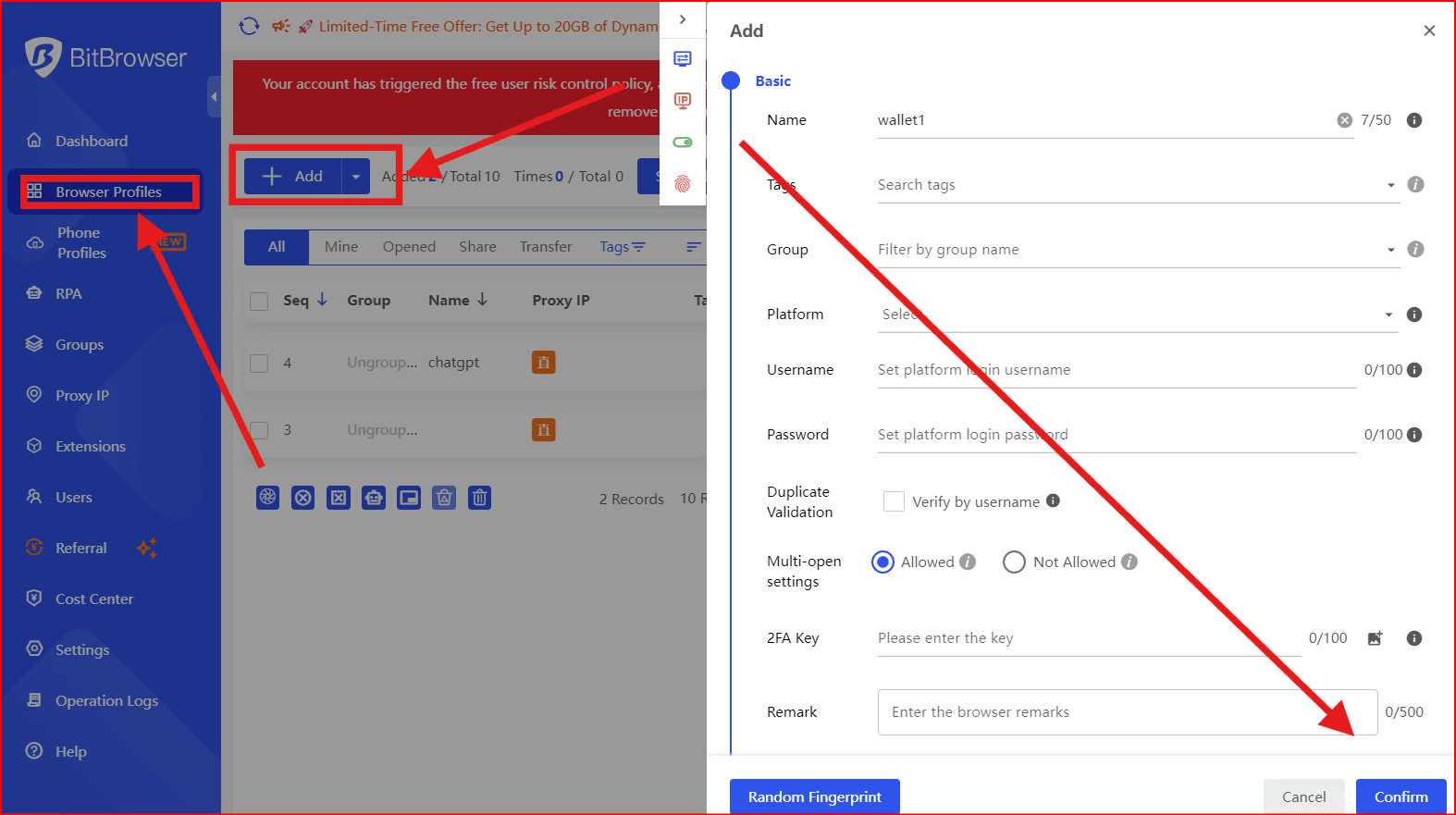
- Name profiles clearly (e.g., Wallet 1, Wallet 2)
- Avoid reusing profiles
Each profile acts as a unique identity.
2. Assign a Unique Proxy to Each Profile
IP separation is critical.
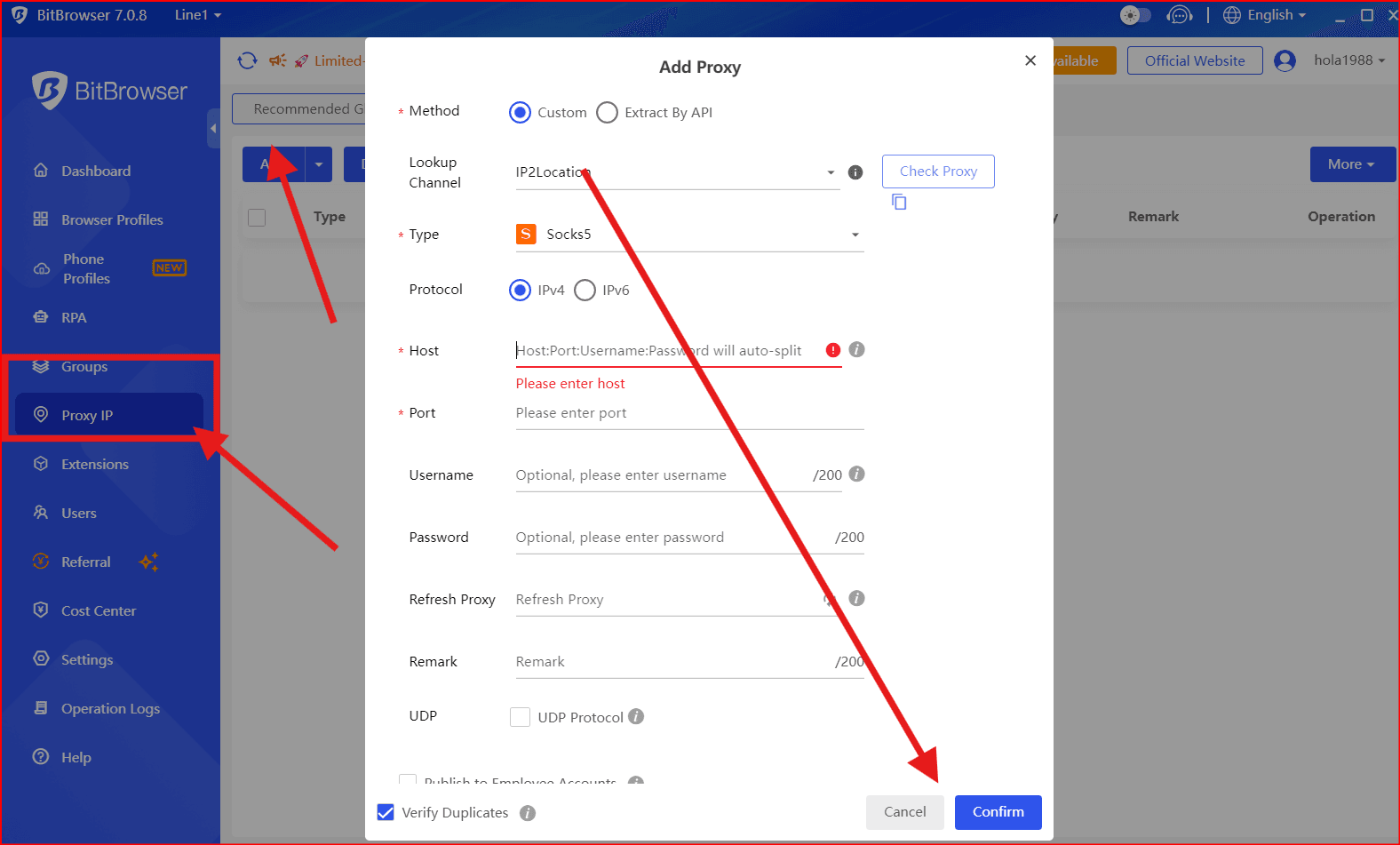
- Use residential or mobile proxies
- Assign one proxy per wallet
- Avoid datacenter proxies for sensitive operations
This prevents IP-based linking between wallets.
3. Customize Fingerprints Properly
BitBrowser allows you to simulate different devices.
Best practices:
- Use realistic configurations (Windows, macOS, common resolutions)
- Avoid identical fingerprints across profiles
- Keep consistency within each profile
Consistency is more important than randomness.
4. Install Wallet Extensions Per Profile
Each profile should have its own wallet setup:
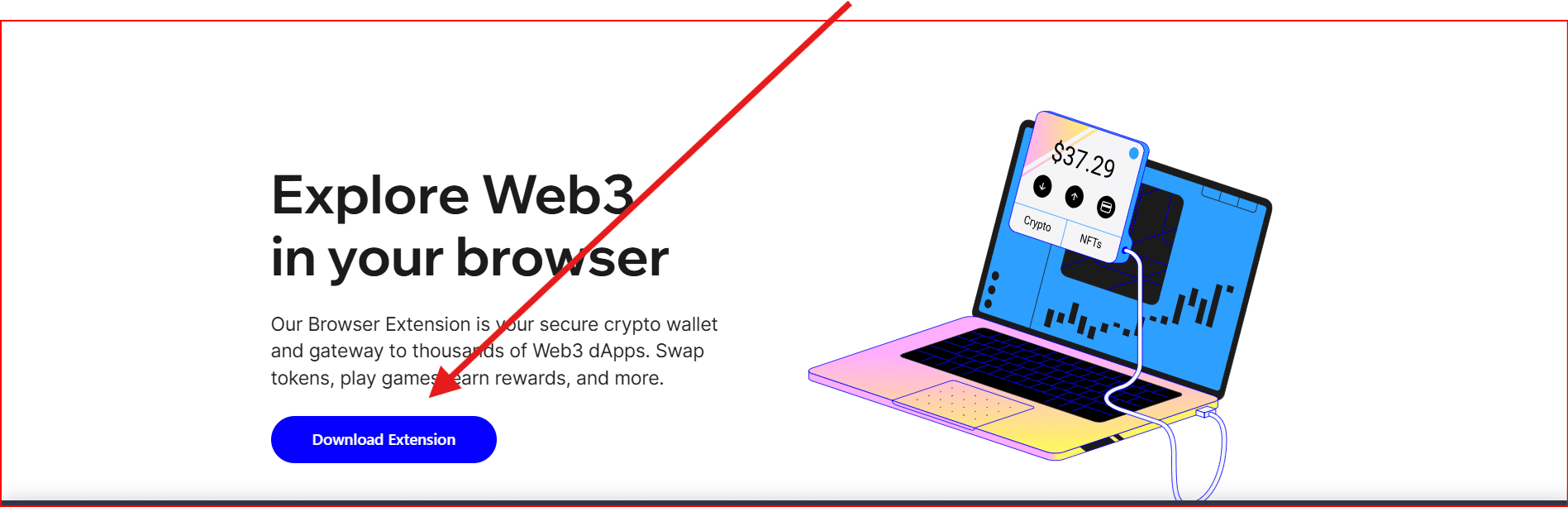
- Install lik trustwallet MetaMask, Phantom, or other wallets separately
- Never import multiple wallets into the same extension
- Avoid syncing extensions across profiles
This ensures complete separation.
5. Maintain Behavioral Consistency
Platforms track behavior, not just technical data.
- Use each wallet at different times
- Avoid performing identical actions simultaneously
- Mimic natural user behavior
For example, do not connect multiple wallets to the same dApp at the exact same moment.
6. Avoid Cross-Contamination
Never mix data between profiles.
- Do not copy-paste sensitive data across profiles
- Avoid logging into the same service with multiple wallets quickly
- Do not share files or sessions
Each profile must remain isolated.
7. Use Automation Carefully
BitBrowser supports automation, but misuse can increase detection risk.
- Avoid aggressive automation patterns
- Randomize actions if using scripts
- Monitor behavior for anomalies
Automation should mimic human interaction.
Common Mistakes to Avoid
- Using the same IP for multiple wallets
- Reusing browser profiles
- Logging into multiple wallets in the same session
- Using identical fingerprints
- Ignoring behavioral patterns
These mistakes are the most common causes of wallet linking.
Is BitBrowser Enough for Full Security?
No tool guarantees complete anonymity.
BitBrowser significantly reduces risk, but you should also:
- Use secure devices
- Avoid phishing links
- Protect private keys offline
- Use hardware wallets when possible
Security is always layered.
When Should You Use This Setup?
This setup is ideal for:
- Airdrop farming
- DeFi strategies
- NFT operations
- Multi-wallet portfolio management
- Web3 marketing and testing
Conclusion
Managing multiple crypto wallets from one device is possible — but only with proper isolation.
BitBrowser provides the tools to:
- Separate identities
- Prevent tracking
- Reduce detection risk
However, success depends on how carefully you implement best practices.
If done correctly, you can safely scale your wallet operations without exposing your activity.

 Multi-Account Management
 Prevent Account Association
 Multi-Employee Management
Recommended
See More 



