Why Mobile Proxies Are Essential for Social Media Management in Anti-Detect Browsers
 2026.03.01 04:04
 petro
petroWhy Mobile Proxies Are Essential for Social Media Management in Anti-Detect Browsers
Look, managing multiple social media accounts in 2026 is a different beast than it was even two years ago. The platforms got smarter. Way smarter. And the people still running their operations on datacenter proxies and regular Chrome profiles? They're bleeding accounts.
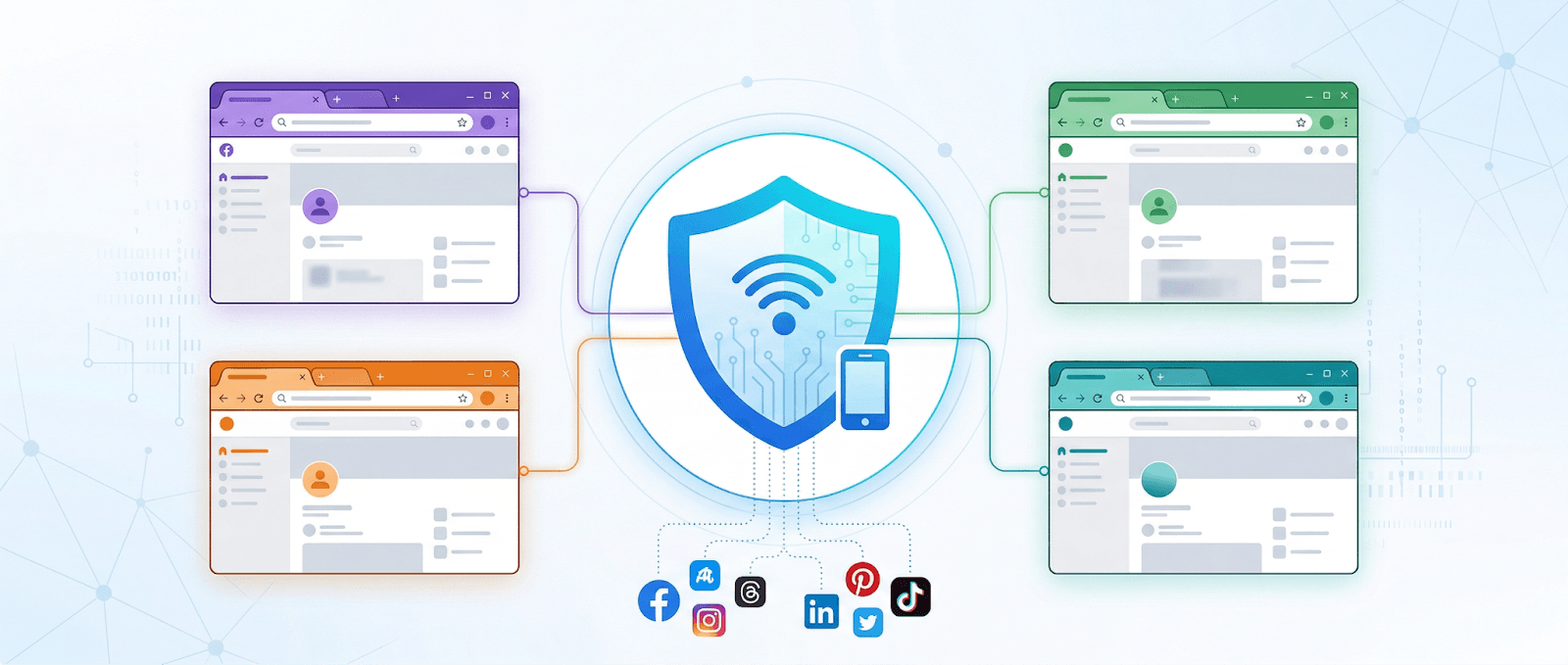
Facebook, Instagram, TikTok, X.. they all cross-reference everything now. Your IP, your browser fingerprint, the way you scroll, how long you hover over a post before liking it. Sounds paranoid, right? It's not. It's just how the detection engines work. Two accounts sharing even a handful of signals get flagged as connected, and from there it's a short road to verification hell or an outright ban.
Screenshot 1
So the question isn't really whether you need better infrastructure. It's which pieces actually matter. And after watching countless operations crash and burn over IP problems that were entirely avoidable, I'm going to make the case that mobile proxies, combined with an anti-detect browser like BitBrowser, are non-negotiable if you're serious about this.
If you're already shopping for providers, check out in-depth mobile proxy reviews on TopProxyLab before you spend a dime. But first, let's get into why mobile proxies are different from everything else on the market.
What Even Are Mobile Proxies?
Simple version: a mobile proxy routes your connection through an IP address belonging to a real mobile carrier. AT&T, T-Mobile, Vodafone, whatever. When a website sees your traffic, it looks exactly like a regular person browsing on their phone over LTE or 5G.
That's the surface explanation. The real magic is underneath, and it has everything to do with something called CGNAT.
The CGNAT Thing (This Is Why It All Works)
Here's the deal. IPv4 addresses, the ones the internet mostly still runs on, are a finite pool. About 4.3 billion total. The world ran out of fresh ones years ago.
Mobile carriers serve hundreds of millions of subscribers. They don't have anywhere near enough IPs to give each phone its own address. Not even close.
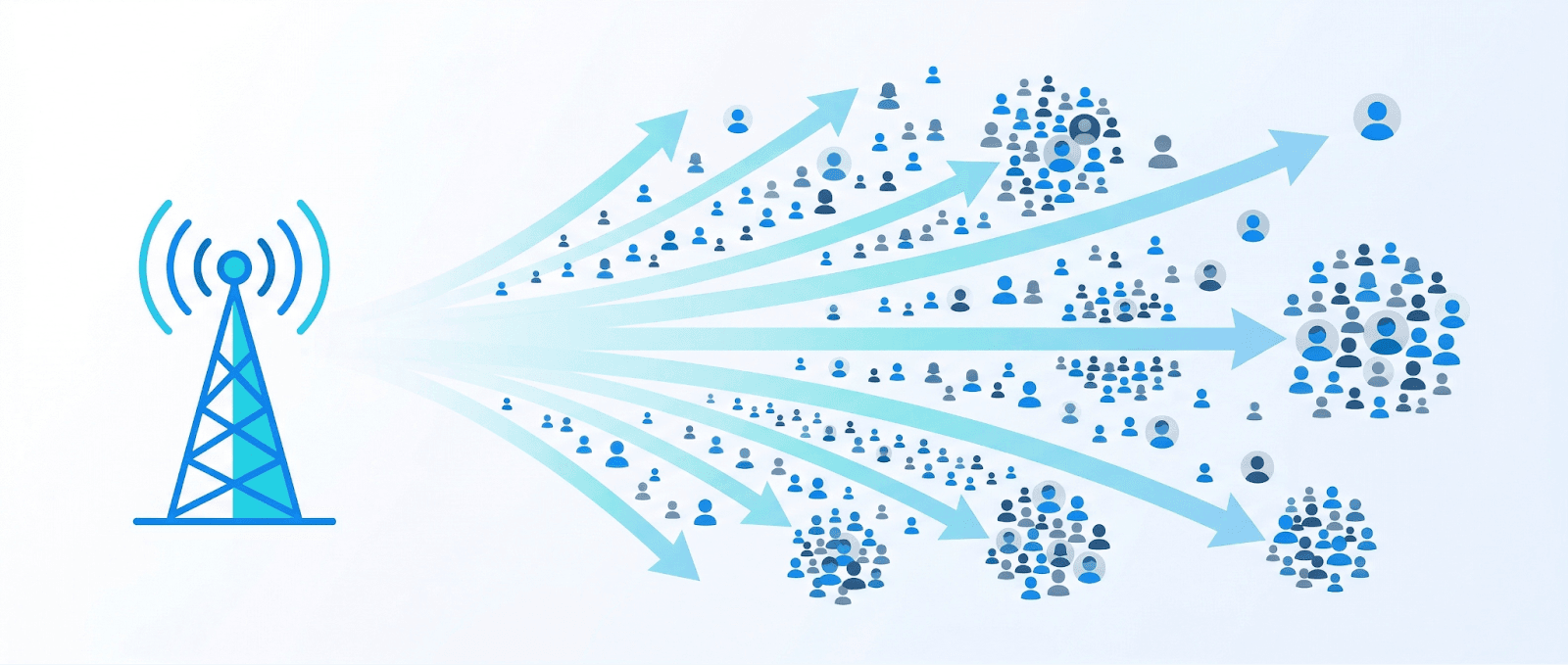
Their solution? CGNAT. Carrier-Grade Network Address Translation. Defined in RFC 6888 if you want the dry technical read. What it means in practice is that thousands, sometimes tens of thousands of real people share the same public IP address at any given moment. One IP, 10,000 phones.
And that single architectural fact changes everything for multi-account work.
Think about it from Meta's side. They spot suspicious activity on a datacenter IP, easy, block it, it only affects one bot operator. They spot something iffy on a mobile IP... and blocking it would knock out 10,000 legitimate Instagram users who happen to share that address. They can't do it. The collateral damage would be insane.
So they don't.
Screenshot 2
IPs Rotate on Their Own
This part's a bonus. Mobile networks constantly shuffle IP assignments. You move between cell towers, switch from 4G to 5G, reconnect after going through a tunnel, the carrier gives you a new IP. It just happens. All the time.
For platforms watching login patterns, this means seeing different accounts pop up on the same mobile IP is totally normal. Expected, even. It's what real user behavior looks like on mobile networks. Try saying that about a datacenter IP.
Why Social Media Platforms Trust Mobile IPs (And Distrust Everything Else)
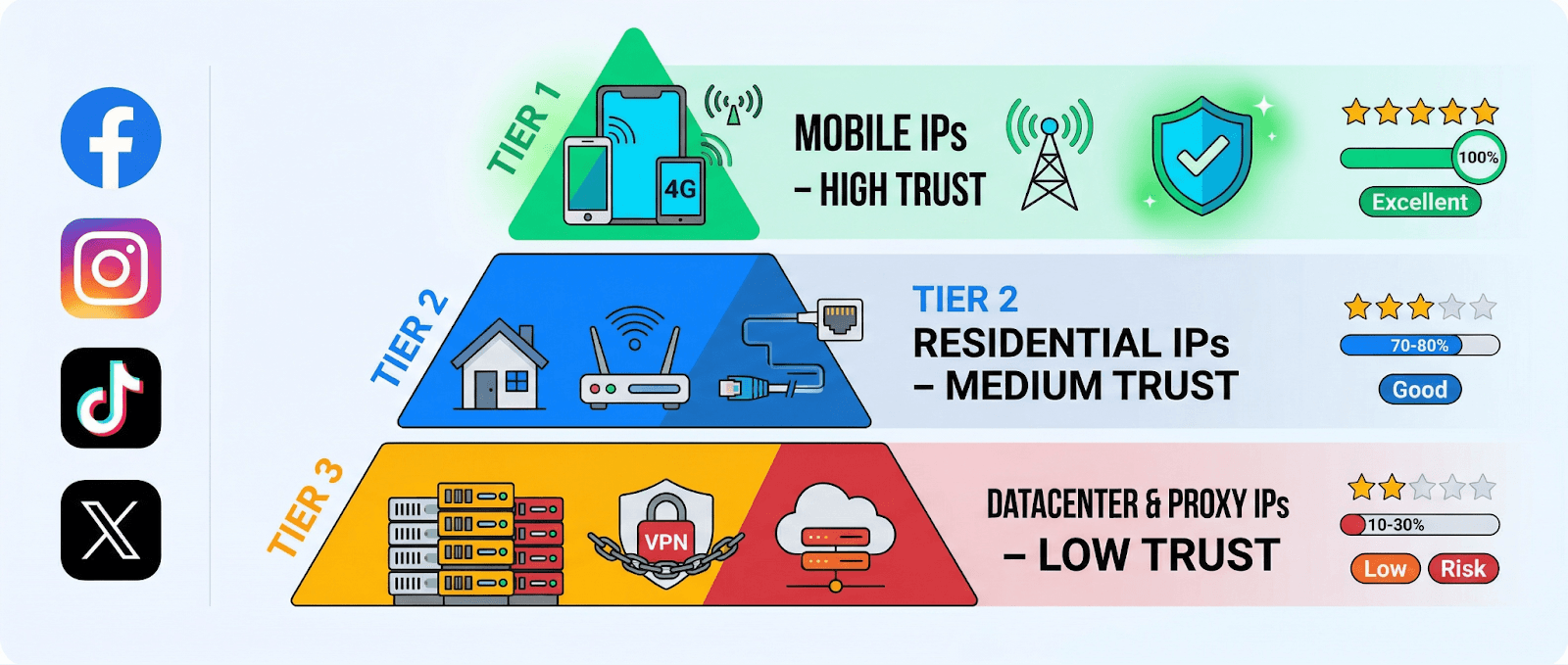
Every IP address has a reputation. Platforms build these profiles over time, and they categorize IPs into trust tiers whether you know it or not.
Mobile carrier IPs sit at the top. Highest baseline trust. Because they're tied to real people on real phones, and because CGNAT makes individual targeting impossible without mass collateral damage.
Residential IPs, the ones assigned to home internet connections by ISPs like Comcast or BT, sit in the middle. Decent trust. Tied to real households. But they can be individually flagged because one IP generally equals one home.
Datacenter IPs? Bottom of the barrel. Associated with servers, bots, automation, commercial infrastructure. Zero benefit of the doubt.
When you log into Instagram from a T-Mobile IP, the risk engine relaxes. When you log in from an AWS or OVH IP range, the risk engine puts on its reading glasses and starts squinting.
Screenshot 3
How This Plays Out Platform by Platform
Meta (Facebook + Instagram) has the most sophisticated detection stack in the game. They cross-reference IP type, device fingerprint, behavioral patterns, and account history, all in real time, at login. Datacenter IPs trigger immediate elevated scrutiny. Accounts that regularly appear from datacenter ranges face way higher verification and suspension rates. Mobile IPs? Just normal traffic.
TikTok is aggressive about coordinated behavior from non-mobile IPs. Makes sense, the platform is mobile-native, so their detection models are built around mobile traffic patterns. Using a datacenter IP on TikTok is basically announcing that you're not a regular user.
X is somewhat less trigger-happy about IP enforcement compared to Meta. But accounts on datacenter IPs still eat more CAPTCHAs, more phone verification prompts, more random suspensions. Death by a thousand cuts.
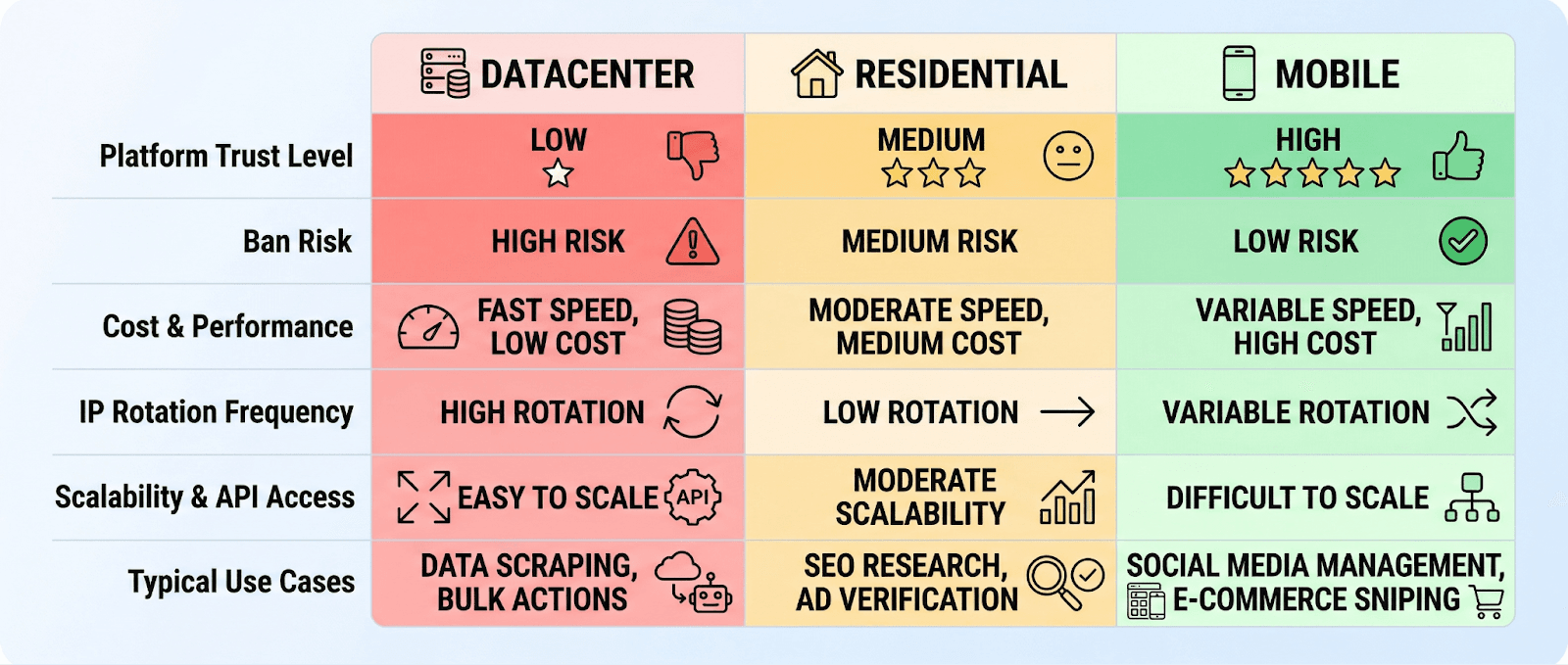
Datacenter Proxies vs. Mobile Proxies: The Gap Is Now a Canyon
Let's be honest about this. A lot of people reading this probably started with datacenter proxies. They're cheap. Dollar a month sometimes. And a few years back, they worked fine for basic multi-account setups.
That's over.
What Happened
Platforms now run every incoming connection through IP classification databases, MaxMind, IP2Location, plus their own proprietary systems, that instantly identify whether a connection comes from a datacenter, a residential ISP, or a mobile carrier. This check happens before you even see the login page.
So when Meta's system sees a login from an IP registered to DigitalOcean or Hetzner, it doesn't need to analyze your behavior first. The IP type is the first red flag. And from that starting point of suspicion, any additional inconsistency, a slightly off fingerprint, a timezone that doesn't match, an unusual login time, tips the scale toward a ban.
The Math People Get Wrong
I see this constantly. Someone compares proxy costs: datacenter at $3/month vs. mobile at $25/month, picks the cheap one, and feels clever about it.
Then they lose three aged Instagram accounts in a week.
Those accounts had value. Months of warmup. Established followers. Clean history. Ad spending history. Gone. Because the infrastructure underneath them was rotten.
One lost account costs more than a year of mobile proxy subscriptions. That's not an exaggeration. If you've ever had to rebuild after a cascade of bans, you already know.
What About Residential Proxies?
They're better than datacenter. No question. Real household IPs, decent trust scores, fine for a lot of use cases like scraping or ad verification.
For social media management specifically? They have two soft spots. First, some residential proxy networks get their IPs through peer-to-peer SDK programs embedded in free apps, and platforms have gotten better at identifying traffic from these pools. Second, residential IPs don't have the CGNAT shield. One residential IP = one household, so multiple accounts from the same residential IP still looks weird.
Mobile proxies dodge both problems entirely.
Screenshot 4
BitBrowser + Mobile Proxies: The Actual Setup That Works
A mobile proxy handles the IP question. But IP is just one signal. Platforms check dozens: fingerprint data, canvas rendering, WebGL parameters, fonts, timezone, language settings, screen resolution, session cookies. All of it.
If you're using mobile proxies with a regular browser, you've solved maybe 30% of the problem. The other 70% is still exposed.
Regular Browsers Leak Everything
Chrome profiles don't actually isolate fingerprint data from each other. Not in any meaningful way. Two Chrome profiles on the same machine share underlying hardware characteristics, rendering outputs, installed fonts, the stuff that platforms actually fingerprint on.
Different IPs but identical fingerprints? The platform sees right through it. Done.
How BitBrowser Changes the Equation
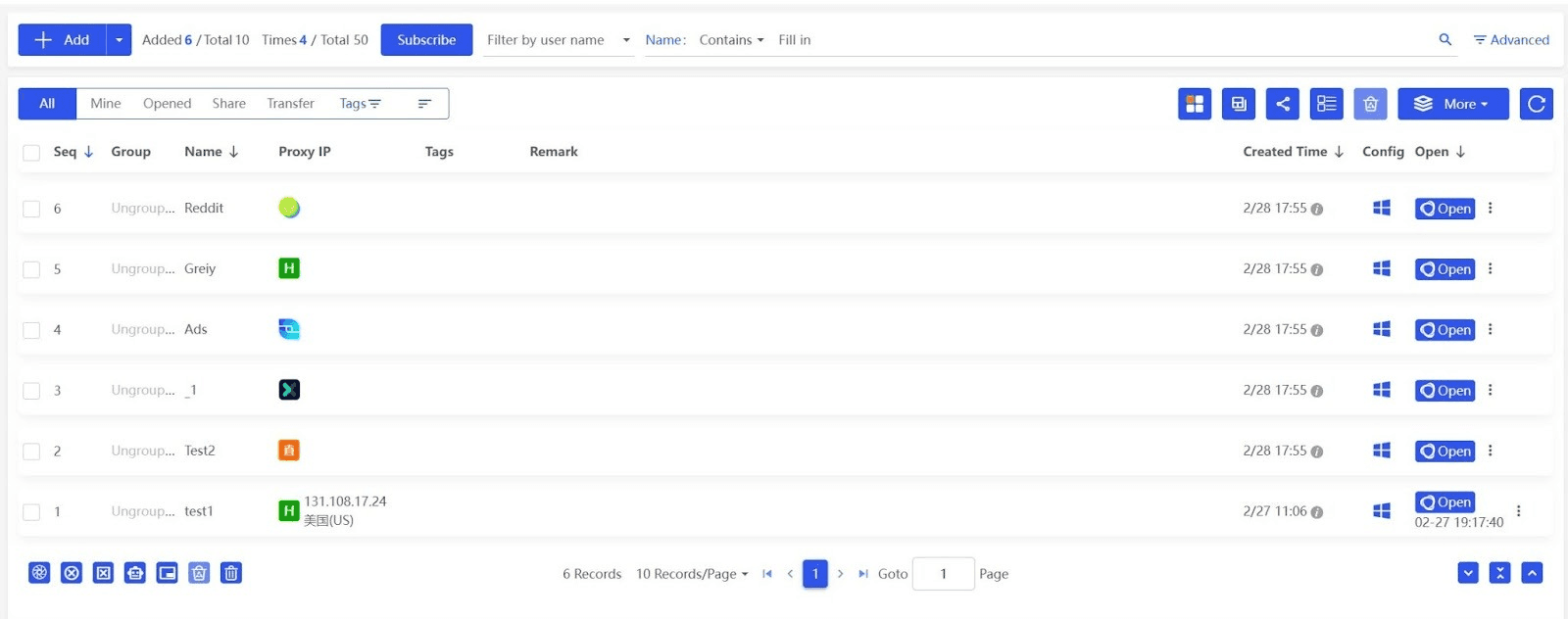
BitBrowser creates fully isolated browser environments. Each profile gets its own fingerprint, cookies, local storage, cache, and session data. To the platform, each profile is a different device. Not kinda-sorta different. Actually different.
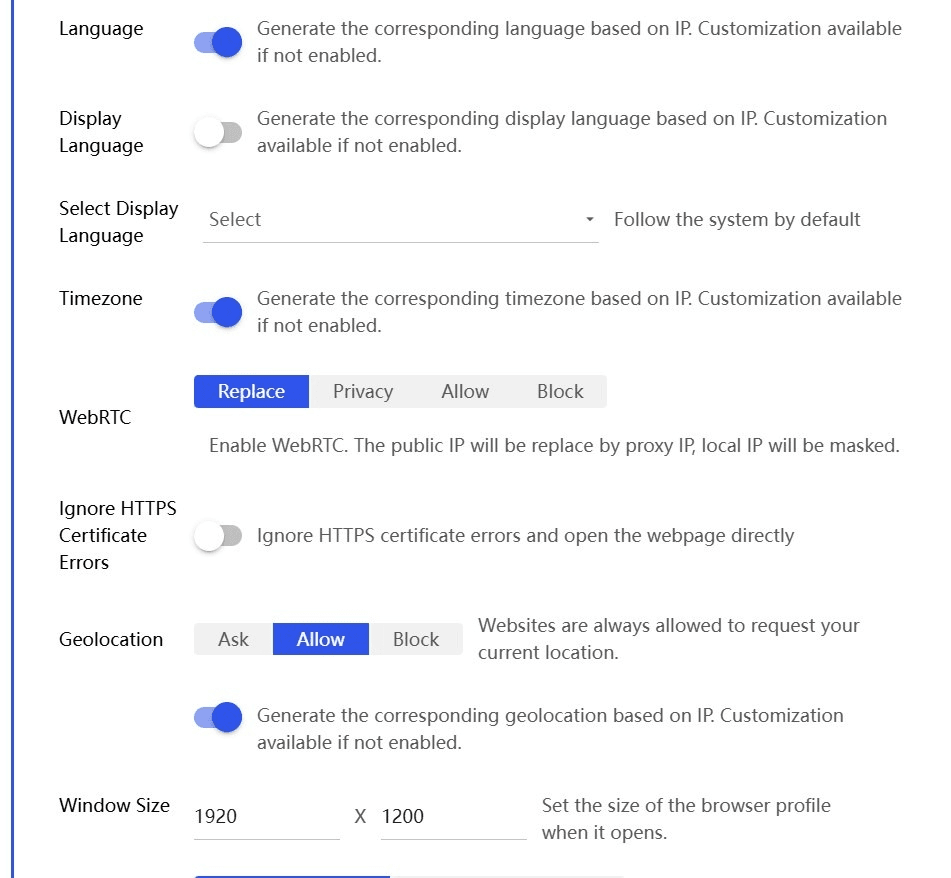
What gets isolated per profile: canvas and WebGL rendering parameters, AudioContext fingerprint, font enumeration results, hardware specs like CPU cores and RAM, cookies and all session data (completely separate per profile), and proxy configuration that you set once and it sticks.
BitBrowser can generate realistic fingerprint combinations automatically. You don't need to sit there tweaking WebGL hash values by hand. Just create a profile, assign a proxy, let it generate the rest.
Screenshot 5
Step by Step: Setting It Up Right
Here's the actual workflow. Not complicated, but every step matters.
- Create a new profile in BitBrowser. Name it something useful, like "Client-B-Instagram" or "TikTok-UK-03." Let BitBrowser auto-generate the fingerprint.
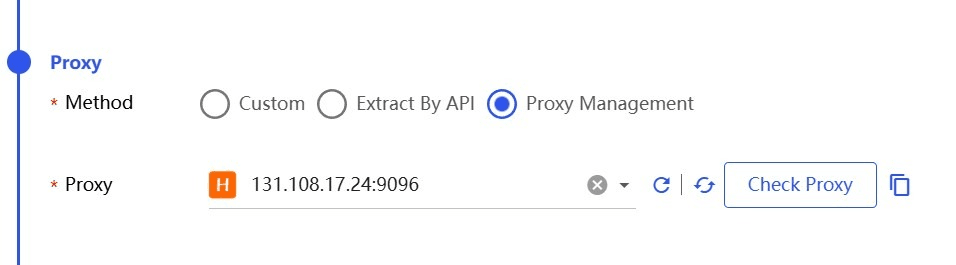
- Open the proxy settings for that profile. Enter your mobile proxy credentials: host, port, username, password. Pick the right protocol (usually HTTP/HTTPS or SOCKS5 depending on your provider).
- This step gets skipped constantly, and it causes problems. Match the profile's locale to the proxy's location. If your mobile proxy exits through a UK carrier, set the timezone to London, the language to English (UK), enable geolocation matching. A US timezone on a UK IP is an obvious tell.
- Log into your social media account from inside that profile. First login sets the baseline.
- From now on, always, always, always access that account through that profile. Never from another profile. Never from a regular browser. Never "just real quick" from your phone. Session consistency builds trust over time. Breaking it erases it.
Screenshot 6
Screenshot 7
What This Actually Prevents
When the pairing is done right, you eliminate the whole checklist of reasons accounts get linked and killed. No shared fingerprints between accounts. No IP overlap because each profile has its own mobile proxy. No session contamination, cookies never cross between profiles. No geolocation mismatches tipping off the detection engine.
Each account genuinely looks like a separate person on a separate device on a separate mobile connection. Because from every angle the platform can measure... it is.
Picking a Mobile Proxy Provider (Don't Skip This)
The provider matters. A lot. A bad mobile proxy, burned IPs, unstable connections, misrepresented carrier coverage, can be worse than no proxy at all.
What Actually Matters
Real carrier IPs. Not relabeled residential IPs pretending to be mobile. You can verify this yourself. Run the proxy IP through ipinfo.io and check the ASN. It should show a recognized mobile carrier, "T-Mobile USA," "Vodafone Group," "Reliance Jio." If it shows some random hosting company, it's not a mobile proxy.
Geo coverage matching your operations. Managing US-focused accounts? You need US carrier IPs. Working across Europe? You need actual European mobile IPs from real European carriers. "Global coverage" claims mean nothing if the IPs aren't genuine.
Sticky sessions and rotation. For social media, you mostly want sticky sessions, the same IP persisting across your login sessions for consistency. But having the option to rotate on demand (new IP via API call or dashboard button) is useful when you need it.
Connection stability. This one's underrated. If your proxy drops mid-session and your real IP leaks for even a split second, the platform logs that inconsistency. One accidental IP exposure can unravel weeks of careful setup. You need providers with solid uptime.
Pricing that makes sense. Real mobile proxy infrastructure is expensive to run. If someone's offering mobile proxies at datacenter prices, something's wrong. Expect $15-$50/month per proxy slot depending on country and bandwidth. That's the honest range.
Do Real Research First
The mobile proxy market is messy. Providers that look polished sometimes deliver IPs from burned pools, oversell their bandwidth, or straight-up lie about carrier coverage. And you won't find out until your accounts start getting flagged.
Read independent tests and comparisons before committing. Look at actual performance data, connection speeds, IP cleanliness scores, real user experiences. The time you spend researching upfront saves you from expensive surprises later.
Operational Tips (The Stuff That Actually Keeps Accounts Alive)
Infrastructure's only half the battle. How you use it determines whether your accounts last.
Warm Up New Accounts. Slowly.
Brand new account on a fresh profile? Don't immediately start posting five times a day, following 200 people, and running DM campaigns. Platforms measure behavioral velocity, how fast an account ramps up. A new account acting like a seasoned power user on day one is a screaming red flag.
First week: browse. Like some stuff. Follow maybe 5-10 accounts per day. Post something casual. Let the account breathe.
One Account Per Profile. No Exceptions.
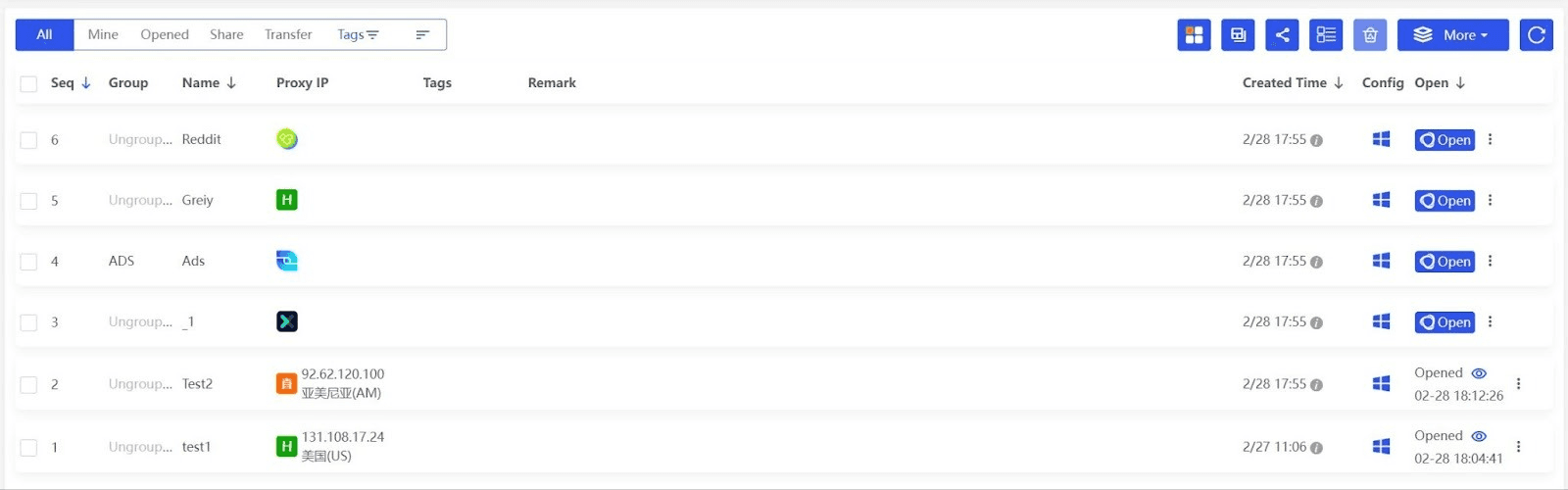
Tempting to quickly log into another account in the same profile "just to check something." Don't do it. The cookie jar for that profile now contains session traces from two accounts. That link is permanent in the platform's database. You cannot undo it.
Don't Swap Proxies While Logged In
Need to change the proxy on a profile? Log out first. Close the profile. Update the proxy. Then reopen and log back in. A mid-session IP change looks exactly like what it is, suspicious.
Watch for Early Warning Signs
Don't wait for the ban hammer. Watch for the precursors: increased CAPTCHAs, phone verification prompts popping up more often, reduced reach on posts, random "confirm your identity" dialogs. These are the platform telling you it's losing trust in the account. If you see them, slow down, review your setup, check for inconsistencies.
Separate Your Creation Proxies From Your Daily Proxies
Some experienced managers use one set of mobile proxies for account creation and a completely different set for day-to-day management. The creation IP never appears in the account's ongoing login history. Extra layer of separation. Worth it for high-value operations.
Screenshot 9
FAQ
Can I use one mobile proxy for multiple accounts?
Two or three accounts on the same mobile proxy is generally fine, CGNAT means thousands of real users share that IP anyway. But keep those accounts in separate BitBrowser profiles, and don't have them interact with each other. Running dozens of accounts through one proxy? That starts to look unusual even for a mobile IP.
Are mobile proxies legal?
Yes. Routing traffic through a proxy is legal in basically every jurisdiction. The legality depends on what you're doing with the connection, not the connection itself. Managing client accounts, running brand pages, doing market research, all standard, all legal.
How much bandwidth does social media management use?
Less than you'd think. A single account with moderate daily activity, posting, commenting, browsing, uploading images, runs about 500 MB to 2 GB per month. Video-heavy workflows (TikTok, Reels) push higher. But you're not going to blow through bandwidth limits doing SMM.
Do I need one proxy per account?
Safest approach? Yes. But not strictly necessary for every situation. Two or three accounts sharing a mobile proxy (with separate BitBrowser profiles) is common practice and generally safe. The key: those accounts shouldn't follow each other, interact, or behave identically.
What if my mobile proxy drops mid-session?
BitBrowser's proxy settings prevent the profile from falling back to your real IP if the proxy disconnects, it won't silently switch to your actual connection. But if the proxy goes down, close the session. Don't try to keep working. Check the connection, reconnect, and then resume.
Can mobile proxies recover a banned account?
No. If an account is already permanently suspended, a new proxy won't reverse it. What mobile proxies do is dramatically reduce the chance of it happening to your next account. Prevention, not resurrection.
Wrapping Up
Mobile proxies and an anti-detect browser aren't optional extras for serious social media management. They're the foundation. Mobile IPs give you the highest trust tier available, backed by how mobile networks fundamentally work, and BitBrowser makes sure every other signal is properly isolated between accounts.
The setup isn't complicated. One profile per account, one mobile proxy per profile, locale settings that match, consistent session behavior. That's it. That's what separates operations that scale from operations that collapse.
If you're still running accounts on datacenter proxies or switching between logins in a regular browser... you're carrying risk you don't need to carry. The tools exist. They're documented, they're accessible, and they work.
Fix the infrastructure first. Everything else follows.
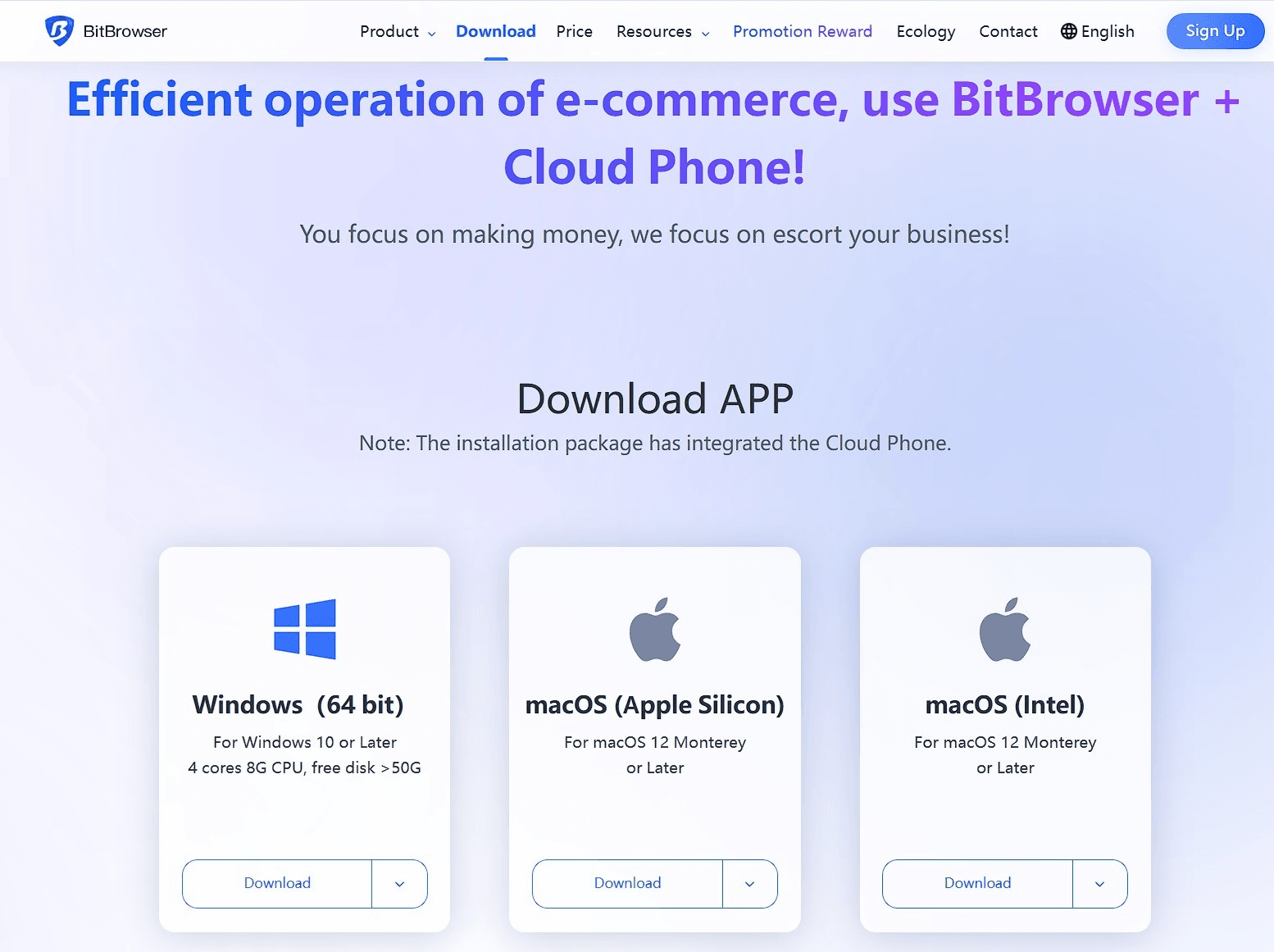
Screenshot 10

 Multi-Account Management
 Prevent Account Association
 Multi-Employee Management
Recommended
See More 



