How to Safely Create and Run Multiple Selling Amazon Accounts in 2026
 2026.05.25 05:53
 YT.Shi
Selling on Amazon is a serious business, and sometimes one account is just not enough. You might own two completely different brands. You might manufacture products for separate companies. You might even be invited to a program like Amazon Renewed that demands its own store. Whatever the reason, running multiple seller accounts in 2026 is perfectly possible. But it has to be done with extreme care.
If Amazon detects a connection between your accounts, and one of them gets into trouble, the damage can spread instantly. The platform may deactivate every linked account at once. This is the real risk that forces smart sellers to build a fortress around each business. This guide walks you through exactly how to do that, step by step, in plain language and with practical, up to date details.
Can You Have Multiple Amazon Accounts?
Amazon’s policy is clear. You are allowed one Seller Central account per region unless you have a legitimate business need for more. But even a legitimate need is not a free pass. You must first request approval from Amazon. You do this by opening a case inside your existing Seller Central account and explaining why you need a second store.
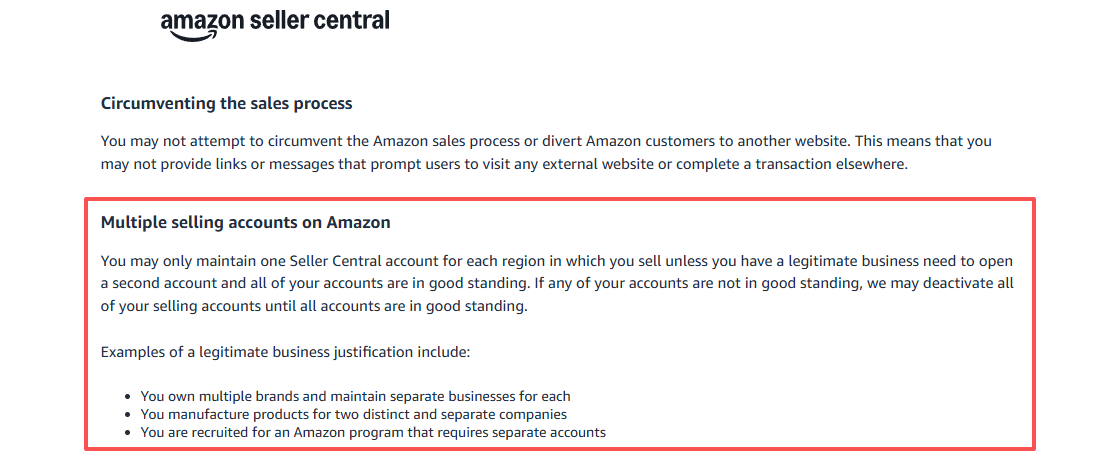
A legitimate need typically means things like owning separate and unrelated brands, running completely different business models, or joining a specific Amazon program that requires an isolated account.
If you create a second account without permission, you risk immediate suspension of both stores. Also, never create a new account to get around a suspension on an old one. That is viewed as evasion and ends badly every time.
How to Build Separate Legal Entities First?
You cannot simply slap a new email address onto the same business and call it a day. Amazon expects each account to be backed by a different legal entity. This is your strongest layer of protection.
What to do:
● Form a new LLC or corporation for each additional account. Each entity gets its own unique EIN or Tax ID.
● Register each business at a separate physical address if possible. Avoid using a virtual mailbox that could be shared.
● Prepare a documentation packet. This includes Articles of Incorporation, business licenses, and a clear business plan that explains the distinct brand, product line, and target market for each account.
When you request approval from Amazon, having these documents ready will make the process much smoother.
How can you Securely Isolate your Multiple Amazon Seller Accounts?
In 2026, Amazon does not simply look at your IP address. It builds a complex fingerprint of your entire setup. Your browser version, operating system, screen resolution, installed fonts, time zone, and even the way your graphics card renders images are all part of this fingerprint. If two accounts share a fingerprint, Amazon will link them. To stay safe, you need complete technical separation. There are three practical ways to achieve this.
Option A: Dedicated Devices and Internet
This is the most secure method but also the most expensive. You assign one laptop to each Amazon account. Each laptop connects to its own separate internet connection.
For example, one uses your home fiber line, another uses a dedicated 4G or 5G hotspot from a different carrier. You never cross logins. This physical separation makes it almost impossible for Amazon to link the accounts.
It is ideal if you have a team where each person manages only one store.
Option B: Antidetect Browser with Dedicated Proxies
Most small teams and solo sellers choose this path. You use a single computer but create completely isolated virtual environments for each Amazon account. This is where an antidetect browser comes in. It makes each account profile look like it is running on a totally different device.
The key components here are:
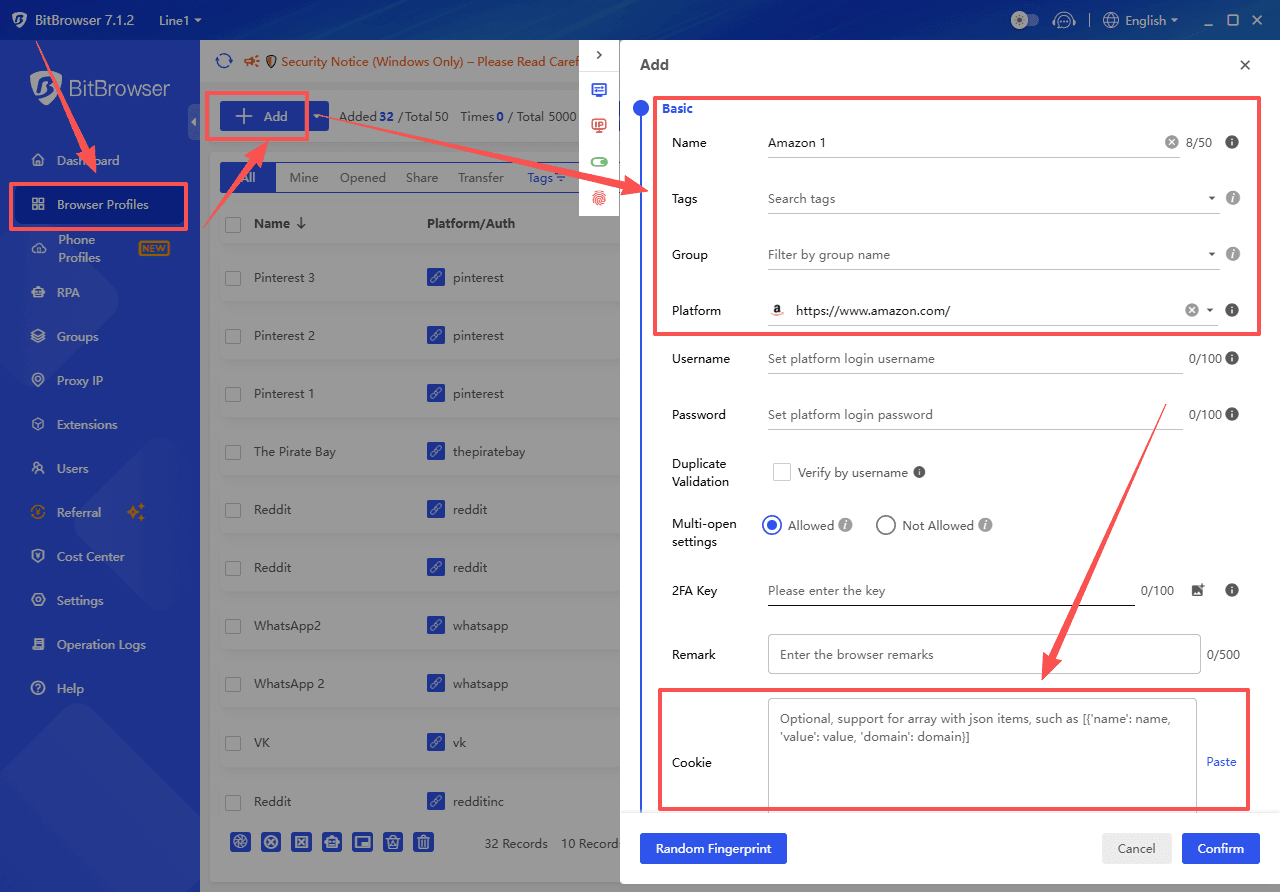
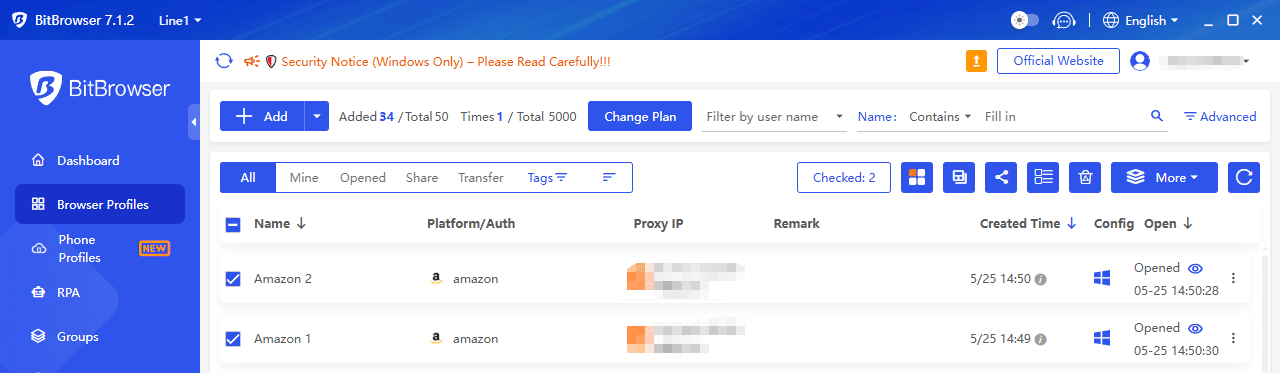
1. Antidetect browser (like BitBrowser): It spoofs your digital fingerprint, giving each profile its own canvas fingerprint, WebGL data, font list, and more. Each profile behaves like a separate physical laptop. If you want to transfer your old Amazon account to a new browser, you can choose to import your cookies to log in.
If you want to register a new account in your browser, please refer to the Amazon Seller Account Registration Guide.
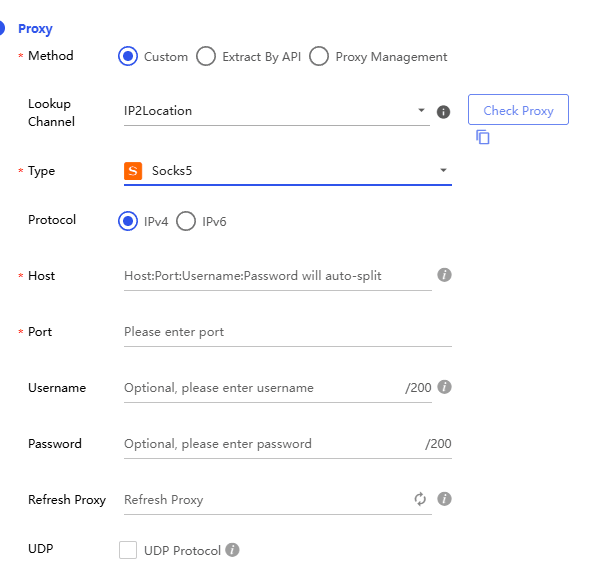
2. Dedicated residential proxy: You assign a clean, static residential IP to each browser profile. This IP comes from a real home internet service provider, not a data center. Never use VPNs, public WiFi, or cheap data center IPs. They are immediately flagged by Amazon.
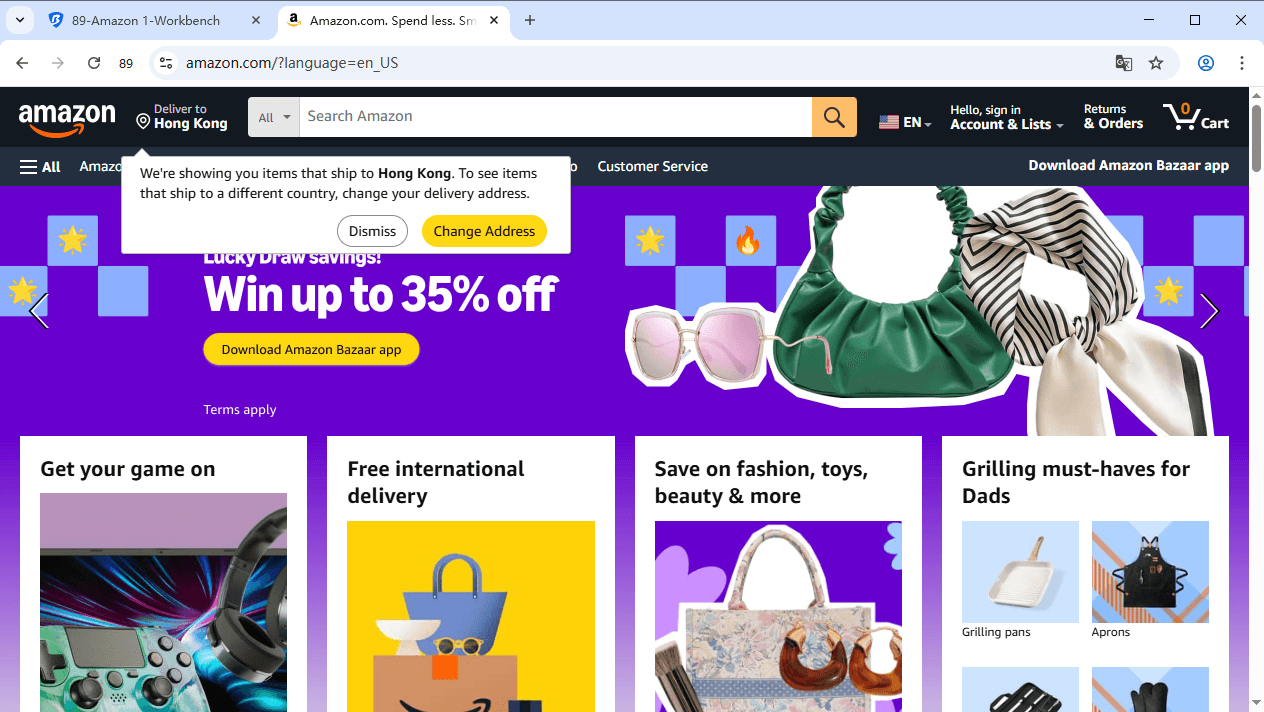
3. You log in to your antidetect browser, open the profile for your first store, and do your work. Then you close it, open the second profile, and manage your other store. The two environments never touch.
Sign Up
How to Ensure Payment & Financial Segregation for Each Amazon Account
Money leaves a paper trail. Amazon checks this trail very carefully. Sharing any payment detail between accounts will link them instantly.
Follow these strict rules:
● Bank accounts: Open a completely separate checking account for each seller account, in the name of that specific legal entity.
● Credit cards: Use a unique credit card for each account. The billing address must match the business address associated with that store.
● Payment service providers: If you use Payoneer, Wise, or PingPong, never link the same main account to two Amazon stores. Instead, use the provider’s sub account feature. This generates a unique virtual bank account number for each Amazon seller account while keeping your funds manageable under one dashboard.
A Note on Regional Differences
When planning your multi-account strategy, keep in mind that Amazon treats the world in two ways:
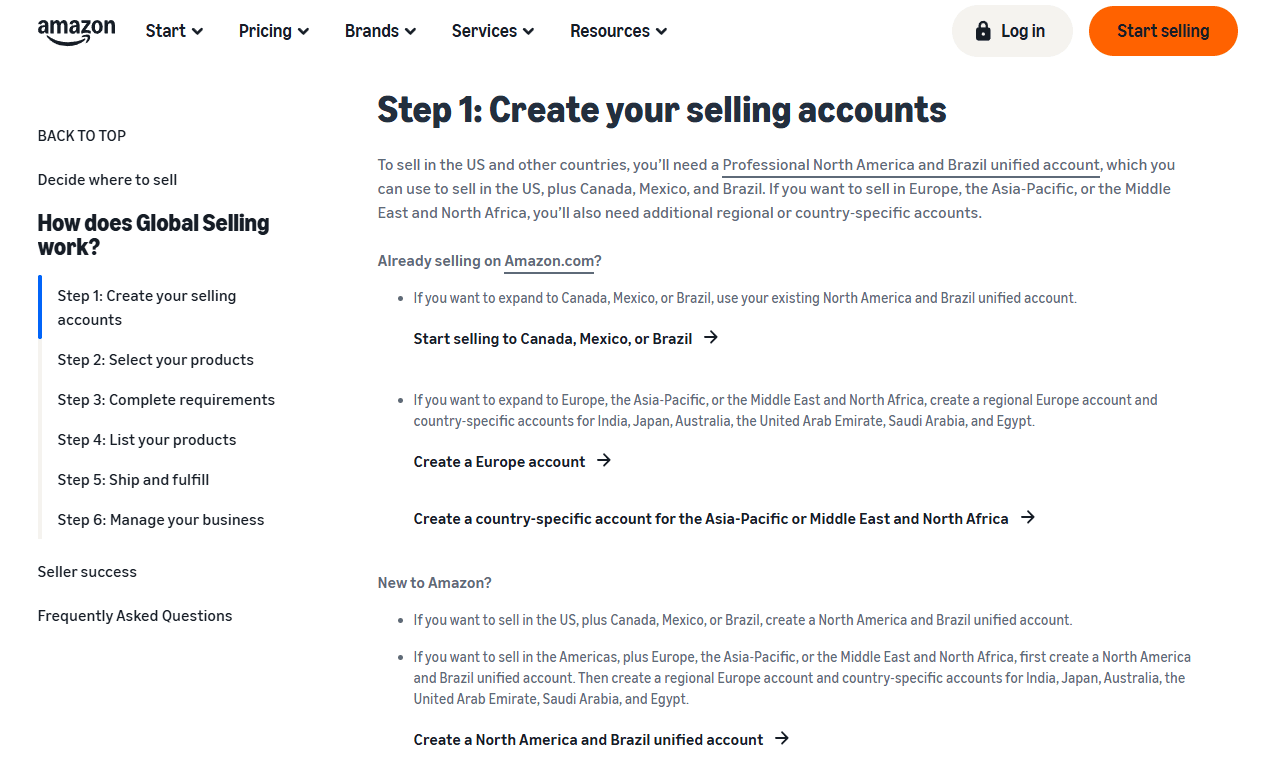
Unified Regional Accounts: The North American (US, Canada, Mexico) and European unified accounts allow you to manage multiple marketplaces from a single Seller Central login. You generally only need one "account" per region, not per country.
Cross-Regional Strategy: Operating in both North America and Europe typically requires two distinct legal entities and separate accounts to manage VAT and other local regulations. This is a classic "legitimate business need".
The Pre Launch Registration Checklist
Before you click register, go through this non negotiable list for every single new account.
□ A separate legal entity with its own EIN.
□ A brand new email address, preferably on a custom domain.
□ A unique dedicated phone number for two factor authentication.
□ A clean static residential IP used only for this account.
□ Isolated BitBrowser profiles.
□ A unique bank account in the business name.
□ A unique credit card with matching billing details.
□ A unique payment sub account for disbursements.
□ A documented business justification ready for Amazon’s approval request.
Ticking every box here before you register removes the panic later.
Daily Habits That Protect Your Multiple Amazon Accounts
Your daily behavior also sends signals to Amazon. Small careless actions can create a link.
Adopt these habits from day one:
📋 Assign specific people to specific stores. If one person must manage two accounts, they should never do it in rapid succession. Close the first profile, take a short break, and mentally reset before opening the second.
📋 Never list the same ASINs across your accounts. This is a direct violation and a huge red flag. If you sell similar items, rewrite every product title, bullet point, and description from scratch. Use fresh images taken from different angles.
📋 Develop distinct customer service voices. Avoid copy pasting identical email templates. Give each brand its own tone and style.
📋 Keep your buyer accounts silent. Never buy from your own stores, leave reviews, or send messages between your own accounts. This kind of interaction is a fast track to suspension.
📋 Monitor Account Health daily. A performance warning on one store is a time bomb. Fix issues immediately.
Common Mistakes That Cause Instant Linkage
These are the errors that trip up sellers again and again.
🔺 Logging into different accounts from the same IP without an antidetect browser.
🔺 Reusing a credit card, bank account, or phone number.
🔺 Copying listings and images from one store to another.
🔺 Using a VPN or a data center proxy instead of a clean residential IP.
🔺 Creating a second account in the same region without Amazon’s permission.
🔺 Letting a family member or roommate share your WiFi while they manage their own Amazon store.
Avoid these and you eliminate over ninety percent of the risk.
What to Do If a Suspension Does Happen
Even with perfect preparation, things can sometimes go wrong. If one of your accounts gets deactivated due to a related account issue, stay calm and follow this process.
Find the original cause. Log into the suspended account that started the chain reaction. Go to the Account Health Dashboard and identify the policy violation.
Fix the issue and submit a strong appeal for that original account first. Include what went wrong, what you fixed, and how you will prevent it in the future.
Only after that account is reinstated should you appeal the other linked accounts. In each appeal, mention the store name and exact reactivation date of the now healthy main account.
Attempting to appeal the related accounts before the root problem is solved will waste your time.
Why a Trusted Antidetect Browser Makes Everything Simpler
By now you can see that the technical side of account isolation is delicate. You need bulletproof browser fingerprints and stable IP management. This is not something you can rig up with Chrome profiles or free tools. A professional antidetect browser turns this complex task into something you can manage in a few clicks.
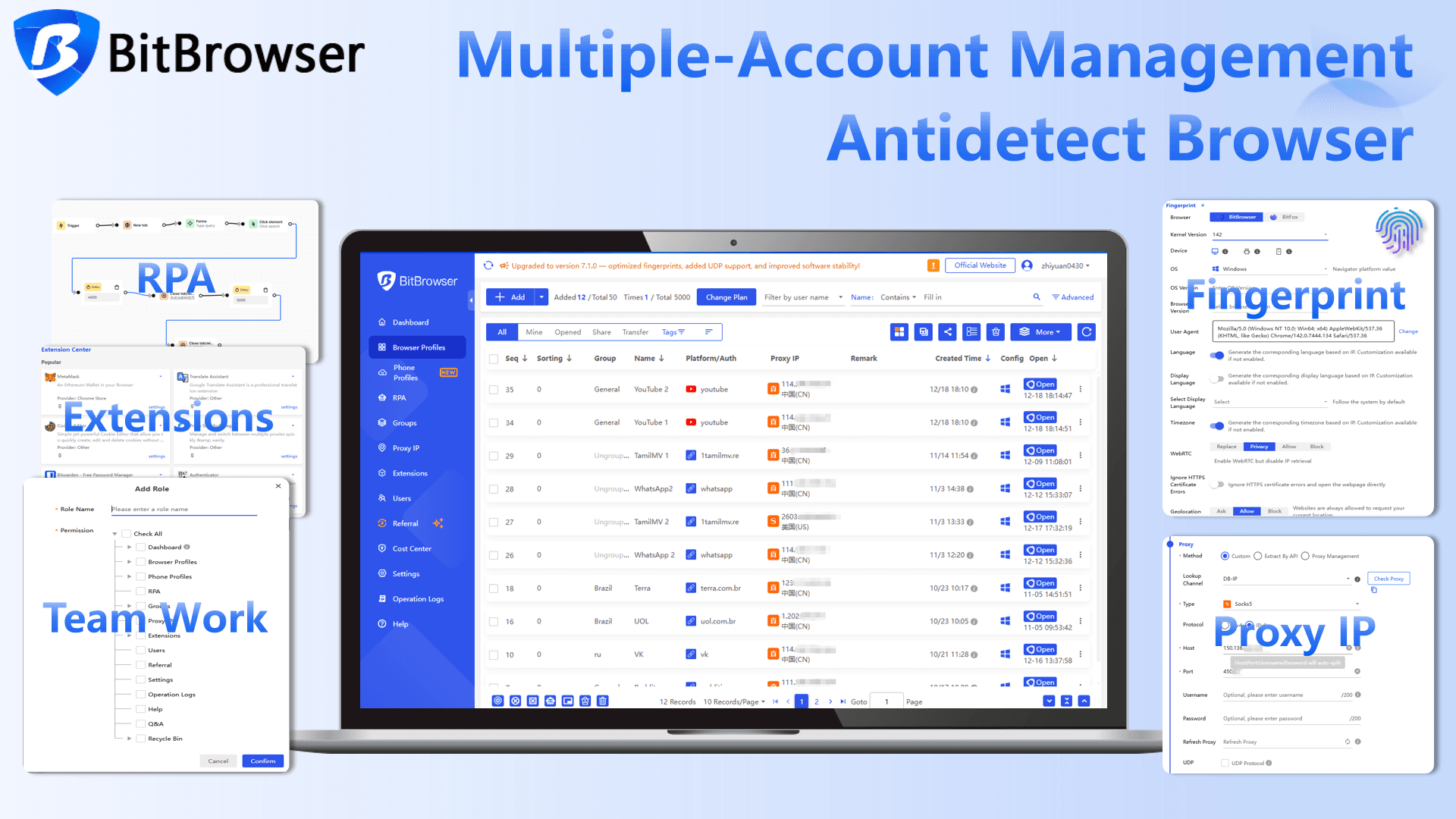
While there are several options on the market, BitBrowser stands out as a practical and reliable choice for Amazon sellers. It creates true isolated environments for each account. You can generate unique fingerprints, attach dedicated residential proxies, and keep every store completely separate on a single computer. The interface is clean, the learning curve is low, and the fingerprint spoofing is robust enough to pass Amazon’s regular scans.
For small to medium businesses that need to manage two or more accounts without juggling five laptops and three internet lines, BitBrowser offers a fast and cost effective path to full compliance.
Summary
In 2026, selling on Amazon with multiple accounts is a game of discipline. It comes down to three things. You must have a real and documented business reason. You must isolate every digital and financial element completely. And you must never let your guard down when it comes to daily operations. Master these three pillars, and you can build a multi brand business that stays safe and grows steadily for years.
If you'd like to share your Amazon Prime benefits with family or friends, please visit the Amazon Account Security Sharing Guide.
Frequently Asked Questions
Can I have two different Amazon accounts?
Yes, but it depends on the type. You are free to have one regular buyer account and one professional seller account, or even a buyer account plus a separate seller account for a different region. Many people keep their personal shopping and business selling completely apart, and Amazon expects this. However, if you want multiple seller accounts in the same region, you need a legitimate business need and explicit approval from Amazon first.
How to create a 2nd Amazon account?
The steps depend on whether you need a second seller account or just another shopping account.
For a second seller account, the process is strict. First, open a case in your existing Seller Central and request permission. Explain the business reason clearly. Once approved, register a new legal entity with its own EIN, get a new email and phone number, set up an isolated antidetect browser profile with a dedicated residential IP, and open a completely separate bank account and credit card. Then proceed with the standard registration.
If you simply need a second buyer account for personal use, use a fresh email and a different payment card. But know that linking buyer accounts to the same identity or address is often picked up by Amazon, so it is rarely recommended unless you have a clear need like keeping work and home spending separate.
Can you have multiple accounts with Prime?
No, a single Amazon Prime membership covers only one account. The right way to spread Prime benefits is through Amazon Household. This feature lets you share shipping, streaming, and other Prime perks with one other adult and up to four teens or children. Both adults will still have their own separate Amazon accounts, their own order histories, and their own payment methods, but they share the same Prime subscription. If you'd like to share your Amazon Prime benefits with others in other ways, please visit this guide.
Can I share Amazon Prime with family at a different address?
Technically, no. Amazon’s terms for Amazon Household say that the two adults must live at the same primary address. During setup, you are asked to confirm that you share a household, and Amazon may cross check the addresses on the payment methods linked to both accounts.

 Multi-Account Management
 Prevent Account Association
 Multi-Employee Management
Recommended
See More 



