The Complete Guide to Optimizing Apache as a Reverse Proxy
 2026.02.26 23:18
 petro
petrowApache HTTP Server is widely used as a reverse proxy in front of application servers like Node.js, Tomcat, Django, PHP-FPM, or microservices. While Apache is powerful and flexible, improper configuration can lead to high CPU usage, slow responses, dropped connections, or 502/504 errors.
This guide explains how to properly optimize Apache for high performance, stability, and scalability.
c
1. Understand the Role of Apache as a Reverse Proxy
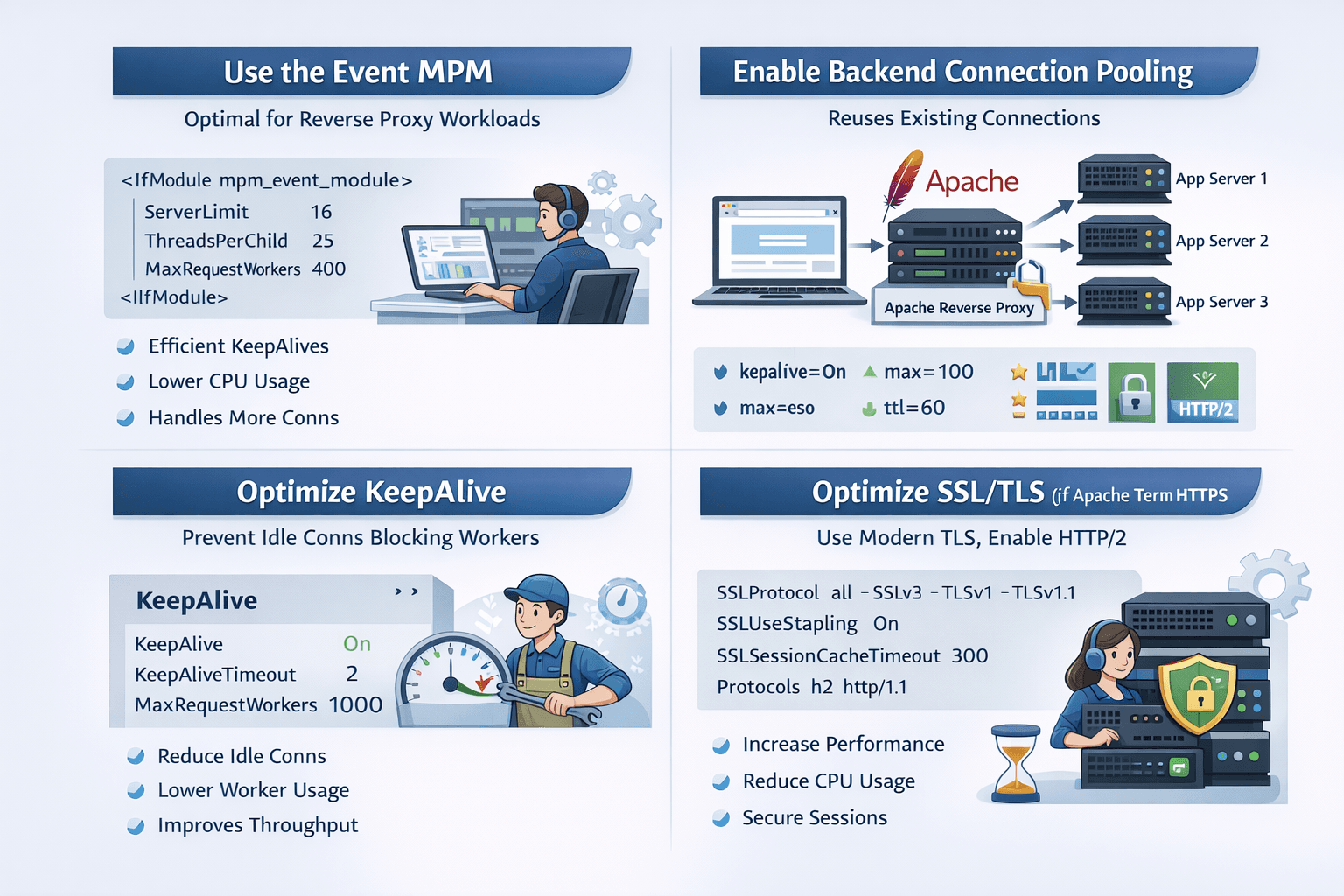
When Apache acts as a reverse proxy, it:
- Accepts client requests
- Optionally terminates SSL/TLS
- Forwards requests to backend servers
- Returns backend responses to clients
Performance bottlenecks usually occur in:
- Worker/thread configuration (MPM)
- Backend connection handling
- KeepAlive and timeout settings
- SSL configuration
- Unnecessary modules
2. Use the Event MPM (Critical)
The event MPM is the best choice for reverse proxy workloads.
Check your MPM:
apachectl -V | grep MPM
If not using mpm_event, switch to it.
Recommended event MPM configuration:
<IfModule mpm_event_module>
    ServerLimit              16
    StartServers              2
    MinSpareThreads          75
    MaxSpareThreads         250
    ThreadLimit              64
    ThreadsPerChild          25
    MaxRequestWorkers       400
    MaxConnectionsPerChild  5000
</IfModule>
Why?
- Event MPM handles KeepAlive connections efficiently.
- Prevents idle clients from blocking worker threads.
3. Enable Backend Connection Reuse (Huge Performance Gain)
By default, Apache may create new connections to the backend too often. Reusing backend connections reduces:
- TCP handshakes
- TLS handshakes
- CPU usage
- Latency
Example configuration:
ProxyRequests Off
ProxyPreserveHost On

ProxyPass        / http://backend:8080/ connectiontimeout=5 timeout=30 keepalive=On
ProxyPassReverse / http://backend:8080/
If using multiple backends:
<Proxy "balancer://app">
    BalancerMember "http://10.0.0.11:8080" max=100 smax=20 ttl=60 retry=5
    BalancerMember "http://10.0.0.12:8080" max=100 smax=20 ttl=60 retry=5
    ProxySet lbmethod=byrequests
</Proxy>

ProxyPass / balancer://app/
ProxyPassReverse / balancer://app/
4. Optimize KeepAlive Settings
Bad KeepAlive settings can kill performance.
Recommended:
KeepAlive On
MaxKeepAliveRequests 1000
KeepAliveTimeout 2
Why:
- Low KeepAliveTimeout prevents idle connections from consuming workers.
- High MaxKeepAliveRequests reduces reconnections
5. Tune Timeouts Carefully
Slow clients or slow backends can exhaust workers.
Timeout 60
ProxyTimeout 30
Lower timeouts protect your server under heavy load.
6. Optimize SSL/TLS (If Terminating HTTPS)
SSL can heavily impact CPU if misconfigured.
Use modern TLS:
SSLProtocol             all -SSLv3 -TLSv1 -TLSv1.1
SSLUseStapling          On
SSLSessionCache         "shmcb:/var/run/apache_sslcache(512000)"
SSLSessionCacheTimeout  300
Enable HTTP/2 for better performance:
Protocols h2 http/1.1
Benefits:
- Faster multiplexed connections
- Lower latency
- Better browser performance
7. Disable Unnecessary Modules
Every loaded module consumes memory and CPU.
Check loaded modules:
apachectl -M
Disable what you don’t use:
- mod_status (if not needed)
- mod_autoindex
- mod_cgi
- mod_php (if proxying only)
Lean Apache = faster Apache.
8. Disable .htaccess
.htaccess causes filesystem lookups on every request.
Instead:
<Directory /var/www/html>
    AllowOverride None
</Directory>
Move rules into main configuration files.
9. Enable Compression
Reduce bandwidth and improve response time:
LoadModule deflate_module modules/mod_deflate.so

AddOutputFilterByType DEFLATE text/html text/plain text/css application/json application/javascript
10. Set Forward Headers Properly
Applications often need original client information:
RequestHeader set X-Forwarded-Proto "https"
RequestHeader set X-Forwarded-Port "443"
RequestHeader set X-Forwarded-For "%{REMOTE_ADDR}s"
11. Increase OS Limits (Often Forgotten)
High traffic environments require:
Increase file descriptors:
Linux:
ulimit -n 65535
Or via systemd:
LimitNOFILE=65535
Also check:
- net.ipv4.ip_local_port_range
- net.core.somaxconn
12. Monitor Apache Properly
Enable mod_status for debugging:
<Location /server-status>
    SetHandler server-status
    Require local
</Location>
Watch:
- BusyWorkers
- IdleWorkers
- Request processing time
If BusyWorkers always equals MaxRequestWorkers → increase workers or optimize backend.
13. When to Consider Nginx Instead?
Apache is powerful but heavier than Nginx.
If you need:
- 100k+ concurrent connections
- Extremely high static file performance
- Ultra-low memory footprint
Nginx might be better as a front proxy.
But for most workloads, optimized Apache performs very well.
Final Optimized Baseline Example
ServerTokens Prod
ServerSignature Off

KeepAlive On
MaxKeepAliveRequests 1000
KeepAliveTimeout 2

Timeout 60
ProxyTimeout 30

ProxyRequests Off
ProxyPreserveHost On

ProxyPass        / http://backend:8080/ connectiontimeout=5 timeout=30 keepalive=On
ProxyPassReverse / http://backend:8080/

RequestHeader set X-Forwarded-Proto "https"
Conclusion
Optimizing Apache reverse proxy mainly requires:
- Using event MPM
- Enabling backend connection reuse
- Proper worker tuning
- Correct KeepAlive values
- TLS optimization
- Removing unnecessary modules
These changes alone can improve performance by 2x–5x under load.

 Multi-Account Management
 Prevent Account Association
 Multi-Employee Management
Recommended
See More 



