How to Scrape All Text From a Website: Methods, Tools, and Best Practices
 2026.04.17 06:12
 petro
petroExtracting text from a website is no longer just about parsing HTML. In 2026, it’s a mix of data extraction, automation infrastructure, browser environments, and SEO analytics.
Whether you're building datasets, doing SEO research, or powering arbitrage funnels, scraping today requires both technical precision and data intelligence.
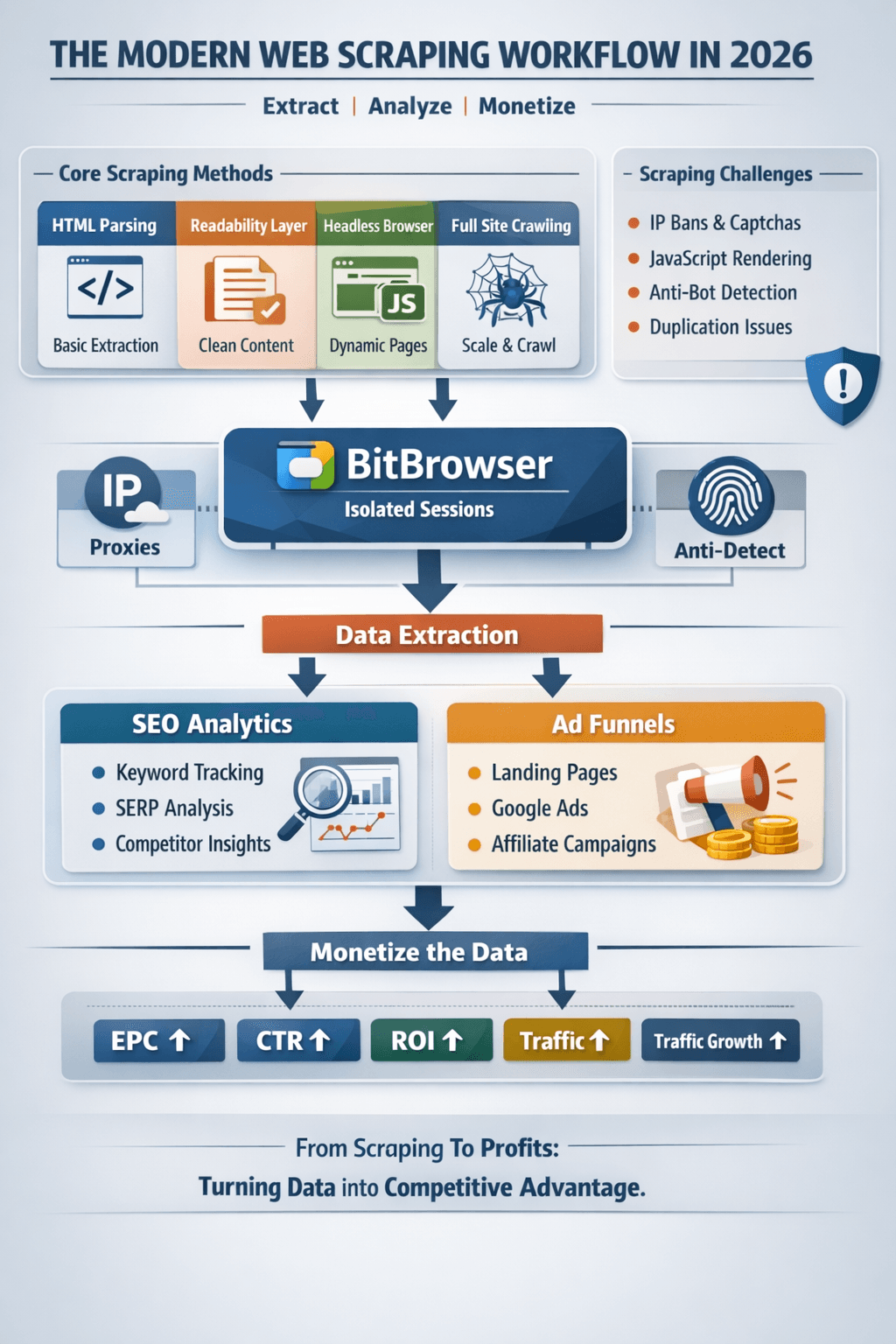
What “Scraping All Text” Really Means
At a professional level, scraping includes:
- Extracting clean, readable content
- Removing boilerplate noise
- Scaling across multiple pages or sites
- Structuring data for SEO or monetization
And increasingly:
- Tracking performance of scraped content
- Feeding it into marketing systems (ads, affiliate funnels)
Core Methods for Scraping Website Text
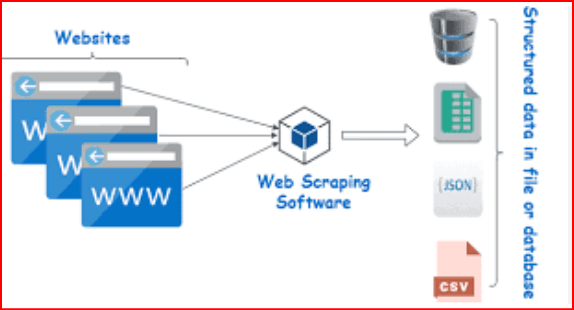
1. HTML Parsing (Basic Layer)
Still the foundation:
- Request page → parse HTML → extract text
- Fast and efficient for static sites
But limited for modern web apps.
2. Readability Extraction (Content Quality Layer)
Used for:
- Blogs
- News sites
- SEO content
Focus:
- Extract main article only
- Remove navigation, ads, clutter
This is essential for clean SEO datasets.
3. Headless Browsers (Dynamic Layer)
Tools like Playwright simulate real users:
- Load JavaScript-heavy pages
- Extract rendered content
- Interact with UI elements
This is critical for:
- Modern SaaS sites
- SPAs (React, Vue)
- Hidden or lazy-loaded text
4. Full Site Crawling (Scaling Layer)
Frameworks like Scrapy allow:
- Crawling thousands of pages
- Following internal links
- Building structured datasets
Used for:
- SEO audits
- Content replication
- Market research
Role of BitBrowser in Scraping & Ads Systems
BitBrowser is not just for ads—it plays a key role in scraping infrastructure, especially when scaling.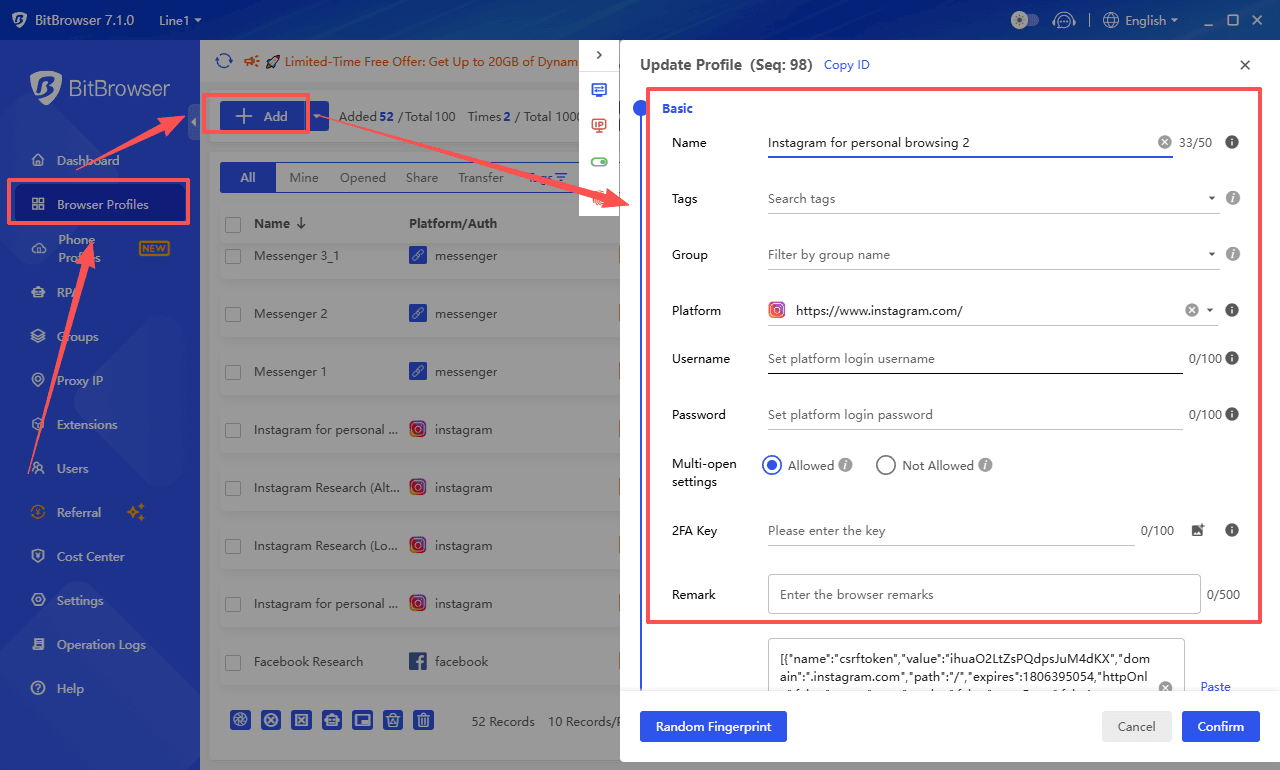
Why BitBrowser Matters
When scraping at scale, you face:
- IP bans
- Browser fingerprint tracking
- Rate limiting
- Anti-bot detection
BitBrowser solves this by creating isolated browser environments.
How BitBrowser Is Used
Multi-Account & Multi-Session Control
- Run multiple scraping sessions in parallel
- Each session has a unique fingerprint
- Prevents cross-contamination between tasks
Proxy Integration
- Assign different IPs per browser profile
- Rotate GEOs easily
- Avoid detection and throttling
Anti-Detect Layer
- Masks browser fingerprints
- Mimics real user behavior
- Reduces blocking risk
Use Case in Arbitrage + Scraping
- Scrape competitor landing pages
- Collect keyword/content data
- Feed into funnels (BibBrowser, LP builders)
- Run ads from isolated environments
BitBrowser becomes the bridge between scraping and monetization systems.
SEO Analytics Layer (The Missing Piece Most Ignore)
Scraping alone is useless without analysis.
What to Track
1. Keyword Data
- Extract keywords from content
- Identify search intent (informational vs buyer)
- Find long-tail opportunities
2. Content Structure
Analyze:
- Headings (H1, H2, H3)
- Content length
- Keyword density
- Internal linking
This helps replicate high-performing pages.
3. SERP Performance Signals
Combine scraped data with:
- Ranking positions
- Estimated traffic
- Click-through rates
This turns raw text into SEO intelligence.
4. Competitor Analysis
Scrape competing sites to:
- Identify top-performing pages
- Reverse-engineer funnels
- Discover monetization angles
5. Content Gap Detection
By comparing multiple scraped sites:
- Find missing topics
- Identify underserved keywords
- Build better content strategies
Advanced Workflow (Scraping + Ads + SEO)
Here’s how professionals combine everything:
- Scrape competitor websites
- Extract content + keywords
- Analyze SEO signals
- Identify high-intent queries
- Structure data (BibBrowser / CMS)
- Generate landing pages at scale
- Run campaigns (Google Ads)
- Target intent-based traffic
- Manage accounts (BitBrowser)
- Multi-account + proxy isolation
- Track performance (analytics tools)
- Optimize EPC, CTR, ROI
This is where scraping becomes a revenue engine, not just a technical task.
Challenges You’ll Face
- Duplicate content across pages
- JavaScript rendering issues
- Anti-bot protections
- Data noise and irrelevant text
- Scaling infrastructure
And most importantly:
- Turning data into actionable insights
Best Practices
- Focus on clean, structured data, not raw dumps
- Always combine scraping with SEO analytics
- Use BitBrowser or similar tools for scaling safely
- Avoid aggressive scraping patterns
- Store metadata (URL, title, timestamp)
- Deduplicate early
The 2026 Reality
Scraping is no longer just:
“Get text from a page”
It’s now:
“Build a system that extracts, analyzes, and monetizes data”
Final Take
If you combine:
- Scraping tools
- BitBrowser infrastructure
- SEO analytics
- Ad arbitrage systems
You don’t just collect data—you build a competitive advantage.
The people winning in 2026 aren’t scraping more…
They’re using data smarter.

 Multi-Account Management
 Prevent Account Association
 Multi-Employee Management
Recommended
See More 



