Instagram Shadowban 2025: Causes, Signs, and Effective Solutions
 2025.11.25 12:24
 YT.Shi
You've spent hours crafting the perfect Instagram post, hit publish, and then... crickets. Your engagement has plummeted, your reach is nearly nonexistent, and your content seems invisible to anyone outside your immediate followers. You might be experiencing what's commonly known as an Instagram shadowban.
The Instagram shadowban in 2025 remains one of the most frustrating challenges for content creators and businesses trying to maintain their online presence. This phenomenon can drastically reduce your post visibility, limit your discoverability through hashtags, and essentially make your content disappear from the feeds of potential followers. The impact is real: decreased engagement rates, stunted growth, and lost business opportunities.
Understanding the causes, signs, and effective solutions to deal with an Instagram shadowban is crucial for maintaining a strong online presence. Whether you're a small business owner, influencer, or brand manager, knowing how to identify, recover from, and prevent social media restrictions can mean the difference between thriving and disappearing on the platform.
What Is the Instagram Shadowban in 2025? Does It Really Exist?
The Instagram shadowban refers to a situation where your content becomes virtually invisible to users who don't already follow you. Your posts appear normal on your profile, you can still share stories, and your account remains active, but your reach drops dramatically. Non-followers won't see your content in hashtag searches, on the Explore page, or through recommendations.
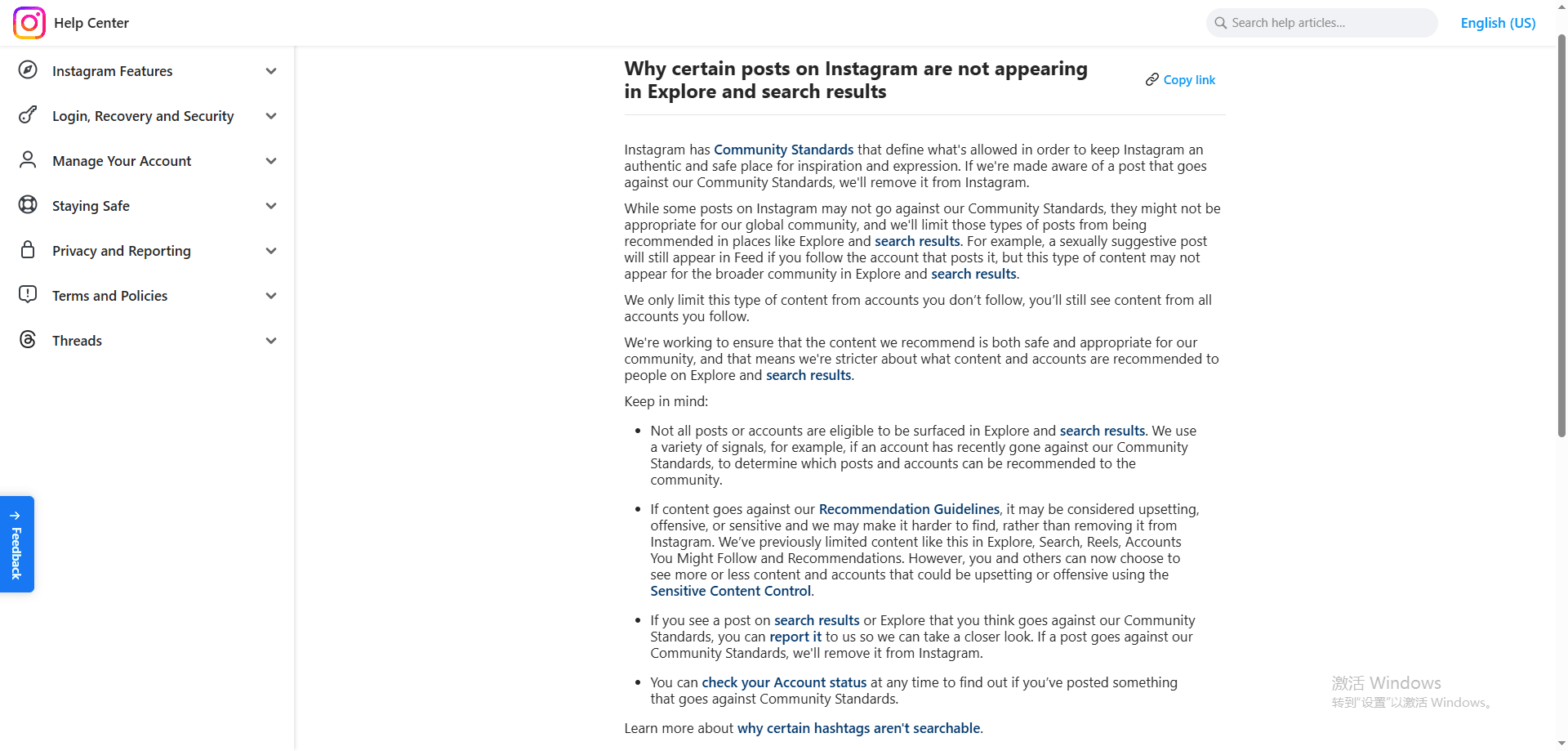
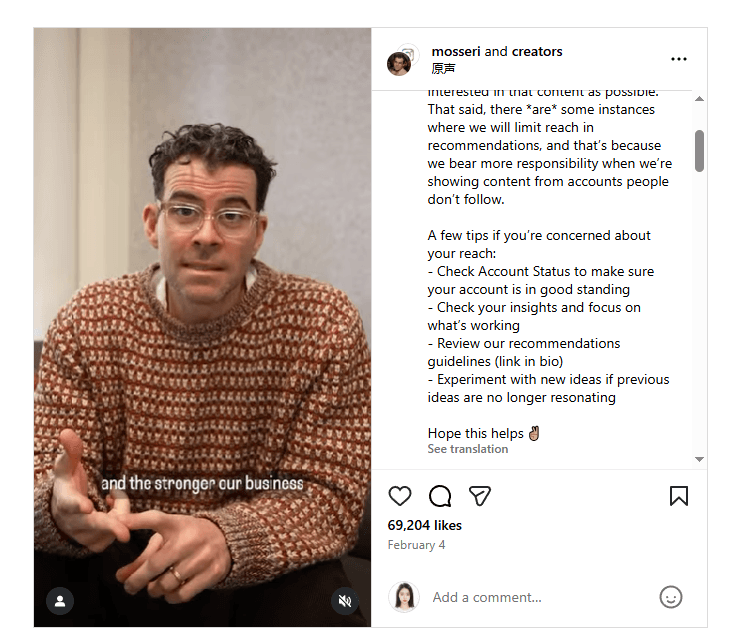
Instagram has never officially acknowledged using the term "shadowban." According to the Instagram Help Center, the platform doesn't hide content to punish users. In 2023, Instagram CEO Adam Mosseri noted: Instagram's visibility algorithm ranks content based on relevance, engagement patterns, and adherence to Community Standards. When your content violates these standards or exhibits suspicious behavior, the algorithm naturally limits its distribution.
Why You Might Experience Reduced Reach
The confusion around the Instagram shadowban stems from how the platform's ranking system works. You might experience reduced reach for several reasons:
· Algorithmic demotion: Your content doesn't resonate with your audience, leading to lower engagement signals
· Content restrictions: Posts flagged for potential guideline violations receive limited distribution
· Account quality issues: Spam-like behavior triggers automated restrictions on your content's visibility
· Hashtag penalties: Using banned or restricted hashtags removes your post from those specific feeds
Does the Instagram Shadowban Really Exist?
The debate over shadowban myths and reality exists because Instagram doesn’t notify you when it limits your reach. You get no warning or explanation; your analytics just show lower performance. This silent reduction in visibility feels like a "shadow" penalty, even though it's often the algorithm responding to content quality signals or policy violations rather than an intentional punishment system.
Why Do Instagram Accounts Get Shadowbanned?
Understanding the reasons behind Instagram shadowbans can help you avoid restrictions that may affect your reach. The causes of shadowbans are often related to specific behaviors and content choices that trigger Instagram's automated detection systems.
1. Banned Hashtags
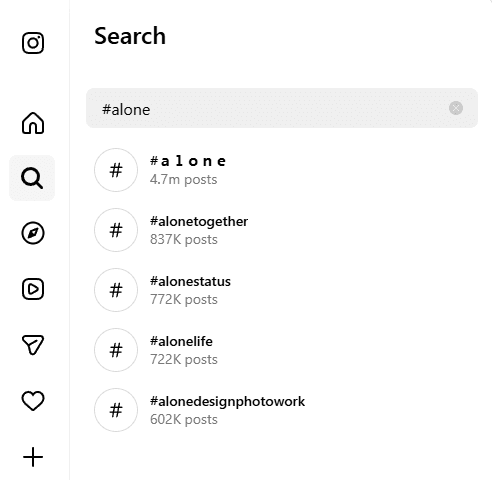
One of the most common reasons for shadowbans is the use of banned hashtags. Instagram has a list of restricted hashtags that it regularly updates. Some of these hashtags may be obviously problematic, while others may seem harmless but still get restricted due to spam issues. Using tags like #Snapchat, #anorexia, or even seasonal tags that temporarily get banned can limit the visibility of your content. It's important to note that a hashtag that worked last month may no longer be effective today.
Not every banned hashtag is immediately apparent. Some are restricted even without breaking Instagram’s Community Guidelines. For instance, everyday tags like #pushups, #alone, and #brain are all currently blocked on the platform.
2. Community Guidelines Violations and Low-Quality Content
Violating Instagram's community guidelines or posting low-quality content can also lead to immediate flags on your account. This includes actions such as posting copyrighted material, explicit content, or repetitive posts. When Instagram's algorithm detects these violations, it signals that your content is not deserving of wider distribution. The platform prioritizes original and valuable content in its recommendation systems.
3. Bots on Instagram and Engagement Pods
The presence of bots on Instagram and the use of engagement pods can create artificial interaction patterns that are easily detected by Instagram's systems. These fake engagement methods include automated likes and comments from bot accounts, coordinated engagement pods exchanging forced interactions, and third-party apps promising follower growth. Such activities can raise suspicion and result in reduced visibility for your account.
4. Spammy Behavior
Engaging in spammy behavior can trigger instant red flags on your account. This includes actions such as mass following hundreds of accounts daily, unfollowing in bulk, posting identical comments across multiple posts, or receiving action blocks for excessive activity. Instagram's systems interpret these patterns as attempts at manipulation rather than genuine participation in the community.
By being aware of these triggers and avoiding them, you can minimize the risk of getting shadowbanned on Instagram and maintain a healthy reach for your content.
How to Check If Your Instagram Account Is Shadowbanned?
Detecting a shadowban requires a systematic approach rather than relying on gut feelings about decreased engagement. These are two testing methods to detect shadowban signs:
1. Perform a Simple Visibility Test
You can perform a simple visibility test by creating a post with 3-5 unique, less common hashtags that you've never used before. Ask friends or colleagues who don't follow you to search for these specific hashtags immediately after posting. If your content appears in the hashtag feeds for non-followers, your account likely isn't shadowbanned. If it's invisible to non-followers but visible to your existing audience, you're experiencing restricted reach.
2. Monitoring your Instagram Insights
Another detection method involves monitoring your Instagram Insights. Check your "Reached" metrics and compare the percentage of non-followers seeing your content over the past few weeks. A sudden, dramatic drop in non-follower reach, especially from hashtags and Explore page, indicates potential visibility restrictions affecting your account's discoverability across the platform.
How to Recover From an Instagram Shadowban?
If you've confirmed your account is experiencing reduced visibility, you need to take immediate action to fix Instagram restrictions and restore your reach. The recovery process requires strategic changes to your content strategy and account management practices.
1. Take a Strategic Break
Pause all posting activity for 24-48 hours. Avoid performing bulk actions (liking, following/unfollowing, commenting) during this period. This cooldown period allows Instagram's systems to reassess your account behavior without additional flags triggering during the recovery process.
2. Clean Up Your Hashtag Strategy
Stop using the same hashtag sets across multiple posts. Instagram's algorithm flags repetitive patterns as potential spam behavior. Create diverse hashtag groups for each piece of content, ensuring you avoid banned hashtags that could trigger additional restrictions.
Check your recent posts and remove any problematic tags. You can find current banned hashtag lists through community-maintained resources or by testing hashtags yourself before posting.
3. Audit Your Connected Applications
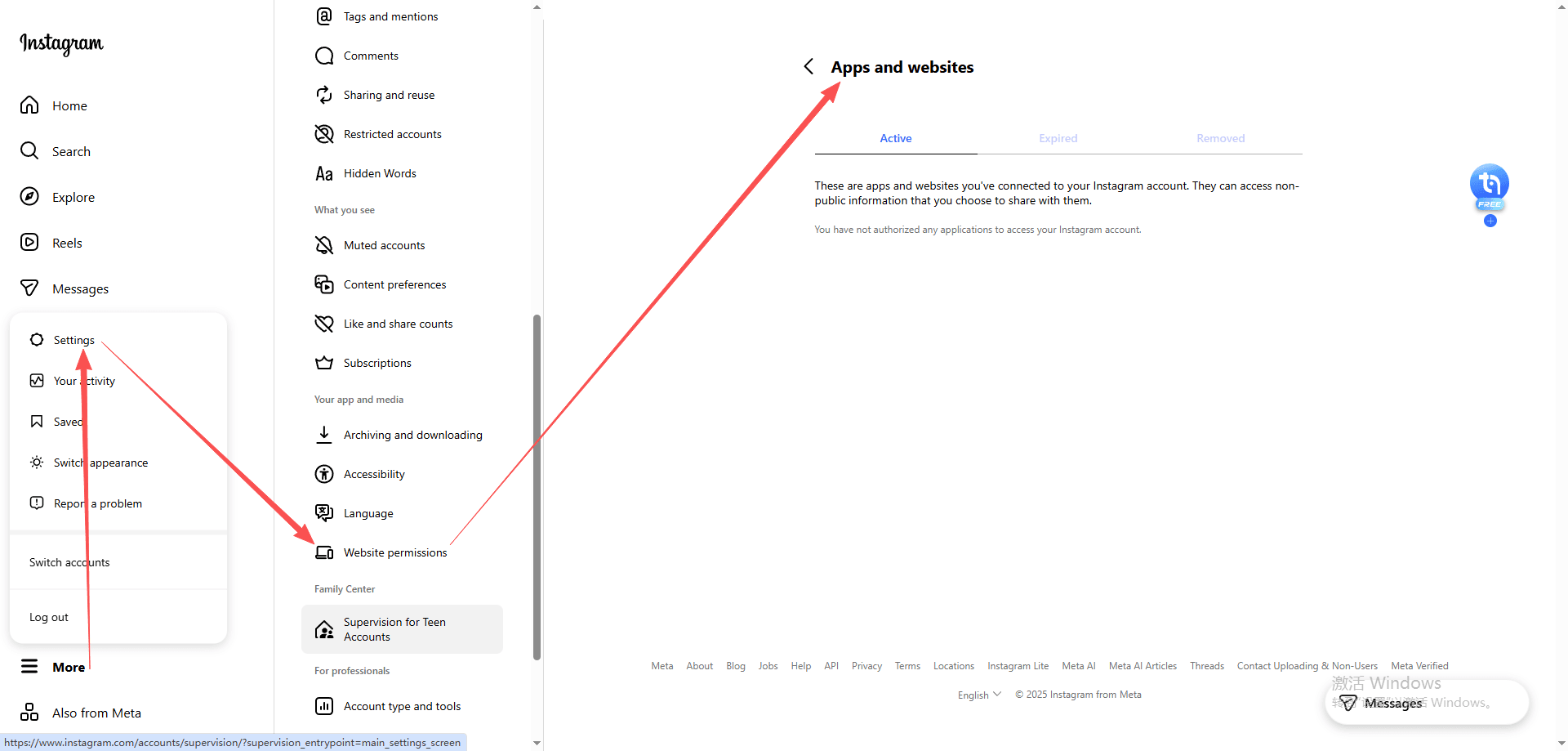
Review every third-party app and website with access to your Instagram account. Navigate to Settings > Website permissions > Apps and Websites to see the complete list. Remove any services that:
· Promise automated engagement or follower growth
· Schedule posts through unofficial APIs
· Offer analytics through unauthorized data scraping
· Provide "Instagram growth hacks" or similar services
These tools often violate Instagram's Terms of Service, even if they seem legitimate. Disconnect them immediately to recover from shadowban effects.
4. Check for User Reports
Sometimes, shadowbans are triggered by mass reporting from other users. Check if specific posts have been removed or restricted. If confirmed, remove posts that may have prompted complaints to reduce risk.
5. Contact Instagram Support
Use “Report a Problem” via the app to notify Instagram of potential issues. Be clear and concise; explain that your reach has dropped unexpectedly and ask for guidance. Instagram may take a few days to review your account status.
Additionally, you can use Instagram's "Account Status" feature to check the current status of your account and whether any features are restricted.
How to Prevent Instagram Shadowbans in 2025
Prevention beats recovery when it comes to maintaining your Instagram account's visibility. You need to adopt proactive strategies that align with Instagram's evolving guidelines and detection systems.
1. Consistently Follow Community Guidelines
Maintaining visibility and safety on Instagram starts with strict adherence to community rules. Always ensure that your posts, captions, hashtags, and interactions comply with Instagram's guidelines. Regularly auditing your content for compliance can prevent inadvertent violations that may trigger shadowbans or account restrictions.
Use tools or manual checks to review hashtags and content for banned or sensitive terms before posting. Even widely used hashtags can occasionally be flagged, so staying proactive helps protect your account's reach. By combining guideline compliance with authentic engagement and account management best practices, you reduce risk and create a sustainable strategy for long-term Instagram success.
2. Authentic Engagement Practices
Your engagement behavior speaks volumes to Instagram's algorithm. You should interact genuinely with content that interests you, leaving thoughtful comments rather than generic responses like "Nice post!" or emoji-only reactions.
Space out your actions naturally. Rapid-fire liking, commenting, or following hundreds of accounts within minutes triggers automated flags. Think about how a real person would use the platform: you browse, pause, read captions, and engage meaningfully.
3. Instagram Multi-Account Safety
Managing multiple Instagram accounts requires careful attention to prevent cross-account contamination. Instagram's systems can detect when several accounts operate from the same device or IP address, especially if those accounts exhibit similar behavior patterns. You risk having restrictions applied across all your accounts if one gets flagged.
The safest approach involves using separate devices or sessions for each account. This separation creates distinct digital footprints that Instagram's systems recognize as independent users. You can also implement different engagement patterns for each account: varying your posting times, hashtag strategies, and interaction styles helps establish unique account identities.
Never use the same automation tools, engagement pods, or third-party services across multiple accounts. These shared resources create detectable connections that put all your accounts at risk simultaneously.
How Can You Use BitBrowser to Manage Instagram Accounts Safely
Managing multiple Instagram accounts is safer and more efficient with BitBrowser, a professional anti-detect browser. Each account operates in its own isolated environment with unique device fingerprints, IP addresses, canvas and WebGL parameters, user agent strings, and timezone settings. Cookies and local storage are completely separated, making every profile appear as a distinct device to Instagram and preventing account linking or shadowbans.
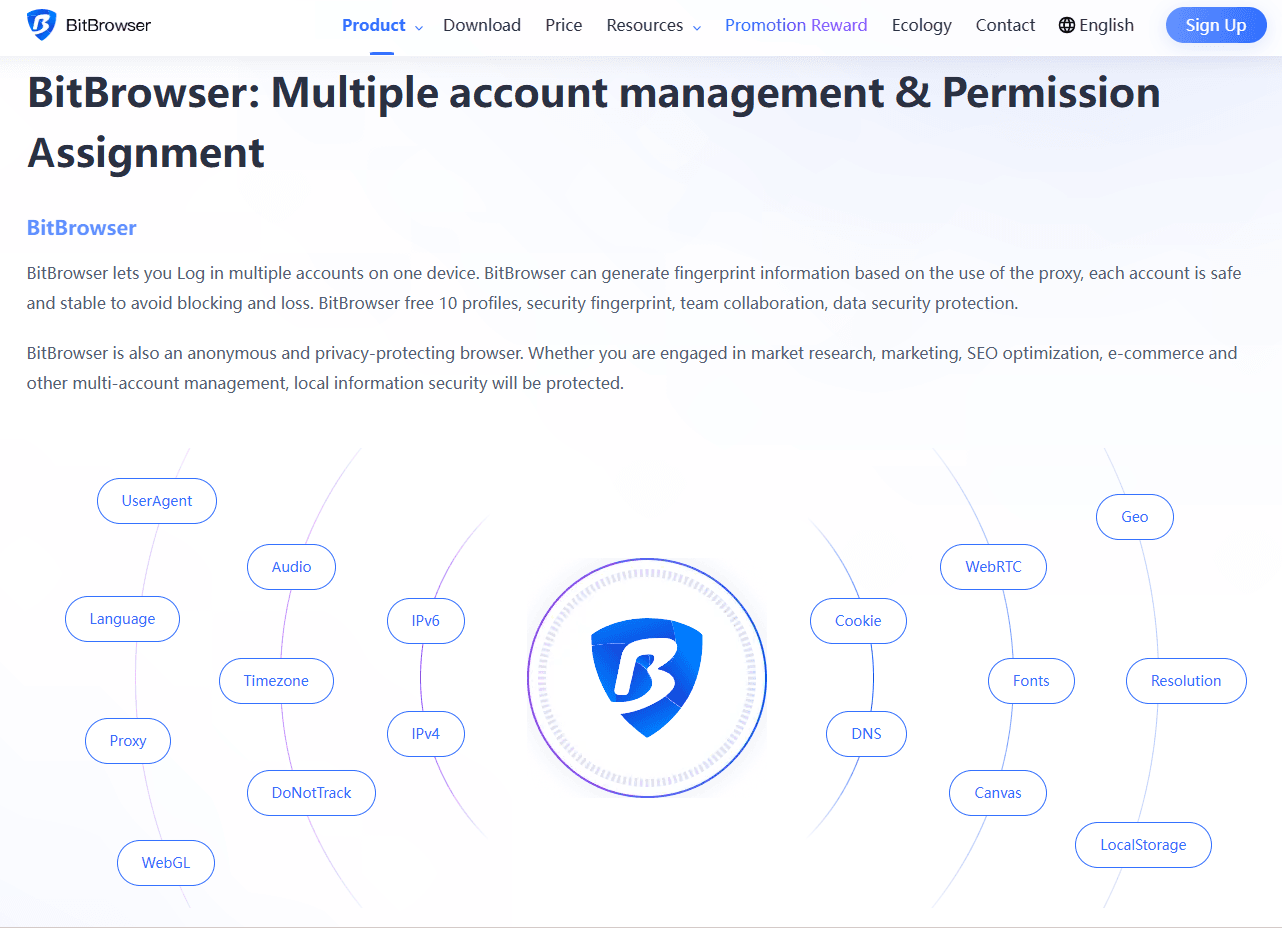
BitBrowser allows you to save and reuse browser profiles, maintain browsing history, and avoid repeated logins or suspicious activity alerts. Its isolation ensures accounts remain secure even when managed simultaneously, replicating the experience of using separate physical devices.
With features like profile templates, team collaboration tools, and automation APIs, BitBrowser enables natural, human-like operation. By maintaining realistic engagement patterns and consistent logins, you can safely manage multiple Instagram accounts while keeping full control over each profile.
Get started with 10 permanently free profiles right away!
Conclusion
The Instagram shadowban is still a major concern in 2025, but understanding its causes, signs, and solutions puts you in control of your account's visibility. Follow platform guidelines by avoiding banned hashtags, staying away from prohibited automation tools, and engaging authentically. When managing multiple accounts, use tools like BitBrowser to keep each profile isolated and secure. Focus on quality content, genuine audience interaction, and regular checks of hashtags and account practices to stay compliant and protect your reach.
FAQs (Frequently Asked Questions)
1. What does an Instagram shadowban mean on Instagram?
A shadowban refers to reduced content visibility without a formal notification. Your posts remain visible to followers but appear less often in hashtag feeds, Explore, and recommendations, leading to lower reach.
2. How long does an Instagram shadowban usually last?
Most visibility restrictions last from a few days to two weeks, depending on the trigger. Changing behavior, pausing activity, and removing risky hashtags can speed up recovery.
3. Can using banned hashtags cause a shadowban?
Yes. Repeatedly using restricted or spam‑associated hashtags can limit distribution. Even common tags may become temporarily blocked, so reviewing hashtags regularly is important.
4. Do automation tools increase the risk of shadowban?
They can. Bots, engagement pods, and unofficial growth tools create unnatural interaction patterns that algorithms may flag, resulting in reduced reach or temporary restrictions.
5. How can I prevent shadowbans when managing multiple accounts?
Keep accounts separated, avoid identical posting patterns, and engage naturally. Using isolated environments and consistent behavior helps platforms recognize each account as independent and lowers linking risks.

 Multi-Account Management
 Prevent Account Association
 Multi-Employee Management
Recommended
See More