Anonymous Proxies: How They Work and What “Anonymous Proxy Detected” Means
 2026.03.28 05:11
 petro
petroAn anonymous proxy is a tool that acts as an intermediary between your device and the internet. Instead of connecting directly to a website, your request is first sent to a proxy server, which then forwards it to the destination. This process helps hide your real IP address and can provide a layer of privacy.
How Anonymous Proxies Work
When you visit a website without a proxy, your device connects directly to the site’s server. The server can see your IP address and basic information about your connection.
With an anonymous proxy, the process changes:
- Your device sends a request to the proxy server.
- The proxy server forwards the request to the website.
- The website responds to the proxy server.
- The proxy sends the response back to you.
Because of this setup, the website sees the proxy server’s IP address instead of your own.
Types of Proxies Based on Anonymity
Transparent Proxy
This type does not hide your IP address. The website can still see your real identity and also knows you are using a proxy.
Anonymous Proxy
This hides your IP address but still identifies itself as a proxy. Websites know you are using one, even if they cannot see who you are.
Elite or High-Anonymity Proxy
This type hides your IP address and does not reveal that it is a proxy. To the website, it looks like a normal user connectio
The Role of BitBrowser
BitBrowser is an anti-detect browser designed to manage multiple online identities while reducing the chance of being flagged by websites. It is often used together with proxies.
Its role includes:
- Managing multiple browser profiles, each with a separate fingerprint
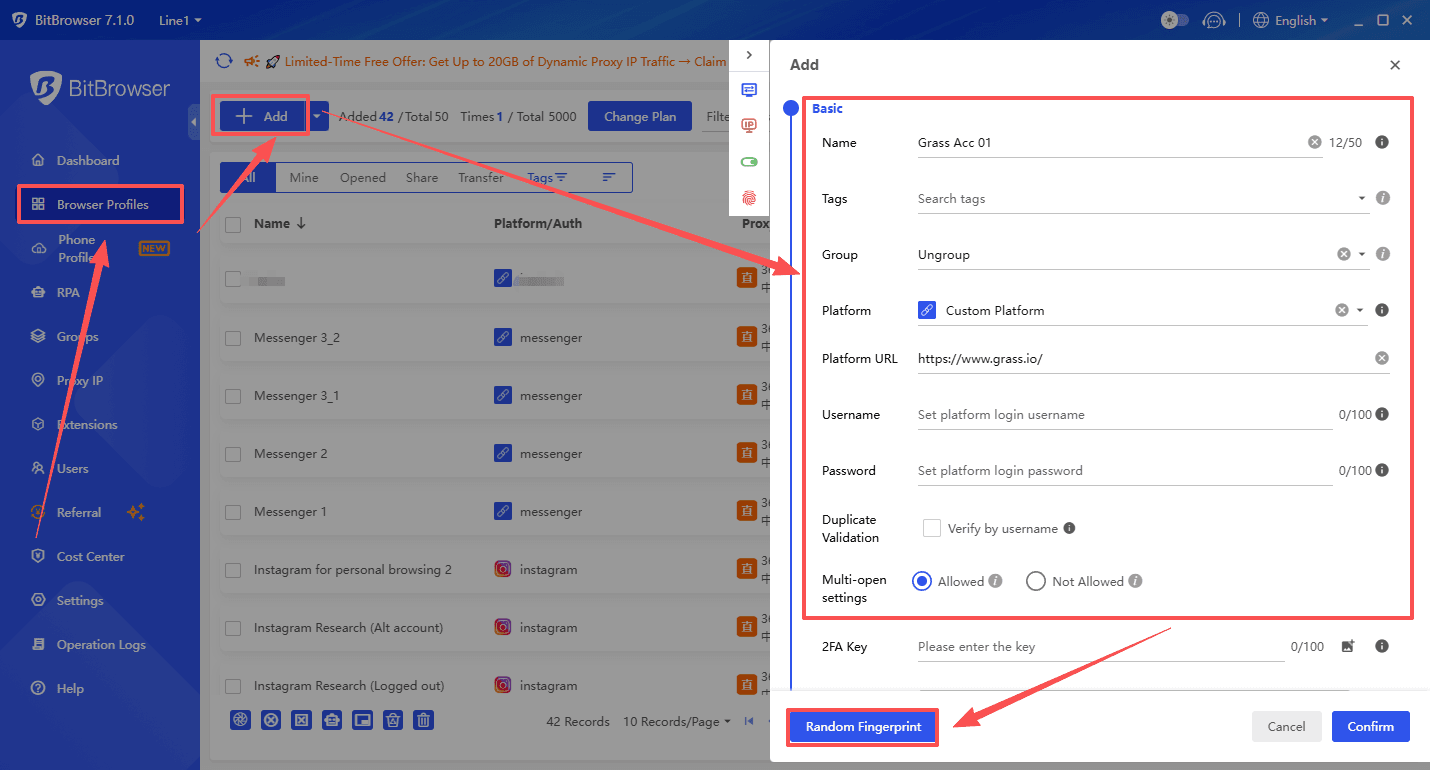
- Assigning different proxies to different profiles
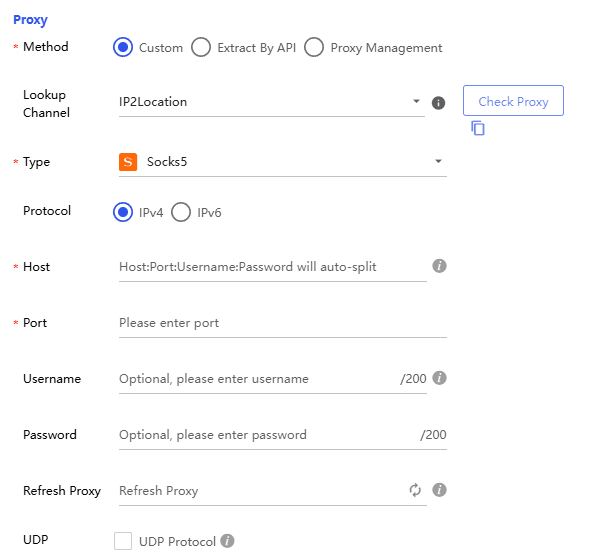
- Reducing tracking by isolating cookies, cache, and device data
- Mimicking real user environments to appear more natural
When used with proxies, BitBrowser helps make each session look like it comes from a different real user, rather than multiple accounts from the same device.
How Websites Detect Proxies
Websites use several techniques to determine whether a user is connecting through a proxy:
- They check IP addresses against databases of known proxy and VPN services
- They analyze request headers for signs that a proxy is being used
- They monitor behavior, such as sending too many requests in a short time
- They compare location data and look for inconsistencies in user activity
- They analyze browser fingerprints, including device and system characteristics
Even with tools like BitBrowser, detection can still happen if signals do not match or appear suspicious.
What “Anonymous Proxy Detected” Means
When a website displays a message like “Anonymous proxy detected,” it means the system believes your connection is coming through a proxy, VPN, or similar service rather than directly from your device.
This can happen even when using tools like BitBrowser if:
- The proxy IP is flagged or overused
- The browser fingerprint does not match the IP location
- There are inconsistencies in behavior or session data
Why Websites Block Proxies
Many websites restrict or block proxy connections for several reasons:
- To prevent fraud or abuse of their services
- To reduce automated traffic and bots
- To enforce geographic restrictions on content
- To protect user accounts from suspicious activity
Because proxies can hide identity, they are sometimes associated with misuse, which leads websites to treat them cautiously.
What You Can Do If You See This Message
If you encounter a proxy detection warning, you can try the following:
- Disable any VPN or proxy service you are using
- Use a higher-quality or less frequently used proxy
- Ensure your browser fingerprint matches your proxy location
- Avoid rapid or automated actions that look unnatural
- Switch to a different network if needed
- Clear your browser cookies and cache
Real Experience Using Proxies (Example: nsocks.net)
In practical use, proxy services such as nsocks.net are commonly used for tasks like managing multiple accounts, automation, or accessing geo-specific content. However, real-world experience shows that results can vary depending on how the proxies are used.
Some common observations include:
- IP Quality Matters
Not all proxies perform equally. Some IPs may already be flagged or overused, leading to instant detection. - Consistency Is Important
If your proxy location, browser fingerprint, and behavior do not match, websites are more likely to flag your session. - Residential vs Datacenter Proxies
Residential proxies tend to have lower detection rates compared to datacenter proxies, which are easier for websites to identify. - Rotation Strategy
Rotating IPs too frequently can look suspicious, while not rotating at all can lead to bans. A balanced approach is usually more effective. - Combination with Anti-Detect Tools
Using proxies alone is often not enough. Tools like BitBrowser improve results by aligning browser fingerprints with proxy data. - Detection Still Happens
Even with high-quality providers, some platforms (especially strict ones like social media or financial services) may still detect and block proxy usage. Overall, services like nsocks.net can work well when configured properly, but success depends heavily on setup, proxy quality, and user behavior.
Conclusion
Anonymous proxies are useful tools for privacy and managing multiple online sessions, especially when combined with tools like BitBrowser. However, websites have advanced detection systems that can still identify proxy usage. Understanding how these systems work can help you reduce detection and troubleshoot issues more effectively.

 Multi-Account Management
 Prevent Account Association
 Multi-Employee Management
Recommended
See More 



