Anti-Detect Browser vs VPN: What’s the Difference and Which One Do You Need?
 2026.02.28 04:01
 petro
petroOnline privacy and anonymity have become major concerns for individuals and businesses alike. Two tools that are often compared are anti-detect browsers and VPNs (Virtual Private Networks). While they both enhance privacy, they serve very different purposes.
In this article, we’ll break down the differences, explain how each works, and help you decide which one is right for your needs.
What Is a VPN?
A VPN (Virtual Private Network) is a tool that encrypts your internet connection and routes it through a remote server. This process hides your real IP address and replaces it with the IP address of the VPN server.
How a VPN Works:
Encrypts your internet traffic
Masks your real IP address
Routes your connection through a different location
Protects data on public WiFi networks
Key Benefits of a VPN:
Improved privacy from ISPs
Secure browsing on public WiFi
Access to geo-restricted content
Protection against basic IP-based tracking
However, a VPN does not change your browser fingerprint. Websites can still identify your device using advanced tracking techniques.
What Is an Anti-Detect Browser?
An anti-detect browser is specialized software designed to modify or mask your browser fingerprint. Unlike a VPN, which only hides your IP address, an anti-detect browser alters the digital characteristics that websites use to identify devices.
What It Can Modify:
User agent
Screen resolution
Timezone
Installed fonts
Canvas fingerprint
WebGL fingerprint
Hardware details
Most anti-detect browsers allow users to create multiple isolated browser profiles, each with a unique digital fingerprint.
Key Benefits:
Separate browser identities
Fingerprint isolation
Multi-profile management
Reduced browser-level tracking
Anti-detect browsers are commonly used in digital marketing, ad verification, cybersecurity research, and multi-account management environments.
The Core Difference: IP vs Fingerprint
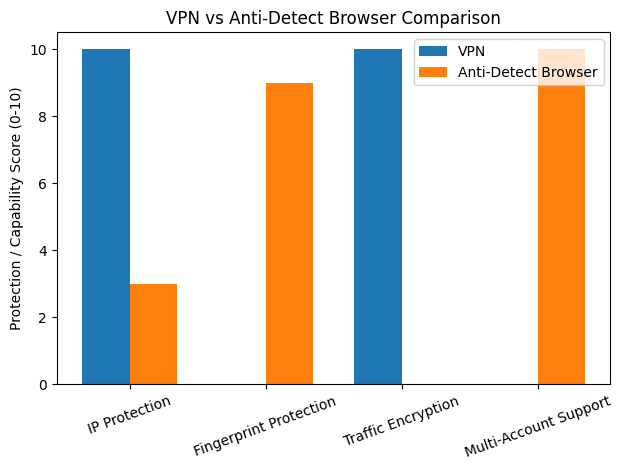
The biggest difference between a VPN and an anti-detect browser lies in the layer of protection they provide.
| Feature | VPN | Anti-Detect Browser |
|---|---|---|
| Hides IP address | ✅ Yes | Only with proxy integration |
| Encrypts traffic | ✅ Yes | ❌ No |
| Changes browser fingerprint | ❌ No | ✅ Yes |
| Creates multiple identities | ❌ No | ✅ Yes |
| Protects on public WiFi | ✅ Yes | ❌ No |
In simple terms:
VPN = Network-level privacy
Anti-detect browser = Device-level identity masking
What Is Browser Fingerprinting?
Browser fingerprinting is an advanced tracking method that collects information about your device and browser configuration. This includes:
Operating system
Browser version
Installed plugins
Screen resolution
Timezone
Hardware acceleration
Graphics rendering behavior
Even if you use a VPN, your fingerprint can remain the same — allowing websites to recognize you across sessions.
Anti-detect browsers aim to reduce this type of tracking by simulating different digital environments.
When Should You Use a VPN?
A VPN is ideal if you:
Want secure browsing on public WiFi
Need to hide your IP address
Want to access region-locked content
Want encrypted internet traffic
Care about ISP-level privacy
For everyday users focused on general online privacy, a VPN is usually sufficient.
When Should You Use an Anti-Detect Browser?
An anti-detect browser may be useful if you:
Manage multiple online accounts professionally
Conduct ad verification across regions
Test websites from different device environments
Need isolated browser profiles
Perform cybersecurity or tracking research
It’s commonly used in professional digital environments where device-level identity separation is necessary.
Can You Use Both Together?
Yes. In many professional setups, users combine:
Anti-detect browser
Residential or mobile proxies
Sometimes a VPN
This layered approach provides both IP masking and fingerprint isolation. However, using a VPN alone does not protect against fingerprint-based tracking.
Security Considerations
It’s important to use these tools ethically and legally. Many platforms have terms of service regarding account management and identity masking. Always ensure compliance with local laws and platform policies.
Privacy tools should be used for:
Security
Research
Business testing
Data protection
Not for violating rules or bypassing safeguards.
Final Verdict: Which One Is Better?
There is no “better” tool — only the right tool for your situation.
If you want simple online privacy and encryption, choose a VPN.
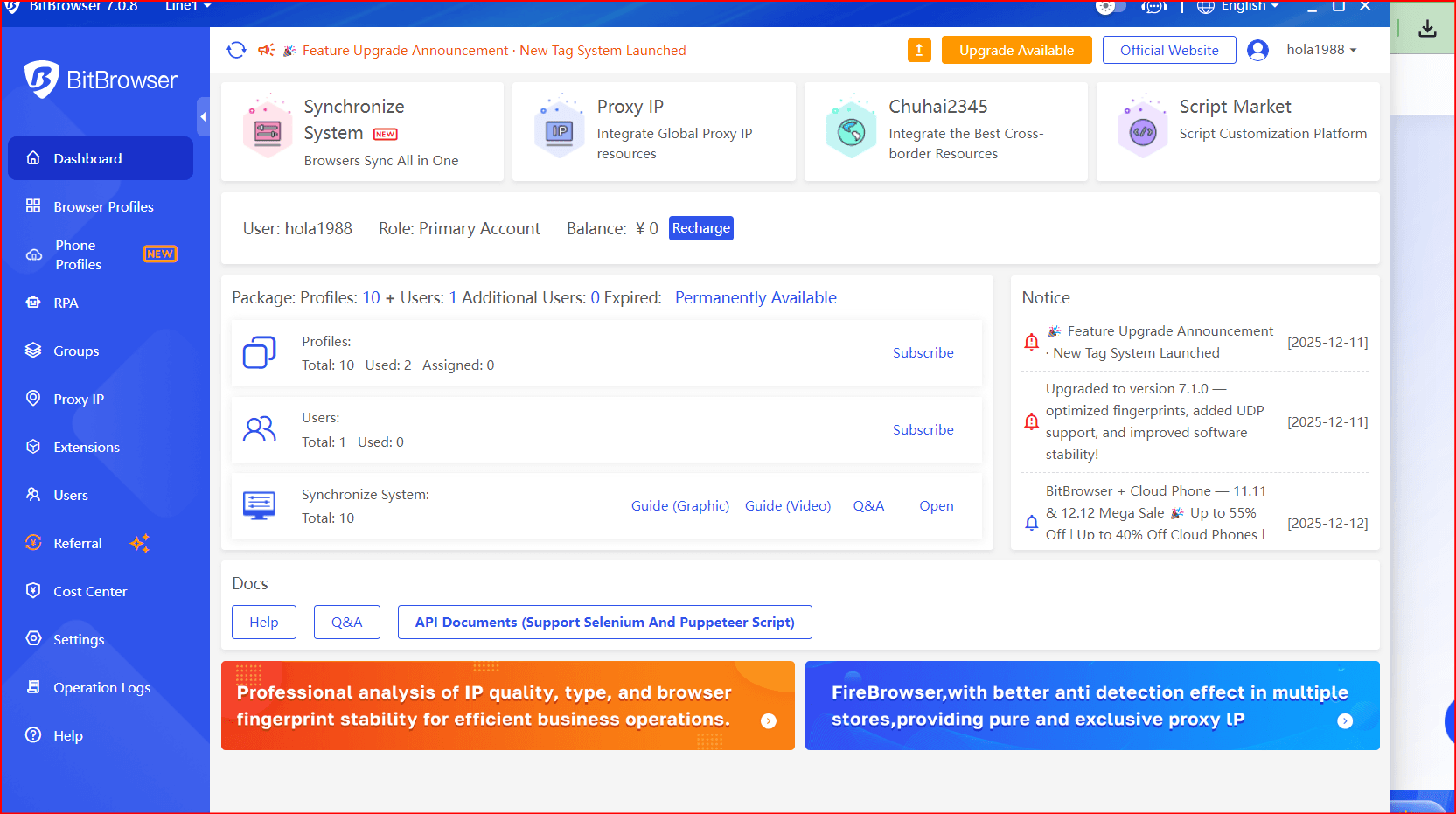
If you need advanced identity separation and fingerprint control, consider an anti-detect browser.you can use our BitBrowser
If you require both IP privacy and device masking, you may need a combination approach.
Understanding the difference helps you make a smarter decision based on your goals.

 Multi-Account Management
 Prevent Account Association
 Multi-Employee Management
Recommended
See More 



