Anti-Detect Browser vs VPS: The Complete Guide with BitBrowser
 2026.04.28 06:34
 petro
petroAnti-detect browsers have become essential tools for multi-account management and online privacy. At the same time, Virtual Private Servers (VPS) are gaining attention as an alternative. This raises a common question:
Can a VPS replace an anti-detect browser like BitBrowser?
Short answer: No.
These tools solve completely different problems.
An anti-detect browser operates at the identity level, while a VPS works at the infrastructure level. Confusing the two is one of the fastest ways to get accounts flagged or banned.
This guide breaks everything down so you can build a setup that actually works.
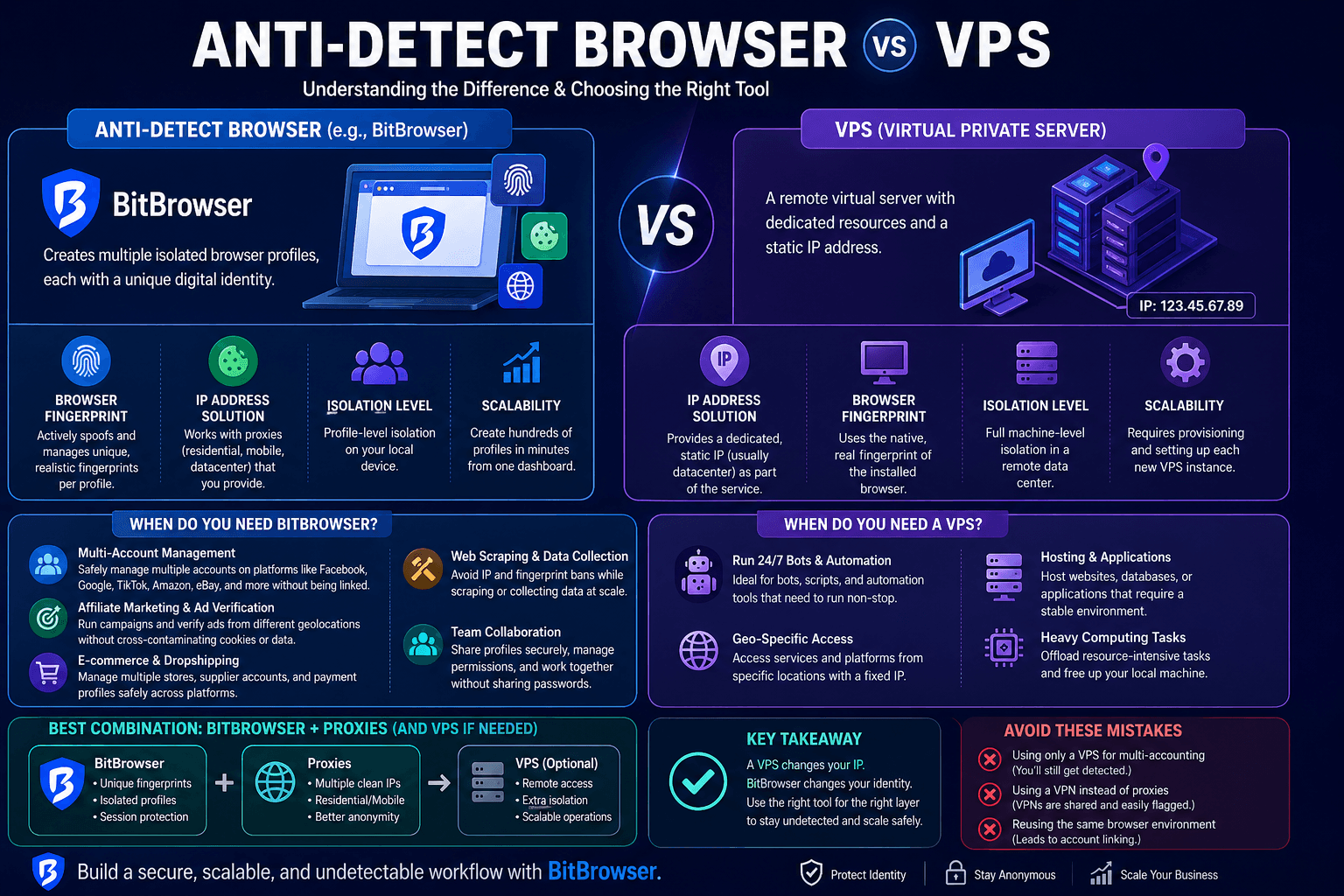
Understanding the Core Technologies
Before comparing them, it’s important to understand what each tool is designed to do.
What is an Anti-Detect Browser?
An anti-detect browser like BitBrowser is specialized software that allows you to create multiple isolated browser profiles on a single device.
Each profile acts like a completely different user with its own:
- Cookies & Storage – No data overlap between profiles
- Browser Fingerprint – Unique parameters like user-agent, screen resolution, fonts, timezone, WebGL, etc.
- IP Address – Assigned through proxies (residential, mobile, or datacenter)
Why this matters
Websites don’t just track IP addresses anymore. They use browser fingerprinting, which combines dozens of data points to uniquely identify users.
BitBrowser prevents this by making every profile look like a real, separate device.
What is a VPS (Virtual Private Server)?
A VPS is a remote computer hosted in a data center. You can access it via Remote Desktop and use it like a normal machine.
It provides:
- Dedicated CPU, RAM, and storage
- A static IP address
- Isolation from your local device
What it does NOT do
A VPS does not protect or modify your browser fingerprint.
If you open Chrome on a VPS, websites still see:
- A standard browser
- A typical server environment (which can look suspicious)
The Core Difference: Identity vs Infrastructure
This is where most people get it wrong.
- A VPS changes your IP
- An anti-detect browser changes your identity
Using only a VPS means:
- Same browser fingerprint
- Same behavior patterns
- High risk of account linking
Using BitBrowser means:
- Unique fingerprint per account
- Isolated sessions
- Much lower detection risk
Head-to-Head Comparison
Feature | BitBrowser (Anti-Detect Browser) | VPS |
Primary Function | Creates unique browser identities | Provides remote machine with IP |
IP Management | Uses proxies (flexible & scalable) | One static IP per server |
Fingerprint Protection | Full spoofing & customization | No protection |
Isolation | Profile-level | Machine-level |
Scalability | Create hundreds of profiles easily | Requires multiple servers |
Ease of Use | Beginner-friendly dashboard | Requires technical setup |
Best Use Case | Multi-accounting & anonymity | Hosting, bots, remote tasks |
When Should You Use BitBrowser?
Choose BitBrowser when your main goal is avoiding detection and managing multiple accounts safely.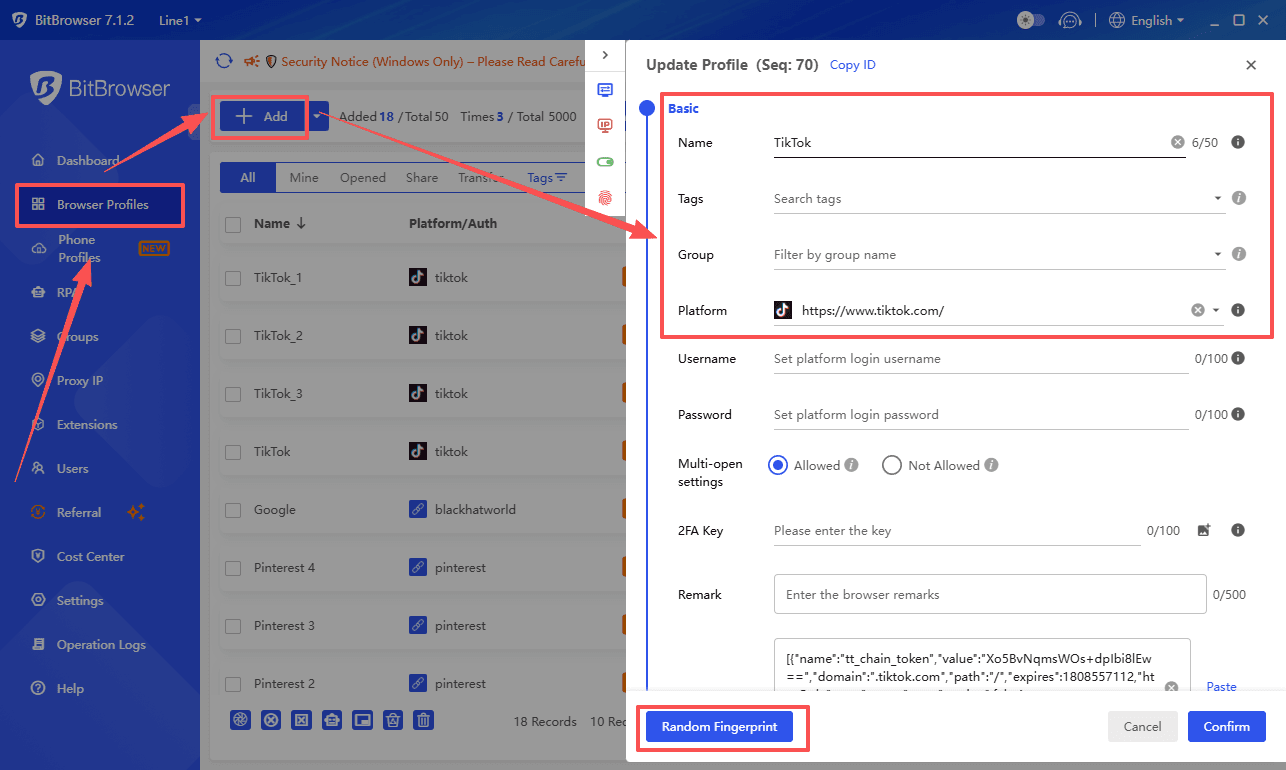
Ideal use cases:
1. Multi-Account Management
Platforms like:
- Facebook Ads
- Google Ads
- TikTok
- Amazon
- eBay
These platforms actively track fingerprints. BitBrowser ensures each account looks like a different real user.
2. Affiliate Marketing
Run campaigns across multiple networks without:
- Cookie overlap
- Account linking
3. E-commerce & Dropshipping
Manage:
- Multiple stores
- Supplier accounts
- Payment profiles
All without cross-contamination.
4. Web Scraping
Avoid bans by combining:
- Multiple profiles
- Rotating proxies
- Unique fingerprints
5. Team Collaboration
BitBrowser allows teams to:
- Share profiles securely
- Avoid sharing passwords
- Control access levels
When Should You Use a VPS?
A VPS is useful when you need a stable, always-on environment.
Best use cases:
1. Running 24/7 Bots
- Trading bots
- Automation tools
- Monitoring scripts
2. Geo-Specific Access
Access services from a specific location using a fixed IP.
3. Hosting Services
- Websites
- Databases
- Applications
4. Heavy Computing Tasks
Offload processing from your local machine.
Can You Combine BitBrowser and VPS?
Yes—and for advanced users, this is the most powerful setup.
BitBrowser + Proxies (Recommended Setup)
- BitBrowser handles fingerprints
- Proxies provide clean IPs
This is the standard for multi-accounting.
BitBrowser + VPS (Advanced Setup)
Running BitBrowser on a VPS gives you:
- Remote access
- Extra isolation from your personal device
- Centralized workspace for teams
This setup is ideal for:
- Agencies
- Large-scale operations
- Teams managing many accounts
Common Mistakes to Avoid
❌ Using only a VPS for multi-accounting
You’ll still get flagged due to fingerprint similarity.
❌ Using a VPN instead of proxies
A VPN:
- Shares IPs with many users
- Does not isolate fingerprints
❌ Reusing the same browser environment
Even with different IPs, accounts can still be linked.
FAQs
Can I use a VPS instead of proxies?
Not effectively. A VPS gives only one IP. Multi-accounting requires multiple IPs, which proxies provide more efficiently.
Is BitBrowser legal?
Yes. It’s a privacy tool. Legality depends on how you use it.
Is a VPN enough?
No. A VPN only hides your IP. It doesn’t protect your fingerprint or session data.
Can I run BitBrowser on a VPS?
Yes. BitBrowser works on Windows VPS environments and is commonly used this way.
Which is more cost-effective?
- VPS: cheaper for single tasks
- BitBrowser: better value for managing multiple accounts
Conclusion
The question isn’t “BitBrowser vs VPS”—it’s about understanding their roles.
- Use BitBrowser to manage identities and avoid detection
- Use VPS for infrastructure and automation
For most professionals:
? Start with BitBrowser + quality proxies
? Add a VPS only when you need scaling or automation
By combining the right tools, you can build a secure, scalable, and undetectable workflow that grows with your business.

 Multi-Account Management
 Prevent Account Association
 Multi-Employee Management
Recommended
See More 



