Best Proxies for ForceCop: How to Choose, Configure, and Optimize Performance
 2026.01.11 03:46
 petro
petroForceCop is a powerful tool for automation and data collection, but its real-world effectiveness depends heavily on the proxies used behind it. Poor-quality or misconfigured proxies often lead to IP bans, CAPTCHAs, slow response times, or tasks failing altogether.
This guide explains why proxies are critical for ForceCop, which proxy types deliver the best results, how to configure them correctly, and how to maintain stable performance over time — including top proxy providers to consider.
What Are Proxies and Why ForceCop Needs Them
A proxy acts as an intermediary between your device and the websites you access. Instead of sending requests directly from your real IP address, traffic is routed through another IP. This helps distribute requests, mask your real location, and reduce the risk of blocks.
ForceCop generates a high volume of requests in short periods for tasks such as monitoring, scraping, and automation. When all of this activity comes from a single IP address, websites quickly detect and restrict it. Proxies solve this problem by spreading traffic across multiple IPs, making activity appear more natural.
Why Proxies Are Essential for ForceCop
Using ForceCop without proxies almost always leads to unstable results. In practical use, proxies help by:
- Reducing IP bans and temporary blocks
- Allowing multiple tasks to run simultaneously
- Improving session stability
- Enabling country- or region-specific targeting
- Minimizing CAPTCHA interruptions
Without proxies, most users hit limits or blocks sooner rather than later.
Top Proxy Providers for ForceCop
Here are reliable providers that work well with ForceCop across different proxy types:
Residential & ISP Proxy Providers
nsocks.net – Flexible proxy provider with support for HTTP/HTTPS and SOCKS5 proxies, suitable for both residential and datacenter needs.
Storm Proxies – Affordable proxy provider with rotating residential and dedicated datacenter options.
ProxyRack – Large proxy network with various plans, including rotating residential proxies.
Bright Data – One of the largest residential and ISP proxy networks available, with global coverage and extensive rotation options.
Smartproxy – Strong residential and ISP proxy offerings with easy setup and session control.
Oxylabs – Premium residential and ISP proxies with large IP pools and excellent uptime.
- NetNut – ISP-based proxy provider with stable connections and country targeting.
- GeoSurf – Reliable residential proxies with strong regional options.
(You can mix and match providers based on your task type and budget.)
Types of Proxies Suitable for ForceCop
Not all proxies behave the same way. Some prioritize speed, while others focus on trust and reliability.
Residential Proxies
Residential proxies use IP addresses assigned by real internet service providers, making them appear as genuine household users.
Common use cases
- Scraping and monitoring
- Account-based operations
- Tasks where detection risk is high
Pros
- Very low ban rates
- High trust from websites
- Reliable on strict platforms
Cons
- More expensive than other proxy types
ISP Proxies
ISP proxies are hosted on servers but registered under real ISPs. They offer a strong balance between performance and legitimacy.
Best suited for
- Long-running tasks
- Login-based sessions
- Stability-focused workflows
Pros
- Fast and consistent performance
- Lower ban rates than datacenter proxies
Cons
- Smaller IP pools
- Higher cost than datacenter options
Datacenter Proxies
Datacenter proxies come from cloud servers and are mainly chosen for speed and affordability.
Typical use cases
- Monitoring tasks
- Less protected websites
- Large-scale, low-risk operations
Pros
- Very fast
- Cost-effective
- Easy to scale
Cons
- Easier to detect
- Higher ban rates on protected sites
Mobile Proxies
Mobile proxies use IPs from 4G/5G networks. These IPs rotate naturally and are highly trusted by websites.
Best for
- Social platforms
- Highly protected websites
- Situations where anonymity is critical
Pros
- Extremely high trust level
- Lowest ban rates
Cons
- Expensive
- Often slower than datacenter proxies
How to Use Proxies in BitBrowser
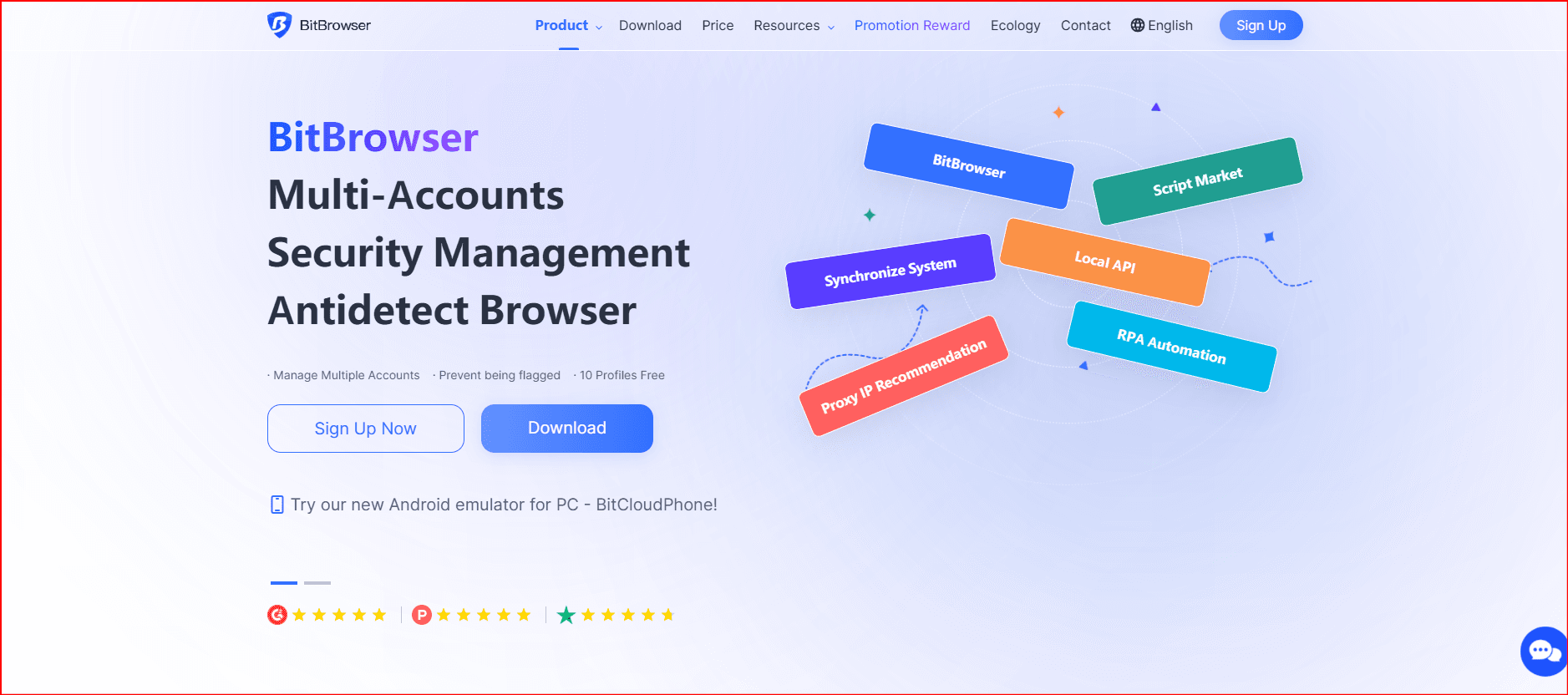
Using proxies in BitBrowser allows you to route your entire browsing session — including ForceCop workflows — through a specific proxy setup for better privacy and targeted access.
Step-by-Step:
Open BitBrowser: Launch the browser on your device.
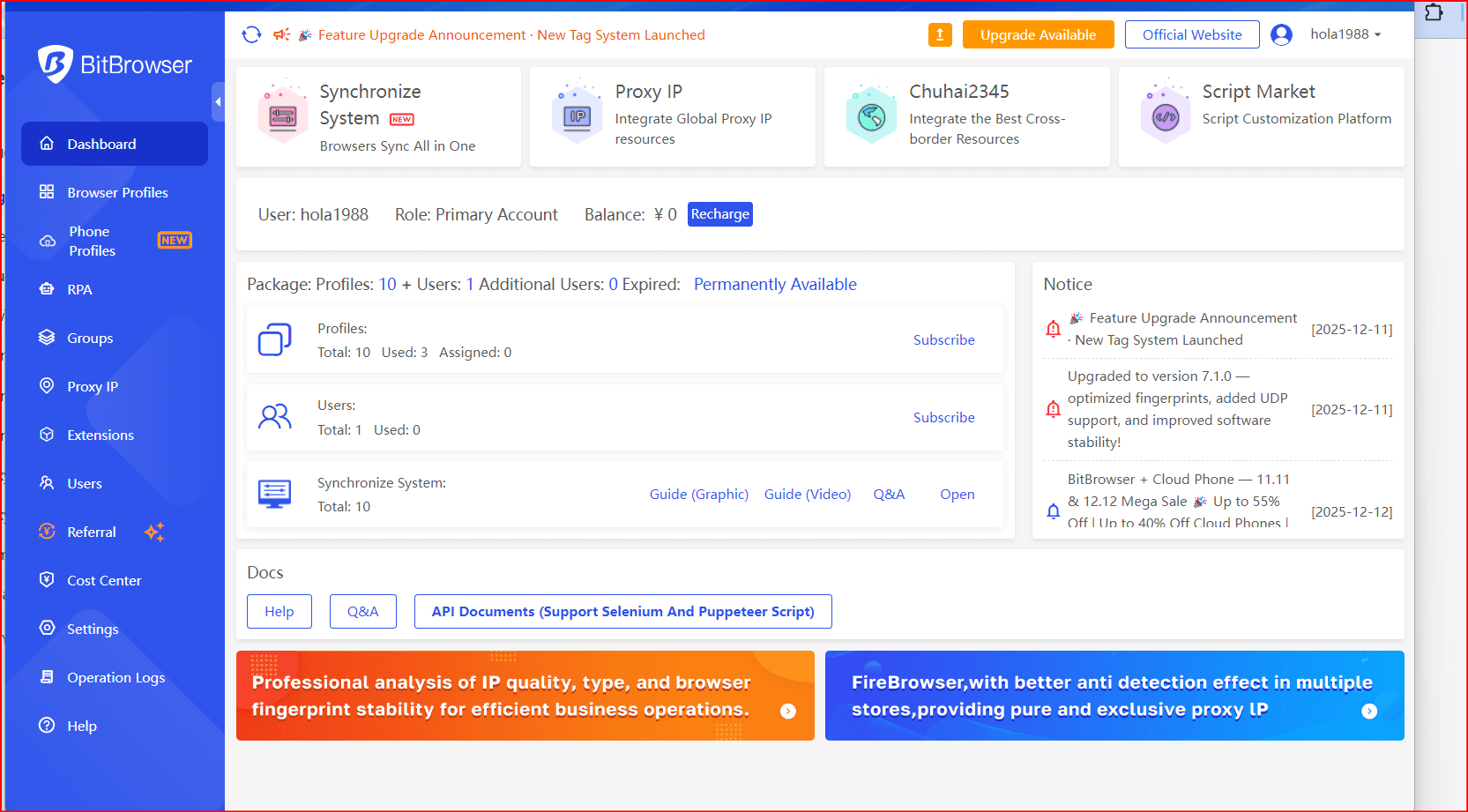
Add new profile: Click the menu icon (three lines or dots) and select Settings .
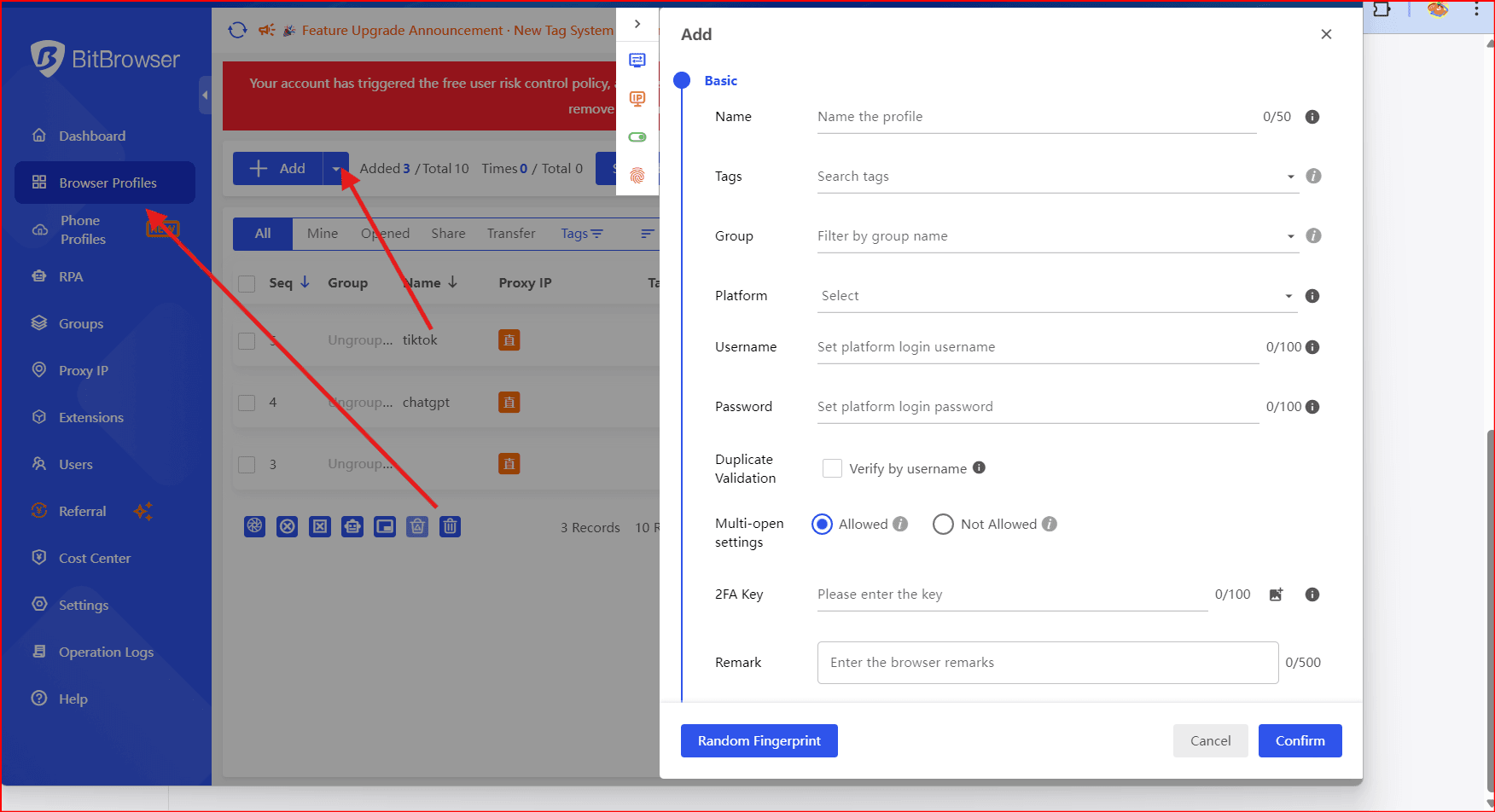
Find Proxy Settings: Scroll to Network or Advanced → Proxy section.
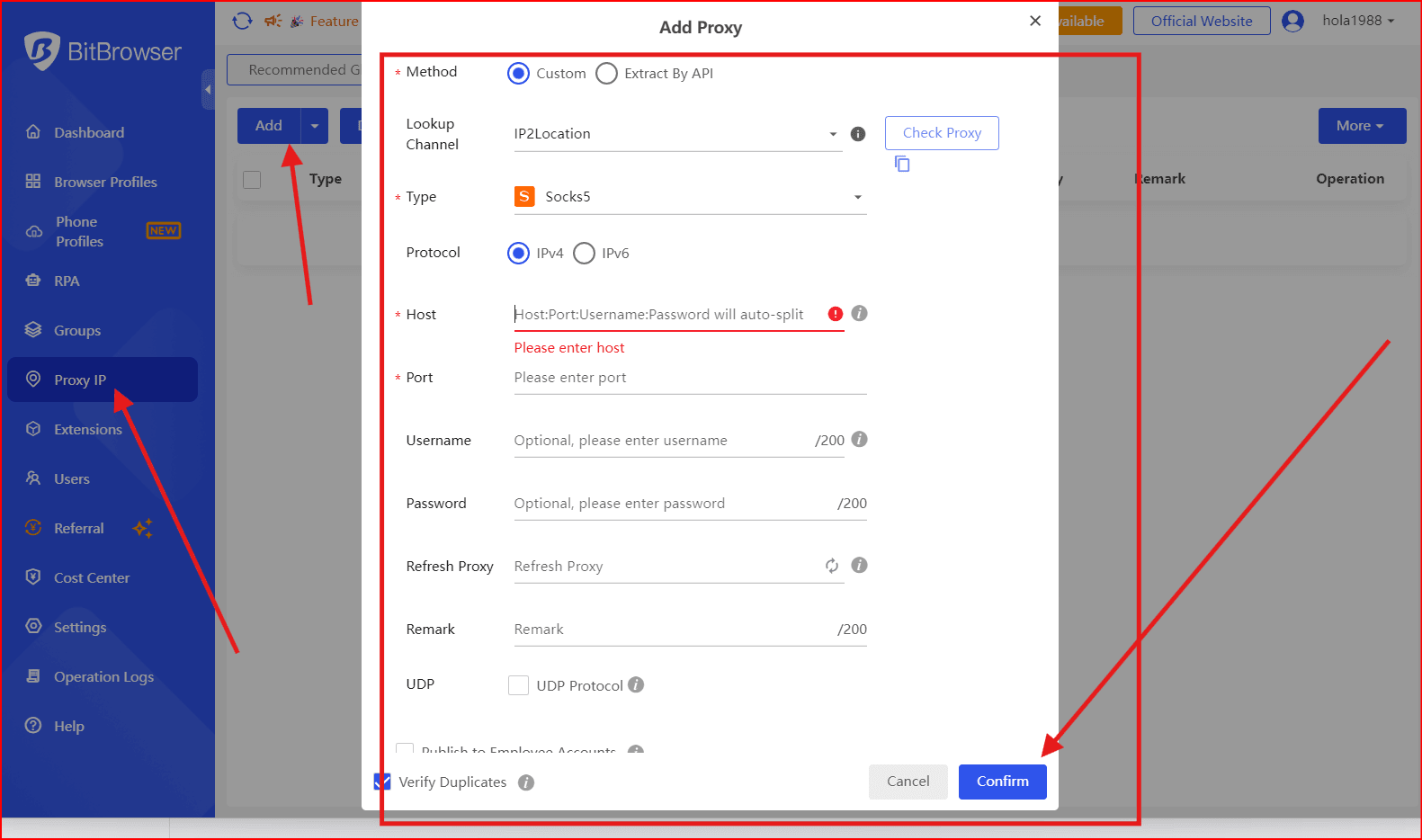
Choose Proxy Type: Pick HTTP/HTTPS or SOCKS5 based on your proxy provider.
Enter Proxy Details
Proxy Host: the IP address
Port: the port number
Username & Password: if your provider requires authentication
Save & Apply: Confirm and save the settings.
Test Connection: Go to a site like https://whatismyipaddress.comto verify the IP is coming from the proxy.
Key Features to Look for in ForceCop Proxies
When selecting a provider, focus on practical reliability rather than marketing claims:
- Stable connections
- Acceptable response times
- Clean, non-overused IP pools
- Target-relevant location options
- IP rotation or session control
- Responsive customer support
Cheap proxies often cost more in the long run due to failed tasks and downtime.
Best Proxy Locations for ForceCop
Proxy location plays a bigger role than many users expect.
- United States – Popular for e-commerce and sneaker sites
- UK / Germany – Strong choice for European platforms
- Japan – Useful for specific Asian markets
Whenever possible, align the proxy location with the target website’s audience.
Advantages of Using Proxies with ForceCop
- More consistent task execution
- Fewer bans and blocks
- Easier scaling
- Improved privacy
- Access to geo-restricted content
Potential Drawbacks
- High-quality proxies can be expensive
- Some providers recycle IPs too aggressively
- Poor configuration can still result in bans
Most issues come from low-quality providers or incorrect setup.
Best Practices for Better Results
- Use residential or ISP proxies for sensitive tasks
- Rotate IPs instead of reusing the same ones
- Avoid overloading a single proxy
- Match proxy location to the target site
- Monitor proxy performance regularly
Common Mistakes to Avoid
- Using free or public proxies
- Running too many tasks on one IP
- Using datacenter proxies on strict platforms
- Skipping proxy testing
Frequently Asked Questions (FAQ)
Can I use free proxies with ForceCop?
No. Free proxies are usually slow, unstable, and already flagged.
How many proxies do I need?
Most users start with one proxy per task and scale based on performance.
Which proxy type works best?
Residential and ISP proxies generally provide the most consistent results.
Do proxies improve ForceCop speed?
Indirectly, yes — fewer blocks and retries often lead to faster overall execution.
Final Verdict
ForceCop works well only when backed by high-quality proxies and correct configuration. Providers like Bright Data, nsocks.net, Smartproxy, Oxylabs, NetNut, GeoSurf , and others offer strong options across budgets and tasks.
And by setting proxies up even at the browser level (eg, BitBrowser), you get added control and privacy across all activity.
Proxies aren't optional for stable, long-term results — they're essential.

 Multi-Account Management
 Prevent Account Association
 Multi-Employee Management
Recommended
See More 



