ABCProxy + BitBrowser Integration Guide for Secure Multi-Account Management
 2026.01.06 06:26
 petro
petroThis document guides you on integrating ABCProxy's proxy IP service with BitBrowser's anti-detection browser to achieve secure, anonymous multi-account management.
Combining ABCProxy with BitBrowser provides a highly isolated and authentic network environment for managing multiple online accounts (e.g., e-commerce, social media, advertising accounts).
ABCProxy: Provides high-quality global residential proxy IP resources with precise geographic location targeting.
Core Advantages:
Enhanced Anonymity: Each BitBrowser profile accesses the internet via distinct ABCProxy IP addresses, simulating real users from different regions worldwide.
Prevents Account Association: Unique browser fingerprinting combined with independent proxy IPs effectively prevents platforms from detecting connections between accounts.
Flexible and Stable Operation: Supports multiple proxy protocols including HTTP/HTTPS/SOCKS5, delivering stable connections to meet long-session requirements.
Integration Configuration Steps
Valid ABCProxy Account and Proxy Information: You must possess an ABCProxy account with an active subscription or access to available proxy services (e.g., SOCKS5 proxy).
ABCproxy.com offers multiple subscription plans:
- Rotating Residential Proxies: Real residential IPs starting at $0.03/IP & $0.6/GB
- Unlimited Traffic Proxies: Unlimited usage ideal for high-consumption applications
- Mobile Proxies: 3G/4G/5G mobile IPs
- Static Residential Proxies: Long-term stable IPs
Install BitBrowser: Download and install the latest client software from the official BitBrowser website.
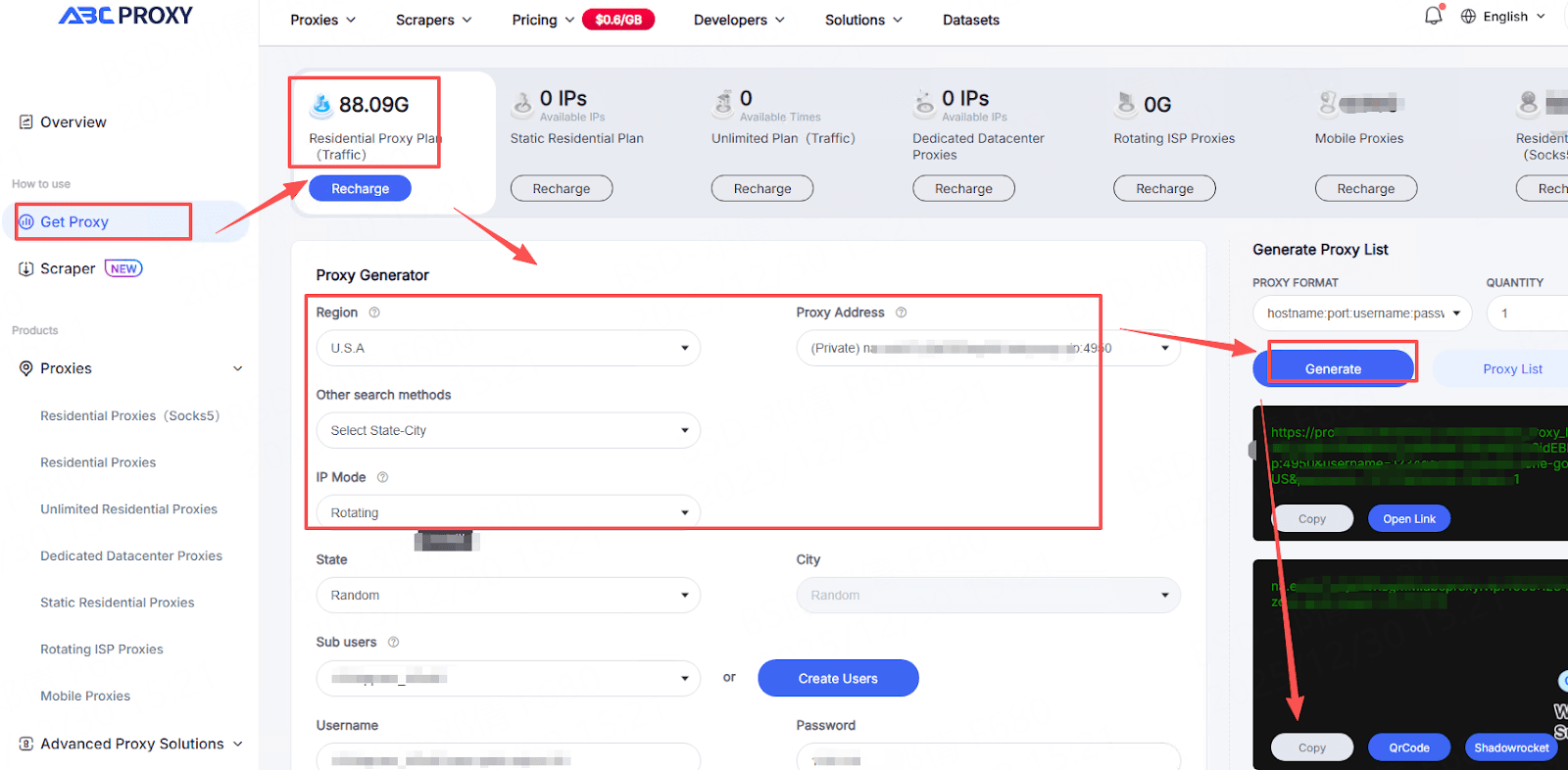
Step 1: Obtain Proxy Connection Information from ABCProxy
First, retrieve valid proxy configuration details from ABCProxy's client software or user dashboard.
Step 2: Create a New Browser Profile in BitBrowser
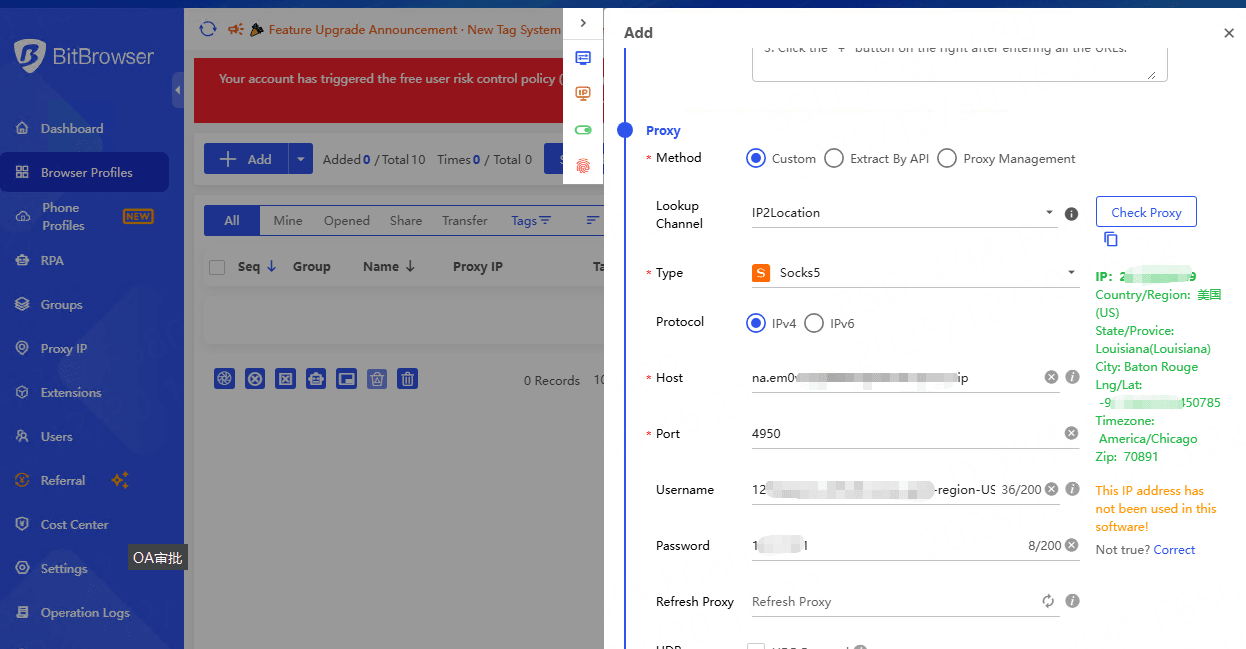
Configure ABCProxy Settings
Test and Save Configuration
If you encounter issues during integration, refer to these resources:
ABCProxy Official Documentation: Visit the ABCProxy Documentation Center for details and updates.
Contact technical support through official channels.
BitBrowser Technical Support: For browser fingerprint configuration or software-related questions, consult BitBrowser's official support.

 Multi-Account Management
 Prevent Account Association
 Multi-Employee Management
Recommended
See More 



