BM USA PROXY: Private US Mobile Proxies for Your BitBrowser Profiles
 2026.10.17 03:40
 YT.Shi
Managing multiple browser profiles involves more than keeping cookies and browser fingerprints separate. The IP address also matters. If several profiles use the same IP, websites may see a shared network connection even when the browser environments are isolated.
BM USA PROXY offers private US mobile proxies running on dedicated Android phones with SIM cards from AT&T, T-Mobile, and Verizon. Each proxy port is assigned to a dedicated device, with unlimited traffic and on-demand IP changes.
In this article, we'll look at BM USA PROXY's features, supported locations, pricing, and how to configure a mobile proxy in BitBrowser.
What Is BM USA PROXY?
BM USA PROXY is a mobile proxy provider that offers US IP addresses through dedicated Android phones equipped with SIM cards from major US mobile carriers. Rather than routing traffic through conventional data center servers, its proxies use mobile network connections.
This setup can be useful for marketers, social media managers, media buyers, and other users who need to work with multiple browser profiles or test websites through US mobile networks.
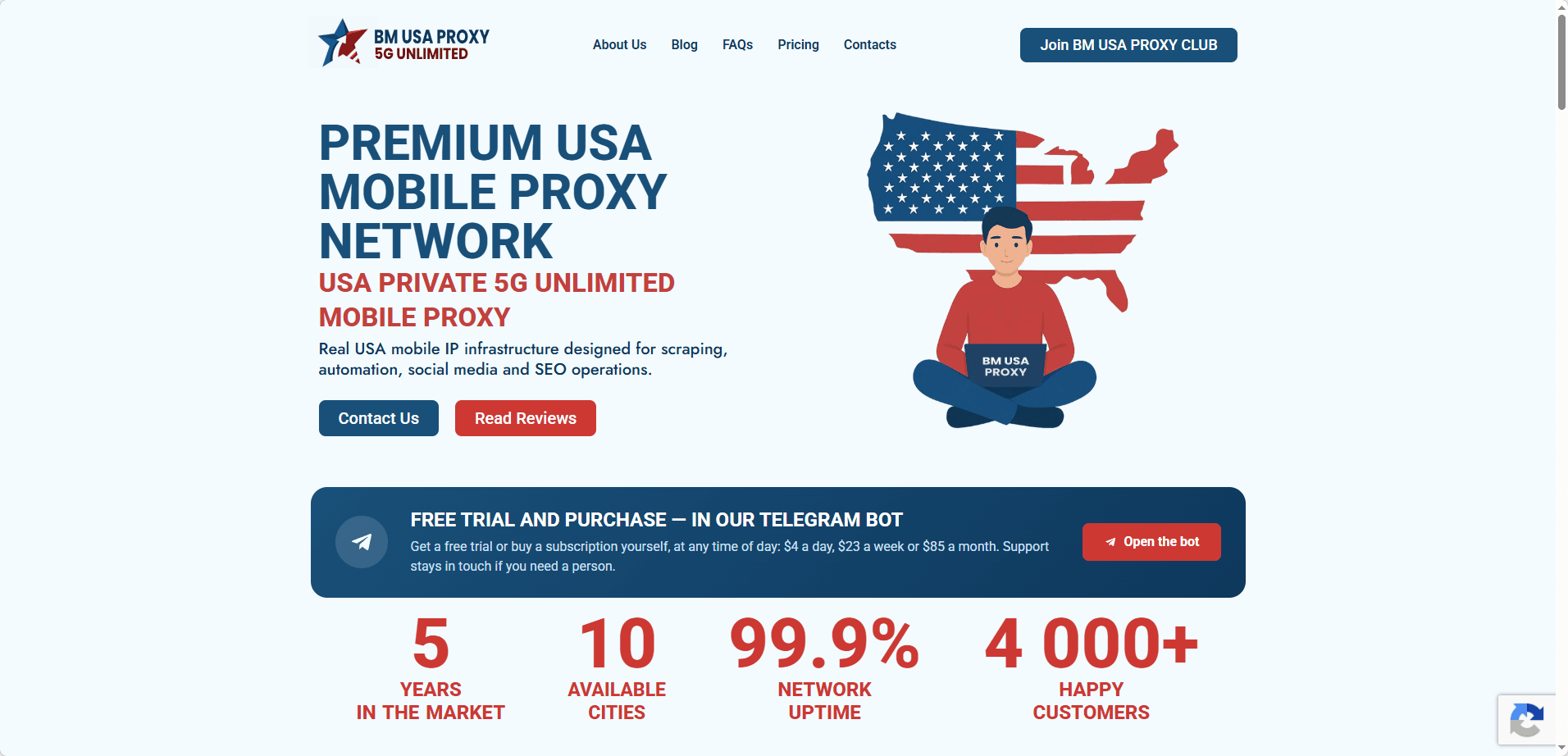
BM USA PROXY provides the following features:
▸ A real phone for each port. Every proxy runs on a dedicated Android device with a US SIM card. Nobody else uses your port.
▸ Three major US carriers. Choose AT&T, T-Mobile or Verizon.
▸ 10 US cities. Seattle, Portland, Los Angeles, Las Vegas, Phoenix, Denver, Dallas, Chicago, New York and Miami.
▸ Unlimited traffic. You pay for time, not for gigabytes.
▸ New IP on demand. Open your IP change link or set a timer, and the phone gets a fresh mobile IP in seconds.
▸ The protocols you need. HTTP and SOCKS5, plus OpenVPN and WireGuard configs and UDP support.
A dedicated mobile proxy can provide a consistent connection endpoint for a browser profile while the assigned IP remains unchanged. When you need a different IP, BM USA PROXY lets you request an address change without recreating the browser profile.
Why Use a US Mobile Proxy With BitBrowser?
BitBrowser allows users to create separate browser profiles with their own fingerprint settings, cookies, local storage, and proxy configurations. Assigning an appropriate proxy to each profile adds another layer of separation at the network level.
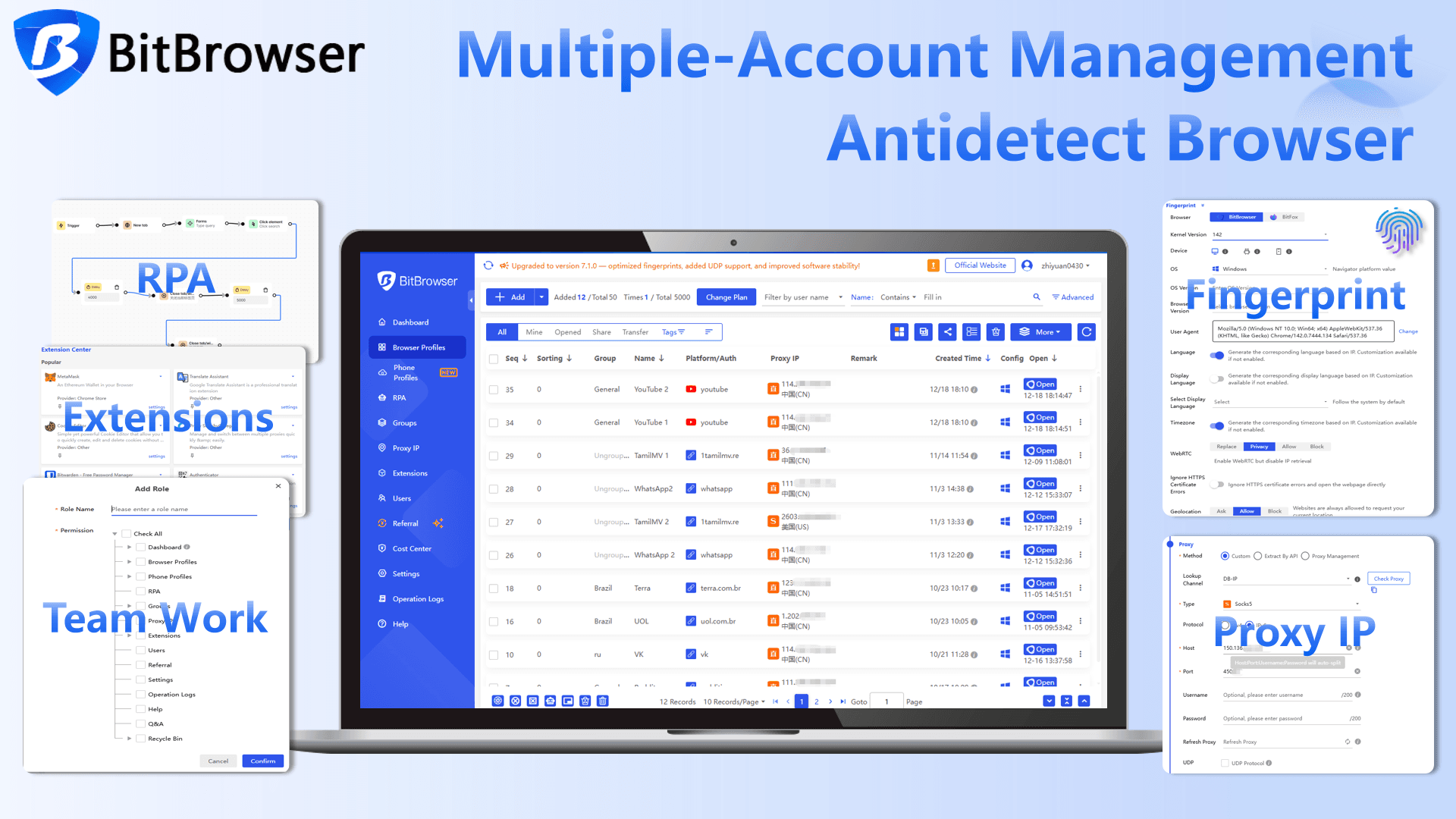
A US mobile proxy can be useful when your work involves:
▸ Managing multiple social media accounts: Configure individual browser profiles with their own proxy endpoints and session data.
▸ Advertising and campaign management: Check landing pages, regional content, and advertising workflows through US mobile network connections.
▸ Marketplace research: Review product pages and regional website experiences from different US locations.
▸ Website testing: Check how websites behave when accessed through mobile carrier IP addresses rather than data center connections.
Mobile IP addresses are associated with cellular networks, but this does not guarantee that a website will trust a connection or treat every profile as a separate user. Websites can also consider account activity, cookies, browser fingerprints, and other signals. Always follow the rules of the platforms you use.
How to Set Up BM USA PROXY in BitBrowser
Connecting a BM USA PROXY mobile proxy to BitBrowser is straightforward. You'll need your proxy host, port, username, and password from your BM USA PROXY account.
1. Create or open a browser profile. Launch BitBrowser and create a new profile, or select an existing profile you want to configure.
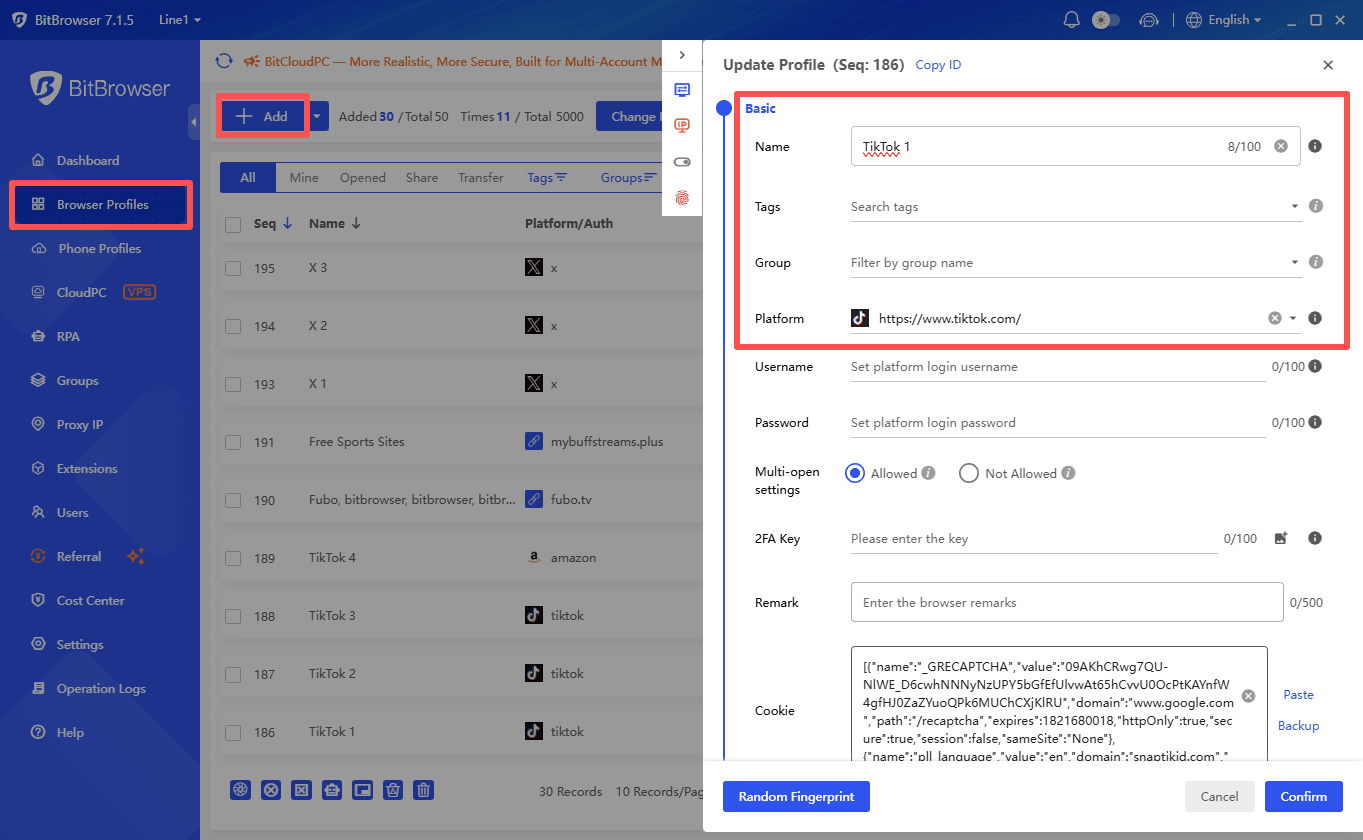
2. Open the proxy settings. Find the proxy configuration section and choose HTTP or SOCKS5 according to your BM USA PROXY connection details.
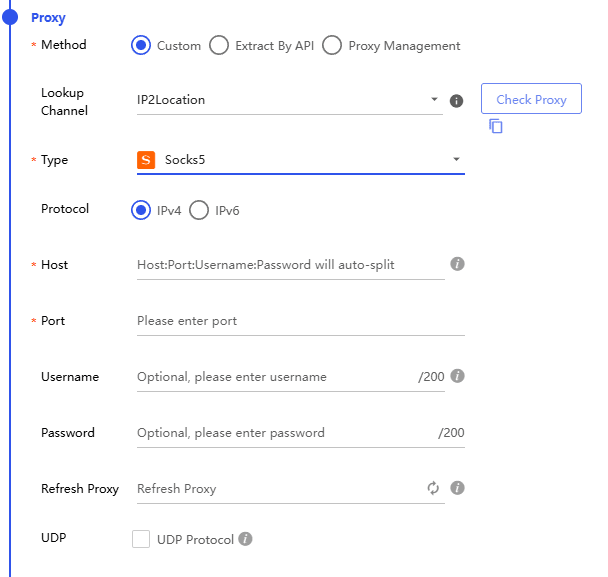
3. Enter your proxy credentials. Fill in the host, port, username, and password provided by BM USA PROXY. Make sure each value matches your access details.
4. Check the connection. Click Check proxy in BitBrowser to verify that the proxy is reachable and confirm the reported IP location and network information.
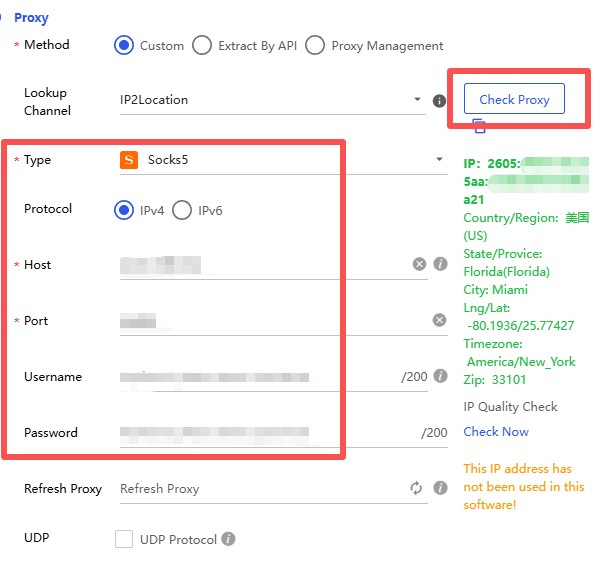
5. Save the profile. Save your settings and open the profile. You can assign a different BM USA PROXY port to another profile if you need a separate proxy endpoint.
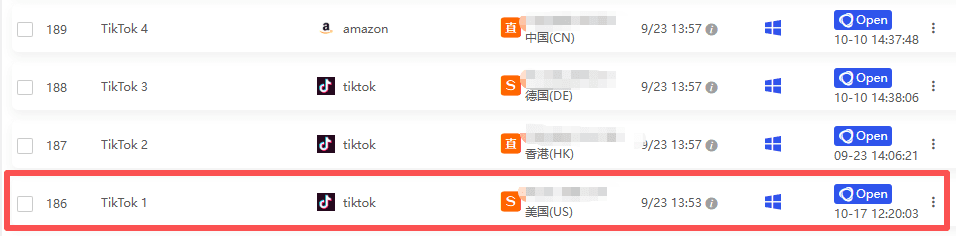
Once the profile is configured, you can use it without entering the proxy details every time you open the browser. If you want to change the assigned mobile IP later, use the IP change link provided by BM USA PROXY. The browser profile itself does not need to be recreated.
For more information about configuring proxy connections, see the BitBrowser proxy setup documentation.
Explore BitBrowser Proxy Settings
BM USA PROXY Pricing
BM USA PROXY offers daily, weekly, and monthly plans. All three options include unlimited traffic on a dedicated Android phone, so you don't have to calculate usage based on the number of gigabytes consumed.
| Plan | Price | Traffic |
|---|---|---|
| Daily | $4 per day | Unlimited |
| Weekly | $23 per week | Unlimited |
| Monthly | $85 per month | Unlimited |
The best plan depends on how long you need the proxy. A daily plan may be suitable for short tests, while weekly or monthly access may be more practical for ongoing browser workflows.
Before purchasing, confirm the available carrier, city, proxy port, and IP change options for your intended use.
How to Try BM USA PROXY for Free
If you want to check the connection before choosing a plan, BM USA PROXY offers a one-hour trial. Contact its support team and mention that you plan to use the proxy with BitBrowser.
▸ Website: https://bmusproxy.com
▸ Support: https://t.me/usproxy_support
▸ Test and purchase bot: https://t.me/bmproxy_bot
During the trial, check the connection speed, IP location, carrier information, and whether the proxy works with your intended BitBrowser profile. You can also test the IP change process before committing to a paid plan.
Is BM USA PROXY Worth Considering?
BM USA PROXY may be worth testing if you need US mobile IP addresses for browser profiles and prefer a dedicated device over a shared proxy endpoint. Its main selling points are dedicated Android phones, support for three major US carriers, unlimited traffic, and on-demand IP changes.
The daily plan offers a relatively short way to test the service, while the weekly and monthly plans are options for longer workflows. Actual performance and IP availability can vary, so a trial is a practical way to check whether the service meets your requirements.
When paired with BitBrowser, you can manage the proxy and browser environment from the same profile workflow. Keep each profile's proxy assignment and session data organized, and choose a connection setup that fits the requirements of the websites and platforms you use.

 Multi-Account Management
 Prevent Account Association
 Multi-Employee Management
Recommended
See More 



