Best Twitter GIF Downloaders Tested & Reviewed in 2026
 2026.10.15 09:32
 YT.Shi
GIFs are popular on X (formerly Twitter), but downloading them isn't always straightforward. X typically serves GIFs as looping MP4 videos, so the saved file may not be a .gif.
I tested several Twitter GIF downloaders, including online tools and browser extensions, comparing their features, download options, speed, and ease of use.
If you manage multiple X accounts, keeping browsing sessions separate can also help organize your workflow.
This guide compares the available tools and explains what to check before choosing one.
Twitter GIF Downloader Comparison at a Glance
Compare seven tested tools by format support, ads, batch downloads, and standout features.
| Tool | Ads | GIF Output | MP4 Output | Multiple GIFs | Key Features |
|---|---|---|---|---|---|
| 1. Brandbird | None | Yes | No | First only | Under 3 seconds; direct GIF links supported |
| 2. ConvertICO | Pop-ups | Yes | Yes | ZIP batch | Adjustable GIF frame rate and size; shows author and dimensions |
| 3. SuperX | None | No | Yes | Individual | Near-instant results; detects multiple GIFs |
| 4. TweetBoost | None | Yes | Yes | Individual | GIF conversion takes about 1 second |
| 5. ILO | None | No | Yes | Individual | Fastest with posts containing a single GIF |
| 6. Picbolt | None | Yes | Yes | First only | Simple interface; GIF conversion takes 3–5 seconds |
| 7. Twitter Video Downloader | None | Yes | Yes | Batch | Chrome extension; adjustable GIF quality and dimensions |
7 Twitter GIF Downloaders to Try in 2026
1. Brandbird
Website: brandbird.app/tools/twitter-gif-downloader
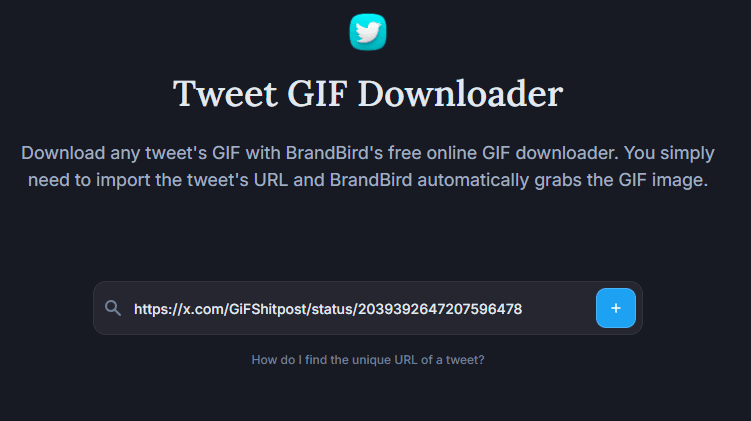
Brandbird is a free, ad-free Twitter GIF downloader that returns results in under three seconds. It supports both X post URLs and direct GIF links, saving animations as GIF files without watermarks or unwanted redirects.
What I liked
▸ Clean interface with no ads
▸ Results in under three seconds
▸ Supports post URLs and direct GIF links
▸ Downloads GIFs in their actual GIF format
▸ Free, no watermark or unwanted redirects
What could be better
▸ A post containing multiple GIFs returns only one result
▸ Focuses on GIF downloads, with no additional media formats or editing features
Overall: A fast, simple choice for downloading individual GIFs without ads or extra steps, but not ideal for posts containing multiple GIFs.

2. ConvertICO
Website: convertico.com/twitter-gif-downloader
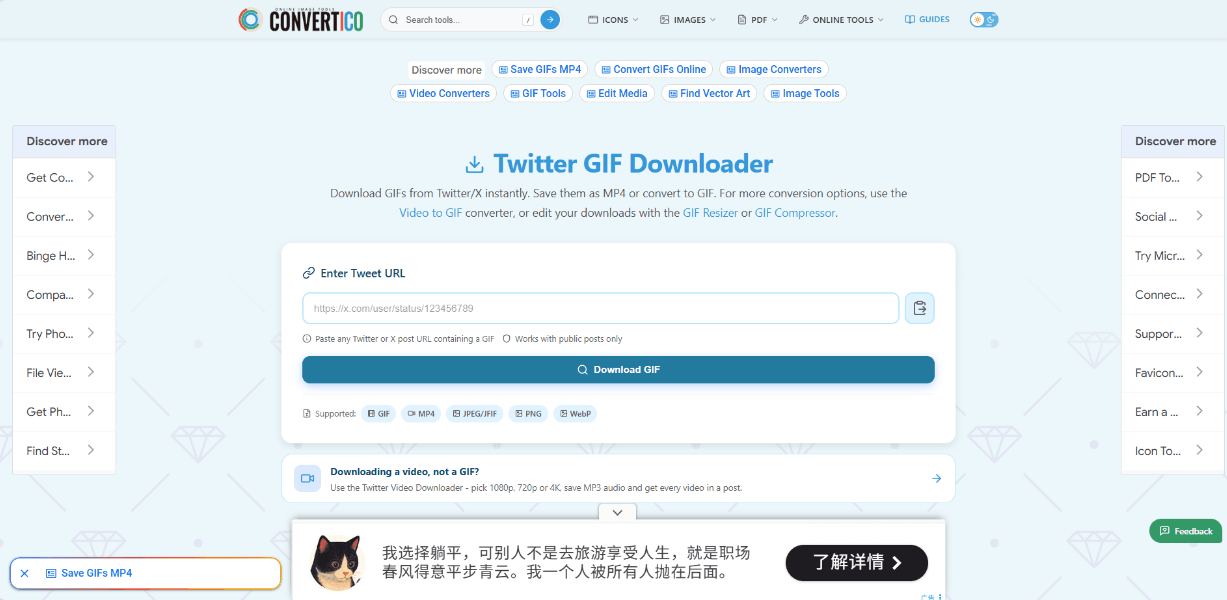
ConvertICO is a free Twitter GIF downloader that requires no login. It supports tweet URLs and direct GIF links, with almost instant results and multiple download options.
What I liked
▸ Free to use, no account required
▸ Supports post URLs and direct GIF URLs
▸ Downloads in MP4 or GIF format
▸ Adjustable GIF frame rates (8–20 FPS) and image sizes
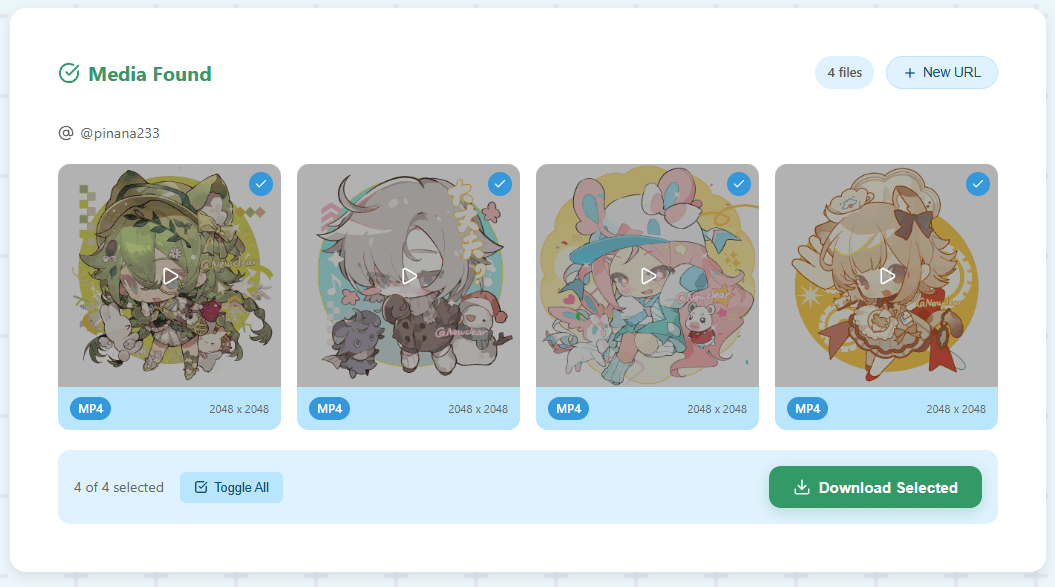
▸ Supports gallery downloads; 3+ files are bundled into a ZIP
▸ Displays the post author and media dimensions
What could be better
Ads can appear as pop-ups in the center of the screen, requiring manual closing. Available frame rates and size options vary by GIF.
Overall: A fast, feature-rich downloader with flexible GIF settings and batch downloads, though intrusive pop-up ads can disrupt the experience.
3. SuperX
Website: superx.so/twitter-gif-downloader
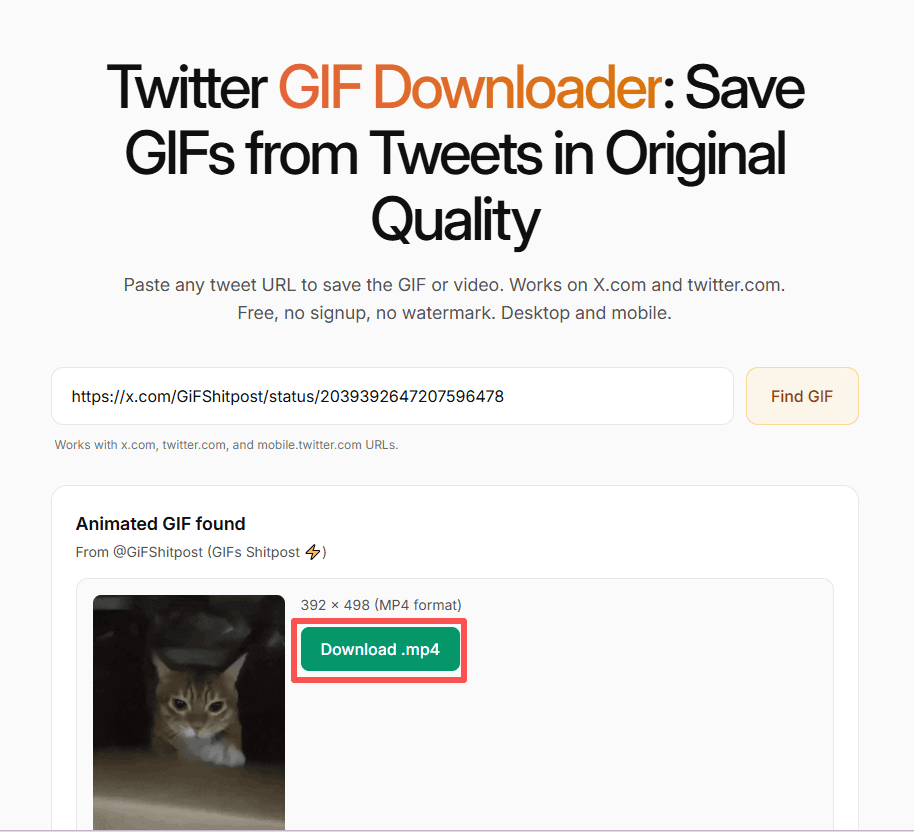
SuperX is a clean, ad-free Twitter GIF downloader that returns results almost instantly. It supports both X post URLs and direct GIF links, but downloads GIFs as MP4 files.
What I liked
▸ Clean interface with no ads
▸ Almost instant results
▸ Supports post URLs and direct GIF links
▸ Can detect multiple GIFs in one post
What could be better
▸ Downloads only in MP4 format, so you'll need another tool to convert files to GIF
▸ Multiple GIFs must be downloaded individually, with no ZIP batch download option
Overall: A fast, ad-free option for quick downloads, but the MP4-only output and lack of batch downloading make it less convenient if you need GIF files.
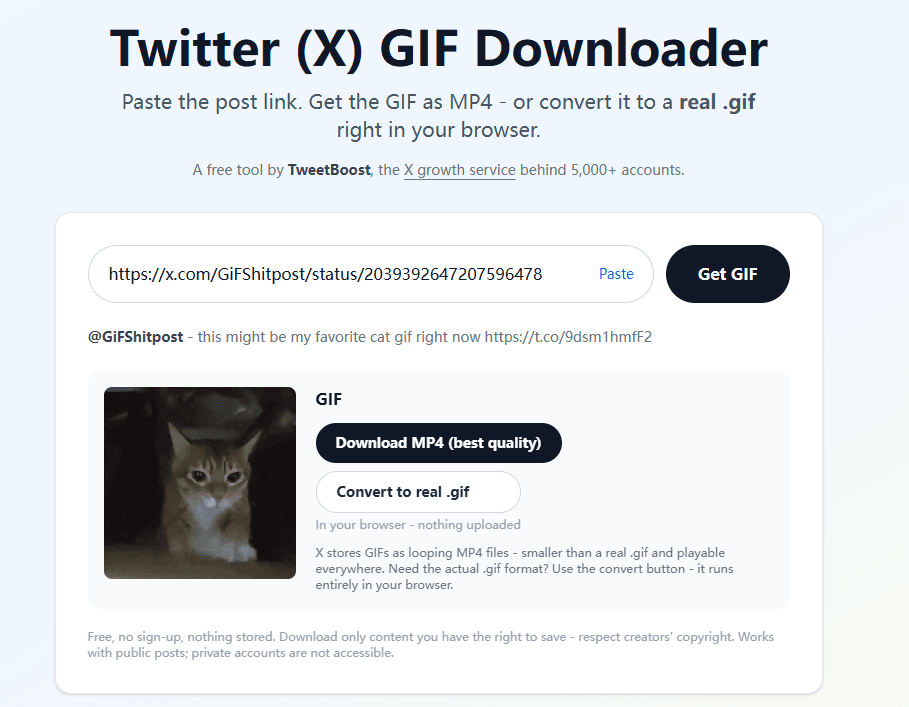
4. TweetBoost
Website: tweetboost.ai/twitter-gif-downloader
TweetBoost is a clean, ad-free Twitter GIF downloader that supports both X post URLs and direct GIF links. It can detect multiple GIFs in one post and offers both MP4 and GIF downloads.
What I liked
▸ Clean interface with no ads or unwanted redirects
▸ Supports post URLs and direct GIF links
▸ Detects multiple GIFs in one post
▸ Downloads in both MP4 and GIF formats
▸ GIF conversion takes only about one second
What could be better
Multiple GIFs must be downloaded individually; there's no one-click batch download option.
Overall: A fast, ad-free option with flexible output formats, though downloading multiple GIFs can be tedious.
5. ILO
Website: ilo.so/twitter-gif-downloader
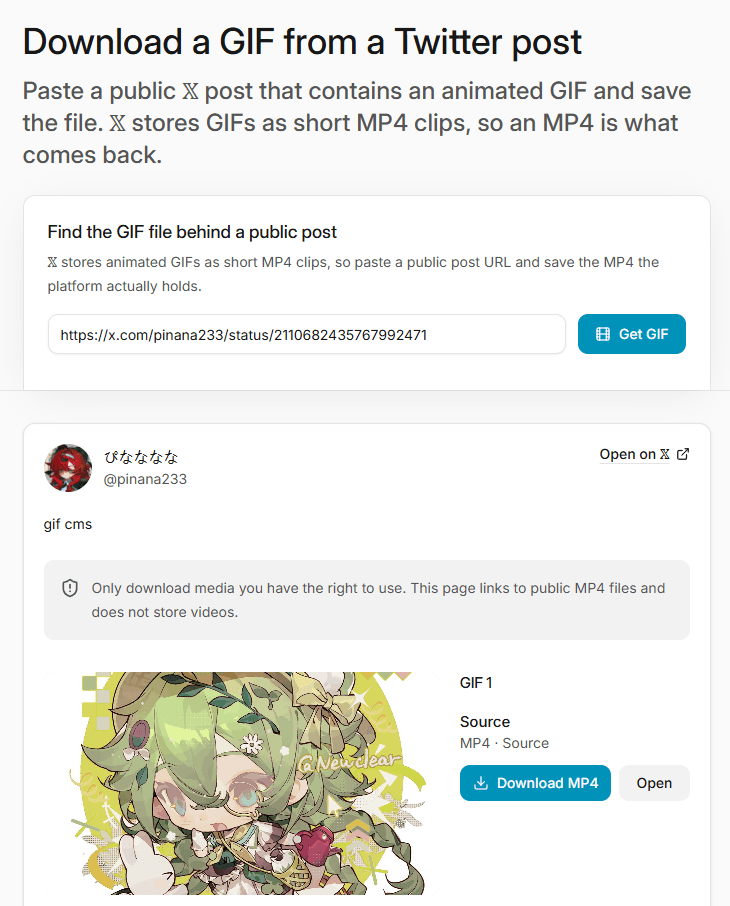
ILO offers a clean, ad-free interface and supports both X post URLs and direct GIF links. Downloads are generally fast, especially for posts containing a single GIF, though speed can be inconsistent.
What I liked
▸ Clean interface with no ads
▸ Supports post URLs and direct GIF links
▸ Fast downloads for single-GIF posts
What could be better
▸ Downloads only in MP4 format
▸ Download speed can be inconsistent
▸ Multiple GIFs in one post must be downloaded individually
Overall: A simple, ad-free option for quick MP4 downloads, but the inconsistent speed and lack of GIF output or batch downloading are drawbacks.
6. Picbolt
Website: picbolt.co/more/twitter-gif-downloader
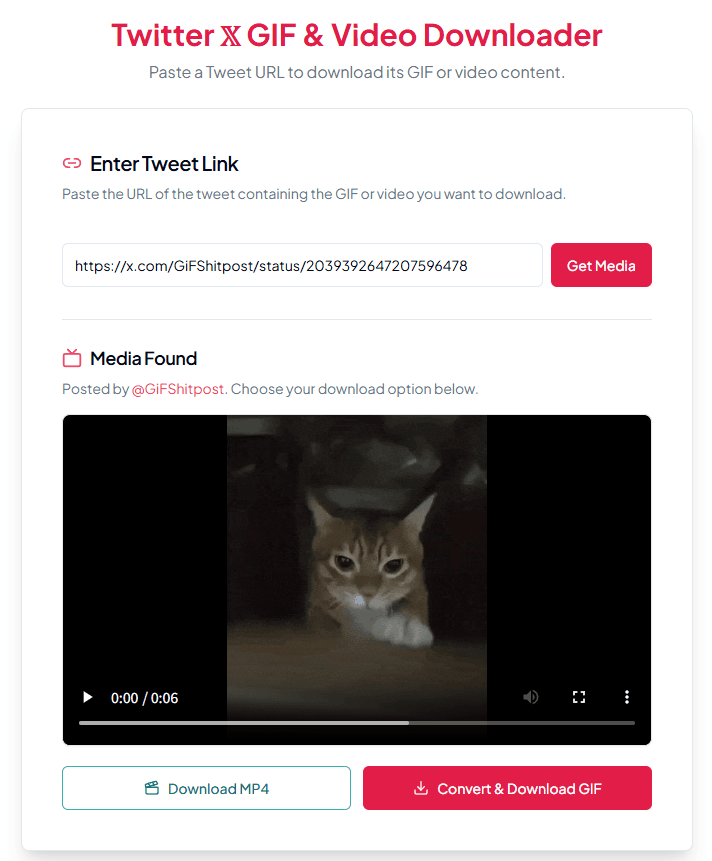
Picbolt is a free, clean Twitter GIF downloader with no ads. It supports both X post URLs and direct GIF links, with options to download files as MP4 or GIF.
What I liked
▸ Free to use, with a clean, ad-free interface
▸ Supports X post URLs and direct GIF links
▸ Offers both MP4 and GIF output formats
What could be better
▸ GIF conversion takes around 3–5 seconds before downloading
▸ Posts containing multiple GIFs return only the first GIF, so batch downloading isn't supported
Overall: A simple, ad-free option with flexible output formats, but the lack of multi-GIF support makes it less suitable for downloading several GIFs from one post.
7. Twitter Video Downloader
Website: Chrome Web Store
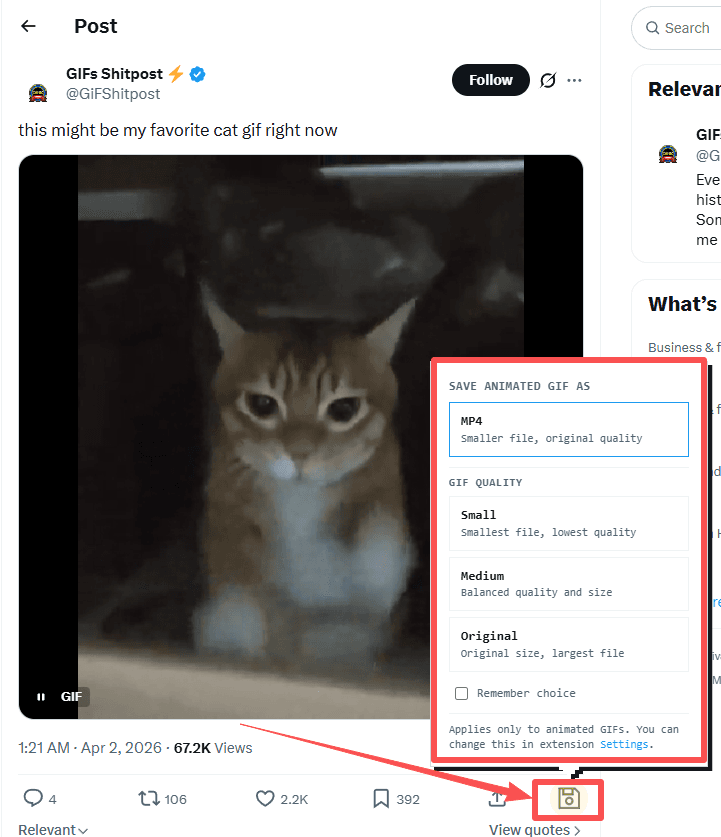
Twitter Video Downloader is a free Chrome extension with a clean, ad-free experience and no account required. Once installed, it adds a download icon to the bottom-right corner of GIFs on X, making it easy to save media directly from posts.
What I liked
▸ Free to use, with no ads or account required
▸ Adds a convenient download icon directly to X GIFs
▸ Supports both MP4 and GIF downloads
▸ Allows you to adjust GIF quality and dimensions
▸ Supports batch downloading multiple GIFs from a single post
Overall: The most convenient option for downloading multiple GIFs, with flexible output settings and no ads. The main trade-off is that you need to install a browser extension rather than use a standalone online tool.
How to Download a GIF from Twitter: Step-by-Step Guide
You can download GIFs from X using an online tool or a Chrome extension.
Method 1: Use an Online Downloader
1. Open X, find the post containing the GIF, and copy its URL.
2. Open a Twitter GIF downloader, paste the URL, and start processing.
3. Choose GIF or MP4 if both formats are available, then download the file.
4. Check the saved file to confirm it plays correctly.
Method 2: Use a Chrome Extension
1. Install a Twitter media downloader extension from your browser's extension store.
2. Open X and find the post containing the GIF.
3. Click the download icon added by the extension, then choose GIF or MP4. Some extensions also let you adjust GIF quality and dimensions or download multiple GIFs from one post at once.
Only download content you have permission to use. Downloading a GIF does not automatically grant permission to repost it or use it commercially.
Managing Multiple X Accounts with BitBrowser
If you're collecting GIFs, researching trending posts, or managing several X accounts for different projects, handling everything in one browser can quickly become confusing. Switching accounts, keeping sessions separate, and coordinating with teammates can add unnecessary work.
BitBrowser is an anti-detect browser that lets you run different X accounts in separate browser windows, each with its own browser fingerprint, cookies, and proxy settings, helping reduce the risk of accounts being linked through shared browser environments.
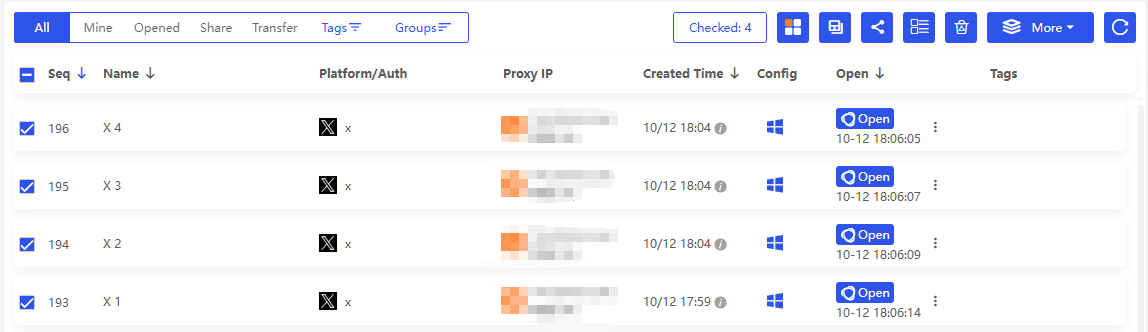
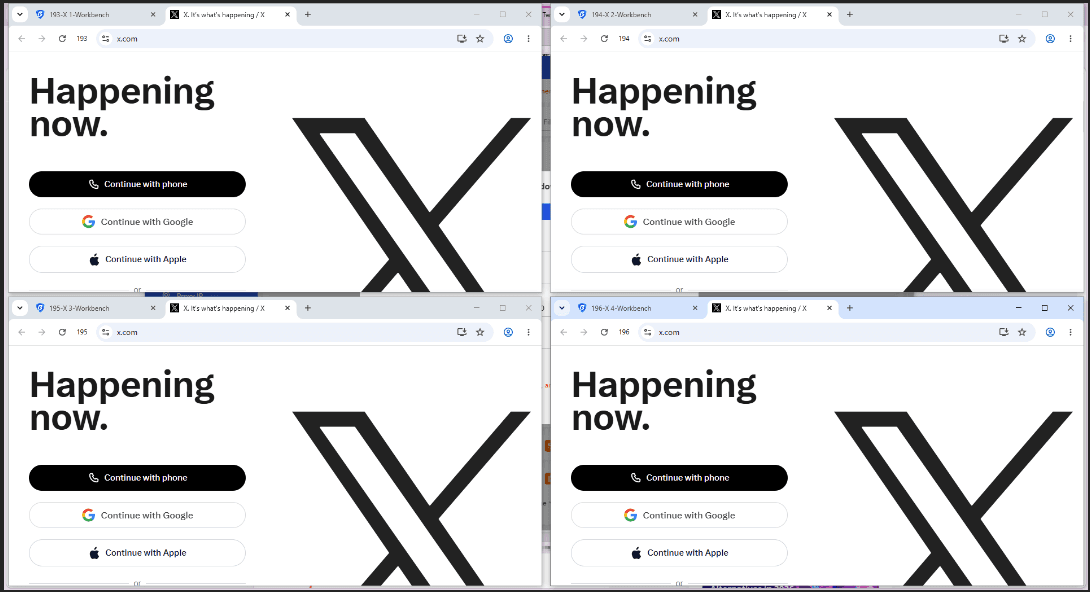
1. Manage multiple accounts at the same time
Open different X accounts in separate browser windows and stay logged in to each one. Every window has its own cookies, login session, and browser fingerprint settings, helping keep account data separate.
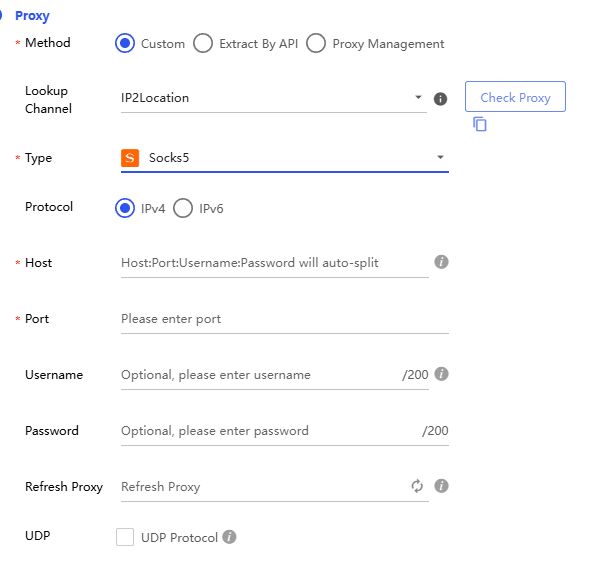
2. Assign a different proxy IP to each account (Optional)
Configure a separate proxy for each browser window, with support for HTTP, HTTPS, SOCKS5, and other proxy options. This lets you use different network connections for different X accounts.
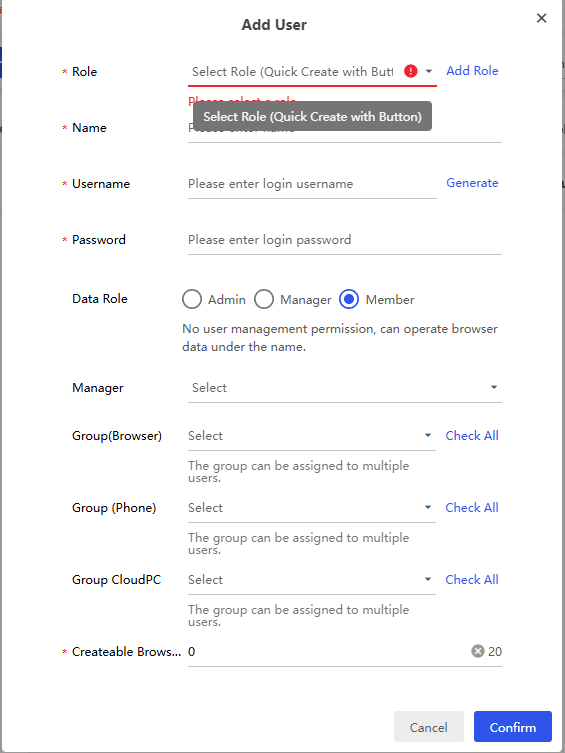
3. Share account access with your team
Use BitBrowser's team features to share browser sessions and organize account access. Team members can coordinate tasks such as collecting GIFs, researching posts, and managing social media content.
4. Automate repetitive browser tasks
BitBrowser supports RPA automaiton and Local API integrations, helping teams automate supported browser operations instead of repeating the same steps manually.
From building a GIF reference library to researching trends across multiple X accounts, BitBrowser helps keep your accounts and tasks organized in separate browser environments.
Are Twitter GIF Downloader Websites Safe?
The safety of third-party downloaders varies. A tool may be convenient but still contain intrusive ads, misleading buttons, or redirects to unrelated sites.
A few precautions can reduce unnecessary risks:
▸ Avoid entering your X password into a third-party downloader.
▸ Don't install an extension without reviewing its permissions and publisher.
▸ Close suspicious pop-ups and avoid downloading unexpected files.
▸ Check the downloaded file extension before opening it.
▸ Be careful when downloading or reusing content that belongs to someone else.
A dedicated browser profile can help separate a downloader site's cookies, cache, and browsing data from your everyday browsing environment. However, this does not guarantee complete security or prevent a site from collecting other technical information.
Frequently Asked Questions
1. How do I download a GIF from X?
Copy the URL of the X post containing the GIF, paste it into an online Twitter GIF downloader, and choose a download format. You can also use a browser extension to download GIFs directly from X.
2. Why does X download GIFs as MP4 files?
X typically serves GIFs as looping MP4 videos rather than traditional GIF files. Some downloaders save the MP4 directly, while others convert it into a .gif file before downloading.
3. Can I download a GIF from X in its original GIF format?
Yes. Tools such as Brandbird, ConvertICO, TweetBoost, and Picbolt offer GIF output. Others may only provide MP4 downloads, so check the available formats before downloading.
4. Can I download multiple GIFs from one X post?
Yes, but support varies. ConvertICO supports gallery downloads and can bundle three or more files into a ZIP, while the tested Twitter Video Downloader extension supports batch downloads. Some tools return only the first GIF or require individual downloads.
5. Are Twitter GIF downloader websites safe?
Safety varies by tool. Avoid suspicious ads and redirects, never enter your X password into third-party downloaders, and review browser extension permissions before installing them. No downloader can guarantee complete security.
6. Can I use downloaded X GIFs commercially?
Not automatically. Downloading a GIF does not grant copyright or permission for commercial use. Check the creator's usage terms and obtain permission when necessary.
Final Thoughts
The best Twitter GIF downloader depends on your needs. Brandbird and Picbolt offer simple, ad-free downloads, ConvertICO provides flexible GIF settings and batch downloads, and the Twitter Video Downloader extension makes it easy to save multiple GIFs directly from X.
Before choosing a tool, check its output formats, download speed, and support for multiple GIFs. If you manage multiple X accounts for content research, BitBrowser can help keep browsing sessions separate and organized.

 Multi-Account Management
 Prevent Account Association
 Multi-Employee Management
Recommended
See More 



