How to Download Likee Videos Without Watermark Free and Easy
 2026.06.30 07:18
 YT.Shi
Likee is one of those apps you open “for five minutes” and somehow you are still there an hour later. The videos are short, addictive, and honestly pretty useful sometimes. Recipes, fitness clips, editing ideas, funny moments, and even quick tutorials you want to keep.
But then you download a Likee video and… yep. A big watermark.
If you are here, you probably want the same thing most people want. A clean Likee video download without watermark, and you want it free and easy.
This guide walks you through a few practical ways to do it, what actually works, what to avoid, and how to stay safe while doing it.
Before You Download Anything (Quick Reality Check)
Downloading Likee videos without watermark can be fine for personal use, like saving inspiration or watching offline. But reposting someone else’s content as your own is where people get into trouble. If you plan to share it again, give credit, and when possible, ask the creator.
Also, some videos may be protected or limited by the platform. If something is not meant to be downloaded, respect that.
1. The Easiest Way: Use a Free Likee Video Downloader (Online)
For most people, the easiest method is an online tool that removes the watermark. You do not need an app. You do not need to log in. You usually just paste a link. Here is the general process, since specific websites change often.
Step 1: Copy the Likee video link
1. Open Likee and find the video you want.
2. Tap Share.
3. Tap Copy link.
If you do not see "Copy link" right away, look for share options and it is usually there.
Step 2: Paste it into a Likee downloader without watermark
1. Open your browser (Chrome, Safari, Firefox, whatever).
2. Search for a downloader using terms like download Likee video without watermark free, Likee watermark remover, or Likee video downloader HD no watermark.
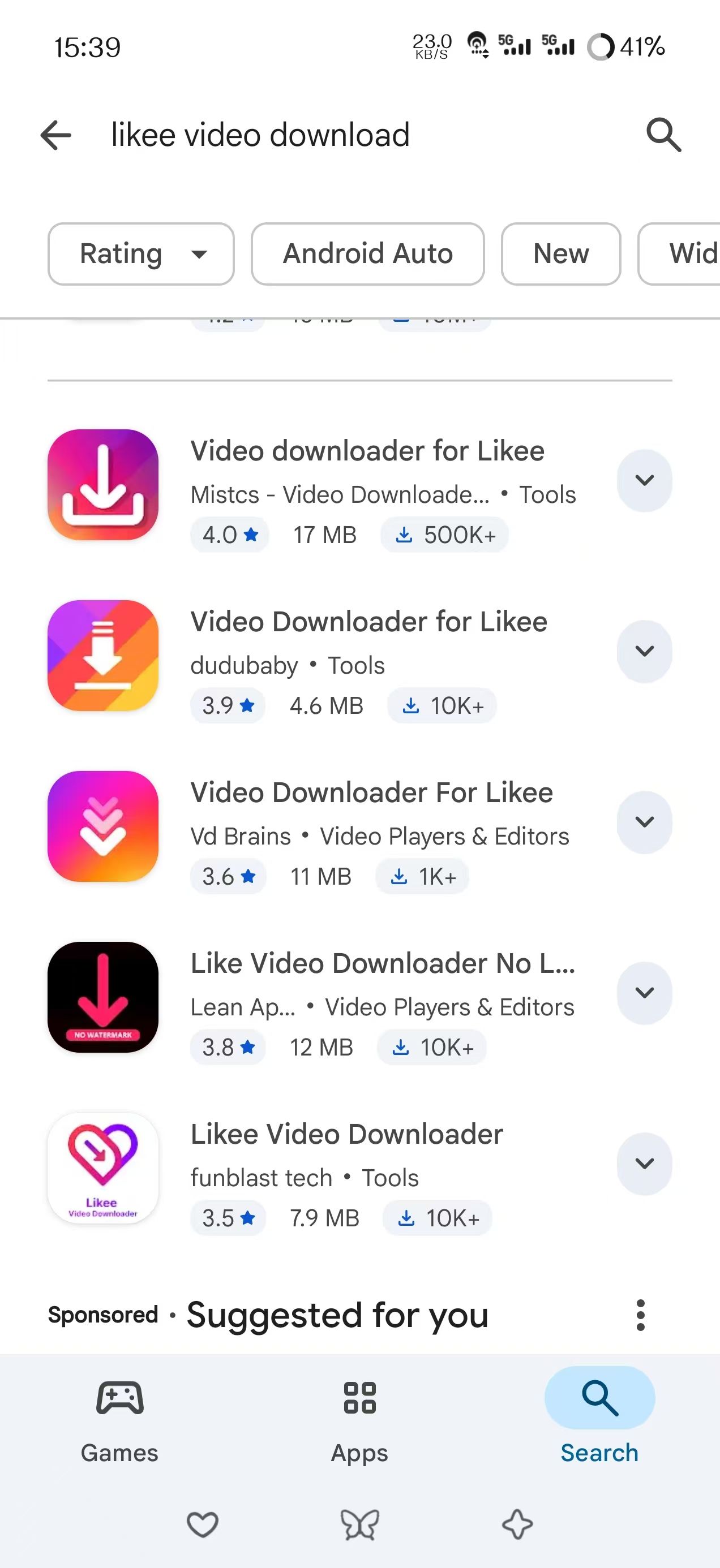
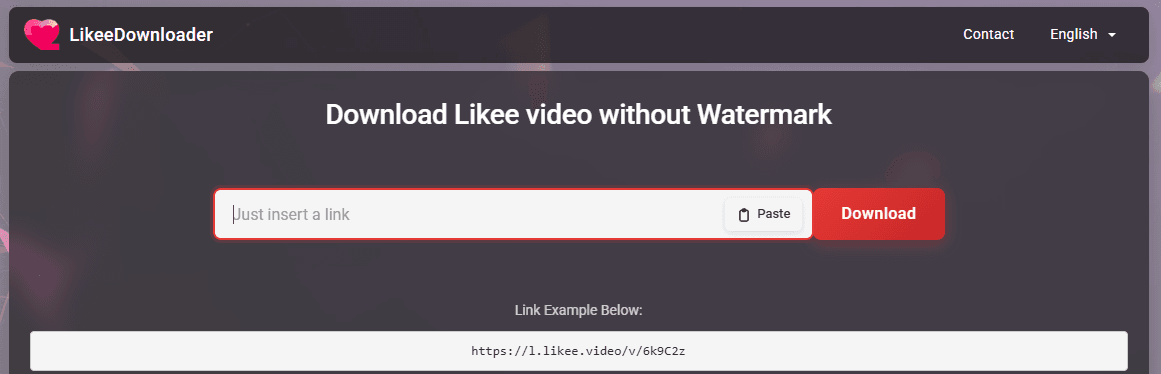
3. Open a downloader site, paste your link, and tap download.
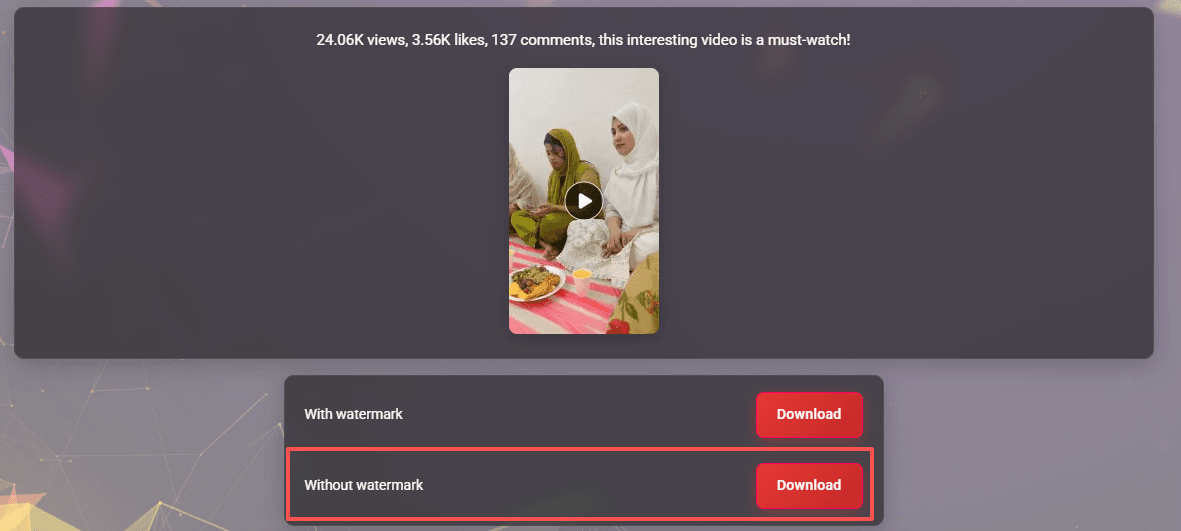
Step 3: Download and save
Most tools give you options such as downloading without watermark, with watermark, or sometimes in HD or SD quality. Pick the no watermark option, then save the file.
That's it. When it works, it is the fastest method.
Quick tips so it actually works
Online tools can be a little unpredictable. If you paste the link and nothing happens, try these quick fixes:
· Refresh the page and paste again.
· Try a different browser.
· Try a different downloader website.
· Make sure the Likee link is complete and not cut off.
· If you are on iPhone and the download does not start, try using Safari and saving to Files.
2. Screen Record (Works Every Time, But Not Perfect)
If you keep running into broken downloaders or annoying popups, screen recording is the reliable backup. It does not “remove” the watermark by magic, but you can often avoid it by zooming or cropping later. Or you can record in a way where the watermark is minimal.
How to screen record a Likee video
On iPhone
1. Enable Screen Recording in Control Center (if it is not there already).
2. Open Likee and pause on the video.
3. Start screen recording.
4. Play the video.
5. Stop recording and save.
On Android
Most Android phones have a built in screen recorder:
1. Pull down quick settings.
2. Tap Screen Recorder.
3. Start recording, then play the Likee video.
How to remove the watermark after recording
You can do a simple crop using:
· iPhone Photos edit tool (Crop)
· Google Photos edit tool (Crop)
· Free editors like CapCut or VN (crop and resize)
This method is free, always available, and safe. The downside is quality may be slightly lower than a direct download, and it takes a few extra steps.
Method Three: Use a Free App (Only If You Trust It)
Some apps claim they can download Likee videos without watermark for free. Some do work. Some are just ad traps. If you go this route, be picky.
What to look for in a safe downloader app
· Good reviews that sound real, not copy pasted.
· No request for your Likee login.
· No strange permissions like contacts, calls, or SMS.
· It should work with just a link paste, nothing more.
What to avoid
· Apps that force you to install extra apps to “unlock download”
· Apps that open a dozen tabs
· Anything that asks for your Likee password
If you are not sure, stick to the online method or screen recording. Safer.
How to Download Likee Videos Without Watermark on iPhone (Simple Version)
iPhone is usually where people struggle, mostly because of how downloads behave in Safari.
Here is the simplest approach:
1. Copy the Likee video link.
2. Open Safari.
3. Use an online Likee video downloader without watermark.
4. Tap download.
5. If it opens a new page with the video, long press the video and tap Download Video.
6. Check Files app or Photos.
If “Download Video” is not available, the site might not be giving a direct file. Try another downloader site.
How to Download Likee Videos Without Watermark on Android (Simple Version)
Android is usually easier.
1. Copy Likee link.
2. Open Chrome.
3. Use an online Likee downloader no watermark free.
4. Tap download.
5. File saves to Downloads folder.
If it does not save, check your Chrome download settings or try a different browser like Firefox.
Common Problems and Quick Fixes
You paste the link and it says “Invalid”
· Make sure you copied the full Likee share link.
· Copy it again from Likee, not from somewhere else.
· Try removing extra text if the link came with a caption.
The download button does nothing
· Disable ad blocker for that page, some sites break with ad blockers.
· Try another downloader site.
· Switch browsers.
It downloads but still has a watermark
· Some tools show multiple download buttons. Only one is the real no watermark option.
· Try a different tool, not all of them remove Likee watermarks well.
Video quality looks bad
· Try an HD option if available.
· Avoid screen recording if you need the best quality.
· Make sure you are on a stable connection.
Download Likee Videos More Privately
Many free Likee video downloader websites are convenient, but they often come with aggressive ads, tracking scripts, popups, and cookies. If you regularly download videos from different third party tools, it is worth paying attention to your online privacy.
One option is to use an antidetect browser such as BitBrowser. It lets you create isolated browser profiles with separate cookies, local storage, and browser fingerprints.
For example, some users keep a dedicated browser profile only for testing online downloaders and video tools, while keeping their personal accounts, email logins, and daily browsing activity separate. This helps keep browsing sessions organized and reduces the amount of tracking shared across websites.
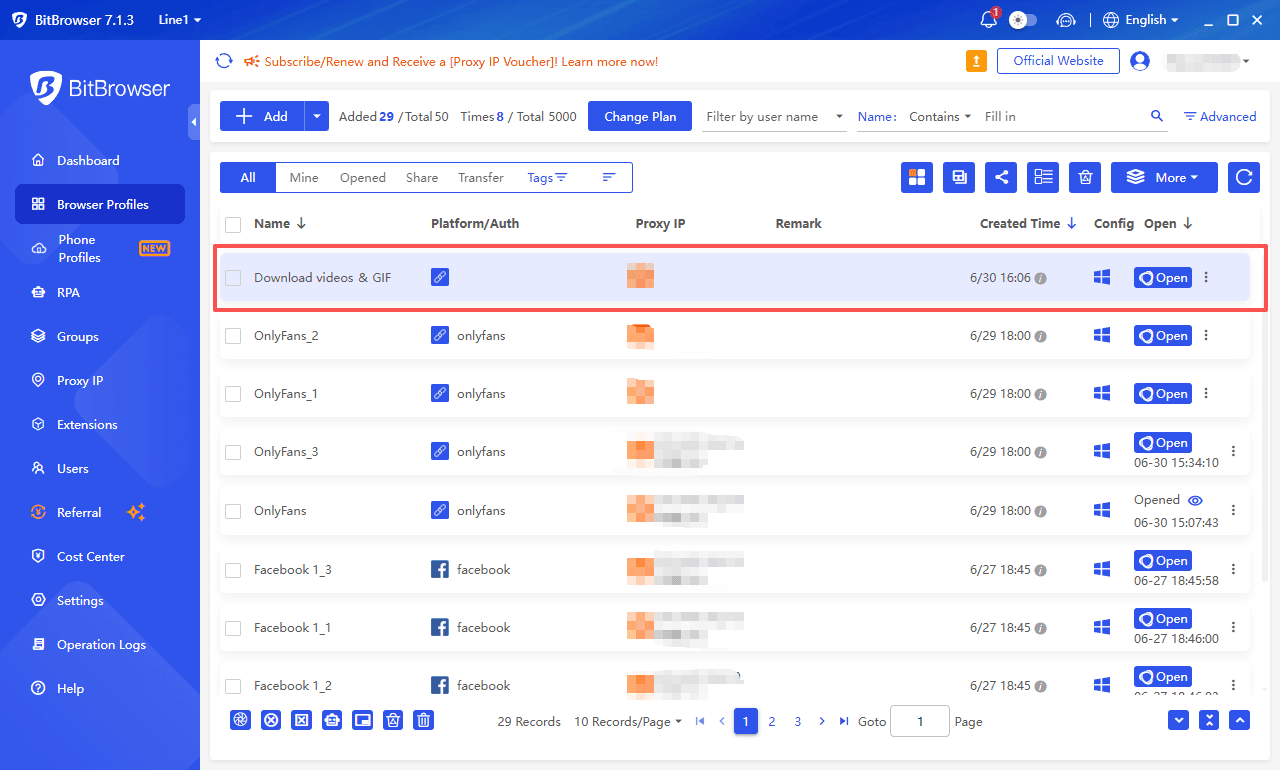
If you frequently use different Likee downloaders, watermark removal tools, or social media utilities, separating these activities into dedicated browser environments can be a simple way to browse Internet securely and anonymously.
Stay Anonymous with BitBrowser
Managing Multiple Likee Accounts Safely
If you manage more than one Likee account, constantly logging in and out can quickly become inconvenient. Multiple accounts on the same browser also share cookies and other browsing data.
BitBrowser help by creating separate browser profiles, each with its own cookies, fingerprint, and local storage. This makes it easier to keep different Likee accounts organized and isolated.
For creators, agencies, and marketers working across Likee, TikTok, Instagram, or Facebook, BitBrowser can also help streamline multi-account workflows from a single computer.
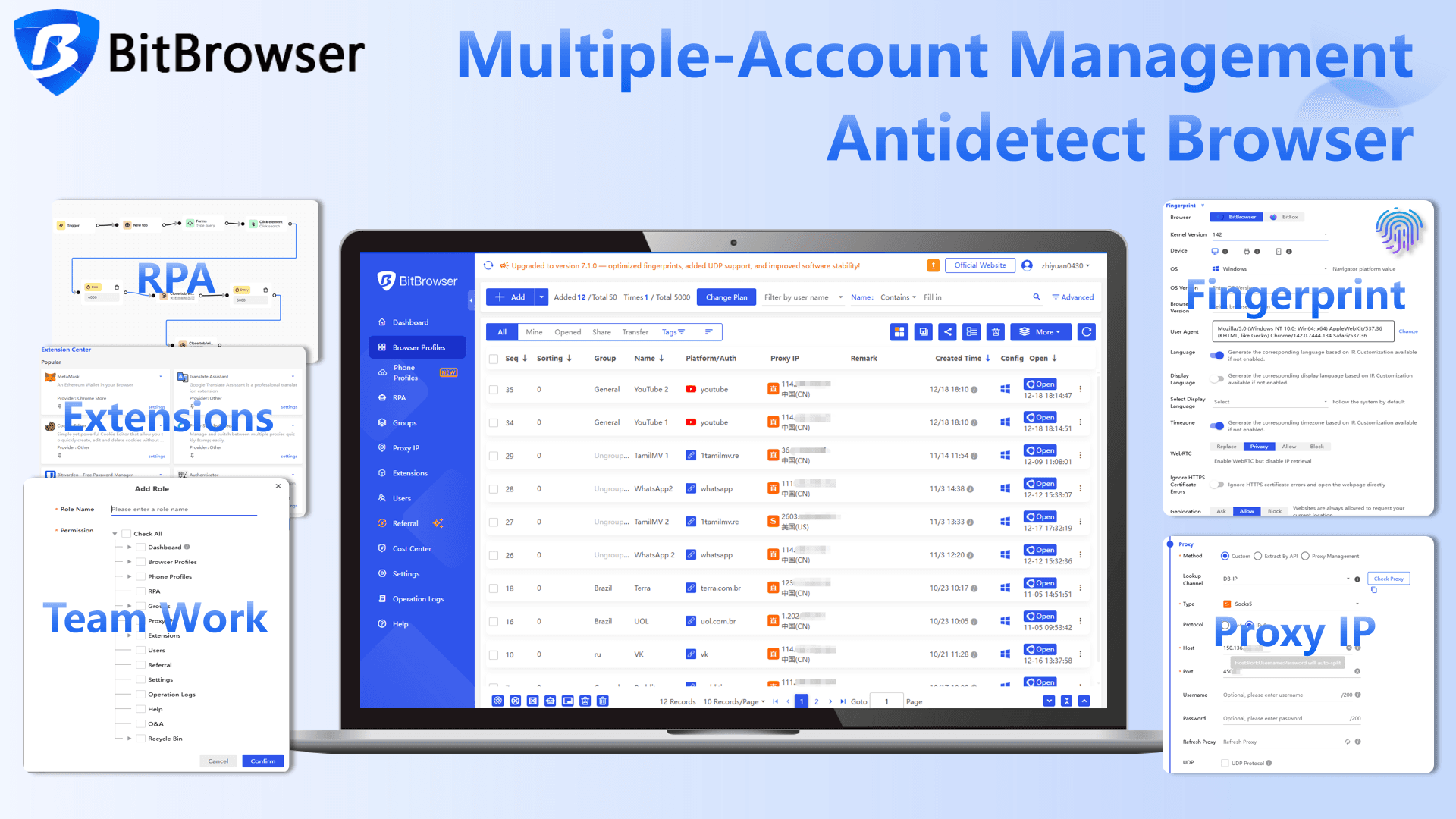
Useful for:
· Managing multiple social accounts
· Keeping login sessions separate
· Organizing creator or agency workflows
· Reducing account mix-ups
· Managing multiple social media platforms from one device
Conclusion
Downloading Likee videos without a watermark is usually quick and straightforward. For most users, an online Likee video downloader is the fastest option, while screen recording provides a reliable backup when download tools fail.
Whichever method you choose, always respect creators’ rights and use downloaded content responsibly. If you frequently use third-party downloaders, manage multiple Likee accounts, or work across several social media platforms, tools like BitBrowser can help keep your browsing activity, accounts, and workflows better organized.
With the right approach, you can save Likee videos more efficiently, maintain better privacy, and avoid common downloading issues.

 Multi-Account Management
 Prevent Account Association
 Multi-Employee Management
Recommended
See More 



