Facebook Session Expired? How to Fix Login Issues Quickly (2025 Guide)
 2025.11.01 07:50
 petro
petroHave you ever tried to log into Facebook only to be greeted with the message “Session Expired”It’s one of the most common and frustrating login problems that users face. Whether you’re an individual user or a social media manager handling multiple accounts, this issue can disrupt your workflow and waste valuable time.
This guide explains what “Session Expired” means, why it happens, and—most importantly—how to fix it permanently.
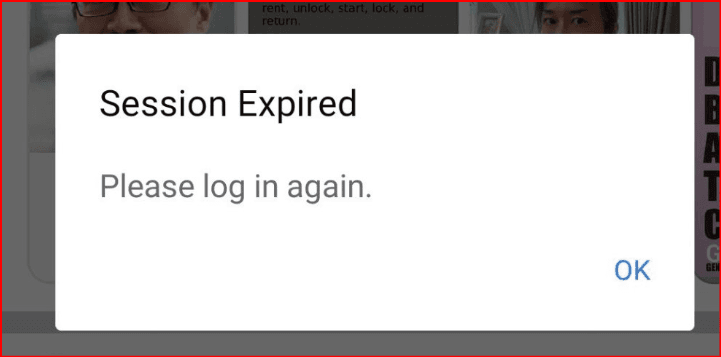
What Does “Session Expired” Mean on Facebook?
The message “Session Expired” indicates that your Facebook user session—the temporary link between your login and Facebook’s servers—has ended.
It can happen when:
- You stay inactive for too long.
- Your internet connection changes.
- Facebook detects unusual login activity.
To protect your account, Facebook automatically logs you out if your session appears compromised or inactive for an extended period.
Why Does Facebook Keep Logging You Out?
1. Unstable Network Environment
Frequent switching between Wi-Fi and mobile data, or connecting through public networks, can change your IP address. Facebook’s system may interpret this as a suspicious login, leading to automatic logout.
2. Multiple Device Logins
If you log in from several devices simultaneously (like your phone, tablet, and desktop), Facebook might shorten the session duration. The platform sees this as a potential sign of account sharing or security risk.
3. Low-Quality Proxy or VPN Connections
Using unreliable or free proxies often triggers Facebook’s risk control systems. When IP addresses are flagged as “shared” or “high risk,” sessions can end abruptly or require additional verification.
How to Fix “Session Expired” and Login Failures on Facebook
1. Log Out and Log Back In
Start with the simplest fix:
- Log out from all devices.
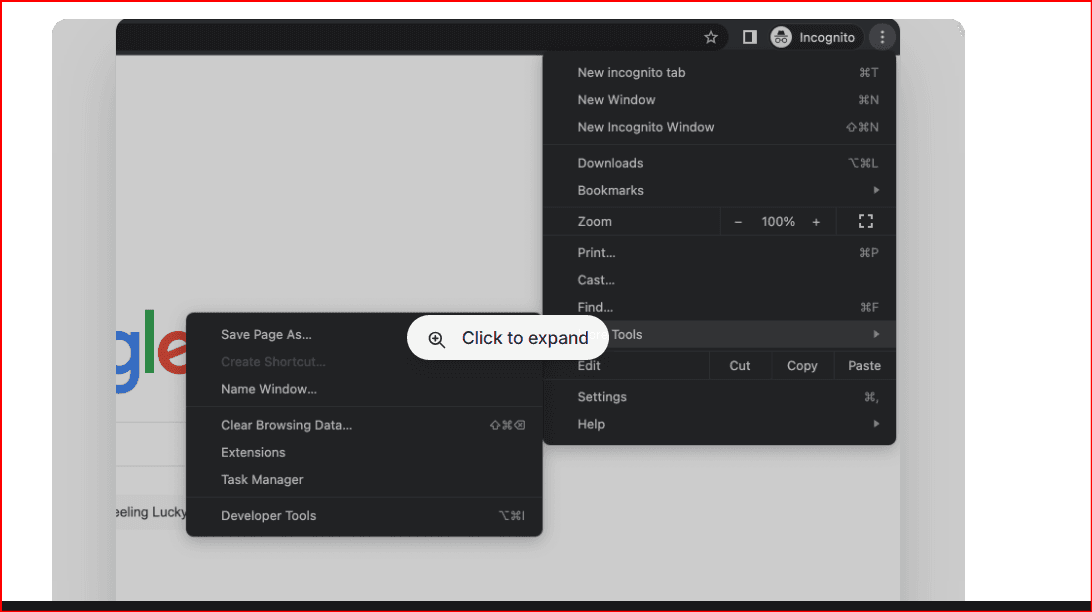
- Clear your browser cache and cookies.
- Log in again using a secure and stable internet connection.
If you use the mobile app, uninstall and reinstall it to refresh the session token.
2. Avoid Network Switching
Stick to one stable network connection. Frequent changes between Wi-Fi, VPNs, and mobile data can trigger Facebook’s session expiration mechanism.
3. Check for Browser or App Updates
Outdated versions of browsers or apps can conflict with Facebook’s security system. Update to the latest version to ensure proper authentication handling.
4. Enable Two-Factor Authentication (2FA)
Activating 2FA adds another security layer. Even if your session expires, you can easily verify your identity and log back in.
5. Use High-Quality Proxies for Cross-Border Access
If you operate Facebook from different countries or manage multiple accounts, a reliable proxy can help maintain stable connections and regional consistency.
Recommended Proxy Types
- Dynamic Residential Proxies: Mimic real household IPs and reduce detection.
- Static ISP Proxies: Offer consistent IP addresses for long-term logins.
- SOCKS5 Proxies: Provide advanced protocol flexibility for secure sessions.
- Datacenter Proxies: Deliver speed and scalability for automation or analytics.
These proxy types help you maintain stable, credible logins while avoiding unnecessary “session expired” errors.
How Proxies Improve Facebook Login Stability
Enhance IP Credibility
Residential and ISP proxies simulate real user activity, making your connection appear legitimate and reducing the risk of forced logouts.
Ensure Location Consistency
If you’re managing campaigns in different countries, proxies let you access Facebook through region-specific IPs—appearing as a local user to the platform.
Reduce Account Lockouts
Facebook’s automated systems monitor login behaviors. By maintaining consistent IPs and network identities, proxies help prevent sudden logouts or verification requests.
Support Multi-Account Operations
Marketers and agencies often handle multiple Facebook pages or ad accounts. Proxies keep each session separate, minimizing cross-account detection
How to Avoid Login Issues Caused by Proxy IPs
1. Choose a Reputable Proxy Provider
Avoid free or unknown proxies. Use providers that comply with privacy regulations and offer dedicated IP pools to ensure better stability.
2. Match Proxy Region to Account Origin
If your Facebook account was created in the U.S., use a U.S.-based proxy. Large regional discrepancies between your account origin and current IP can raise flags.
3. Control Login Frequency
Logging in and out too frequently or switching between accounts rapidly can trigger Facebook’s anti-spam systems. Keep your actions consistent and realistic.
4. Avoid Over-Rotation
Changing IPs too often might seem suspicious. For social media accounts, sticky sessions (keeping one IP for a set time) are safer and more stable.
Best Practices for Long-Term Facebook Stability
1. Maintain Consistent Devices
Don’t log into the same account from too many devices. Stick to one or two verified devices per account.
2. Monitor Account Health
Regularly check for login warnings, verification prompts, or device activity logs. These signs indicate possible instability in your connection.
3. Keep Browser Data Clean
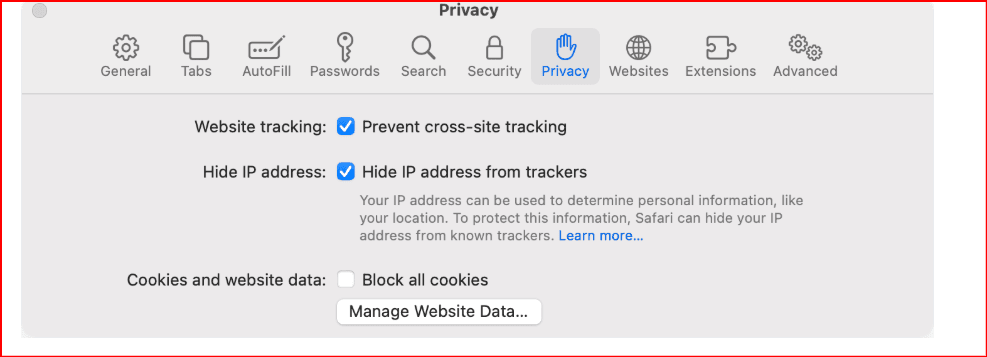
Periodically clear cookies, cache, and saved sessions to avoid conflicts between old and new login tokens.
4. Use HTTPS Connections
Always use secure, encrypted connections to protect your session from hijacking attempts or unauthorized access.
When to Use Proxies for Facebook
| Use Case | Recommended Proxy Type | Benefit |
|---|---|---|
| Ad Management | Static ISP Proxy | Stable, long-term IP identity |
| Multiple Accounts | SOCKS5 Proxy | Keeps sessions separate and secure |
| Cross-Border Access | Residential Proxy | Mimics local user connections |
| Data Collection | Datacenter Proxy | High-speed performance |
By pairing the right proxy with your use case, you can maintain smoother, longer-lasting Facebook sessions.
Common Mistakes That Trigger Session Expiration
- Using shared or public proxies – Often blacklisted by social platforms.
- Logging in from vastly different countries – Confuses Facebook’s risk systems.
- Ignoring session hygiene – Reusing old cookies can create conflicts.
- Switching between VPNs or networks frequently – Signals instability.
- Using automation without session control – Leads to detection and forced logouts.
Avoiding these mistakes ensures a more stable and secure Facebook experience.
If You Can’t Log In After “Session Expired”
- Attempt to log in from your original device and network.
- Use Facebook’s “Recover Account” or “Forgot Password” options.
- Complete the security verification (SMS or email).
- Once logged in, update your password and enable 2FA.
- Maintain a consistent IP and avoid switching locations too often.
If your account continues to log out, test your proxy or network configuration—it’s often the root cause.
Conclusion
The “Session Expired” message on Facebook isn’t a random glitch—it’s part of Facebook’s advanced security system. However, for international users, marketers, or social media managers, it can become a recurring issue without the right setup.
By maintaining network stability, using high-quality proxies, and following proper session management practices, you can prevent login interruptions, stay securely connected, and keep your campaigns running smoothly.
Consistency, security, and high-quality network connections are the ultimate solutions to staying logged in on Facebook without constant session errors.
FAQs
1. Why does Facebook keep logging me out?
Your session may expire due to inactivity, IP changes, or logging in from multiple devices simultaneously.
2. How can I prevent the “Session Expired” error?
Use stable internet connections, enable 2FA, and avoid logging in from different networks frequently.
3. Do proxies help with Facebook login stability?
Yes, high-quality proxies maintain consistent IPs and reduce abnormal login detections.
4. What kind of proxy is best for Facebook?
Residential or static ISP proxies are ideal—they appear authentic and keep sessions stable.
5. Can I use free proxies for Facebook?
No. Free proxies often share IPs among users, making them risky and unreliable for Facebook’s security systems.

 Multi-Account Management
 Prevent Account Association
 Multi-Employee Management
Recommended
See More 



