How to Unban your WhatsApp Account: The Ultimate Step-by-Step Guide
 2026.04.29 15:50
 YT.Shi
Getting banned from WhatsApp can feel like losing a lifeline. Whether it's your personal chats, family group, or entire business operation, suddenly seeing "Your account has been banned" is alarming. The good news is that many bans are mistakes or can be appealed successfully.
This guide will walk you through exactly how to unban your WhatsApp account, covering every method, appeal template, and crucial mistake to avoid.
Understanding Your Ban: Temporary vs. Permanent
Before you try to unban your account, you must know what you're dealing with. Open WhatsApp and read the message carefully:
● Temporary Ban: You see a countdown timer (e.g., "You can try again in X hours"). No appeal is needed; you just have to wait.
● Permanent Ban with Appeal Option: The message says your account is banned but provides a "Request a Review" button. This is your direct chance to appeal.
● Permanent Ban without Appeal Option: The message states you can no longer use WhatsApp, and there is no review button. You must appeal via email, though success rates are lower.
Identifying your ban type is the first step because the unban process differs for each.
Why WhatsApp Banned You (Know Before You Appeal)
Understanding the trigger helps you write a convincing appeal and prevents future bans. The most common reasons include:
● Using unofficial apps like GBWhatsApp, WhatsApp Plus, or FMWhatsApp.
● Spam-like behavior: sending bulk messages, using auto-message bots, or adding people to groups without consent.
● Being blocked or reported by many users in a short time.
● Violating Terms of Service: sharing illegal content, hate speech, or scraping user data.
● Suspicious new account activity: a brand-new number instantly messaging hundreds of strangers.
Sometimes, the algorithm makes a mistake. If you believe you were wrongly banned, your appeal must explain that clearly.
How to Unban Your WhatsApp Account: 3 Methods (Step-by-Step)
Follow these methods in order. Do not skip the preparation phase, or your appeal may be automatically rejected.
Essential Preparation Before Appealing
Take these three actions immediately:
1. Stop all outgoing messages. Do not try to send more messages through any connected tools.
2. Uninstall any modified WhatsApp version. Download and install the official app from the Google Play Store or Apple App Store. Desktop users can view the WhatsApp Web login guide.
3. Do not try to register a new number. This counts as evading a ban and can get your new number permanently blocked too.
Method 1: In-App "Request a Review" (Fastest Way)
If your ban screen shows a "Request a Review" button, you have one shot to appeal. Here's how to do it right:
1. Tap "Request a Review".
2. You'll see a text field. This is your only chance to explain. Write 3-6 clear, polite sentences in English, even if your phone is set to another language.
3. Include the following points:
● State that you believe the ban was a mistake.
● Explain why your activity might have looked suspicious (e.g., "I recently switched to a new phone and was informing my contacts").
● Clearly state that you do not use unofficial apps and have not sent spam.
● Politely ask for a human review.
4. Tap submit and wait.
Important: Do not submit multiple reviews. It can cause your case to be ignored.
Method 2: Appeal via Web Form or Email (When In-App Review Isn't Available)
If the "Request a Review" button is missing, use one of these two official channels.
Option 1 – Official Web Contact Form
1. Go to WhatsApp's Contact Us page in a browser.
2. Fill in your full phone number (international format) and an active email.
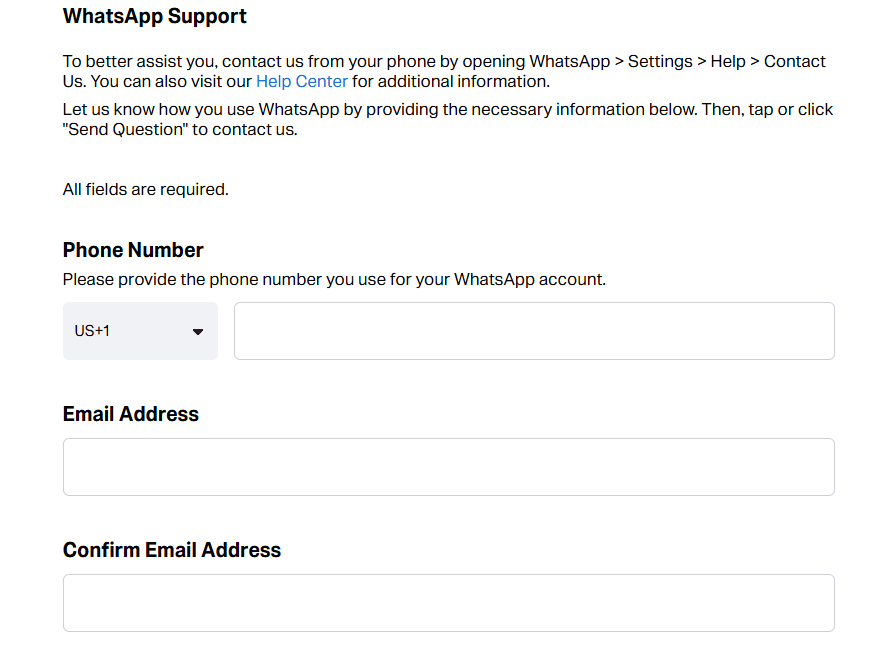
3. In the message box, write your short, polite appeal (use the template below).
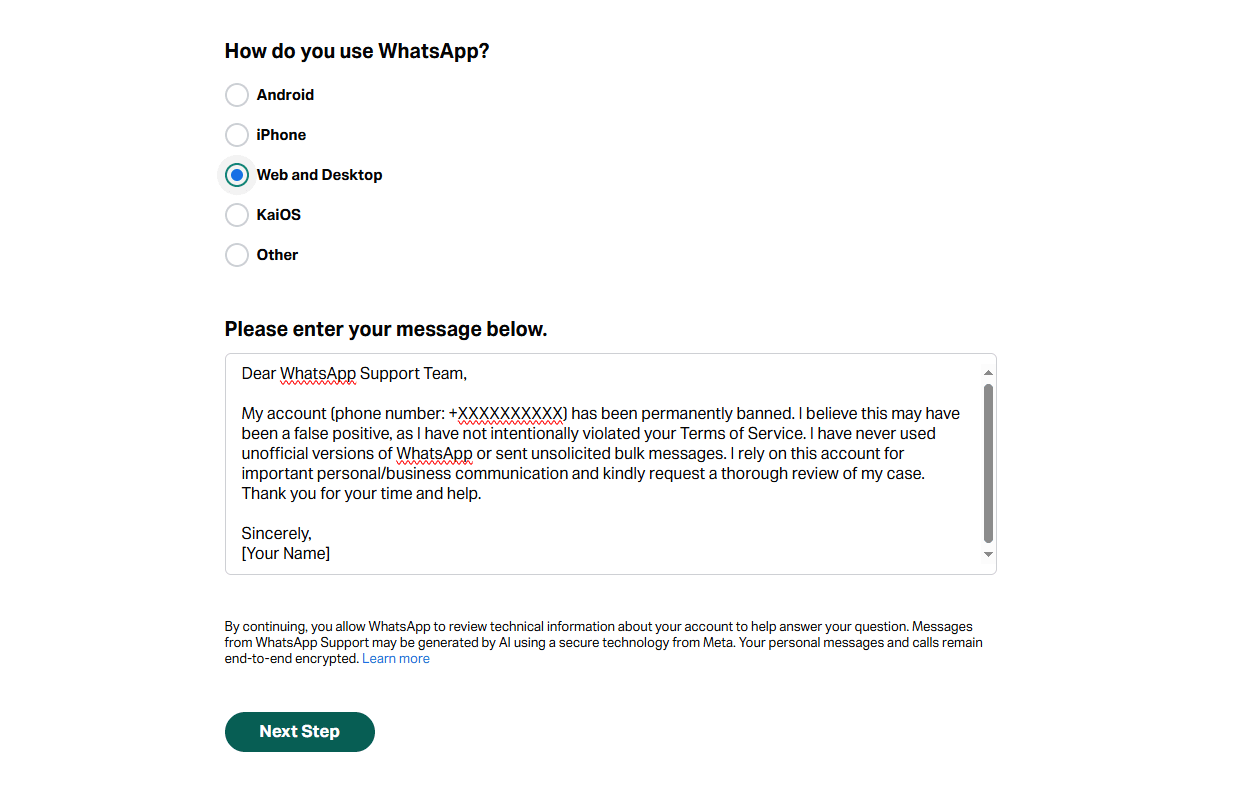
4. Submit and wait for an email response.
Option 2 – Direct Email
● Personal Account: support@support.whatsapp.com
● WhatsApp Business Account: smb_web@support.whatsapp.com
● Subject line: Request for Review of Banned Account – [Your Phone Number in full international format]
● Email body: Keep it professional and concise. Here is a template you can adapt:
Dear WhatsApp Support Team,
My account (phone number: +XXXXXXXXXX) has been permanently banned. I believe this may have been a false positive, as I have not intentionally violated your Terms of Service. I have never used unofficial versions of WhatsApp or sent unsolicited bulk messages. I rely on this account for important personal/business communication and kindly request a thorough review of my case. Thank you for your time and help.
Sincerely,
[Your Name]
Personalize this. If you know what triggered the ban (e.g., you used a broadcast list), briefly explain the context and state you won't repeat the action.
Method 3: Meta Business Support (For Business Accounts Linked to a Meta Manager)
If you use WhatsApp Business and it is linked to a Meta Business Manager account, you can appeal directly through that platform:
1. Log in to your Meta Business Suite.
2. Navigate to All Tools → Business Support Home.
3. Find your banned WhatsApp account in the list and click "Request Review".
4. Provide the requested details, including an explanation similar to the email template above.
5. Submit and monitor the case status.
How Long Does It Take to Get Unbanned?
For temporary bans, it's exactly the time shown on the timer. For permanent ban appeals:
● Some users get restored within 24 hours.
● Most cases are resolved within 3 to 5 days.
● In rare instances with complex reviews, it can take a week or more. If you haven't heard back after 5 days, you may send a single follow-up email referencing your original case.
What to Do After Submitting Your Appeal
● Wait patiently. The review process usually takes between 24 and 72 hours, but it can take longer during high volumes.
● Check your email inbox and spam folder. WhatsApp often replies with a decision or a request for more information.
● Keep your SIM card active and inside the same device. Do not switch phones while the review is ongoing.
● Do not send follow-up appeals. Duplicate requests can delay the process or lead to a rejection.
How to Prevent Your Account from Being Banned Again
Once your account is restored, take these precautions to stay safe:
● Use only the official WhatsApp app downloaded from legitimate app stores.
● Get explicit consent before messaging anyone, especially for business.
● Warm up new accounts slowly: start with messages to contacts you know, avoid bulk actions for the first few weeks.
● Do not use automated tools, browser extensions, or “WhatsApp marketing” software that promises to send bulk messages.
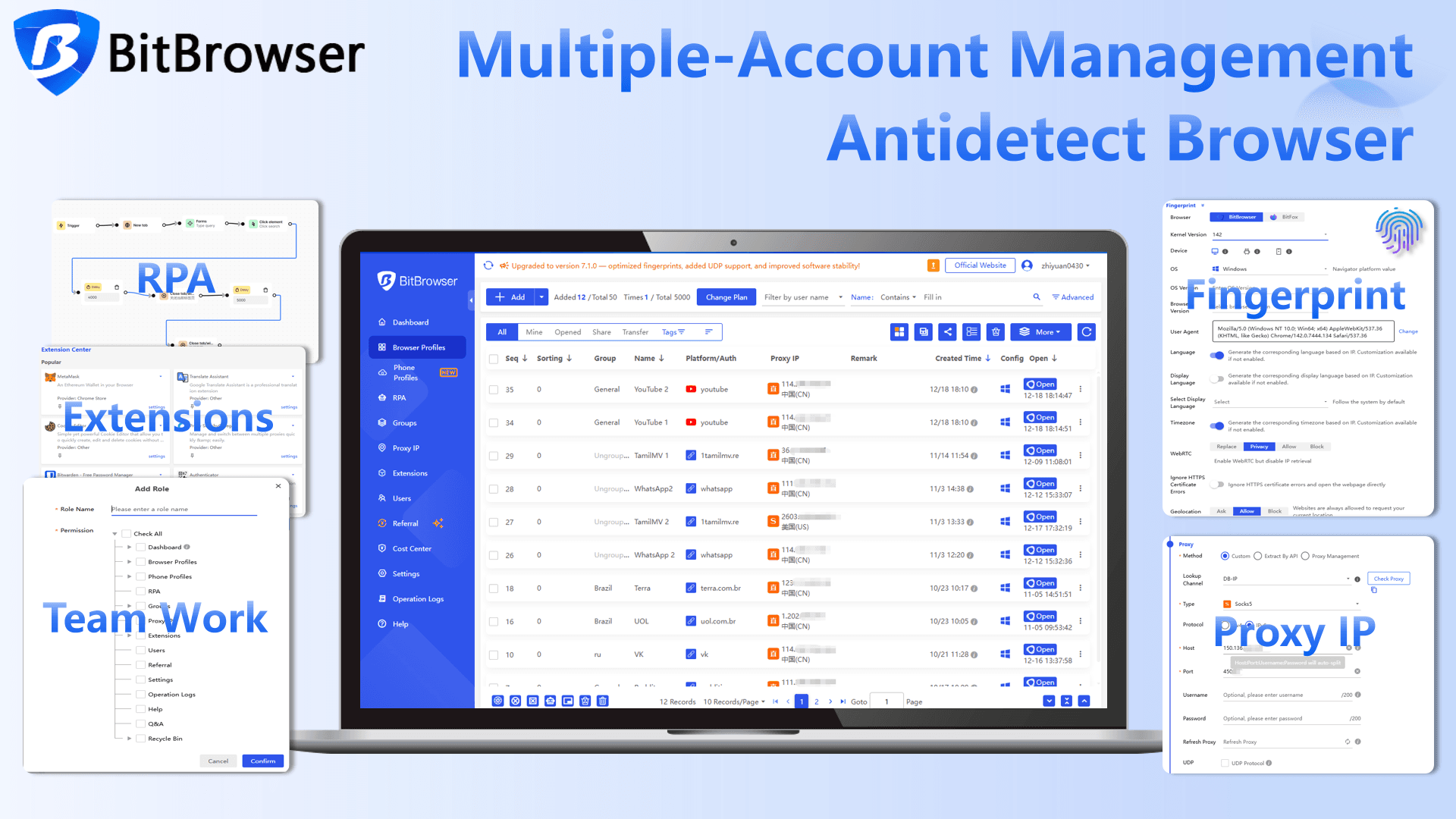
● If you manage multiple accounts via WhatsApp Web, keep each one in a fully isolated environment. Tools like Bitbrowser create separate browser profiles with unique fingerprints, which prevents WhatsApp from mistakenly linking your accounts and triggering mass bans. Just make sure you’re using the official WhatsApp Web client in each profile and never combining it with automation.
● If you run a business, use the official WhatsApp Business API through an authorized provider instead of the standard app for high-volume messaging.
Sign Up
Conclusion
Once your account is back, protection becomes part of your daily routine. Always use the official WhatsApp app, ask for consent before you message anyone, and let new accounts warm up gradually. If you access several accounts through WhatsApp Web, keep each one inside its own isolated environment with Bitbrowser to prevent them from being wrongly linked. For businesses that depend on WhatsApp at scale, the official Business API is the only reliable long term solution.
A ban might feel abrupt, but it is not permanent if you take the right steps. Use this guide as your reference, stay consistent with safe messaging habits, and you can return to your conversations with confidence.

 Multi-Account Management
 Prevent Account Association
 Multi-Employee Management
Recommended
See More 



