How to Safely Run Multiple eBay Accounts in 2026: A Complete Guide
 2026.05.23 06:03
 YT.Shi
Been selling on eBay for a while? You might wonder: can I have more than one account? Separate buying from selling, start a second brand, or just have a backup.
Yes, you can. eBay allows it, as long as each account follows the rules.
But the hard part isn't opening accounts. It's keeping them from getting linked and banned. In 2026, eBay upgraded its detection: IPs, devices, habits, even browser plugins. One account flagged, all linked accounts go down.
This guide covers eBay's policy, how linking works, and how to properly isolate each account. Two accounts or ten, same rules. Let's go.
Learn how to prevent your multi-vendor accounts from being suspended.
What eBay’s Multiple Account Policy Actually Says
Before we dive into the technical setup, let us be clear on what eBay allows and what it does not. Understanding this distinction is the foundation of everything that follows.
What eBay Allows
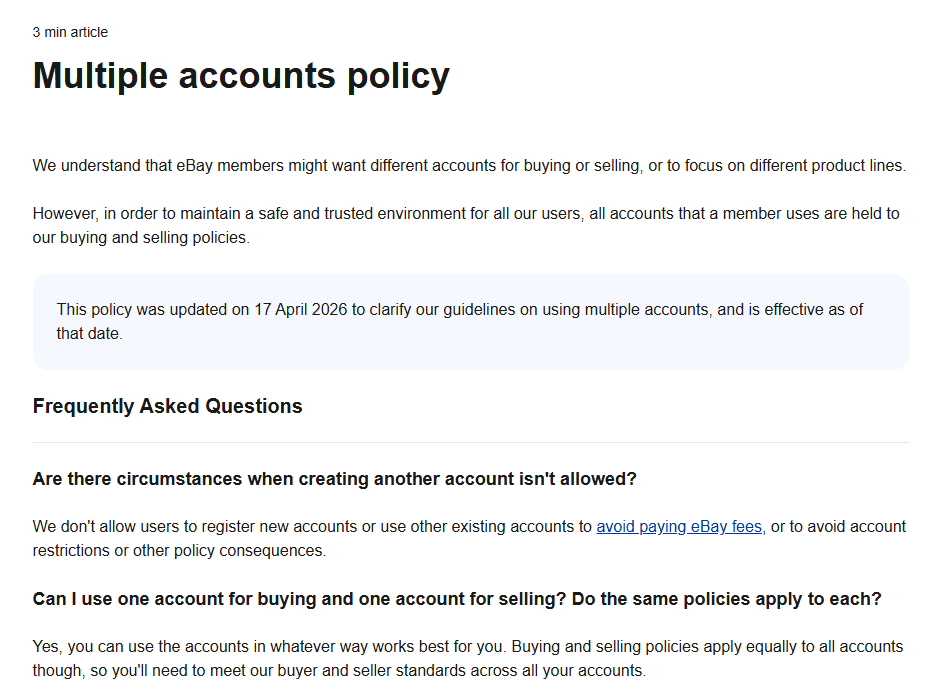
eBay‘s multiple account policy, updated on April 17, 2026, states clearly: users may have multiple accounts on eBay. The platform recognizes that there are many valid reasons for this. Some sellers want separate accounts for different product lines so each store maintains a clear identity. Others prefer to keep their buying and selling activities completely separate.
You can use your accounts in whatever way works best for you. eBay also allows you to link multiple accounts to the same bank account through its Managed Payments system, which is an officially supported setup.
What eBay Does Not Allow
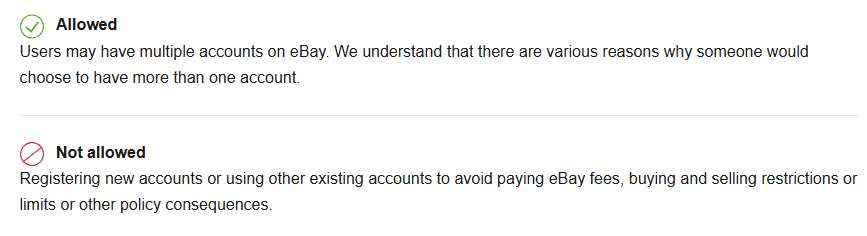
The line eBay draws is very specific. You cannot register new accounts or use existing accounts to avoid paying eBay fees, bypass buying and selling restrictions or limits, or escape other policy consequences.
This means:
● Creating new accounts to get around selling limits is prohibited. Your limits expand naturally with successful performance on the platform.
● Opening a new account because your old one got suspended is not allowed. If one account gets suspended, any other account you own may also face restrictions.
● Posting the same product listing across multiple accounts counts as duplicate listings, which violates eBay‘s policy.
● Cross promoting one store through another store’s listings is not permitted.
The core rule is simple: each account must operate independently and comply with platform policies. You are responsible for maintaining good standing across all of your accounts.
If your account has unfortunately been suspended, please refer to this detailed guide to restore it.
Why Run Multiple eBay Accounts?
If you are going through the effort of setting up proper isolation, you probably have a good reason. Here are the most common scenarios where multiple eBay accounts make sense.
● Separate Product Niches. Selling electronics and handmade crafts from the same store can confuse buyers and dilute your brand. Separate accounts let each store develop its own identity, customer base, and feedback history.
● Risk Management. If your entire business runs on one account and that account gets restricted, your income stops. Having multiple independent accounts spreads that risk. If one store faces listing restrictions, the others can keep operating.
● Different Branding Strategies. Many businesses operate multiple brands. Separate eBay accounts allow each brand to maintain its own reputation, customer reviews, and visual identity.
● Testing New Markets. You might want to experiment with a new product category or pricing strategy without affecting your main store‘s performance metrics. A separate account gives you a clean testing ground.
● Team Management. If you have employees or virtual assistants handling different parts of your business, eBay’s multi-user account access feature lets you grant specific permissions without sharing your main login credentials.
Whatever your reason, the key is to set everything up correctly from the start. A single technical mistake can link your accounts before you have even started selling.
How eBay Detects Multiple Accounts?
eBay looks at multiple signals, not just one.
● IP Address Tracking: If multiple accounts log in from the same IP, eBay flags them. Using the same home Wi‑Fi for several accounts is risky. And don’t just rely on a VPN, eBay detects most VPN servers.
● Browser Fingerprinting: Even with different IPs, eBay can link accounts through your browser’s unique fingerprint. That includes screen resolution, fonts, time zone, language, and more. Two accounts with the same fingerprint mean the same device.
● Device and Cookie Tracking: Logging into multiple accounts from the same browser profile shares cookies and cached data, exposing the link. Clearing cookies isn’t enough. You need completely separate browsing environments.
● Registration Information: Using the same name, address, phone number, or payment details across accounts triggers a link.
● Behavioral Patterns: In 2026, eBay also checks behavior patterns. Similar browsing, listing habits, or operation timing can raise flags even if your technical setup is clean.
How to Set Up Complete Account Isolation
Now for the practical part. Here is a step by step approach to isolating each of your eBay accounts so they appear completely independent to eBay‘s detection system.
Step 1: Gather Independent Registration Details
Before creating accounts, prepare for each one:
● A unique email address. No variations of the same address.
● A unique phone number if needed.
● Distinct registration details. Using separate payment methods is safer. Keep credit cards and physical addresses independent.
Track everything in a simple spreadsheet to avoid mix ups.
Step 2: Assign a Dedicated Static Residential IP to Each Account
IP isolation is the foundation of multi account security. The principle is straightforward: one eBay account, one dedicated IP address, no sharing and no crossing over.
For each eBay account, obtain a dedicated static residential IP from a reputable proxy provider. Choose an IP location that matches your account‘s registered region. If your account is registered in the United States, your IP should consistently show a US location.
Keep a record of which IP is assigned to which account and never cross use them. Once an IP is paired with an account, keep that pairing permanent.
Step 3: Create Isolated Browser Profiles with BitBrowser
Browser fingerprinting is a powerful eBay detection tool. The best solution is an antidetect browser like BitBrowser.
What BitBrowser Does
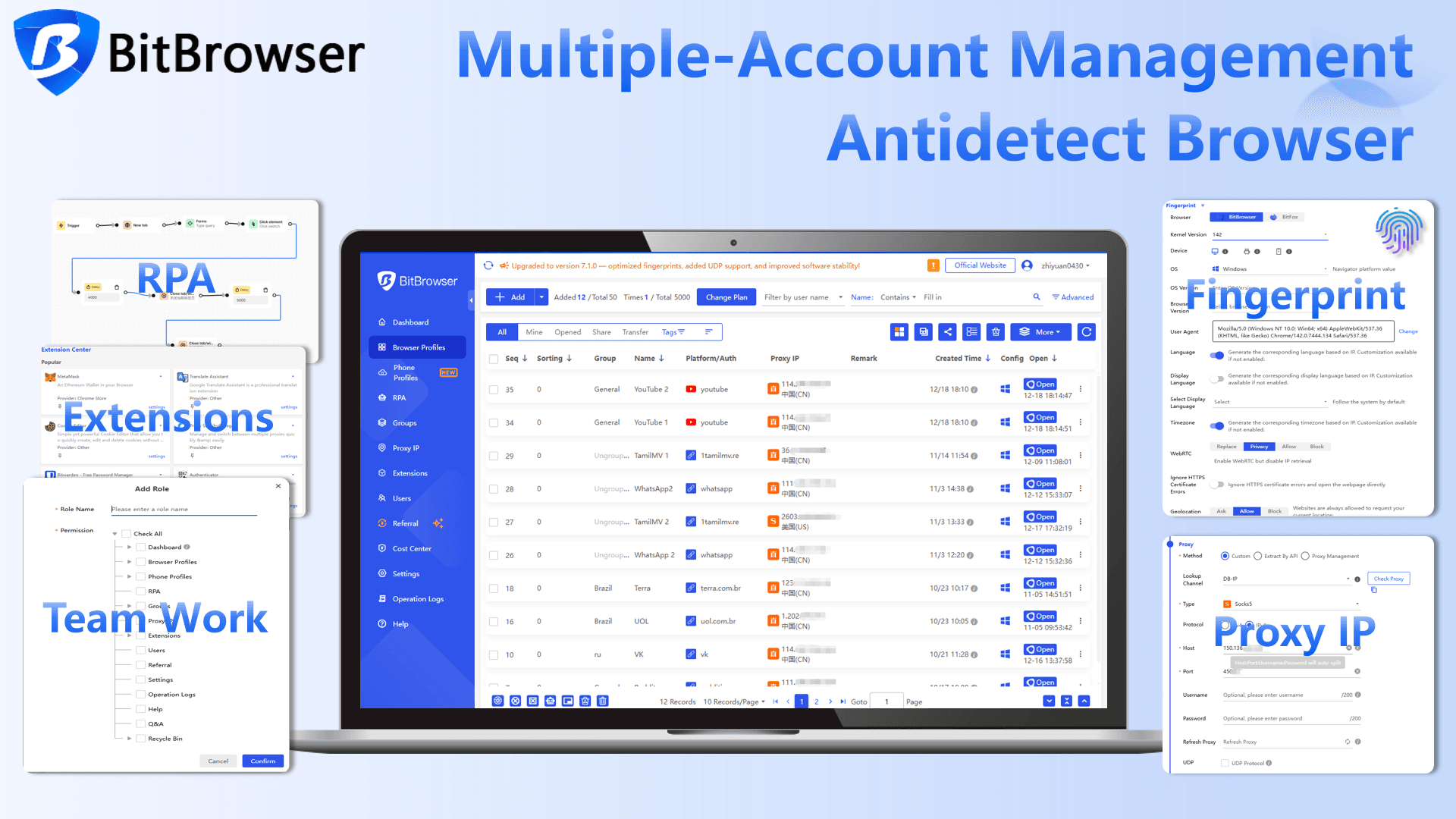
BitBrowser creates isolated profiles. Each profile has its own unique digital fingerprint, including Canvas, WebGL, time zone, fonts, and more. To eBay, each profile looks like a different device on a different computer. Cookies and cache are never shared.
Sign Up
Setting Up BitBrowser for eBay
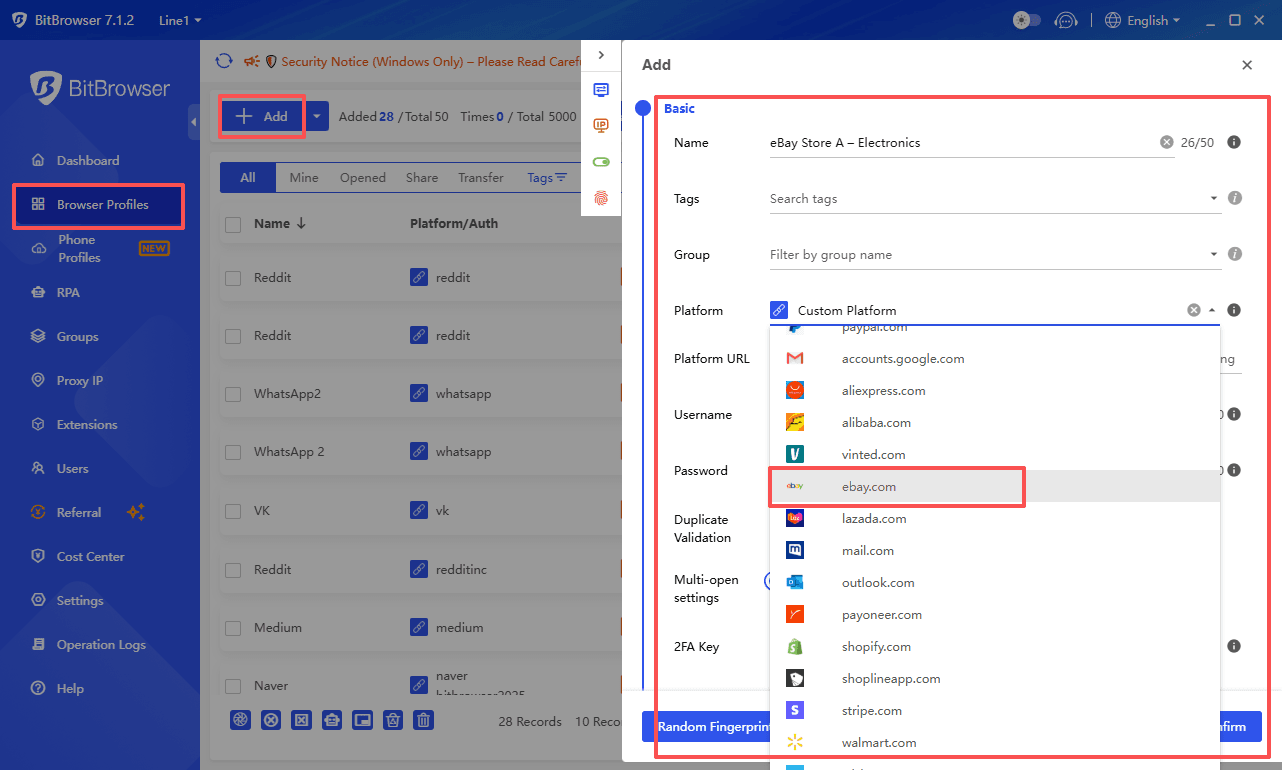
1. Download and install BitBrowser. Create an account and log in.
2. Click to create a new profile. Name it after your eBay account, for example "eBay Store A – Electronics."
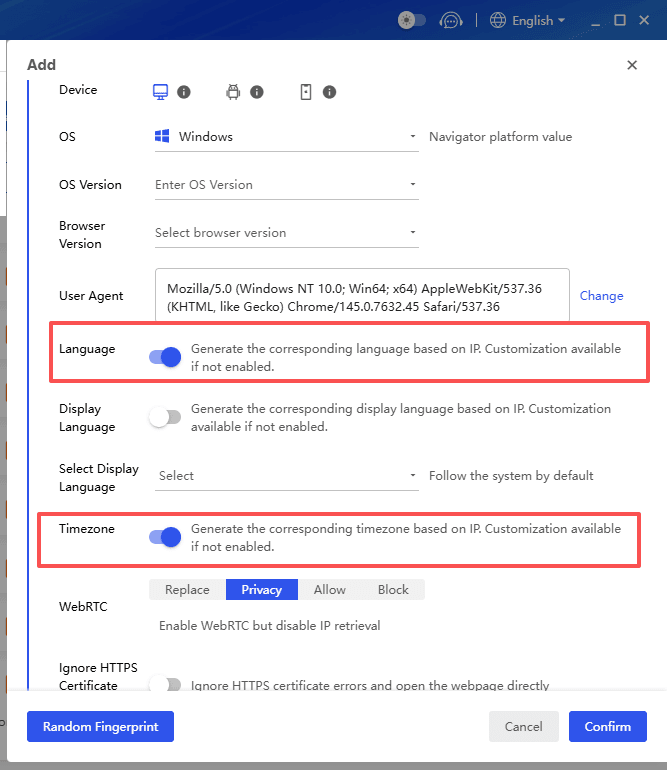
3. Configure the fingerprint. Match the time zone and geolocation to your static residential IP for that account.
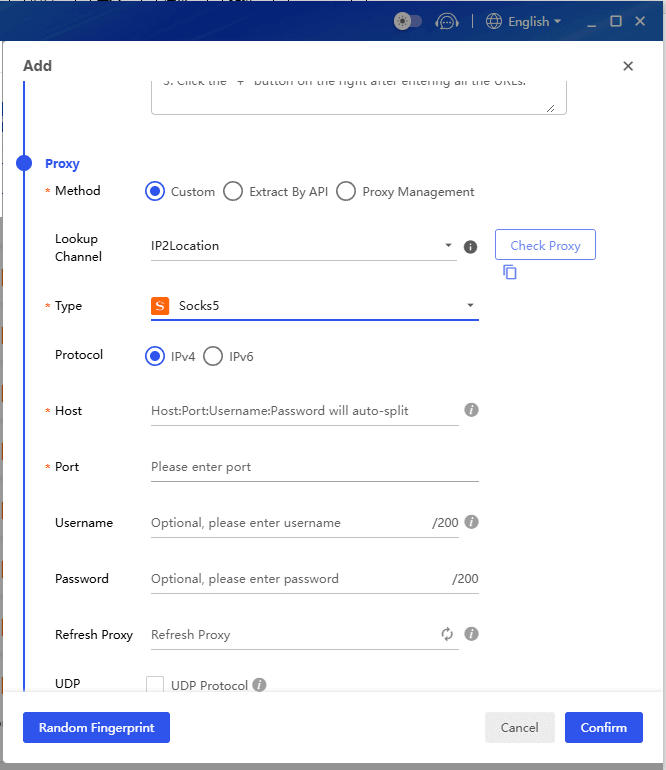
4. Enter your proxy details (HTTP, HTTPS, or SOCKS5). Use the built in checker to verify.
5. Save and repeat for each eBay account. Each profile needs its own name, fingerprint, and proxy.
6. Launch a profile and log into eBay. Always use that profile for that account.
Consistency Is Critical
Never log into an account from any other browser, device, or network. eBay watches login patterns. A sudden change in IP location triggers security checks.
Step 4: Two Ways to Manage Teams Without Sharing Passwords
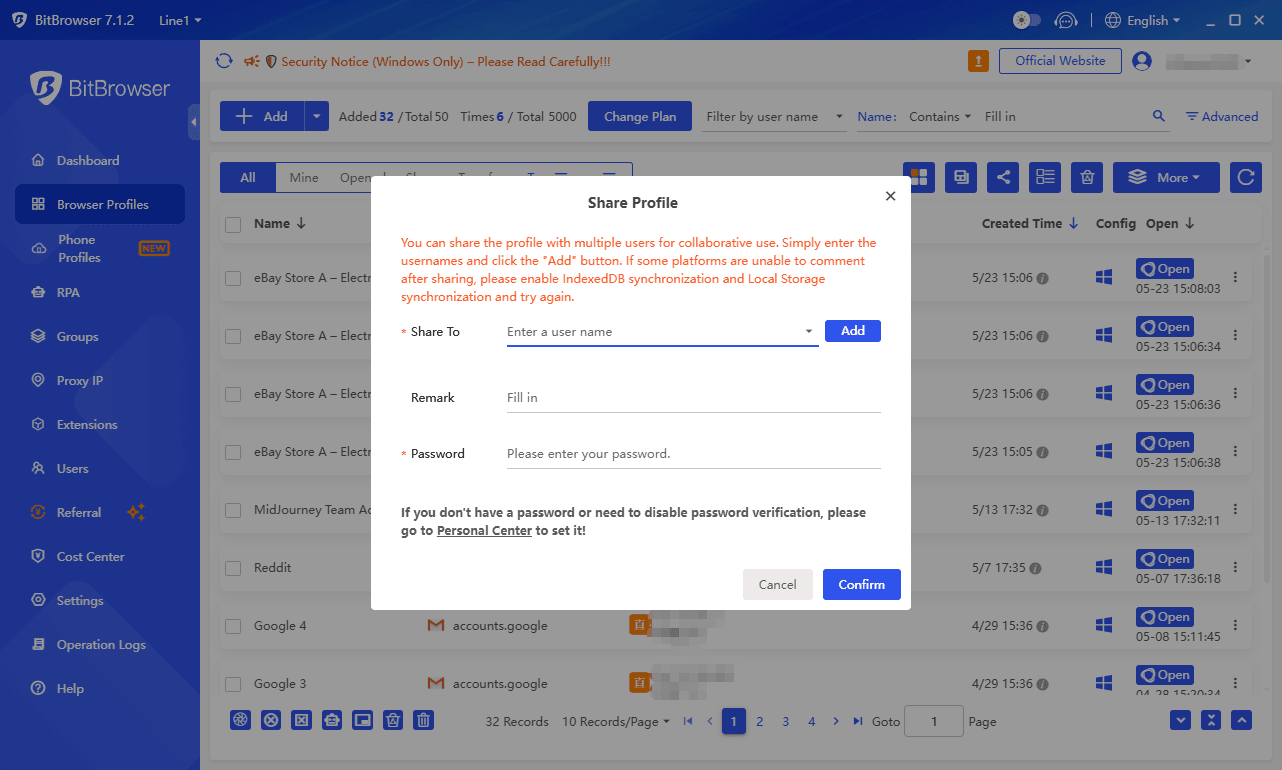
1. BitBrowser Team Sharing
BitBrowser has built in team collaboration. You can share a browser profile with a team member without giving them your eBay password. This keeps your account secure while letting others work on the same store.
2. eBay Team Access
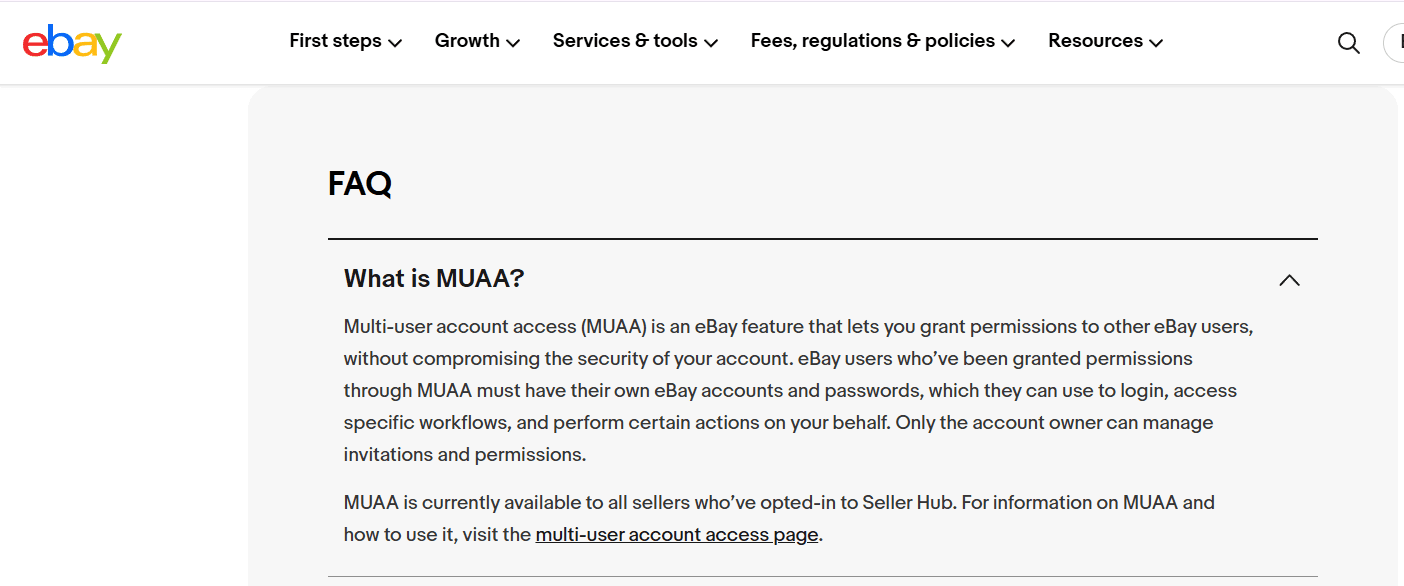
If you have employees, do not share your eBay password. Use eBay's Team Access (formerly MUAA). Each team member logs in with their own eBay account. You control their permissions like messages, ads, or promotions.
To set it up: go to My eBay > Account > Account Preferences > Team Access. Enter their name and email, choose permissions, and send the invite.
Note that from June 1, 2026, Team Access is only available to Pro sellers. Plan accordingly.
Step 5: Maintain Operational Separation
Technical isolation is essential, but your behavior matters too. Keep these habits in mind:
● Avoid listing identical products across multiple accounts. Duplicate listings violate eBay‘s policy.
● Do not interact between your own accounts. Do not buy from yourself, leave feedback for yourself, or bid on your own listings.
● If possible, vary your operating patterns slightly between accounts. Log in at different times, browse at different speeds, and avoid robotic repetition.
● Handle any account issues promptly. If one account receives a warning or restriction, resolve it before it escalates and potentially affects your other accounts.
Step 6: Set Up Proper Payment Separation
Payment methods are another potential linking point. While eBay officially allows linking multiple accounts to the same bank account through Managed Payments, doing so can raise flags with eBay‘s security system, especially if there is suspicious activity on any of the accounts.
For maximum safety, use separate payment methods for each account. This could mean:
● Different bank accounts for different eBay stores.
● Separate credit or debit cards for each account.
● Keeping clear records of which payment method belongs to which store.
If you must share payment details across accounts, be aware of the risk. A problem with one account‘s payments could potentially affect all accounts linked to that payment method.
Common Mistakes That Get Accounts Suspended
Even experienced sellers sometimes slip up. Here are the mistakes I see most often:
Logging in from the wrong environment. You accidentally open your regular Chrome browser instead of your BitBrowser profile and log into an eBay account. That single action links the account to your real device fingerprint. Always double check which browser you are using.
Sharing a Wi-Fi connection. A team member connects to the office Wi-Fi and logs into an eBay account that is supposed to be on a dedicated residential IP. The mismatch gets flagged immediately.
Creating accounts too quickly. Opening multiple new accounts in rapid succession from related IPs or devices can trigger eBay‘s fraud detection. Space out your account creation over time.
Reusing information from a suspended account. If an old account got suspended, never reuse any of its details for a new account. eBay keeps records of suspended accounts, and any matching information will link the new account to the old one.
Ignoring policy violations on one account. When one account receives a policy warning or restriction, address it immediately. If you continue operating other accounts without resolving the issue, all of them could face consequences.
Frequently Asked Questions
Can I have multiple eBay accounts on the same device?
Only if you are using proper isolation. Without an antidetect browser like BitBrowser, logging into multiple accounts from the same computer will create identical browser fingerprints and get your accounts linked. With BitBrowser, each account runs in its own isolated profile, so eBay sees them as separate devices.
How many eBay accounts can I have?
eBay does not specify a maximum number. The platform‘s policy states that users may have multiple accounts. The practical limit is determined by your ability to manage each account independently and keep them all in good standing.
Can I link multiple eBay accounts to the same PayPal?
Technically yes, but it is risky. A problem with one account can affect all accounts connected to that PayPal. Using separate payment methods for each account is the safer approach.
What happens if my accounts get linked?
Account linking does not always result in immediate suspension. eBay may restrict certain features or limit visibility. However, if one linked account gets suspended for a policy violation, the other linked accounts are at high risk of suspension as well.
Is using a VPN enough to protect my accounts?
No. A VPN only changes your IP address. It does nothing to hide your browser fingerprint, which is one of the most important signals eBay uses to detect linked accounts. Additionally, eBay actively detects and blocks traffic from known VPN servers. A dedicated antidetect browser combined with residential proxies provides far more complete protection.
Final Thoughts
Running multiple eBay accounts is a legitimate strategy, but only if you take isolation seriously. eBay's detection keeps improving. In 2026, it checks IPs, fingerprints, cookies, registration details, and even behavior patterns.
The safest approach combines unique registration details, dedicated static residential IPs, isolated browser profiles like BitBrowser, separate payment methods where possible, eBay's official Team Access for employees, and consistent habits that keep each account's activity distinct.
With this setup, each account looks like an independent seller on a different device from a different location. Set everything up correctly from the start. The effort now is nothing compared to losing all your accounts from one mistake.

 Multi-Account Management
 Prevent Account Association
 Multi-Employee Management
Recommended
See More 



