How to Go Viral on Pinterest in 2026: The Complete Growth Strategy
 2026.04.17 14:59
 YT.Shi
Getting traffic from Pinterest in 2026 is very different from what it used to be.
It is no longer about posting a few nice-looking images and hoping one of them goes viral. Most of the time, that approach leads to very slow or inconsistent results.
What actually works now is building a simple system that combines three things: the way you design your Pins, the way you structure your content, and how stable your account setup is over time.
Once these three parts work together, growth becomes much more predictable.
How Pinterest actually pushes content now
Every Pin goes through a basic testing phase.
At first, Pinterest shows it to a small group of users. If people save it, zoom in, or spend time looking at it, the system slowly starts pushing it to more people.
If not, it stops showing it.
One thing that has become very clear is that Pinterest is now very search driven. People are not just scrolling randomly. They are actively looking for ideas, solutions, or inspiration.
This means your Pin needs to match what people are already searching for, not just look good.
Actionable steps to use the testing phase
Post 3 to 5 Pins every day for the first two weeks. Use different images and different titles to give the system enough data.
Within 48 hours, check each Pin's save rate. If saves are less than 1 percent of impressions, change the image or the title and repost.
Also put one or two exact search terms in your Pin title, description, and image alt text. For example, use "2026 spring outfits" instead of "fashion ideas."
What makes a Pin actually perform
In most cases, viral Pins are not complicated.
They are usually very simple, easy to understand, and focused on one idea.
A good Pin should be something that someone can understand in a second or two while scrolling on their phone.
In practice, the Pins that perform best usually:
● Focus on one clear idea
● Use short and direct text
● Show a result or outcome instead of a vague topic
For example, instead of saying “marketing tips”, a stronger Pin would say something like “how to get your first 1000 views”.
It feels more specific and easier to save for later.
A simple 4 step process to design a high performing Pin
First, find a long tail keyword from the Pinterest search bar autocomplete or related terms, like "how to style wide leg jeans 2026."
Second, make a split image. Put a common mistake or vague idea on the left side and your specific result or steps on the right side. Use Canva templates with size 1000 by 1500 pixels.
Third, add text overlay. Keep the main title to 6 words or fewer. Use bold sans serif font with high contrast against the background. Add a subtitle that shows a result or a numbered step, like "3 steps."
Fourth, add your logo or website name at the bottom 10 percent of the image. This helps people trace the Pin back to you after they save it.
Why most people don’t get traction
A lot of people give up too early.
They post a few Pins, do not see results, and assume Pinterest does not work for them. But in most cases, their account simply never gets enough consistent signals for the system to understand what they are doing.
Another common issue is randomness.
People post unrelated ideas instead of building around a clear topic. Pinterest performs much better when it understands what your account is about.
So instead of posting random content, it works better to focus on one direction and build several Pins around it.
Even small variations of the same idea can perform very differently, so testing is part of the process.
A minimum system to build consistent signals
Week one: stabilize your account
● Write a bio with clear keywords. Example: "Helping moms plan easy weeknight dinners."
● Enable Rich Pins by validating your website.
● Create 5 to 8 topic boards. Each board title should include a keyword.
Week two: create content
Pick one core topic. Example: "meal prep for beginners."
Make 10 different Pins for the same link. Use a different image and title for each.
Post 2 new Pins and repost 2 old Pins every day. Use Tailwind or Pinterest native scheduling.
Week three and beyond: test and remove
Each week, remove or edit the worst 20% of your Pins. Look for Pins with fewer than 500 impressions and no saves.
Copy the format of your top 3 Pins. Apply it to your next topic.
How BitBrowser can help your Pinterest images perform better
When people try to grow on Pinterest, they usually focus on making better pins. But once they start working on multiple ideas or niches, they quickly realize that what happens behind the scenes matters just as much.
One common problem is things getting messy. Accounts get mixed, testing becomes unclear, and it is hard to tell what is actually working.
To avoid this, many creators keep things simple by using separate antidetect browser environments, staying consistent with how they log in, and not switching setups too often.
Why BitBrowser becomes useful at this stage
This is where tools like BitBrowser start to make sense in real workflows.
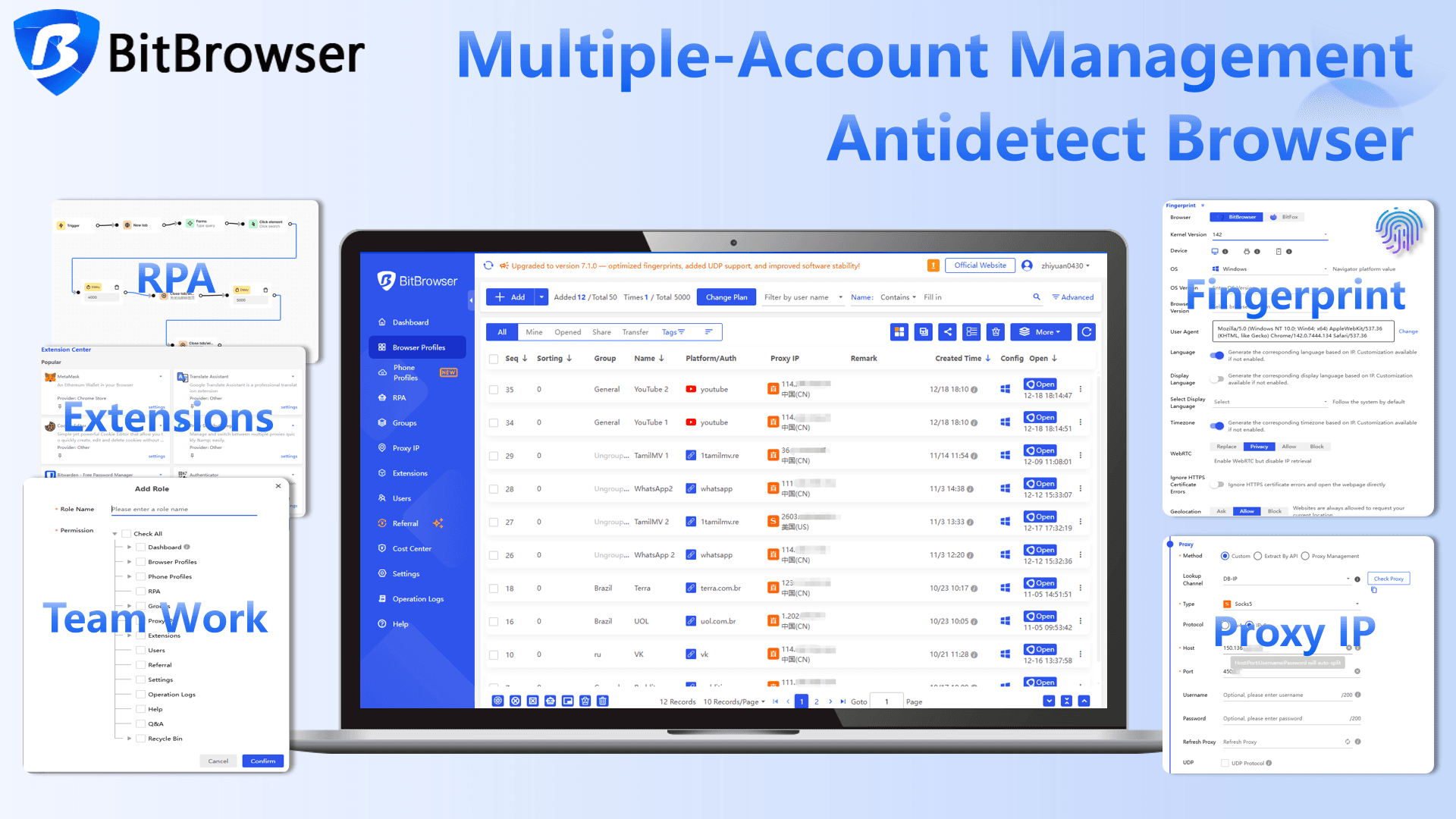
Instead of opening and managing multiple Pinterest accounts in the same browser or constantly logging in and out, BitBrowser lets you run each account in its own separate browser window.
Each window works independently, with its own login status, history, and settings. It feels like you are using different browsers at the same time.
In simple terms, nothing gets mixed together. Each account stays consistent, which makes it easier to test different pin ideas without everything becoming confusing.
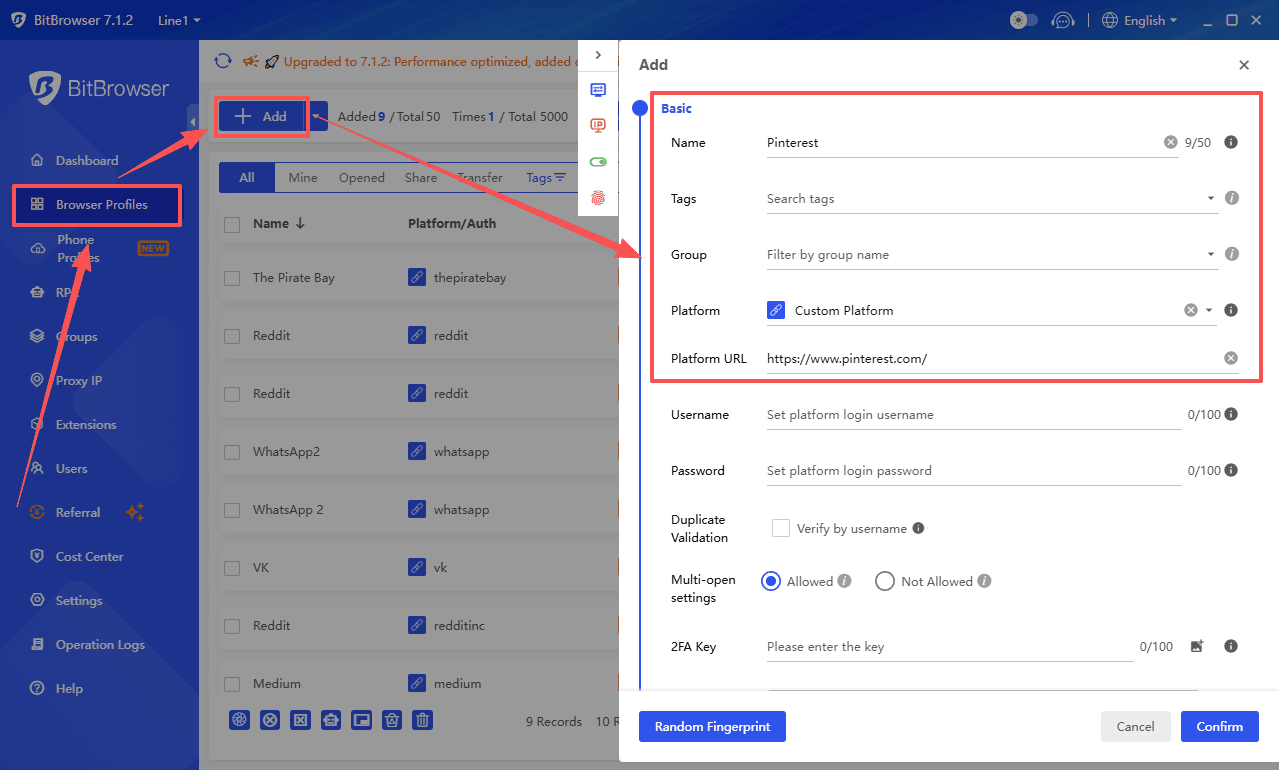
But beyond just separating accounts, what really makes it useful is how it helps when you start scaling. It comes with a set of tools that make managing multiple accounts and workflows much easier as things grow.
Using proxies to reach better audiences
As you start managing more accounts, location starts to matter more.
Pinterest content can perform very differently depending on the audience. For example, traffic from regions like the US or Europe often has higher monetization potential.
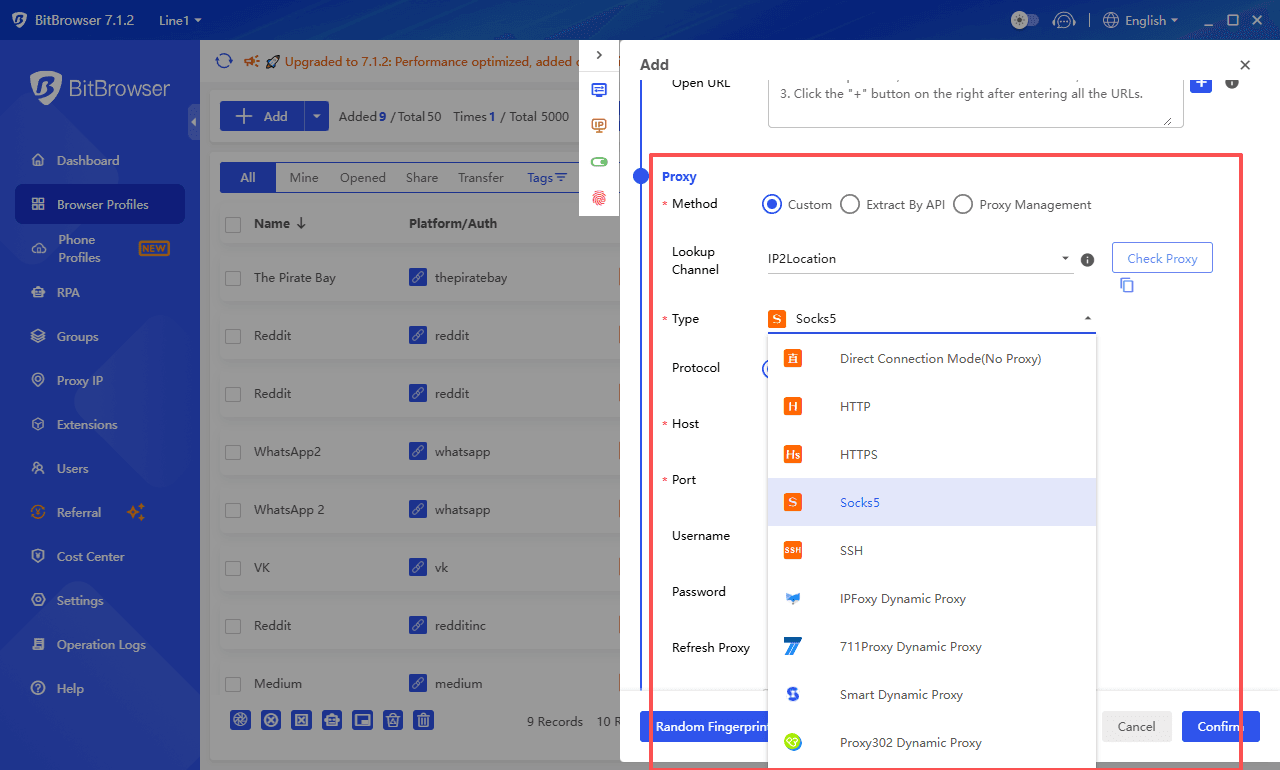
BitBrowser supports proxy integration, so you can assign different locations to different accounts. This allows each account to target a specific region without mixing signals.
In simple terms, you can test different markets and see which ones bring better results, not just more traffic, but more valuable traffic.
Automating repetitive work
As your Pinterest workflow grows, doing everything manually starts to take a lot of time.
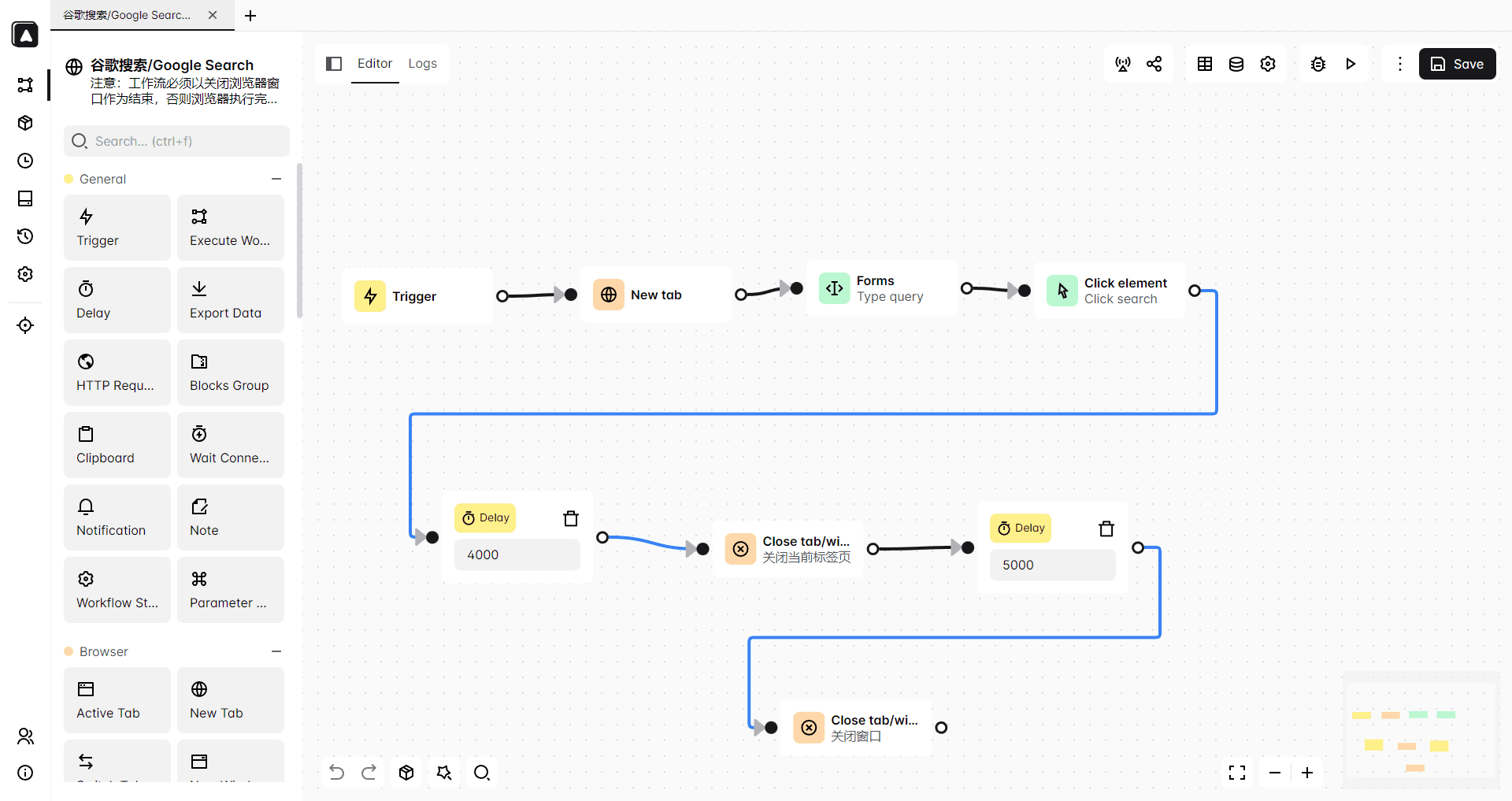
BitBrowser includes automation features that can handle repetitive tasks for you, like logging into accounts or repeating simple actions. This is especially helpful when you are posting multiple pins, testing different versions, or keeping a regular posting schedule.
Instead of doing the same steps over and over, you can save time and focus more on creating better content.
Keeping teamwork simple and organized
If you are working alone, this may not matter at first. But once you work with a team or manage client accounts, things can get messy quickly.
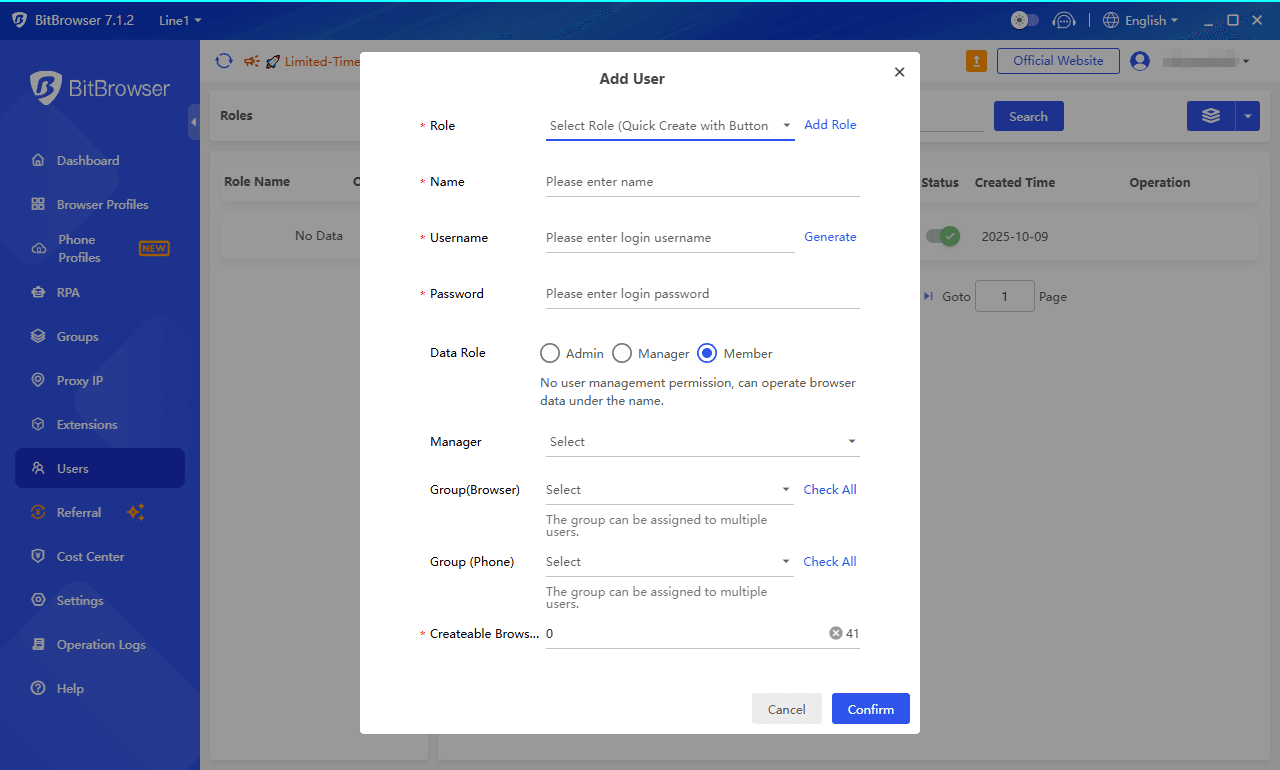
BitBrowser makes it easier to manage this by letting you assign accounts without sharing passwords or mixing everything together. Each person can work in a more organized way, whether they are creating pins, testing ideas, or managing accounts.
This helps avoid confusion and keeps the workflow much cleaner.
Get 10 browser profiles permanently free
Final thoughts
Pinterest growth in 2026 is mostly about staying consistent long enough for things to start working.
Most results don’t come from one viral pin, but from small improvements repeated over time, like better hooks, clearer keywords, and more focused testing.
Once your system is in place, it’s less about guessing and more about adjusting what already exists.

 Multi-Account Management
 Prevent Account Association
 Multi-Employee Management
Recommended
See More 



