How to Safely Manage 100+ Walmart Accounts Using BitBrowser
 2025.11.23 08:32
 petro
petroManaging multiple Walmart accounts is essential for scaling your cross-border e-commerce business, but it comes with risks. Walmart's strict account linkage detection system makes it difficult to run multiple stores without triggering a ban. Thankfully, BitBrowser offers a powerful solution to help you manage multiple accounts securely by isolating each one, preventing them from being flagged for account linking.
Here's how BitBrowser can help you avoid account bans while managing 100+ Walmart accounts:
1. What Is BitBrowser?
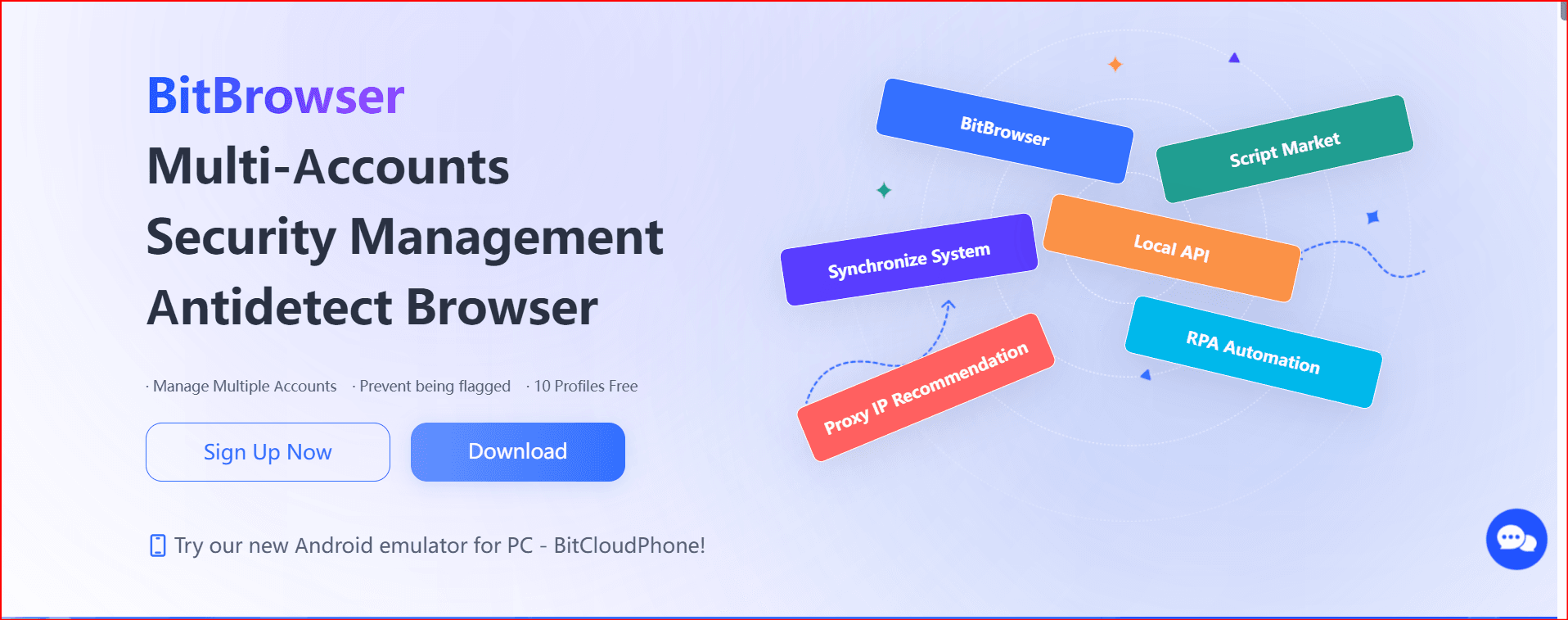
BitBrowser is a browser fingerprinting tool designed to create unique, isolated environments for each of your online accounts. By masking your digital footprint, BitBrowser ensures that Walmart cannot detect links between your accounts, reducing the risk of bans, frozen funds, or account suspensions. With BitBrowser, you can create independent, virtual browsers that mimic natural user behavior, keeping your accounts safe from Walmart’s sophisticated risk control system.
2. Key Features of BitBrowser for Walmart Multi-Account Management
Here’s how BitBrowser can help you securely manage your Walmart accounts:
✅ Fingerprint Isolation
Each Walmart account gets a unique browser fingerprint. This includes:
- User-Agent: Different for each account.
- Time Zone: Customized to match each account's geographical location.
- Fonts & Screen Resolution: Randomized for each account to avoid fingerprint overlap.
- WebGL & AudioContext: These hardware-based identifiers are masked to prevent cross-store tracking.
With these features, BitBrowser creates a unique, isolated browsing environment for each of your accounts, making it nearly impossible for Walmart’s detection system to link them.
✅ IP Management
BitBrowser integrates with dedicated proxy IPs to help you maintain local and consistent IP addresses for each account. This ensures that each Walmart store operates from a different IP, further reducing the risk of account linkage.
- Avoid using data center IPs (like those from AWS or Google Cloud), as these are often flagged by Walmart.
- Use static residential or mobile IPs to mimic real user behavior and reduce the chances of detection.
✅ Consistent Login Behavior
BitBrowser helps you maintain consistent login patterns across all your accounts. This means:
- Always logging in from the same virtual browser environment.
- Avoiding IP or device switching during login to ensure consistency.
- Maintaining natural browsing patterns (e.g., mouse movement, session times).
By simulating real user behavior, BitBrowser minimizes the chances of triggering Walmart’s behavioral analysis and cross-account checks.
3. How to Use BitBrowser for Walmart Account Isolation
Step 1: Install and Set Up BitBrowser
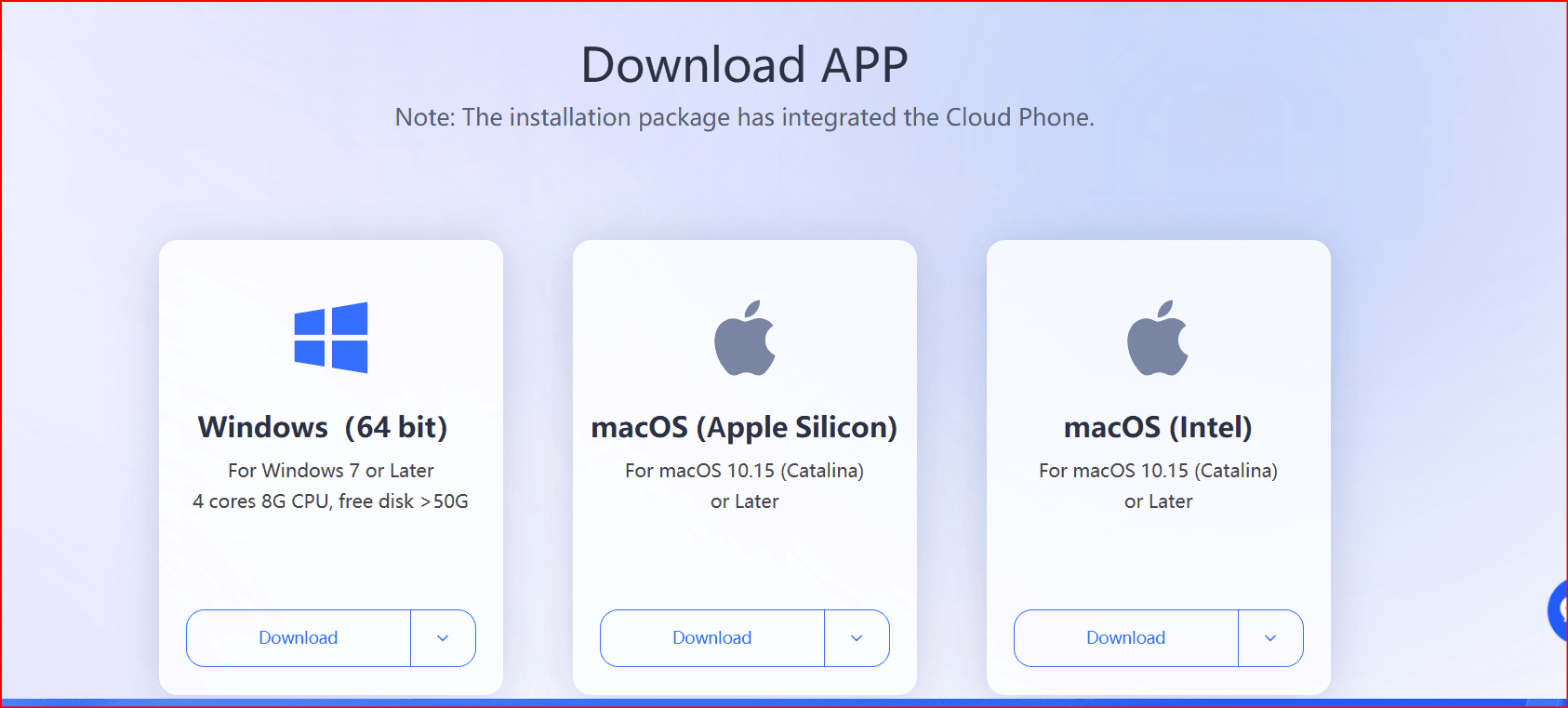
Download and install BitBrowser on your device. The installation process is straightforward, and once installed, you can create multiple user profiles, each with its own isolated environment.
Step 2: Create Individual Profiles for Each Walmart Account
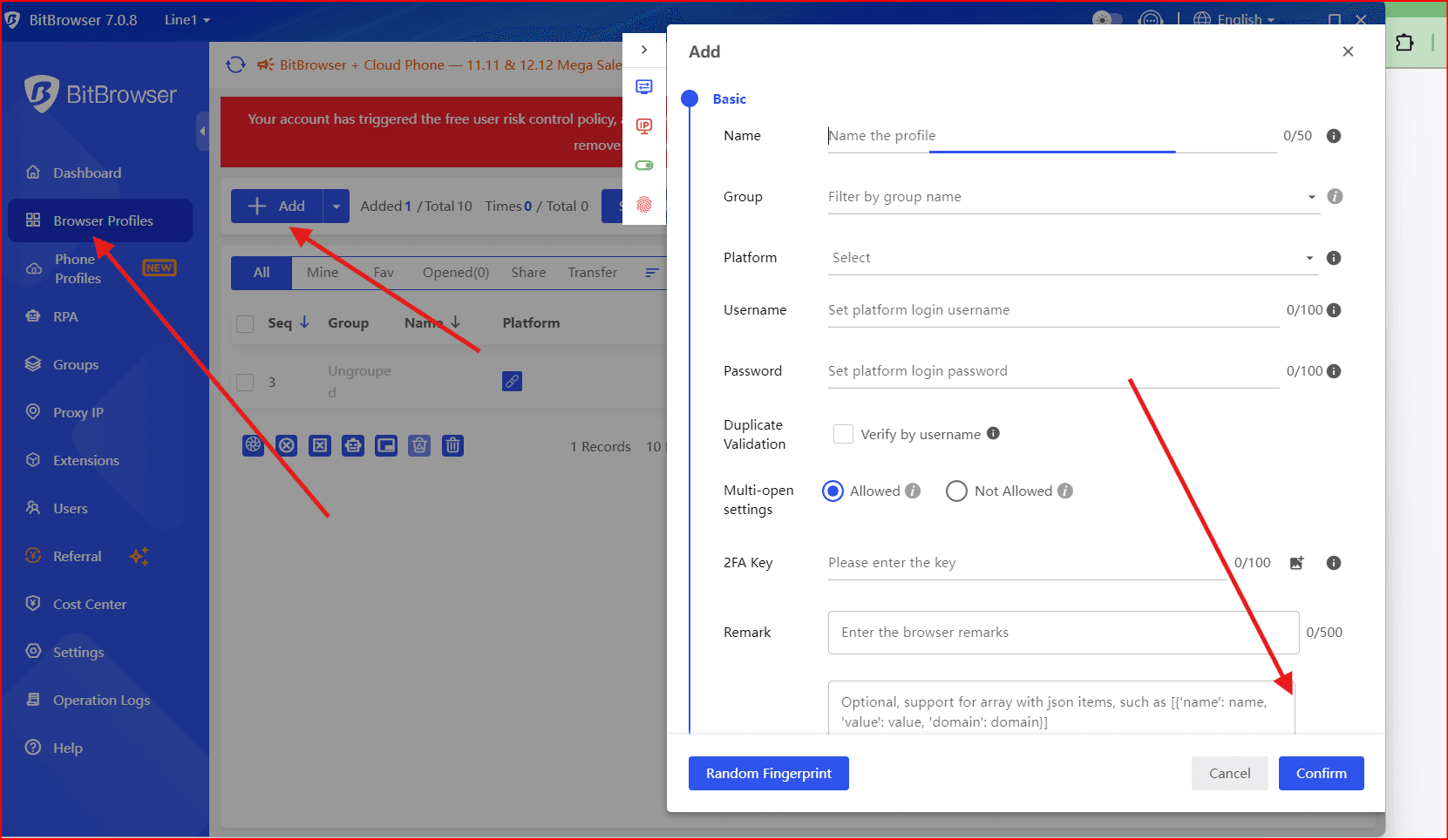
- Create a new profile for each Walmart store you’re managing. This profile will include a unique browser fingerprint, IP address, and device settings.
You can adjust settings like screen resolution, user-agent strings, and geolocation to ensure each account appears to be operated by a separate user from different locations.
Step 3: Set Up Dedicated Proxy IPs for Each Profile
- For each profile, set up a dedicated proxy IP. This allows you to assign a fixed, local IP address to each Walmart account.
- You can use static residential proxies or mobile IPs to make sure your IP addresses remain consistent, avoiding the use of high-risk data center IPs that Walmart can easily flag. and you try with best provaider on 2025 insocks
Step 4: Use Consistent Browsing Behavior
- Always log in to each Walmart account using the same profile and proxy IP to avoid Walmart detecting inconsistencies.
- Avoid logging into multiple accounts from the same browser or device. With BitBrowser, each account has its own isolated environment, so you won’t accidentally mix up logins.
Step 5: Automate Account Management (Optional)
- For bulk management of accounts, you can integrate BitBrowser with automation tools. This can help you perform routine tasks like price adjustments or product uploads without triggering risk alerts from Walmart.
- Ensure that automation actions mimic real human behavior to prevent detection. This includes actions like browsing patterns, mouse movements, and session times.
4. Additional Tips for Using BitBrowser with Walmart Accounts
- Avoid Mass Actions: When managing multiple Walmart accounts, avoid making drastic changes (like bulk uploads or price changes) across all accounts at once. Perform actions gradually to minimize the risk of being flagged for suspicious activity.
- Use Different Payment Methods: Always ensure that each Walmart account uses unique payment methods (e.g., different PayPal or Payoneer accounts) to avoid being linked.
- Match IP Location with Account Registration: When registering accounts, make sure the IP location matches the store’s registration address (e.g., use a U.S. IP for U.S.-registered accounts).
5. Why BitBrowser is the Best Choice for Walmart Multi-Account Management
BitBrowser is designed to provide maximum security and account isolation—two critical factors in preventing account bans on platforms like Walmart. Here’s why BitBrowser stands out:
- Advanced Fingerprinting: Unlike other tools, BitBrowser ensures that every detail of your browser’s fingerprint is completely unique, making it nearly impossible for Walmart’s detection systems to link your accounts.
- Proxy IP Support: BitBrowser seamlessly integrates with high-quality proxy IP services, allowing for localized and consistent IP use per account.
- Easy Account Management: BitBrowser simplifies managing multiple accounts by creating isolated profiles that require minimal manual intervention. This reduces the chances of mistakes that could lead to account linking.
6. Conclusion
Managing 100+ Walmart accounts safely requires more than just good intentions—it requires the right tools. BitBrowser offers the best solution to avoid account linking and bans by providing unique, isolated environments for each of your accounts. With fingerprint masking, dedicated proxy IPs, and consistent login behavior, you can scale your Walmart operations confidently and securely.
Get started with BitBrowser today and ensure that your multi-account strategy remains safe and effective in 2025 and beyond.