How to Use BitBrowser for Social Media Account Management (Step-by-Step Guide)
 2026.02.28 04:38
 petro
petroIntroduction
Managing multiple social media accounts—whether for agencies, brands, or clients—requires structure, organization, and security. Switching between accounts in the same browser can cause session conflicts, accidental logouts, and operational mistakes.
This is where browser profile management tools like BitBrowser can help.
In this guide, you’ll learn:
- What BitBrowser is
- Why agencies use browser isolation
- How to set up profiles correctly
- How to manage multiple social media accounts professionally
- Best practices for secure account management
What Is BitBrowser?
BitBrowser is a browser profile management tool that allows users to create separate browsing environments.
Each profile has its own:
- Cookies
- Cache
- Local storage
- Session data
- Browser fingerprint configuration
This helps keep accounts isolated and organized.
Why Social Media Managers Use Browser Profile Tools
Agencies and professionals often manage:
- Multiple Instagram pages
- TikTok brand accounts
- Facebook Business Managers
- Client advertising accounts
- Regional social media pages
Without separation, problems can occur:
- Cross-login confusion
- Accidental posting on wrong accounts
- Security flags due to inconsistent behavior
- Session overlap
Structured isolation improves workflow clarity.
How to Use BitBrowser for Multi-Account Management (Step-by-Step)
Step 1: Install BitBrowser
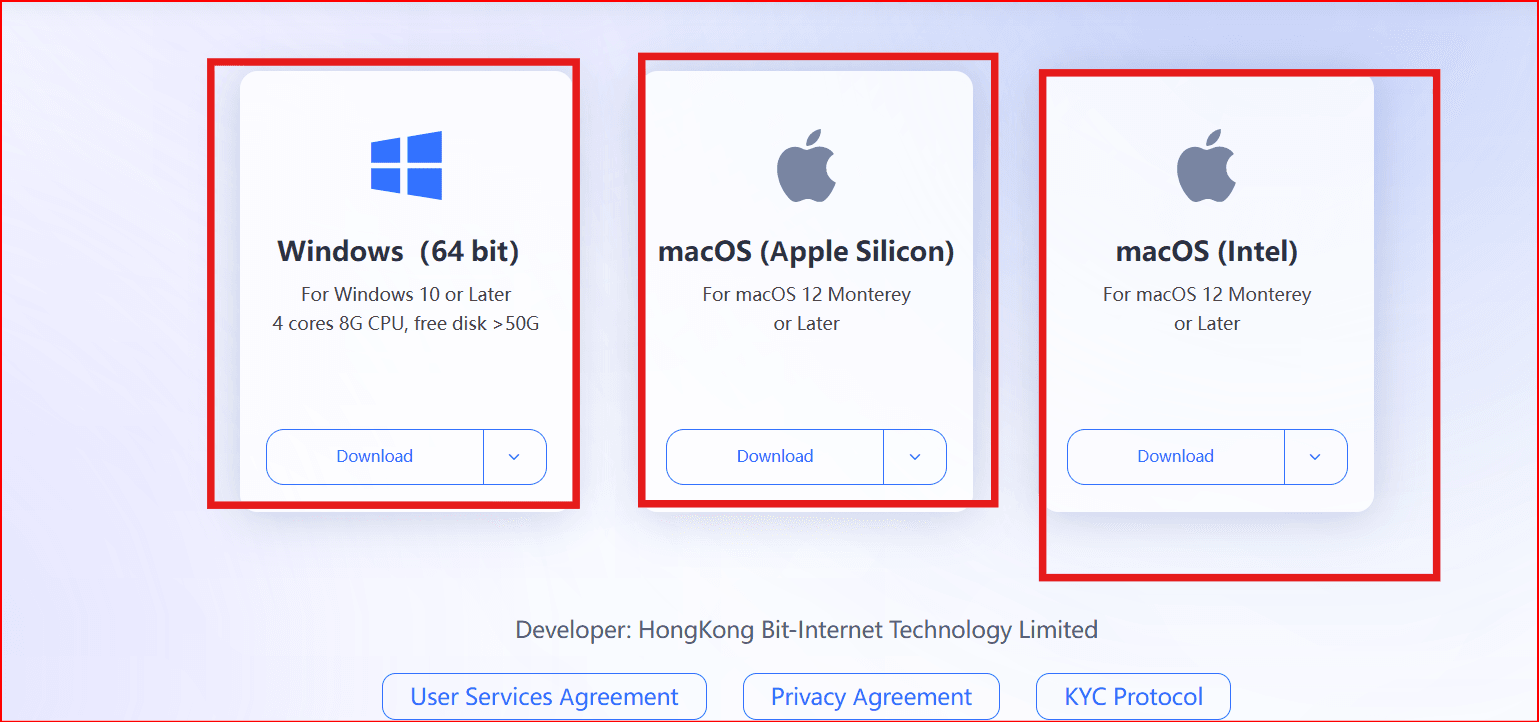
Download and install BitBrowser from the official website.
Once installed:
Create your main account
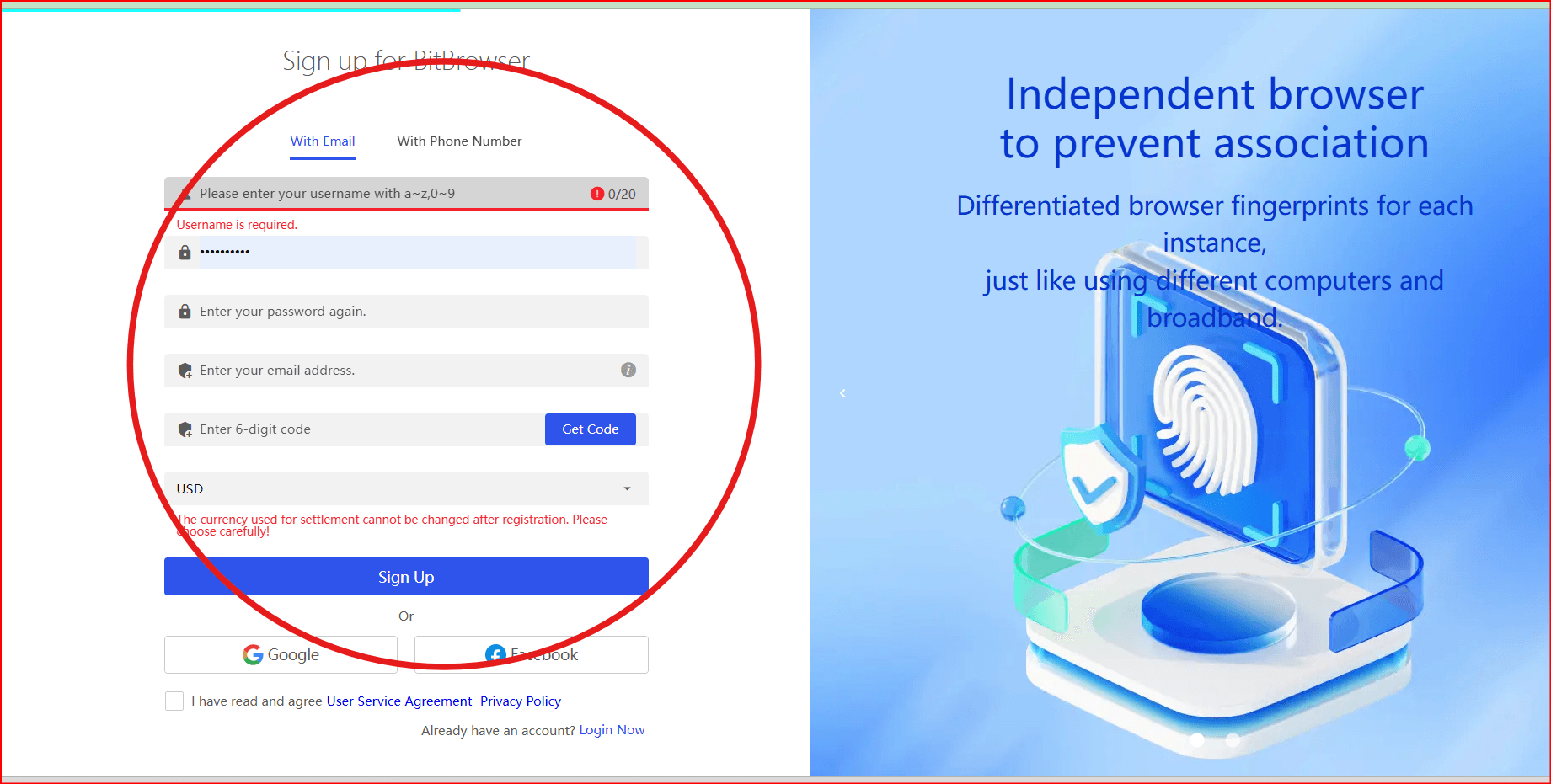
- Access the dashboard
- Familiarize yourself with profile creation
Step 2: Create a Separate Profile for Each Account
Inside the dashboard:
Click “Create Profile”
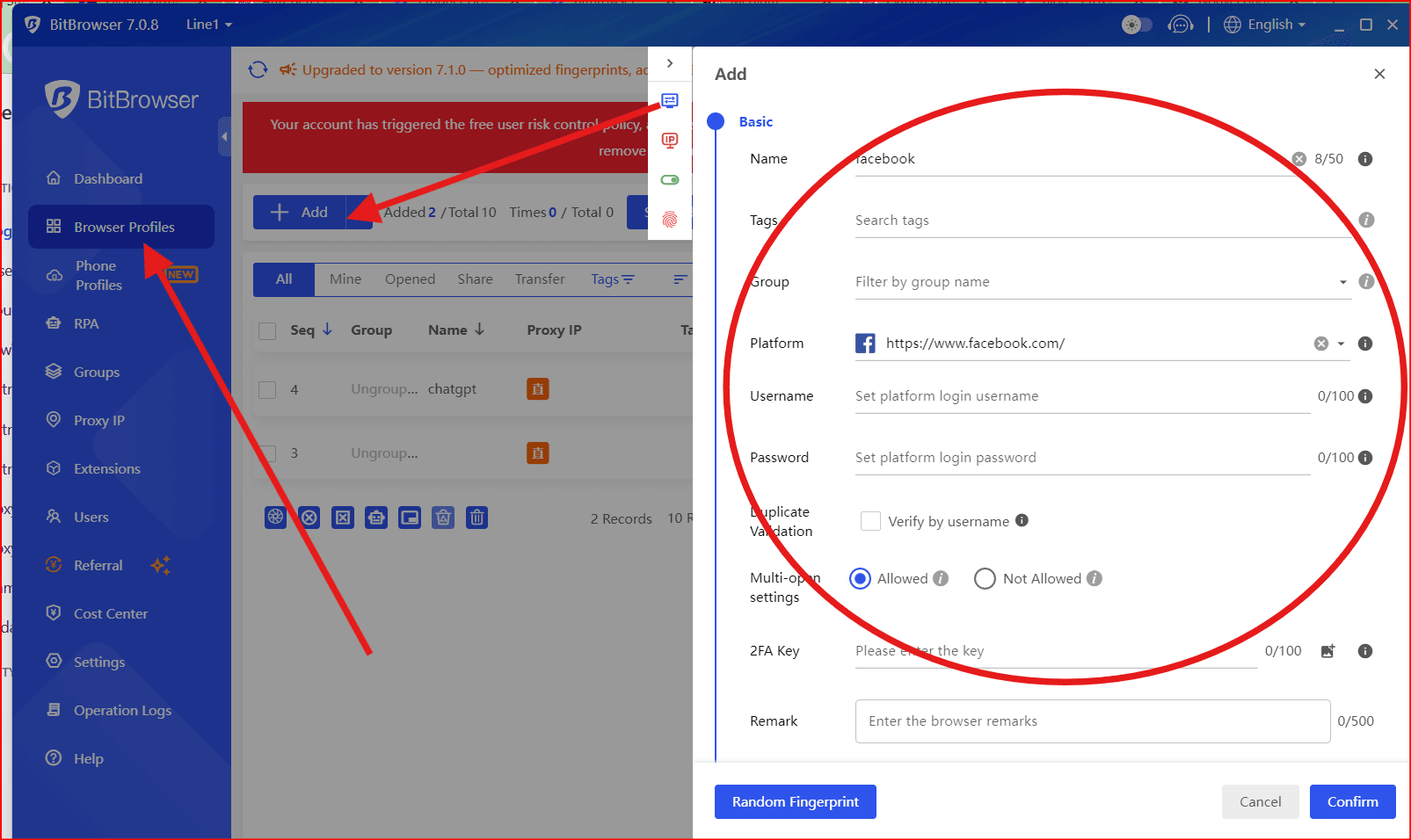
- Name it clearly (Example: “Instagram – Client A”)
- Configure settings
- Save
Best practice:
One profile per social media account
Do not mix multiple accounts in one profile
Step 3: Assign a Dedicated Proxy (Optional)
For agencies managing accounts in different regions, you may configure:
- Residential proxies
- Mobile proxies
- Static IPs
Important:
Always ensure usage complies with platform policies.
Consistency matters. Avoid frequent IP switching. and you find all provaiders her
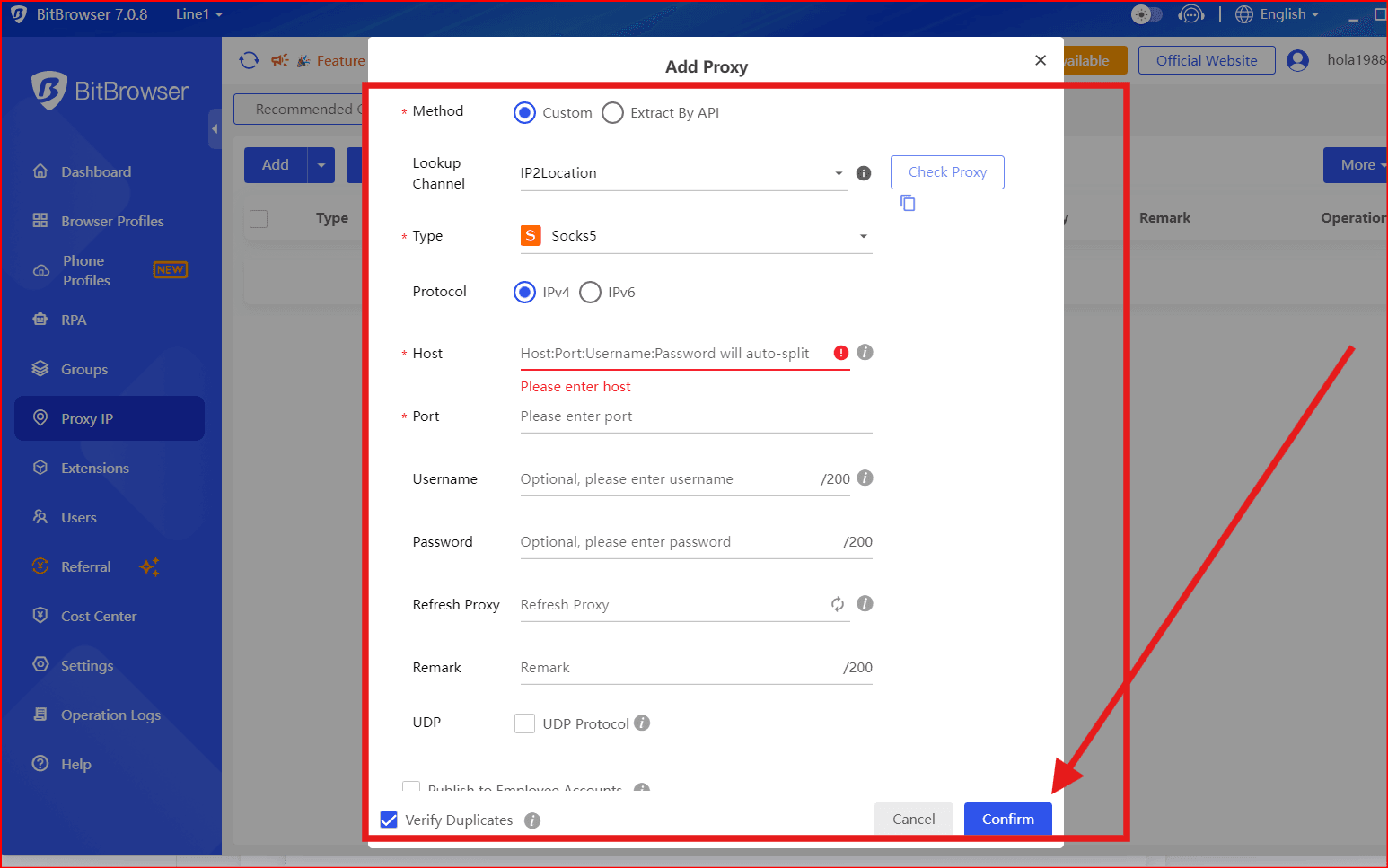
Step 4: Organize Profiles by Client or Platform
Good structure example:
Client A
– Instagram
– TikTok
– Facebook Ads
Client B
– Instagram
– YouTube
– Business Manager
This prevents operational mistakes.
Step 5: Enable Security Layers
Even when using BitBrowser:
- Enable 2FA on all accounts
- Use strong password managers
- Limit team access
- Audit access regularly
Browser tools improve organization — they do not replace security.
Best Practices for Managing Multiple Social Media Accounts
Maintain Consistent Login Behavior
Platforms monitor:
- Device consistency
- IP consistency
- Login frequency
- Behavioral signals
Avoid sudden changes that may trigger reviews.
Assign Clear Team Roles
If you run an agency:
- Assign profiles to specific team members
- Avoid sharing master credentials
- Use platform role permissions
Structure reduces risk.
Document Workflw
Create internal rules like:
- Never log into two client accounts in the same profile
- Always close sessions after use
- Keep profile naming consistent
Operational discipline is key.
When Should You Use BitBrowser?
BitBrowser can help when:
✔ You manage multiple brand accounts
✔ You run a marketing agency
✔ You test regional content
✔ You want organized session separation
It is designed for workflow management — not bypassing restrictions.
Compliance Reminder
Before managing multiple accounts:
- Read the platform’s Terms of Service
- Ensure accounts are authorized
- Avoid creating duplicate accounts that violate policies
Tools should support professional organization, not policy evasion.
Final Thoughts
Managing multiple social media accounts requires:
- Structure
- Security
- Consistency
- Clear workflow systems
BitBrowser can help professionals create isolated environments for better organization and reduced session conflicts.

 Multi-Account Management
 Prevent Account Association
 Multi-Employee Management
Recommended
See More 



