How to Use BitCloudPC for Multiple Amazon Seller Accounts
 2026.09.24 06:26
 YT.Shi
Managing multiple Amazon seller accounts can become difficult when everything runs on the same computer. Different stores may need different files, software, browser sessions, and network settings, and switching between them can quickly make your work environment messy.
BitCloudPC gives you a separate Windows environment for each CloudPC, allowing you to organize different Amazon seller accounts in separate environments. You can configure the hardware, storage, bandwidth, and network settings for each CloudPC and access your work remotely whenever you need it.
Why Use Separate Environments for Multiple Amazon Seller Accounts?
Running several Amazon stores from one physical computer is possible, but keeping everything organized can become difficult. Files from different stores can end up in the same folders, software configurations can overlap, and switching between different work environments can take extra time.
A separate CloudPC gives each Amazon operation its own Windows environment. You can assign different CloudPCs to different stores, brands, or business projects.
For example:
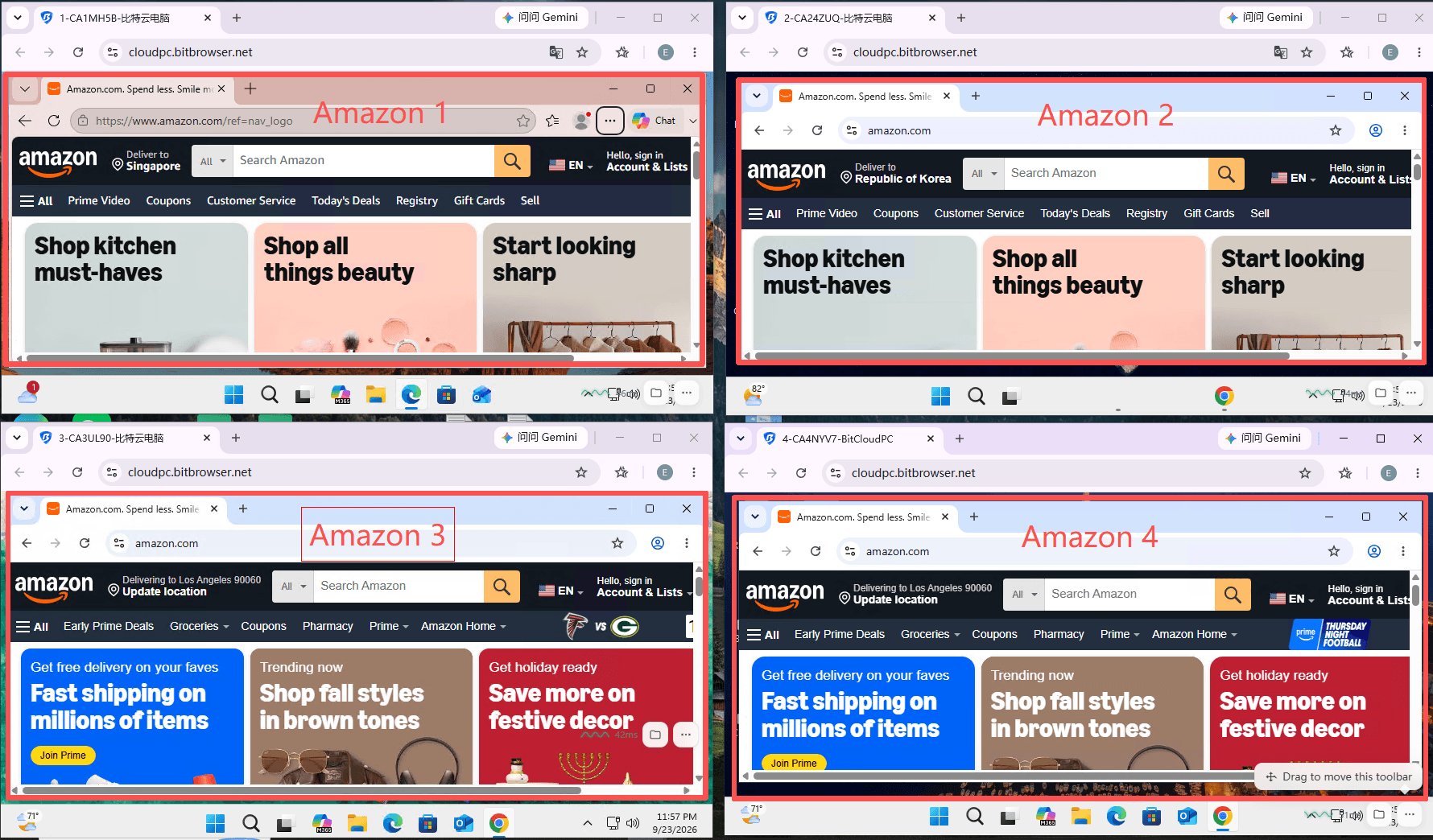
▸ CloudPC 1: Amazon Store A
▸ CloudPC 2: Amazon Store B
▸ CloudPC 3: Amazon Store C
▸ CloudPC 4: Amazon Store D
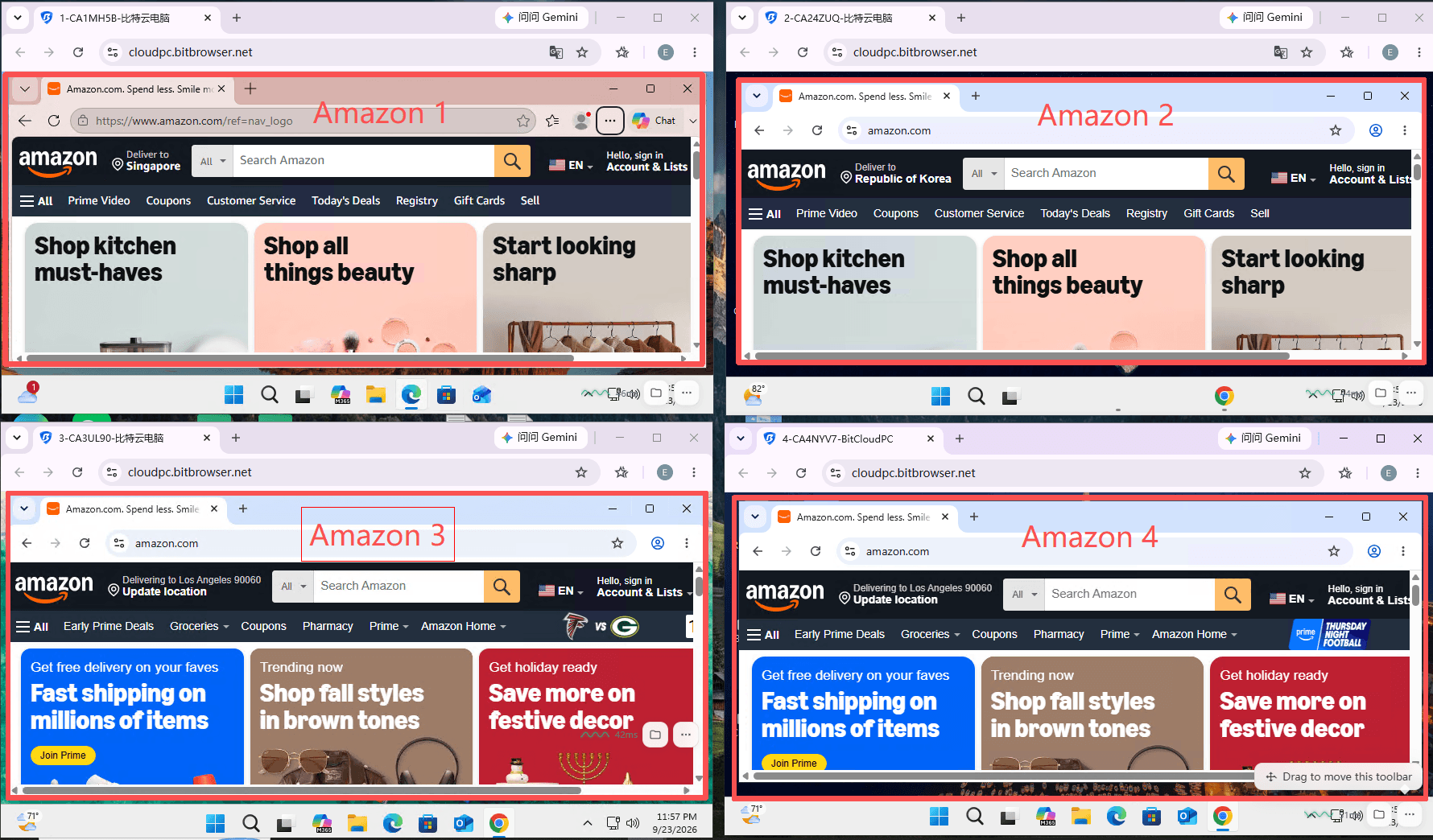
Each CloudPC has its own Windows environment, storage, installed applications, and network configuration. You can therefore keep the daily work for each store in a clearly separated environment instead of maintaining several physical computers.
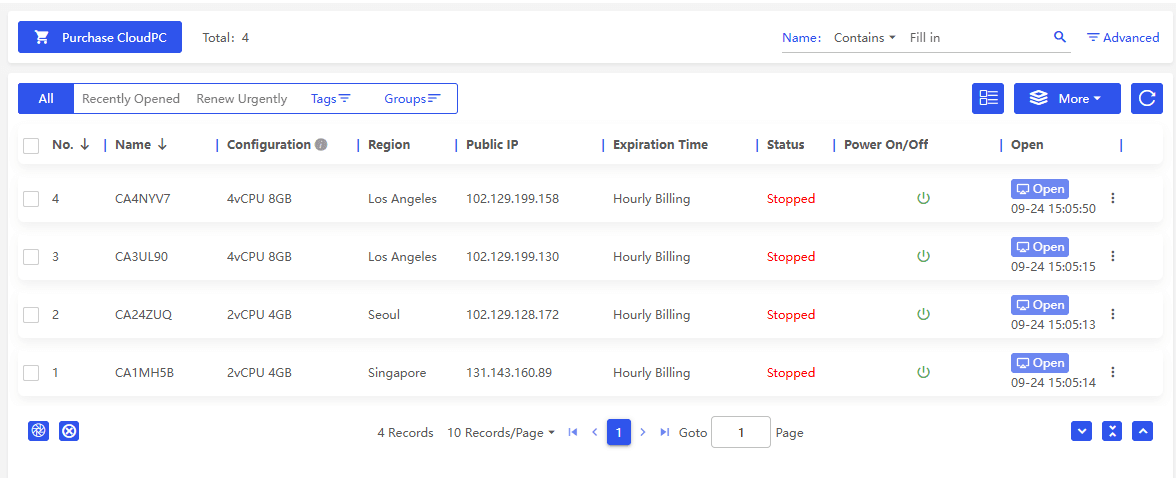
This setup can be particularly useful when different stores belong to different brands, businesses, or projects and need to be managed separately.
How BitCloudPC Works for Multiple Amazon Accounts
BitCloudPC works at the PC environment level. Every CloudPC provides an independent Windows environment with its own CPU, RAM, storage, operating system, installed software, and network configuration.
This means you are not simply creating several browser profiles on the same computer. Instead, each Amazon operation can have its own complete Windows environment.
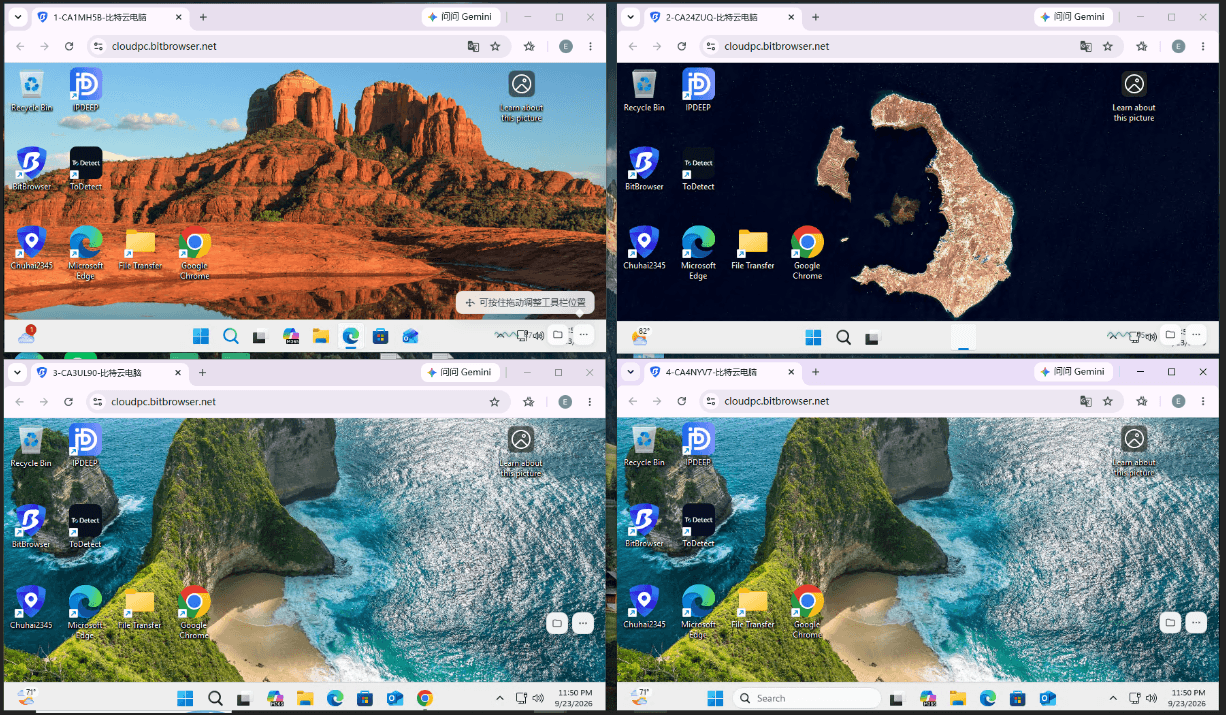
For example, you can set up one CloudPC for Store A and install the software, save the files, and configure the network needed for that store. Another CloudPC can have a different setup for Store B.
Network settings can also be configured separately. BitCloudPC supports options such as Free Data Center IP, Native Residential IP, and custom proxy IP, depending on the available configuration and your workflow.
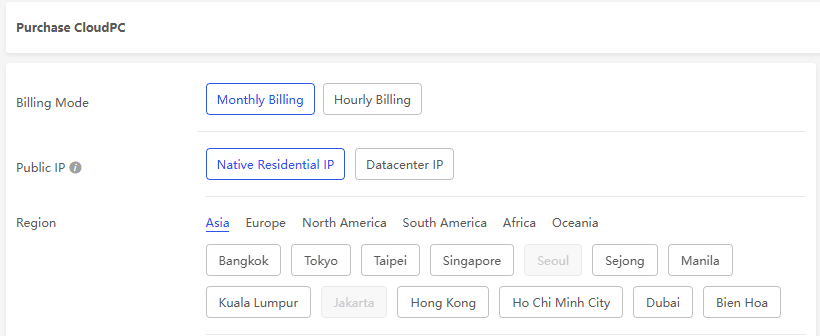
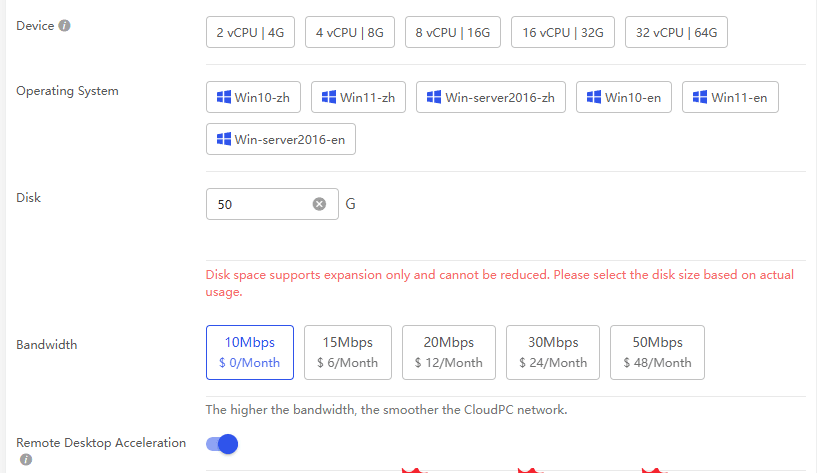
You can also choose the hardware configuration based on the workload. A CloudPC used for heavier multitasking, data processing, or multiple applications can be configured with more CPU and RAM, while a lighter workload may require less.
The result is a more organized multi-account setup where each Amazon operation has a dedicated computing environment without requiring a separate physical computer.
Get the Latest BitCloudPC Coupon Code
Managing Amazon Seller Work on BitCloudPC
Once your CloudPCs are ready, you can use them for the everyday work involved in managing Amazon stores.
▸ Seller Central: Manage products, orders, inventory, reports, and other store operations.
▸ Advertising: Manage campaigns, review advertising reports, and work with keyword data.
▸ Product research: Use research tools, spreadsheets, and other applications needed for product analysis.
▸ Store management: Keep the files, applications, and working materials for each Amazon operation in its own environment.
The main benefit is organization. Instead of keeping several stores, their files, and their software on one Windows installation, you can dedicate a CloudPC to each operation.
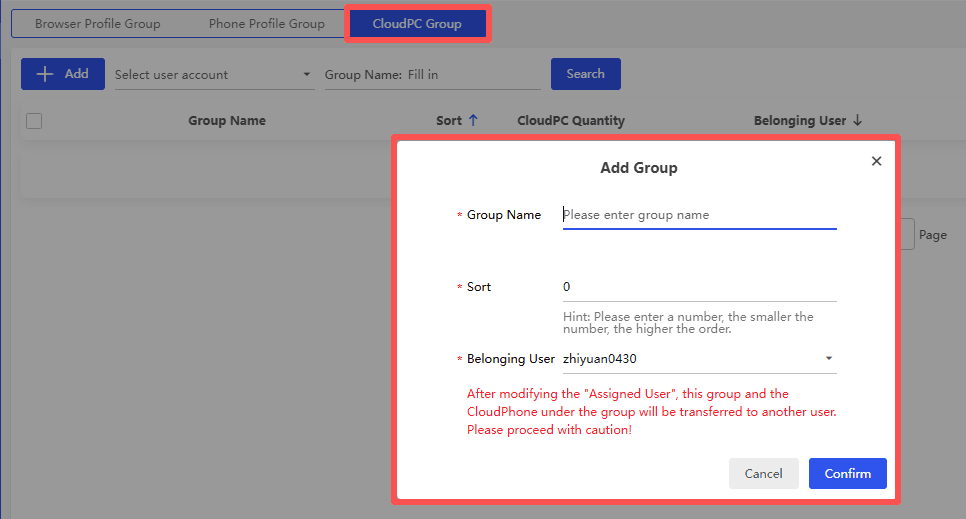
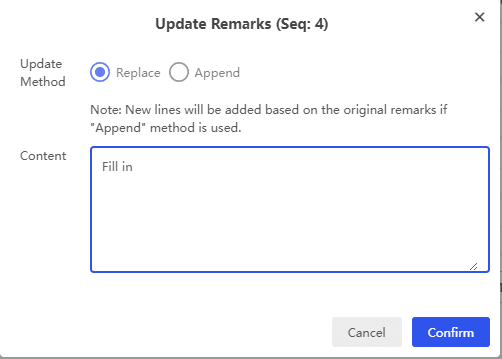
If you manage several CloudPCs yourself, Groups and Tags can make them easier to identify. You could group CloudPCs by Amazon marketplace, brand, or business project and use tags to identify individual stores.
Explore More BitCloudPC Features
How to Set Up BitCloudPC for Multiple Amazon Seller Accounts
Setting up BitCloudPC for multiple Amazon seller accounts does not require a complicated process. You can create an environment for each operation and configure it according to your actual workload.
1. Purchase a CloudPC
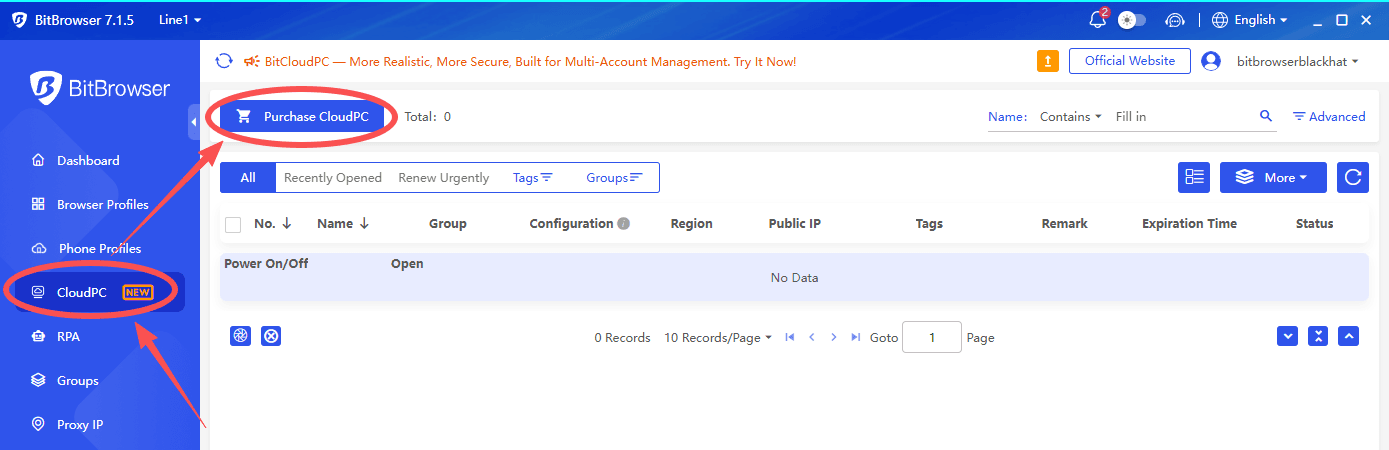
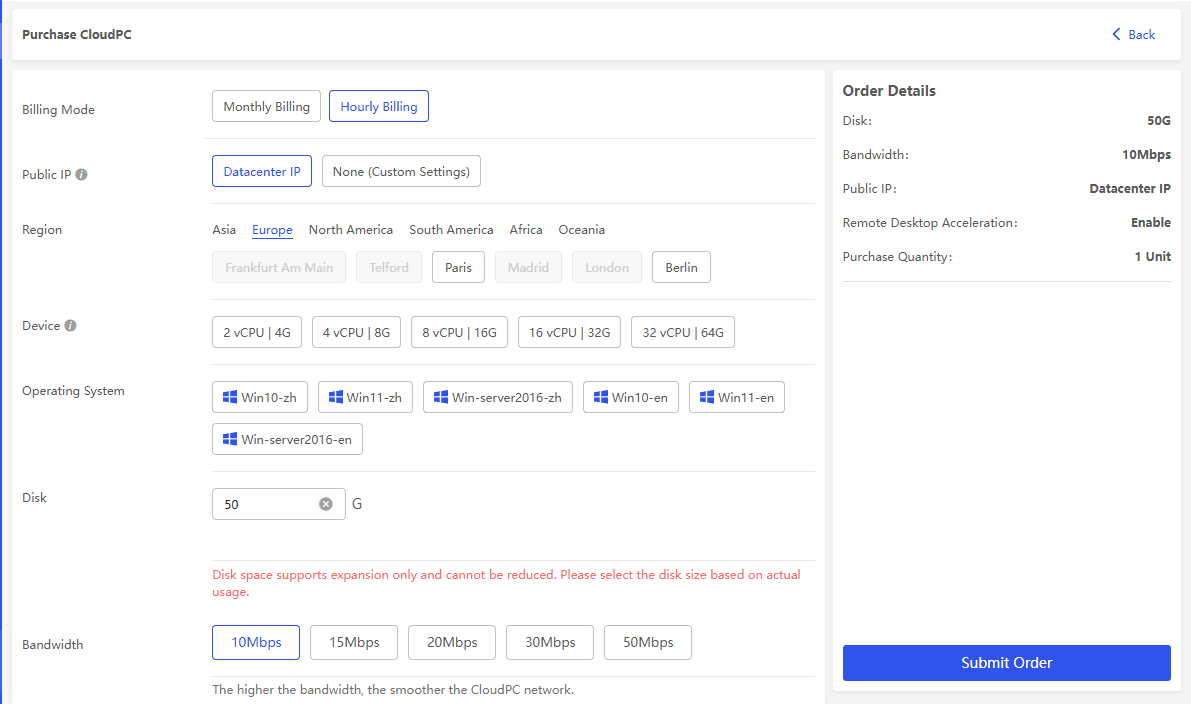
Download the BitCloudPC client and go to CloudPC → Purchase CloudPC. Choose your billing method and configure the CloudPC based on the work you plan to do.
For common Amazon seller workloads, 4 vCPU and 8 GB RAM is a practical starting configuration. Storage options range from 50 GB to 200 GB, while bandwidth options range from 10 Mbps to 50 Mbps.
2. Choose the Network Configuration
Choose the network option that fits your actual business setup. BitCloudPC provides options including Free Data Center IP, Native Residential IP, and custom proxy IP.
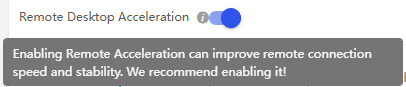
You can also use Remote Desktop Acceleration to improve the remote connection experience. The appropriate network configuration depends on your workflow and should be used in accordance with Amazon's policies.
3. Connect to the CloudPC
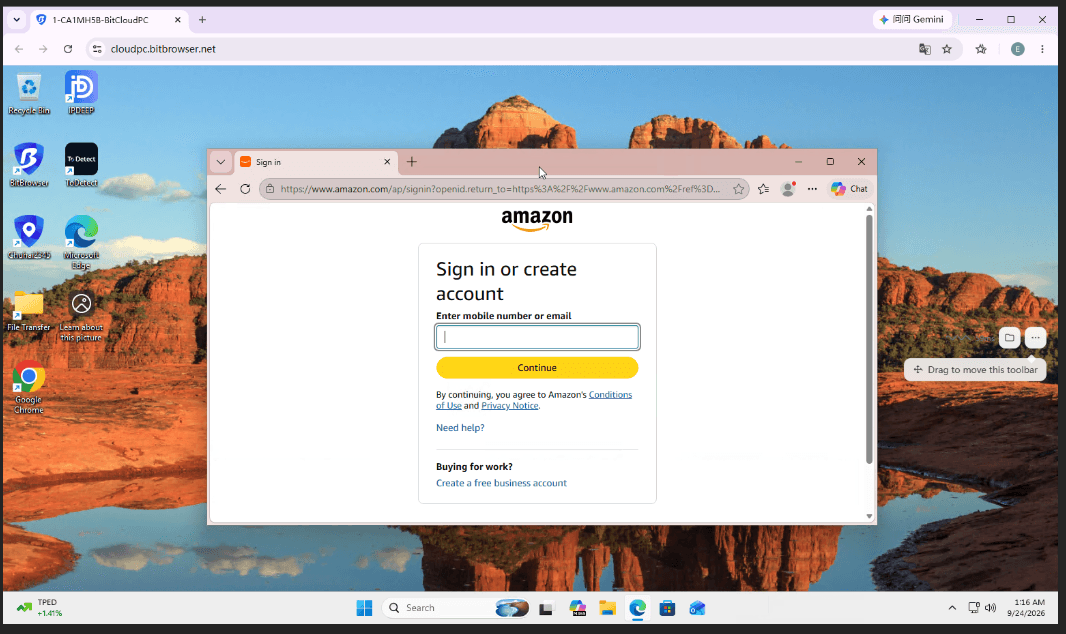
Once the CloudPC is ready, connect through the BitCloudPC client or Remote Desktop. You will then have access to an independent Windows environment for that Amazon operation.
4. Set Up the Work Environment
Install the browser, Amazon-related tools, spreadsheets, automation software, and other applications required for the specific store. Keep the files and working materials associated with that account in the same environment.
You can then repeat the same process for other Amazon seller accounts by creating additional CloudPCs.
BitCloudPC and BitBrowser: What's the Difference?
BitCloudPC and BitBrowser can both be useful for multi-account operations, but they work at different levels.
▸ BitCloudPC provides PC-level environment isolation. Each CloudPC has its own Windows system, storage, installed applications, hardware configuration, and network settings.
▸ BitBrowser provides browser-level environment isolation. Its browser profiles can separately manage cookies, local storage, browser fingerprints, and proxy settings.
The two products therefore serve different purposes.
● BitCloudPC: Separate Windows environments for different Amazon operations.
● BitBrowser: Separate browser profiles with independent browser data and settings.
Manage Multiple Amazon Stores with BitBrowser
Summary
Managing multiple Amazon seller accounts does not necessarily mean maintaining a separate physical computer for every store. BitCloudPC allows you to create separate Windows environments and assign them to different Amazon operations.
Each CloudPC can have its own hardware configuration, storage, software, and network settings. You can also organize multiple environments with Groups and Tags and access them remotely when needed.
For sellers managing multiple stores, brands, or e-commerce projects, this provides a practical way to keep different operations organized in separate computing environments.
FAQ
1. Can I use BitCloudPC for multiple Amazon seller accounts?
Yes. You can create separate CloudPCs and assign each one to a different Amazon store, brand, or business operation. Each CloudPC provides its own Windows environment, storage, applications, and network configuration.
2. Does each Amazon account need a separate CloudPC?
Not necessarily. The number of CloudPCs you need depends on how you organize your work and the requirements of your business. You can use separate CloudPCs when different stores need independent Windows environments, software, files, or network configurations.
3. Can I configure different network settings for each CloudPC?
Yes. BitCloudPC supports different network options, including Free Data Center IP, Native Residential IP, and custom proxy IP. You can configure the network separately for each CloudPC based on your workflow.
4. What is the difference between BitCloudPC and BitBrowser?
BitCloudPC provides separate Windows environments, while BitBrowser provides separate browser profiles. Each is designed for a different level of environment management.
5. What BitCloudPC configuration is recommended for Amazon sellers?
For common Amazon seller workloads, 4 vCPU and 8 GB RAM is a practical starting point. You can adjust the CPU, RAM, storage, and bandwidth based on the applications and workload running on each CloudPC.

 Multi-Account Management
 Prevent Account Association
 Multi-Employee Management
Recommended
See More 



