How to Warm Up X (Twitter) Accounts Safely (2026 Guide)
 2026.04.29 04:52
 petro
petroIf you’ve ever created a new X (Twitter) account and started posting immediately, you’ve probably seen this:
The account gets limited, flagged, or even suspended.
That’s because new accounts have:
- No history
- No trust signals
- No behavioral consistency
Warming up an account is essential—but most people do it wrong.
This guide explains what actually matters in 2026 and how to do it safely.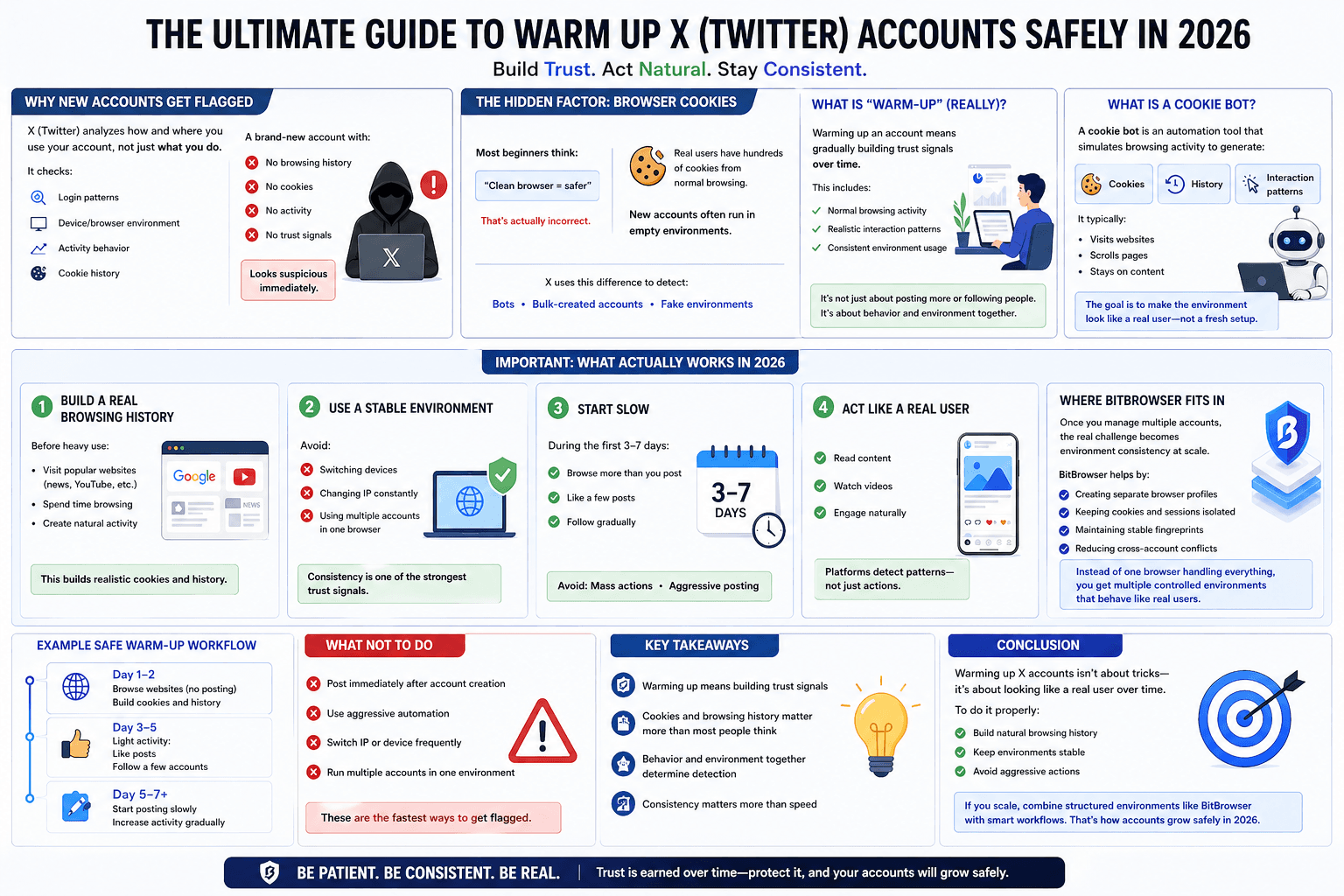
Why New X Accounts Get Flagged
X doesn’t just look at what you do—it looks at how and where you do it.
Platforms analyze:
- Login patterns
- Device/browser environment
- Activity behavior
- Cookie history
A brand-new account with:
- No browsing history
- No cookies
- No activity
Looks suspicious immediately.
The Hidden Factor: Browser Cookies
Most beginners think:
“Clean browser = safer”
That’s actually incorrect.
- Real users have hundreds of cookies from normal browsing
- New accounts often run in empty environments
X uses this difference to detect:
- Bots
- Bulk-created accounts
- Fake environments
What Is “Warm-Up” (Really)?
Warming up an account means gradually building trust signals over time.
This includes:
- Normal browsing activity
- Realistic interaction patterns
- Consistent environment usage
It’s not just about posting more or following people.
It’s about behavior and environment together.
What Is a Cookie Bot?
A cookie bot is an automation tool that simulates browsing activity to generate:
- Cookies
- History
- Interaction patterns
It typically:
- Visits websites
- Scrolls pages
- Stays on content
- Builds realistic browser data
The goal is to make the environment look like a real user—not a fresh setup.
Important: What Actually Works in 2026
Instead of relying blindly on automation, focus on these safe principles:
1. Build a Real Browsing History
Before heavy use:
- Visit popular websites (news, YouTube, etc.)
- Spend time browsing
- Create natural activity
This builds realistic cookies and history.
2. Use a Stable Environment
Avoid:
- Switching devices
- Changing IP constantly
- Using multiple accounts in one browser
Consistency is one of the strongest trust signals.
3. Start Slow
During the first 3–7 days:
- Browse more than you post
- Like a few posts
- Follow gradually
Avoid:
- Mass actions
- Aggressive posting
4. Act Like a Real User
- Read content
- Watch videos
- Engage naturally
Platforms detect patterns—not just actions.
Where BitBrowser Fits In
Once you manage multiple accounts, the real challenge becomes environment consistency at scale.
BitBrowser helps by:
- Creating separate browser profiles
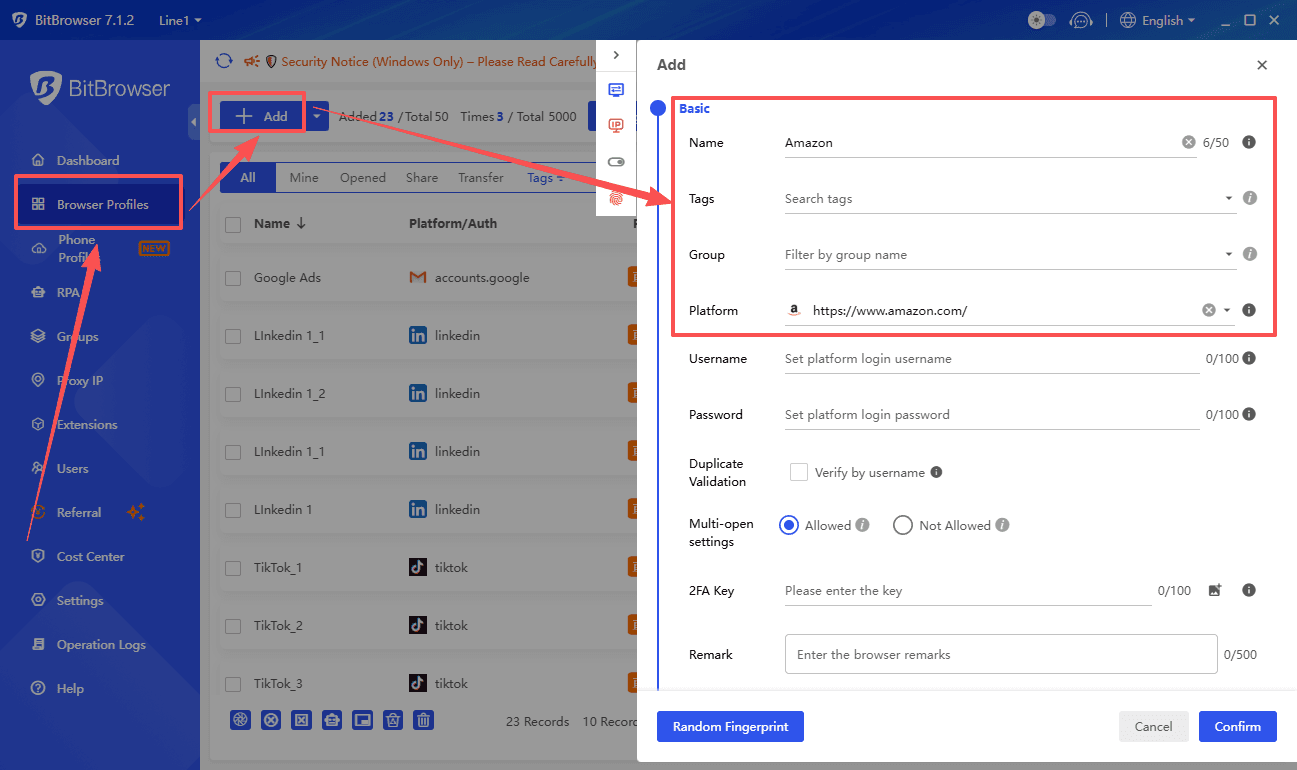
- Keeping cookies and sessions isolated
- Maintaining stable fingerprints
- Reducing cross-account conflicts
Instead of one browser handling everything, you get multiple controlled environments that behave like real users.
Example Safe Warm-Up Workflow
Day 1–2
- Browse websites (no posting)
- Build cookies and history
Day 3–5
- Light activity:
- Like posts
- Follow a few accounts
Day 5–7+
- Start posting slowly
- Increase activity gradually
What NOT to Do
- Post immediately after account creation
- Use aggressive automation
- Switch IP or device frequently
- Run multiple accounts in one environment
These are the fastest ways to get flagged.
Key Takeaways
- Warming up means building trust signals
- Cookies and browsing history matter more than most people think
- Behavior and environment together determine detection
- Consistency matters more than speed
Conclusion
Warming up X accounts isn’t about tricks—it’s about looking like a real user over time.
To do it properly:
- Build natural browsing history
- Keep environments stable
- Avoid aggressive actions
If you scale, combine structured environments like BitBrowser with smart workflows.
That’s how accounts grow safely in 2026.

 Multi-Account Management
 Prevent Account Association
 Multi-Employee Management
Recommended
See More 



