Premium Rotating Residential Proxies for BitBrowser | IP2World
 2026.01.28 05:16
 petro
petroIn today’s digital environment, managing multiple accounts, ensuring anonymity, and maintaining stable connections are more important than ever. IP2World offers premium proxy solutions that seamlessly integrate with BitBrowser, helping you scale safely, efficiently, and at a lower cost.
Why Choose IP2World? ?
IP2World provides a wide range of high-quality IP solutions designed for professionals, marketers, e-commerce sellers, and automation users.
Premium Rotating Residential IPs
Access real residential IPs from around the world. These rotating IPs provide high anonymity, reduce detection risks, and are ideal for account management, data collection, and ad verification.
SOCKS5 (S5) Package IPs
High-speed and stable SOCKS5 proxies suitable for automation tools, social media management, and browser-based operations.
Static ISP Proxies
Need a fixed IP address that behaves like a real ISP connection? IP2World’s static ISP proxies offer long-term stability and strong trust scores.
Unlimited IP Solutions
Scale your operations without restrictions. IP2World’s unlimited IP options are perfect for large-scale projects and teams.
Big Discounts Available ?
IP2World is currently offering significant price reductions across its proxy services. This makes enterprise-level IP solutions accessible even for small and mid-sized users—without compromising on quality.
Free Trial Available
Not sure which proxy fits your needs?
Contact IP2World to request a free trial and experience the performance, speed, and reliability before committing.
How to Use IP2World Proxies with BitBrowser ?️
BitBrowser is one of the most popular fingerprint browsers for multi-account management. Integrating IP2World proxies with BitBrowser is simple:
Select Your Proxy
Log in to your IP2World account and choose the desired proxy type (rotating residential, SOCKS5, or static ISP).Open BitBrowser
Create or edit a browser profile in BitBrowser.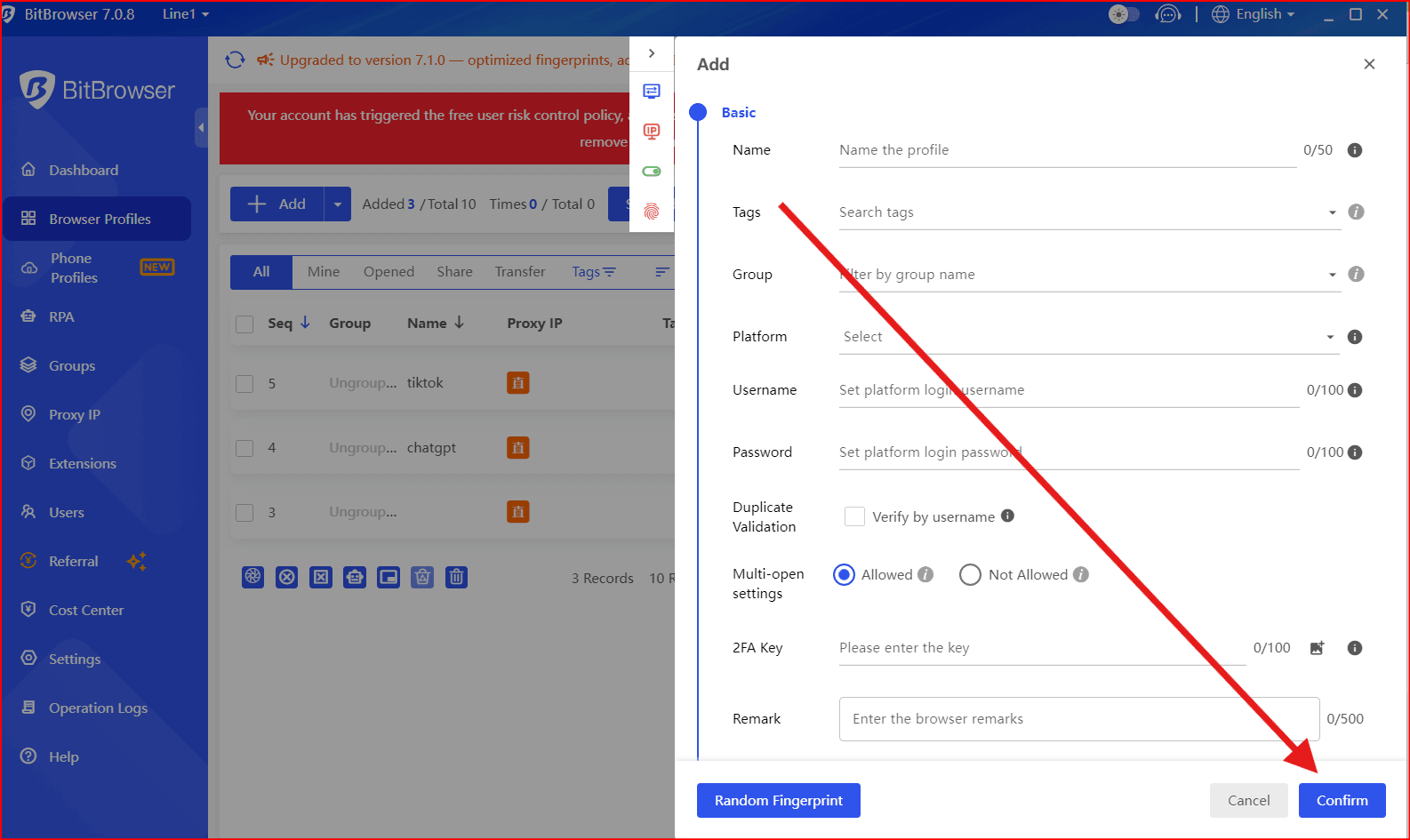
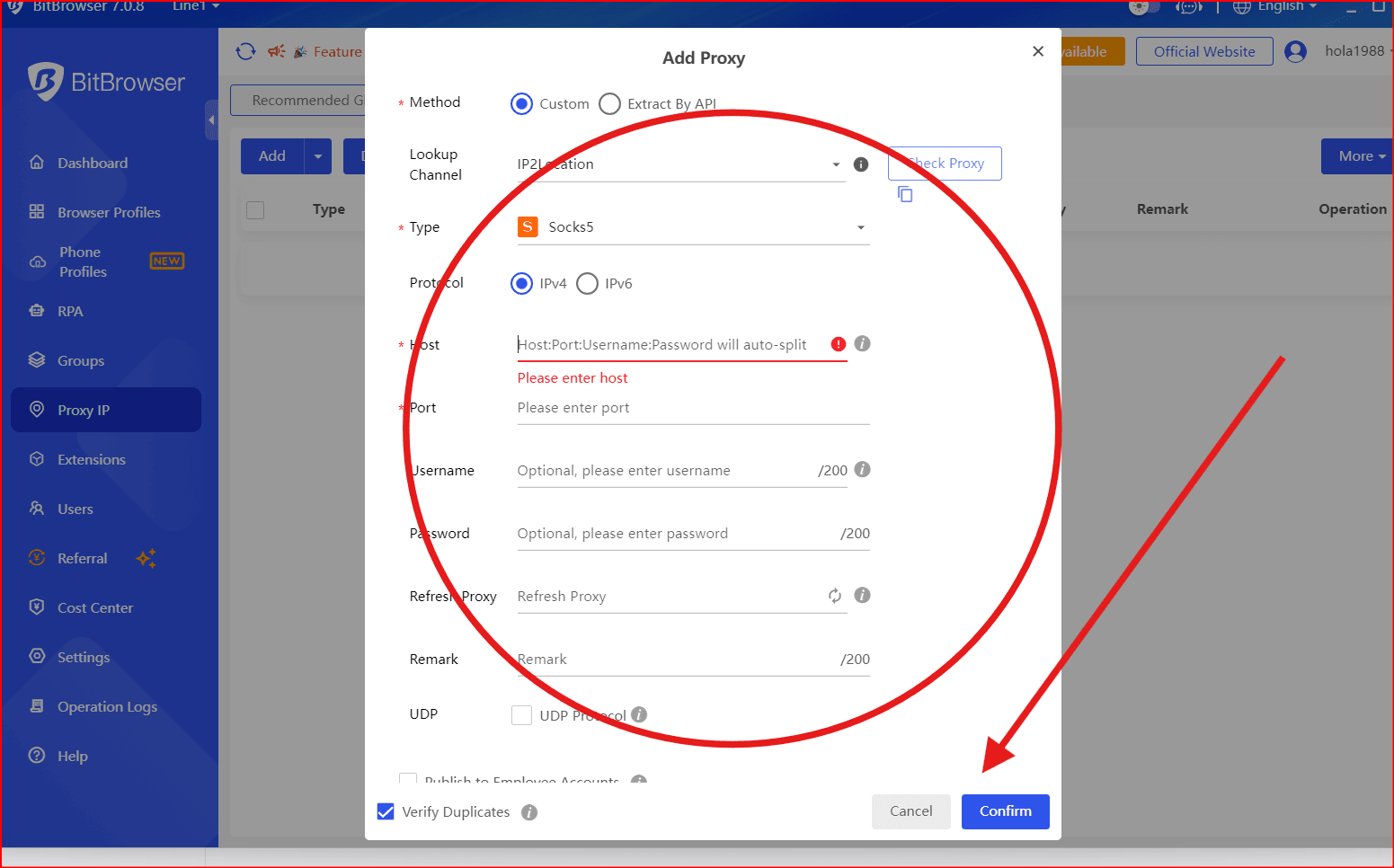
Configure Proxy Settings
Proxy Type: SOCKS5 or HTTP
Enter the IP address, port, username, and password provided by IP2World.
Test the Connection
Use BitBrowser’s built-in proxy test to ensure the IP is working correctly before launching the profile.Start Browsing Securely
Each BitBrowser profile runs with a unique fingerprint and IP, helping you stay anonymous and avoid account linking.
Contact IP2World ?
For pricing, free trials, or technical support:
Email: service@ip2world.com
WhatsApp: +852 5513 9884
Telegram: IP2World Service
Official Website: IP2World
Final Thoughts ✨
Combining IP2World’s premium proxy services with BitBrowser’s advanced fingerprint technology gives you a powerful solution for secure browsing, multi-account management, and scalable online operations.
Don’t miss the opportunity to upgrade your workflow with reliable IPs at unbeatable prices

 Multi-Account Management
 Prevent Account Association
 Multi-Employee Management
Recommended
See More 



