Multilogin vs Dolphin Anty: Which Antidetect Browser Should You Choose in 2026
 2026.03.16 10:58
 YT.Shi
Managing multiple accounts on platforms like Facebook, TikTok, Amazon, or Google has become increasingly complicated. Platforms now track more than just IP addresses—they analyze browser fingerprints, cookies, device behavior, and subtle environmental signals. If accounts appear linked, bans can happen quickly.
Antidetect browsers solve this by creating isolated environments so each account looks like it comes from a separate device. Two popular options today are Multilogin and Dolphin Anty. They serve similar goals but take very different approaches. Understanding these differences is key before choosing the right tool for your workflow.
Multilogin vs Dolphin Anty: Quick Overview
Here’s a quick look at their main differences:
| Feature | Multilogin | Dolphin Anty |
|---|---|---|
| Browser Engines | Chromium (Mimic), Firefox (Stealthfox) | Chromium only |
| Automation | Full API support with Selenium, Puppeteer, Playwright | Supports Selenium and Playwright scripting |
| Fingerprint Customization | Advanced, 50+ parameters | Basic, essential settings |
| Team Management | Advanced roles, tags, folders | Simple profile sharing |
| Ease of Use | Technical, steeper learning curve | Beginner-friendly, fast setup |
Both tools isolate browser environments, preventing accounts from being linked. The distinction lies in workflow philosophy: Multilogin favors structured, automated setups; Dolphin Anty prioritizes quick, hands-on management.
When Multilogin Is the Better Choice
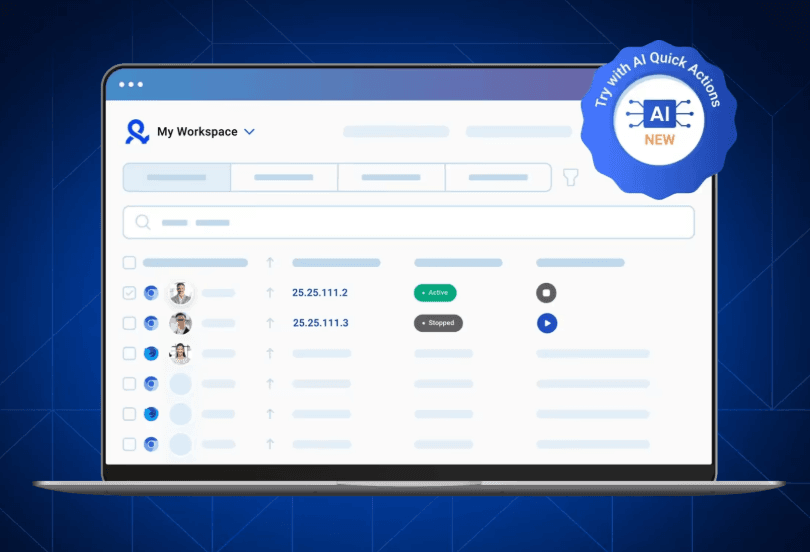
Multilogin has been part of the antidetect browser ecosystem for many years. Because of its stability and advanced configuration options, it is still widely used by professional teams.
Key Features
Dual Browser Engines
One of its defining features is the dual browser engine architecture. Users can choose between Mimic, which is based on Chromium, and Stealthfox, which is based on Firefox. This flexibility can be useful when websites behave differently depending on the browser engine being used.
Fingerprint Customization
Multilogin is also known for its deep fingerprint customization. Users can control dozens of fingerprint parameters including Canvas rendering, WebGL behavior, fonts, screen resolution, timezone settings, and hardware characteristics. These controls allow profiles to remain consistent over long periods of time, which is often important for long term account operations.
Automation and API Support
Another major advantage is automation support. Multilogin integrates with tools like Selenium, Puppeteer, and Playwright through its API. This allows developers to control browser profiles programmatically and build automated workflows around them.
For teams running complex automation systems or large scale testing environments, this level of integration can be extremely valuable.
Team Management
Multilogin also provides collaboration tools for organizations. Teams can assign role based permissions, organize profiles with tags or folders, and allow multiple members to work on the same environment without conflicts.
Limitations
Despite its strengths, Multilogin does have several drawbacks that users frequently mention.
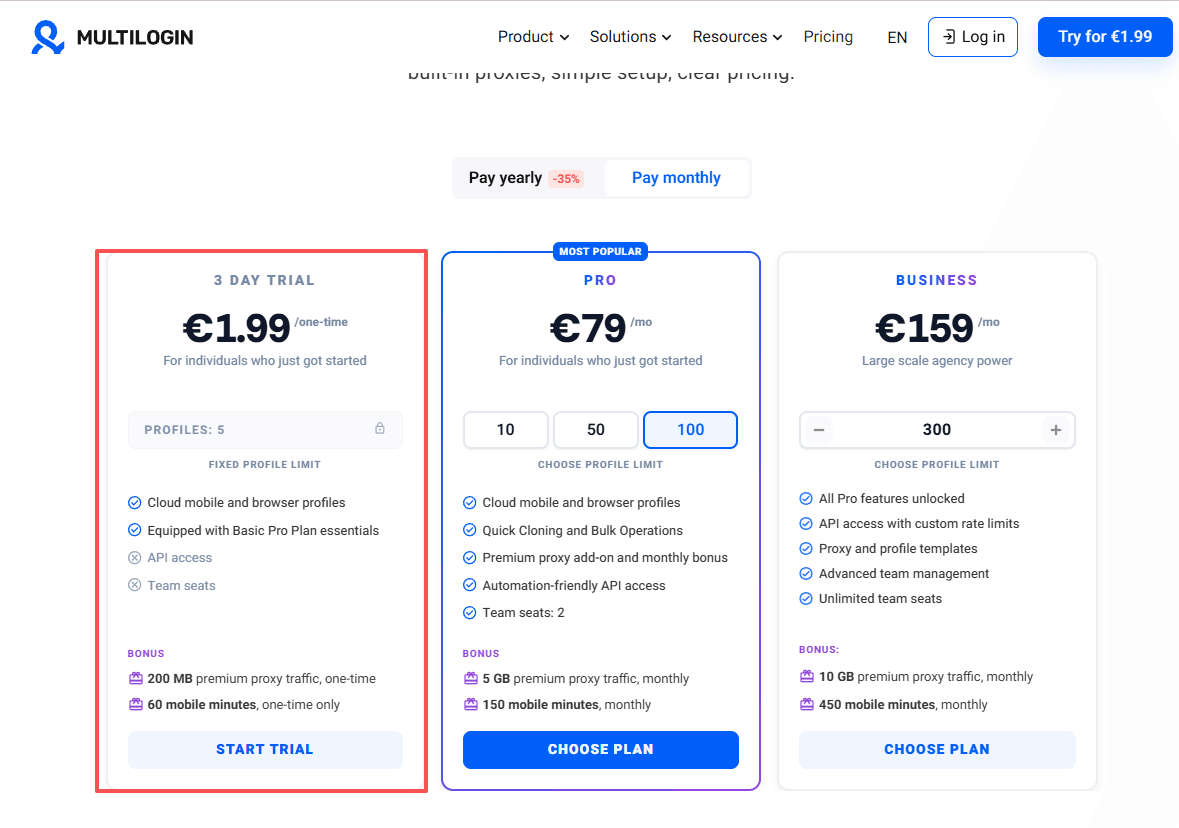
The first issue is pricing. Compared with many other antidetect browsers, Multilogin sits on the higher end of the market. Plans start around €9 per month for a small number of profiles and increase significantly as operations grow.
Team collaboration features are also only available on higher tier plans starting at around €79 per month.
Another challenge is the learning curve. New users often find the platform difficult to configure at first. Setting up profiles, proxies, and automation workflows requires a certain level of technical understanding.
For developers and experienced operators this may not be a problem, but beginners may find the setup process frustrating.
Dolphin Anty: Built for Fast Account Management
Dolphin Anty takes a different approach. Instead of focusing on highly structured automation environments, it aims to make daily account management faster and easier.
The browser became especially popular among affiliate marketers, social media operators, and traffic arbitrage teams who often need to manage large numbers of accounts manually.
For these users, speed and convenience matter more than complex automation systems.
Key Features
Simple Profile Creation
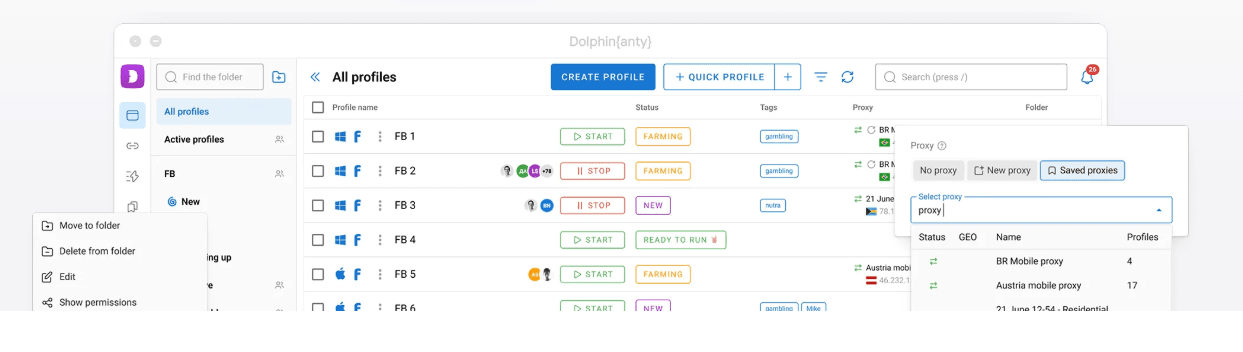
One of Dolphin Anty’s biggest advantages is how quickly users can create and launch browser profiles.
The interface is relatively straightforward, and switching between accounts can be done quickly without complicated configuration steps. This makes the browser appealing to users who perform frequent manual actions such as logging into accounts, posting content, or managing advertising campaigns.
Fingerprint Protection
Like other antidetect browsers, Dolphin Anty creates separate digital identities for each browser profile.
Users can adjust key fingerprint elements such as operating system, user agent, screen resolution, timezone, and WebRTC behavior. These settings help ensure that each account appears to come from a different device environment.
The level of customization is not as deep as some enterprise tools, but it is usually sufficient for most marketing workflows.
Profile Synchronization
A useful feature in Dolphin Anty is profile synchronization. This allows users to repeat actions across multiple browser windows. For example, clicking or typing in one window can be mirrored in other windows, making it easier to perform repetitive tasks across several accounts.
Automation Support
Dolphin Anty also supports automation through scripting tools such as Selenium and Playwright. This allows users to automate certain workflows when needed while still maintaining a simple interface for manual operations.
Team Collaboration
The browser includes basic team collaboration tools that allow profiles and proxies to be shared between team members.
Role assignments help control access permissions, although the overall system is simpler than the advanced team management features offered by some enterprise platforms.
Limitations
Dolphin Anty does have some limitations worth considering.
The browser currently relies on a Chromium based environment and does not offer a Firefox alternative. For users who prefer running multiple browser engines for diversification, this can be a drawback.
Performance can also depend on local device resources when managing very large numbers of profiles simultaneously. When hundreds of browser profiles are active, hardware limitations may start to affect stability.
Team management tools are functional but relatively basic compared with the more detailed organizational features found in enterprise solutions.
Multilogin vs Dolphin Anty Pricing
Pricing is another important factor when choosing an antidetect browser.
Both platforms charge based on the number of browser profiles available in each plan.
| Profiles | Multilogin | Dolphin Anty |
|---|---|---|
| 10 profiles | about €9 per month | about $10 per month |
| 50 profiles | about €49 per month | around $80 to $90 |
| 100 profiles | about €79 per month | around $150 |
| 300 profiles | about €159 per month | higher tier plans available |
Multilogin offers a short trial period (3-day trial for €1.99) that costs a small fee and includes limited profiles. It uses a premium pricing model, starting at €9 per month for 10 profiles and going up to €79 for 100 profiles.
Team collaboration is only available in plans starting at €79, which is relatively expensive for rapidly expanding teams.
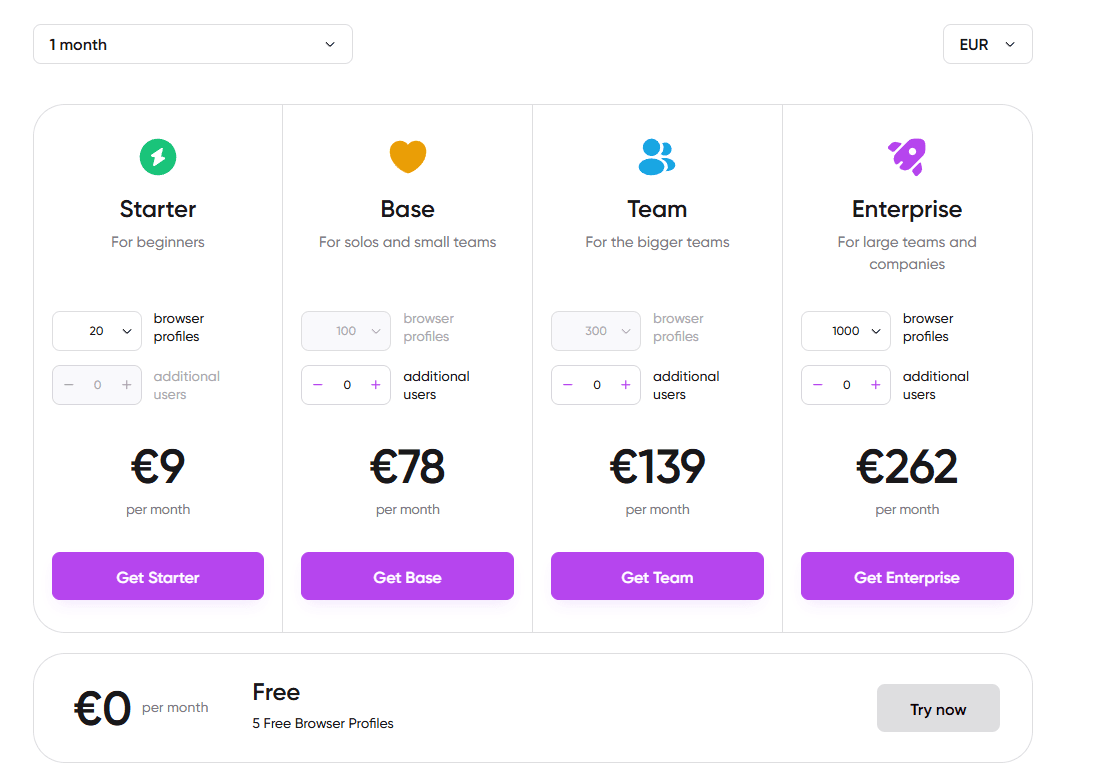
Dolphin Anty provides a free tier (5 Free Browser Profiles) with a small number of profiles, although advanced features may still require paid plans. It offers low-cost monthly plans, starting at €9 for 20 profiles and scaling up to €262 for 1,000 profiles.
Furthermore, one drawback is that its team collaboration features require an additional fee beyond the browser subscription. Each additional user costs an extra €9.
At smaller scales the price difference may not be dramatic. But once teams begin managing hundreds of accounts and adding proxy costs, operational expenses can increase quickly.
This is one of the reasons many operators eventually start exploring alternatives that balance usability, automation, and cost.
BitBrowser: A More Balanced Alternative
BitBrowser has started appearing more frequently in discussions among marketers and multi account operators.
The browser is designed specifically for large scale account management while still keeping the setup relatively straightforward.
Like other antidetect browsers, BitBrowser runs each browser profile in a fully isolated environment. Cookies, local storage, session data, and browser fingerprints are separated so that each account appears to operate from its own device.
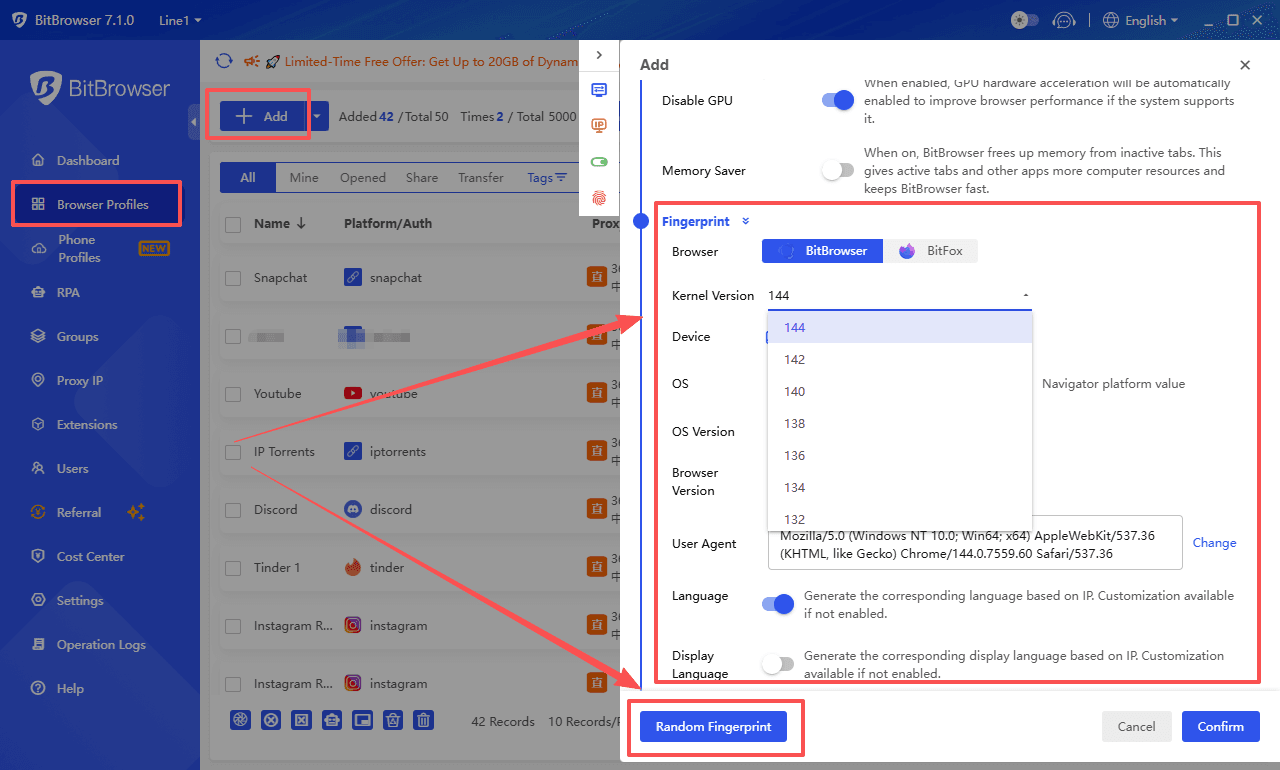
Fingerprint simulation is also flexible. Users can adjust parameters such as device information, WebGL behavior, timezone settings, fonts, and screen resolution. These adjustments allow each profile to mimic a unique browser environment.
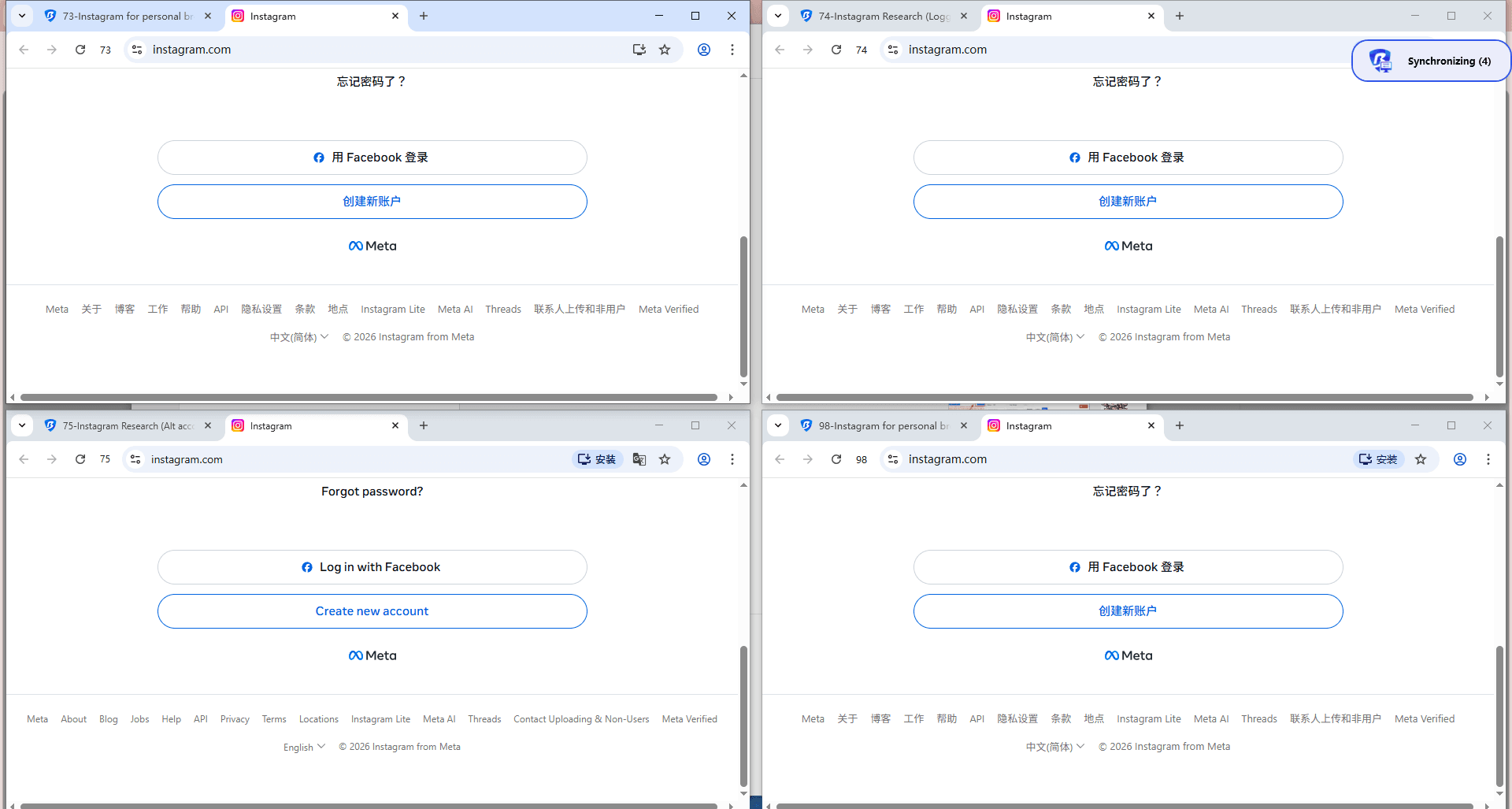
One feature many users find helpful is the built in window synchronizer. With this tool, actions performed in one browser window can be mirrored across several other windows. For tasks such as logging into multiple accounts or publishing content across several profiles, this can save a significant amount of manual work.
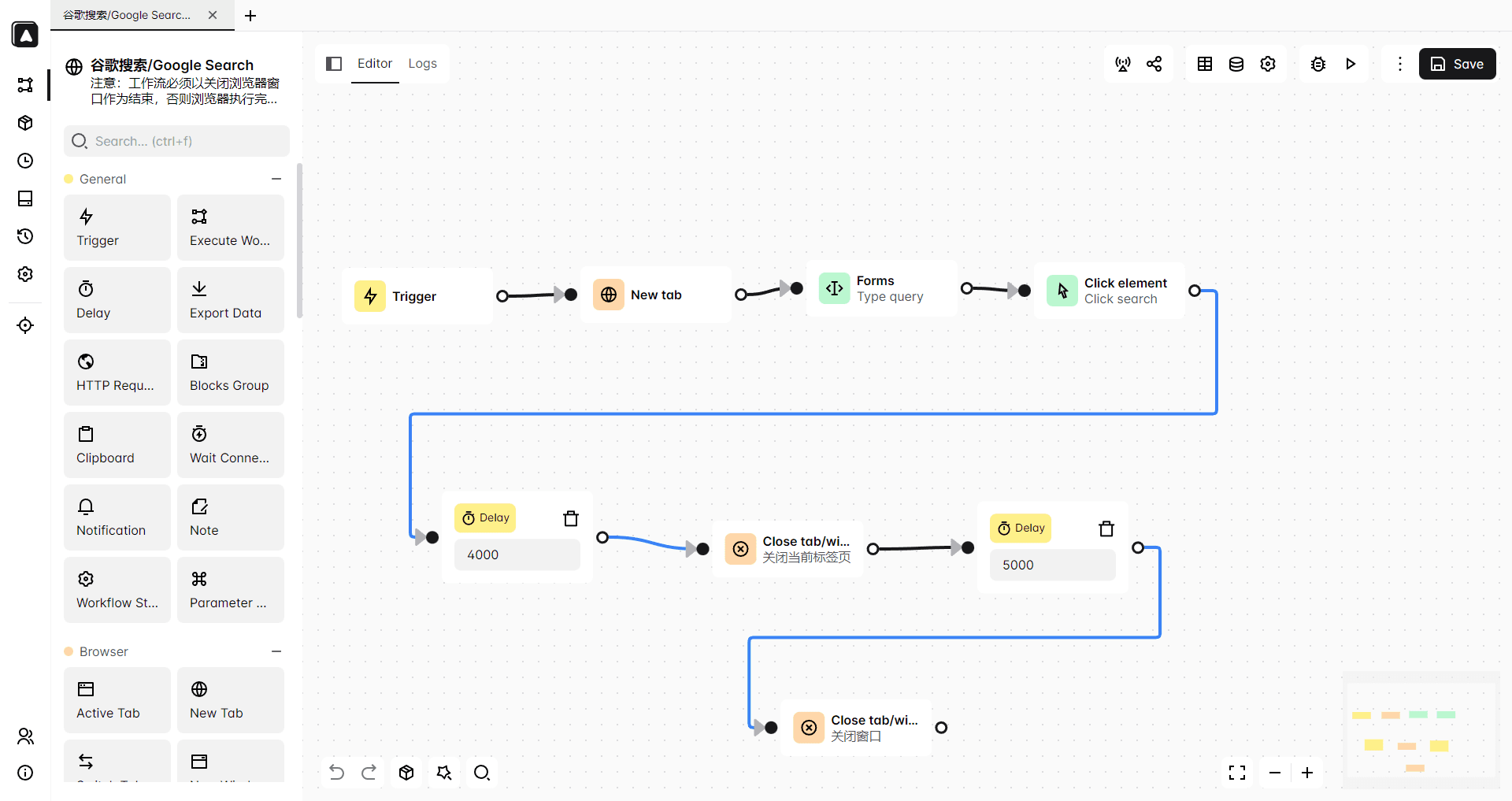
Automation support is another strength. BitBrowser integrates with Selenium and Puppeteer, but it also includes built in RPA tools that allow users to record and repeat actions without writing code. This makes automation accessible even for users who do not have a development background.
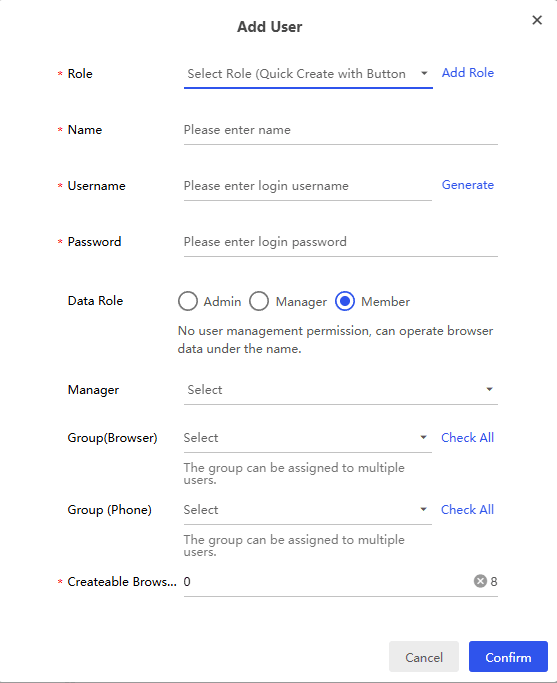
The browser also supports team collaboration through role based permissions. Administrators can control who has access to specific browser profiles, and accounts can be shared safely without exposing cookies or login credentials.
Get 10 browser profiles permanently free
Pricing and Free Plan Advantage of BitBrowser
Pricing is often one of the biggest factors when choosing an antidetect browser.
Unlike many competitors that only provide short trial periods, BitBrowser offers a permanently free plan that includes 10 browser profiles. Even on the free tier, users can still access most core features such as fingerprint customization, proxy configuration, browser extensions, and automation tools.
For individuals or small teams who are experimenting with multi account workflows, those ten profiles are often enough to get started.
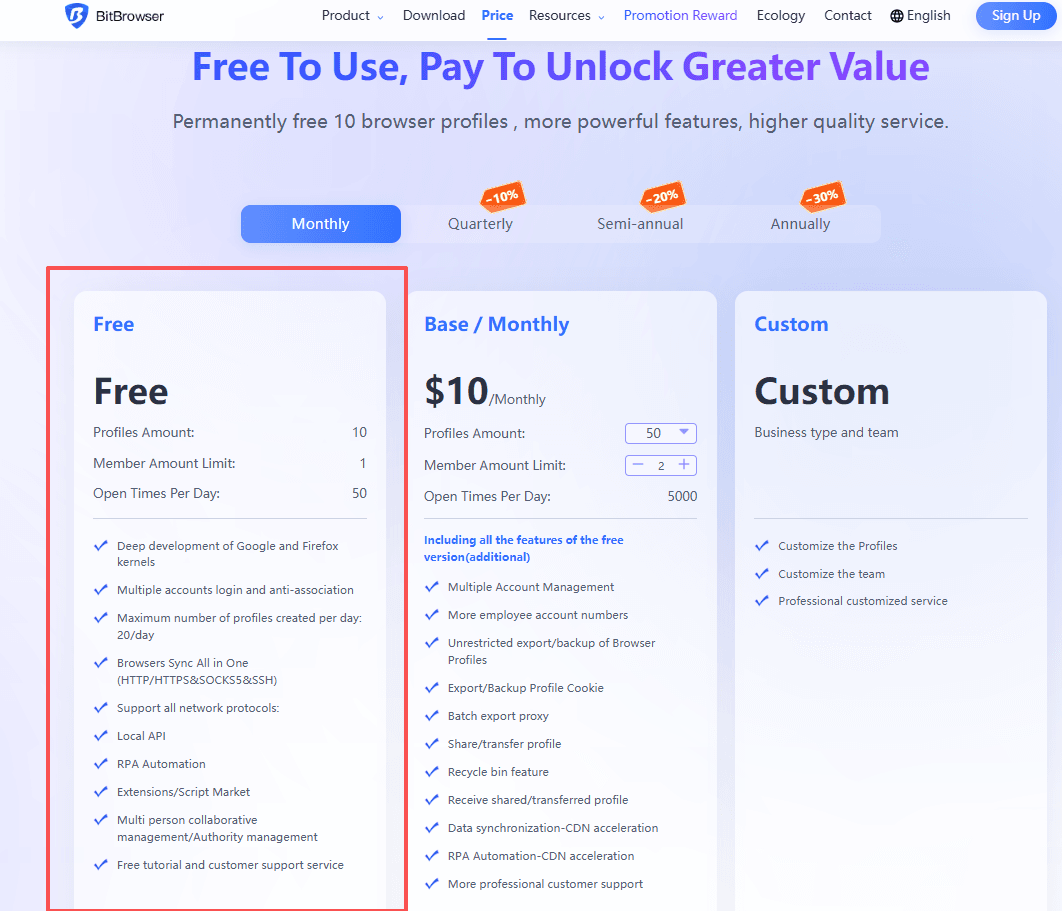
As operations grow, paid plans allow users to expand the number of profiles while maintaining relatively affordable pricing compared with some other platforms.
This combination of a free plan and scalable features is one reason BitBrowser has attracted attention from users searching for alternatives to more expensive or complex tools.
Get 10 browser profiles permanently free
Final Thoughts
Choosing the right antidetect browser depends largely on how your workflow operates.
Multilogin remains a powerful choice for technical teams that rely heavily on automation systems and need deep fingerprint customization. Its structured environment works well for large scale operations managed through scripts and APIs.
Dolphin Anty is often a better fit for individuals or small teams who focus on manual account management and want a simpler interface for daily operations.
BitBrowser sits somewhere in between. It offers strong fingerprint simulation, built in automation tools, and scalable profile management while keeping the learning curve manageable for most users.
For operators comparing Multilogin vs Dolphin Anty in 2026, understanding how each tool fits different workflows is the key to making the right choice.
FAQ
What is the main difference between Multilogin and Dolphin Anty?
Multilogin focuses on structured workflows and automation integration, while Dolphin Anty emphasizes quick profile creation and manual account management.
Which browser is better for affiliate marketing?
Many affiliate marketers prefer Dolphin Anty because it allows fast account switching and simple workflows. However, other browsers such as BitBrowser are also commonly used.
Is there a free antidetect browser available?
Some browsers offer limited trials, but BitBrowser provides a permanently free plan that includes several browser profiles.
Can teams safely share accounts using these browsers?
Yes. Antidetect browsers isolate browser environments and provide permission systems that allow teams to collaborate without exposing sensitive account data.

 Multi-Account Management
 Prevent Account Association
 Multi-Employee Management
Recommended
See More 



