How to Scale Browser Automation Without Losing Session Stability
 2026.09.24 20:34
 petro
petroBrowser automation is relatively simple when you are working with a single profile and a small number of sequential actions. But once the number of browser environments grows to dozens or hundreds, new problems start to appear: sessions break, profiles begin using unsuitable IPs, the number of retries increases, and network errors become a noticeable part of the overall workload.
At that point, scaling is no longer just about launching more browsers at the same time.
Stable automation requires several components to work together consistently: browser profiles, session data, proxies, network connections, task queues, and error recovery mechanisms.
Let’s look at which elements are especially important when scaling browser automation and how to maintain the stability of long-running sessions.
What Session Stability Means
A browser session is more than just an open tab.
During operation, a profile may store:
- cookies;
- local storage;
- authentication data;
- website settings;
- session history;
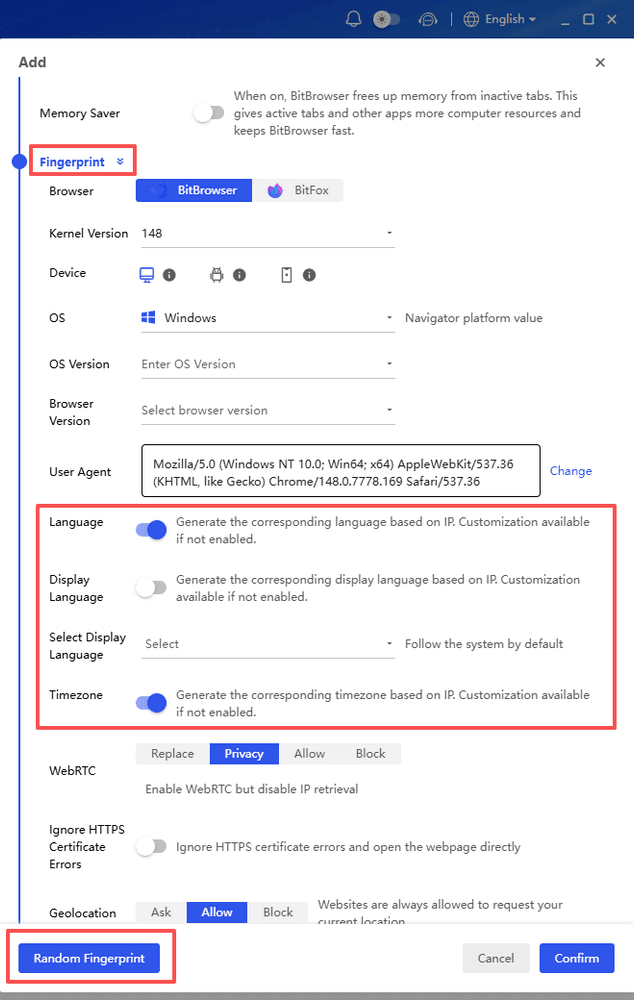
- proxy configuration;
- language and time zone;
- other browser environment parameters.
If some of this data changes unexpectedly between launches, the automated process may require additional authentication or restoration of the previous state.
That is why scalable automation should preserve not only the logic of actions but also the context in which those actions are performed.
One Profile - One Independent Environment
One of the most convenient principles when scaling is to separate workflows into individual browser profiles.
Each profile can maintain its own:
Profile → Cookies → Storage → Proxy → Session
This approach helps prevent data from being mixed between different tasks.
For example, if a team automates checks of several regional versions of a website, a separate environment can be created for each market: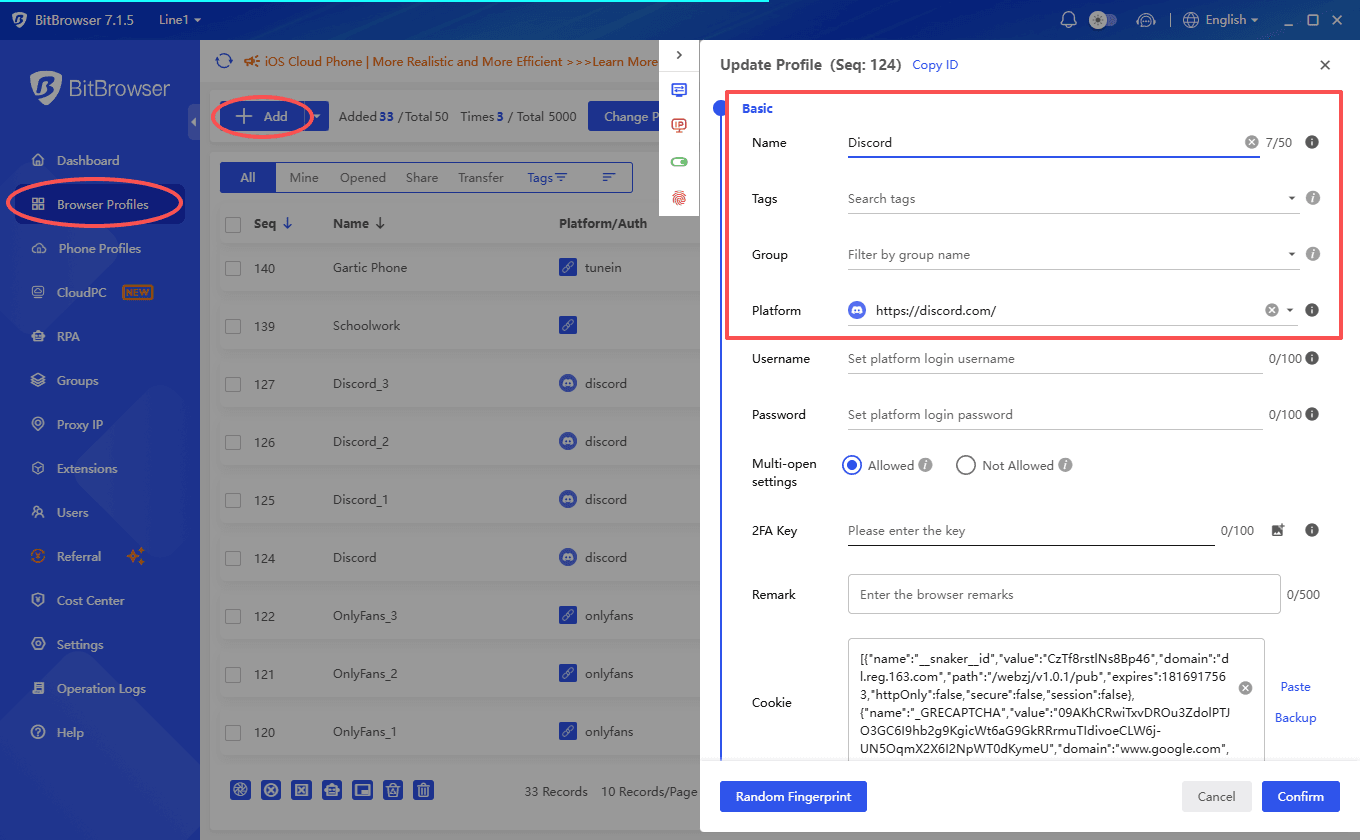
- US - separate profile;
- UK - separate profile;
- Germany - separate profile;
- Japan - separate profile.
Instead of constantly reconfiguring one browser, each workflow gets its own state.
This also simplifies troubleshooting: if a problem appears only in one profile, it is easier to investigate than in a shared environment used by dozens of processes at the same time.
Do Not Run More Parallel Processes Than Your Infrastructure Can Handle
When scaling, it is natural to increase concurrency — the number of browsers or tasks running simultaneously.
But increasing parallelism does not always increase performance proportionally.
Each browser instance uses:
- CPU;
- RAM;
- network connections;
- proxies;
- target website resources;
- the resources of the automation infrastructure itself.
If too many processes are launched at once, average execution time may begin to increase instead of decrease.
That is why it is better to scale gradually.
For example:
10 parallel profiles → measure performance → 25 → measure → 50
At each stage, it is useful to track:
- profile launch time;
- average task duration;
- latency;
- number of errors;
- retries;
- CPU and RAM usage;
- connection stability.
This helps identify the actual point after which increasing concurrency no longer provides meaningful benefits.
Separate Short-Term Tasks From Long-Running Sessions
Not all automation workflows are the same.
One scenario may look like this:
Open page → collect information → close browser
Another may look like:
Open profile → authenticate → perform a sequence of actions → remain active → continue later
In the first case, keeping the same network address may not be particularly important.
In the second, changing the network configuration in the middle of the process may create additional problems.
That is why, before choosing a proxy, it is useful to divide workflows into two categories:
Short-Lived Workflows
Short independent tasks that do not require maintaining one long-running session.
Persistent Workflows
Processes that need to preserve state across multiple actions or launches.
This distinction directly affects the choice of network infrastructure.
Static and Rotating IPs Solve Different Tasks
A common automation mistake is to use maximum rotation regardless of the workflow type.
Rotating proxies are useful when a large number of independent network requests need to be performed or when traffic must be distributed across IP addresses.
But if one browser profile needs to maintain a long-running session, a consistent address may be more practical.
In simplified form:
The key rule is that rotation frequency should be determined by the logic of the task rather than automatically set to the maximum possible value.
Bind the Network Configuration to the Profile
When the number of browser profiles becomes large, manually assigning proxies quickly becomes inconvenient.
It is better to define the relationship in advance:
Profile ID → Proxy configuration → GEO → Workflow
For example:
Profile 001 → US ISP IP → US QA
Profile 002 → DE ISP IP → German QA
Profile 003 → Residential Pool → Data Collection
This approach helps avoid situations where the same profile runs through an IP from one country today and accidentally receives a completely different configuration tomorrow.
For long-term working environments, it is especially useful to keep the same proxy assigned to a particular profile if the task does not require changing it.
The Network Layer Can Become a Bottleneck
When automation operates at a small scale, proxy latency may be barely noticeable.
But when dozens of browsers are running simultaneously, even a small increase in response time starts to add up.
Network problems can lead to:
- slow page loading;
- timeouts;
- additional retries;
- longer workflow execution;
- stuck browser instances.
That is why, when scaling, it is important to measure not only the speed of the automation itself but also the quality of the network layer.
Useful metrics include:
- average latency;
- median latency;
- connection error rate;
- retry rate;
- session stability;
- GEO availability.
A cheaper proxy does not always mean a cheaper automation workflow if actions regularly have to be repeated because of network issues.
Use Retries Carefully
Retries are an important part of reliable automation.
If a page temporarily fails to load, it makes sense to try the action again.
The problem begins when retries are used without limits.
For example:
Failed → Retry → Failed → Retry → Failed → Retry...
Such a process can continue occupying a browser instance and network resources indefinitely.
It is better to define in advance:
- the maximum number of retry attempts;
- the delay between retries;
- which errors should actually be retried;
- after which errors the workflow should stop;
- when a new session needs to be created.
Exponential backoff — increasing the delay between consecutive attempts — can be especially useful.
This helps prevent a temporary network issue from turning into a stream of repeated requests.
Do Not Confuse Session Recovery With Creating a New Session
If a long-running session stops working, the automation system should understand the difference between two actions:
Recover existing session
and
Start new session
These are not the same thing.
Recovery may mean reopening an existing browser profile with saved cookies and storage.
Creating a new environment means launching a clean profile without the previous state.
If the system automatically creates a new profile after every error, a temporary network issue may result in the loss of a useful session.
That is why recovery logic should be designed separately.
When a Consistent ISP IP Is Useful for Automation
For long-running browser workflows, it can be convenient to use a model where one profile receives a consistent IP for the entire period of operation.
In this case, there is no need to use resources from a rotating pool when the task itself does not require changing addresses.
One option is Static ISP Proxies.
MangoProxy provides Static ISP Proxies with HTTP, HTTPS, and SOCKS5 support and access to more than 50 locations. This format can be used for browser profiles that require a consistent network address throughout long-running sessions.
The promo code BITBROWSER8 provides an 8% discount on MangoProxy Static ISP Proxies.
For tasks that require regular IP rotation, MangoProxy also offers Residential, Dynamic ISP, and Dynamic Datacenter solutions.
This makes it possible to select the network layer separately for different categories of automation workflows.
Logging Becomes Essential at Scale
If two browsers are running, an error can often be identified manually.
If hundreds of tasks are running at the same time, it becomes difficult to understand why a particular workflow failed without proper logging.
It is useful to record:
- profile ID;
- task ID;
- proxy/GEO;
- launch time;
- completion time;
- stage where the error occurred;
- number of retries;
- final status.
Instead of an abstract message such as “automation failed,” you can then see:
Profile 028 → DE → Page Load Timeout → Retry 3/3 → Failed
This data makes it easier to distinguish browser issues from network problems or errors in the workflow logic itself.
Use Queues Instead of Launching Everything at Once
If a system receives 1,000 tasks, there is no need to launch 1,000 browsers simultaneously.
A more manageable approach is:
Task Queue → Worker Pool → Browser Profiles
For example, 30 workers can run at the same time. When one task is completed, the worker takes the next task from the queue.
This makes it easier to control:
- workload;
- number of simultaneously open profiles;
- memory usage;
- network connections;
- retries;
- execution speed.
As the workload grows, the number of workers can be increased gradually instead of changing the entire architecture.
Check Infrastructure Health
Before launching an automation workflow, it is useful to verify the basic state of the required components.
For example:
Profile available?
Proxy reachable?
Target GEO correct?
Session data available?
If the proxy is already unavailable, there is no point in launching the full browser first and waiting for the page to time out.
These preliminary health checks are especially useful when working with a large number of automated processes.
They allow some problems to be detected before an expensive browser instance is launched.
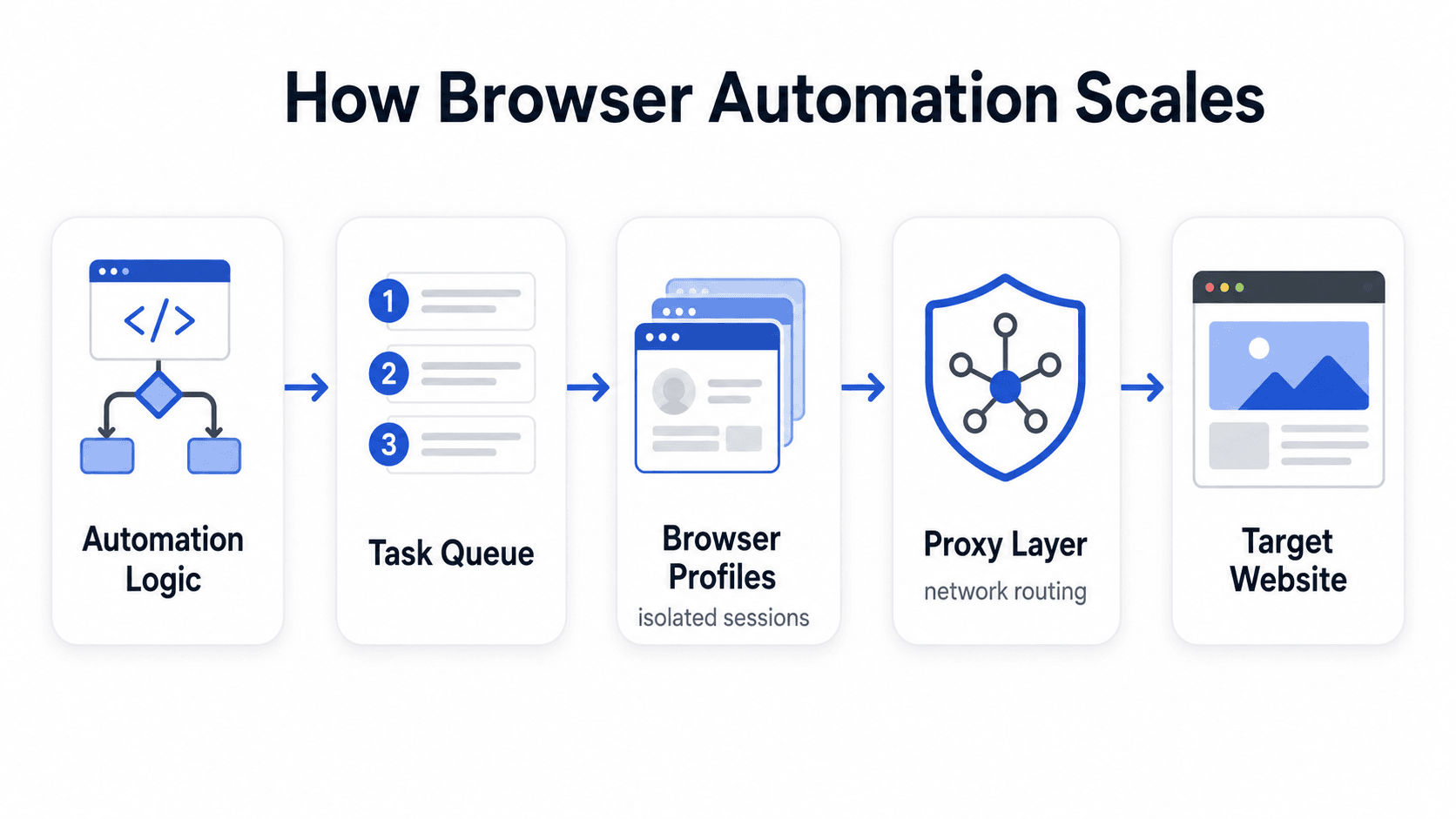
BitBrowser as the Profile Management Layer
In large-scale automation, it can be useful to separate responsibility between different layers of the infrastructure.
A simplified architecture may look like this:
Automation Logic
↓
Browser Profile Management
↓
Proxy / Network Layer
↓
Target Web Resource
BitBrowser can be used as the layer for managing independent browser profiles and their saved sessions, while the proxy provides the network connection for each profile.
This separation simplifies scaling: the automation logic is responsible for actions, the browser profile maintains the environment state, and the proxy layer manages the network configuration.
Quick Checklist Before Scaling
Before increasing the number of automated browser processes, it is worth checking several things.
Profiles
Each independent workflow uses a separate browser environment where necessary.
Sessions
Cookies and storage are preserved between launches for persistent workflows.
Proxy Assignment
The proxy is assigned to the correct profile and GEO.
Rotation
Static or rotating IPs are selected according to the task.
Concurrency
The number of parallel browser instances is increased gradually and monitored.
Retries
Retry limits and rules for handling different types of errors are defined.
Monitoring
Logs make it possible to identify the profile, task, proxy, and stage where an error occurred.
Recovery
The system distinguishes between recovering an existing session and creating a new one.
Conclusion
Scaling browser automation is not simply about increasing the number of profiles running at the same time.
As the infrastructure grows, state management, session stability, correct proxy assignment, concurrency control, error handling, and the ability to recover a workflow without creating a new environment after every problem become increasingly important.
For independent short-lived tasks, rotating proxy infrastructure may be convenient. For long-running browser sessions, IP consistency is often more important. This is why the network layer should be designed together with the automation logic rather than added only after scaling begins.
Combining isolated browser profiles, a controlled automation layer, and suitable proxy infrastructure makes it possible to increase the number of parallel workflows while keeping them organized and stable.

 Multi-Account Management
 Prevent Account Association
 Multi-Employee Management
Recommended
See More 



