How to Build a YouTube Content Strategy (Step-by-Step Guide)
 2026.03.29 19:57
 petro
petroCreating random videos and hoping for success rarely works on YouTube. Growth comes from a clear, intentional content strategy—one that aligns your goals, audience, and content into a system that consistently delivers value.
This guide walks you through building that strategy from scratch.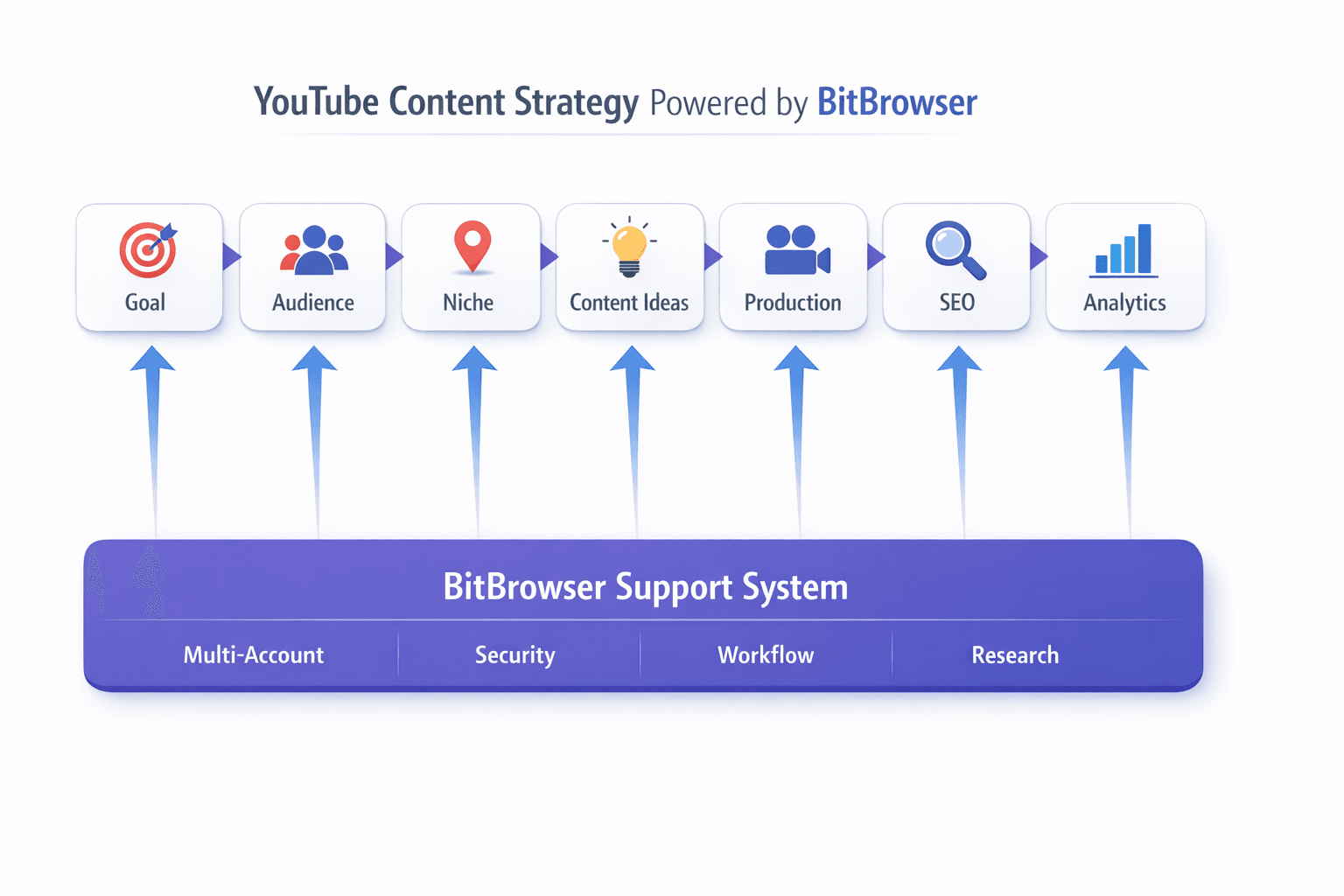
1. Define Your Goal
Before you even think about content ideas, ask yourself:
- Do you want to grow an audience, make money, or build a personal brand?
- Are you focusing on education, entertainment, or inspiration?
Your goal shapes everything:
- Monetization → focus on high-traffic topics
- Personal brand → focus on authenticity and storytelling
- Business → focus on solving audience problems
Tip: Pick ONE primary goal to avoid scattered content.
2. Identify Your Target Audience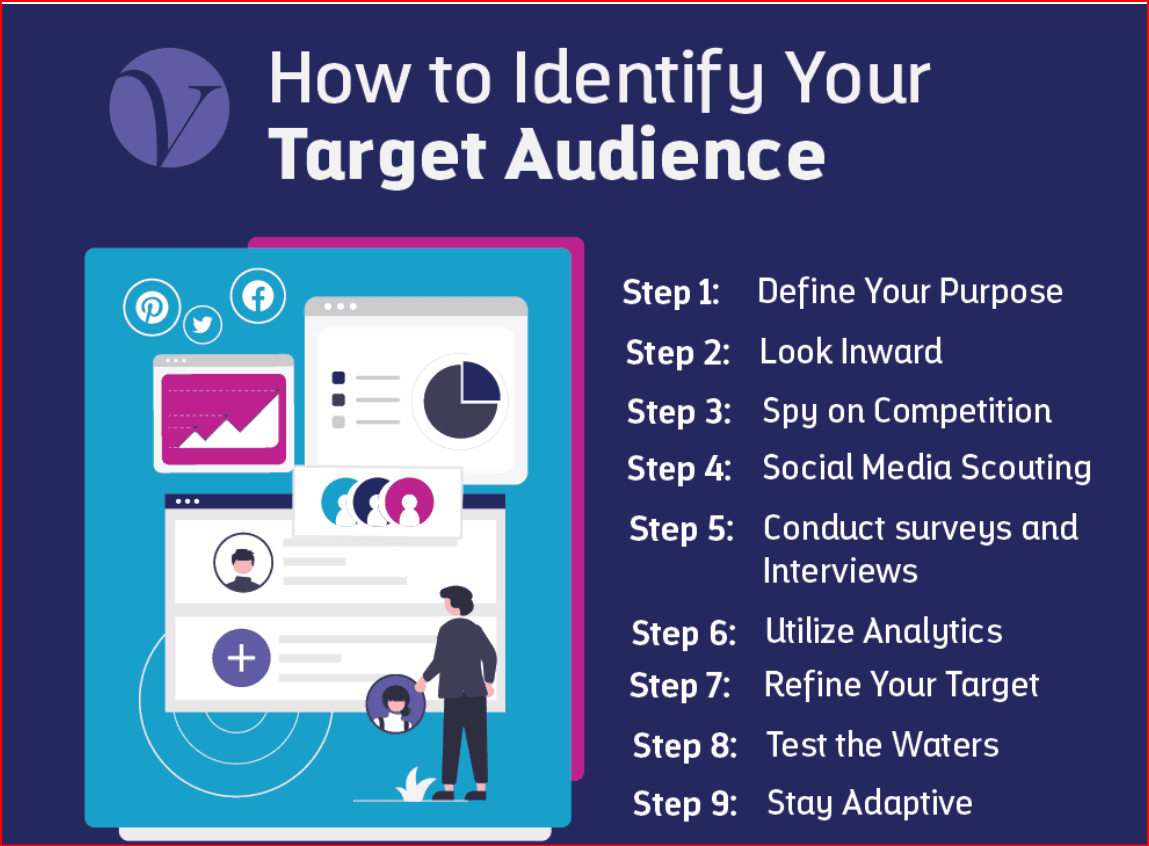
Successful channels speak to a specific group, not everyone.
Ask:
- Who are they? (age, interests, problems)
- What are they searching for?
- What keeps them watching?
Example:
Instead of “people who like fitness” →
“Busy professionals who want 20-minute home workouts”
3. Choose Your Content Niche
Your niche sits at the intersection of:
- What you enjoy
- What you know
- What people want to watch
Avoid being too broad. Narrow beats general.
4. Develop Content Pillars
Content pillars are 3–5 categories your videos fall into.
Example:
- Tutorials
- Reviews
- Tips & hacks
- Case studies
This keeps your channel consistent and focused5. Research Video Ideas
Use:
- YouTube search suggestions
- Competitor channels
- Comments sections
Look for:
- Frequently asked questions
- High-performing topics
- Content gaps
Don’t copy—add your unique angle.
6. Plan Your Content Format
Decide your style:
- Talking head
- Tutorials
- Voice-over
- Shorts vs long-form
Consistency builds recognition.
7. Create a Posting Schedule
Consistency beats intensity.
- Start with 1–2 videos per week
- Batch content to save time
- Stick to a schedule you can sustain
8. Optimize for YouTube SEO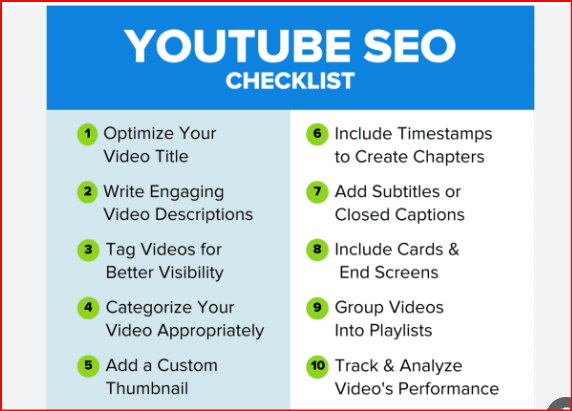
To grow, your content must be discoverable.
Focus on:
- Keyword-rich titles
- Engaging thumbnails
- Clear descriptions
Key metrics:
- Click-through rate (CTR)
- Watch time
9. Analyze and Improve with use google Trends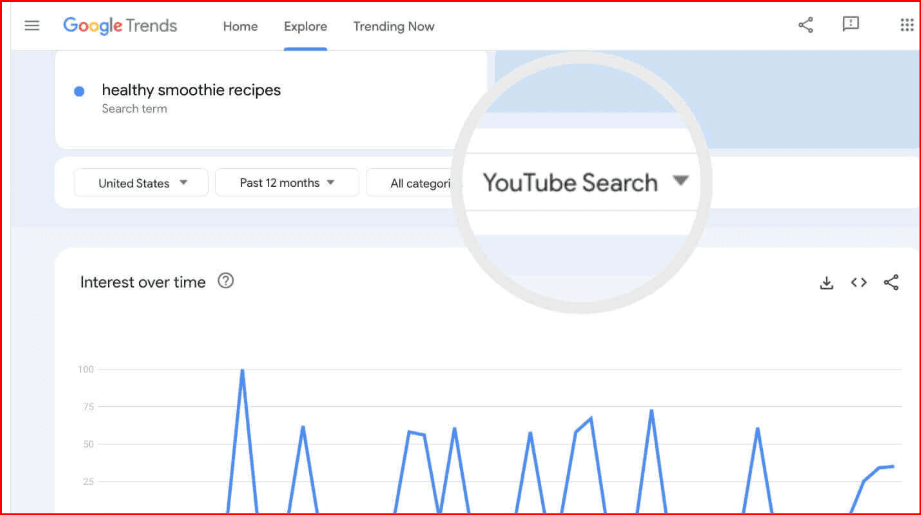
Use analytics to track:
- Watch time
- Retention
- CTR
Then:
Double down on what works
Improve what doesn’t
10. Stay Consistent and Adapt
Growth takes time.
- Keep experimenting
- Learn from feedback
- Improve every video
11. How BitBrowser Can Help Your YouTube Strategy
Tools can give you a serious advantage—and BitBrowser is one that can support creators who manage multiple workflows or channels.
What is BitBrowser?
BitBrowser is an anti-detect browser that allows you to create and manage multiple browser profiles with unique fingerprints.
How It Helps YouTube Creators
1. Manage Multiple Channels Safely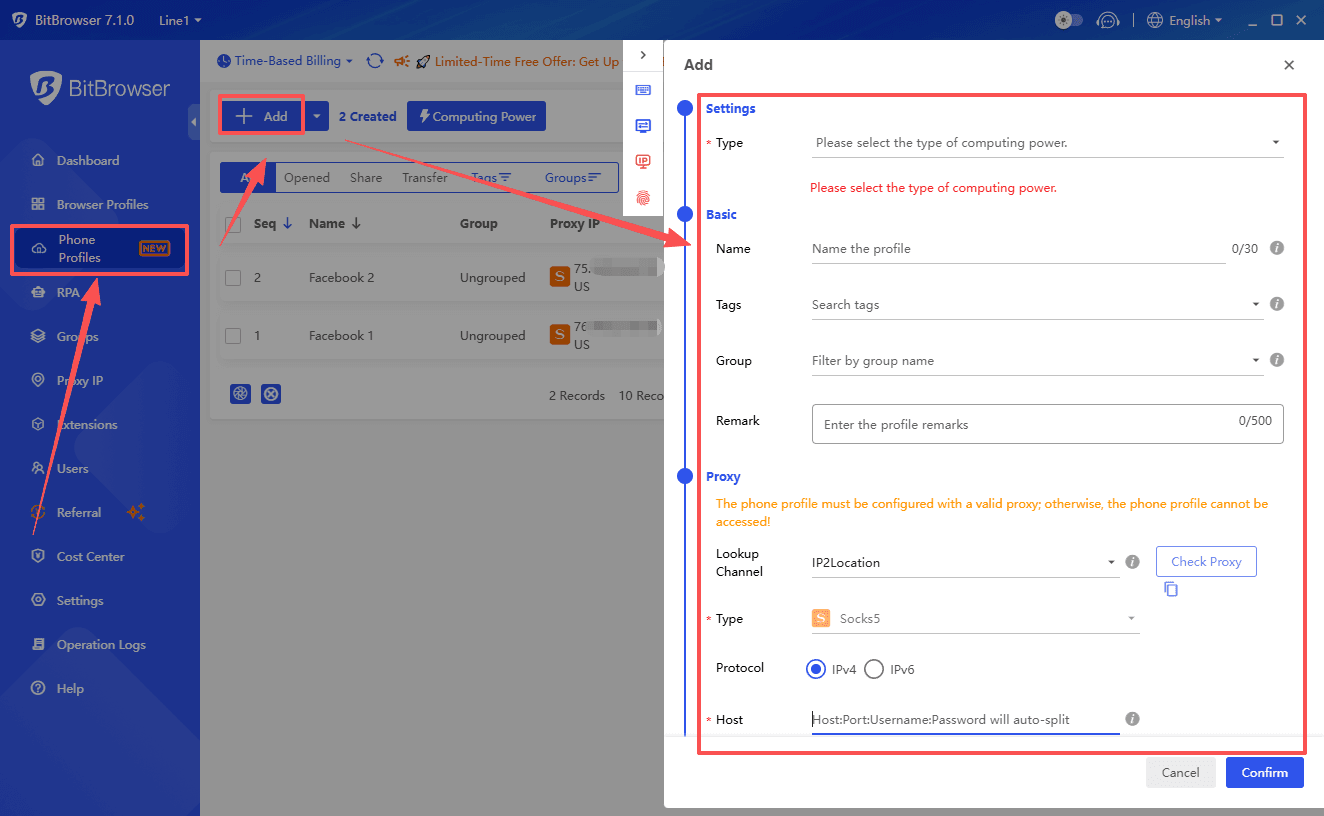
If you run multiple YouTube channels, BitBrowser lets you:
- Separate accounts into isolated environments
- Reduce risk of account linking or restrictions
2. Organize Workflow Efficiently
You can:
- Assign different profiles for uploading, analytics, or research
- Keep your work structured and distraction-free
3. Research Competitors Without Bias
Using different browser profiles helps you:
- See how content appears in different regions or user behaviors
- Analyze trends more accurately
4. Team Collaboration
If you work with a team:
- Share access without exposing passwords
- Manage roles securely
Important Note
BitBrowser is a tool to improve workflow and management, not a shortcut to growth. Your success still depends on:
- Content quality
- Audience understanding
- Consistency
Final Thoughts
A strong YouTube content strategy isn’t about luck—it’s about clarity, consistency, and continuous improvement.
If you:
- Know your audience
- Deliver value
- Stay consistent
Growth becomes predictable.

 Multi-Account Management
 Prevent Account Association
 Multi-Employee Management
Recommended
See More 



