Scale Multiple Facebook Accounts Securely & Efficiently with BitCloudPhone
 2026.06.11 03:28
 BitBrowser
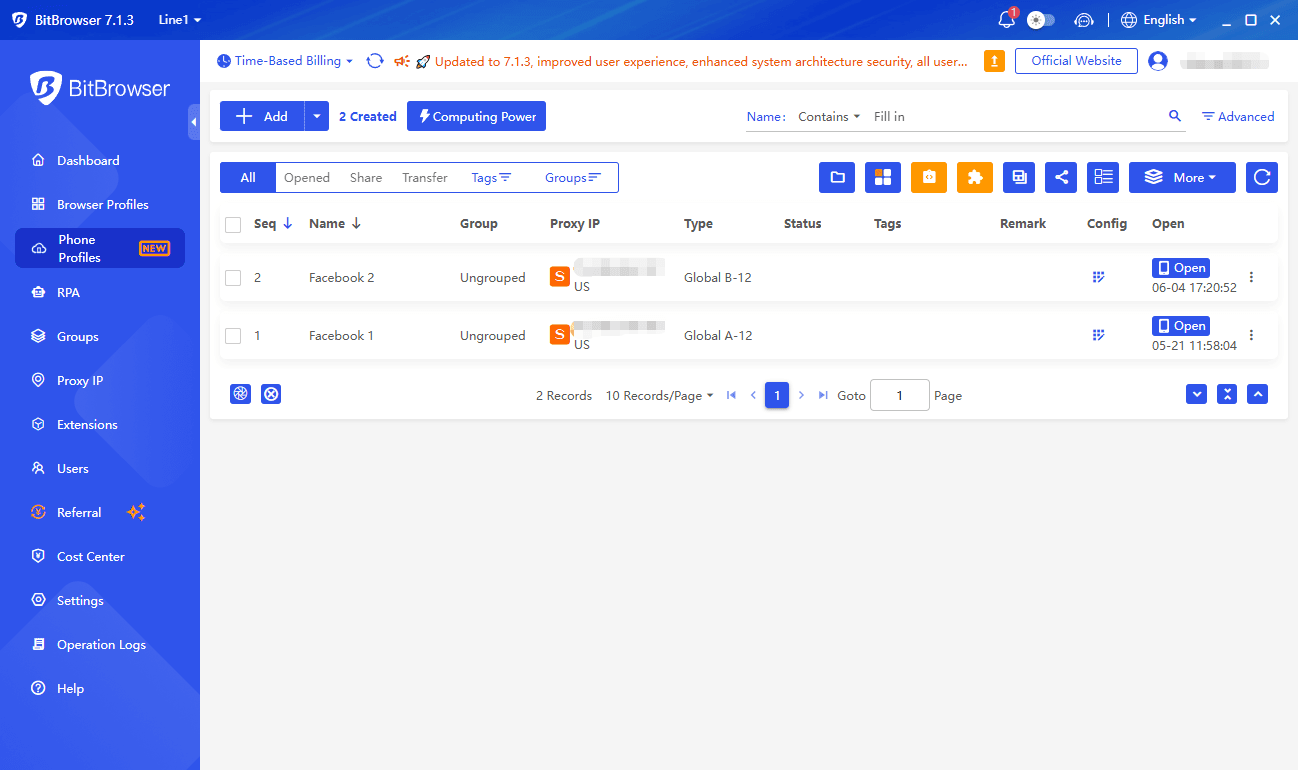
Why Use BitCloudPhone for Facebook Growth
For brands and agencies, managing multiple Facebook Pages, Groups, and ad accounts is the norm. Facebook's detection systems are extremely strict—shared device fingerprints, IP overlaps, or unusual login patterns can all trigger risk controls. One flagged account can set off a chain reaction of reviews across your entire account matrix.
BitCloudPhone is built to solve this problem. Each Facebook account runs inside an independent cloud phone instance, with a unique device fingerprint and dedicated IP. Facebook sees every account as a distinct, real user. Manage Pages, ad accounts, and Marketplace shops from a single console and significantly minimize the risk of linked bans.
Complete Account Isolation
Every Facebook account operates inside its own cloud phone instance. Unique hardware fingerprints, screen resolutions, Android IDs, and network environments ensure Facebook treats each account as a separate, real user.
No more cookie tracking or device fingerprint leaks. Even if one account gets flagged, it won't affect others, safeguarding your ad accounts and Page assets.
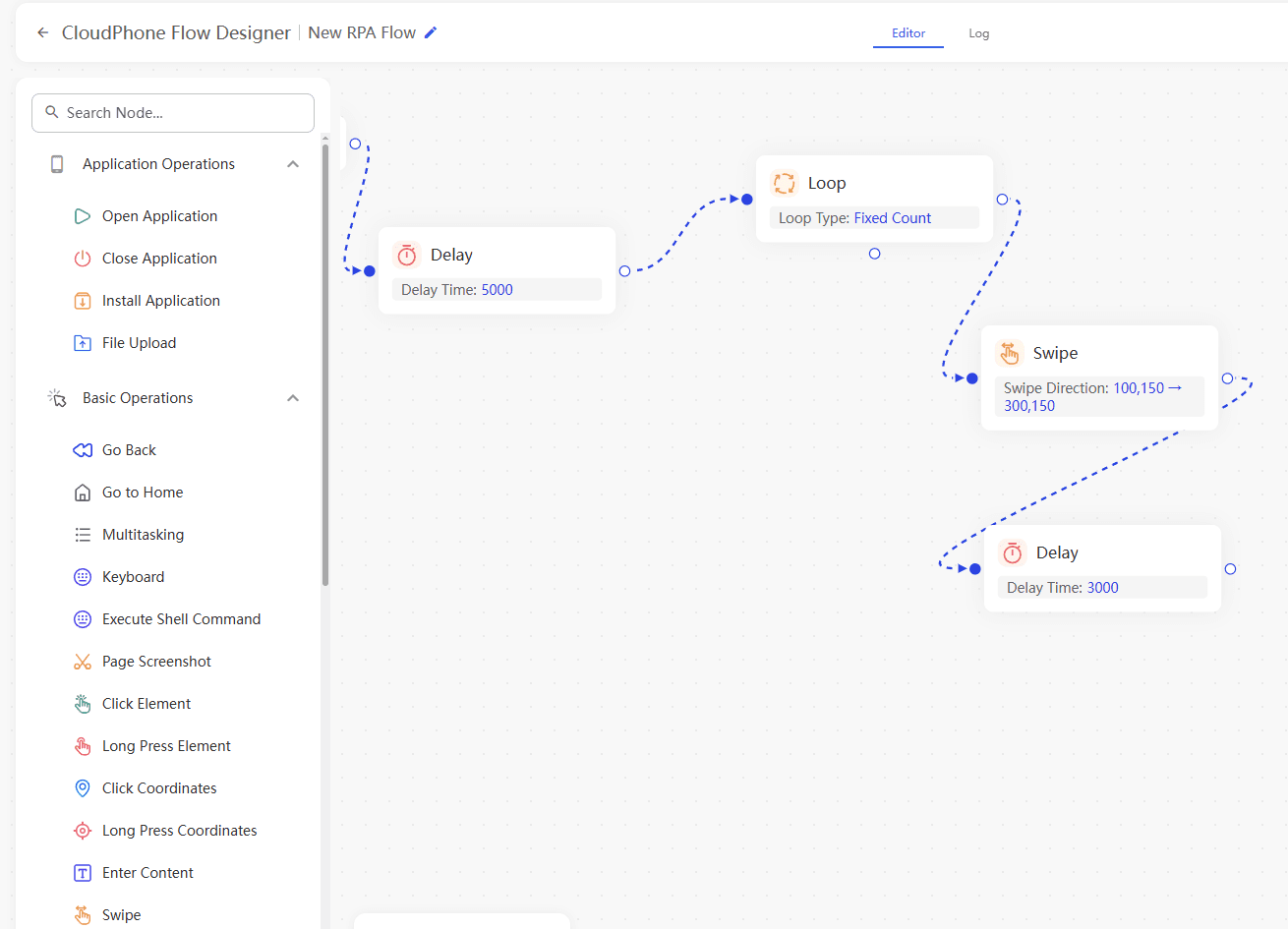
RPA Automation
Deploy RPA scripts to automate routine tasks like Group posting, friend requests, Messenger replies, and Marketplace listing management.
BitCloudPhone offers out-of-the-box Facebook automation workflows. No coding required—run 24/7 and effortlessly manage dozens of accounts.
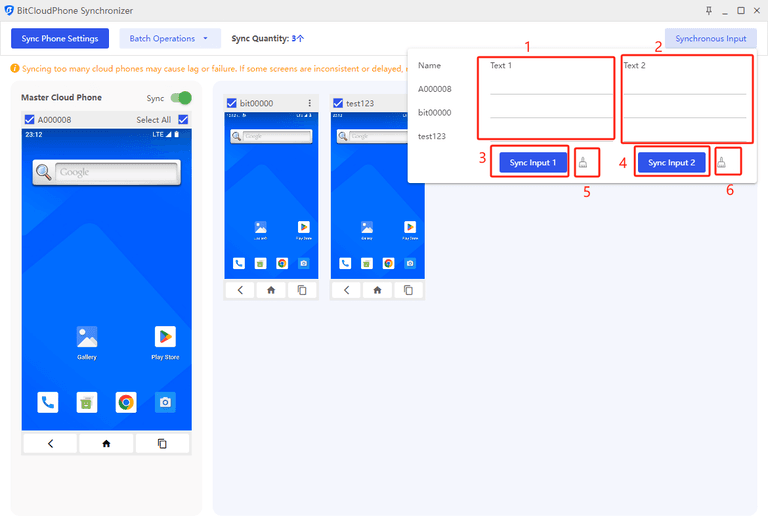
Real-Time Synchronizer
Control multiple Facebook accounts in real time using the built-in Synchronizer. Tap, type, or swipe on one instance, and the actions instantly replicate across all selected devices.
Ideal for bulk Group posting, Marketplace listing uploads, or coordinated comment engagement campaigns across multiple Pages.
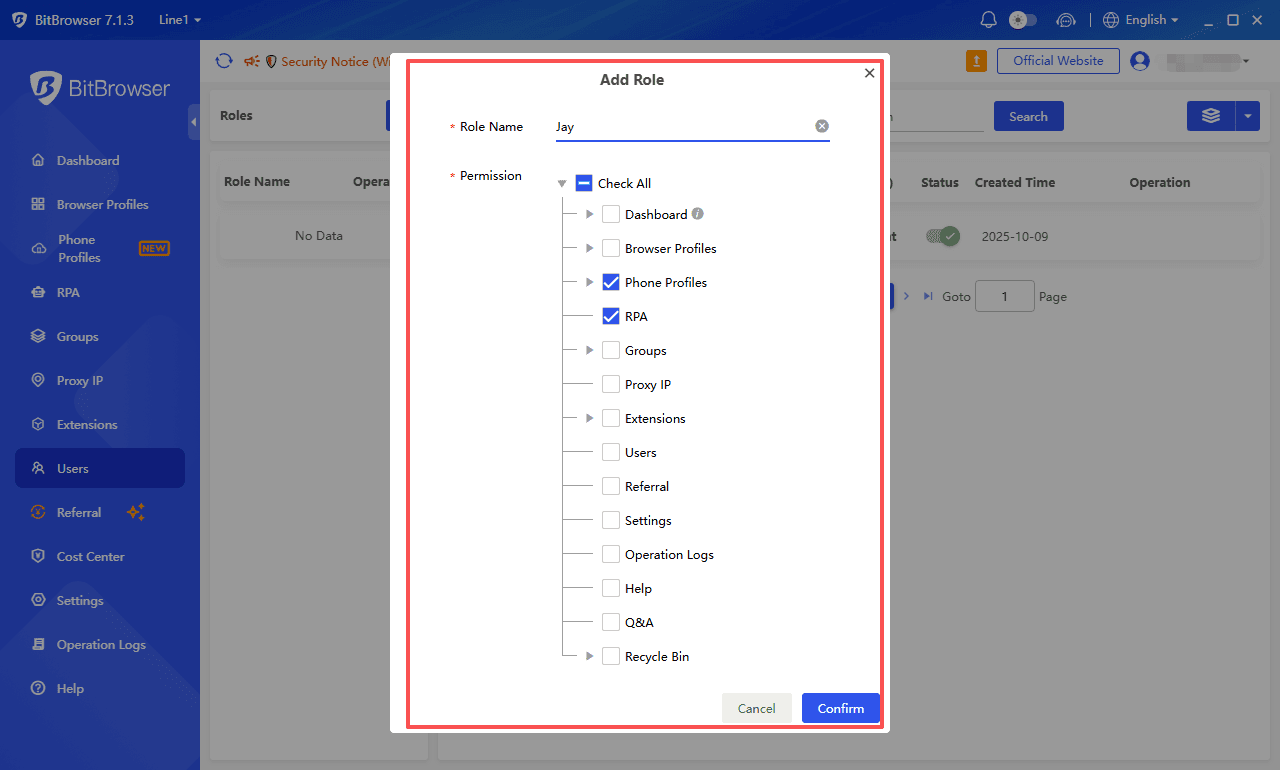
Seamless Team Collaboration
Assign different cloud phone access levels to team members and share cloud-based configuration profiles effortlessly.
Team members can manage content without ever touching account passwords. When someone leaves, simply revoke their cloud phone access—all account assets remain secure in your BitCloudPhone cloud.
Get the Most Out of BitCloudPhone
● Manage Multiple TikTok Accounts
● Manage Multiple Instagram Accounts
● Manage Multiple YouTube Accounts
● Manage Multiple WhatsApp Accounts
● Manage Multiple Twitter (X) Accounts
● Manage Multiple Telegram Accounts
Facebook & Cloud Phone FAQ
Manage Facebook Accounts at Scale with BitCloudPhone
Isolation · RPA Automation · Synchronizer

 Multi-Account Management
 Prevent Account Association
 Multi-Employee Management
Recommended
See More