Manage Multiple YouTube Accounts securely and efficiently with BitCloudPhone
 2026.06.11 03:50
 BitBrowser
Why Use BitCloudPhone for YouTube Growth
Content creators and brands expand their reach with a multi-channel strategy—testing content angles, targeting different language audiences, and building a channel matrix. But YouTube's algorithm is unforgiving: channel associations can lead to platform-wide throttling or even bans. Running multiple channels on the same device or IP is practically inviting risk controls.
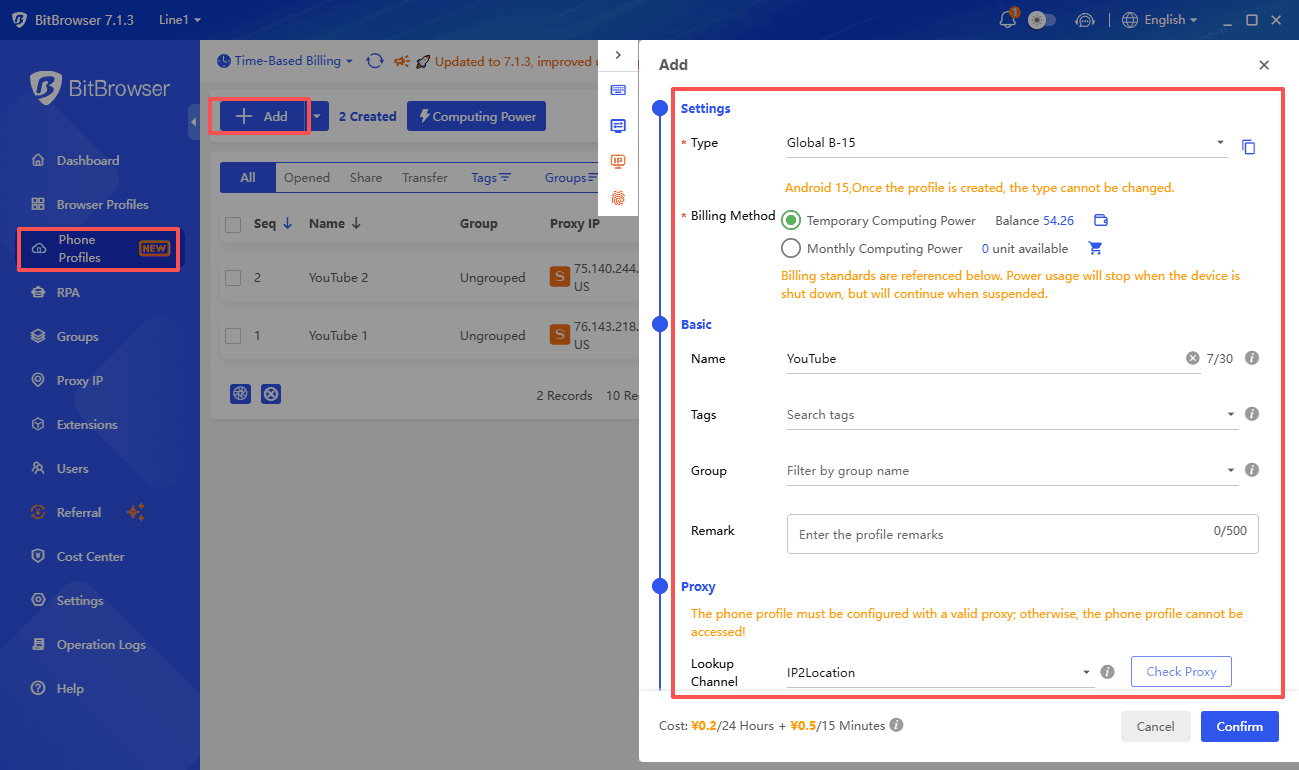
BitCloudPhone provides each YouTube channel with an independent cloud Android device and a unique digital identity. From video uploads and playlist management to community engagement, you run every channel the way Google expects—through a real mobile device. Scale your channel matrix without threatening your entire creator business.
Complete Account Isolation
Each YouTube channel runs inside its own cloud phone instance. Unique hardware fingerprints, Android IDs, and network environments ensure Google treats every channel as a separate, real user on a different device.
Independent device fingerprints (Android ID, IMEI, etc.) prevent Google from connecting your channel matrix. A problem with one channel never affects the rest.
RPA Automation
Automate repetitive channel management tasks like video publishing workflows, comment moderation, and playlist updates.
Schedule round-the-clock channel maintenance, including timed uploads, thumbnail updates, and community post engagement. BitCloudPhone's RPA engine handles everything with zero coding.
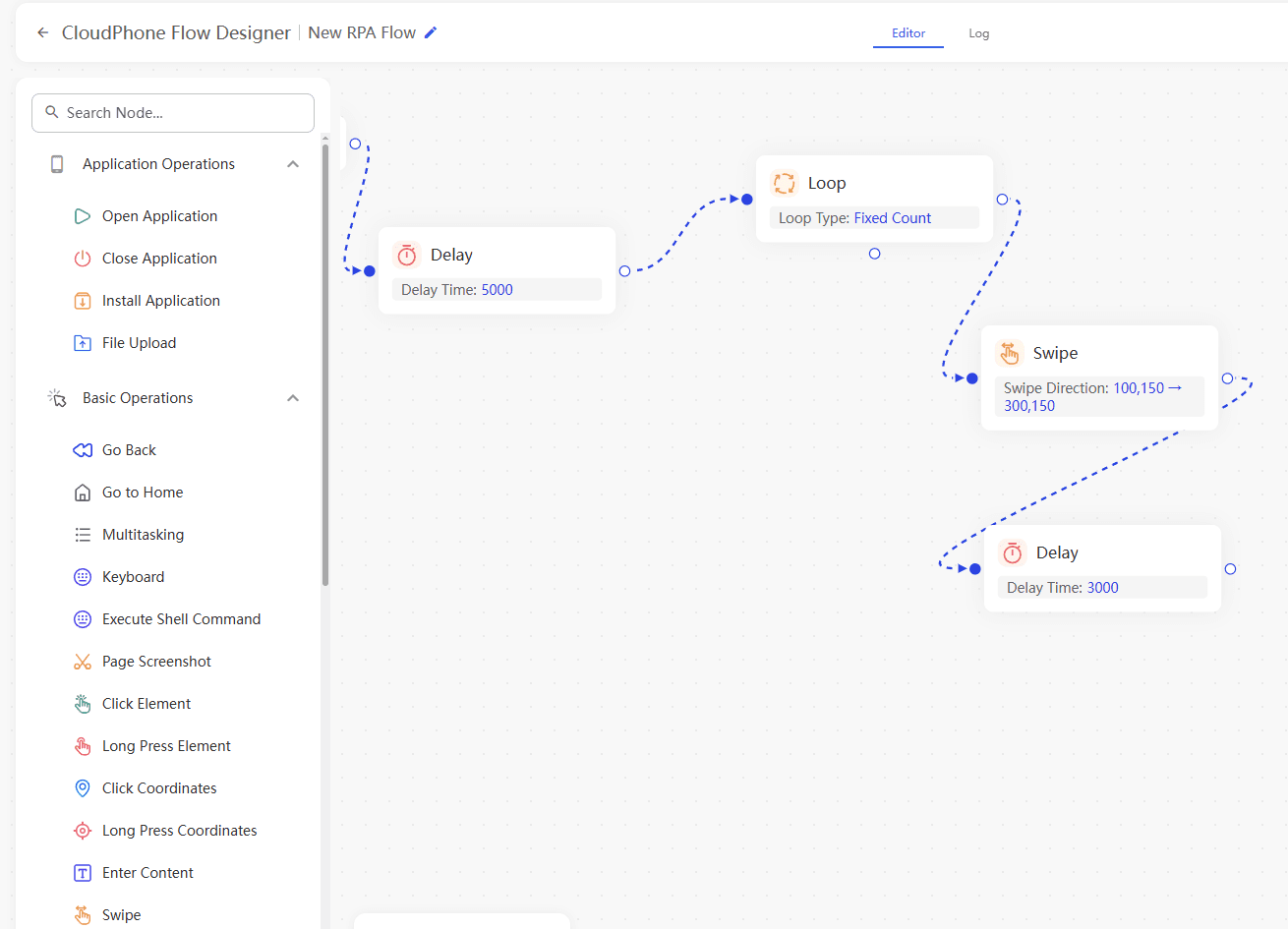
Real-Time Synchronizer
Control multiple channels simultaneously with the Synchronizer—actions on one instance instantly replicate across all selected devices.
Perfect for bulk video publishing, syncing live stream interactions across channels, and executing unified comment reply strategies.
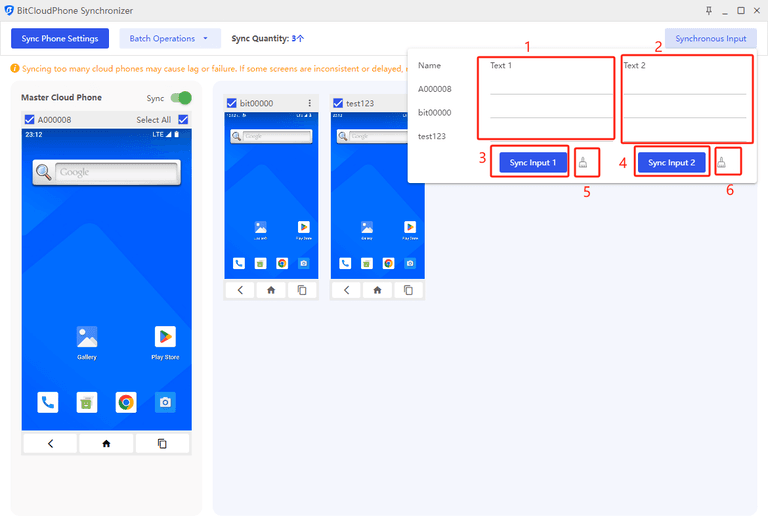
Seamless Team Collaboration
Multi-channel teams collaborate through permission tiers—editors, analysts, and managers each get the right access level.
Channel ownership and AdSense data stay secure in the cloud. Team members only get operational access—your monetization assets remain safe at all times.
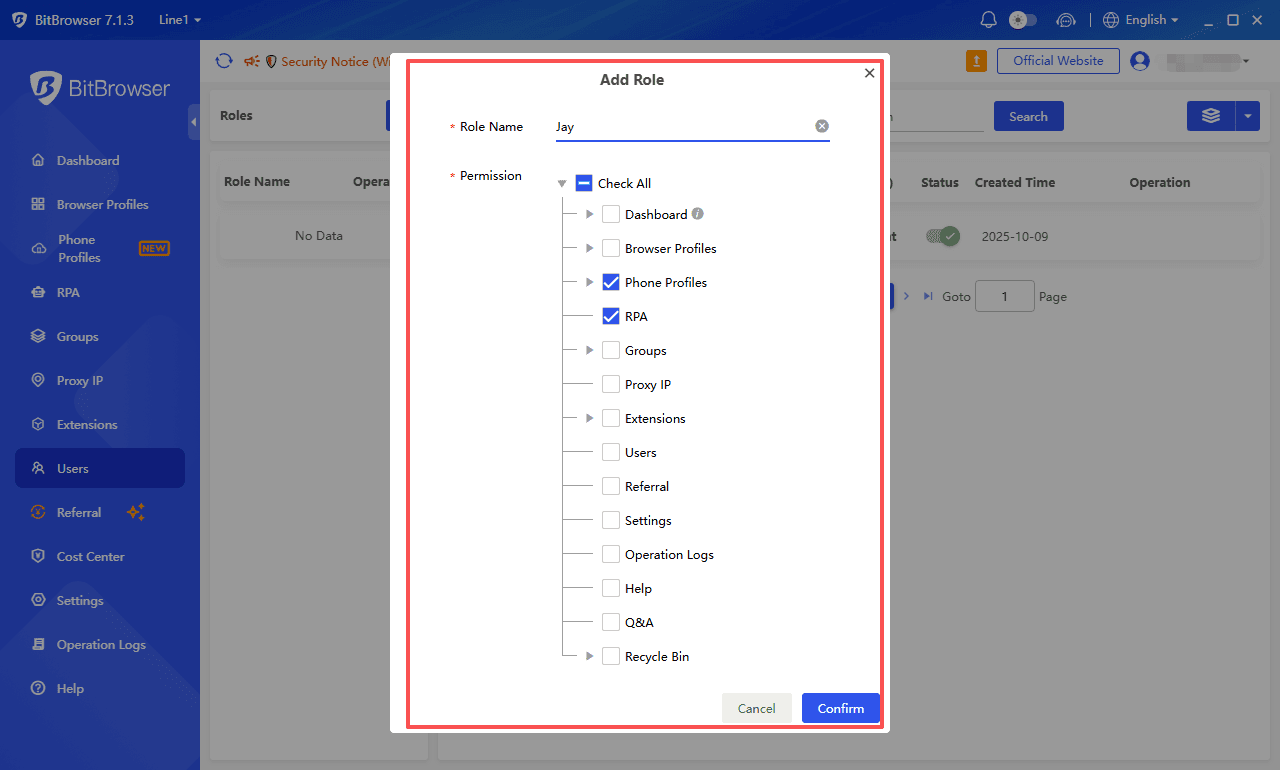
Get the Most Out of BitCloudPhone
● Manage Multiple TikTok Accounts
● Manage Multiple Instagram Accounts
● Manage Multiple Facebook Accounts
● Manage Multiple WhatsApp Accounts
● Manage Multiple Twitter (X) Accounts
● Manage Multiple Telegram Accounts
YouTube & Cloud Phone FAQ
Manage YouTube Accounts at Scale with BitCloudPhone
Isolation · RPA · Synchronization

 Multi-Account Management
 Prevent Account Association
 Multi-Employee Management
Recommended
See More