BitBrowser Product Update: Easier Profile & Proxy Management
 2026.10.09 09:51
 YT.Shi
The latest BitBrowser update introduces practical improvements across browser profiles, Cloud Phone, CloudPC, and proxy IP management. The changes focus on simplifying batch operations, making resources easier to identify, and improving everyday usability.
Browser Profile Management
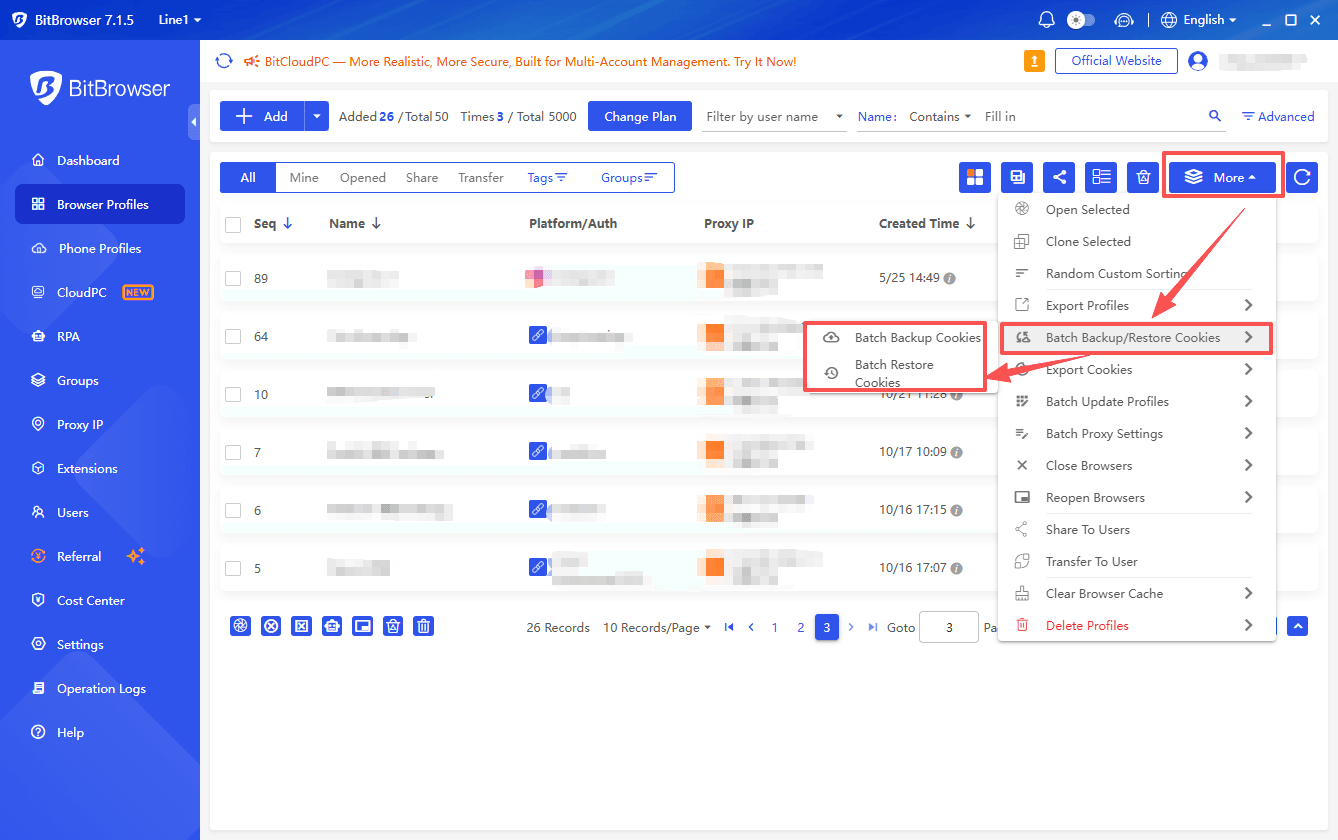
1. Batch Restore Cookies
Users can now restore cookies across multiple browser profiles in one operation instead of handling each profile individually. This makes bulk cookie restoration more convenient and reduces repetitive manual steps when managing multiple browser environments.
2. More Detailed Deletion Confirmation
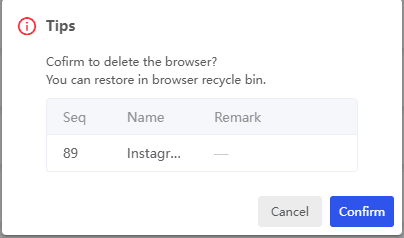
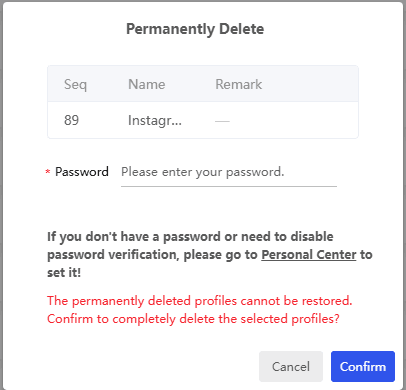
When deleting a browser profile, Cloud Phone, or CloudPC, the confirmation dialog now displays identifying details such as the sequence number, name, and remark. Users can verify the target before confirming deletion, helping reduce the risk of removing the wrong resource.
3. Full Profile Creation Dates
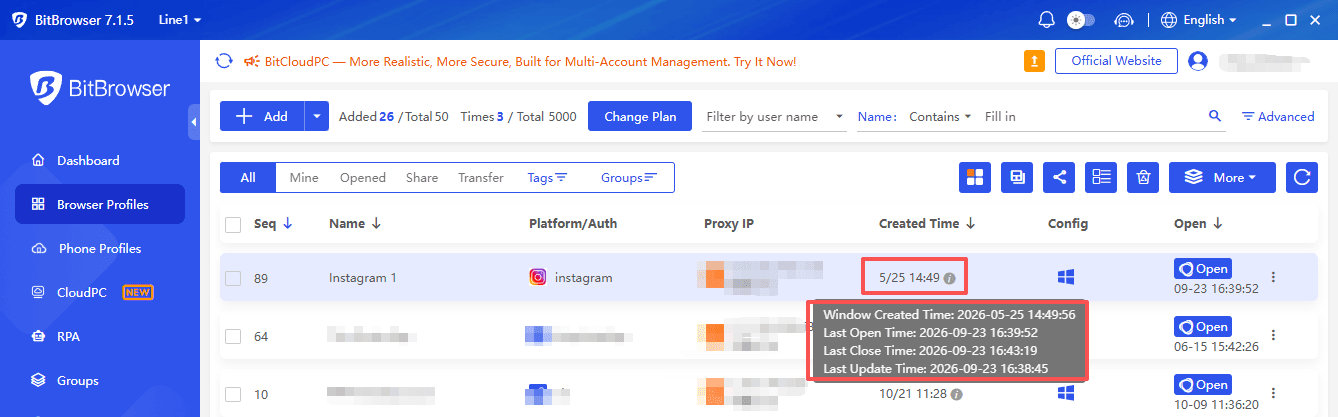
Browser profile creation dates now appear in YYYY/MM/DD format instead of MM/DD. Including the year makes it easier to distinguish profiles created at different times and review older resources without ambiguity.
4. Multi-Group Filtering
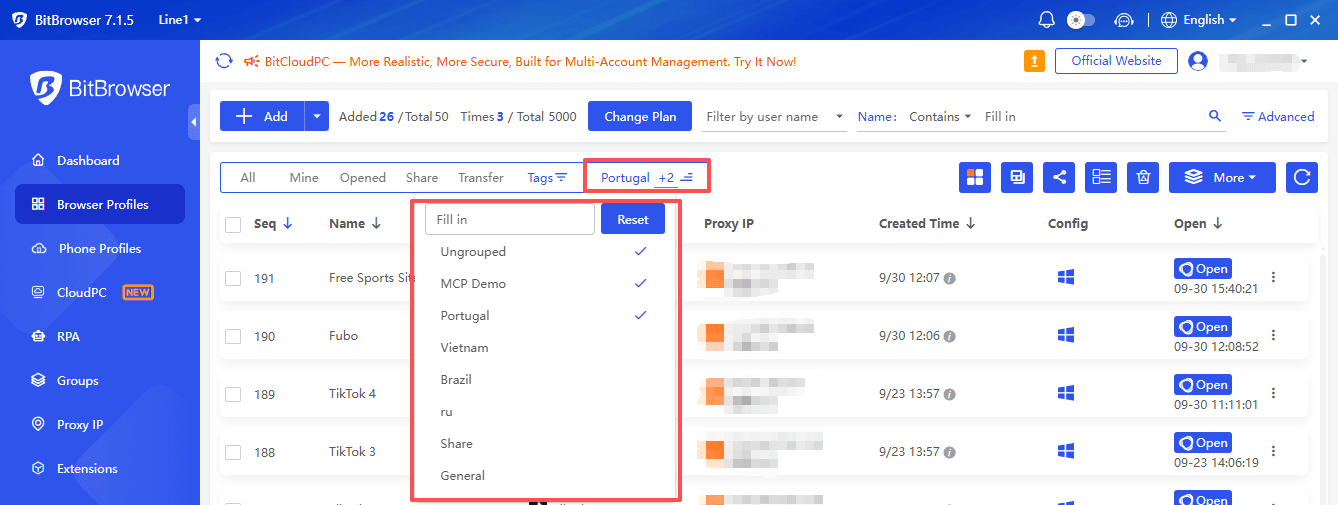
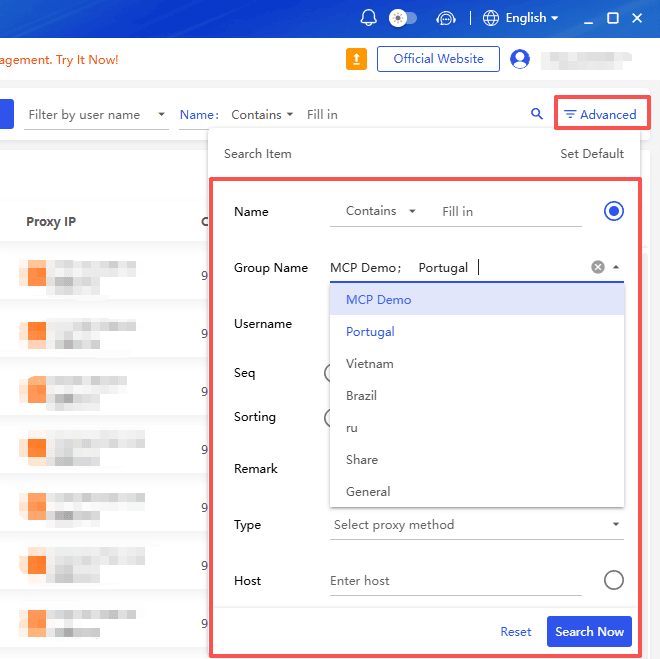
Group filters for browser profiles, Cloud Phones, and CloudPCs now support multiple selections. Users can view resources from several groups together, making it easier to manage projects or account sets without repeatedly changing filter conditions.
5. Multi-Line Name Editing
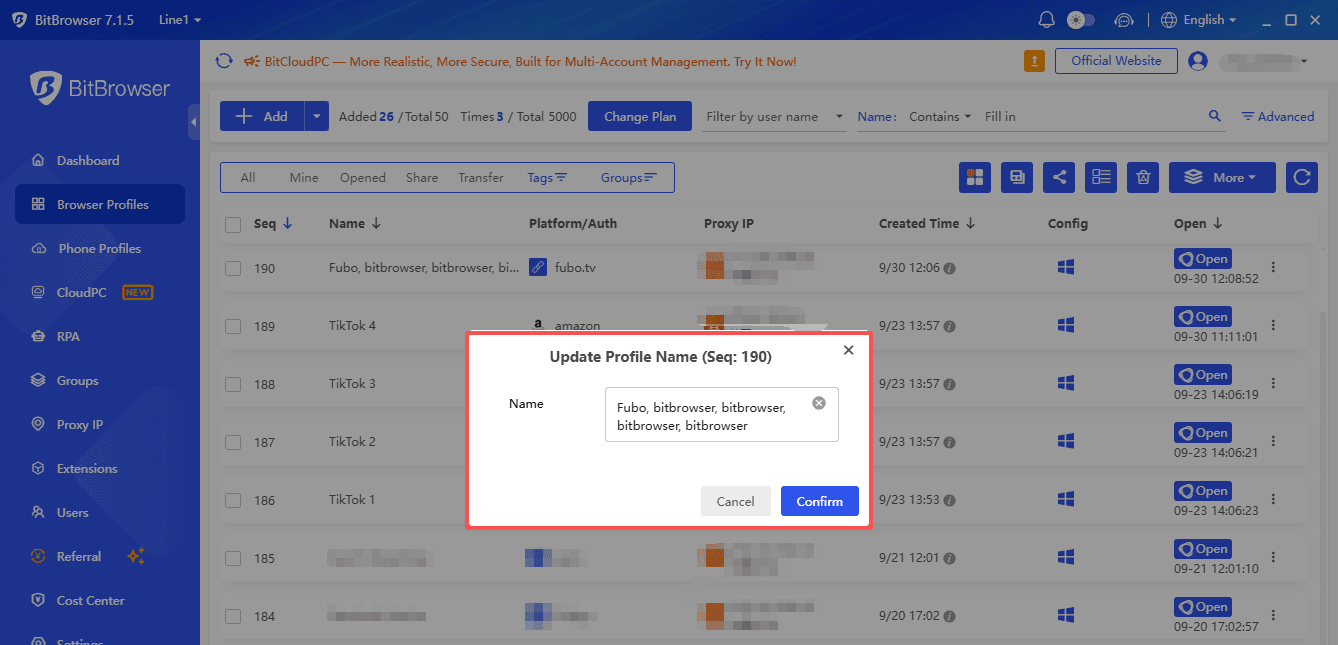
The name input fields for browser profiles, Cloud Phones, and CloudPCs now support multiple lines. This makes longer names easier to review and edit, especially when they contain several identifiers used to organize accounts, projects, or devices.
Proxy IP Management
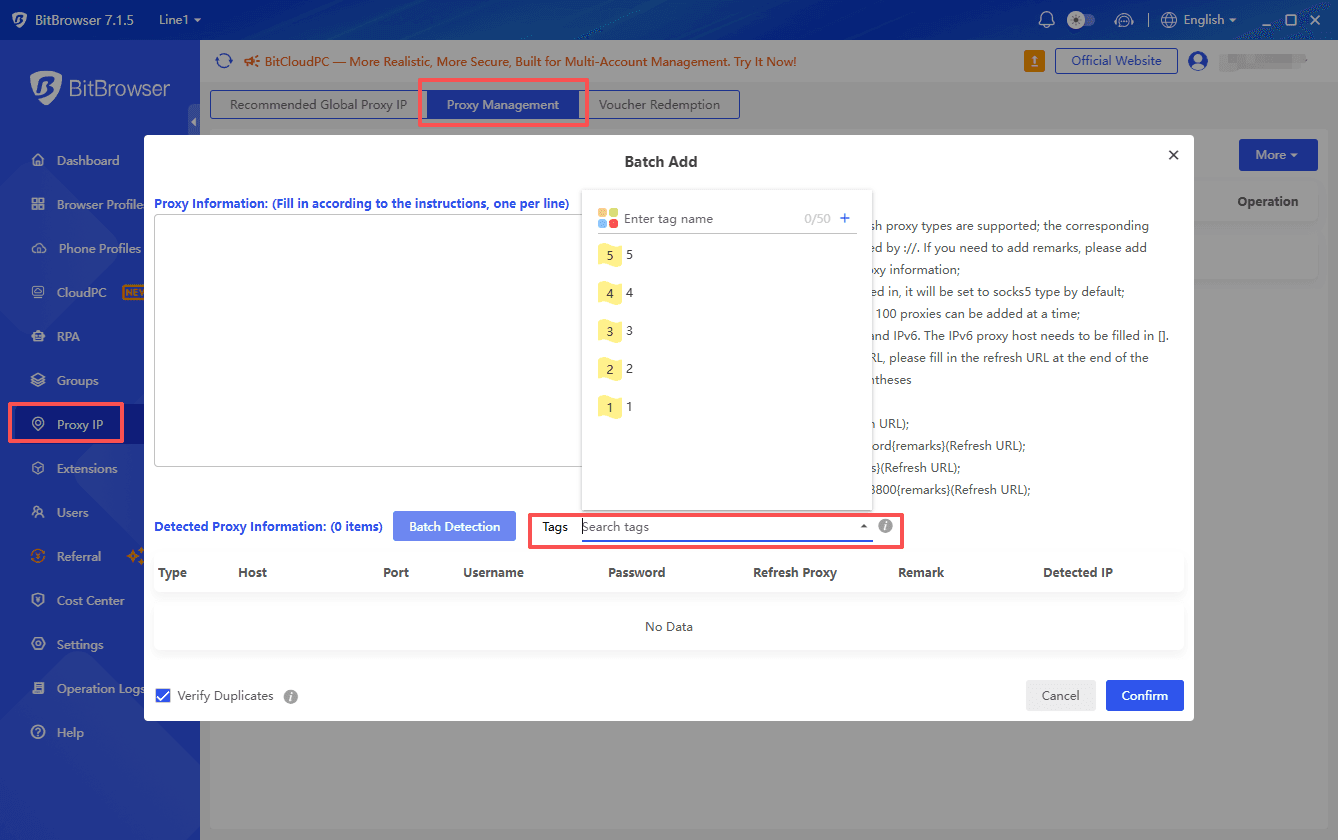
6. Tag Selection When Batch Adding Proxy IPs
Users can now select tags when adding proxy IPs in bulk. Applying tags during import helps organize proxies by project, purpose, or other categories from the start, reducing the need for additional manual sorting later.
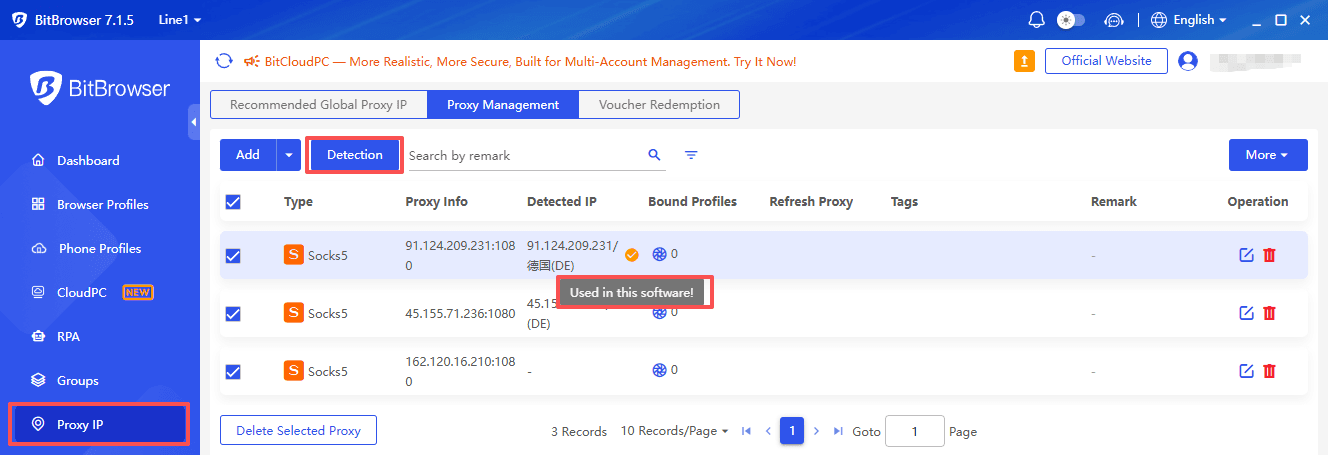
7. Proxy IP Usage Indicator
Bulk IP checks now display a “Used in this software!” indicator after the outbound IP address. This provides an additional reference when reviewing IP check results and helps users identify IPs marked as being used within the software.
CloudPC Purchase Page
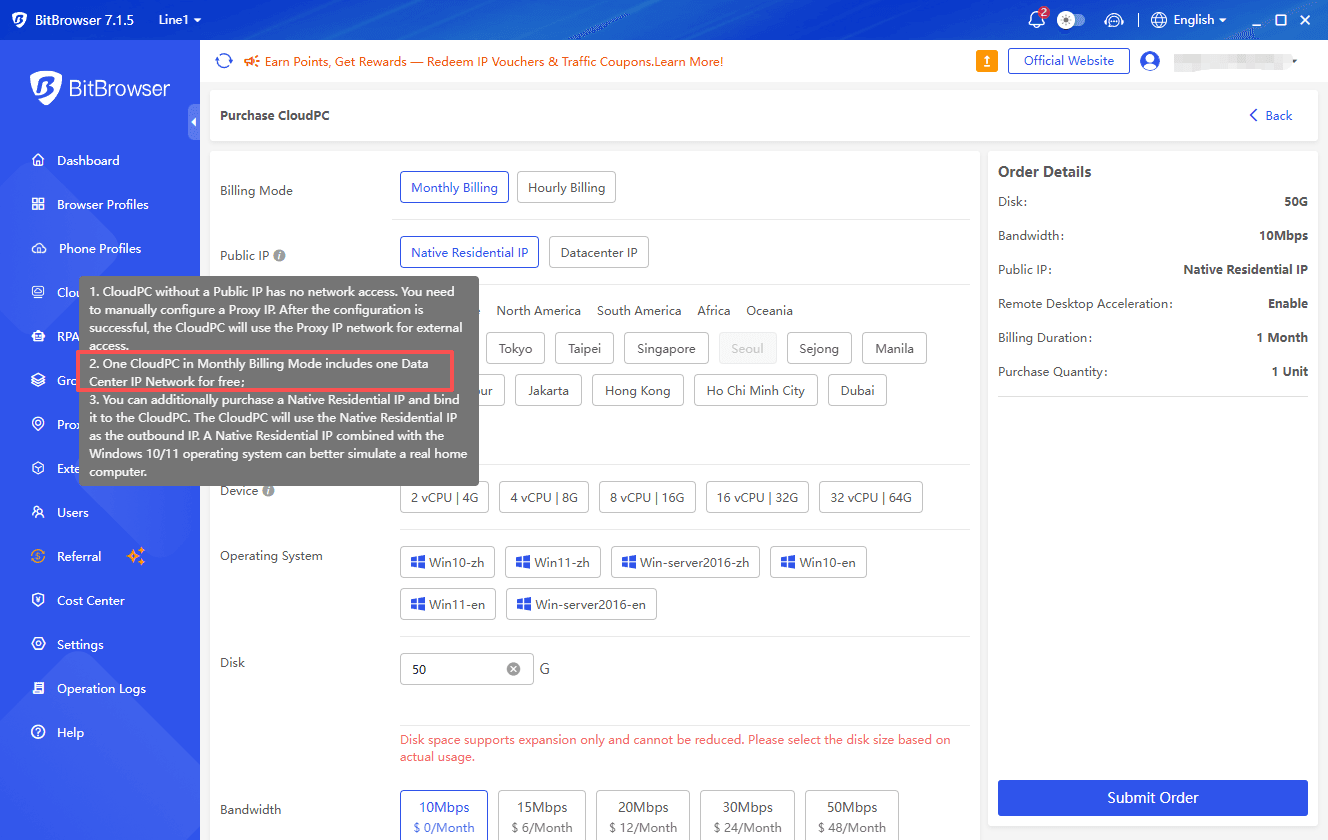
8. Clearer Public IP Notice
The notice displayed next to the Public IP option on the CloudPC purchase page has been updated to clarify that Monthly Billing includes a free IP. This makes the included benefit easier to understand when reviewing purchase options.
Get the Latest BitBrowser
Get BitBrowser to access the latest improvements to profile management, proxy IP workflows, and CloudPC purchasing information.

 Multi-Account Management
 Prevent Account Association
 Multi-Employee Management
Recommended
See More