BitBrowser Dec 2025 Update: What is Changed?
 2025.12.12 14:46
 BitBrowser
BitBrowser 7.1.0 is officially out! After months of fine-tuning, this update focuses on what really matters: stability, security, and smarter user experience. If you manage multiple accounts daily, like for eCommerce or social media, this release makes your workflow smoother and safer.
Quick Overview Table
| Category | Key Updates | What It Means for Users |
|---|---|---|
| Stability | • Fixed new kernel profile creation error • Fixed rare login failure issue • Improved tab & cookie sync • Profiles reliably move to the foreground • Improved stability on certain machines • Architecture upgraded | More stable multi-profile workflows, fewer crashes, smoother long sessions |
| Security & Fingerprinting | • Safer WebRTC replacement mode • New UDP option for Socks5 | Stronger IP protection, lower fingerprint exposure, reduced risk of account linking |
| User Experience | • Remember last window size & position • Unified download directory option • Pin extensions to toolbar | Faster daily operations, cleaner file management, and more convenient multitasking |
| Developer Features | • New /browser/opened/ids API | Better automation: batch monitoring, resource allocation, auto-recovery for problem windows |
| Architecture Upgrade | • Improved underlying architecture | Better performance across different devices and setups |
| Upgrade Process | • Download from official site • Install over existing version | Easy upgrade with all profiles and data preserved |
Stability Upgrades
We know crashes and slowdowns are frustrating. Here’s what’s improved:
· Better core performance: Fixed the issue where creating a new kernel profile after a kernel update caused errors. Continuous use is now much smoother.
· Login reliability: Fixed a rare issue where some users couldn’t log in.
· Tabs & cookies sync: Fixed cases where tabs or cookies weren’t synchronized properly.
Plus:
· Profiles now correctly come to the foreground, and clicking the “activate” button reliably brings the profile forward.
· Stability on certain machines has been improved, reducing unexpected crashes.
These changes make multi-profile and multi-window setups much more reliable.
WebRTC & Fingerprint Security
Protecting your accounts is critical. This update strengthens fingerprint security:
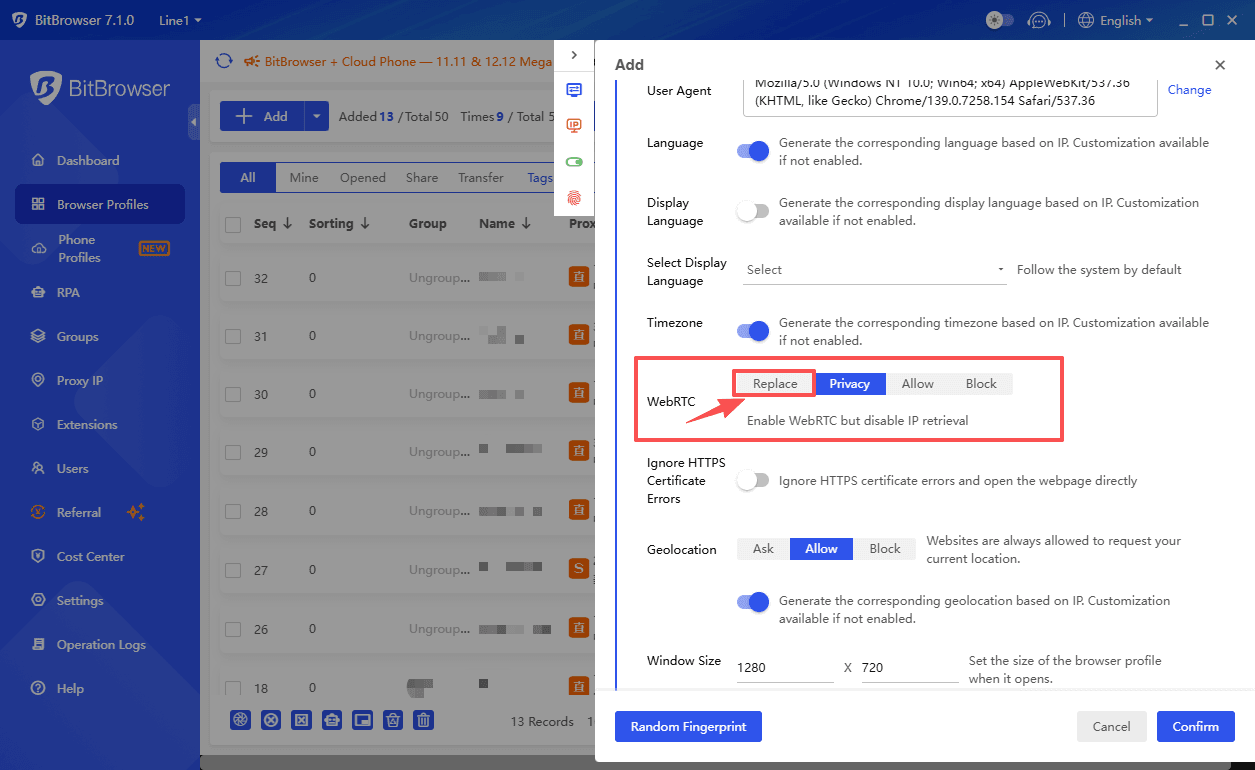
1. Safer WebRTC Replacement Mode
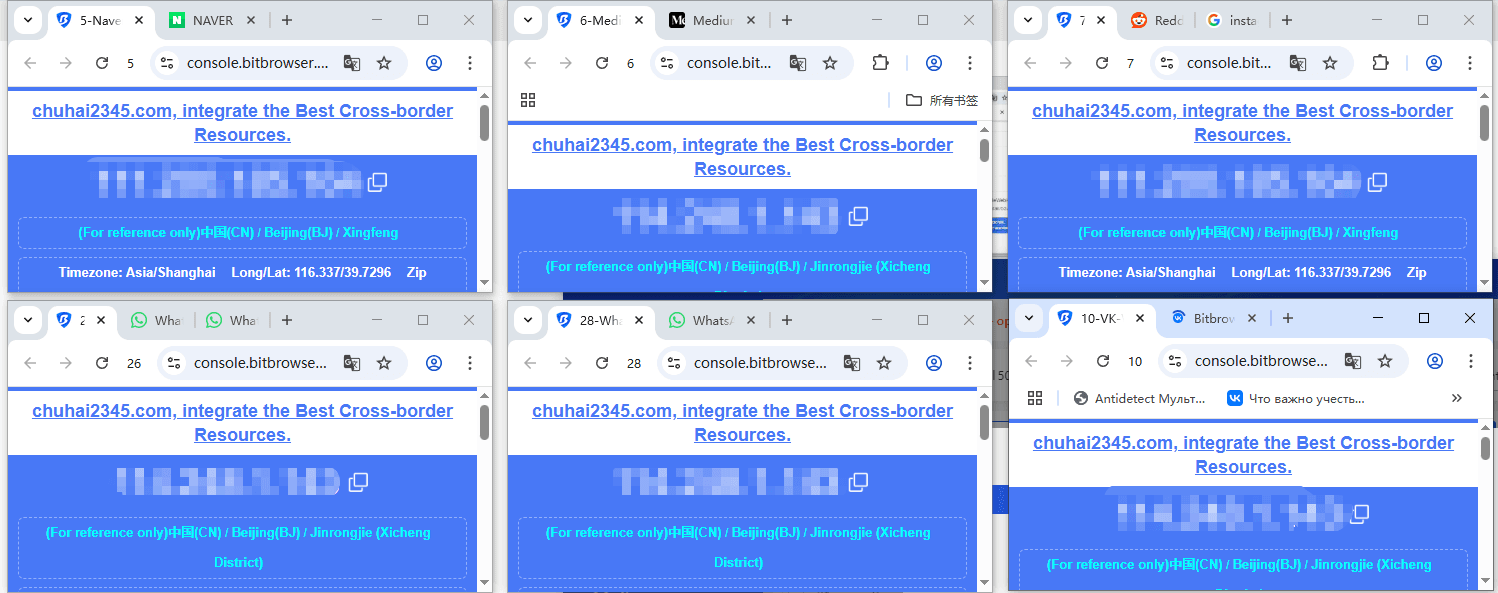
A safer replacement mode keeps your device WebRTC fingerprint safer. It replaces or masks the information that WebRTC normally exposes. Even if a website tries to detect your real IP or system details, it will only see the masked or proxy IP, not your real device. This significantly reduces the risk of account linking or detection based on fingerprints.
In short: it keeps your accounts more private, makes multi-account management safer, and reduces the chance that websites can track or connect your profiles.
2. UDP Option for Socks5
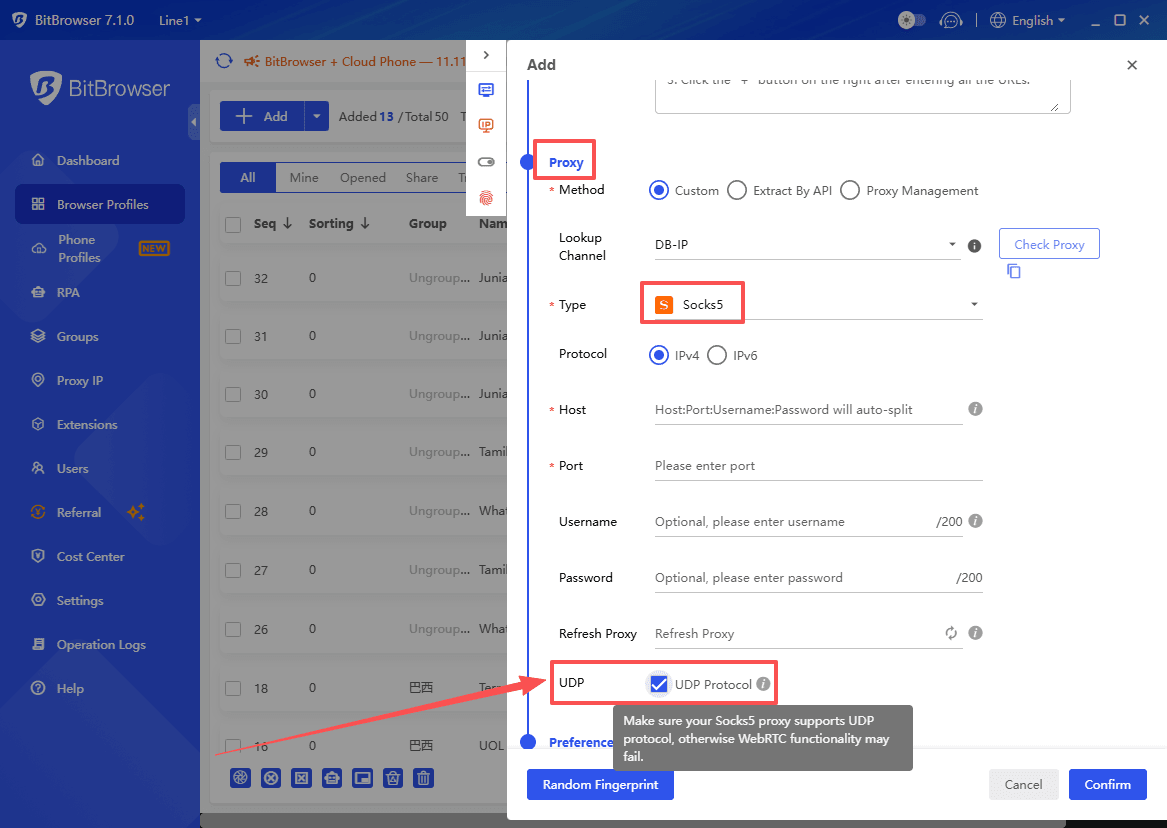
Added a new UDP option for Socks5 proxy, allowing WebRTC to use UDP traffic and enhancing fingerprint security. Websites will only see your proxy IP, not your real one. This improves fingerprint security and ensures that real IP addresses remain hidden when websites try to detect device information. Multi-account operators, such as eCommerce sellers and social media managers, benefit from a higher level of anonymity and protection.
Smarter User Experience
We’ve added features that make everyday tasks simpler:
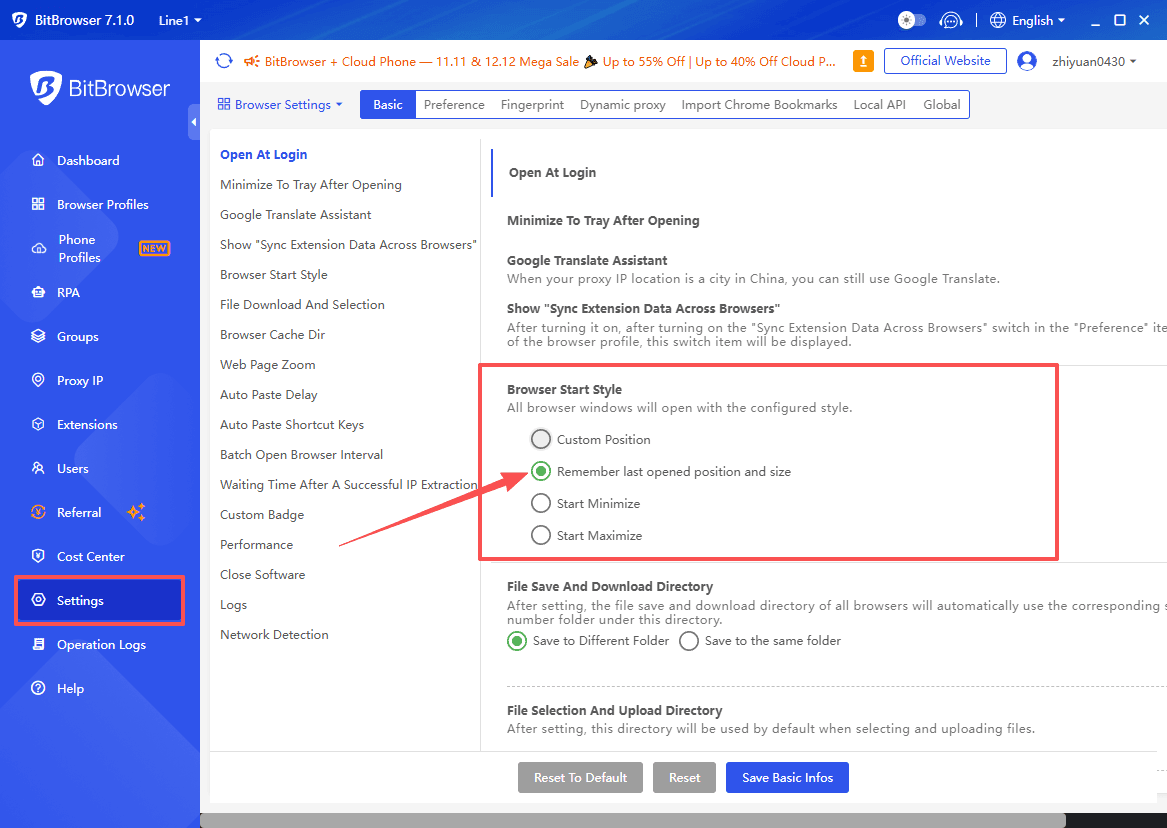
1. Remember window size and position
Added a new “Remember last position and size” mode for browser profiles, allowing profiles to open at the position and size where they were last closed. Profiles reopen exactly where you left them.
This is especially useful for multi-monitor workflows: no more dragging windows around or resetting layouts every time you start work. Your workspace simply restores itself.
2. Download management
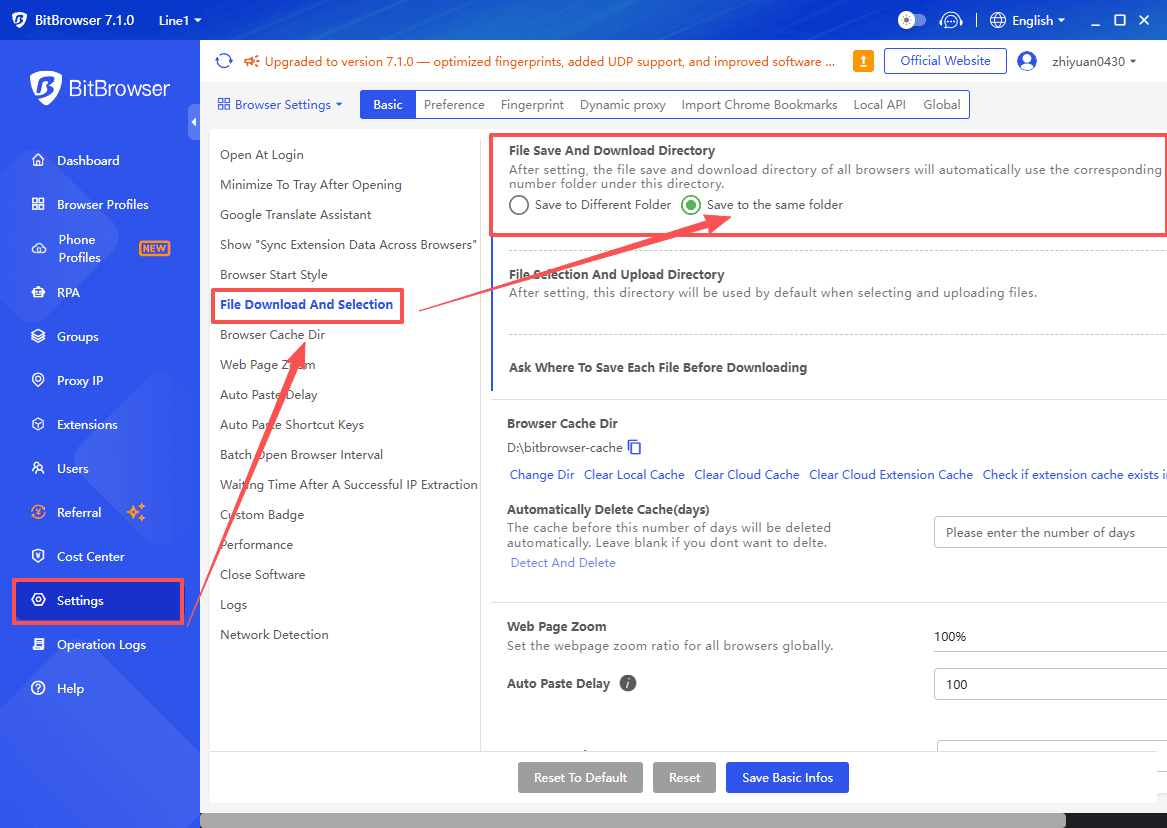
Added a new mode in System Settings for file saving and download directories, allowing downloaded files to be saved to the same directory. Files can now be saved to the same directory automatically, making batch downloads much easier. For users who frequently download product images, invoices, or reports, this removes the hassle of sorting files one by one. Combined with date-based naming, batch downloads become cleaner and far easier to manage.
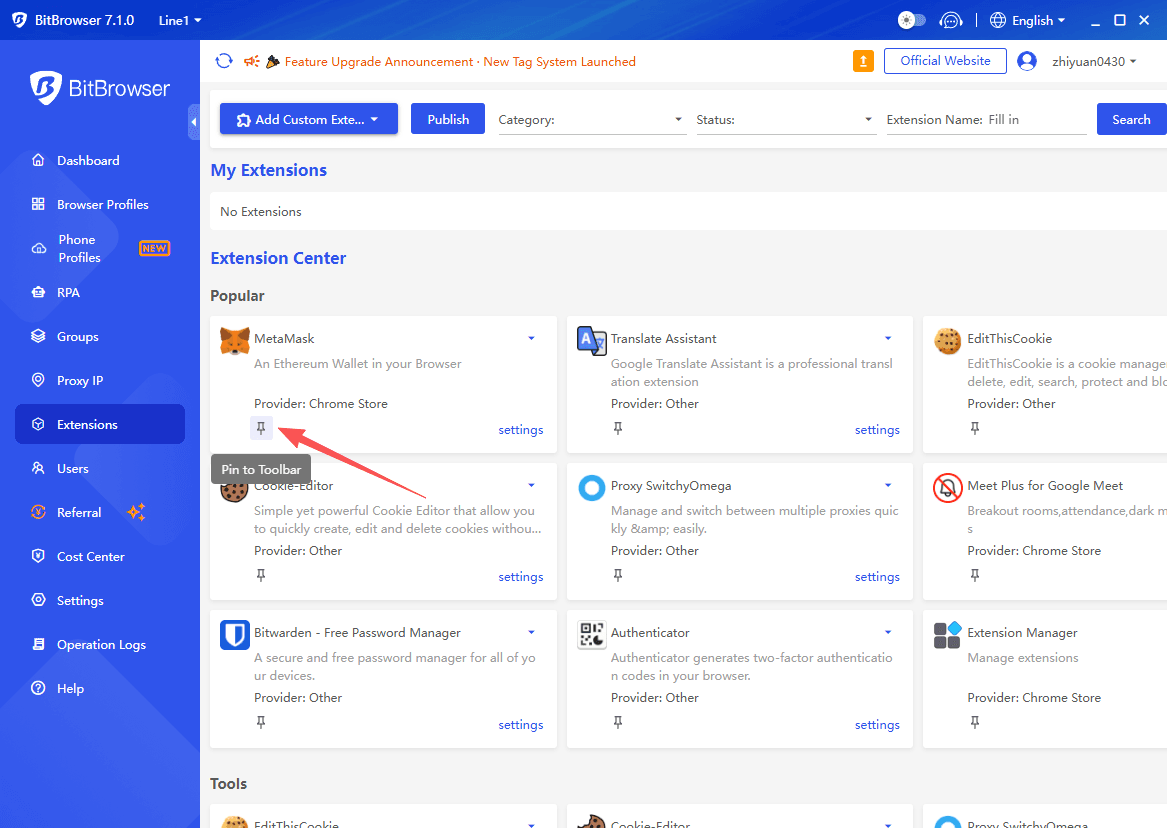
3. Extensions toolbar
Added the “Pin to Toolbar” feature in the Extensions Center, allowing extensions to be pinned to the toolbar. You can pin your favorite extensions (translation tools, recorders, and automation plugins) for quick access, cutting down extra clicks. Instead of digging through menus, everything is available in one click, helping you complete repetitive tasks much faster.
Developer & Automation Features
New API: /browser/opened/ids
The new API lets you retrieve the IDs of all open profiles, giving automation teams far better control over active sessions. With this information, you can run batch monitoring, perform dynamic resource allocation, and even trigger automatic recovery for problematic windows.
This is a big boost for automation and team workflows. View the updated API documentation here.
Architecture Upgrade
The underlying architecture has been upgraded to make BitBrowser more stable across different machines and setups.
How to Upgrade
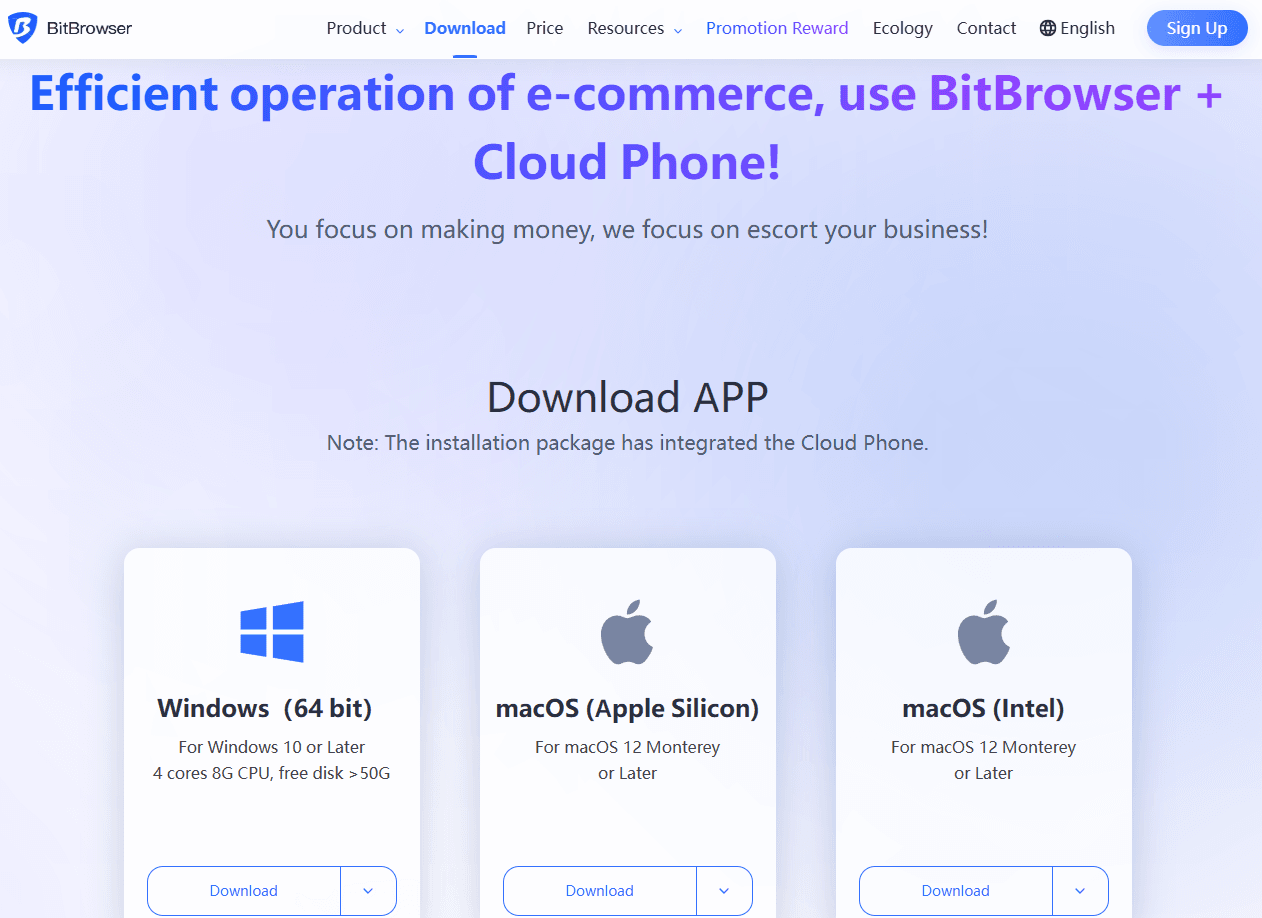
· Download the full installer from the official website.
· Close the old version and install 7.1.0 over it. Your profiles and data will remain intact.
Tips:
· Back up important profiles before upgrading.
· Pause any long-running scripts during the update to avoid interruptions.
Support & Feedback
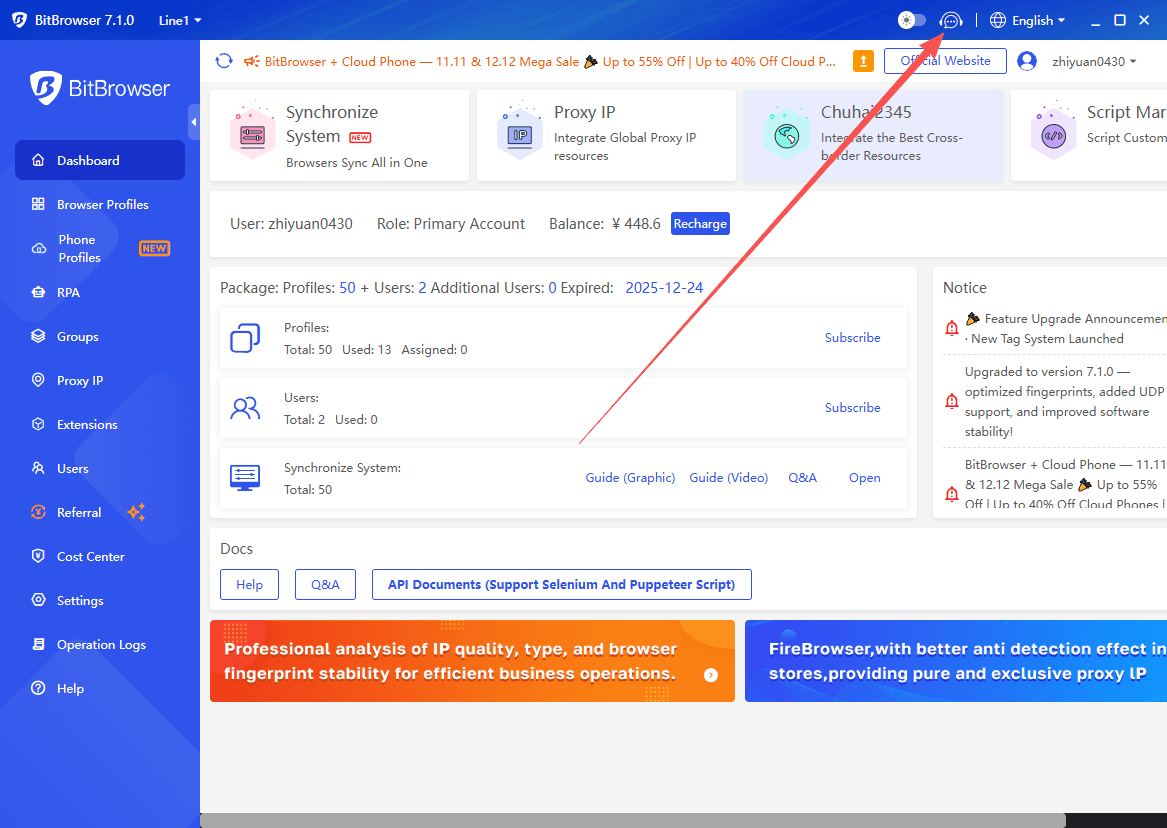
You can reach support via the headset icon in the client.
Submit bug reports or feature requests anytime. High-priority suggestions will be addressed first in future updates.
Wrap-Up
BitBrowser 7.1.0 brings better stability, stronger security, and smarter features. If you manage multiple accounts or heavy workflows, this update is designed to make your life easier. Upgrade today and enjoy a faster, safer, and more productive browser experience!

 Multi-Account Management
 Prevent Account Association
 Multi-Employee Management
Recommended
See More