Best Facebook Story Viewers in 2026: Which Tools Actually Work
 2026.09.17 10:00
 YT.Shi
If you’re looking for a Facebook Story Viewer to view Facebook Stories anonymously, you’ll find plenty of tools claiming to work without a Facebook login. But do they actually work? Some only support specific Story URLs, while others may fail with profile links or require verification.
We tested 7 Facebook Story Viewers using the same image, video, and profile URLs. We checked whether each tool could view and download Stories, how fast it responded, and whether it required login, verification, or displayed intrusive ads.
Here’s what we found about the best Facebook Story Viewers in 2026, based on actual testing rather than claims.
Testing Conditions
We tested all tools with the same 3 Facebook Story URLs (1 image, 2 videos) and 2 profile URLs, without logging in to Facebook.
We checked Story access, download options, loading speed, verification, ads, and profile support.
Rating Criteria
✅ Works: Stories loaded successfully.
⚠️ Partially works: Some tests worked, others failed.
❌ Doesn't work: All Story tests failed.
Note: Profile results were considered separately, as a profile may not have an available Story.
Facebook Story Viewer Quick Comparison
* Login was prompted only when testing a profile URL or accessing additional features.
1. FVidGo
Score: 9.8/10
Test result: ✅ Works
Verification: None
Loading time: Very fast
Ads: None
Login required: No
FVidGo performed well across all five URLs in our test. The three direct Facebook Story links, including one image Story and two video Stories, were successfully retrieved. Both profile URLs also returned available Stories without any issues.
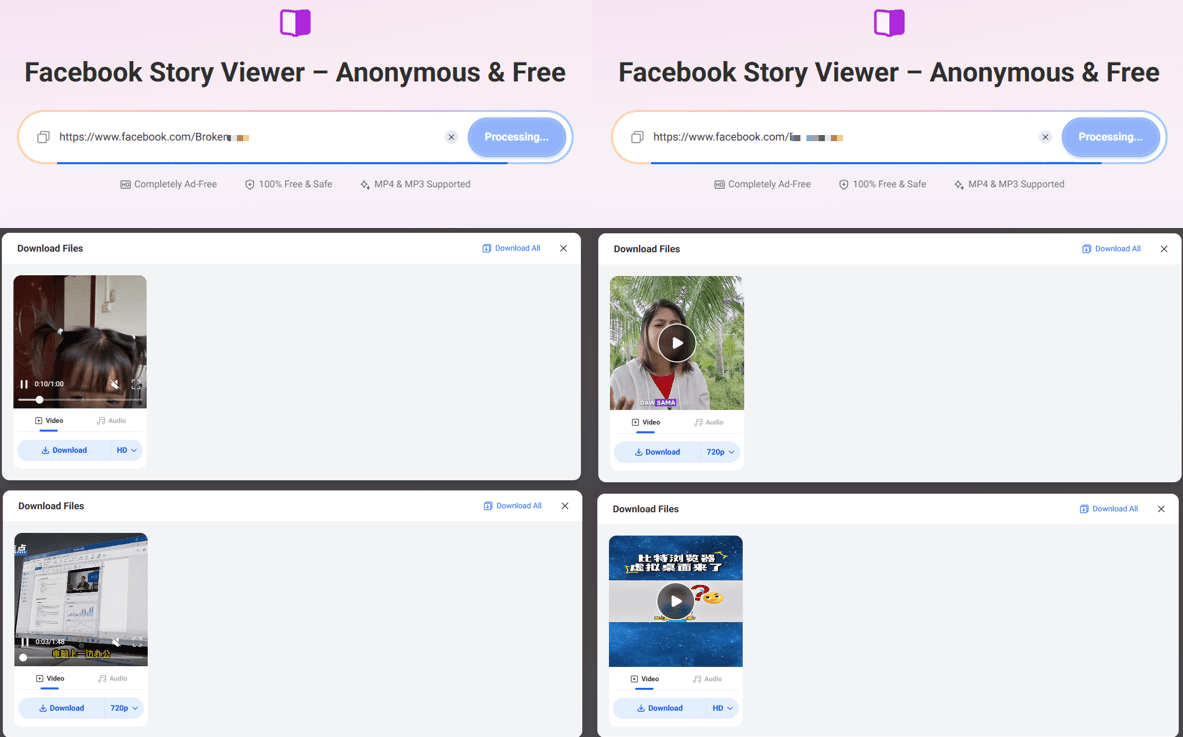
The results loaded quickly, and the Stories could be viewed directly online. FVidGo also provides a download option for the retrieved content, so you can either watch the Story on the page or save it to your device.
The page itself is clean and straightforward. There were no display ads or click-through ads during our test, and no verification step was required. Overall, the process was simply a matter of pasting the Facebook URL and getting the result.
2. FacebookStoryViewer.com
Score: 9.6/10
Test result: ✅ Works
Verification: None
Loading time: Around 3 seconds
Ads: None
Login required: No
FacebookStoryViewer.com returned results almost immediately. In our test, the results appeared within around three seconds after submitting the URL. Both the image Story and video Stories were retrieved successfully, and each result included a download option.
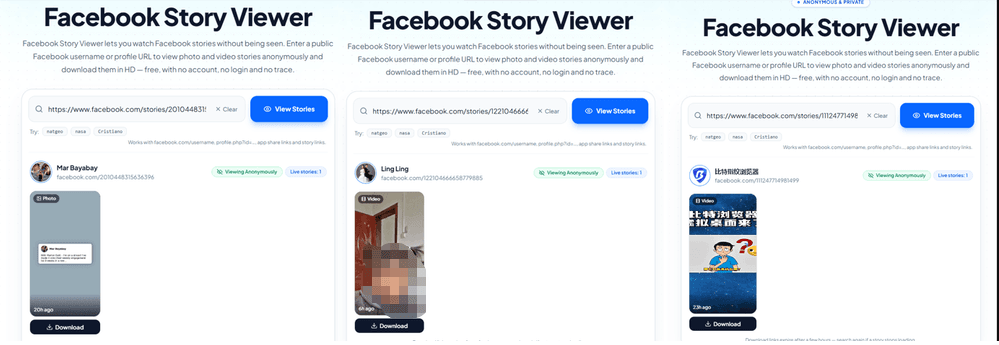
The results page is also easy to scan. The retrieved content is displayed clearly without requiring you to scroll through a long page. Video Stories can be previewed directly on the page, with an option to enlarge the video to fit the screen.
We also tested two Facebook profile URLs. The first one did not return a Story, while the second successfully displayed its available Story. As with some of the other tools we tested, profile URL results may vary depending on whether the profile has a Story that the service can retrieve.
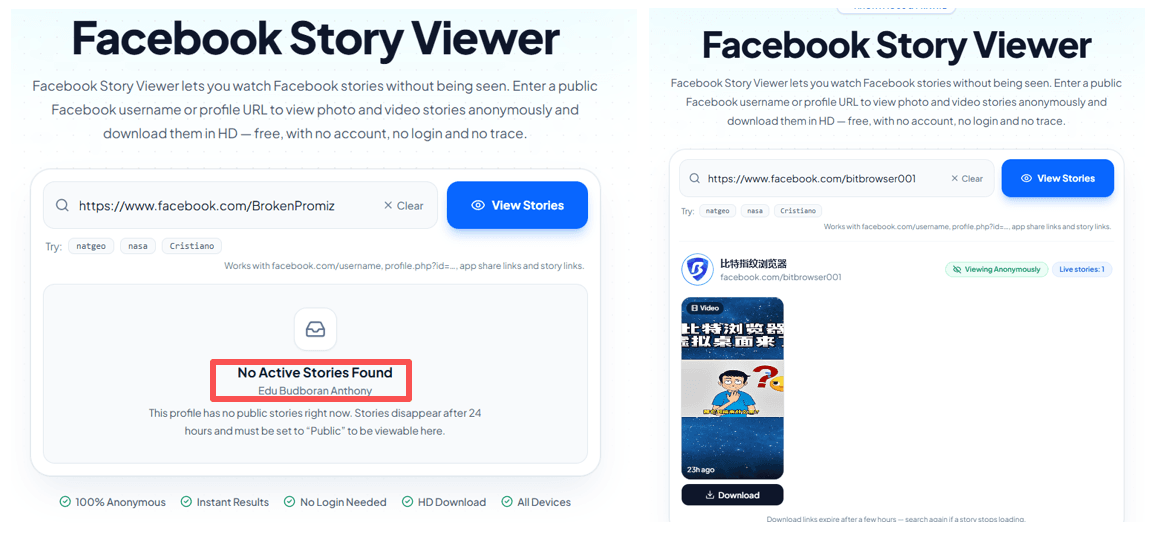
The site itself is very clean, with no ads or unnecessary steps. There was no verification or Facebook login required during testing.
3. FBTake
Score: 8.8/10
Test result: ✅ Works
Verification: Quick human verification
Loading time: 5–10 seconds
Ads: 2, manually closable
Login required: No
FBTake worked with all three direct Facebook Story URLs we tested, including one image Story and two video Stories. All three could be viewed online and downloaded directly from the page.
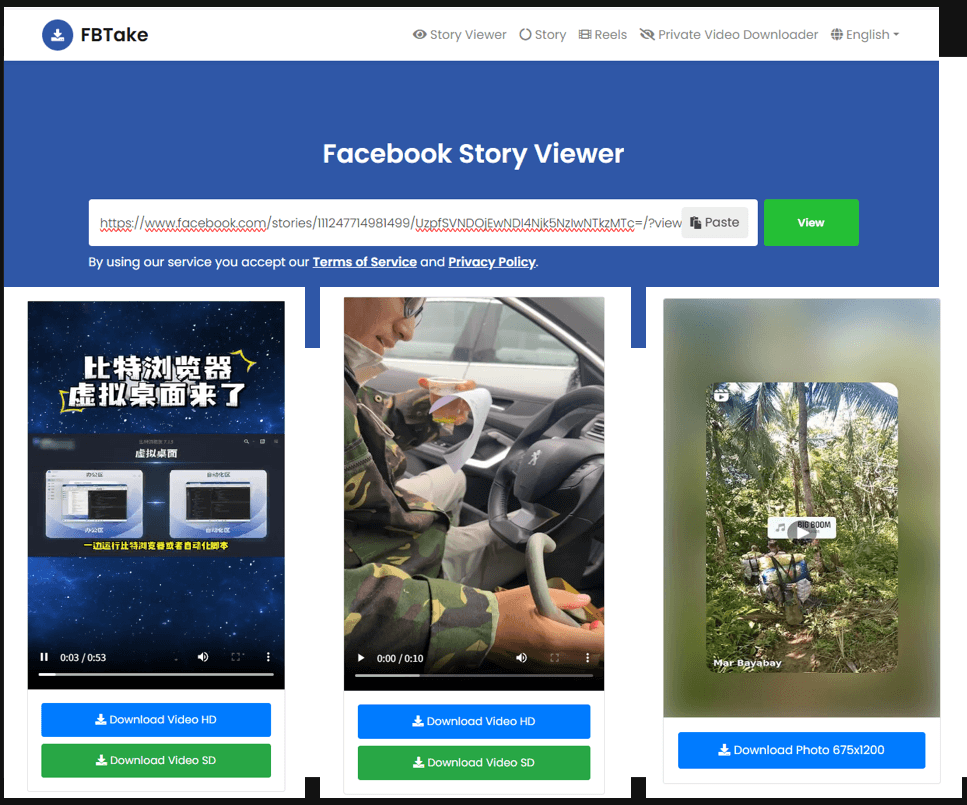
We also tested two Facebook profile URLs. One returned “Currently there are no stories available on this profile,” while the other successfully displayed its available Story. This suggests that profile URL results may vary, while direct Story URLs worked consistently in our tests.
The process is straightforward: paste a URL, click View, complete the quick human verification, and wait for the result. The two ads can be closed manually, and we did not encounter unexpected redirects or new tabs during testing.
4. GetVidFB
Score: 7.8/10
Test result: ⚠️ Partially works
Verification: None
Loading time: Fast
Ads: Light advertising
Login required: No
GetVidFB successfully retrieved both types of direct Facebook Story URLs we tested. The image Story and video Stories loaded successfully, and the results could be accessed from the returned page.
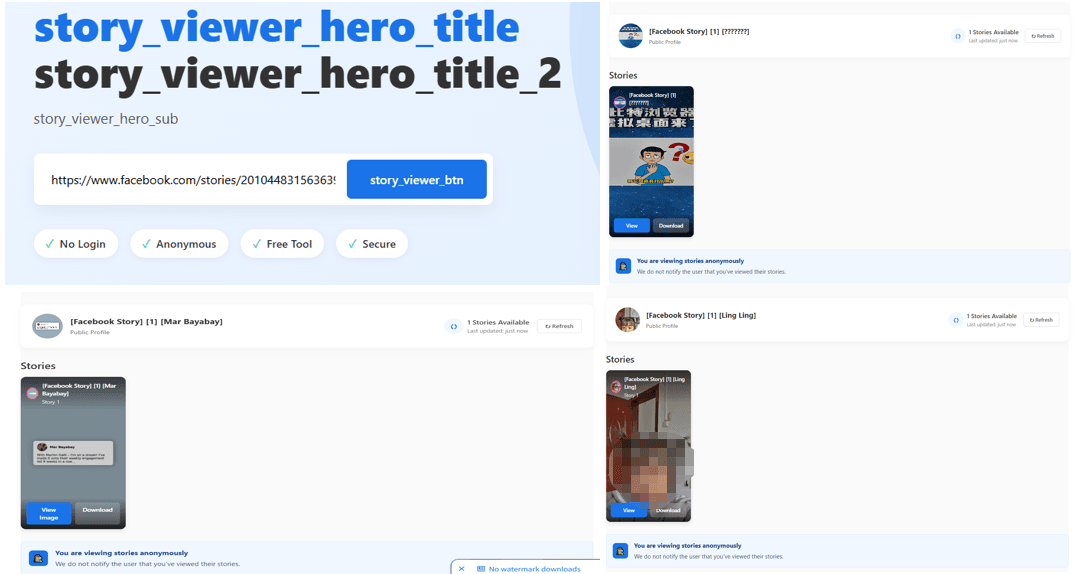
The tool was fairly quick, although submitting a URL opened the result on a new page rather than displaying it directly on the original page. This was not a new browser tab, so it did not interrupt the browsing session, but it does add an extra step to the process.
We also tested both Facebook profile URLs, and neither one returned a Story. Since the direct Story links worked while both profile URLs failed, we rated GetVidFB as Partially works rather than a complete failure.

The page contains some light advertising, but there were no verification steps or Facebook login requirements during our test.
5. Viewri
Score: 6.8/10
Test result: ⚠️ Partially works
Verification: Brief human verification
Loading time: Fast
Ads: None
Login required: No
Viewri is a slightly different case. Although it appears in search results for Facebook Story Viewer, it does not seem to function primarily as a Story viewer. In our test, both the image Story and video Story URLs failed to return results.
However, its Facebook profile viewer worked with both profile URLs we tested. Instead of showing only available Stories, Viewri returned a much more detailed profile-level result, including photos, posts, videos, and Reels, all of which could be viewed directly online.
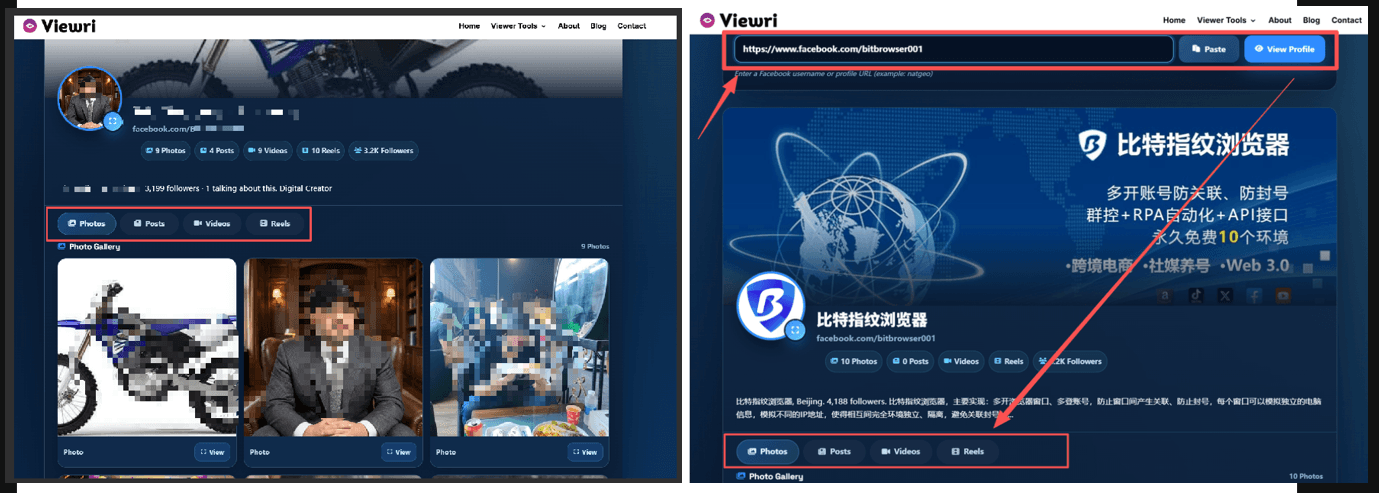
The page is clean and ad-free, and the only extra step was a brief human verification before viewing the results. The overall process was smooth and straightforward.
So while Viewri was not useful for viewing the Facebook Stories in our test, it may be more relevant if you want to explore publicly available content from a Facebook profile rather than view a specific Story.
6. BraveDown
Score: 5.8/10
Test result: ⚠️ Partially works
Verification: None
Loading time: Fast
Ads: Pop-up ad when clicking the main button
Login required: No for basic use
BraveDown has stricter URL requirements than most of the other tools we tested. It does not support Facebook profile URLs and only accepts specific formats, such as https://www.facebook.com/stories/123456789 and https://www.facebook.com/share/abcdef. Using an unsupported URL format immediately returns a “Wrong link format” message.
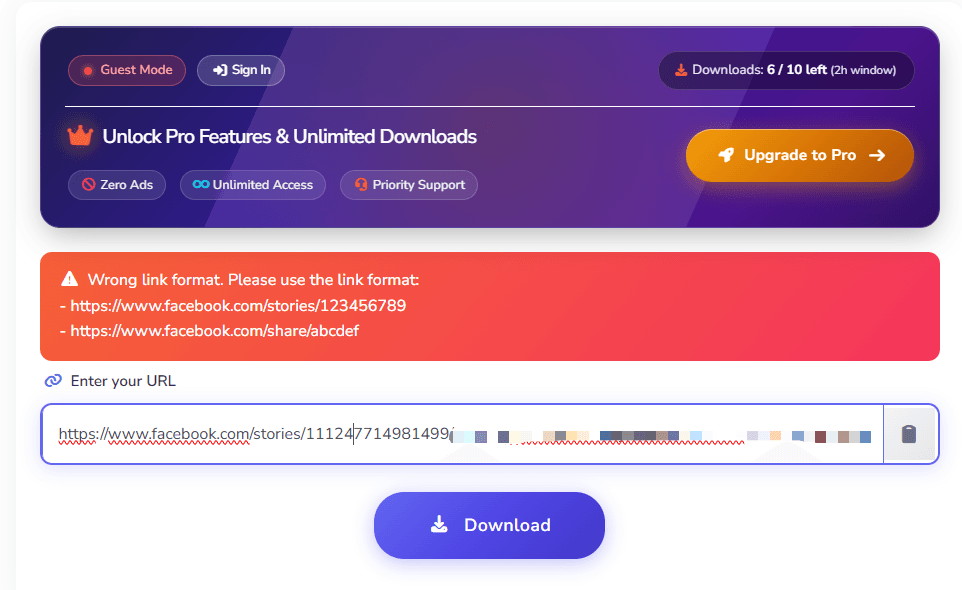
Using the supported Story URL format, the image Story and the first video Story were retrieved successfully, while the remaining test links failed. So although the tool can work with some Facebook Story URLs, its success rate was inconsistent in our test.
There is also a usage limit of 10 queries within two hours. Unlimited downloads require signing in and upgrading to the site's Pro plan. The page itself has no verification step, but clicking the main action button triggered a pop-up ad that opened in a new browser tab.
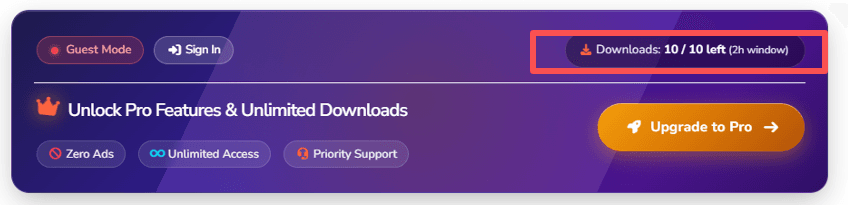
Because of the URL restrictions, inconsistent results, usage limit, and additional Pro requirement for unlimited downloads, we rated BraveDown as Partially works.
7. StoryViewer.ai
Score: 2.5/10
Test result: ❌ Doesn't work
Verification: None
Loading time: Failed to retrieve Stories
Ads: None
Login required: Google account required when testing a profile URL
StoryViewer.ai did not successfully retrieve either of the Facebook Story types we tested. Both the image Story and video Stories failed to load, so we could not view or download the content through the tool.
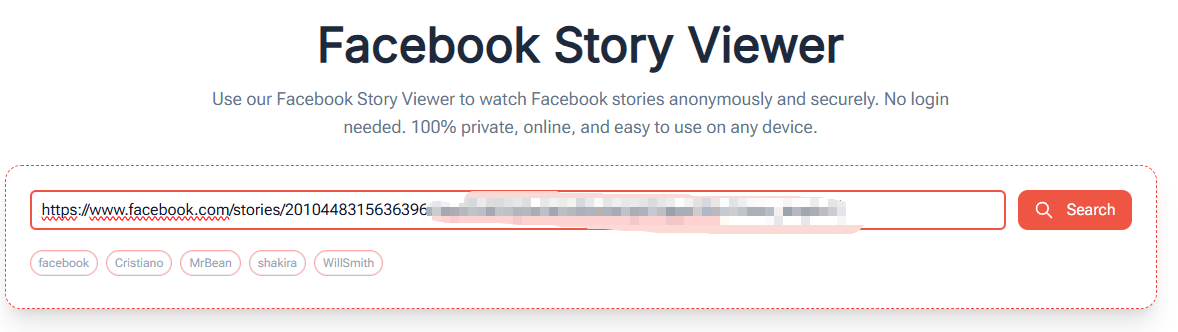

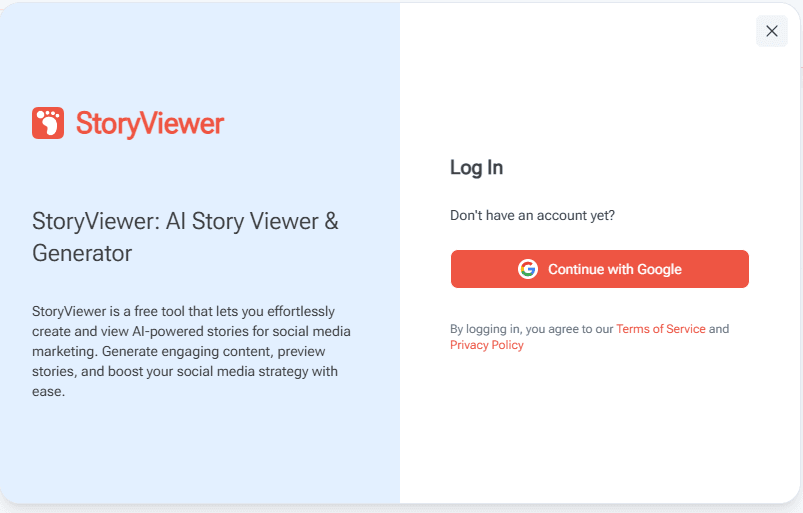
We also tested a Facebook profile URL. After entering the profile address and clicking Search, the page prompted us to sign in with a Google account. This means the tool did not provide the login-free experience we were looking for in this test.
There were no ads on the page, but this was not particularly relevant to the result because the main Story viewer function failed during testing.
Can You View Facebook Stories Anonymously?
Yes, some third-party Facebook Story Viewer websites claim to let you view Stories without logging in to Facebook. In our testing, several of the tools above did allow us to submit direct Story URLs without a Facebook login.
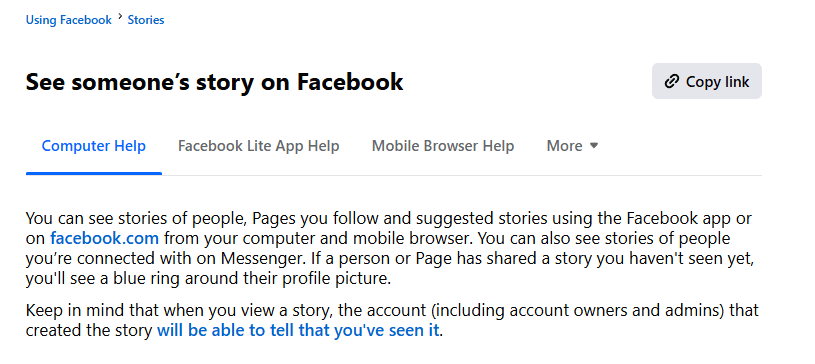
However, anonymous viewing is not a feature that Facebook itself describes as a separate viewing mode. Facebook's own privacy settings determine who can see a Story, while the platform also provides the Story owner with information about people who viewed their Story. Facebook's Help Center specifically includes Stories under its audience and visibility settings.
Does Facebook Show Who Viewed Your Story?
Yes. Facebook provides the Story owner with a viewer list for their own Stories. This is different from viewing another person's Story.
The important point is that the person who owns the Story has access to viewer information through Facebook's own interface. Facebook's privacy settings allow you to control who can see your Stories, including settings under Audience and visibility.
What you can see can depend on the Story's audience and Facebook's current handling of viewer information.
This is also why a third-party website claiming to show profile visitors should not be confused with Facebook's Story viewer feature. Facebook's Story viewer tells you about views of a particular Story. It is not the same thing as tracking everyone who visits a Facebook profile.
Why Use BitBrowser to View Facebook Stories Anonymously?
Third-party Facebook Story Viewers can be convenient, but the browsing experience varies. Some may display intrusive ads, pop-ups, redirects, or other unwanted content.
Using a dedicated BitBrowser profile gives you a separate environment for accessing these sites without mixing their cookies, cache, and browsing data with your regular browser session. This makes it easier to keep Facebook Story viewing separate from your everyday browsing and reduce the risk of unwanted site activity affecting your main browser environment.
It can also be useful when you need to check multiple Facebook profiles at the same time. You can open different profiles or Story Viewer pages in separate BitBrowser browser profiles, making it easier to switch between them without mixing sessions or browsing data.
How to View Facebook Stories With BitBrowser
1. Open BitBrowser and create a new browser profile.
2. Name the profile clearly, such as Facebook Stories.
3. Configure the browser fingerprint and other environment settings.
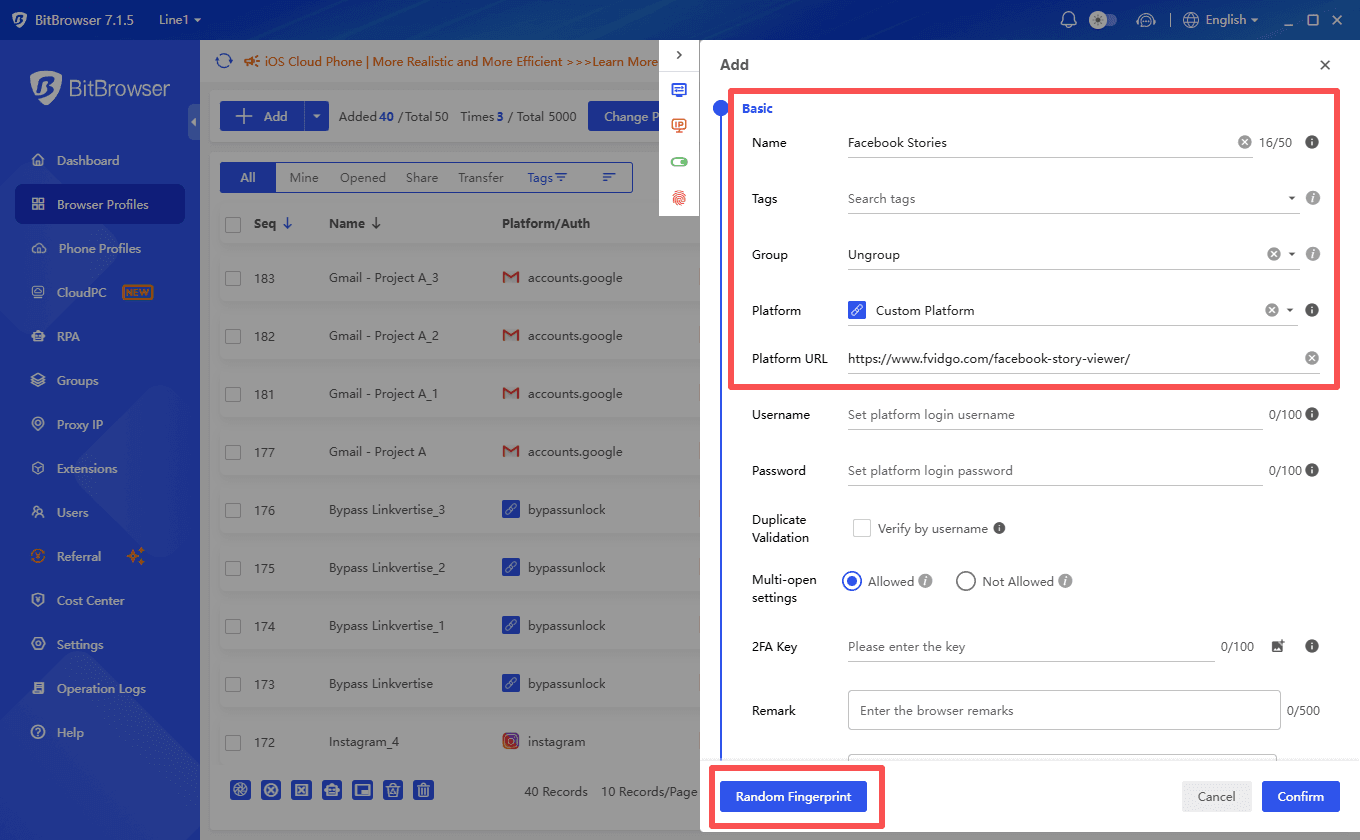
4. (Optional) Set up a proxy for the profile if your workflow requires one.
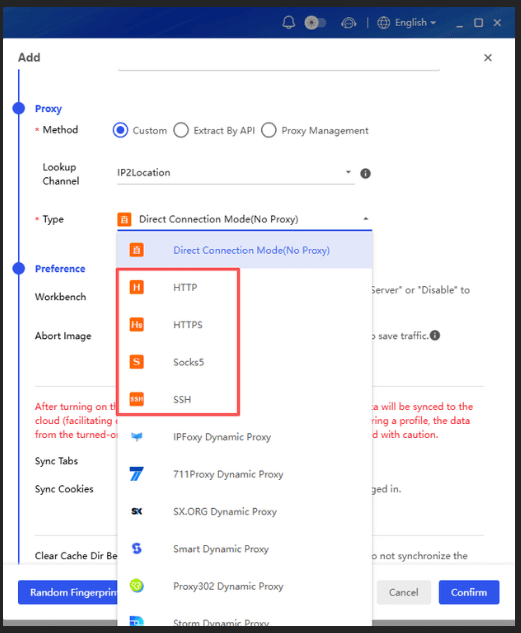
5. Open Facebook or a Facebook Story Viewer from the dedicated profile.

6. View public Stories within this separate environment instead of using your everyday browser session.
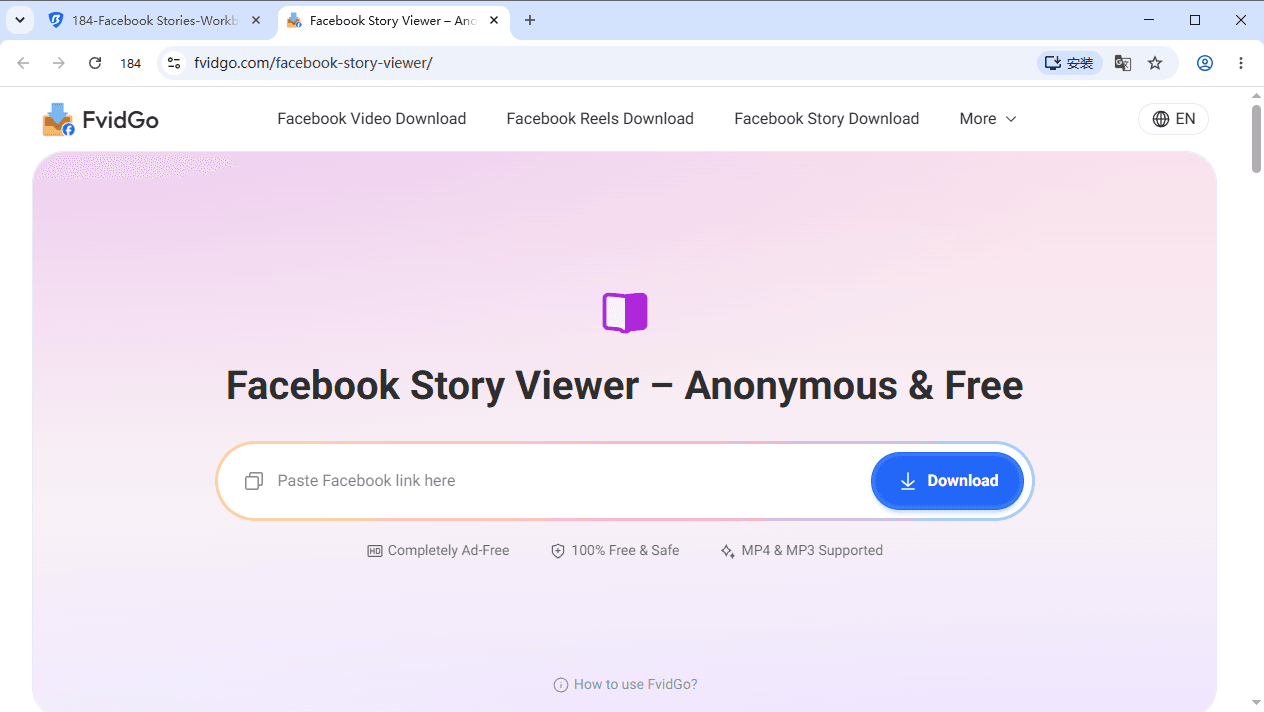
Using a Facebook Story Viewer inside a dedicated BitBrowser profile can provide both environment separation and an additional layer of browsing safety when dealing with third-party viewer sites. It does not guarantee anonymity or block malicious content by itself, so you should still avoid suspicious downloads, pop-ups, and unfamiliar links.
BitBrowser also provides 10 browser profiles for free permanently, which is enough for many basic separated browsing and multi-account workflows.
Final Thoughts
Our test showed that Facebook Story Viewers vary widely in Story support, URL compatibility, speed, ads, and login requirements.
For a specific Story, a direct Story URL is usually the simplest option. If you use third-party viewers, opening them in a dedicated BitBrowser profile can help separate your browsing data and keep unwanted site activity away from your regular browser session.
Third-party viewers are separate from Facebook, while Facebook's own privacy and audience settings determine Story visibility.
Frequently Asked Questions
Can I View Facebook Stories Without Logging In?
Some third-party Facebook Story Viewers allow public Stories to be viewed without a Facebook login, but support varies by tool and URL type.
Can I View Facebook Stories Anonymously?
Some third-party viewers claim to support anonymous viewing of public Stories. However, results depend on the service, Story URL, and Facebook's privacy settings.
Does Facebook Show Who Viewed My Story?
Yes. Facebook allows the Story owner to see information about people who viewed their Story through Facebook's own interface.
Can I View a Facebook Story From a Profile URL?
Some viewers support profile URLs, but our testing found that support is inconsistent. Direct Story URLs generally worked more reliably.
Is It Safe to Use Facebook Story Viewers?
Use caution with third-party viewers. Some may display ads, pop-ups, or redirects. Avoid suspicious downloads and sites that ask for unnecessary account credentials. A dedicated BitBrowser profile can help keep this activity separate from your regular browsing environment.
Can I Use BitBrowser to View Multiple Facebook Profiles?
Yes. You can use separate BitBrowser profiles to organize different browsing environments and check multiple Facebook profiles or Stories without mixing their cookies, cache, and session data.

 Multi-Account Management
 Prevent Account Association
 Multi-Employee Management
Recommended
See More 



