Best Linkvertise Bypassers in 2026: Which Ones Actually Work
 2026.09.10 02:15
 YT.Shi
Linkvertise can add waiting timers, ads, verification, and redirects before you reach the destination URL. A Linkvertise bypasser attempts to skip these steps and retrieve the final link directly.
However, bypassers do not always work consistently, as Linkvertise can change its redirect and verification system. We tested seven bypassers in 2026 using the same test link and compared their speed, ads, verification, waiting time, and overall experience.
For users handling multiple Linkvertise links or accounts, BitBrowser can isolate online bypass tools from their regular login sessions and browsing data, helping keep personal information separate and more secure. You can also open multiple browser profiles at the same time to process several links simultaneously.
How We Tested These Linkvertise Bypassers
To keep the comparison consistent, we tested every bypasser with the same Linkvertise URL and expected destination.
Test URL:
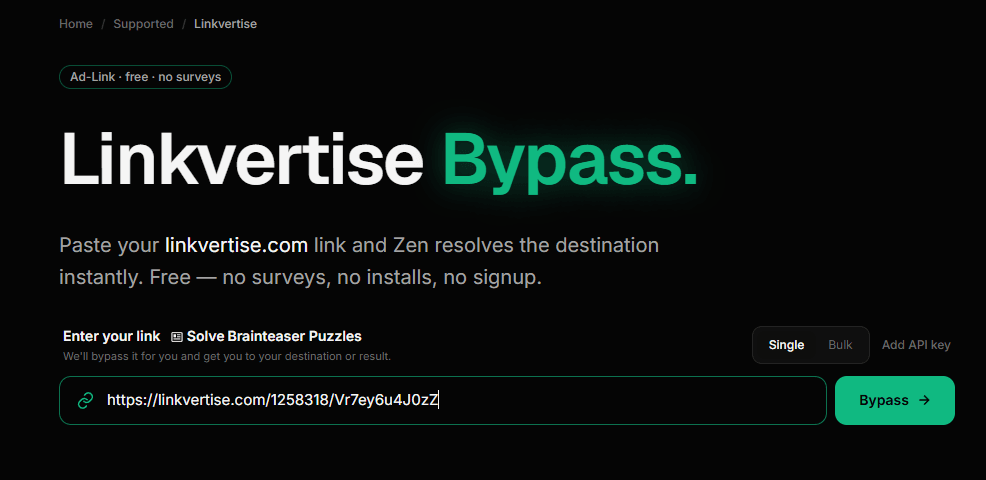
https://linkvertise.com/1258318/Vr7ey6u4J0zZ
Expected destination:
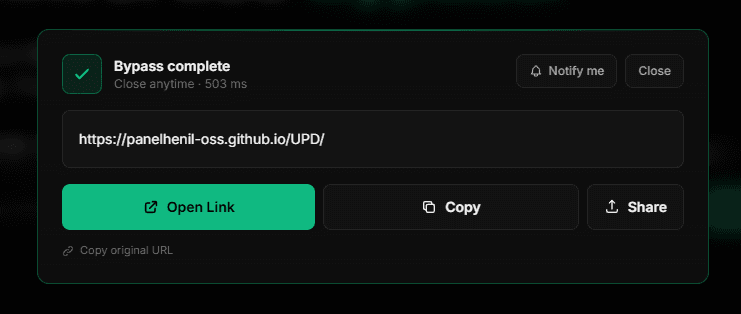
https://panelhenil-oss.github.io/UPD/
For each service, we evaluated:
· Success: Whether the bypass reached the expected destination.
· Speed: How quickly the destination was returned.
· Ads: Ads on the page or in new tabs.
· Verification: CAPTCHA or human verification requirements.
· Waiting time: Forced timers or waiting periods.
· Extra steps: Additional actions required.
· Overall experience: Ease and practicality of use.
All results are based on our own tests conducted in 2026. Since Linkvertise and third-party bypass services can change over time, results may vary in the future.
5 Working Methods to Bypass Linkvertise in 2026
Quick Comparison of the 7 Linkvertise Bypassers
| Rank | Linkvertise Bypasser | Result | Verification | Ads | Speed | Overall |
|---|---|---|---|---|---|---|
| 🥇 1 | Keybypass.net | ✅ Working | Manual | ✅ None | ⚡ Fast | ⭐⭐⭐⭐⭐ |
| 🥈 2 | BypassUnlock | ✅ Working | Can close | ✅ None | ⚡ Fast | ⭐⭐⭐⭐⭐ |
| 🥉 3 | Bypass.city | ✅ Working | None | ⚠️ On open button | ⚡ Fast | ⭐⭐⭐⭐½ |
| 4 | Bypass.vip | ✅ Working | None | ⚠️ Many clickable ads | ⚡ Fast | ⭐⭐⭐⭐ |
| 5 | bypass.tools | ✅ Working | Automatic/light | ⚠️ New-tab ads | 🟡 Slightly slower | ⭐⭐⭐⭐ |
| 6 | Bypass.link | ✅ Working | Manual | ⚠️ New-tab ads | ⚡ Fast | ⭐⭐⭐½ |
| 7 | iZen.lol | ✅ Working | Can close | ⚠️ Clickable ads | ⚡ Fast | ⭐⭐⭐½ |
Test #1: Keybypass.net
Status: Working
Main advantage: Fast, clean, and ad-free
Main interface: Simple and clean
Advertising: No visible or click-triggered ads
Human verification: Simple manual verification required
Speed: Fast
| Test | Result |
|---|---|
| Linkvertise support | ✅ Yes |
| Successfully bypassed | ✅ Yes |
| Final destination reached | ✅ Yes |
| Speed | ✅ Fast |
| Main page ads | ✅ None observed |
| Click-triggered ads | ✅ None observed |
| Human verification | ⚠️ Yes |
| Manual verification | ⚠️ Required |
| Forced waiting time | ❌ No |
| Registration | ❌ No |
| Overall result | Working |
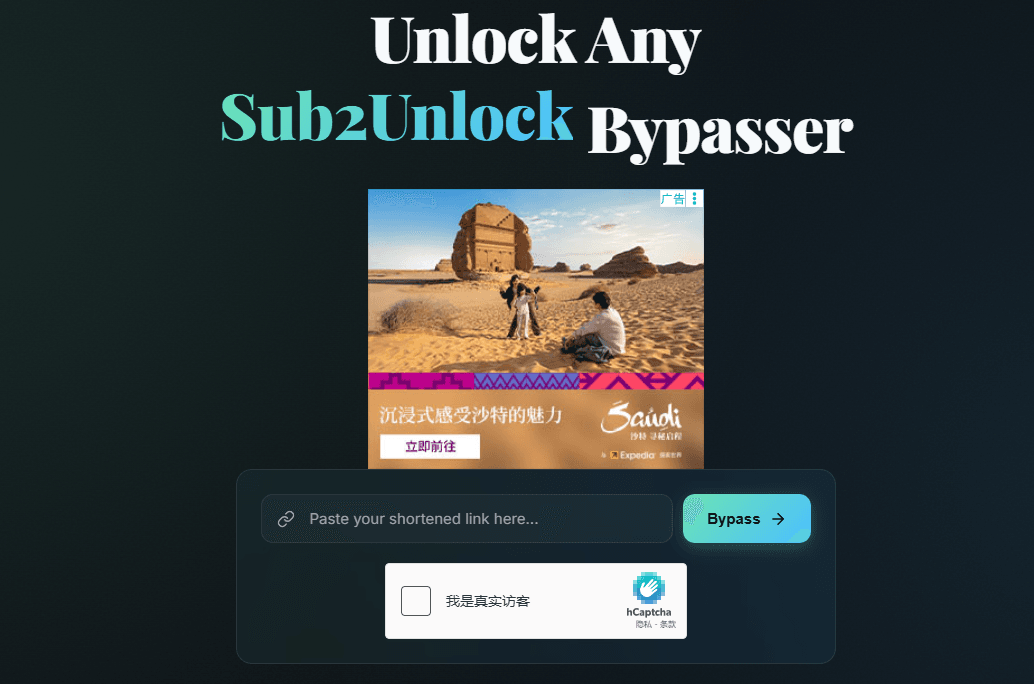
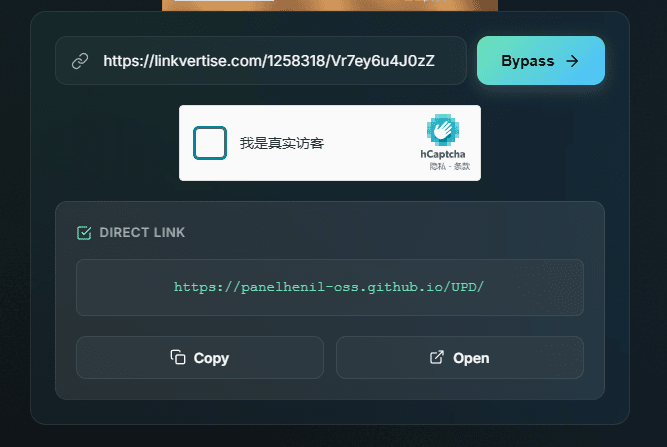
Keybypass.net was one of the smoothest services in our test. It successfully bypassed the test Linkvertise URL and returned the expected destination quickly.
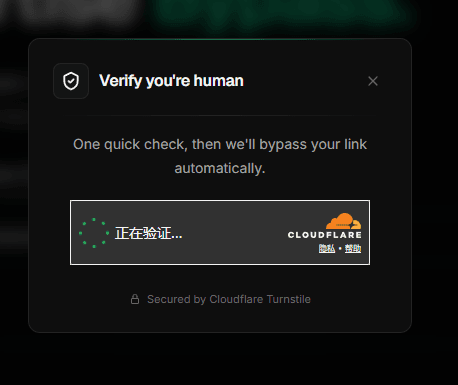
The interface was simple and clean, with no visible advertising on the page and no advertising tabs triggered when clicking the available options. The only additional step was a simple human verification that had to be completed manually after entering the Linkvertise URL and before the destination link was provided.
Once the verification was completed, the process was straightforward and fast. Compared with the other services tested so far, Keybypass.net offered one of the cleaner overall experiences.
Verdict: Working. Fast, clean, and easy to use, with a brief manual human verification as the only notable extra step.
Test #2: BypassUnlock
Status: Working
Main advantage: Clean, ad-free interface
Main interface: Clean and ad-free
Verification: A verification page appeared, but could be closed
Ads: No ads encountered
Registration: Not required
| Test | Result |
|---|---|
| Linkvertise support | ✅ Yes |
| Successfully bypassed | ✅ Yes |
| Final destination reached | ✅ Yes |
| Forced waiting time | ❌ No |
| Ads | ✅ No |
| Registration | ❌ No |
| Premium tier | ❌ No |
| Verification page | ⚠️ Yes, appeared during testing |
| Verification required to continue | ❌ No, could be closed |
| Main advantage | Clean, ad-free interface |
| Overall result | Working |
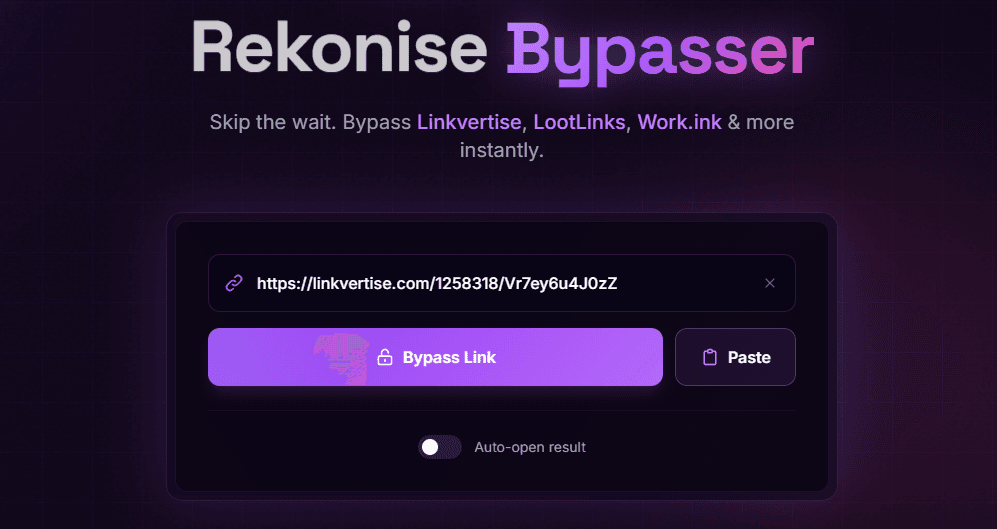
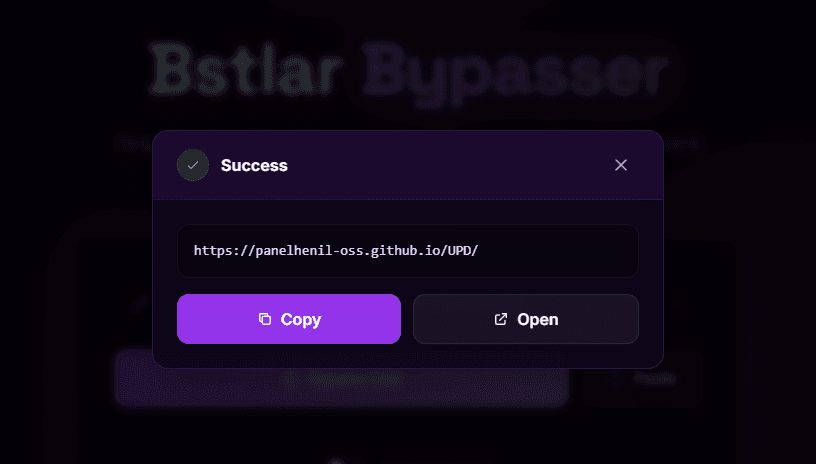
BypassUnlock also successfully bypassed our test Linkvertise URL and redirected us to the expected destination. Unlike some other services, its interface is clean and free from advertising. There was no registration requirement or premium tier during our test.
One minor issue was an unexpected verification page that appeared during the process. However, the verification did not need to be completed. We could simply close the page and continue, and the Linkvertise bypass itself remained unaffected.
Verdict: Working. A particularly clean option for users who prefer an ad-free bypass experience, although the occasional verification page can be slightly confusing.
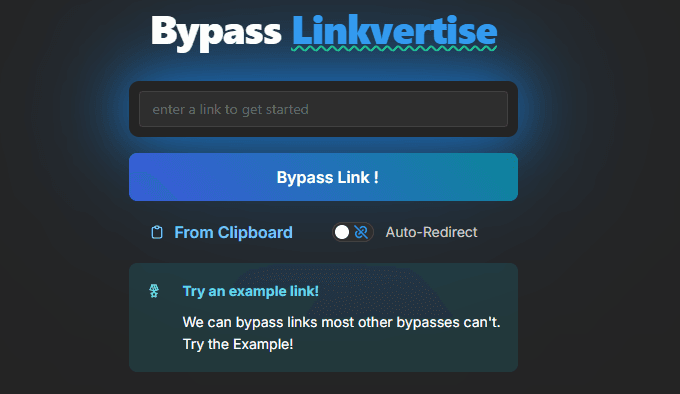
Test #3: Bypass.city
Status: Working
Main advantage: No ads on the page; successfully retrieved the target link
Main interface: No visible ads
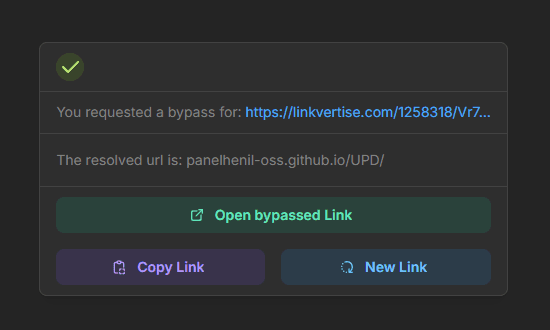
Button interaction: “Open bypassed Link” may redirect to an advertising page
Recommended method: Copy the target URL and open it manually
Waiting time: No forced waiting period
| Test | Result |
|---|---|
| Linkvertise support | ✅ Yes |
| Successfully bypassed | ✅ Yes |
| Final destination obtained | ✅ Yes |
| Forced waiting time | ❌ No |
| Ads on bypass page | ✅ None observed |
| Registration | ❌ No |
| Main issue | ⚠️ “Open bypassed Link” may redirect to an ad page |
| Recommended method | Copy the destination URL and open it manually |
| Overall result | Working |
Bypass.city successfully bypassed our test Linkvertise URL and provided the expected destination link. The bypass page itself was clean and did not display the ads we encountered with some other services.
There is, however, one important caveat. After the destination URL is generated, clicking the “Open bypassed Link” button may redirect you to an advertising page. We recommend copying the generated destination URL and opening it manually in a new browser tab instead. In our test, the copied URL led directly to the expected destination.
Verdict: Working. Bypass.city offers a clean, ad-free bypass interface, but manually copying the generated URL is the safer and more reliable way to reach the destination.
Notes: Do not click “Open bypassed Link” directly. It is recommended to copy the target URL and open it manually.
Test #4: Bypass.vip
Status: Working
Main drawback: Many clickable ads
Main interface: Contains multiple clickable ads
Ads: Can be closed without affecting the bypass
Waiting time: No forced waiting period
Verification: No CAPTCHA encountered
| Test | Result |
|---|---|
| Linkvertise support | ✅ Yes |
| Successfully bypassed | ✅ Yes |
| Final destination reached | ✅ Yes |
| Forced waiting time | ❌ No |
| Required ads | ❌ No |
| CAPTCHA | ❌ No |
| Browser extension | ❌ No |
| Account required | ❌ No |
| Main drawback | Many clickable ads |
| Overall result | Working |
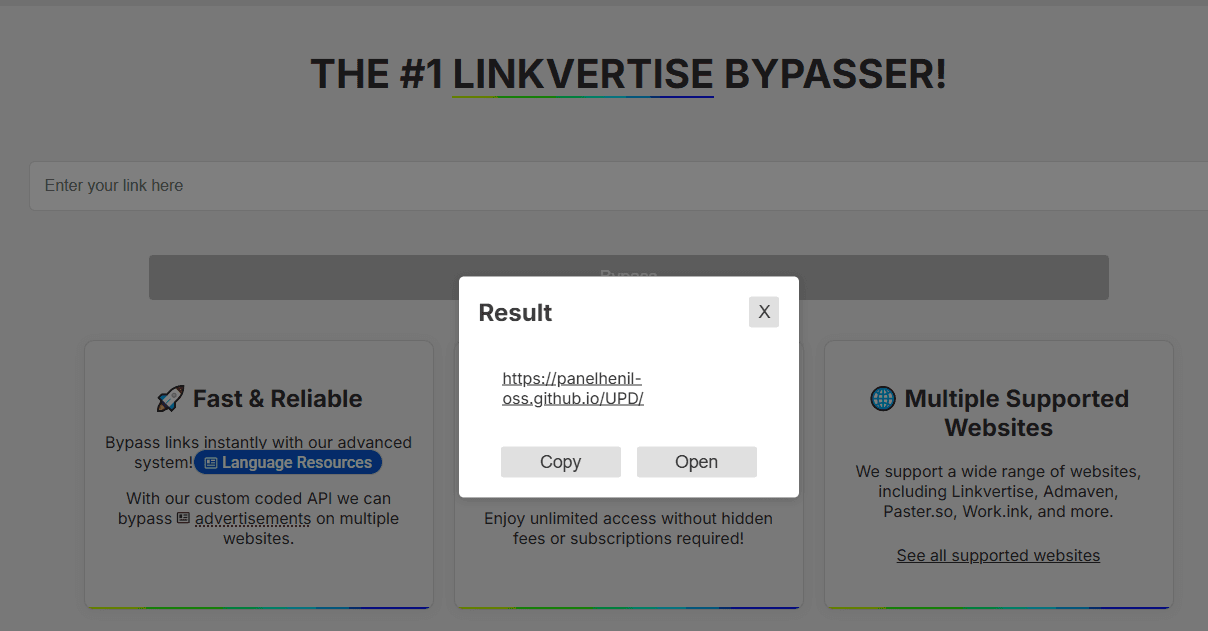
Bypass.vip is one of the Linkvertise bypassers that worked in our 2026 test. We pasted the test Linkvertise URL into the service and it successfully redirected us to the expected destination without requiring us to complete Linkvertise's waiting period or watch its ads.
The main downside is the number of ads displayed on the Bypass.vip page. However, these are primarily clickable ads rather than mandatory ad steps. Unlike the original Linkvertise flow, we were able to close the ads and continue without waiting for a timer or completing a required advertising task.
Verdict: Working. Fast and straightforward, but the page can feel cluttered because of its advertising.
Test #5: bypass.tools
Status: Working
Main drawback: Slightly slower and may open advertising tabs
Main interface: No visible ads
Verification: Lightweight and completed automatically
Button interaction: Some required options may open an advertising page in a new tab
Speed: Slightly slower than the other tools tested
| Test | Result |
|---|---|
| Linkvertise support | ✅ Yes |
| Successfully bypassed | ✅ Yes |
| Final destination reached | ✅ Yes |
| Human verification | ⚠️ Yes, lightweight |
| Manual verification required | ❌ No |
| Verification speed | ✅ Very fast |
| Main page ads | ✅ None observed |
| New-tab advertising | ⚠️ Yes |
| Can close the ad | ✅ Yes |
| Registration | ❌ No |
| Speed | ⚠️ Slightly slower overall |
| Overall result | Working |
bypass.tools successfully processed our test Linkvertise URL and returned the expected destination. The main interface was clean, although certain required buttons could open an advertising page in a new browser tab. These pages could be closed manually without affecting the bypass process.
A lightweight human verification step also appeared during our test. However, unlike services that require users to manually complete a verification challenge, this check was completed automatically within a few seconds and required no additional interaction.
bypass.tools was also slightly slower than the other services tested so far, taking a few extra seconds to load and complete the process.
Verdict: Working. The service successfully bypassed our test link with only a brief, largely automatic verification step. Its main drawbacks are slightly slower performance and advertising tabs triggered by certain buttons.

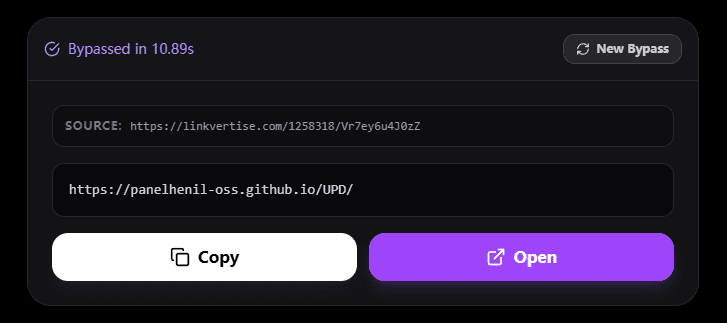
Test #6: Bypass.link
Status: Working
Main drawback: Human verification and advertising tabs
Main interface: No visible ads
Button interaction: May open an advertising page in a new tab
Human verification: Appeared during our test
Ad: Can be closed without affecting the bypass
| Test | Result |
|---|---|
| Linkvertise support | ✅ Yes |
| Successfully bypassed | ✅ Yes |
| Final destination reached | ✅ Yes |
| Main page ads | ✅ None observed |
| Human verification | ⚠️ Appeared during our test |
| Forced waiting time | ❌ No |
| New-tab advertising | ⚠️ Yes |
| Can close ad | ✅ Yes |
| Registration | ❌ No |
| Overall result | Working |
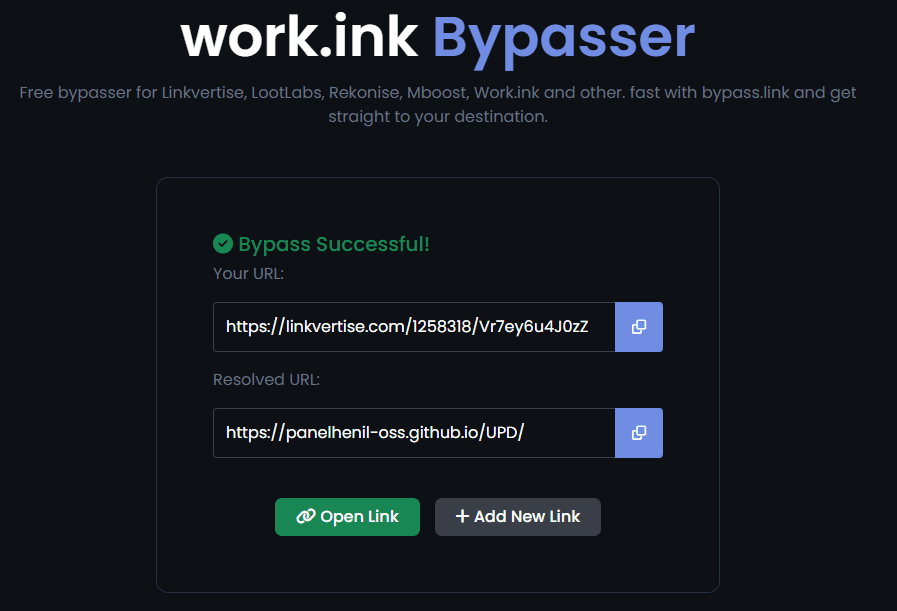
Bypass.link successfully bypassed our test Linkvertise URL and returned the expected destination. The main interface was clean, with no visible ads during the bypass process.
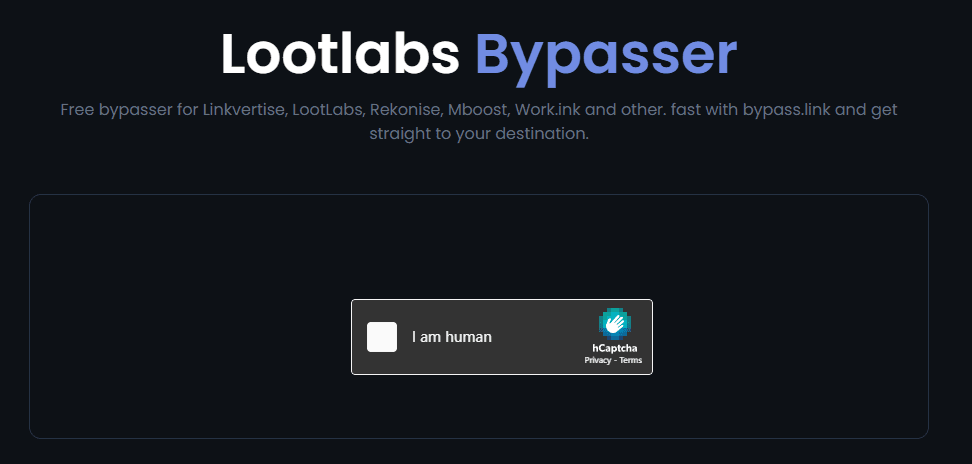
One additional step appeared during our test: a human verification check was displayed. It is unclear whether this is required for all users or was triggered by our particular browser or network environment, so we would not consider it a universal requirement.
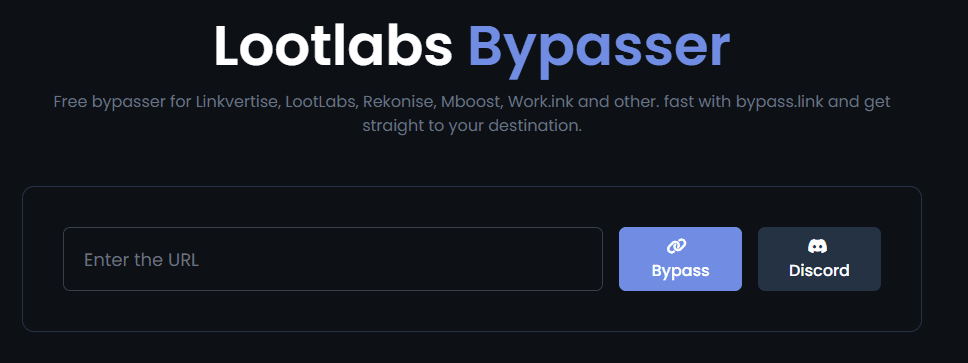
We also found that clicking buttons such as “Enter the URL” or “Bypass” could open an advertising page in a new browser tab. The ad page could be closed immediately and did not prevent the bypass from working.
Verdict: Working. The bypass itself was successful, but users may encounter a human verification check and occasional advertising tabs depending on their browsing environment.
Test #7: iZen.lol
Status: Working
Main drawback: Clickable ads and verification
Main interface: Functional but less clean than some alternatives
Advertising: Clickable ad encountered; can be closed
Human verification: Appeared during testing and can be closed
Speed: Fast
| Test | Result |
|---|---|
| Linkvertise support | ✅ Yes |
| Successfully bypassed | ✅ Yes |
| Final destination reached | ✅ Yes |
| Speed | ✅ Fast |
| Click-triggered ads | ⚠️ Yes |
| Human verification | ⚠️ Yes |
| Manual verification | ✅ Can be closed |
| Ads | ⚠️ Can be closed |
| Forced waiting time | ❌ No |
| Overall result | Working |
iZen.lol successfully bypassed our test Linkvertise URL and returned the expected destination quickly. The overall process was fast, but the site was less clean than some of the other tools in our test.
We encountered both a clickable advertisement and a human verification page during the process. Neither one prevented us from continuing, as both could be closed manually. No prolonged waiting period was observed during the test.
Verdict: Working. iZen.lol is a fast Linkvertise bypasser, but the experience is somewhat less streamlined because of the advertising and verification steps.
Are Linkvertise Bypassers Safe to Use?
A working Linkvertise bypasser is not automatically a safe one.
During our testing, some services displayed clickable advertisements, opened advertising pages in new tabs, or showed verification screens. These steps did not prevent the tested links from working, but they show why users should pay attention to what they click.
When using a Linkvertise bypass website, keep these basic rules in mind:
· Do not enter passwords or account credentials into a bypass service.
· Avoid downloading unknown executable files or browser extensions.
· Be careful with fake "Download" buttons and notification requests.
· Close unexpected advertising tabs instead of interacting with them.
· Check the destination URL before opening or downloading anything.
· Consider using a separate browser profile for unfamiliar third-party services.
It is also worth remembering that bypass services are unofficial third-party tools. Their availability and behavior can change as Linkvertise updates its systems. For that reason, treat a bypasser as a convenience tool rather than something that should be trusted with sensitive information.
How to Handle Multiple Linkvertise Links More Safely with BitBrowser
If you use online Linkvertise bypassers regularly, it is better not to open them in the same browser session as your personal accounts. BitBrowser lets you create separate browser profiles, so the bypasser can be isolated from your usual login information, cookies, and browsing data. This helps keep personal information separate when accessing third-party tools.
BitBrowser also lets you open multiple browser profiles at the same time, which is useful when you need to process several Linkvertise links or accounts at once.
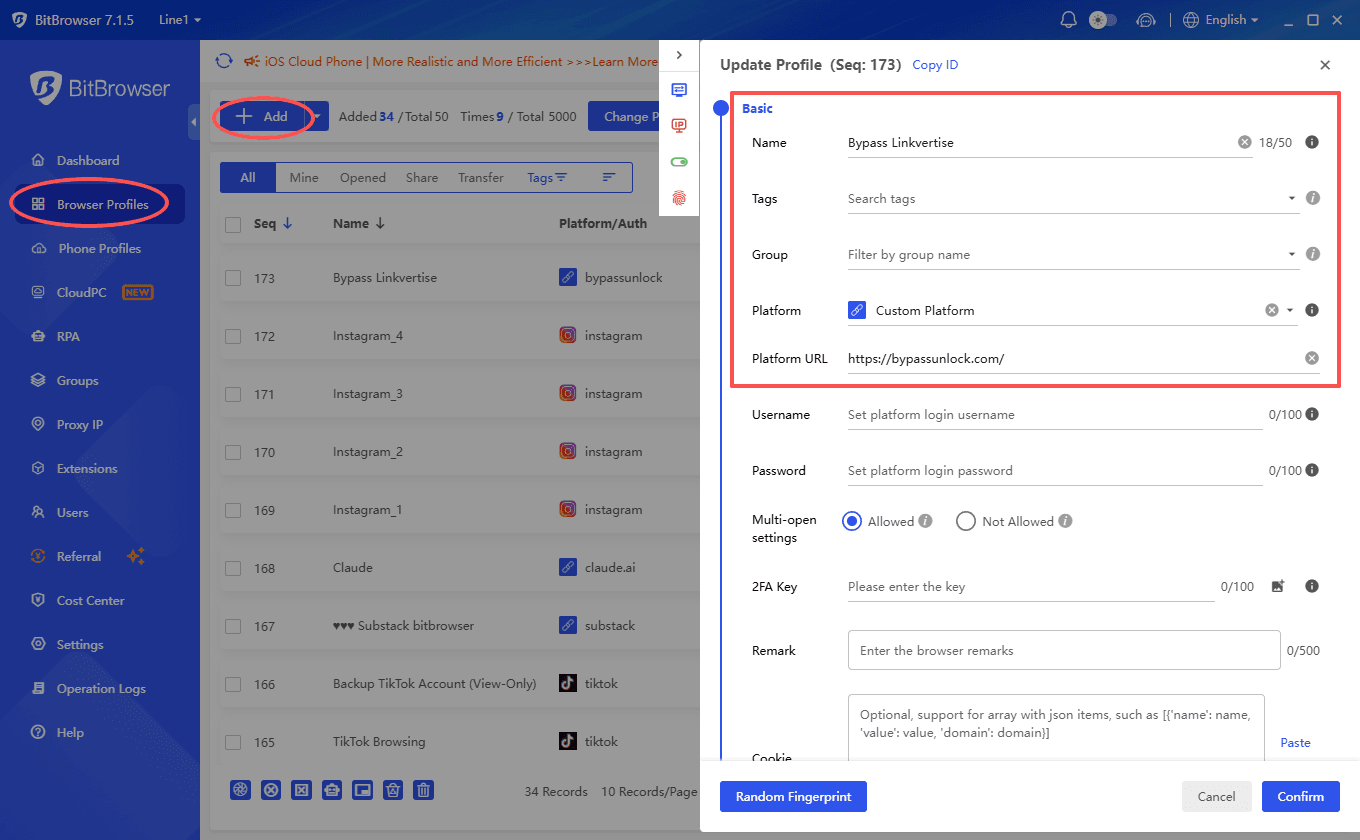
Step 1: Create a separate profile
Open BitBrowser and create a new browser profile specifically for Linkvertise-related tasks. Keep it separate from the profile you use for your regular accounts.
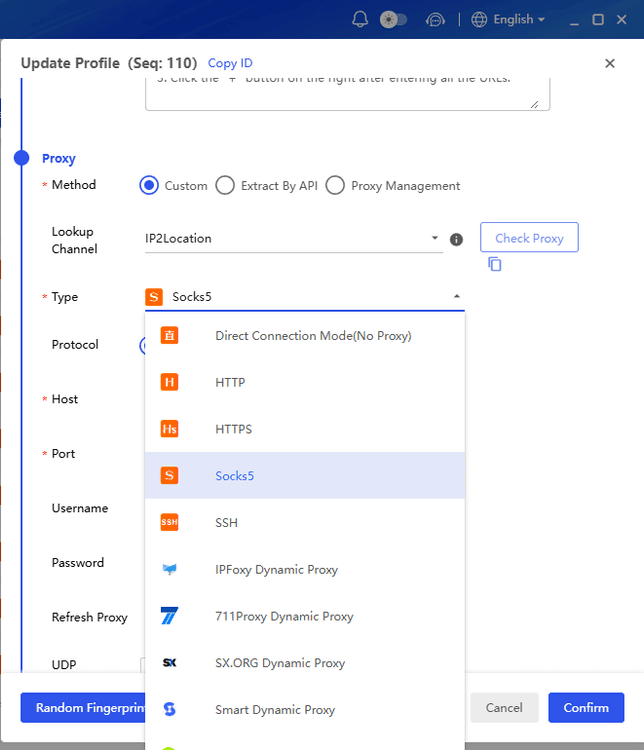
Step 2: Set up the profile
Configure the browser environment and proxy if needed. The profile keeps its own cookies, local storage, and other browser data.
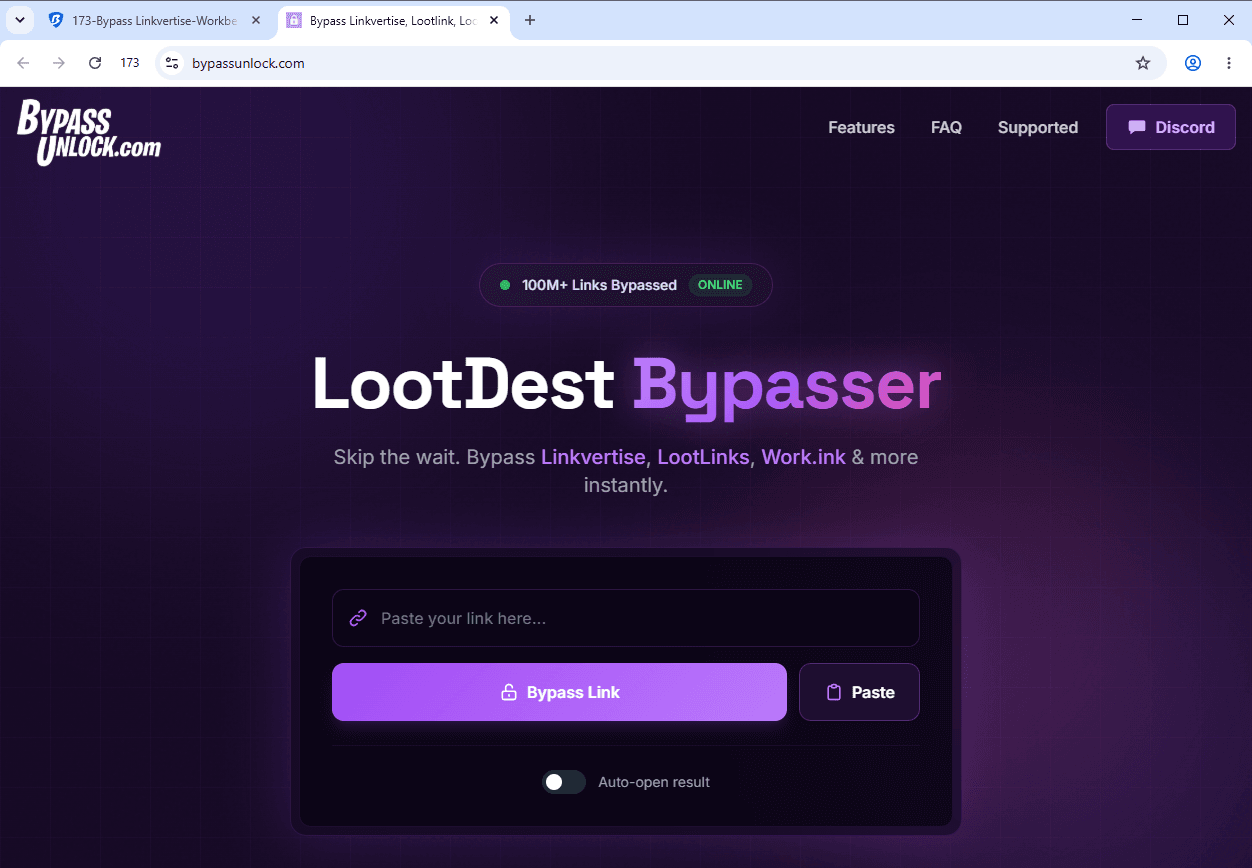
Step 3: Open a Linkvertise bypasser
Launch the profile and open one of the bypassers tested in this article. Paste the Linkvertise URL and get the destination URL.
Step 4: Open multiple profiles when needed
If you have several links or accounts to handle, open multiple BitBrowser profiles at the same time. You can use different profiles for different tasks and process multiple links without mixing their browsing sessions.
Always check the destination URL before opening it, and do not enter personal login information into third-party bypass services.
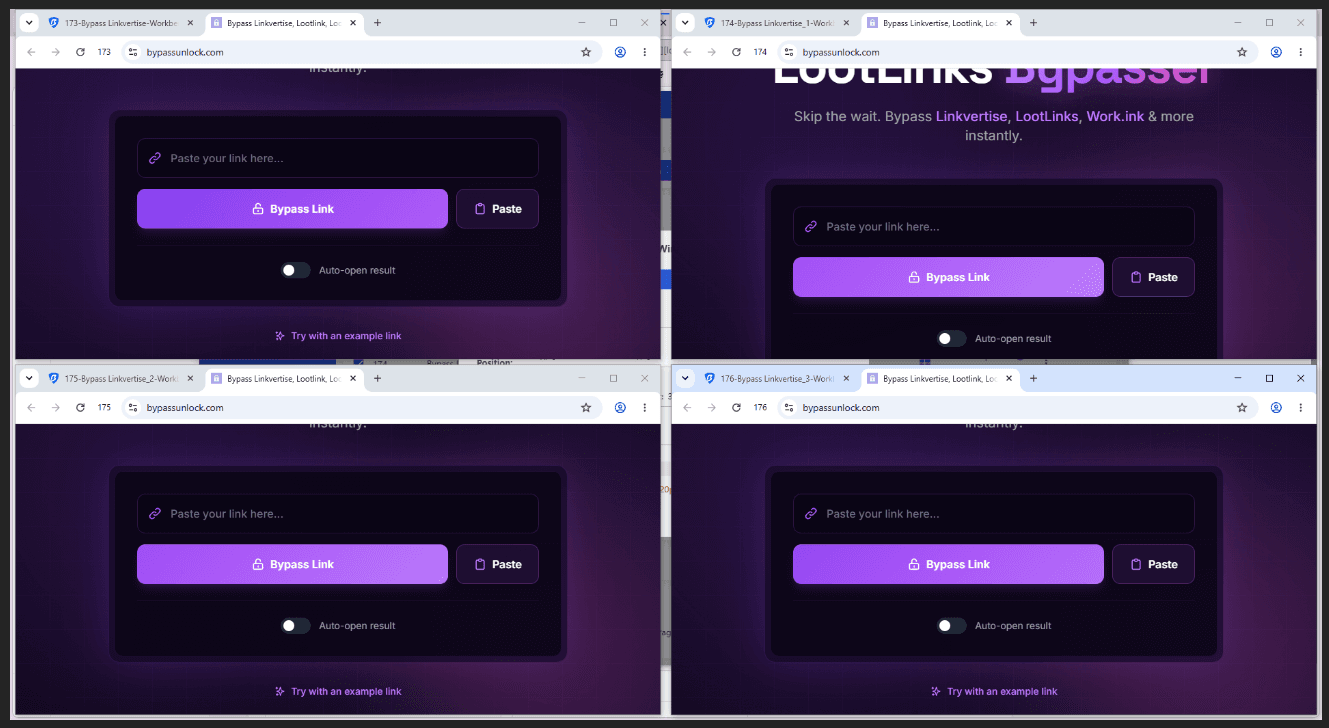
BitBrowser offers 10 browser profiles that are free forever, allowing you to test the service at no cost.
Final Verdict: Which Linkvertise Bypasser Should You Use?
Our 2026 test found that all seven Linkvertise bypassers tested successfully retrieved the expected destination URL, but the user experience varied considerably.
Keybypass.net offered one of the cleanest overall experiences, while BypassUnlock stood out for its ad-free interface. Bypass.city was also straightforward as long as the generated destination URL was copied manually rather than using its open button.
Other tools, including Bypass.vip, bypass.tools, Bypass.link, and iZen.lol, also worked successfully, although they introduced different combinations of advertising, verification, or extra browser tabs.
There is no guarantee that one Linkvertise bypasser will remain the best option indefinitely. These services depend on how Linkvertise handles redirects and verification, so results can change when either side updates its system.
If you regularly work with multiple links or need to keep different browsing sessions separated, an isolated browser environment such as BitBrowser can make the overall workflow easier to organize.
The most practical approach is therefore not to rely on a single bypasser. Keep a few working options available, check the destination before opening it, and use separate browser environments when working with unfamiliar third-party links.
Frequently Asked Questions
Why is Linkvertise making me wait 1 hour?
A one-hour wait can be part of the Linkvertise flow for certain links. According to Linkvertise, whether a wait occurs depends on the monetization settings selected by the creator, so not every Linkvertise link has the same waiting time.
Why is my Linkvertise bypasser not working?
A bypasser may stop working when Linkvertise changes its redirect, verification, or session validation system. The service itself may also be temporarily unavailable or may not support a particular Linkvertise URL. This is why a bypasser that worked previously may fail later.
Does Linkvertise bypass still work?
Yes, some Linkvertise bypassers still work in 2026, but there is no guarantee that any single service will work permanently. In our test, all seven bypassers successfully retrieved the expected destination URL, although their speed, advertising, and verification requirements varied.
Is Linkvertise bypass safe?
It depends on the bypass service. Third-party bypassers can expose users to aggressive ads, redirects, fake verification pages, or suspicious downloads. Avoid entering passwords or personal information, and always check the destination URL before opening it. Using a separate browser profile can also keep bypass activity away from your normal login sessions and browsing data.
Can a Linkvertise bypasser work permanently?
Not necessarily. A bypasser can stop working when Linkvertise changes its redirect or verification system, or when the bypass service itself is no longer maintained. Our 2026 test only reflects the results at the time of testing, so it is worth keeping more than one working option available.

 Multi-Account Management
 Prevent Account Association
 Multi-Employee Management
Recommended
See More 



