Best Web Scraping Tools in 2026: How to Build a More Reliable Data Collection Workflow
 2026.08.05 09:46
 YT.Shi
Web scraping has changed a lot in recent years. What used to be a simple process of sending requests and parsing HTML has become a more complex workflow. Many modern websites rely on JavaScript, dynamic content, cookies, login sessions, and browser-based interactions, which means traditional scraping methods are not always enough.
In 2026, a reliable data collection workflow usually combines different technologies:
· HTTP-based scraping for fast and lightweight data extraction.
· Browser automation for dynamic websites and interactive content.
· Browser environment management for maintaining organized sessions and consistent workflows.
Choosing the right combination of tools is the key to building an efficient scraping process.
In this guide, we will explore the best web scraping tools in 2026, compare their strengths and use cases, and explain how different solutions fit into a reliable data collection workflow.
What Is Web Scraping and How Does It Work?
At its core, web scraping means:
· Request a resource (a webpage, an API endpoint, an image, a JSON file).
· Receive a response (HTML, JSON, XML, etc).
· Extract structured data (rows, fields, entities).
· Store it (database, CSV, object storage).
· Repeat (at scale, over time, without falling apart).
Where it gets tricky is that the “resource” you think you are requesting is not always the resource the browser uses to assemble the page. And the response you get from an HTTP request is not always what a real browser sees.
Traditional HTTP-Based Scraping (Request-Based)
HTTP-based scraping is the classic way to collect web data. It sends requests directly to a server, receives HTML or JSON responses, and extracts the required information.
Common tools include Requests, httpx, Axios, Beautiful Soup, lxml, and Cheerio.
It remains widely used in 2026 because it is fast, lightweight, and easy to scale. It works well for static websites, public data pages, and websites that provide data directly through HTML or APIs.
JavaScript Rendering and Browser Automation
Many modern websites load content dynamically through JavaScript, APIs, or GraphQL requests. In these cases, simple HTTP requests may not return the complete page data.
Two common approaches are:
· Extracting data from available API responses
· Using browser automation tools like Playwright or Selenium to render pages and interact with websites
Cookies, Sessions, and Login State
Many scraping workflows depend on maintaining browser state. Cookies, login sessions, consent settings, and local storage can affect what data is available.
Managing these elements properly helps create more stable and reliable automation workflows.
Browser Fingerprinting and Environment Management
Modern websites may analyze browser environments through factors such as user agent, timezone, fonts, or rendering features.
Browser profile management tools help organize separate environments with independent cookies, storage, and configurations. They are commonly used for testing, research, automation, and managing different workflows.
Hide Your Activity & Identity with BitBrowser
Best Web Scraping Frameworks (fast, scalable, and not tied to a full browser)
1. Scrapy (Python)
Scrapy has been around forever, and it is still one of the most practical frameworks if you are doing serious crawling.
Where Scrapy still shines:
· You have many URLs and clear extraction rules.
· You want concurrency, retries, throttling, caching.
· You want pipelines (cleaning, validation, storage) built in.
A realistic example use case:
Scraping a directory site with 200,000 company pages. The pages are mostly static. You want to crawl weekly, detect changes, and store structured records. Scrapy is good at this because it gives you the crawling engine, scheduling behavior, and pipelines.
Where it can feel limiting:
If most of your targets are JS heavy apps, Scrapy alone is not enough. People often combine it with Playwright, but at that point you need to be careful. If every request becomes a browser render, you lose the main benefit of Scrapy.
Pricing: Free and open source. Optional costs may include hosting, cloud deployment, proxies, or data storage depending on your scraping setup.
2. BeautifulSoup + httpx / requests (Python)
Beautiful Soup combined with Requests or httpx is not a full scraping framework, but it remains one of the quickest ways to build a lightweight scraper for simple projects.
Where this combination shines:
· You are scraping a limited number of pages.
· You need a script that is easy to understand and maintain.
· The required data is available through direct HTTP requests.
A realistic example use case:
Collecting article titles, product details, or public information from a few hundred static pages. This setup is often faster to build than a full crawling framework and gives developers full control over the extraction logic.
For repeated scraping tasks, adding the following can improve reliability:
· Retry logic with exponential backoff
· Proper timeout settings
· A caching layer such as requests-cache
Where it can feel limiting:
This approach is not ideal for websites where content is generated mainly through JavaScript, complex interactions, or browser-based sessions. In those cases, browser automation tools like Playwright or Selenium are usually a better choice.
Pricing: Free and open source. You only need to pay for optional infrastructure such as servers, proxies, or data storage.
3. lxml: Best for Fast and Precise HTML Parsing

lxml is often the next step when a basic HTML parser is not enough. Built on top of libxml2, it provides fast parsing performance and powerful XPath support for extracting data from complex HTML documents.
Where lxml shines:
· You need faster HTML parsing for larger scraping workloads.
· You work with messy or inconsistent HTML structures.
· You need precise extraction using XPath queries.
A realistic example use case:
Processing thousands of product pages where the HTML structure varies slightly between pages. lxml can handle large parsing workloads efficiently while giving developers more control over data extraction.
Where it can feel limiting:
lxml is a parser, not a complete scraping framework. It does not handle crawling, browser automation, cookies, or JavaScript rendering. For dynamic websites, it is often combined with tools like Requests, Scrapy, or Playwright.
Pricing: Free and open source.
4. Cheerio + Got / Axios: Best for Node.js-Based HTML Scraping
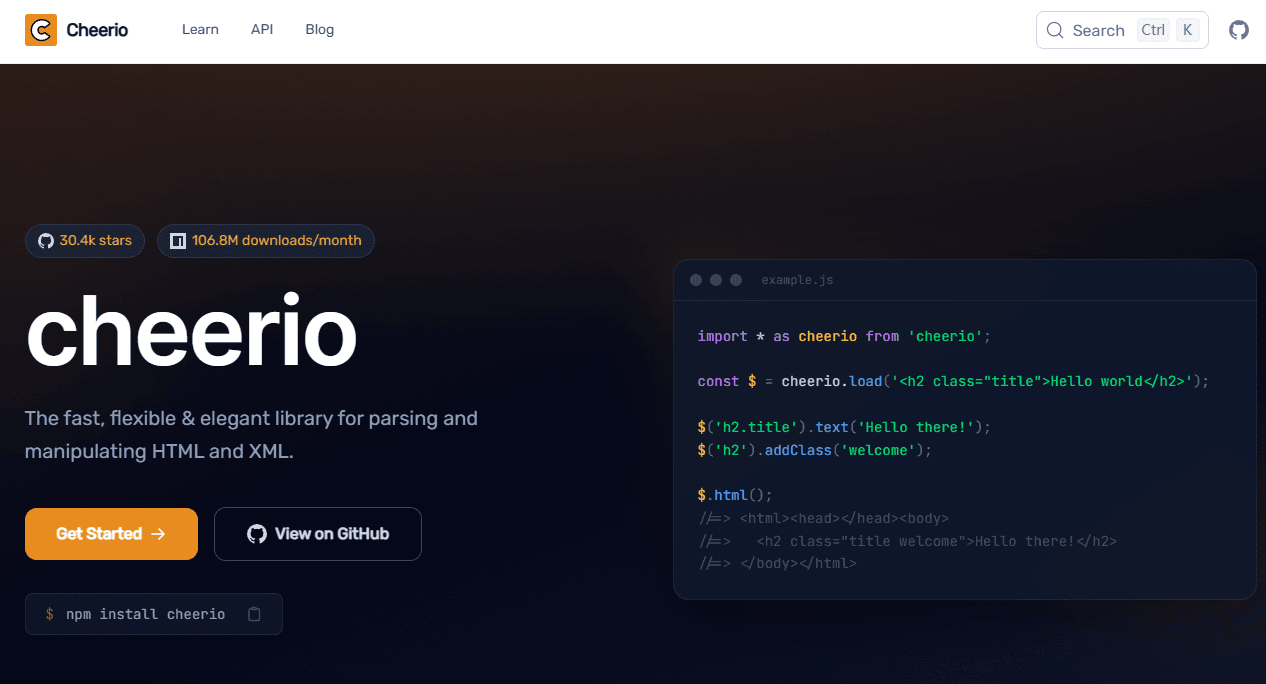
Cheerio is a lightweight HTML parsing library for Node.js. Its API is similar to jQuery, making it a familiar choice for developers who want to extract data from HTML using JavaScript.
Where Cheerio shines:
· You are already building your workflow in Node.js.
· You need fast parsing of static HTML content.
· You want to integrate scraping into an existing JavaScript-based pipeline.
A realistic example use case:
Extracting product names, article titles, or structured information from hundreds of static pages and sending the collected data into a Node.js application or database.
Where it can feel limiting:
Cheerio only parses HTML and does not run JavaScript in the browser. For websites that rely on client-side rendering, complex interactions, or login sessions, you will usually need browser automation tools like Playwright or Puppeteer.
Pricing: Free and open source.
5. Crawlee: Best for Hybrid Web Scraping Workflows
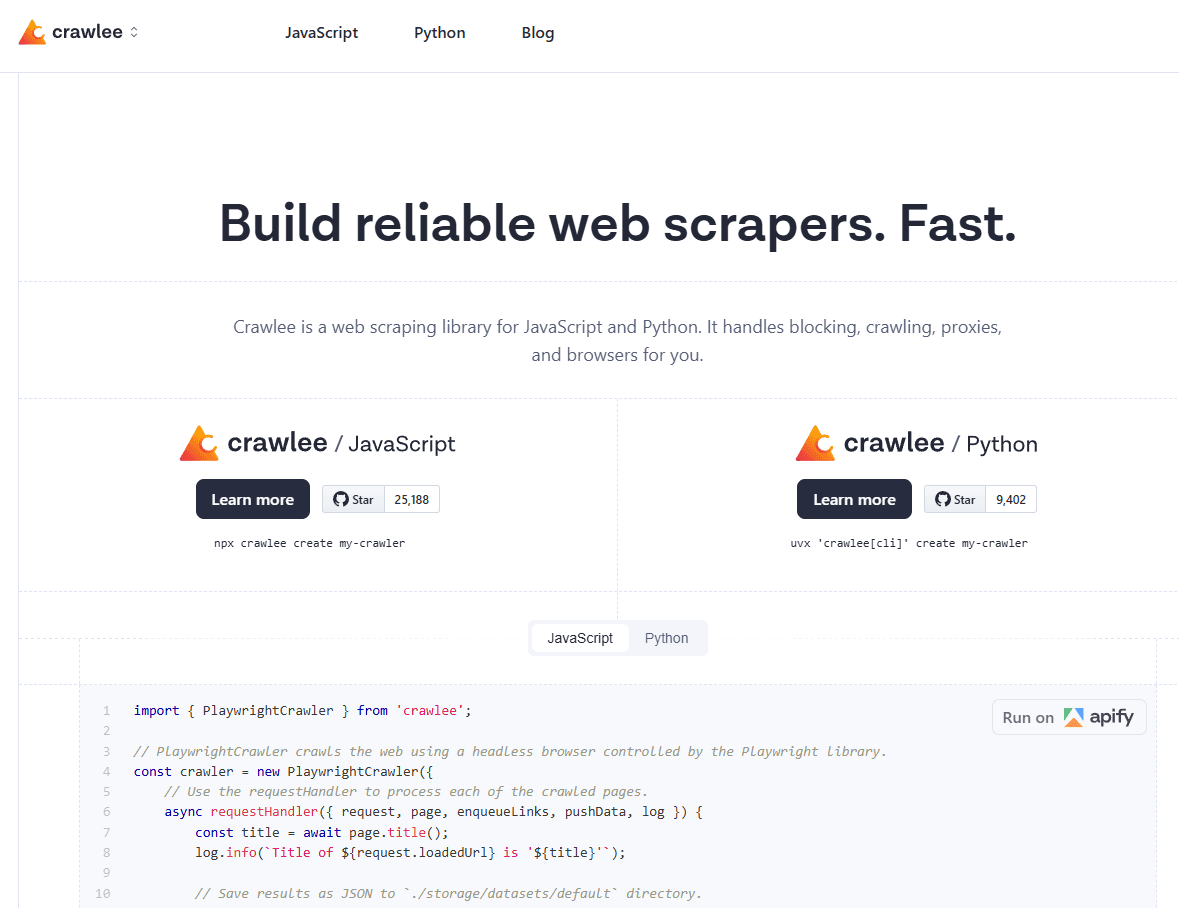
Crawlee is a Node.js scraping framework designed for modern data collection workflows. It supports both HTTP-based crawling and browser automation, allowing developers to choose the right approach for different pages.
Where Crawlee shines:
· You need both fast HTTP crawling and browser-based scraping in one project.
· You want built-in request queues, session handling, and storage management.
· You are building scalable scraping workflows with Node.js.
A realistic example use case:
Imagine scraping a marketplace where category pages can be collected through HTTP requests, but product pages require JavaScript rendering to display shipping options or pricing details. Crawlee allows you to use a faster HTTP approach where possible and browser automation where necessary.
Where it can feel limiting:
Crawlee is more suitable for developers who need a flexible scraping framework. Beginners looking for a simple no-code solution may find tools like Octoparse easier to start with.
Pricing: Free and open source. Additional costs may come from hosting, proxies, cloud services, or data storage.
Best Browser Automation Tools (for JS rendering, interaction, logins)
1. Playwright
In 2026, Playwright is usually the first recommendation for browser automation. Not because it never breaks, but because the developer experience is good and it handles modern web apps reliably.
Where Playwright is strong:
· Consistent automation across Chromium, Firefox, WebKit
· Clean waiting primitives (less “sleep(5)” guessing)
· Network interception, request blocking, response capture
· Good headless support, but also easy headed debugging
Practical example: scraping data that loads after scrolling
You can automate the scroll, wait for network idle, then extract.
Even better, you can capture the API response directly instead of scraping the DOM. A lot of people miss this. The DOM is often the worst place to extract from.
2. Selenium
Selenium is still around for good reasons:
· Huge ecosystem
· Many grid providers
· Lots of existing automation code and knowledge
· Works fine for simpler flows
When I still see Selenium chosen:
· Teams already have Selenium infrastructure.
· Enterprise test automation overlaps with scraping needs.
· You need a specific driver setup or compatibility.
If you are starting fresh and your main goal is scraping, Playwright tends to be simpler. But Selenium is not “dead”. It is just not the default choice for brand new projects.
3. Puppeteer (Node.js)
Puppeteer remains popular, especially in Node heavy environments, and for Chromium only automation. If you need cross browser coverage, Playwright usually wins. If you just need Chromium and you want a simple API, Puppeteer is still fine.
4. Undetected or stealth browser automation (concept, not one tool)
Some websites are sensitive to automation. If your scripts work on 90 percent of sites and fail on 10 percent, that 10 percent can eat most of your time.
In those cases, you will hear people talk about:
· stealth plugins
· patched drivers
· launching with more realistic flags
· running in headed mode
· using real looking profiles
This is not about “hacking”. It is mostly about reducing false positives where a site treats automation as suspicious even when you are doing normal browsing actions.
The key is to apply stealth selectively. If you try to make everything look like a real person all the time, you add complexity and you create new failure modes.
Using BitBrowser for Better Browser Profile Management
Many beginners focus only on how to extract data and overlook the browser environment behind the scraping process.
In real projects, data collection is not always just about sending requests and parsing pages. When workflows involve multiple sessions, multiple accounts, or automation tasks, keeping browser environments organized becomes an important part of building a reliable system.
Why Browser Profiles Matter in Scraping
A browser profile works like a separate workspace for a specific project. It can keep its own:
· Cookies and login sessions
· Local Storage and Session Storage
· Language and timezone settings
· Browser extensions
· Other browser configurations
Instead of starting with a fresh browser every time, you can reuse a prepared environment and keep different workflows separated.
For example, if you collect product information from multiple supplier accounts, each account can have its own browser profile. This helps keep sessions organized and reduces repeated setup work.
Managing Scraping Workflows with BitBrowser
BitBrowser provides browser profile management features that help users create and organize multiple independent browser environments.
A typical workflow can look like this:
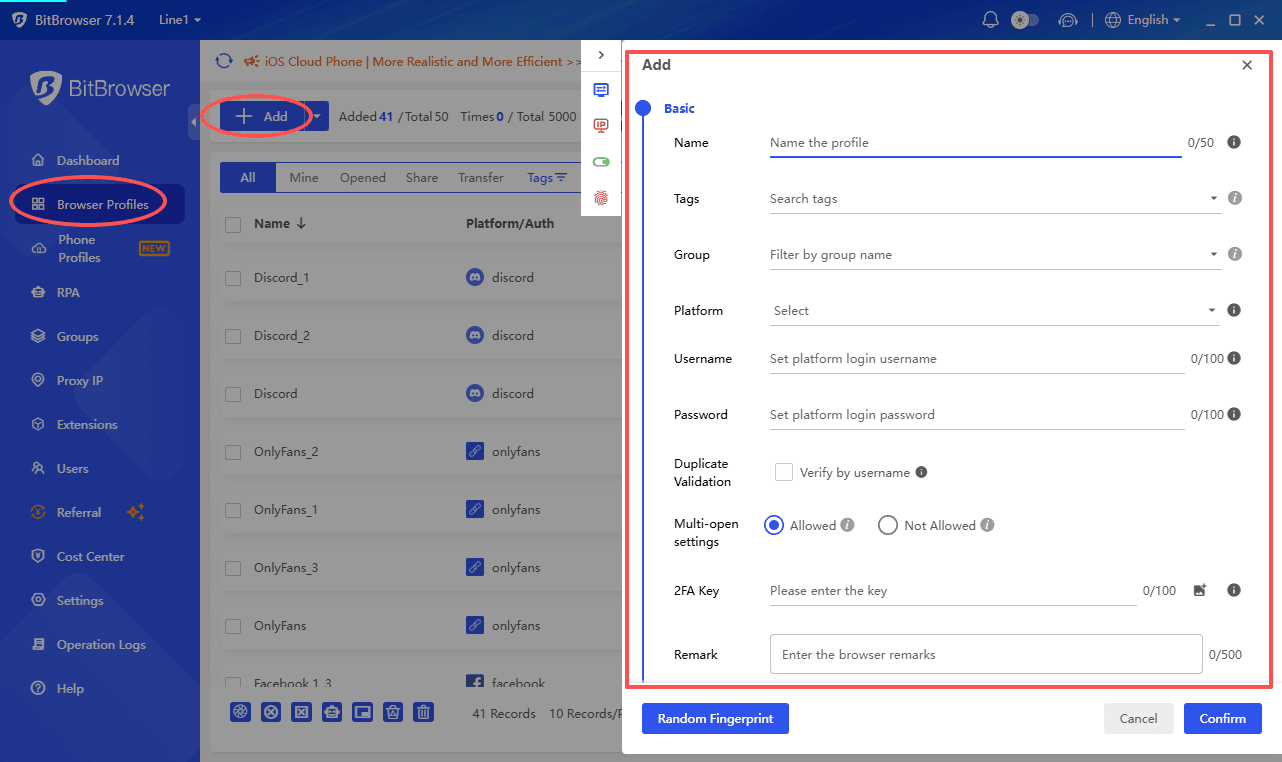
1. Create separate browser profiles for different data collection projects
Set up independent browser environments for different websites, research tasks, or team members. Each profile keeps its own cookies, browser storage, and configuration.
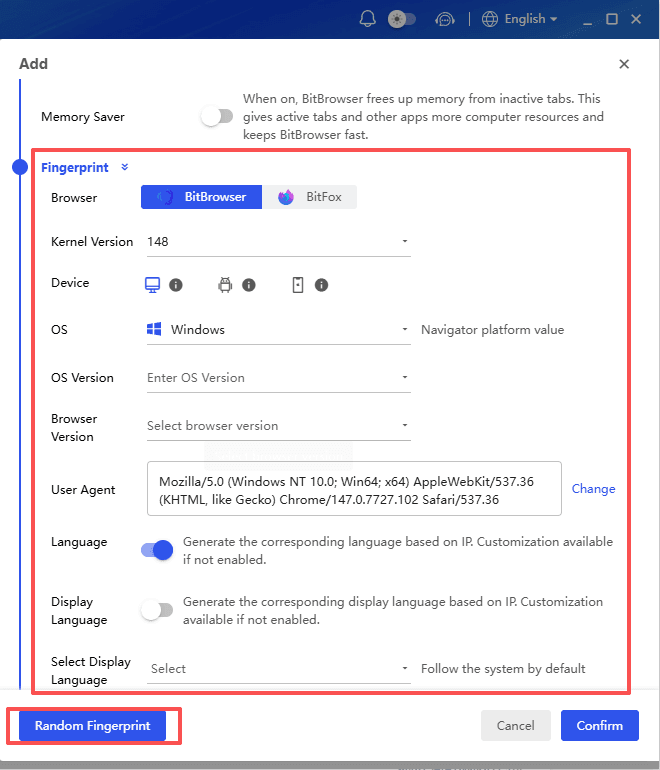
2. Configure browser environments for each workflow
Adjust settings such as language, timezone, browser parameters, extensions, and other profile options based on the project requirements.
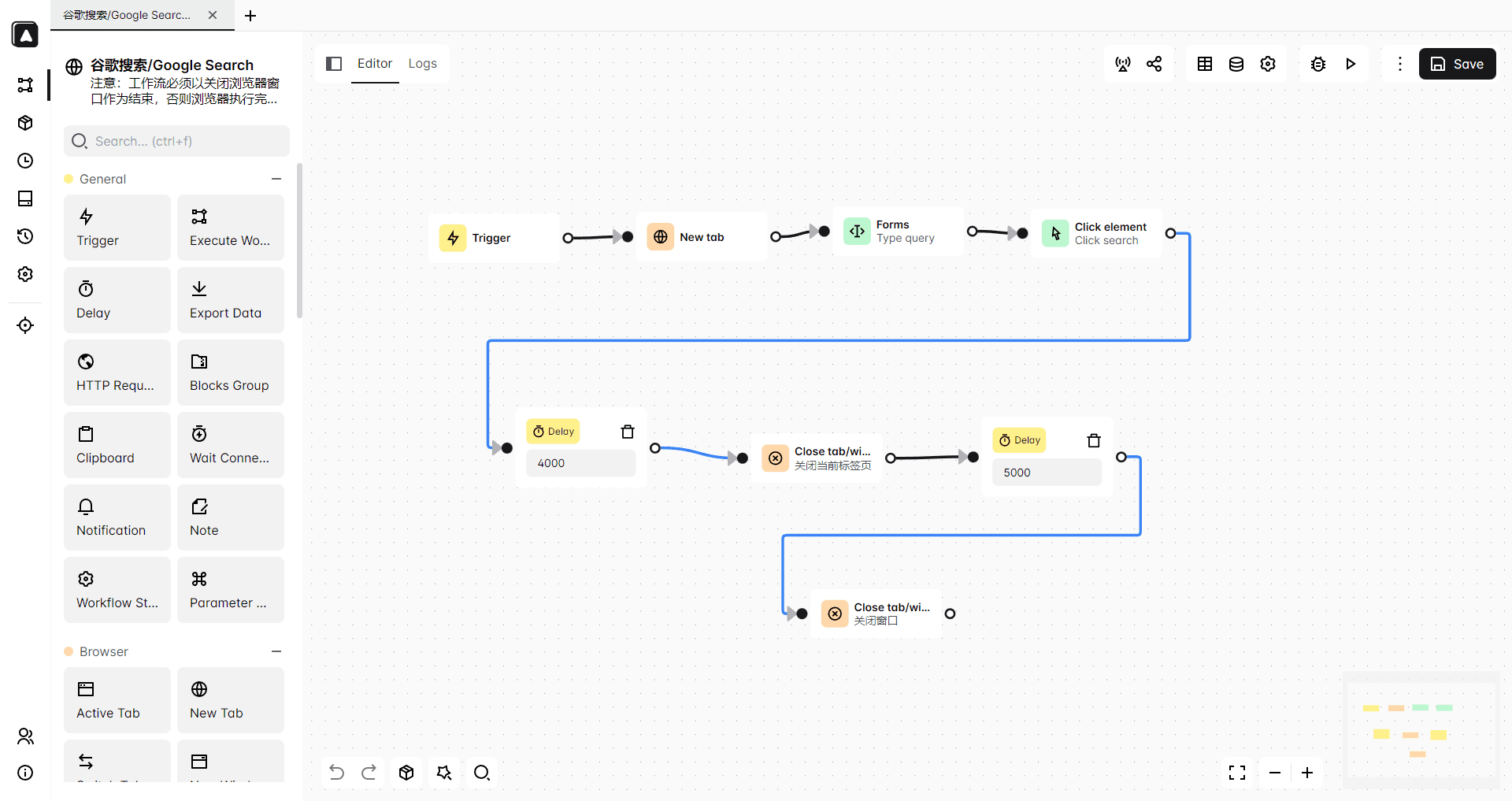
3. Connect profiles with automation tools
Use automation solutions such as Playwright, Selenium, or BitBrowser’s built-in web automation features to handle repetitive browser actions and streamline data collection workflows. RPA, API integration, scripts, and synchronizer tools can help automate routine tasks and improve workflow efficiency.
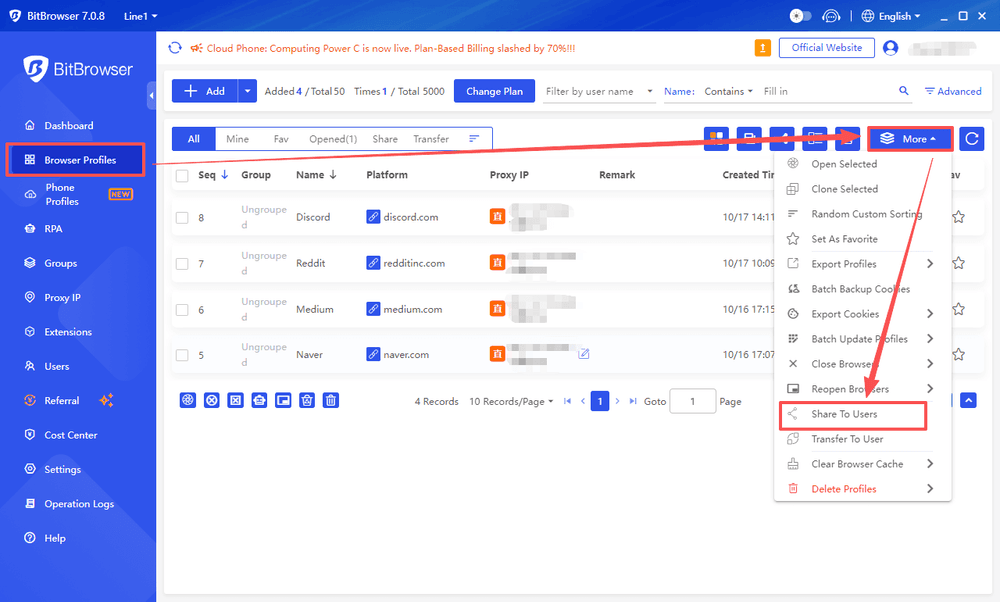
4. Collaborate with teams and manage multiple workflows
For team-based projects, shared browser profiles and centralized management make it easier to organize different tasks, assign workflows, and maintain consistent browser environments across team members.
This workflow helps teams build more stable and organized data collection processes, especially when managing multiple projects, testing environments, or automated browser tasks.
Why Browser Environment Management Improves Reliability
A stable scraping workflow depends on more than the extraction method itself. Browser settings, saved sessions, and project organization can also affect how smoothly automation runs.
By combining scraping tools, browser automation, and profile management, teams can build more consistent and maintainable data collection workflows.
Proxy and IP Strategy Tools (because rate limiting is part of reliability)
Even if you do everything “right”, you will run into rate limits. Reliability often comes down to not looking like a bot swarm.
A sane approach usually includes:
· Respectful concurrency limits per domain
· Randomized delays (not huge, just human-ish)
· Retry with backoff on 429 and 503
· A proxy pool for scale, ideally with geo targeting if content is location based
In tooling terms, you might use:
· a proxy provider (residential, datacenter, mobile depending on target)
· a proxy manager (to rotate, track failures, and apply rules)
· built in proxy support in Scrapy, Crawlee, Playwright, etc.
For browser-based scraping workflows, proxy settings are often managed together with browser profiles. BitBrowser supports proxy configuration for individual browser profiles, allowing different projects or environments to use separate network settings.
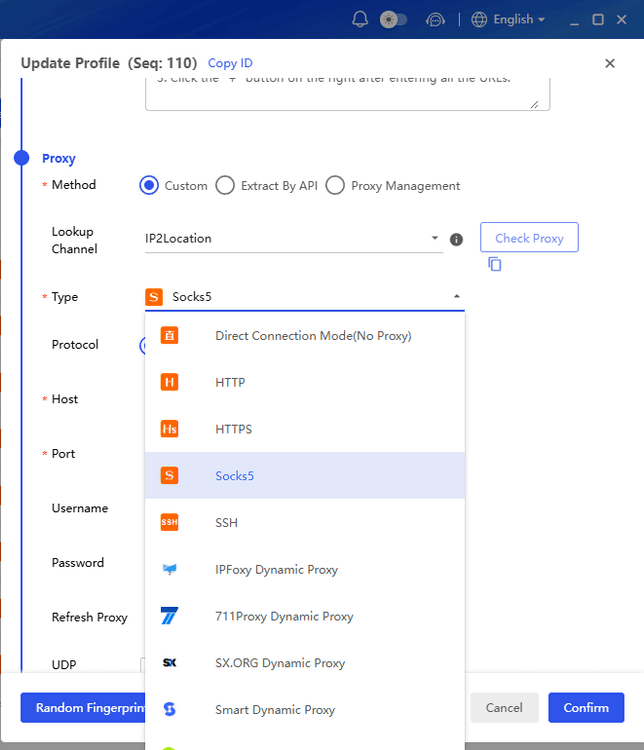
Do not add proxies until you need them, but once they become part of your workflow, treat them as a reliability component. Monitor workflow stability and data quality, not just request volume.
Building a More Reliable Data Collection Workflow
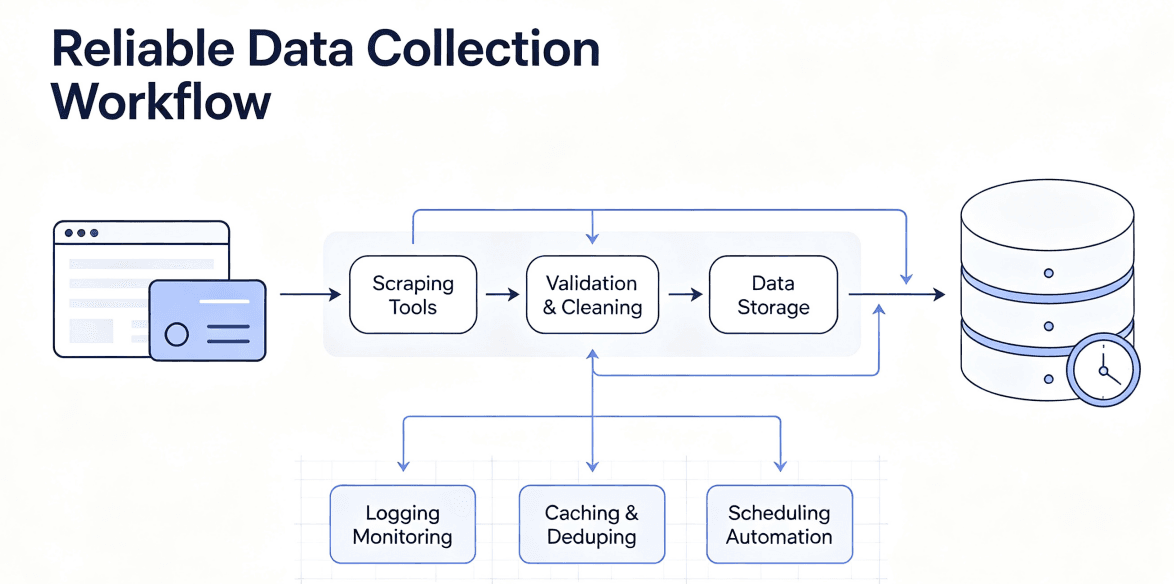
Choosing the right scraping tools is only the beginning. A reliable workflow also depends on proper data handling, automation, and browser environment management.
Data Quality and Automation
Logging, validation, caching, and scheduling help keep scraping projects stable. Saving error details, checking collected data, and avoiding unnecessary reprocessing can reduce failures and improve efficiency.
Browser Environment Management
For workflows involving multiple sessions or automation tasks, keeping browser environments organized is important. BitBrowser helps manage separate browser profiles, maintain independent cookies and sessions, and work with tools like Playwright or Selenium.
A reliable scraping workflow is not only about collecting data, but also about making the entire process consistent and easier to maintain.
Conclusion
There is no single best web scraping tool for every project. Simple tools like Beautiful Soup work well for small tasks, while frameworks like Scrapy, Crawlee, and browser automation tools like Playwright are better suited for more complex workflows.
Modern data collection often requires more than extracting HTML. Reliable scraping combines the right tools with proper session management, browser profiles, proxies, automation, and data validation.
By building a workflow that fits your project needs, you can make data collection more stable, scalable, and easier to maintain.

 Multi-Account Management
 Prevent Account Association
 Multi-Employee Management
Recommended
See More 



