How to Browse Tinder Anonymously in 2026
 2026.04.27 14:51
 YT.Shi
Dating apps are more popular than ever, but so is the desire for privacy. Whether you want to avoid an awkward encounter with a coworker, you are testing the waters while in a complicated situation, or you simply believe your love life is nobody else’s business, you are not alone.
Tinder has tightened its detection systems in 2026, making anonymous browsing harder, but it is definitely not impossible. This guide walks you through every method available, from Tinder's official tools to advanced fingerprint masking with an anti-detect browser like BitBrowser.
Why Should You Browse Tinder Anonymously in 2026
The reasons go far beyond just hiding from an ex. Today, the decision to browse privately is often about personal safety, professional reputation, and data control.
You might be a teacher, a therapist, or a public figure whose career could be damaged by a public dating profile.
You could be in a new city and want to look around without signaling your arrival to every local single.
Or perhaps you are simply uncomfortable with a massive corporation building a detailed file on your romantic preferences, your location patterns, and your social connections.
In 2026, protecting your identity on Tinder is a practical step toward reclaiming your own privacy.
Can You Really Browse Tinder Anonymously in 2026
The short answer is yes, but it requires more effort than just opening an incognito window.
Tinder has no "guest mode." You cannot view any profiles without first creating an account yourself, and that means handing over a phone number, photos, and your location data. The platform’s help center confirms that social media profiles on Tinder are not open to the public. You must make a verified account to browse other users.
However, with a combination of the right settings, fresh registration details, and a tool to break the link between your account and your real device, you can browse while keeping your true identity completely hidden. The technology exists to do this safely. It is just a matter of using it correctly.
How to Browse Tinder Anonymously in 2026 (4 Methods)
These four methods build on each other. Start with the first one for basic privacy, then add the next layers for complete anonymity.
Method 1: Use Tinder's Built-in Official Privacy Features
Your starting point should always be the tools Tinder already provides. In 2026, these two settings are your first line of defense.
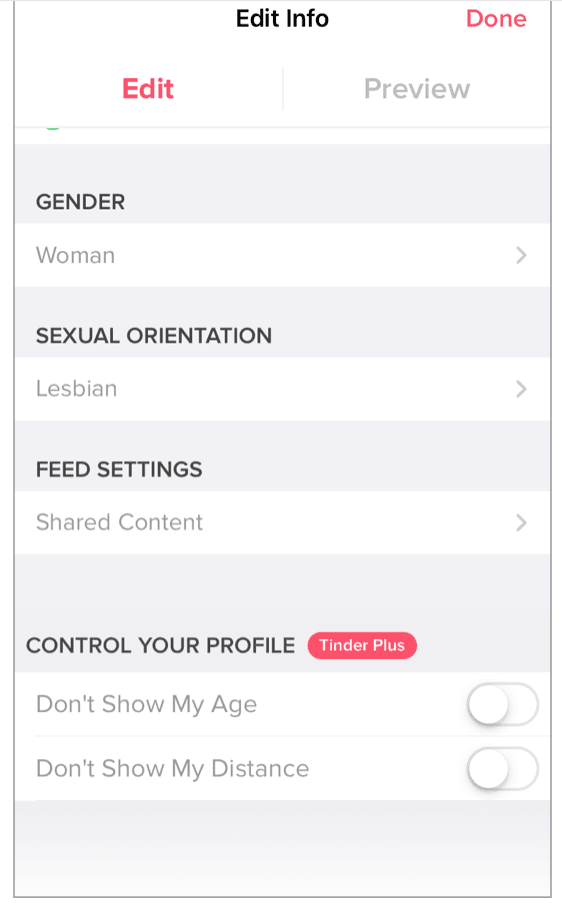
Tinder Plus Privacy Features. Incognito Mode is a paid feature (Tinder Plus, Gold, or Platinum). When activated, your profile is completely hidden from everyone you have not already liked. You still show up in the card stack of people you swipe right on, but no one else can see you. This gives you absolute control over who can view your page, making it a solid middle ground for semi-private browsing.
● Don’t Show My Age: Toggle on this setting to hide your age from your profile.
● Don’t Show My Distance: Toggle on this setting to hide your distance from your profile.
● Control Who Sees You: Toggle on Only People I’ve Liked to be shown only to people you’ve already liked. If you activate this feature, you won’t see any potential matches via Likes You if you’re a Gold or Platinum subscriber.
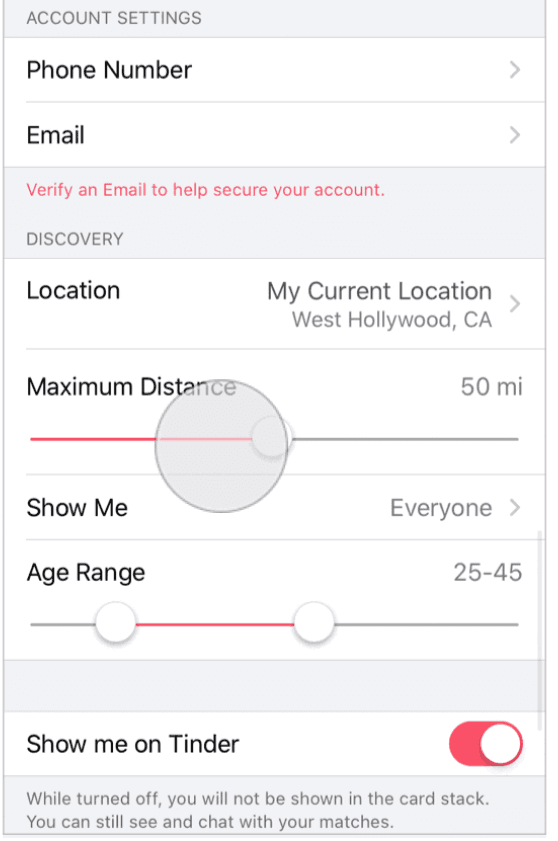
Turning Off Discovery Mode is a free and straightforward alternative. When you toggle this off in your settings, your profile stops appearing in the card stack for new people. Your existing matches can still message you, but you essentially vanish from the public feed. It is a quick fix if you need to duck out of sight for a while.
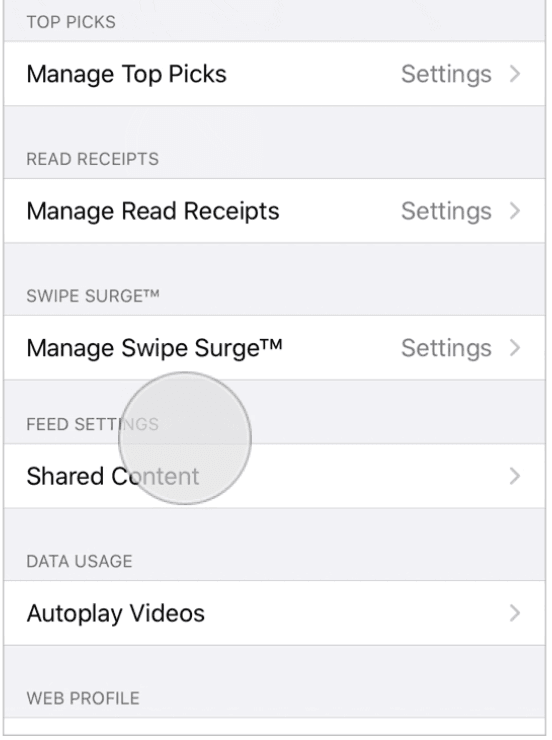
● Turn off Read Receipts: Turning this off will prevent any matches from activating read receipts in your conversation from this moment forward.
● Hide Account from Top Picks: Toggling off Show me in Top Picks will prevent you from being shown as a featured Top Pick to other nearby members.
● Hide Account from Swipe Surge: Turning this off will prevent your profile from being prioritized in a Swipe Surge.
Method 2: Start Fresh with an Untraceable Digital Identity
Official settings only hide you from other users. They do not hide you from Tinder itself. To browse without the app knowing who you really are, you need to sign up with new, clean details.
● Create a New Email Address: Never use your work or primary personal email. A fresh, free email account keeps your dating activity sealed off from your main digital life.
● Use a Virtual Phone Number: You need a phone number to verify the account, but it should never be your real one. A secondary virtual number that cannot be easily traced back to you adds a powerful layer of separation.
● Pay with a Gift Card: If you choose to subscribe to Tinder Plus, Gold, or Platinum, a card with your name and billing address instantly destroys your anonymity. Load a prepaid or a retailer’s gift card and use that to pay instead.
● Do Not Connect Your Social Media: Linking your Instagram or TikTok might make your profile look more authentic, but it also broadcasts your social circle, your hangouts, and your real identity.
● Clean Your Photos: Make sure your profile pictures contain no unique clues. Avoid showing distinctive tattoos, the front of your house, your workplace, or any landmark that can geolocate you.
Method 3 Mask Your Browser Fingerprint with an Anti Detect Browser
Even with a VPN your device still exposes large volumes of identifiable data. This set of data is known as a browser fingerprint. It covers your operating system screen resolution time zone installed fonts WebGL data Canvas fingerprint and many other technical markers. Tinder will ban your account instantly if your fingerprint conflicts with your displayed identity. If you've been IP-banned by Tinder, check out this guide.
Using an anti detect browser effectively solves this problem. It builds fully independent virtual browsing spaces. Each space carries a distinct fingerprint identical to that of an independent physical device.
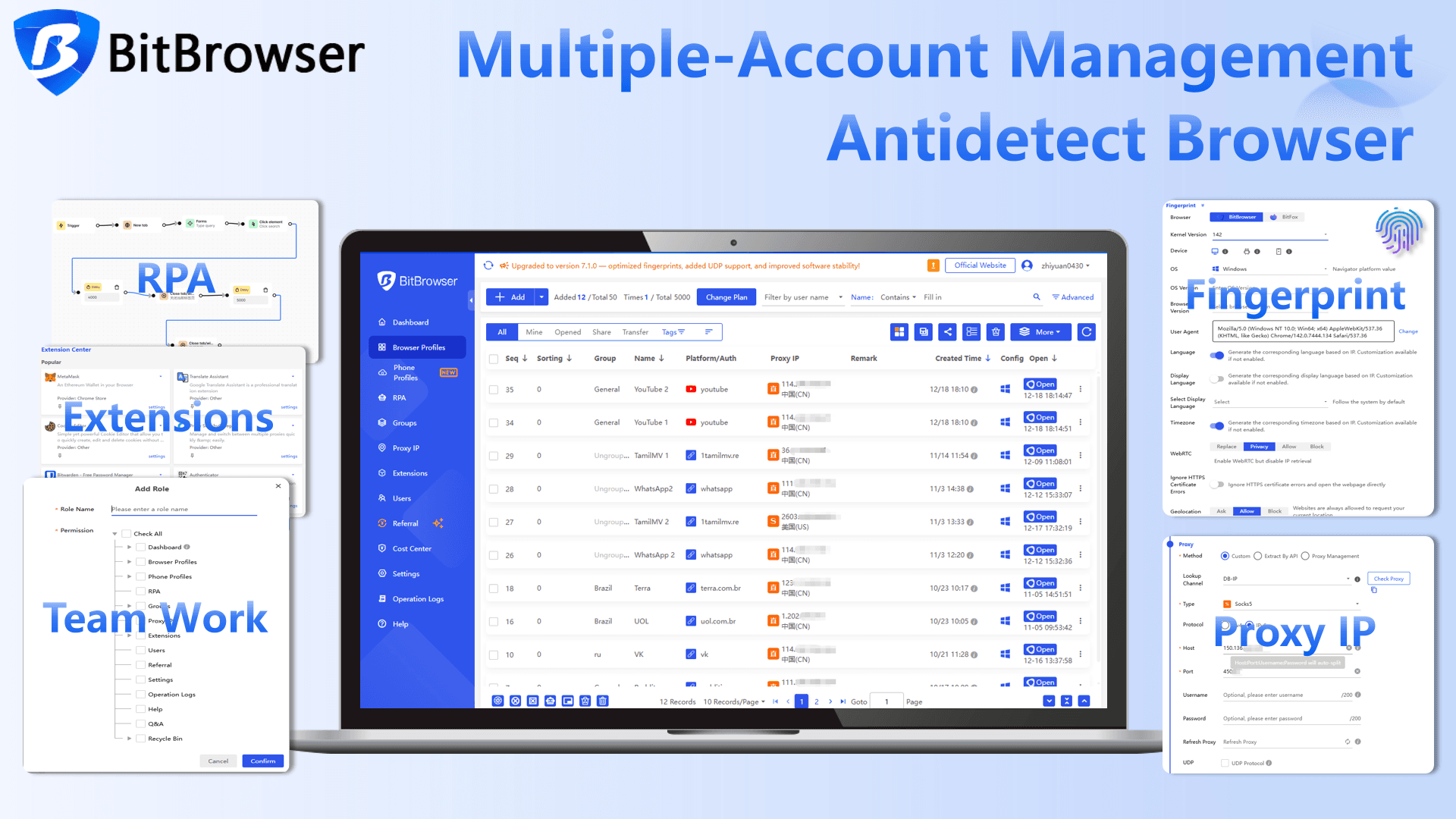
BitBrowser delivers outstanding performance in this field. It is professionally built to secure your real digital identity on platforms such as Tinder. Core advantages for anonymous browsing are listed below
● Create virtual profiles with exclusive fingerprints
● Support manual adjustment of fingerprint details
● Connect with private proxies to build complete independent identities
Sign Up
Method 4: Hide Your Real IP with a Residential Proxy
A VPN is not enough for Tinder in 2026. The platform aggressively flags and bans IP addresses from data centers, which is what most cheap VPNs use. You need a residential proxy. This type of IP is attached to a real physical address and is registered to a home internet service provider.
To Tinder, it looks exactly like a genuine mobile or home user. Combined with a unique browser fingerprint from BitBrowser, a residential proxy gives you a fully formed, untraceable identity that will not raise any red flags.
What Are the Risks of Getting Banned and How to Avoid Them
If your privacy setup fails and your real fingerprint leaks through, the result is often an instant ban. Tinder’s automated moderation in 2026 is more sophisticated than ever, proficient at detecting patterns like copy pasted opening lines, unusually fast swiping, and reported chats. Getting banned is not a minor inconvenience.
Starting over requires a completely new digital identity: a new device fingerprint, a new phone number, a new IP address, and even fresh photos that cannot be reverse image searched back to your old account. Using a tool like BitBrowser to create an entirely fresh, clean profile for each new venture is the only reliable way to prevent Tinder from linking your new account to one that was previously banned.
You might be interested in reading: How to Get Unbanned from Tinder in 2026
Conclusion
Browsing Tinder anonymously in 2026 boils down to combining official privacy settings, fresh credentials, a residential proxy, and a reliable anti-detect browser like BitBrowser. BitBrowser gives each account its own isolated fingerprint and digital identity, breaking any connection back to your real device. With this layered approach, you take back full control of your privacy and can browse with genuine peace of mind.