Facebook Banned Account Recovery: How to Recover a Disabled Facebook Account in 2026
 2026.04.14 13:52
 YT.Shi
Getting your Facebook account disabled in 2026 still feels sudden and frustrating. One minute everything is normal, and the next you are locked out with a message saying your account has been disabled or restricted by Meta Platforms.
The important thing is that in many cases, this is not permanent. Recovery is often possible if you understand what happened and respond in the right way.
This guide provides the most current, verified methods for Facebook account recovery, correcting outdated myths and focusing on what actually works under Meta’s latest 2026 policies.
Why Was My Facebook Account Disabled (2026 Update)
In 2026, Meta uses advanced behavioral signals to flag accounts. Most bans fall into these categories:
● Violation of Facebook's Community Standards: Posting content that violates its rules, such as hate speech, adult content, or misleading information.
● AI-Detected "Inauthentic Behavior": Using automation, mass-posting, or rapid-fire engagement that mimics bot activity.
● The 180-Day Rule Violation: If you were notified of a violation and didn't act, Meta now automatically purges data after the 180-day appeal window.
● Identity Mismatch: Failing a random "Video Selfie" check or having a profile name that doesn't match your legal ID.
● Linked Account Contamination: If your linked Instagram or Threads account is banned for a serious violation, Meta’s "Cross-App Enforcement" may automatically disable your Facebook profile.
How Do You Know if Your Account is Permanently Banned or Just Disabled
This is one of the first things to figure out.
You are usually dealing with a temporary or reviewable issue if you see messages like:
● Your account has been disabled
● We need more information to confirm your identity
● Your account is under review
It is more serious if:
● The account cannot be found at all
● Appeals are explicitly marked as final decision
● You are experiencing a shadowban (where your content is hidden from others without your knowledge)
Most normal users are still in the recoverable category.
Step-by-Step Recovery Process
1. Identifying Your Ban Type
Before filling out forms, you must know where you stand.
1. Permanent Ban (Final Decision): If you see "We cannot review this decision," your options are unfortunately exhausted.
2. Standard Disablement: You have 180 days to appeal.
3. Checkpoint/Security Lock: Usually requires a simple ID upload or Video Selfie to prove you aren't a bot.
2. The "Request Review" Method (Primary)
The most effective way to recover an account is through the Account Quality dashboard (now integrated into the Meta Help Center — Facebook Help Center).
● Select "Account Recovery" from the list on the left
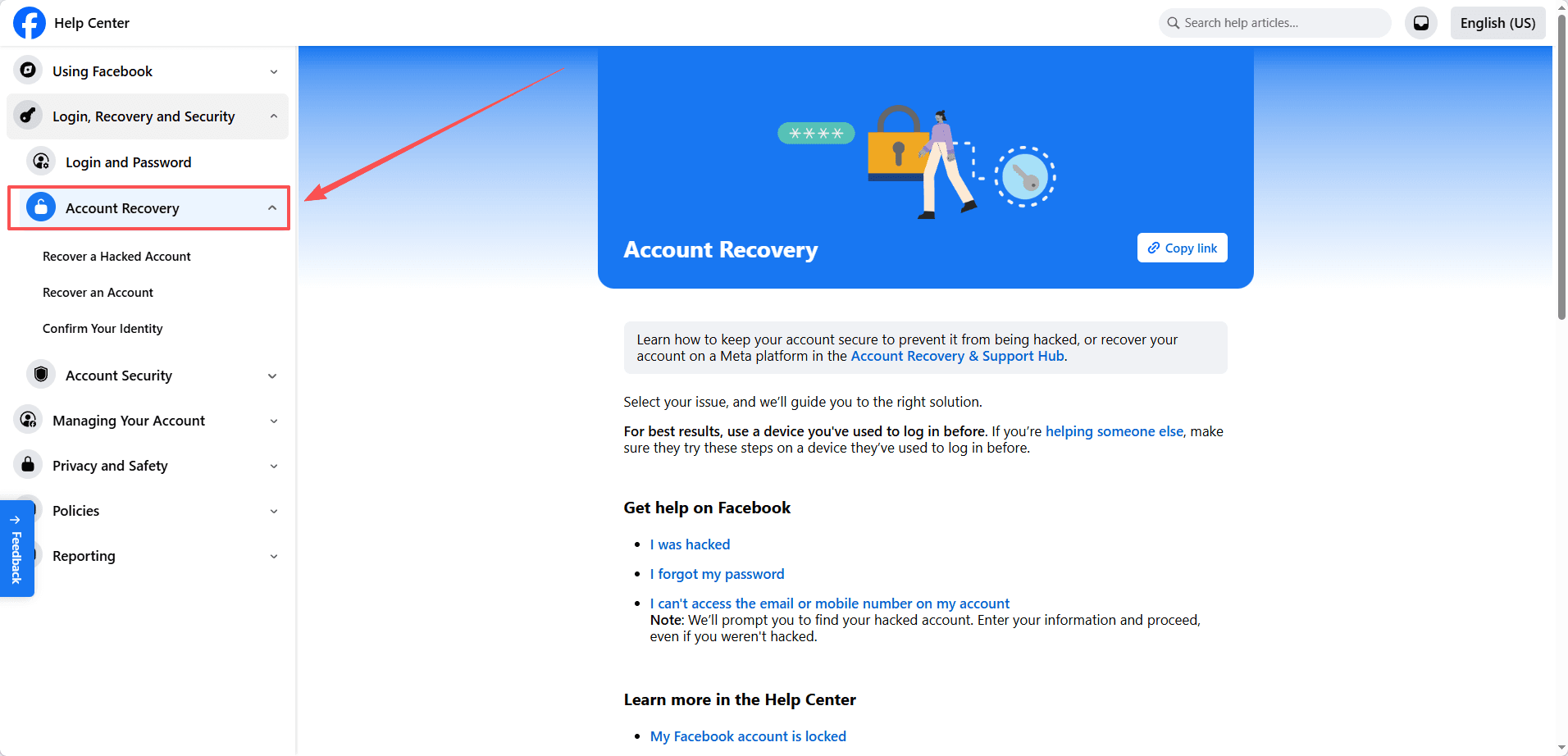
● On the account recovery page, select “My personal Facebook account is suspended or disabled”
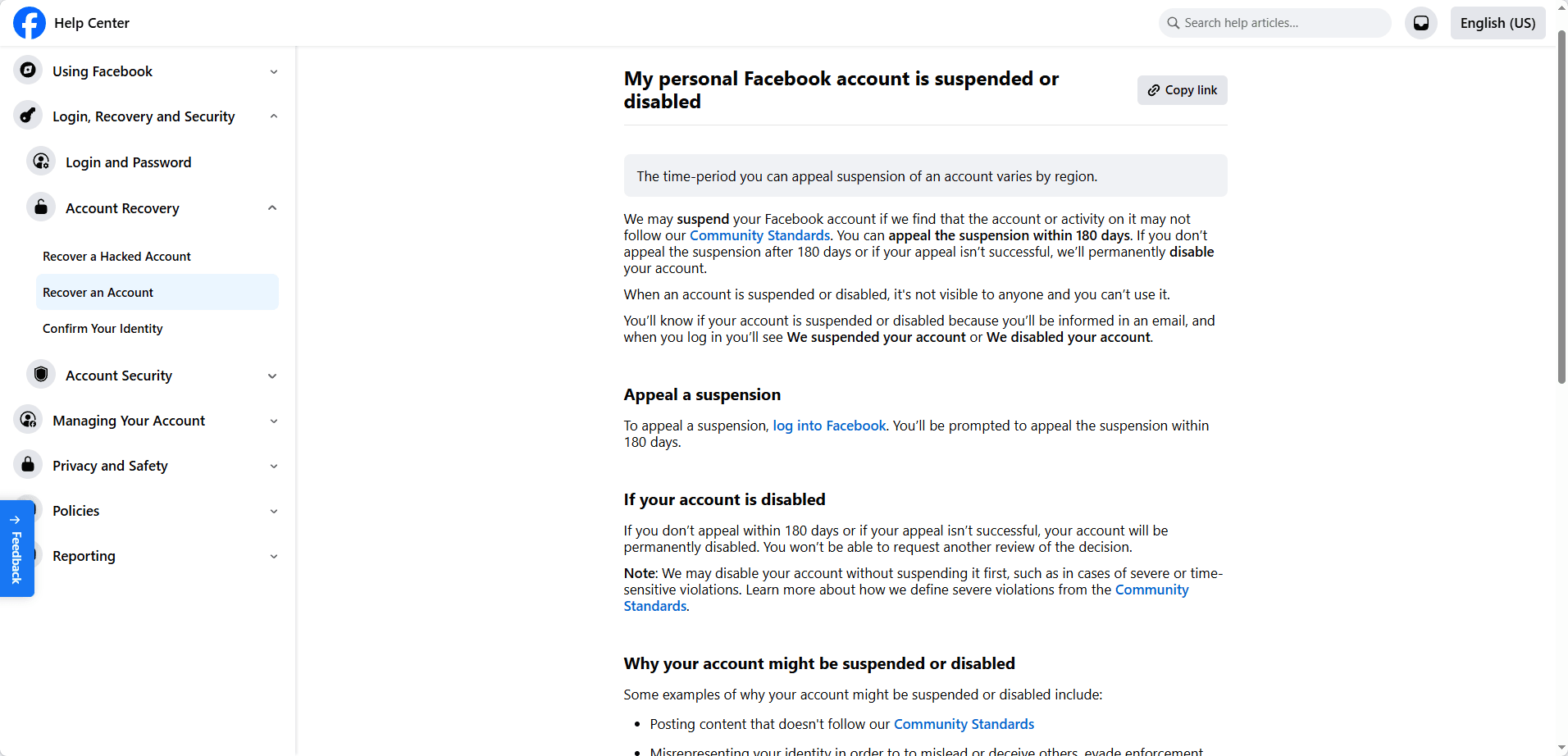
● Attempt to log in to Facebook.
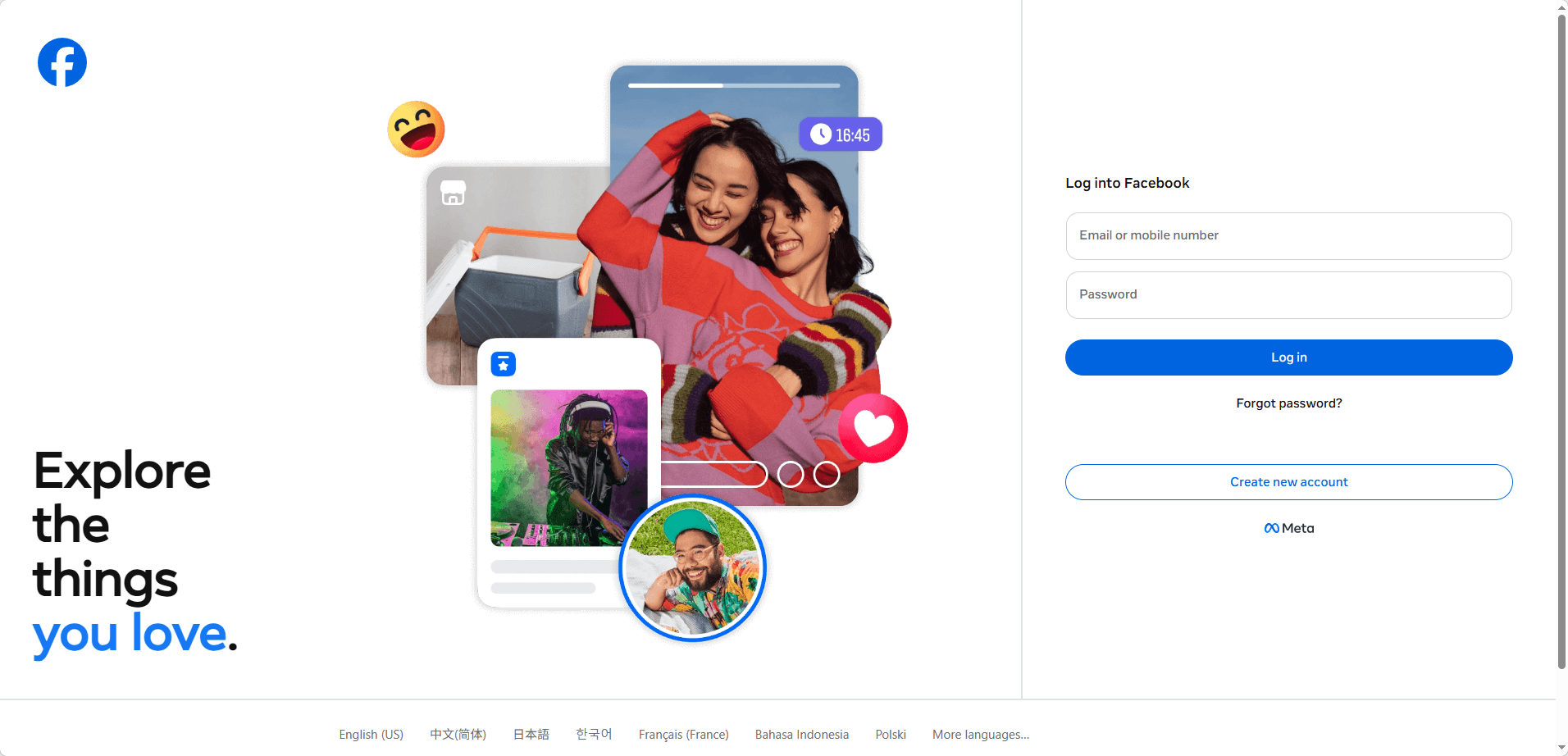
● If you see "Account Disabled," click Request Review.
● You will likely be asked to complete a Video Selfie to prove you are a live human. Follow the on-screen circle to rotate your head as instructed.
3. Submit the Official Identity Verification Form (For "Login Failure")
If you cannot bypass the login screen, use the official "My Personal Account is Disabled" help form.
● Upload a High-Resolution ID: In 2026, low-quality photos are instantly rejected by AI. Ensure all four corners of your ID (Passport, Driver’s License, or National ID) are visible with no glare.
● Wait for the Email: Responses typically arrive within 48 to 72 hours, though high-traffic periods can take up to 7 days.
4. Appealing via the "Identity Verification" Form
If the reason for your ban is "Authentic Identity" (suspected fake name/bot), use this specific portal:
● Official Link: https://www.facebook.com/help/contact/183000765122339
● Strategy: Upload your ID here even if you haven't been prompted. This "pushes" your identity into the Meta database, often speeding up the review of a disabled account.
5. The "Meta Verified" Advantage (For Business/Creators)
If you have a linked Instagram account with a Meta Verified (Blue Check) subscription, you have access to Direct Chat Support.
● Log in to your verified Instagram account.
● Go to Settings > Accounts Center > Meta Verified.
● Select Get Support to speak with a human agent. This is currently the most reliable way to bypass automated bot rejections for Facebook recovery.
Summary Checklist for a Successful Appeal
● Use a device you have previously used to log in (Trusted Device).
● Use a home/office Wi-Fi (Trusted IP). Do not use a VPN during the appeal.
● Ensure your ID photo is 4K/high-res.
● Be polite in the "Additional Info" box: "I believe my account was flagged by mistake. I strictly follow Community Standards and can provide any identity verification needed."
If the forms return an error, wait 24 hours before trying again to avoid being flagged for "Form Spamming."
?Common Myths & Outdated Info to Avoid
To save time and protect your data, ignore these "zombie" tips that no longer work in 2026:
● DEBUNKED: Trusted Contacts. Facebook officially removed this feature years ago. You cannot recover an account through your friends anymore.
● DEBUNKED: Support Emails. Addresses like disabled@fb.com or support@facebook.com are no longer monitored by humans. Using them will result in an automated "inbox unmonitored" reply.
● DEBUNKED: 180-Day "Cool Down". Some guides suggest waiting 180 days to "try again." Do not do this. In 2026, once the 180-day countdown expires, your account is permanently deleted from Meta's servers.
How long does Facebook account recovery take
Typically 48 hours to 30 days.
This is the most unpredictable category. While many users receive a response within a few days, Meta’s 2026 AI moderation often requires a manual review for nuanced cases. If the system is overwhelmed or your case requires human oversight, it can take up to a month.
The "Final Decision" Risk: If the review is completed and the ban is upheld, Meta may issue a "Final Decision," after which the account cannot be recovered. Remember, you must initiate this process within the 180-day window to avoid permanent data deletion.
Why should you check your email during recovery?
Many users miss this step completely. Meta Platforms often sends automated emails that include:
● Direct appeal links
● Security confirmation steps
● Temporary recovery options
Sometimes the fastest recovery path is already in your inbox, not in the login page.
What should you do if your appeal is rejected
A rejection is not always final. Many users recover accounts on a second attempt by adjusting their approach.
You can try:
● Submitting clearer identity documents
● Fixing mismatched profile information
● Writing a more neutral explanation
● Waiting a short period before reapplying
Often the issue is not eligibility but missing or unclear signals.
How is a business or ads account different
If your account is tied to ads or business tools inside Meta Platforms, the process is slightly more structured and strict.
In these cases, you may need to:
● Review account quality status
● Resolve ad policy violations
● Fix billing or payment issues
● Submit a business appeal through business tools
Business accounts are reviewed more carefully but also have more formal recovery channels.
How can BitBrowser help reduce the risk of Facebook account bans
In 2026, most restrictions from Meta Platforms are not triggered by a single action, but by patterns. Things like logging into multiple accounts from the same browser, sharing cookies, or switching IPs too frequently can slowly build up risk signals.
This is especially common for users managing multiple Facebook accounts, running ads, or doing affiliate and traffic-related work.
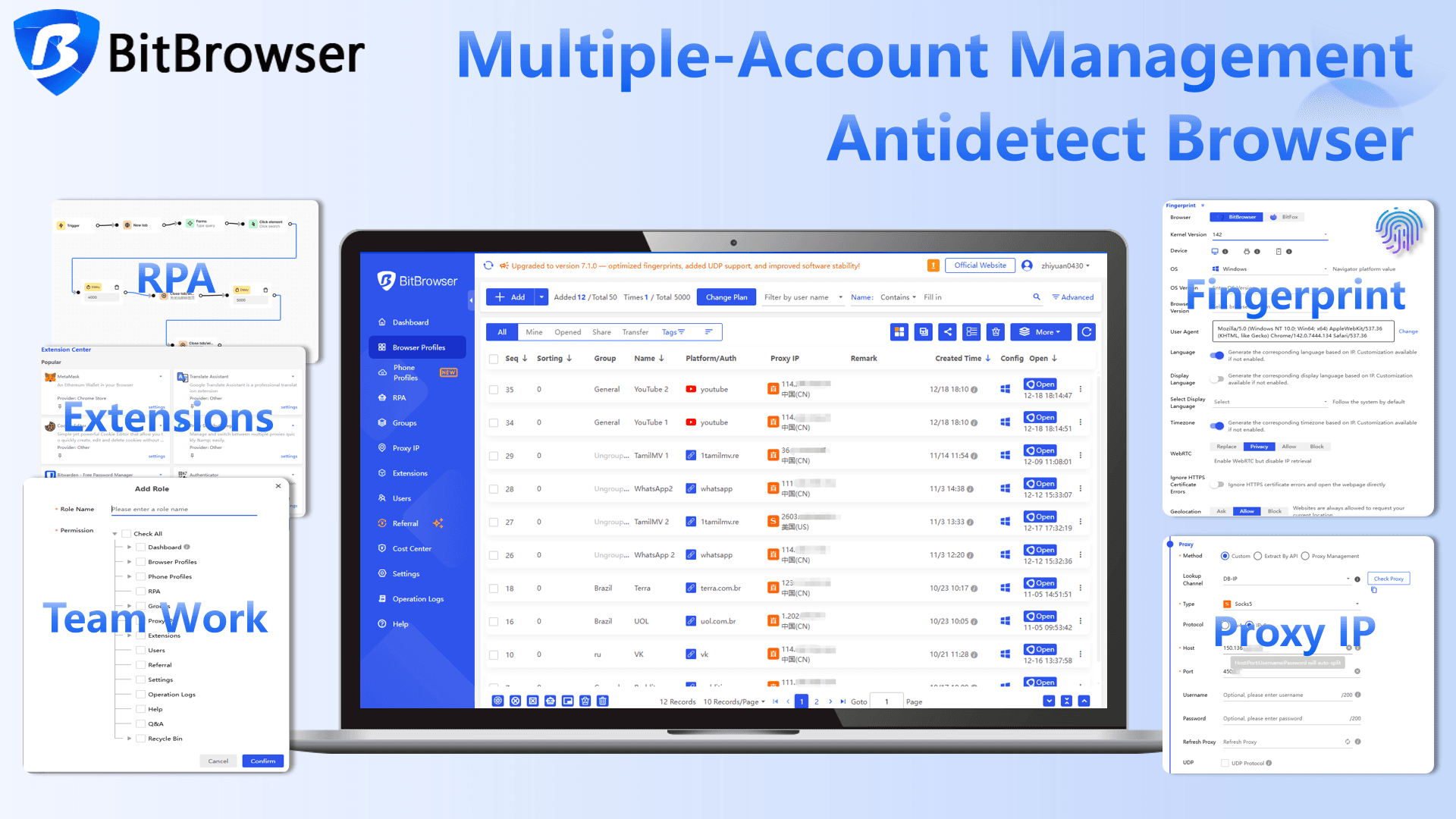
This is where tools like BitBrowser come in.
Sign Up
Instead of running all accounts in one environment, BitBrowser allows you to create completely separate browser profiles. Each profile behaves like a different real device, with its own fingerprint, cookies, and session data.
In practice, this means:
● Each account runs in an isolated environment
● No shared browser fingerprints between accounts
● Reduced risk of linked-account bans
● More consistent and stable login behavior
This setup is especially useful if you need to browse Facebook anonymously or manage multiple Facebook Messenger accounts without creating overlap between sessions.
From Facebook’s perspective, this makes your accounts look more natural and less connected, which helps reduce the chances of being flagged.
It is not a workaround for breaking rules, but it does help create a cleaner and more controlled environment, especially if you are scaling or managing multiple accounts long term.
Sign Up
How can you avoid getting your Facebook account banned again
Once your account is recovered, staying consistent matters more than anything else. In 2026, Meta Platforms focuses heavily on behavior patterns rather than single actions.
A few simple habits can help reduce risk:
● Keep your login environment stable, avoid frequent device or IP changes
● Do not perform actions too quickly such as mass adding friends or messaging
● Keep your profile information real and consistent
● Avoid running multiple accounts in the same browser
● Enable two factor authentication for added trust
● Warm up activity gradually instead of sudden spikes
The system is mainly looking for natural behavior. The more consistent and realistic your usage looks, the less likely your account will be flagged again.