Browser Fingerprint Spoofing: How BitBrowser Helps Protect Privacy and Manage Multiple Accounts Safely
 2026.06.28 10:57
 petro
petroWebsites no longer rely only on cookies or IP addresses to identify users. Modern platforms can collect browser fingerprints made from signals such as user agent, WebGL, Canvas, timezone, language, screen size, fonts, WebRTC, hardware data, and network behavior.
For normal users, this can create privacy concerns. For agencies, e-commerce teams, affiliate marketers, social media managers, QA testers, and remote teams, it can also create account-linking problems when multiple accounts or client profiles are managed from the same device.
BitBrowser is an antidetect browser designed to help users create separated browser environments. Each profile can have its own fingerprint, cookies, storage, proxy configuration, timezone, language settings, and browsing identity. Used responsibly, BitBrowser can help organize professional workflows, protect privacy, and reduce unwanted account association.
This guide explains what browser fingerprints are, why websites collect them, what signals matter most, and how BitBrowser fits into a safer multi-account management workflow.
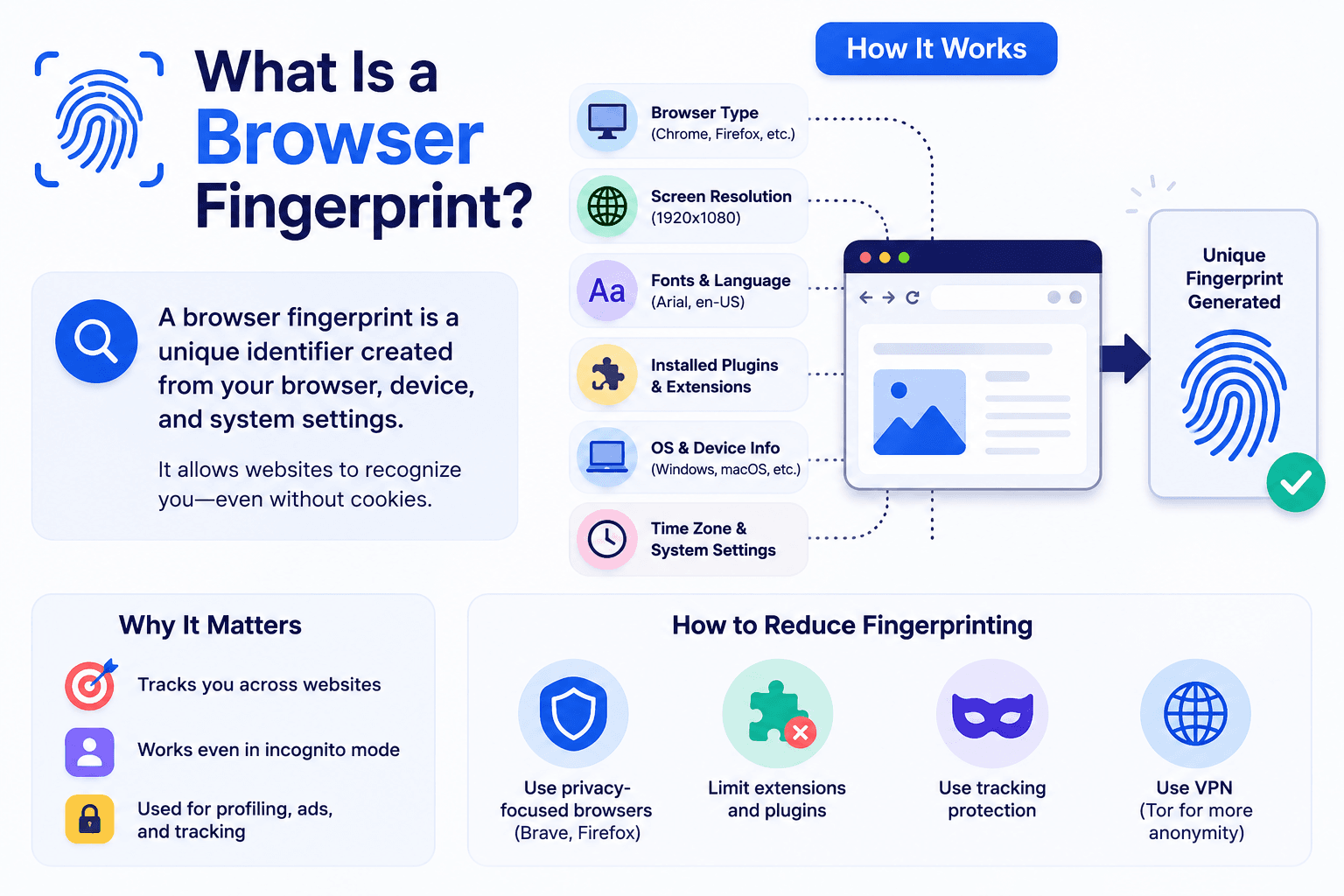
What Is a Browser Fingerprint?
A browser fingerprint is a collection of technical details that websites can read from your browser, device, and network environment.
These details may include:
Browser type and version
- Operating system
- Screen resolution
- Timezone
- Language settings
- Installed fonts
- WebGL data
- Canvas rendering behavior
- AudioContext output
- WebRTC information
- CPU and memory signals
- Cookies and local storage
- Proxy or IP location
- DNS and TLS behavior
Individually, each signal may not reveal much. Together, however, they can create a unique technical profile that helps websites recognize the same device across different sessions.
What Makes Up a Browser Fingerprint?
A browser fingerprint is not a single setting. It is a combination of many small technical signals.
Here is a simplified breakdown:
| Fingerprint Signal | What It Reveals | Why It Matters |
|---|---|---|
| User Agent | Browser, OS, version | Identifies browser environment |
| Operating System | Windows, macOS, Linux, mobile OS | Must align with other signals |
| Screen Resolution | Display size and depth | Helps detect device patterns |
| Timezone | Regional setting | Should match proxy location |
| Language | Browser language | Should align with region |
| IP Address | Network location | Used with other signals |
| WebRTC | Network exposure | Needs control in proxy use |
| Canvas | Rendering behavior | Hard to spoof manually |
| WebGL | GPU details | Reveals hardware traits |
| Fonts | Installed fonts | Varies by device |
| AudioContext | Audio processing | Creates unique signals |
| Cookies | Stored sessions | Links visits |
| Local Storage | Browser data | Persists identifiers |
| Hardware Data | CPU, RAM, GPU | Must look realistic |
| DNS Behavior | Network routing | Shows inconsistencies |
Why Random Fingerprint Spoofing Is Risky
Many beginners think browser fingerprint protection means changing random settings. That is a mistake.
Random fingerprints can look unnatural. A website may not know exactly who you are, but it may still detect that your environment looks artificial.
Common fingerprint mistakes include:
- Timezone does not match IP location
- Browser language does not match account region
- WebRTC leaks real network information
- Canvas and WebGL settings look inconsistent
- User agent does not match the operating system
- Fonts do not match the selected device type
- Proxy location and DNS behavior do not align
- Fingerprint changes too often between sessions
A professional antidetect browser should not simply randomize everything. It should create realistic, stable, and consistent browser profiles.
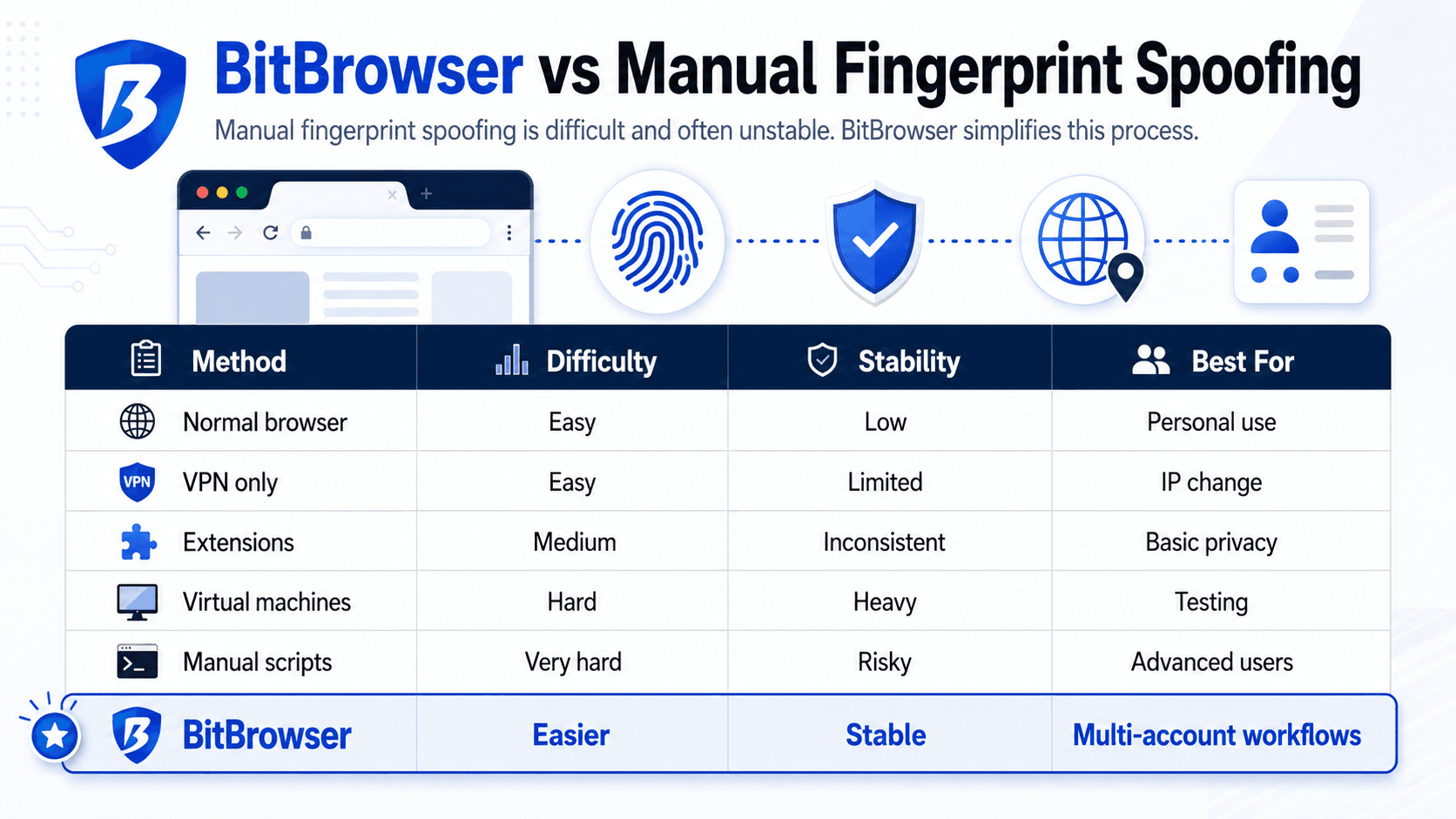
BitBrowser vs Manual Fingerprint Spoofing
Manual fingerprint spoofing is difficult and often unstable. BitBrowser simplifies this process.
Pros and Cons of BitBrowser
Pros
- Isolated browser profiles
- Multi-account support
- Proxy integration
- Organized workflows
- Team collaboration
- Reduced account overlap risk
Frequently Asked Questions
What is browser fingerprint spoofing?
It is the process of managing browser signals to reduce tracking or separate identities.
What is BitBrowser?
An antidetect browser for managing multiple isolated browser profiles.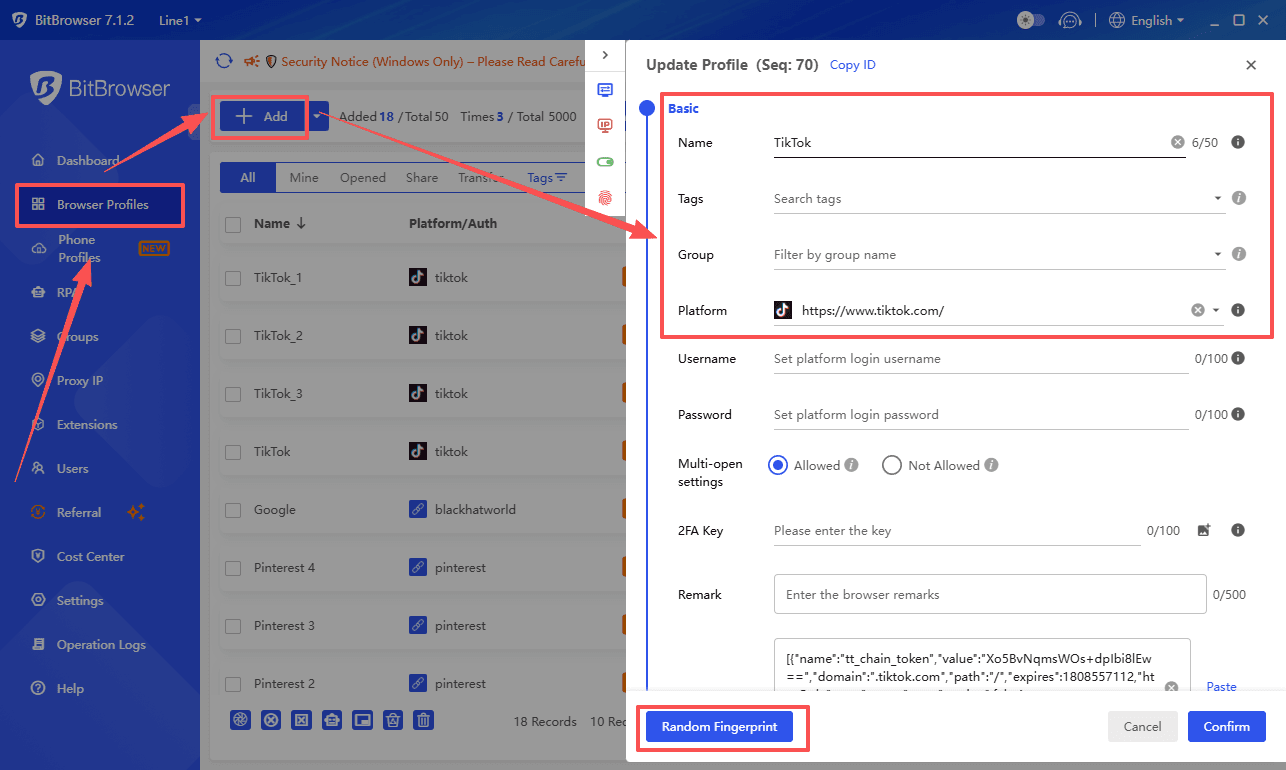
Is BitBrowser enough without proxies?
No. Proxies and browser profiles work together for best results.
Can BitBrowser guarantee account safety?
No. Safe usage depends on behavior, setup, and platform rules.
Who should use BitBrowser?
Marketers, agencies, developers, testers, and privacy-focused users.

 Multi-Account Management
 Prevent Account Association
 Multi-Employee Management
Recommended
See More 



