How to Check and Fix X (Twitter) Shadowban in 2026 (Complete Guide)
 2026.01.13 10:42
 YT.Shi
If your X account suddenly feels… quiet. Like you’re posting into a void. Views drop, replies stop, search doesn’t show your tweets, and even your own followers act like they never saw the post.
Yeah. That’s usually when people start whispering the word: shadowban.
And here’s the annoying part. X rarely tells you anything directly. No clear warning. No email. No big red banner saying “we limited your reach”. It just kind of happens. Or at least it feels that way.
This guide is everything I’d want in front of me when this happens in 2026. How to check if you’re actually shadowbanned. What type of “ban” it likely is. And the exact steps to fix it without making it worse.
What Is a “Shadowban” on X (Twitter)
A “shadowban” is not a single, official feature or label on Twitter or X. On X, the word “shadowban” is an informal term people use to describe a range of visibility and reach limitations that reduce how widely content is distributed, often without any direct warning or notification to the account owner.
These limits are part of X’s enforcement options, including automated ranking, moderation, and spam prevention systems. They are designed to protect the platform from abuse, automation, and low quality content, but they can also affect legitimate users.
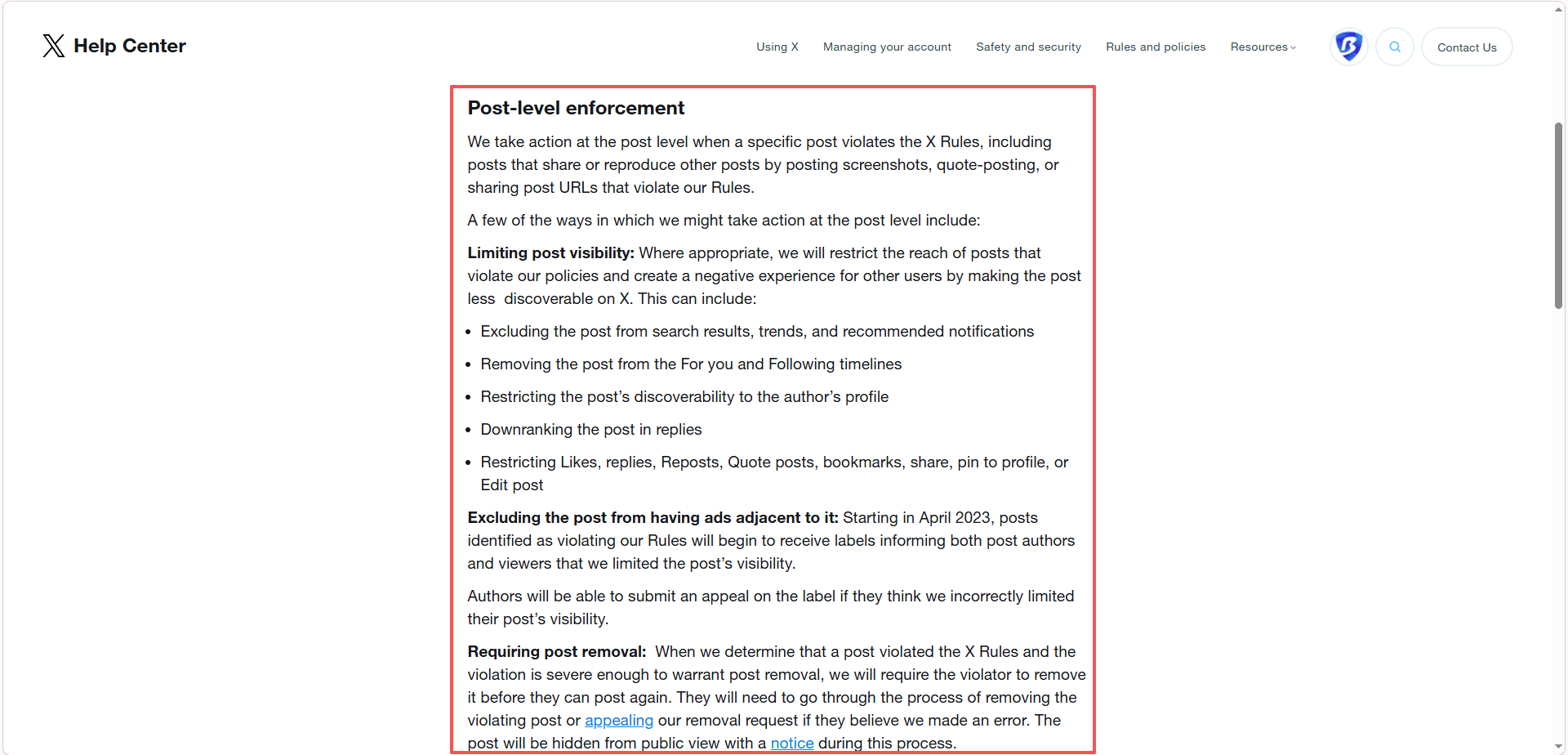
In practice, you might be affected by one or several of the following types of visibility restrictions at the same time.
1. Search suggestion limitation
Your @username does not appear when someone starts typing it into the X search bar. This makes it harder for new users to discover your account, even if they already know your name or are actively looking for you.
2. Search visibility limitation
Your posts do not appear in keyword search results, even when your content clearly matches the search terms. This significantly reduces the chance that non followers will find your tweets through topical searches or trending discussions.
3. Reply visibility reduction
Your replies are pushed far down in comment threads, often hidden behind the “Show probable spam” section. This means fewer people see your responses, even when you reply early or add something relevant to the conversation.

4. Timeline distribution reduction
Your followers receive fewer of your posts in their main timeline than before. Even people who follow you may stop seeing your content regularly, which leads to lower engagement and a feeling that your audience has suddenly disappeared.
5. Label based distribution limits
X applies internal quality and trust signals such as spam risk, automation risk, or low quality content indicators. When these internal labels are applied, the system quietly limits how far your content is distributed across the platform.
People refer to all of these situations as a “shadowban” because the user experience feels the same in every case. You are still able to post. Your account is not suspended. You do not receive a warning. But your content reaches far fewer people than before, and engagement drops sharply without any clear explanation.
How to Check if you’re Shadowbanned on X (Twitter)
You want to test visibility from outside your account. Because inside your own account everything looks normal.
1. Logged out search test (fastest)
Open an incognito window (or a different browser), log out of X, then:
· Search your exact @handle
· Search your display name
· Search an exact phrase from a recent tweet in quotes, like
· "this is the exact sentence I tweeted"
If you can’t find your profile or tweets at all while logged out, that’s a big signal. Not perfect, but strong.
2. Use a second account (or ask a friend)
From another account that does not follow you:
· Search your @handle
· Search a keyword from a tweet you posted recently
· Check your replies under a popular tweet (do your replies show normally?)
If your replies are hidden under “Show probable spam” consistently, you’re probably hit with reply visibility reduction.
3. Check if your posts appear on the “Latest” tab in search
X often still shows you in “Top” (sometimes) but not in “Latest”.
From a neutral account:
· Search for a keyword you just used
· Tap Latest
· Scroll around where your tweet should appear
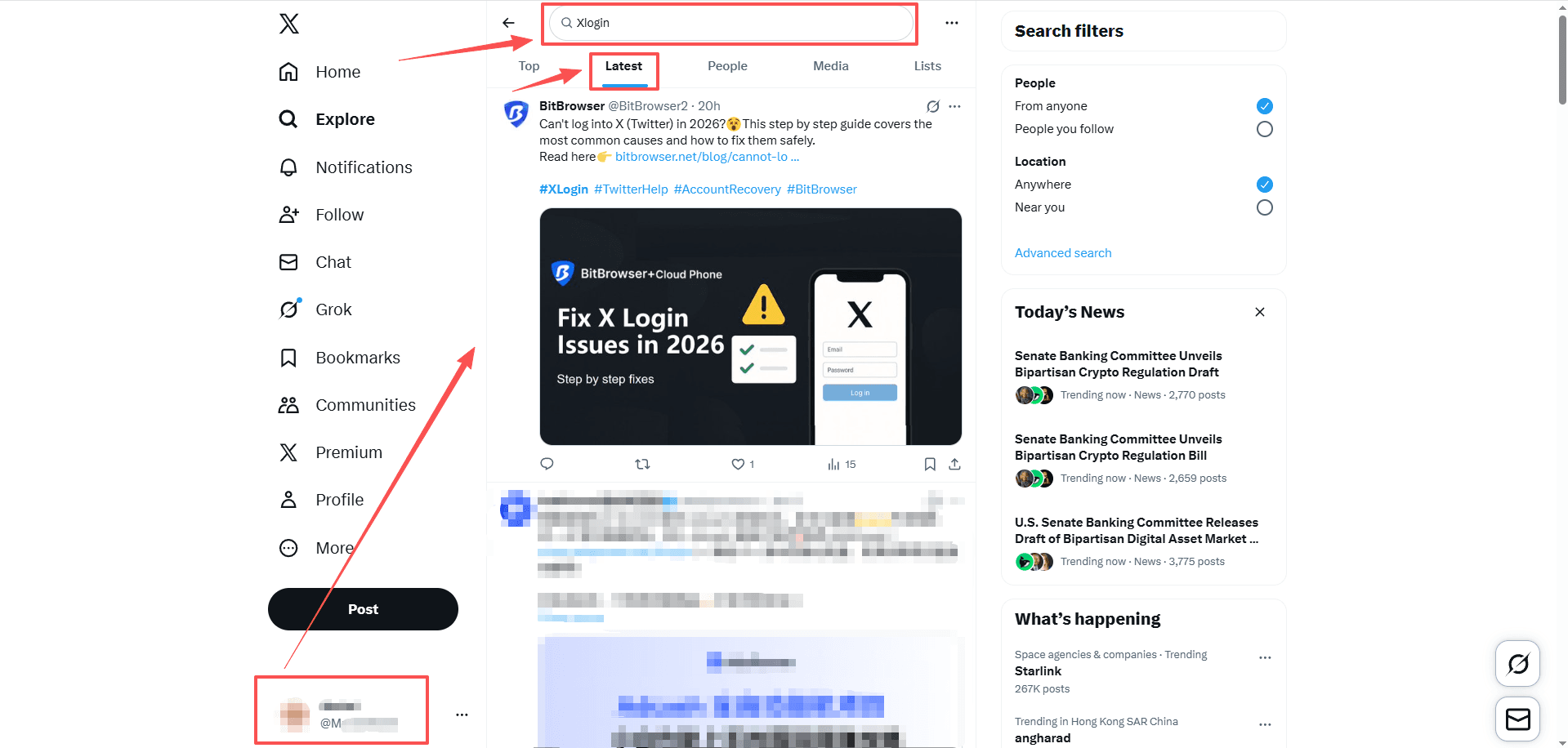
If you’re missing there but you know you should be there, that’s a classic search visibility limit.
4. Shadowban checker tools (use them carefully)
There are websites that claim to check shadowbans by running search and API style checks. Some work. Some are outdated. Some are straight up junk.
If you use one, treat it as a supporting signal, not the verdict.
Also do not log in to random tools that ask for full permissions. Avoid anything that wants your password (obvious, but people still do it).
Free Online X (Twitter) Shadowban Detection Tool (No Login Required)
These websites can check whether your account has visibility issues in search, suggestions, and replies by entering your username:
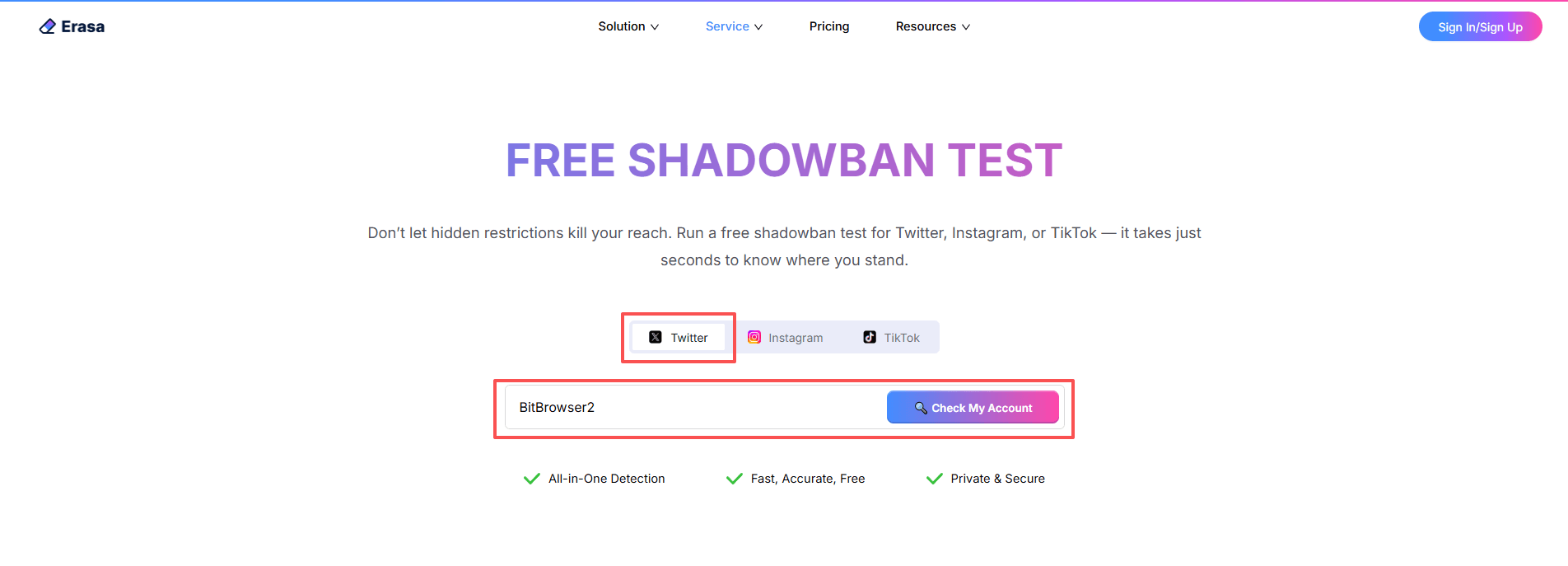
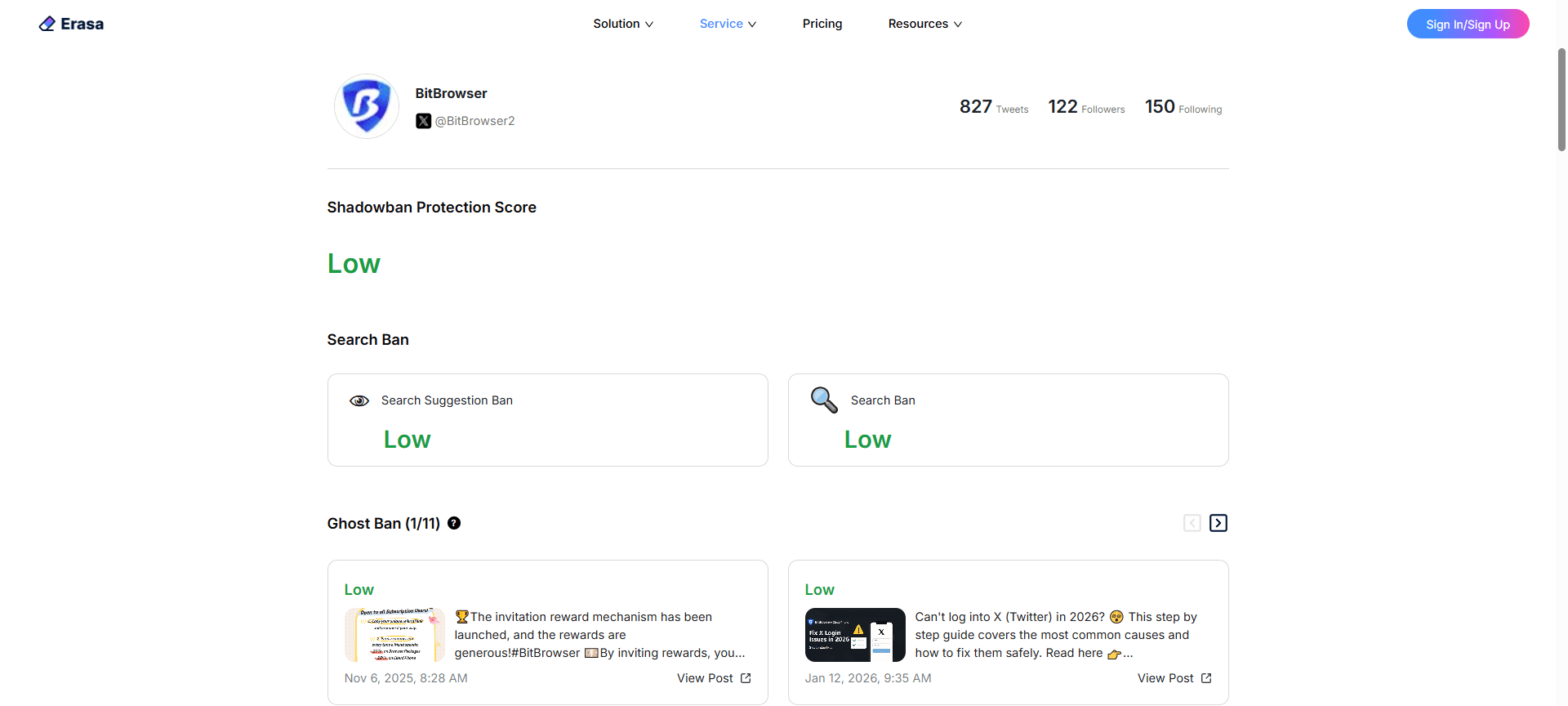
1. Erasa Shadowban Test (X Shadowban Checker)
Used to quickly determine whether an X account may be subject to visibility restrictions.
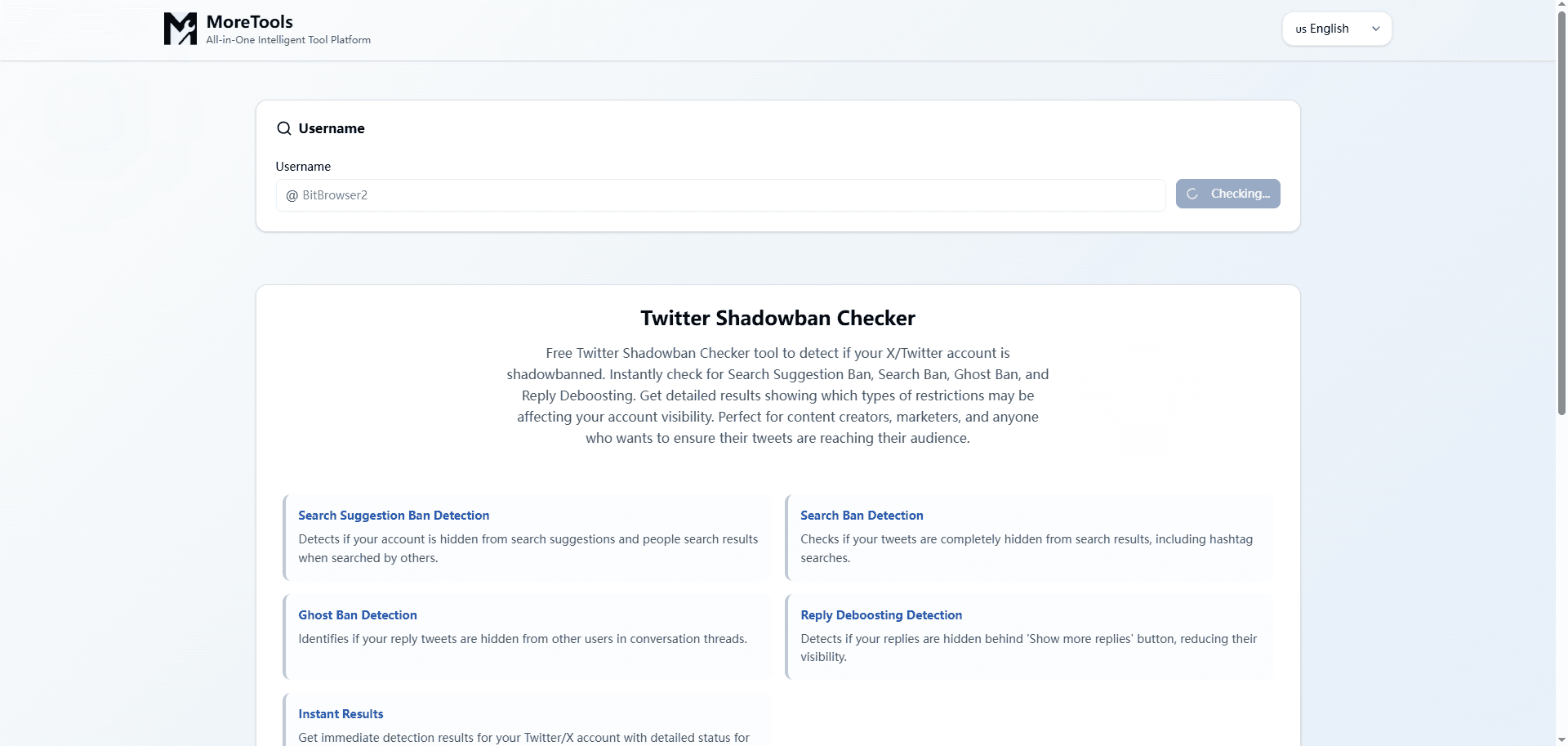
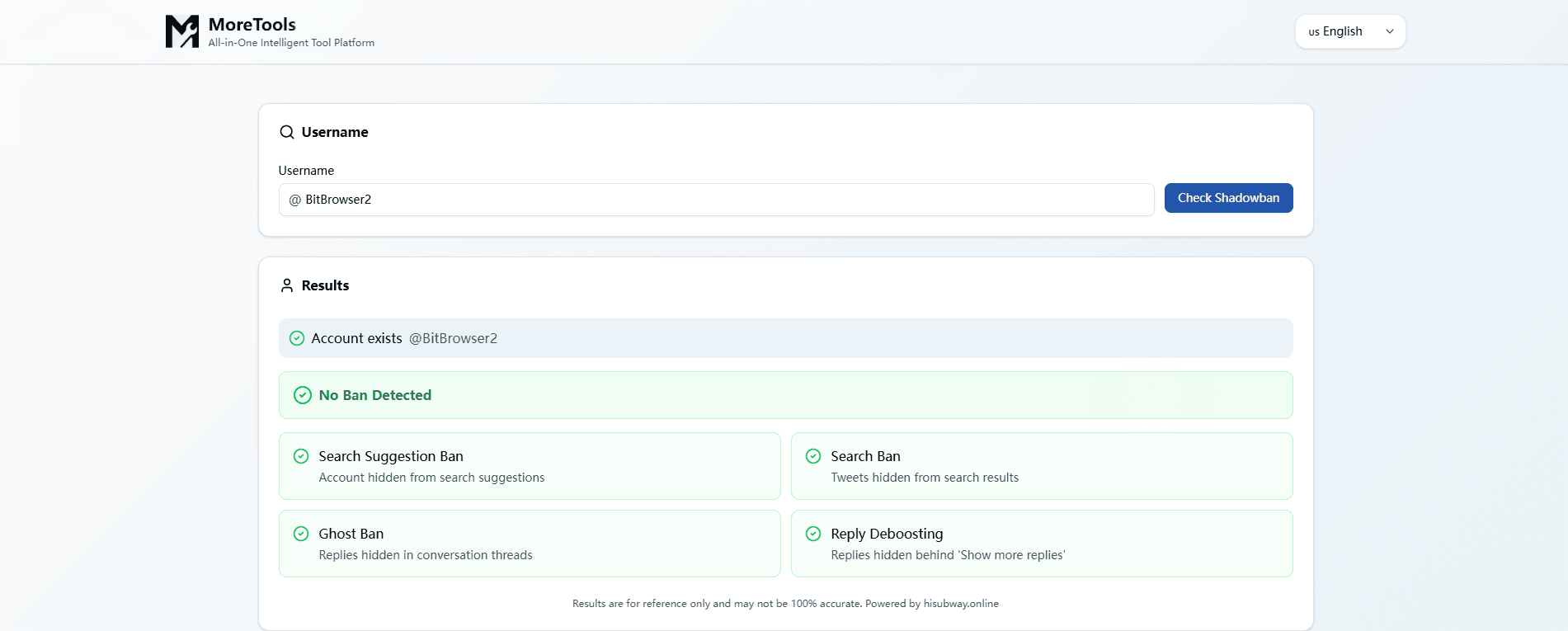
2. MoreTools Twitter Shadowban Checker
Display more detailed information about the types of visibility that may be restricted.
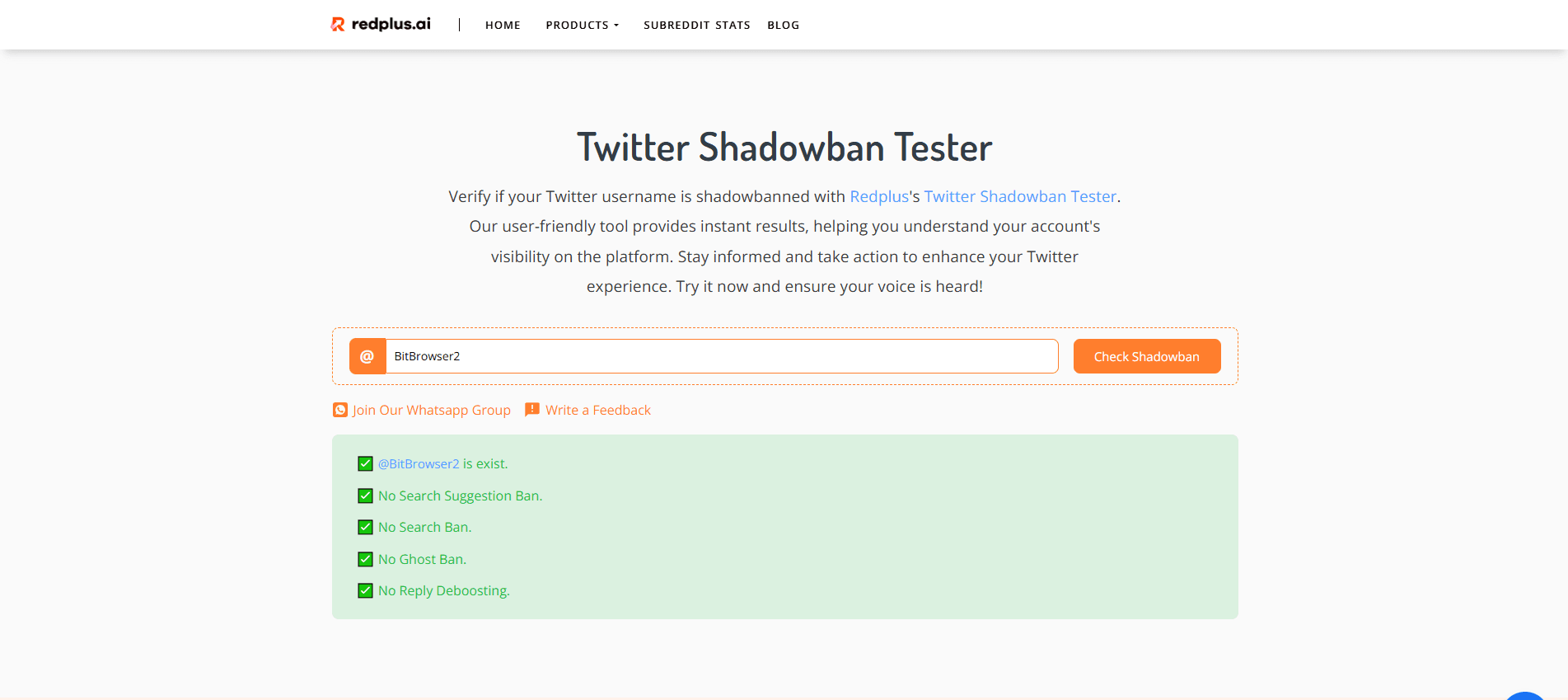
3. Redplus Twitter Shadowban Tester
A simple shadowban status checker. Enter a username to view the results.
Notes:
· There is no official API to confirm shadowban status, so these tools only indicate signs of reduced visibility and cannot prove a shadowban with certainty.
· Results are usually based on signals like search, suggestion, and reply visibility.
· The most reliable method is to check your content from a separate, independent account.
Common Reasons Why X (Twitter) Accounts Get Shadowbanned
X limits accounts for a handful of repeat reasons. In 2026 it’s mostly the same patterns, just smarter detection.
The big triggers I see again and again
· Too many actions too fast: follow/unfollow bursts, rapid likes, rapid replies, rapid DMs.
· Copy paste replies: especially short repetitive ones like “great point”, “dm me”, “check this out”.
· Link behavior: dropping the same link repeatedly, especially shortened links, affiliate links, or redirect chains.
· Low quality engagement patterns: replying to huge accounts nonstop with bait replies.
· Automation: scheduling is fine. Automation that mimics human actions badly is not.
· Multiple accounts on the same device/IP doing similar behavior.
· Reports: if people report you for spam, even lightly, it stacks.
· Sensitive content issues: media flagged, borderline terms, violent or adult content without proper settings.
· New account speedrunning: brand new accounts that immediately act like a growth bot.
And a quiet one people ignore:
· Inconsistent login locations: if you’re logging in from 5 countries in 24 hours via VPNs or random proxies, X gets suspicious.
How to Fix a X (Twitter) Shadowban (Step-by-Step)
If you suspect a shadowban, don’t panic and start posting more. That often extends it.
Here’s the 24 to 72 hour “cool down” approach that usually works best:
1. Pause high velocity actions for 1 to 3 days
That means:
· No mass following
· No mass unfollowing
· No like sprees
· No reply storms
· No DMs to strangers
You can still log in. You can still post. But keep it light. One post a day, maybe two. And avoid links for now.
2. Delete the obvious spammy stuff (but don’t nuke your account)
If you recently posted anything that could look spammy, delete those posts:
· repetitive replies
· repeated links
· engagement bait
· “RT for X” type stuff
· copied threads
· anything that looks automated
Do not delete 500 tweets in an hour. That itself looks weird. If you need to clean up, do it slowly.
3. Secure your account (seriously)
Sometimes shadowban like behavior happens after a security flag.
· Change password
· Enable 2FA
· Review connected apps (Settings and privacy → Security and account access → Apps and sessions)
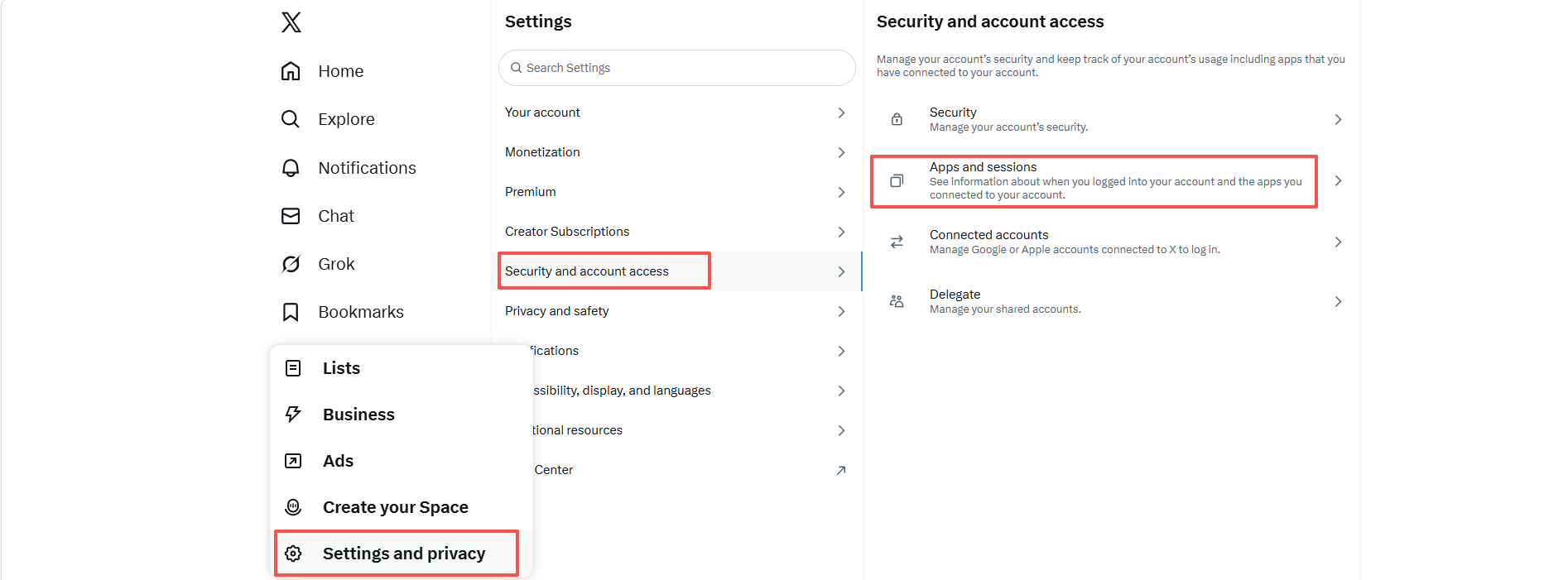
· Remove anything you don’t recognize
4. Check your account status signals inside X
In 2026, X’s UI changes often, but usually you can still find some version of:
· Settings
· Privacy and safety
· Your account
· Account information / Account status
Look for warnings, limited functionality notices, or anything about platform manipulation/spam.
Even if it doesn’t say “shadowban”, if you see “Your account has limited visibility” or similar, you have your answer.
Fix each type of shadowban (Quick Reference)
| Shadowban type | What to do |
|---|---|
| Reply deboosting | Stop short replies. Reply less but with real context. Avoid links and reply templates. Don’t spam replies to big accounts. Post a few normal original tweets. |
| Search / suggestion ban | Clean up bio and name. Remove spammy keywords. Pin a normal tweet. Post link-free tweets for a few days. Slow down actions. Wait if you changed your handle. |
| Distribution limit | Post less but better. Avoid external links for a week. Focus on genuine follower engagement. Avoid coordinated activity. Keep topics consistent. |
| Explicit enforcement | Complete verification, remove flagged content, file an appeal if available. Cooldown plus cleanup often works faster than appeals. |
How long does an X shadowban last in 2026?
There’s no official timer, but in practice:
· Light reply deboosting can lift in 48 to 96 hours after you stop the triggering behavior.
· Search limits can take 3 to 14 days depending on how hard you tripped filters.
· Repeated flags and spam reports can keep you suppressed for weeks, especially if you keep doing the same stuff.
The biggest factor is whether you keep triggering the same pattern while you’re already flagged. People do this constantly without realizing it.
How to Avoid Getting Shadowbanned Again
Most shadowbans are pattern based. Meaning, if you go back to the same setup and the same behavior, you’ll get hit again. Sometimes faster.
Here’s what I’d do going forward.
Keep your action velocity human
· Do not follow 200 people in an hour.
· Do not like 500 posts in a sitting.
· Do not reply to 50 tweets with basically the same sentence.
Spread it out. Take breaks. Scroll like a normal person. Because that’s what the system is measuring.
Stop logging into multiple accounts from the same “fingerprint”
This one is huge in 2026.
If you manage multiple X accounts for clients, brands, side projects, whatever, and you log into all of them from the same browser profile, same device fingerprint, same IP block, you’re basically asking X to connect the dots. Even if your content is fine.
That’s where an anti-detect browser helps.
Use BitBrowser (recommended)
If you’re serious about avoiding repeat shadowbans, especially if you run multiple accounts, I strongly recommend using BitBrowser.
BitBrowser lets you create separate browser profiles with isolated fingerprints, cookies, local storage, and configurations so each X account looks like it belongs to a different real device. Not a suspicious cluster of accounts all living in the same browser.
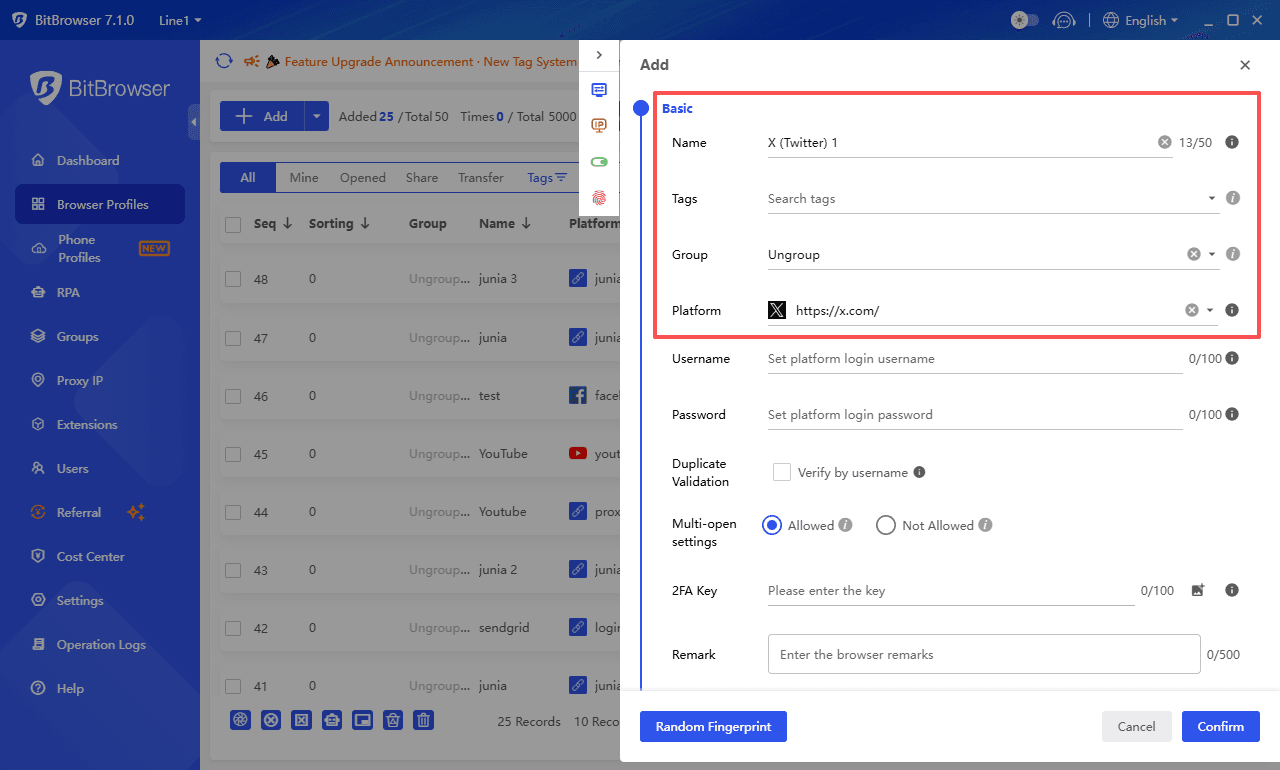
If you’ve ever had that “why did X ask me to verify again” loop, or you got limited right after switching accounts, yeah. This is often why.
So, use BitBrowser. Set up one clean profile per account. Keep it consistent. Don’t mix them. It’s one of those boring operational things that quietly prevents a lot of problems.
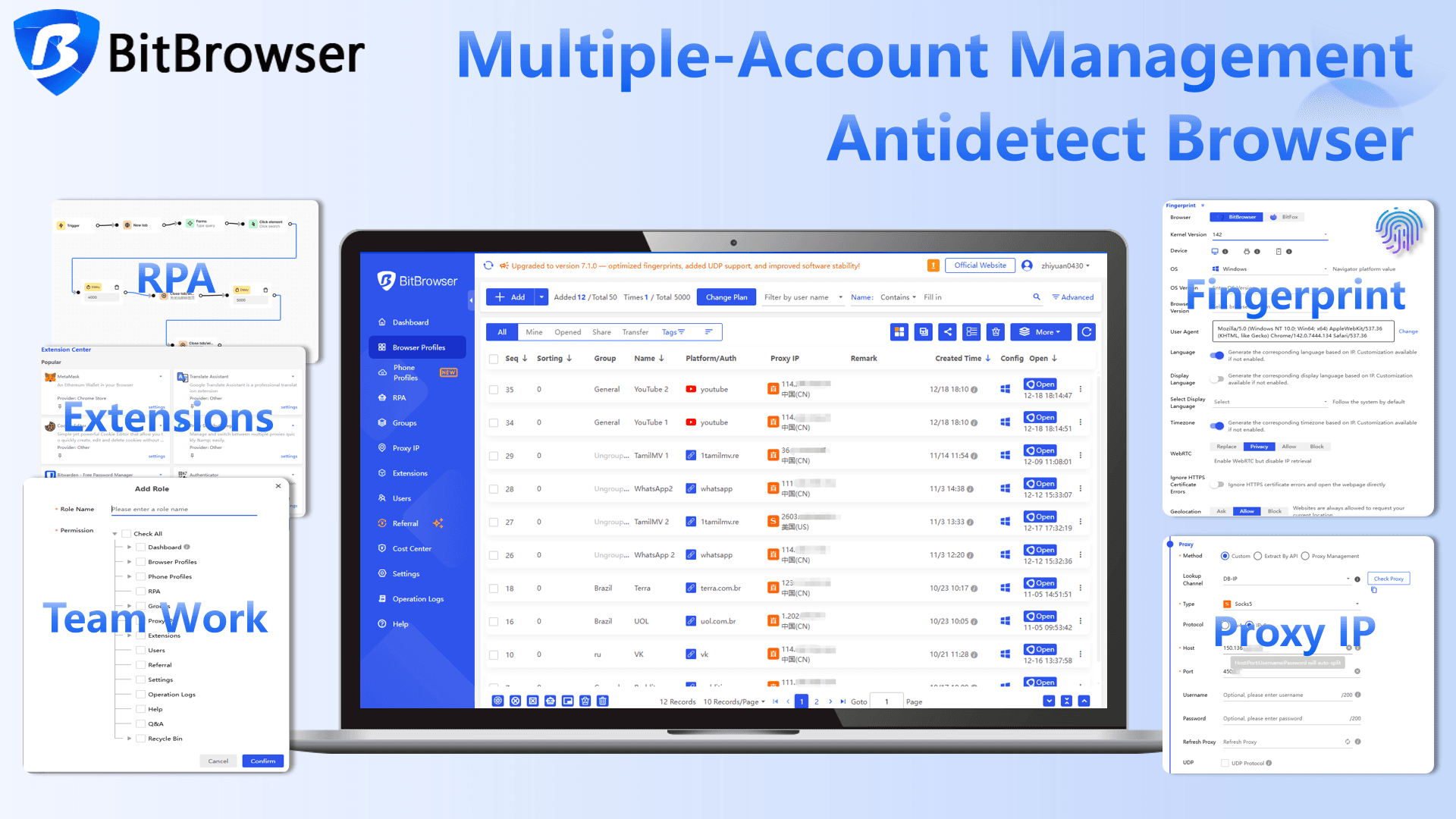
It also helps you keep sessions stable. Stable logins, consistent environments, fewer random security flags. Which matters more than people think. If you encounter an X login error, please visit this guide: How to Fix X (Twitter) Login Issues in 2026? A Step by Step Guide
Be careful with links (especially repeated links)
· Avoid posting the same link over and over.
· Avoid shorteners unless you truly need them.
· If you must share a link frequently, rotate content around it. Different wording, different context, not the same template.
A good habit is to post value first, link second. Sometimes put the link in the first reply instead of the main tweet, but don’t do it every single time like a robot either.
Avoid spam adjacent formats
Try not to:
· reply with single word reactions all day
· do engagement bait (follow for follow, reply “yes” etc)
· copy paste the same reply under big accounts
· run aggressive DM outreach
You can grow fast without those. It just takes a little more patience.
Audit connected apps once a month
Remove anything you don’t use. Especially “growth” tools that ask for broad permissions. Even if they claim they’re safe.
When in doubt, cool down early
If you feel your impressions dipping weirdly, don’t wait for a full shadowban. Slow down for 24 hours, clean up anything questionable, and keep your activity normal. That small pause can save you a week of suppression later.
FAQ (Shadowban questions people keep asking)
How do I know if I’m actually shadowbanned or my content just flopped?
If you can’t be found in logged out search, or your replies consistently land under “Show more replies” even when they’re normal, that’s closer to a shadowban style limit. If it’s just low engagement but everything is still searchable and visible, it might just be content performance.
Can posting more “push through” a shadowban?
Usually no. If you’re flagged for spammy behavior, posting more can extend the suppression because you keep generating the same signals.
Do hashtags cause shadowbans on X?
Hashtags alone, not really. But stuffing hashtags, using spammy trending tags unrelated to your post, or repeating the same tags in every tweet can contribute to low quality/spam classification.
Will deleting tweets remove the shadowban?
Deleting the tweets that caused the issue can help, but mass deleting can look suspicious. Clean up slowly and focus more on stopping the behavior that triggered the limit.
Does X shadowban new accounts more?
New accounts get less trust and less benefit of the doubt. If you act like a bot early on, yes, you can get limited faster.
Can third party scheduling tools cause shadowbans?
Basic scheduling is usually fine. Problems start when tools automate likes, follows, replies, DMs, or run aggressive workflows that look non human.
Does paying for X Premium prevent shadowbans?
Not reliably. Premium can change distribution in some contexts, but it does not make you immune to spam and manipulation filters.
Final thoughts
A shadowban on X in 2026 is rarely about one single mistake. It is almost always about patterns, speed, and signals adding up over time. The good news is that most visibility limits are temporary if you slow down, clean up questionable behavior, and give the system a reason to trust your account again.
If you manage more than one account or switch between identities, using a clean, consistent setup matters just as much as your posting behavior. Tools like the BitBrowser antidetect browser help isolate accounts and keep fingerprints separate, which reduces unnecessary risk and accidental signals.
Treat your account like a real person would, avoid shortcuts that look automated or spammy, and keep your environment stable. Shadowbans are frustrating, but they are usually fixable and, with the right habits and tools, largely avoidable.

 Multi-Account Management
 Prevent Account Association
 Multi-Employee Management
Recommended
See More 



