How to Download Reddit Videos for Free in 2026 (PC, iOS & Android)
 2026.01.15 10:13
 YT.Shi
Reddit is still one of the best places to find viral videos, breaking news clips, and content you won’t see anywhere else. Naturally, a lot of people end up asking the same question: how do you download Reddit videos for free in 2026?
If you’ve tried, you already know the problem.
You tap the video. You look for a download button. There isn’t one. “Save” just bookmarks the post inside Reddit. Once the post is deleted, locked, or your account logs out, the video is gone.
That’s why this guide exists. In this article, you’ll learn how to download Reddit videos for free on PC, iOS, and Android using methods that actually work right now. No paid apps. No shady browser extensions. No unnecessary steps. Just simple, practical ways to save Reddit videos to your device before they disappear.
One quick note before we start: downloading Reddit videos for personal use is generally fine. Reposting or redistributing other people’s content without permission is where things get complicated. Use common sense and respect creators.
Why Reddit video downloads are annoying
Reddit videos aren’t all the same. And that’s exactly why downloading them is such a pain.
On Reddit, what looks like a simple video can actually be several different formats behind the scenes.
Here are the most common types you’ll run into:
1. Native Reddit videos (v.redd.it): These are videos hosted directly by Reddit. Most of them are split into separate video and audio tracks, which is why you sometimes download a Reddit video and get no sound. Nothing is broken. Reddit just serves it that way.
2. Embedded videos from other platforms: Many Reddit posts don’t host the video at all. They simply embed content from places like YouTube, Streamable, Twitter/X, or newer Gfycat alternatives. In these cases, you’re really downloading from the original platform, not Reddit itself.
3. Reddit GIFs (which are often not real GIFs): A lot of “GIFs” on Reddit are actually short MP4 or WebM videos that autoplay and loop. They look like GIFs, but they behave like videos, which means they often need a different download method than static images.
Because of this mess, there’s no single download button that works for everything.
That’s also why the best way to download a Reddit video or GIF depends on:
· the type of content (native video, embedded video, or GIF-style clip)
· and the device you’re using (PC, iOS, or Android)
That’s not you messing up. That’s just how Reddit serves media.
So instead of guessing, let’s do this properly.
Let’s go step by step.
It helps to understand the main ways Reddit videos can be downloaded. Different methods work better in different situations. Some are fast and simple, others are more technical but more reliable.
Method 1. Using Reddit’s Built-in Download Feature (App & PC)
Reddit has gradually added built-in download options across some of its official apps and interfaces. When available, this is the simplest and safest way to save a Reddit video because it does not require any third-party tools, websites, or browser extensions.
However, availability depends on the type of video, the platform you’re using, and sometimes your region or app version.
Below are the built-in methods that currently work in 2026.
Download Reddit videos on PC (Web version)
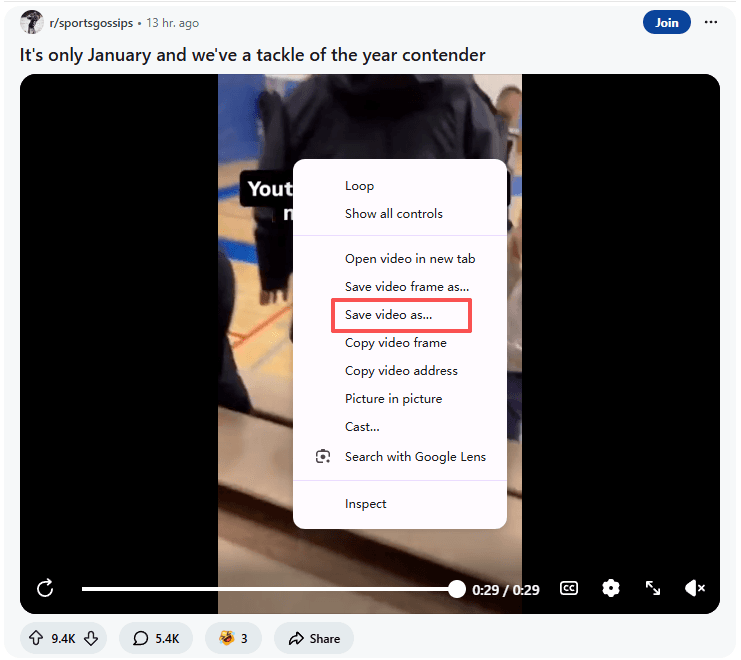
If you are using Reddit in a desktop browser, some videos can be downloaded directly using your browser’s built-in save feature.
Steps:
1. Open the Reddit post that contains the video
2. Right-click directly on the video
3. Select “Save video as…”
4. Choose a folder on your computer and download the MP4 file
This method works best for native Reddit videos and does not require installing any extensions or visiting external downloader sites.
Download Reddit videos on Android (Official App)
Android users currently have the most straightforward built-in download option.
Steps:
1. Open the Reddit app on your Android phone and tap the post to open the video in full view
2. Tap the three dots (⋮) in the upper-right corner
3. Select Download
The video will start downloading immediately. Once completed, you can find it in your Gallery app, usually inside the Downloads folder.
Note: This built-in feature mainly works for recent and supported Reddit videos and may not appear on older posts.
Download Reddit videos on iPhone (iOS App)
On iOS, Reddit uses a slightly different interface, but the result is the same.
Steps:
1. Open the Reddit app on your iPhone and tap the video to view it in full screen
2. Tap the three dots (…) in the upper-right corner
3. Select Share, then choose Save Video from the Share Sheet
The video will be saved directly to your Photos app.
Like Android, this option is only available for videos that support Reddit’s native download feature.
Limitations of Reddit’s built-in download methods
While built-in downloads are convenient, they are not a complete solution:
· Not all Reddit videos support downloading
· Availability varies by device, app version, and region
· Some downloads may be low quality or missing audio
Embedded videos (YouTube, Twitter/X, Streamable, etc.) usually cannot be saved this way
For these reasons, Reddit’s built-in download options are best used as a first thing to check, but not as your only method for downloading Reddit videos in 2026.
Method 2: Using a Free Online Reddit Video Downloader
If you want the quickest solution that works on almost any device, this is it.
Free online Reddit video downloaders are websites where you paste the link to a Reddit post and the site generates a downloadable video file for you. This method works on iPhone, Android, Windows, and Mac, and does not require installing any apps or extensions.
These tools are especially useful because Reddit often serves video and audio as separate streams. Most good downloaders automatically merge them into a single file, so you don’t end up with a silent video.
In many cases, you can also choose different quality options, such as 720p, 1080p, or HD, depending on what the original post supports.
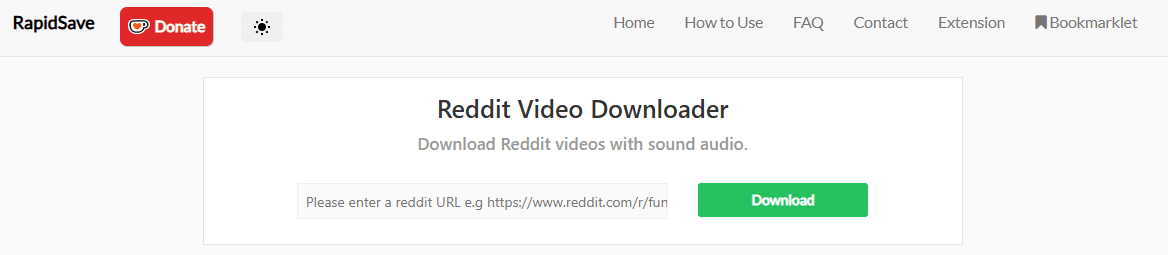
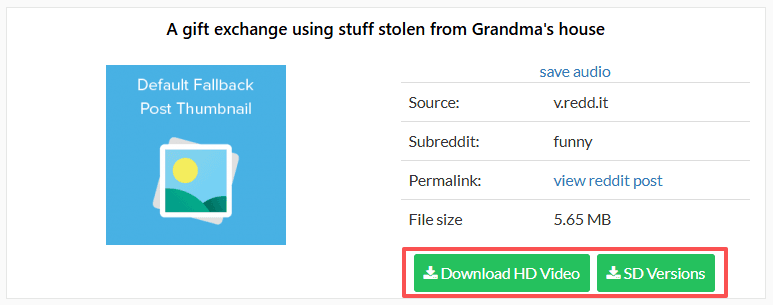
How to download a Reddit video using an online downloader (general steps)
1. Open the Reddit post that contains the video
2. Copy the post link
· On mobile: tap Share, then select Copy Link
· On desktop: copy the URL from your browser’s address bar
3. Paste the link into a free Reddit video downloader website
4. Choose a video quality if options are available
5. Download the video to your device
Android: Use an online downloader in Chrome (recommended)
On Android, the process is almost identical to desktop and is very straightforward.
Steps:
1. Copy the Reddit post link
2. Open Chrome (or another browser)
3. Paste the link into an online Reddit video downloader
4. Tap Download
After downloading, check:
· your Files app or Downloads folder
· or your browser’s Downloads list
This is usually the easiest and most reliable way to download Reddit videos on Android.
iOS: Use an online downloader with Safari + Files app
On iPhone, the process works slightly differently because of iOS download handling.
Steps:
1. Copy the Reddit post link
2. Open Safari
3. Paste the link into a Reddit video downloader website
4. Tap Download
What happens next depends on the site:
· Sometimes a video preview opens. Long-press the video and select Download Linked File
· Sometimes the file downloads directly via Safari’s download manager
After the download:
· Open the Files app → Downloads
· To save the video to Photos: tap the Share icon → Save Video
When this method works best
This approach is ideal when:
· the built-in Reddit download option is not available
· you are using Reddit in a browser instead of the app
· the video has separate audio and video tracks
· you want more control over the output quality
Downsides to be aware of
Not all online downloaders are created equal.
Some sites are clean and simple, while others are overloaded with ads, popups, or trackers. Avoid sites that ask for account logins, browser permissions, or repeated redirects. If a downloader looks unsafe or overly aggressive, it probably is.
Used carefully, this remains the most common and flexible way to download Reddit videos in 2026.
Check out the top 7 Reddit video downloads for 2026.
Method 3: Switch to Old Reddit to find the video source (desktop recommended)
This method is weirdly useful on desktop, especially when you just want to locate the raw video source URL.
It does not always give you a clean “Download” button, and it is definitely not a one-click solution. But when online downloaders fail or a post behaves strangely in the modern Reddit interface, this can be a surprisingly effective backup.
On desktop browsers, switching to Old Reddit sometimes makes media elements easier to inspect because the page structure is simpler and less dynamic.
How to switch to Old Reddit and inspect the video
1. Open the Reddit post in your desktop browser
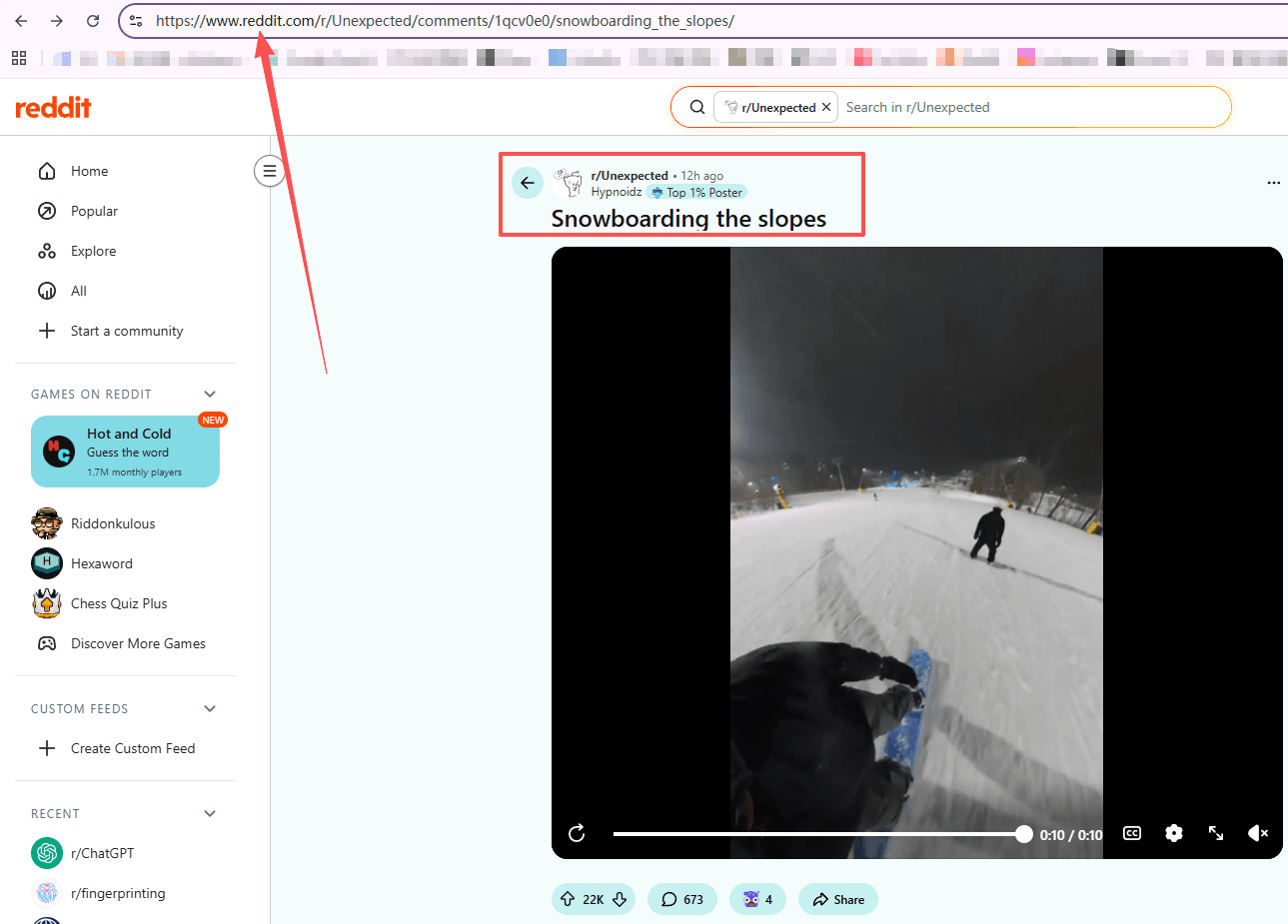
2. In the address bar, replace: www.reddit.com → old.reddit.com
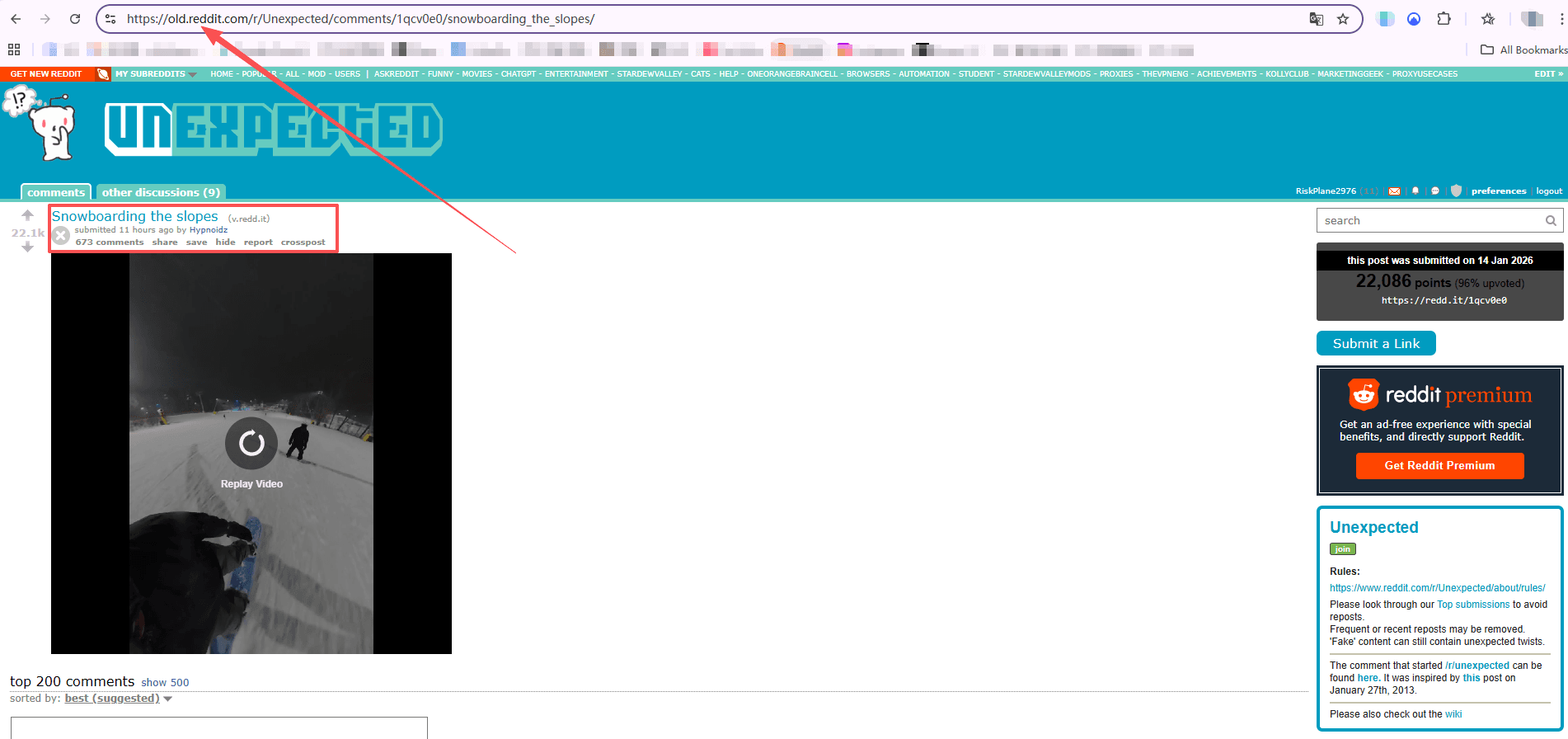
3. Reload the page
If you’re lucky, the older layout makes it easier to:
· see how the video is embedded
· inspect the page
· locate the direct video or media source URL, depending on the post type
When this method is useful
This approach works best when:
· you are on a desktop browser
· online downloader sites are not working
· the post loads oddly in the modern Reddit interface
· you want a free, tool-free way to investigate where the video is coming from
Limitations
This method does not work on every post and requires a bit more manual effort. It is not as convenient as using an online downloader and is better thought of as a fallback option, not a primary solution.
Still, for desktop users who are comfortable with browsers, switching to Old Reddit can be unexpectedly helpful.
Method 4: Download Reddit videos using a browser extension (desktop)
Browser extensions are small add-ons that integrate directly into your browser and add download buttons or menu options to Reddit pages. Once installed, they allow you to download Reddit videos without copying links or visiting external websites, making this one of the fastest methods for desktop users.
This approach works best on Chrome and Firefox and is especially useful if you download Reddit videos frequently.
How browser extensions work
After installation, most Reddit video downloader extensions:
· detect videos automatically on Reddit posts
· add a Download button or extension menu option
· handle Reddit’s separate video and audio streams, merging them into a single file
In many cases, downloading is a one-click process.
Example: Using “Video Downloader for Reddit – Redditsave”
One commonly used option is the “Video Downloader for Reddit – Redditsave” extension, available for Chrome and Firefox.
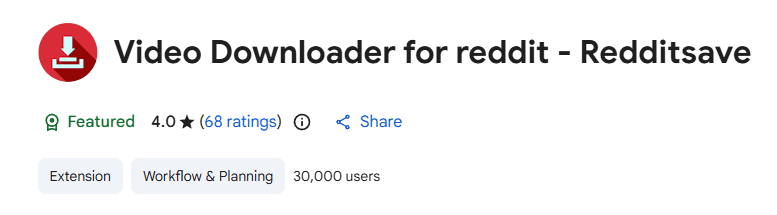
Steps:
1. Open the extension page in your browser and click Add to Chrome (or Add to Firefox), then confirm to install
2. Go to Reddit and open the post containing the video or gif
3. Click the Redditsave extension icon in the top-right corner of your browser
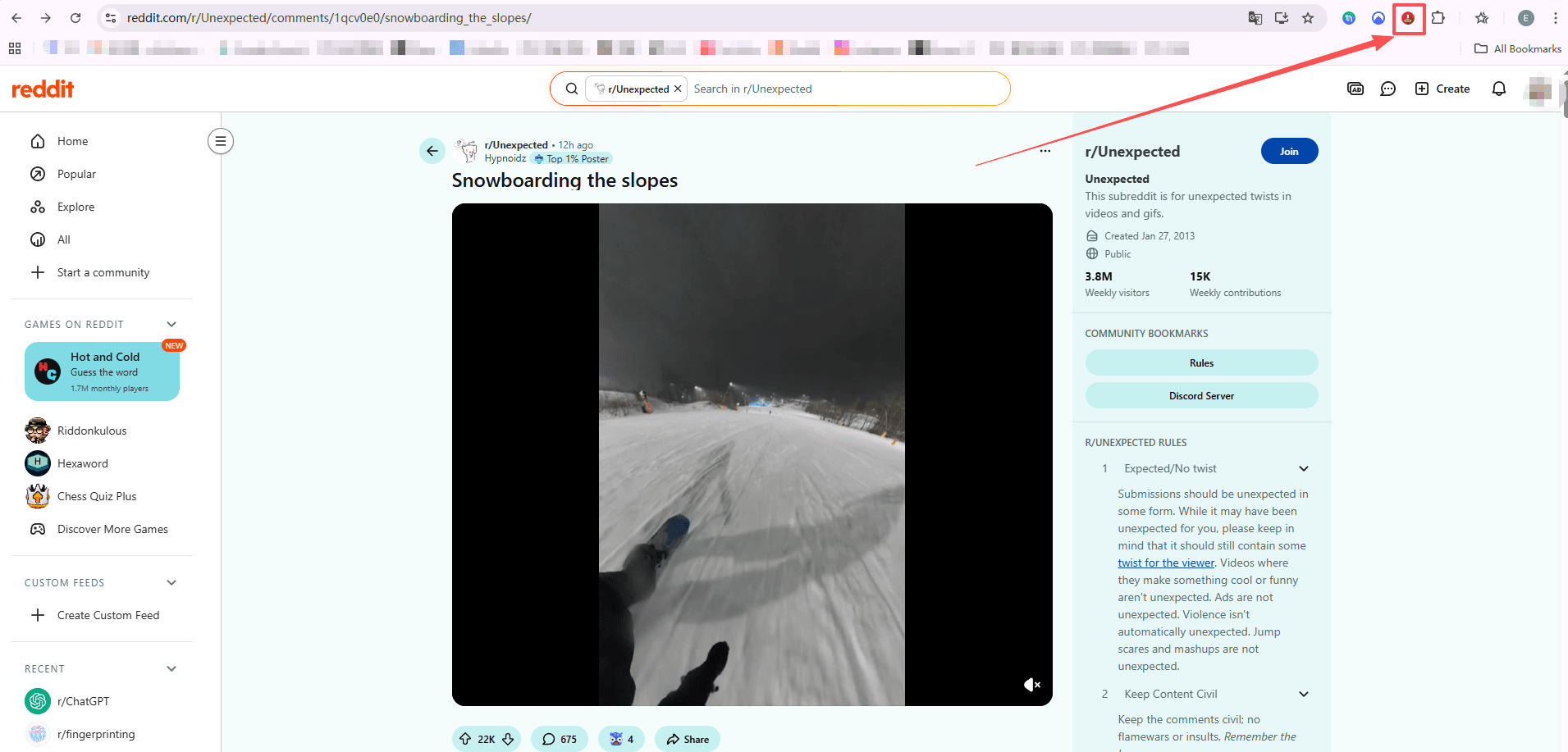
4. A new tab will open. Select Download HD Video to save the video to your PC
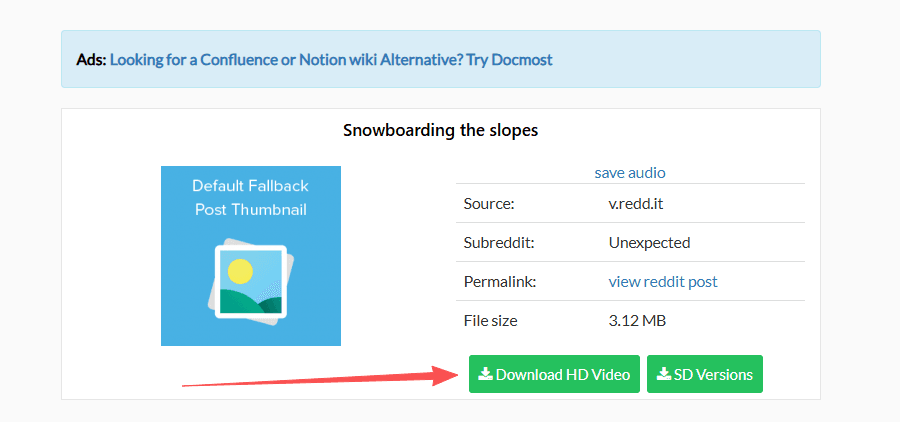
This extension downloads Reddit videos with audio, which is a common issue with manual methods.
Safety and privacy notes
Always be cautious with browser extensions. Only install extensions that:
· have strong user reviews
· come from reputable sources
· clearly explain what permissions they require
Avoid extensions that ask for unnecessary access or behave aggressively. Convenience is great, but privacy should always come first.
Method 5: Use a third-party app (mobile)
Another way to download Reddit videos is by using third-party apps. These apps often offer extra features like batch downloading, background saving, or organizing videos, which websites or browser extensions usually don’t provide.
However, app quality varies widely. Some are well-designed and safe, while others are outdated, unreliable, or request broad permissions. Always be cautious, especially on mobile devices.
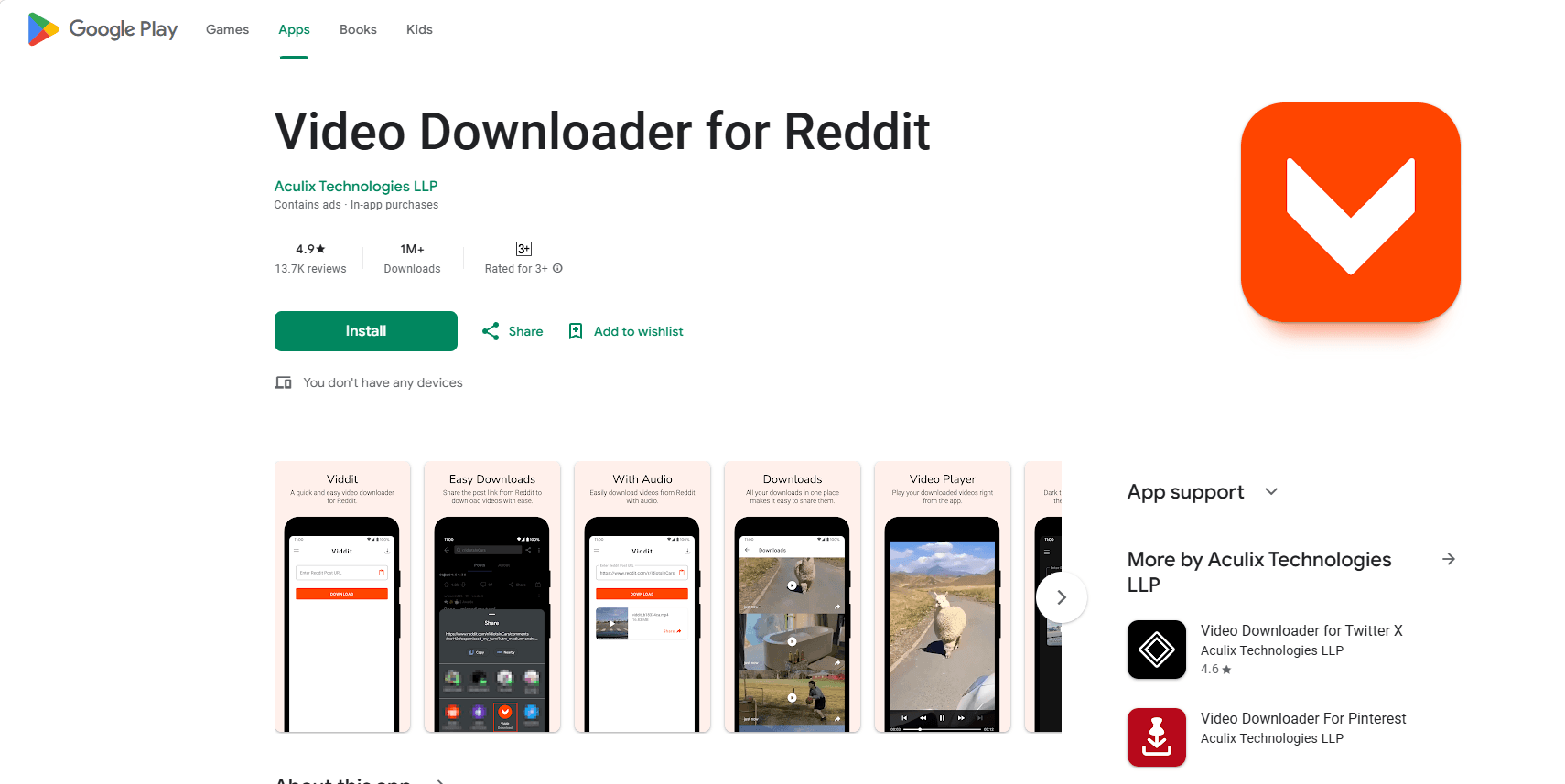
Android – Viddit
1. Download Viddit from the Google Play Store
2. Open the app and grant access to photos and media
3. In the Reddit app, find the post with the video you want
4. Tap Share → choose Viddit
5. Viddit will fetch the video link. Tap Download to save the video to your device
iOS – Slide for Reddit
1. Download Slide for Reddit from the App Store
2. Open the app and navigate to the post with the video
3. Play the video in full-screen and tap the Download button at the bottom-right
4. Confirm adding the video to your Photos app; it will be saved to your Camera Roll
This method is best when you want more automation or extra functionality than websites or browser extensions can provide, but always prioritize safety and only use trusted apps.
Method 6: Use Screen Recording (fallback for tricky videos)
Screen recording is a simple but extremely reliable way to save Reddit videos when other methods fail. It works on almost any device, even if:
· Downloads are blocked
· The post is restricted
· The media source is hard to access or split into separate audio/video streams
Because it records exactly what plays on your screen, this method doesn’t depend on Reddit’s technical structure at all, making it the most dependable fallback.
General tips for all devices:
· Use Do Not Disturb to prevent notifications from interrupting your recording
· Play the video full screen for best quality
· After recording, you may need to trim the start and end
Android
1. Open the Reddit video you want to record
2. Enable Do Not Disturb (optional but recommended)
3. Use the Screen Recorder from quick settings (if your device doesn’t have one, there are free apps available)
4. Play the video full screen and start recording
5. Stop recording when finished
6. Find the saved video in your Gallery or Files app
iOS (iPhone/iPad)
1. Go to Settings → Control Center → Add Screen Recording (if not already added)
2. Open the Reddit video
3. Start Screen Recording from the Control Center
4. Play the video full screen
5. Stop recording when finished
6. The video will appear in Photos, where you can trim it if needed
This method is the ultimate fallback when nothing else works, and it’s surprisingly effective for tricky Reddit videos, GIF-style clips, or posts embedded from other platforms.
Downside: Video quality depends on your screen resolution and playback quality; Requires manual trimming for clean start and end; Less convenient than direct downloads
Method 7: Advanced option A – Using a Command Line Tool (PC/Mac)
For advanced users, command line tools like yt-dlp provide a powerful way to download Reddit videos. Instead of relying on websites, apps, or browser extensions, you can download videos directly by pasting the post URL into a terminal or command prompt.
If you download videos often, this is the method that stops you from wasting time with random websites.
Tools like [yt-dlp](https://github.com/yt-dlp/yt-dlp) can handle a lot of Reddit media, including many embedded sources, and it’s free. You install it once, then you can download with a simple command.
Requirements: Install a command line tool (e.g., yt-dlp); Basic comfort using a terminal or command prompt; Some familiarity with entering commands
Why use a command line tool?
· Works on Reddit-hosted videos and embedded content from other platforms
· Automatically merges video and audio streams
· Very consistent and reliable, even for tricky posts
· Ideal for frequent downloaders or users who want a long-term solution
How it works (Basic flow)
1. Install yt-dlp (Windows, macOS, Linux).
2. Open your terminal or command prompt
3. Paste the Reddit video URL with the appropriate command (e.g., yt-dlp <URL>)
4. The tool will download the video and automatically combine video and audio streams into a single file
This method is the most robust solution for advanced users, providing control, automation, and reliability when other methods fail.
Downside: Requires installation and technical knowledge; No graphical interface (text-based commands); Not beginner-friendly
Method 8: Advanced option B – Use Browser Developer Tools (PC/Mac)
For advanced users, modern browsers’ Developer Tools can help you locate the direct video URLs from Reddit posts. This method is useful when:
· Online downloaders fail
· The post is restricted
· You want full control over how the video is delivered
How it works
Reddit-hosted videos often use separate video and audio streams or manifest files (e.g., DASHPlaylist.mpd). By inspecting the network requests, you can find the media URLs and download or merge them manually.
Steps (Chrome/Firefox)
1. Open the Reddit post in your browser
2. Press F12 to open Developer Tools
3. Go to the Network tab and reload the page
4. Filter for keywords like:
DASH
.mpd
v.redd.it
5. Open the found media URL in a new tab
· Sometimes you’ll see direct MP4 segments
· Sometimes it’s a manifest, which requires a separate tool to merge streams
Notes
· This is a very technical approach and not suitable for most users
· Best used in edge cases when all other methods fail
· Gives insight into exactly how Reddit delivers video content
How to download Reddit videos from NSFW subreddits
NSFW videos are sometimes restricted by:
· being viewable only when logged in
· being blocked on certain downloader sites
· being served in ways that break basic link parsing
What usually works:
· Open the post in your browser while logged in, then copy the link and try downloaders.
· Use screen record on mobile.
· Use desktop tools that can access the content while you’re logged in (this depends on the tool and your setup).
Also, obvious note. Don’t store stuff you shouldn’t store, and don’t share what you shouldn’t share.
A quick checklist if a Reddit video won’t download
When it fails, it’s almost always one of these:
1. The post is deleted or removed.
2. The video is not hosted on Reddit, it’s embedded from elsewhere.
3. The downloader site is broken or blocked.
4. The video is served with separate audio and your method isn’t merging it.
5. You copied the comment link, not the post link.
So do this:
· Confirm the domain. If it’s v.redd.it, use a Reddit-specific downloader or a tool that merges streams.
· If it’s YouTube, use a YouTube method.
· Try a second downloader site.
· If you’re on iPhone and it’s driving you insane, screen record and move on with your life.
How to Download Reddit Videos Without Being Tracked or Blocked
If you only download an occasional Reddit clip, the methods above are more than enough.
But if you’re someone who:
· downloads many videos in a short time
· uses multiple Reddit accounts
· accesses Reddit through different regions or IPs
· or worries about rate limits, shadow bans, or account restrictions
Then the risk is no longer about how to download, but how Reddit tracks behavior.
This is where tools like BitBrowser, an anti-detect browser, become relevant.
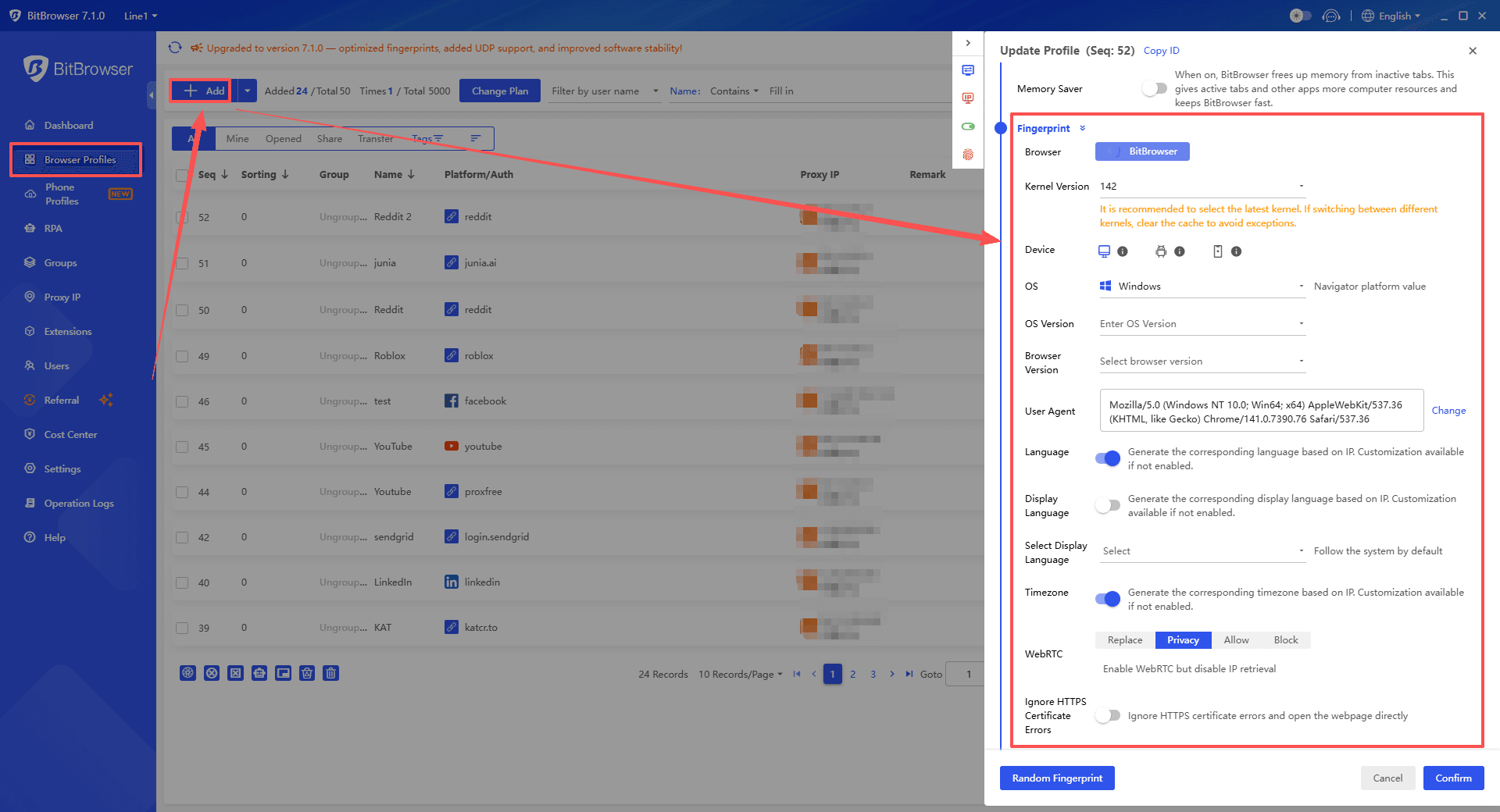
1. Better privacy and anti-tracking on Reddit
BitBrowser helps by:
· isolating browser fingerprints
· separating cookies and local storage
· making each session look like a clean, independent device
This reduces cross-tracking when testing tools, switching accounts, or accessing sensitive subreddits.
2. Lower risk of rate limits and silent restrictions
Heavy or repetitive activity often leads to: hidden rate limits; temporary restrictions; shadowbans without warnings
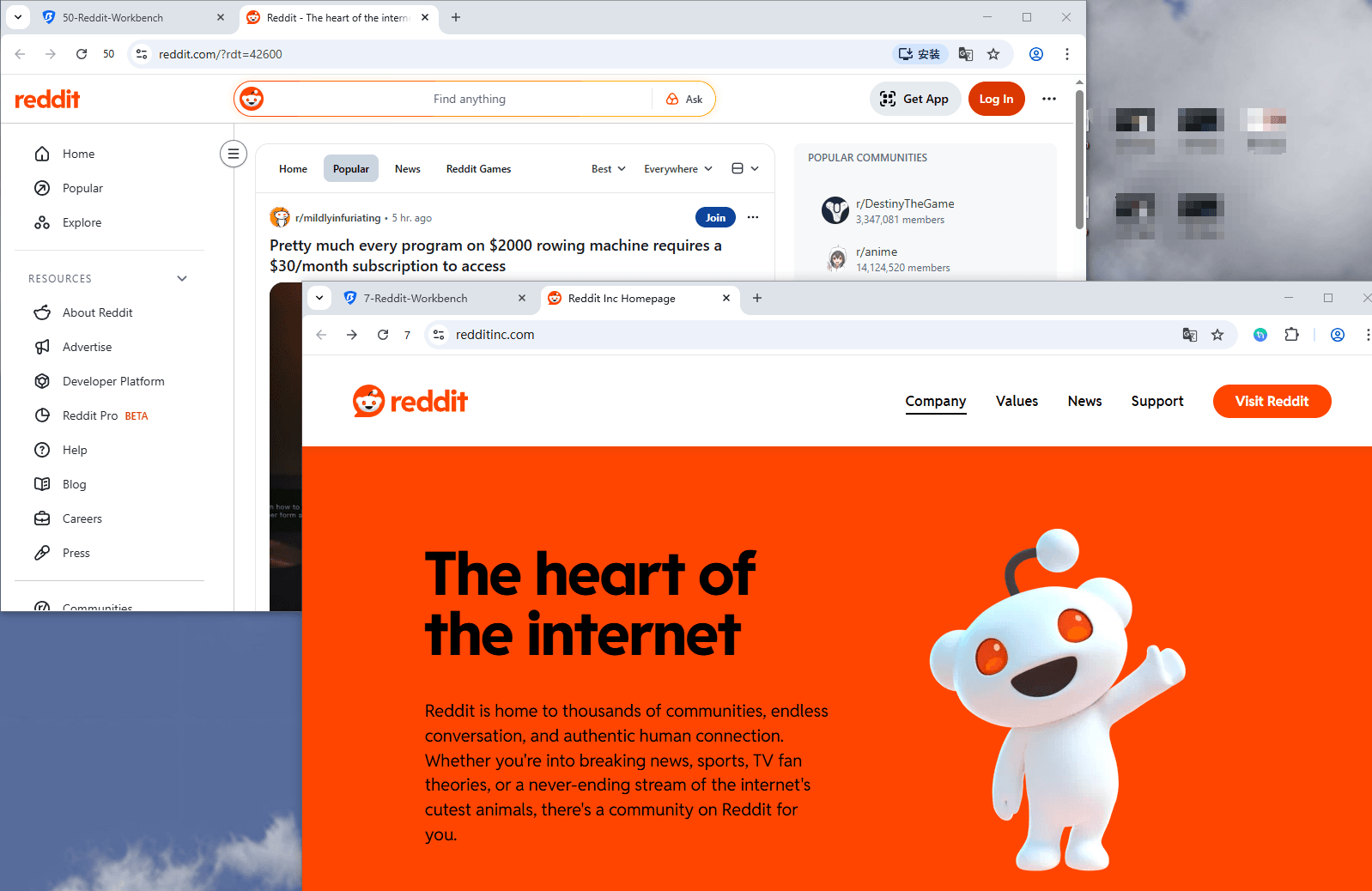
With BitBrowser, each Reddit account runs in:
· its own browser profile
· with an independent fingerprint
· optionally paired with a dedicated proxy
This doesn’t break rules. It simply avoids unnecessary signals that get normal users flagged.
3. Safer multi-account and bulk download workflows
For users managing multiple Reddit accounts or downloading content at scale, BitBrowser offers:
· clean separation between accounts
· parallel browser profiles
· stable environments for repeated tasks
No constant logins. No cookie clearing. No accidental account overlap.
4. Multi-account synchronized actions and RPA workflows
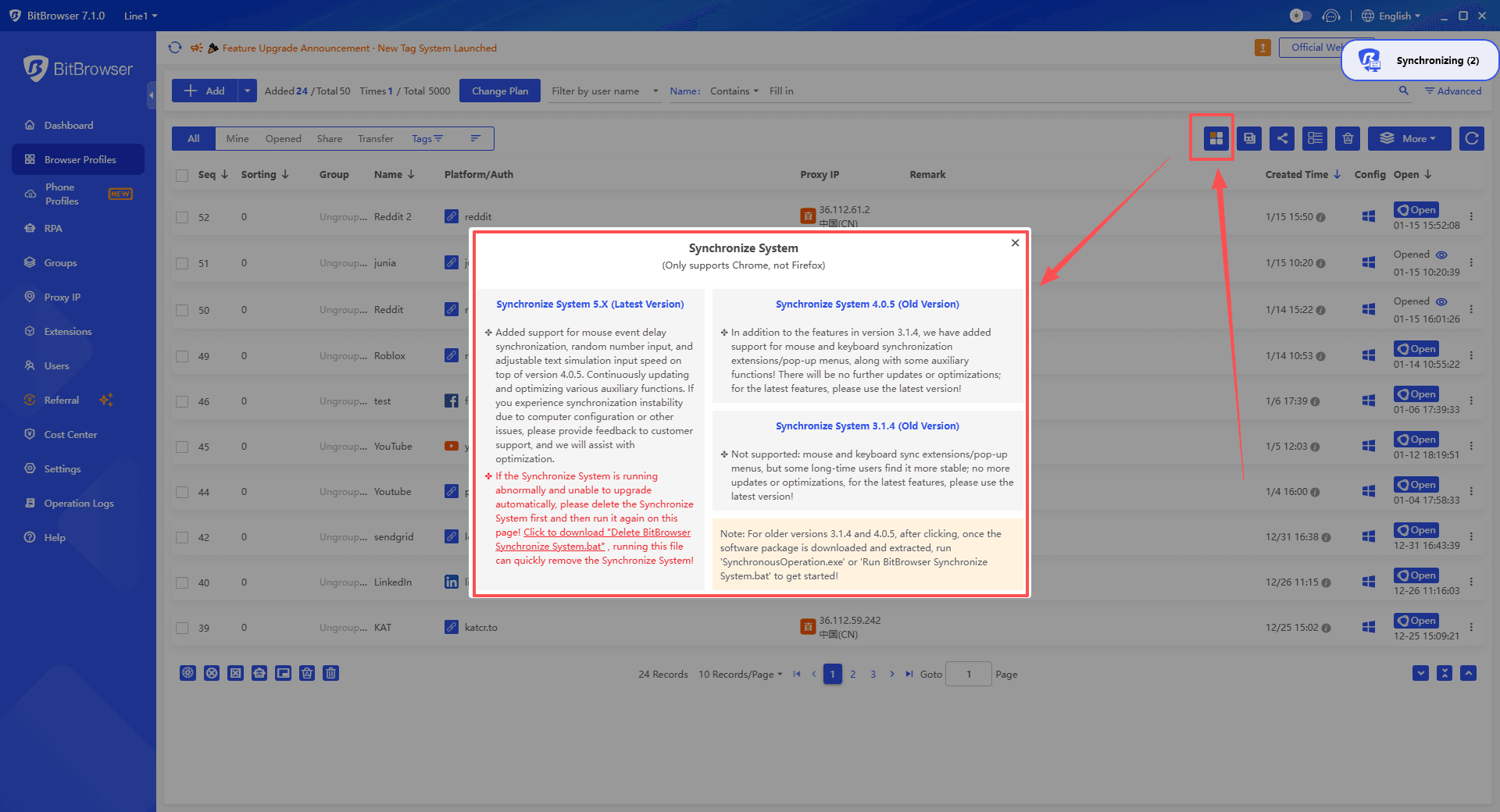
When you need to repeat the same actions across many accounts, BitBrowser goes further:
· synchronize operations across multiple browser profiles, and execute the same clicks, page loads, and downloads in parallel
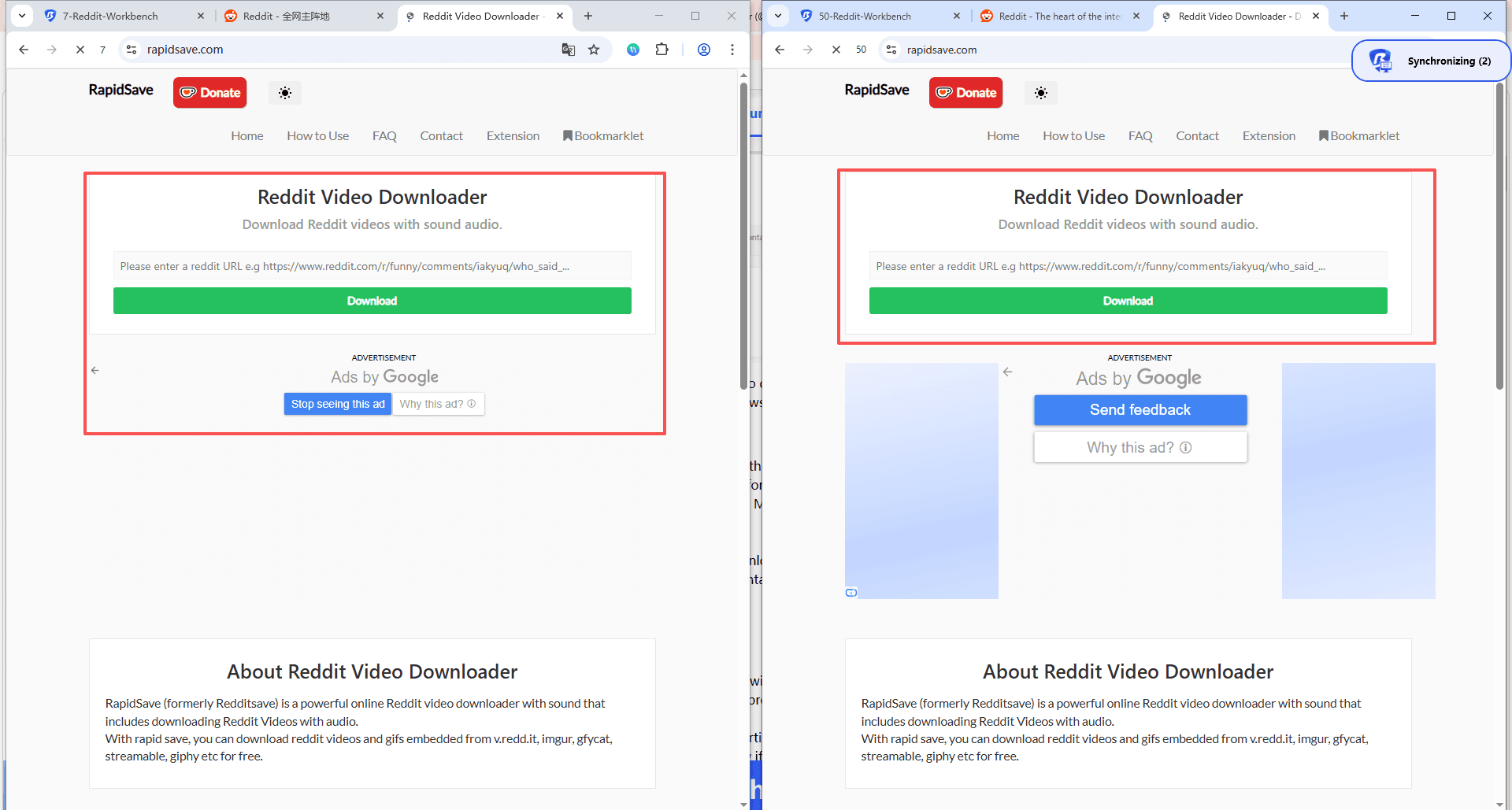
· build RPA workflows for repetitive Reddit tasks
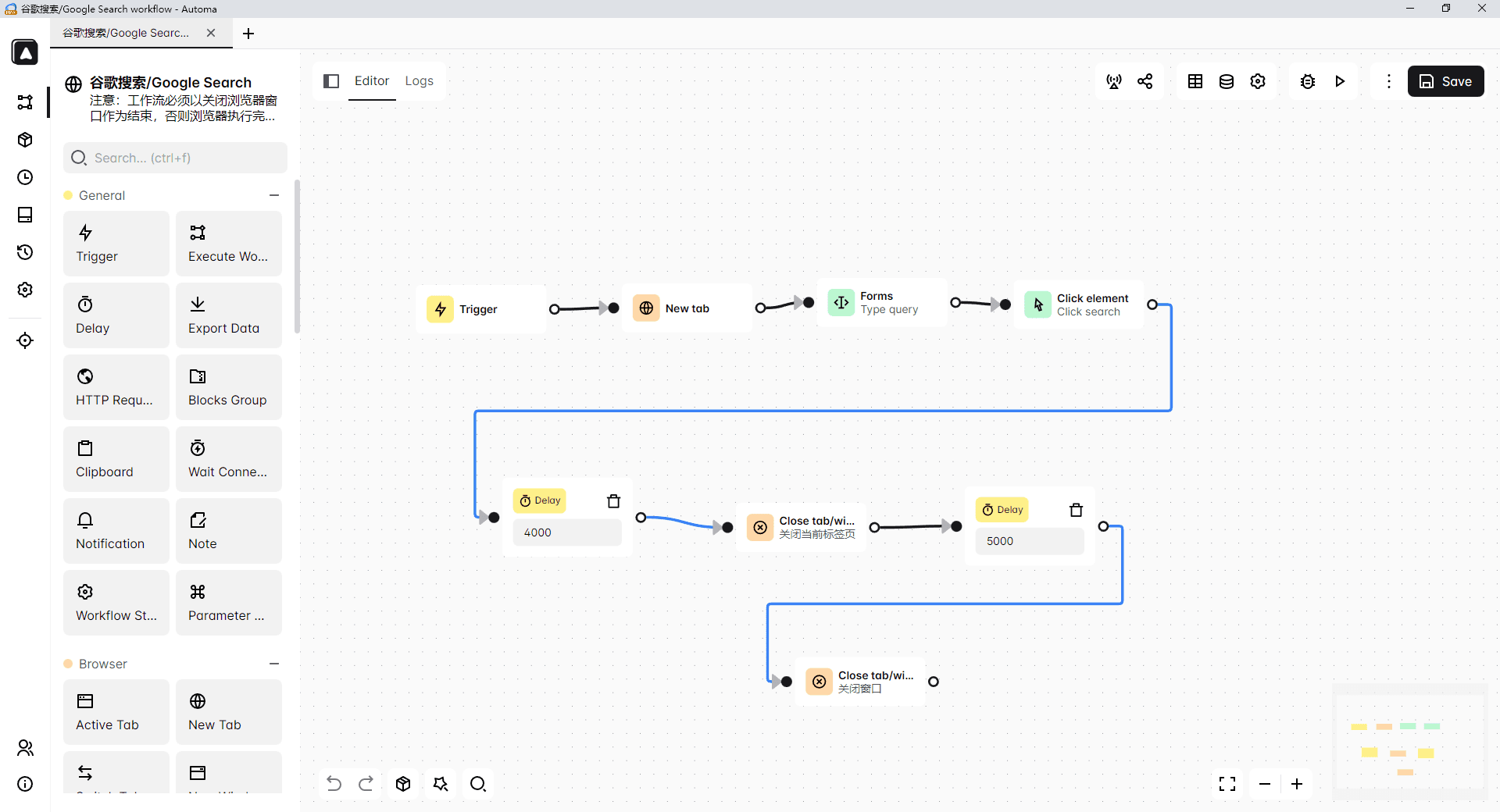
This is especially useful for:
· bulk video or GIF collection
· content research and archiving
· long-term monitoring of specific subreddits
Instead of manual repetition, tasks run in controlled, automated workflows — reducing human error and saving significant time.
►Start with 10 Free Profiles Now!
Final thoughts
Downloading Reddit videos in 2026 isn’t hard — once you know which method fits your situation.
For casual use, built-in downloads, online tools, or screen recording are usually enough.
For frequent downloads, restricted posts, or advanced workflows, command-line tools and browser-level solutions are more reliable.
The key takeaway is simple:
Reddit doesn’t make downloading easy by design, but it is still possible if you understand how its media works.
Pick the method that matches your device, your skill level, and how often you download — and save what matters before it disappears.
FAQ: Downloading Reddit Videos for Free in 2026
1. Can I download Reddit videos for free without an app?
Yes. The easiest way is using a free online Reddit video downloader in your browser. Paste the post link and download the MP4.
2. Why does my Reddit video download with no sound?
Because many Reddit hosted videos (v.redd.it) separate video and audio streams. Some download methods only grab the video. Use a downloader that says “with audio”, or a desktop tool that merges streams, or screen record.
3. Is it legal to download Reddit videos?
For personal use, it’s usually fine. Reuploading, monetizing, or distributing someone else’s content can violate copyright and Reddit rules. When in doubt, don’t repost.
4. What’s the best way to download Reddit videos on iPhone?
Safari plus an online downloader works, then save to Files and move to Photos. If that fails, use iOS screen recording.
5. What’s the best way to download Reddit videos on Android?
Use an online downloader in Chrome. If the download fails or the post is restricted, screen recording is the most reliable fallback.

 Multi-Account Management
 Prevent Account Association
 Multi-Employee Management
Recommended
See More 



