How to Fix “We Had a Server Error…” on Reddit (2026 Guide)
 2026.03.18 16:29
 YT.Shi
If you’ve spent any time on Reddit, you’ve probably run into the frustrating “We had a server error…” message. It usually shows up at the worst possible moment, right when you’re about to post, reply, or scroll through something interesting.
The tricky part is that this error doesn’t always mean the same thing. Sometimes it really is Reddit having issues. Other times, it’s your browser, your network, or even your account being quietly restricted. That’s why some people fix it with a simple refresh, while others keep hitting the same wall over and over.
Let’s walk through what’s actually going on and how to fix it properly.
What Does “We Had a Server Error…” Mean on Reddit?
At a surface level, Reddit is telling you something failed on their side. But in practice, there are two very different situations hiding behind the same message.
One is the obvious one. Reddit servers are overloaded, under maintenance, or temporarily broken. In that case, the error is widespread and usually resolves on its own.
The other is more subtle. Reddit’s systems might be limiting your request because something about your environment looks off. This could be your IP, your browser fingerprint, or your account behavior. In that case, the error is less about servers and more about access being quietly restricted.
Understanding this difference is key, because it determines whether you should just wait or actually fix your setup.
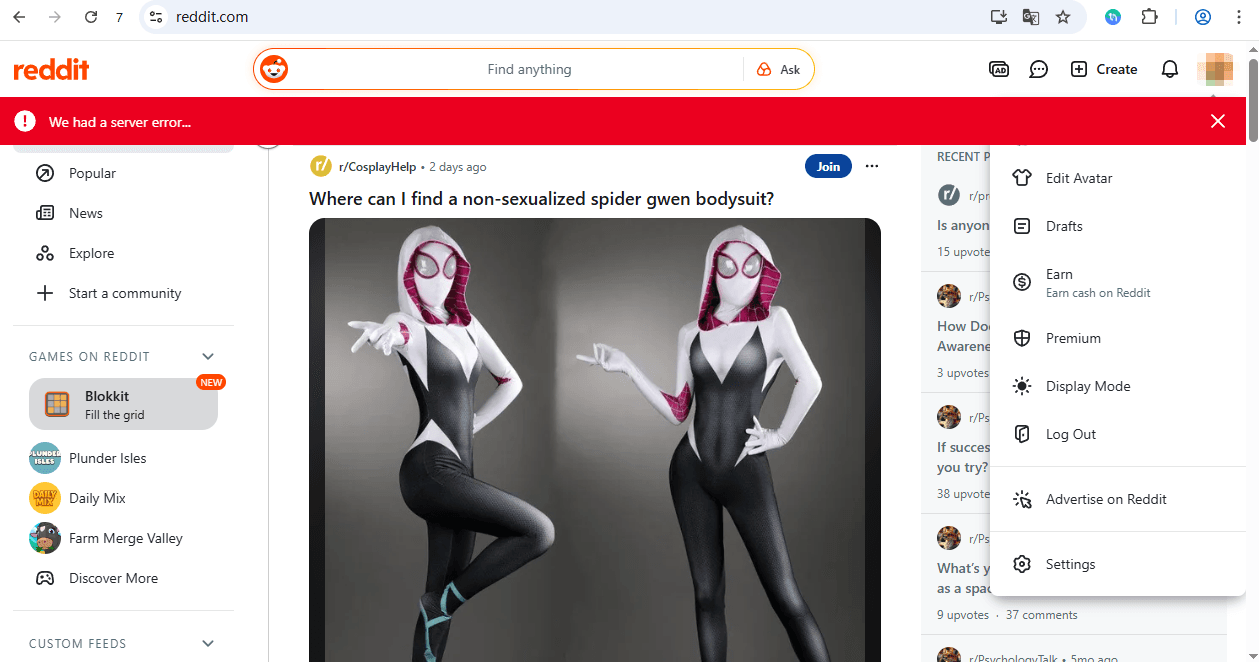
How to fix your "We had a server error..." Issue
Now that we understand the possible causes, let's dive into some solutions to get you back on track.
Start With the Simple Fixes
Before going deeper, it’s worth trying the basics, but doing them properly.
Refreshing the page is the quickest test. A normal refresh sometimes isn’t enough, so use a hard refresh using Ctrl+F5 on Windows or Cmd+Shift+R on Mac. This forces the browser to reload everything instead of relying on cached data. If the issue was temporary, this alone might solve it.
If that doesn’t work, clearing cache and cookies is the next step. Not just recent data, but all time. Old or corrupted cache files can interfere with how Reddit loads sessions. After clearing, log back in and test again. This step fixes more issues than most people expect.
● For Google Chrome: Go to Settings > Privacy and Security > Clear browsing data > Select "Cookies and other site data" and "Cached images and files" > Click "Clear data."
● For Firefox: Go to Options > Privacy & Security > Cookies and Site Data > Clear Data > Check both boxes > Click "Clear" .
If Reddit suddenly works in Incognito mode, that’s a strong signal your main browser environment is the problem. Extensions are usually the culprit here. Ad blockers, privacy tools, or script blockers can interfere with Reddit’s requests. Temporarily disabling all extensions and testing again is the fastest way to confirm.
When It’s Not the Browser
If the error keeps coming back, your connection might be part of the problem.
Try switching networks. Move from WiFi to mobile hotspot, or the other way around. If Reddit works on one network but not the other, your IP or ISP routing is likely involved.
Another useful step is flushing your DNS cache. On Windows, running ipconfig slash flushdns clears outdated routing data that can interfere with site access. Switching to a public DNS like Google 8.8.8.8 or Cloudflare 1.1.1.1 can also stabilize connections.
You can also try the classic Reddit interface at old.reddit.com. This lighter version of the site sometimes bypasses errors that affect the newer design, making it a reliable backup.
If the error keeps coming back, contact Reddit support. Include screenshots and a clear summary of the steps you have already tried. This helps them resolve the issue faster.
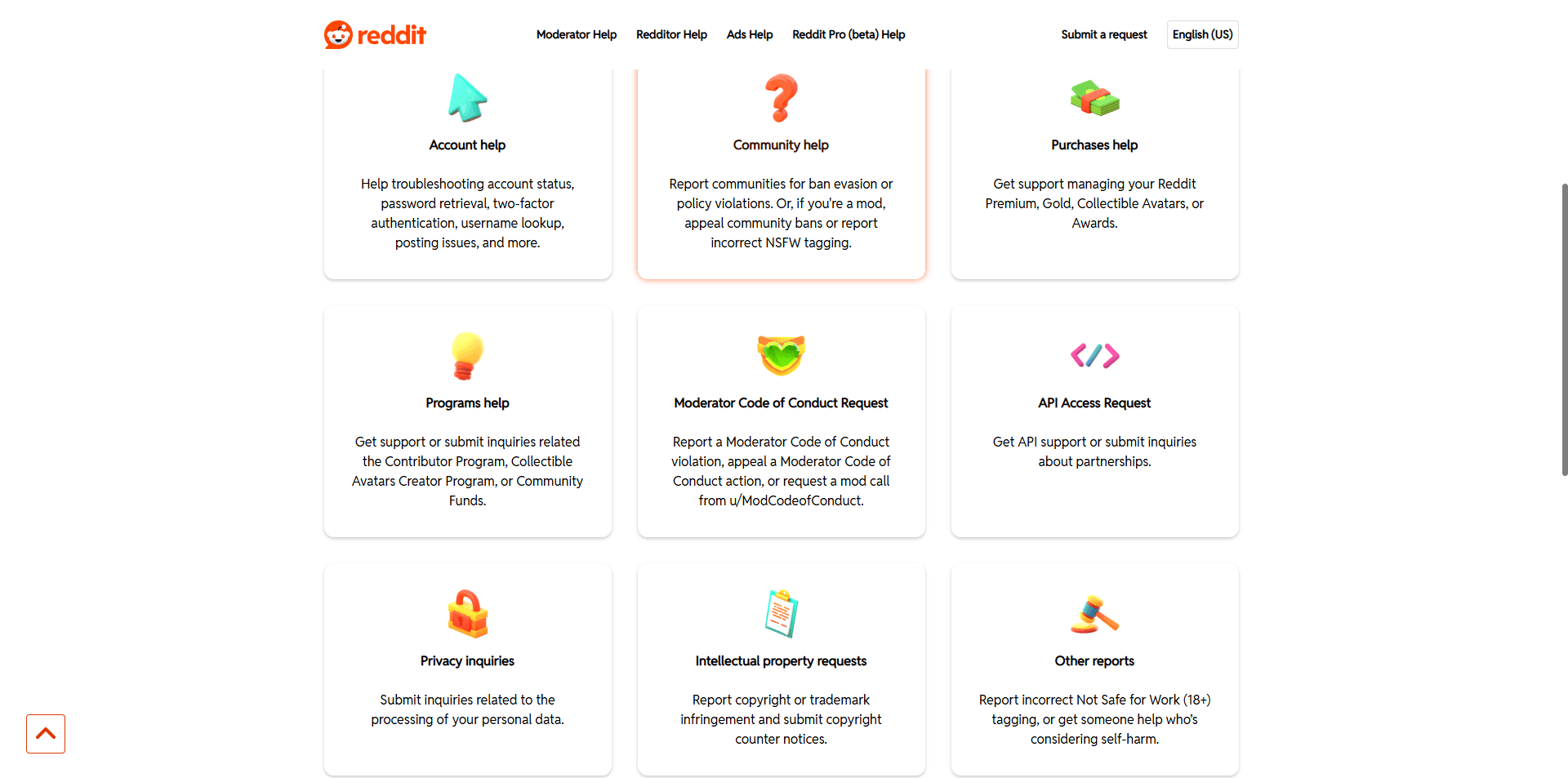
Even simple steps like these matter because Reddit relies on consistent routing and IP reputation to function properly.
The Overlooked Cause: Your Account
Here is where most guides stop, but this is often the real issue.
If the error only happens on one account while others work fine, it’s probably not a server error at all. It is a soft restriction. Reddit does not always show clear warnings when an account is limited. Instead, actions fail quietly and you get generic errors.
This usually happens when the system detects patterns like posting too fast, frequent IP changes, or logging into multiple accounts from the same environment.
If that is the case, the immediate fix is simple. Slow down your actions, stop for a while, and come back later with more natural behavior.
Why Multi Account Setups Trigger This Error
If you are running more than one Reddit account, the platform will try to determine whether those accounts are connected.
Most people unintentionally make it easy. They use the same browser, share cookies, reuse fingerprints, or rely on unstable IPs.
From Reddit’s perspective, that does not look like multiple users. It looks like one operator controlling several accounts. Once that connection is suspected, restrictions begin to appear, and one of the ways they show up is this exact error.
A More Stable Approach with BitBrowser
This is where tools like BitBrowser come in, not as a shortcut, but as a way to fix the underlying setup.
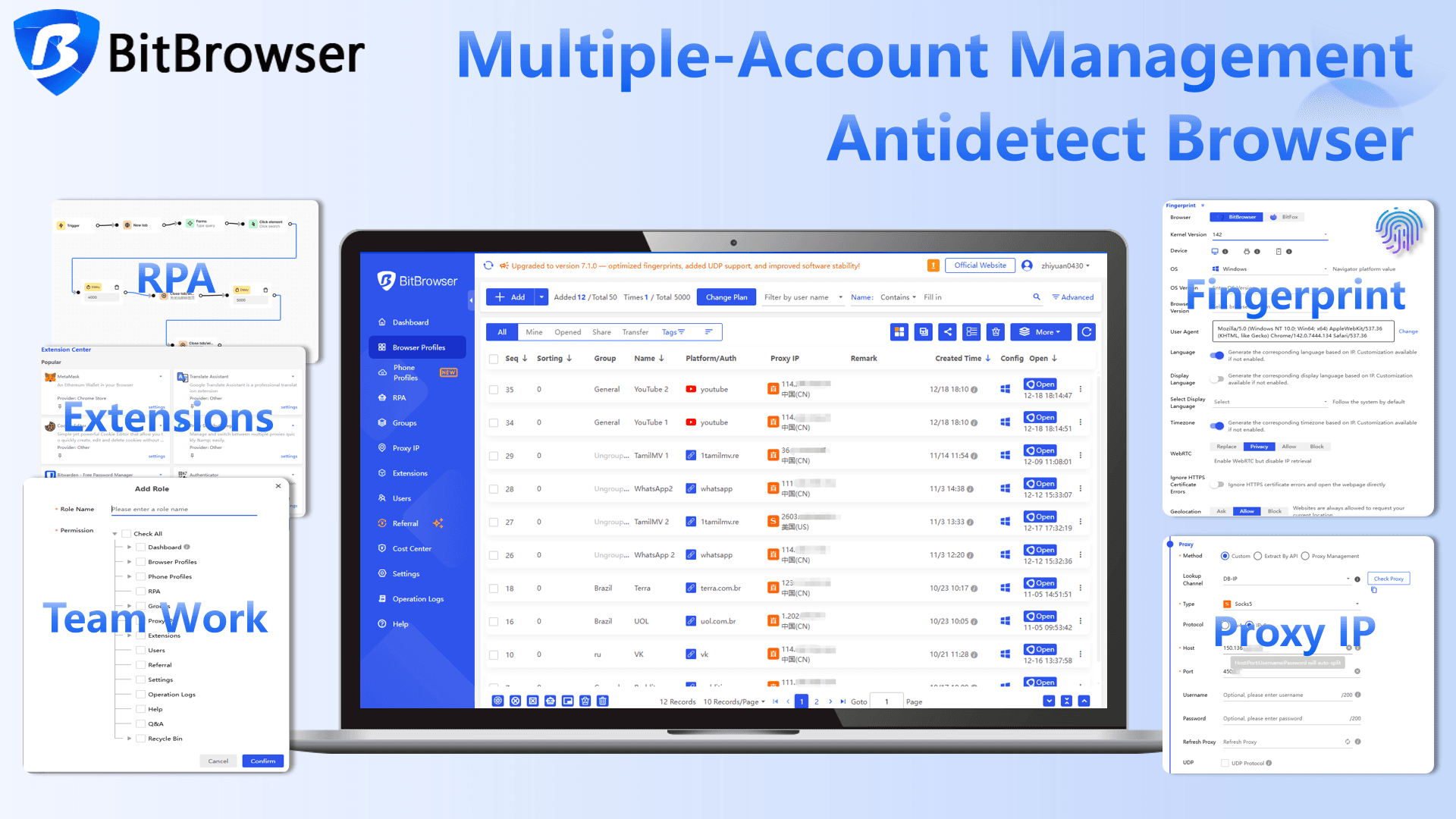
Instead of running all accounts in one environment, BitBrowser creates separate browser profiles. Each profile has its own fingerprint, storage, and configuration. When paired with a proper proxy, each account operates in its own isolated environment.
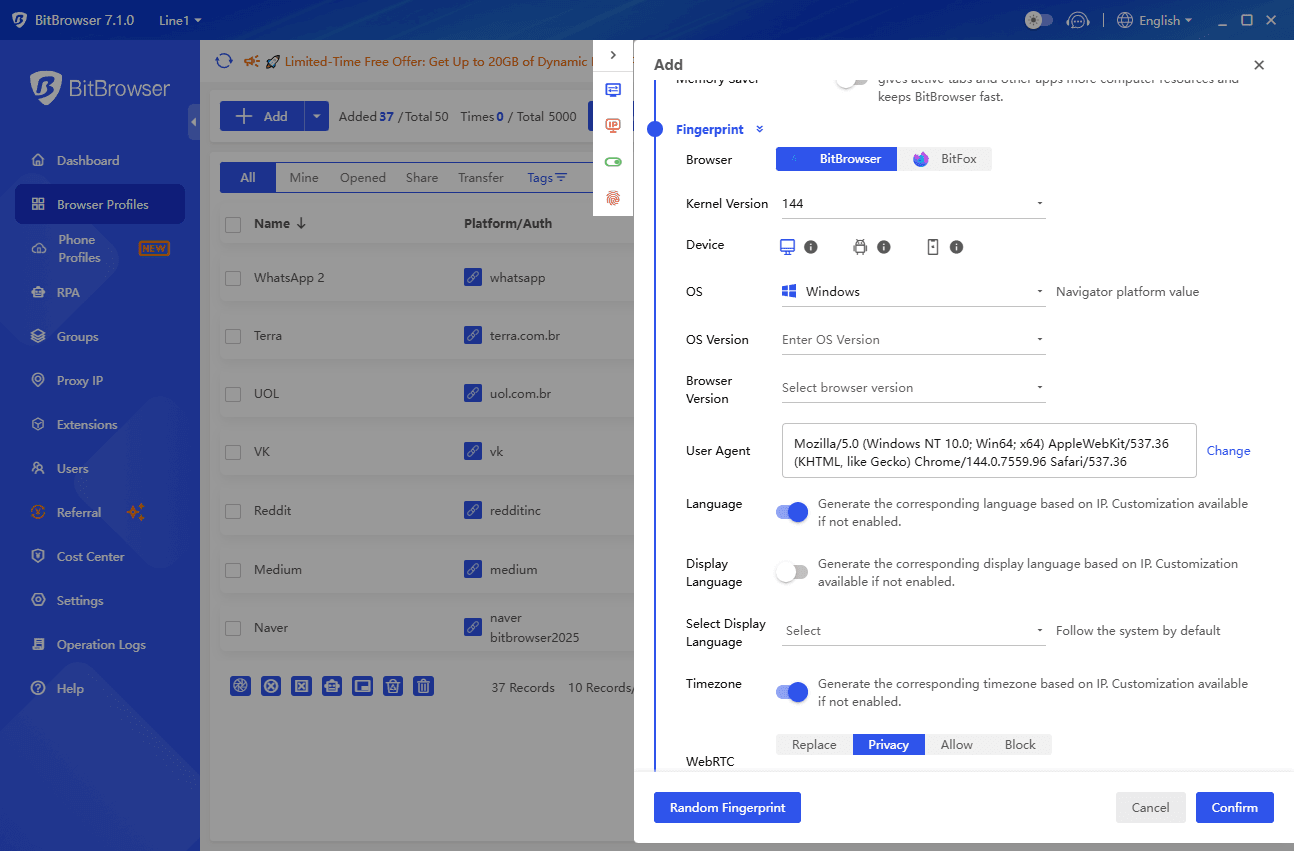
In practical terms, this means you are no longer stacking multiple accounts in a way that triggers detection.
Setting it up is straightforward, but the details matter. You create a profile, assign a dedicated proxy to it, and log into one Reddit account per profile without mixing them. The key is consistency. The same account should always use the same profile, the same IP, and a stable behavior pattern.
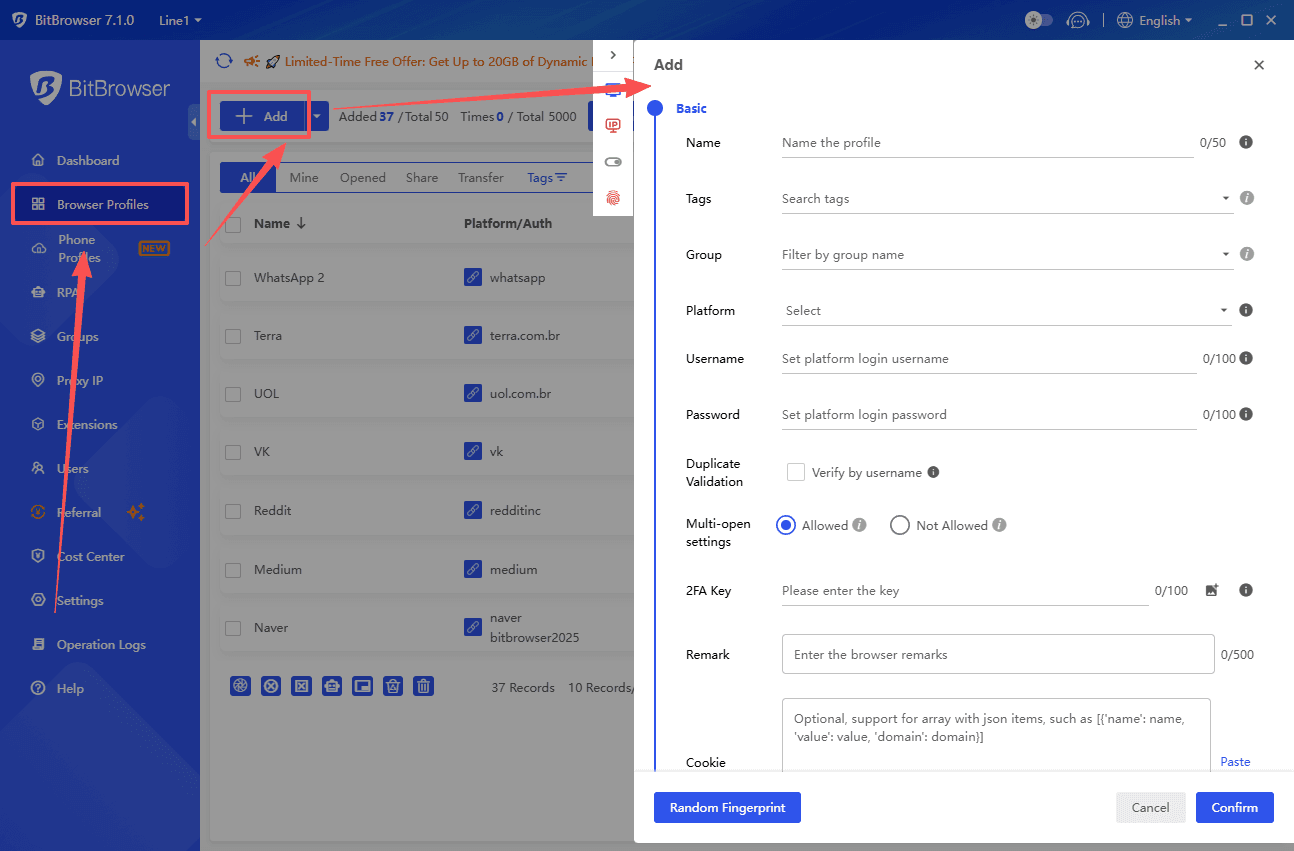
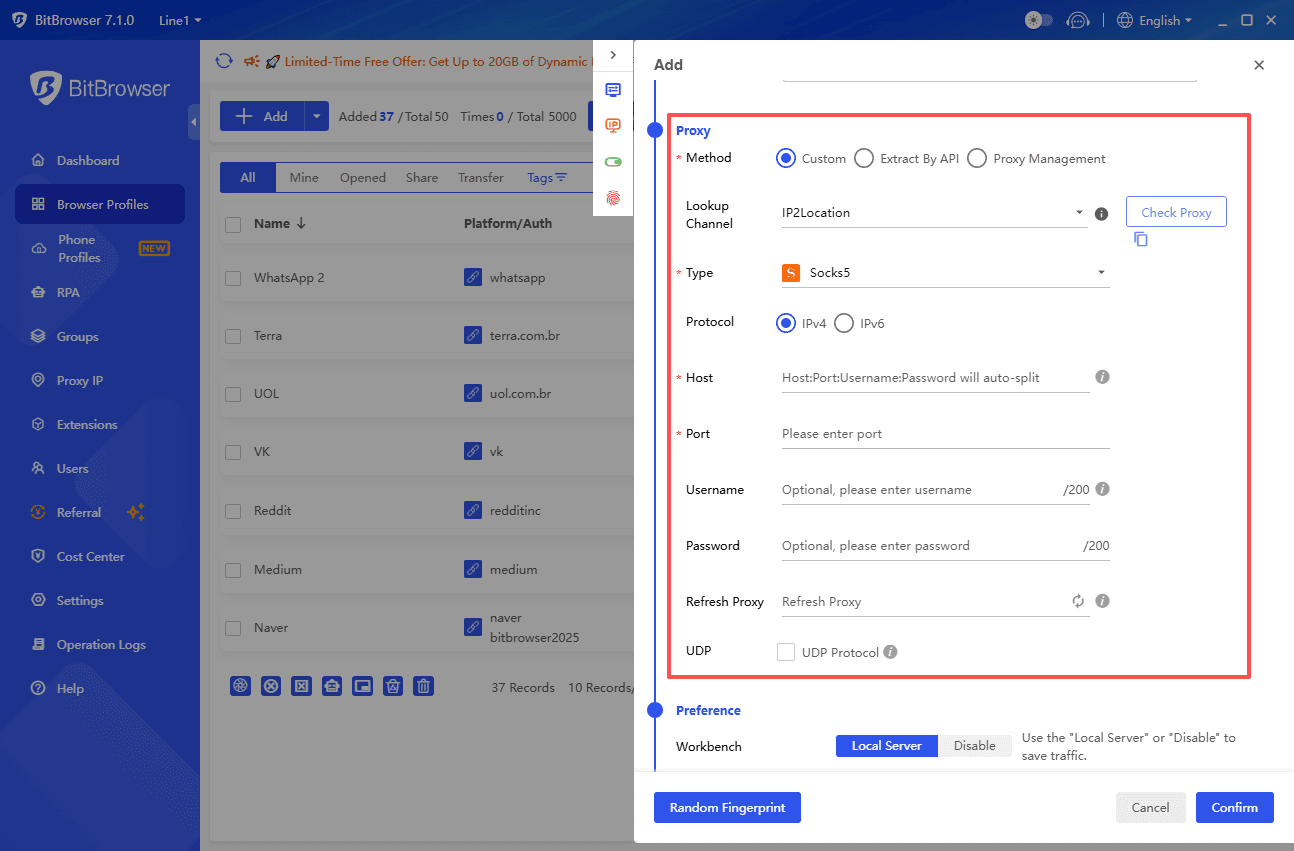
When done correctly, this reduces conflicts that often lead to errors. Not because it bypasses anything, but because it removes the signals that cause Reddit to flag your activity.
Get 10 browser profiles permanently free
How to Improve Reddit Stability and Avoid Server Errors
A few habits can noticeably improve stability, even without changing tools.
Avoid constantly logging in and out of accounts. Keep sessions stable instead. Rapid switching between accounts in the same browser is one of the fastest ways to trigger issues.
Keep your environment consistent. This includes timezone, language, and general browsing behavior. Sudden changes can look suspicious from a system perspective.
If you are using proxies, quality matters. Free or overused IPs often have a poor reputation, which increases the chances of errors and restrictions.
Final Thoughts
The reason this error feels random is because it is not caused by just one thing. Sometimes it really is Reddit having a temporary issue. But in many cases, it is tied to how you are accessing the platform.
If you are just browsing casually, basic fixes like refreshing, clearing cache, or switching networks will usually solve it.
If you are managing multiple accounts, your setup becomes the deciding factor. Once that setup is clean and consistent, this error tends to appear far less often.
FAQ
Why does refreshing sometimes fix it instantly?
Because in those cases, it is usually a temporary request failure or a minor platform issue.
Why does the error keep coming back?
This usually points to a persistent issue with your browser environment, network setup, or account status.
Do I need BitBrowser if I only use one account?
No. It is mainly useful for users managing multiple accounts who need a more stable and isolated setup.

 Multi-Account Management
 Prevent Account Association
 Multi-Employee Management
Recommended
See More 



