How to Find Instagram Reels: 5 Simple Methods
 2026.01.18 07:11
 petro
petroInstagram allows users to discover Reels using hashtags, keywords, sounds, accounts, or watch history. This guide explains five easy ways to find Reels on Android, iPhone, or iPad.
Quick Tip to Search Reels
Tap the search icon (magnifying glass) at the bottom of Instagram, then type a hashtag, keyword, username, or song. Use the tabs at the top of the results to filter your search. To find a video you've previously watched, go to ☰ > Your Activity > Watch History.
1. Search by Hashtag or Keyword
Open the search page: Tap the magnifying glass at the bottom of the Instagram app.
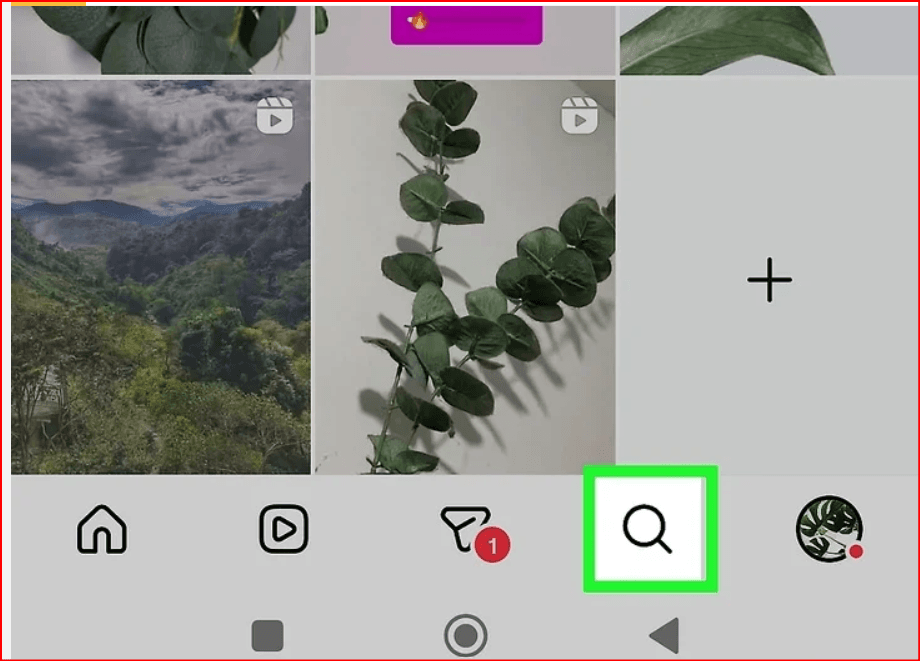
Enter a keyword or hashtag: Type a topic, hashtag, or location into the search bar and press Search.
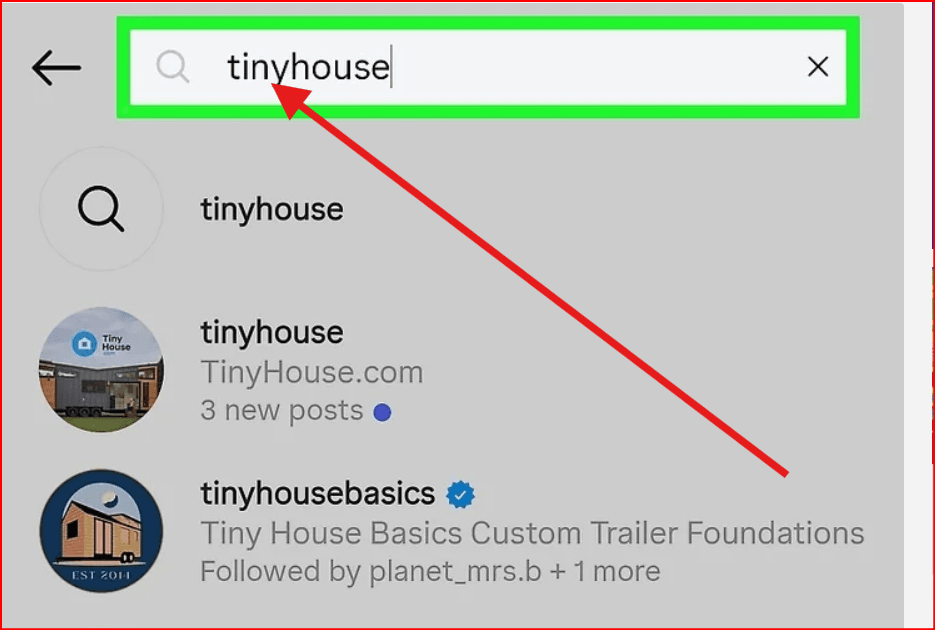
Select the Tags or Places tab: Choose the tab that matches your search term.
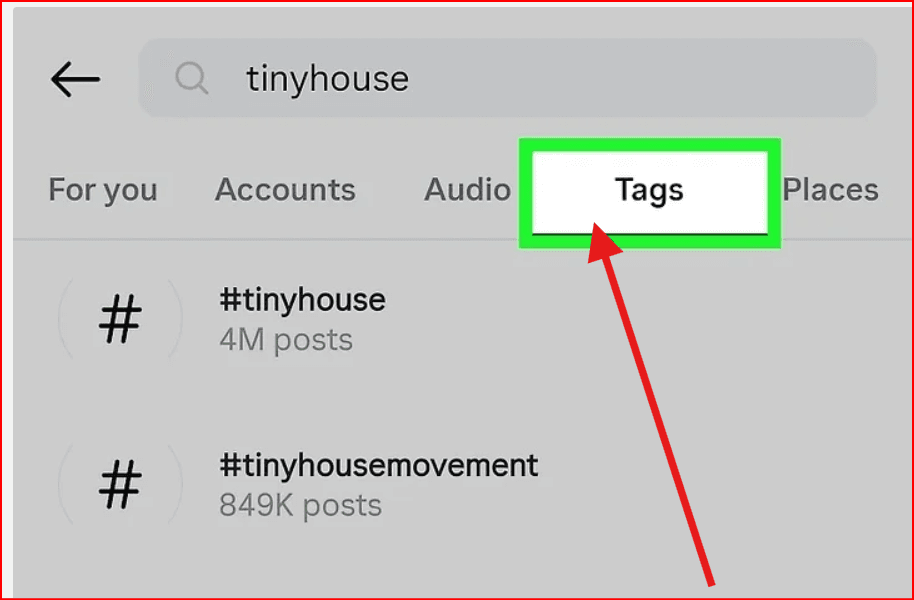
View Reels: Tap a hashtag or location to see a feed of Reels associated with it.
2. Search by User Account
Open the search page: Tap the magnifying glass icon.
Search for an account: Enter the username of the account whose Reels you want to watch.
Select the account: Tap the correct profile from the results.
Go to the Reels section: Tap the Reels icon (triangle play button) above their photo grid to view all videos posted by that user.
3. Search by Audio
Open the search page: Tap the magnifying glass icon at the bottom.
Search for a sound: Type the name of the song, artist, or a keyword describing the audio.
Select the Audio tab: Filter results to show matching sounds.
View videos using the audio: Tap the audio to see all Reels that use it.
Tip: If you’re watching a Reel, you can also tap the song name directly to see other Reels with the same audio.
4. Find Reels You’ve Already Watched
Go to your profile: Tap your profile picture in the bottom-right corner.
Open the menu ☰: Tap the three horizontal bars at the top-right corner.
Go to Your Activity: This section shows your past interactions.
Select Watch History: See all the videos you’ve previously watched.
Filter your history: Narrow results by date or other available filters to quickly locate a specific Reel.
5. Watch Suggested Reels
Instagram’s Explore page and Reels tab automatically suggest videos based on your activity. These suggestions include trending content, videos similar to what you’ve watched, and Reels from accounts you follow. Simply scroll through your Explore or Reels tab to discover new content.
Pro Tip: Manage Multiple Accounts
For users managing more than one Instagram account, tools like BitBrowser can help: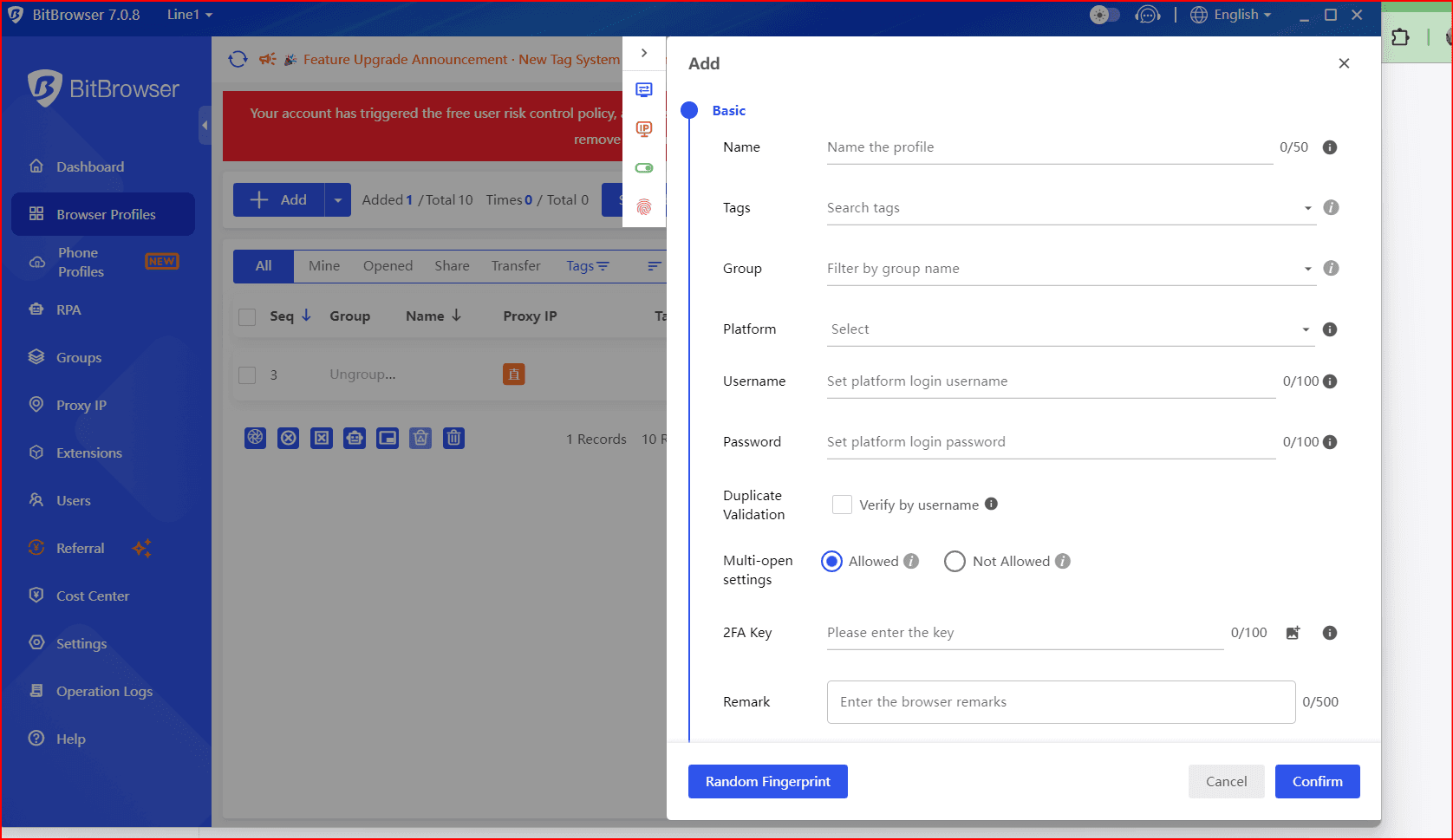
Create separate browser profiles for each account
Assign unique fingerprints and proxies per account
Keep cookies, cache, and sessions isolated
This ensures multiple accounts can be used safely without triggering Instagram’s anti-abuse systems.

 Multi-Account Management
 Prevent Account Association
 Multi-Employee Management
Recommended
See More 



