How to Protect Your Phone From Hackers
 2025.11.24 03:40
 petro
petroOur smartphones hold a treasure trove of sensitive information—everything from photos and emails to banking details and passwords. As mobile phones become increasingly powerful, they also become more attractive targets for hackers. However, with some simple steps, you can significantly reduce the risk of your phone being compromised. Let’s break down the best strategies to protect your phone from hackers.
1. Use Anti-virus and Security Apps
While iPhones come with built-in security, Android phones often benefit from additional layers of protection, especially from malware and phishing attacks.
For Android users: Download reputable anti-virus apps like Bitdefender, Norton Mobile Security, or McAfee Mobile Security. These apps can help detect malware and warn you about potentially harmful apps.
For iPhone users: Apple's security system is highly robust, but you can still enhance it with additional security apps that protect against phishing or track down lost devices
2. Set a Strong Passcode
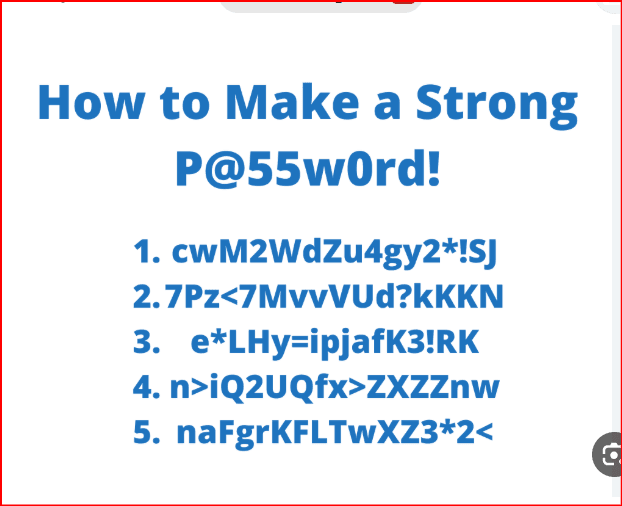
The first line of defense is a strong passcode. Weak passcodes are the easiest way for hackers to break into your phone.
Use a complex passcode (6 digits or alphanumeric) instead of a simple 4-digit PIN.
Enable biometric security (fingerprint, face recognition) as an extra layer of protection.
On iPhones, enable Erase Data after 10 failed passcode attempts to automatically wipe your device clean in case of theft.
3. Enable Two-Factor Authentication (2FA)
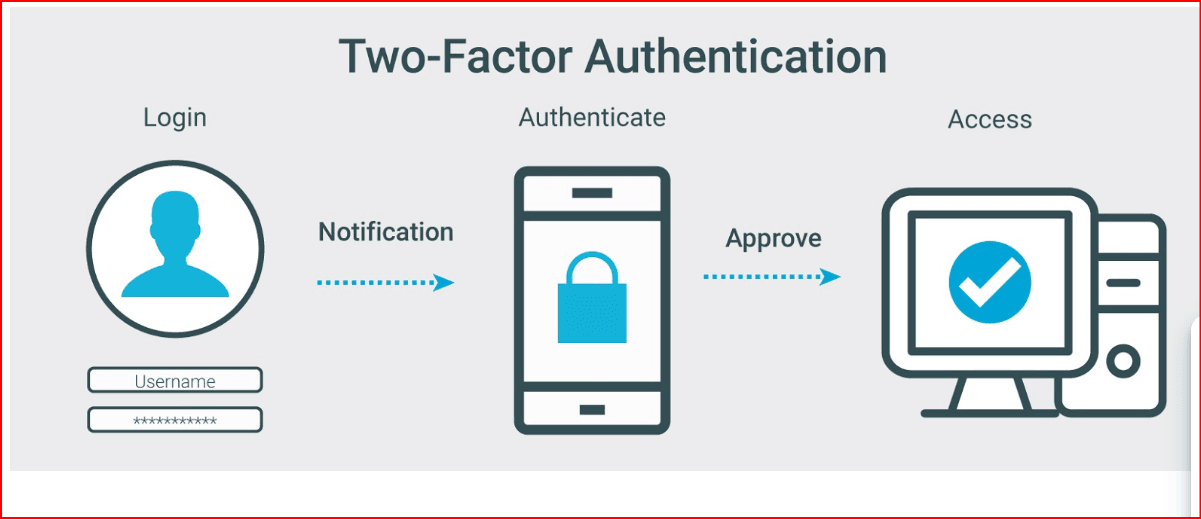
Two-factor authentication adds an extra layer of protection by requiring not just your password but also a code sent to your trusted device.
Enable 2FA for any app that supports it, especially for your email, banking, and social media apps.
This way, even if someone gets hold of your password, they still need access to your phone or a secondary device to log in.
4. Install Software and App Updates Regularly
Phone manufacturers regularly release software updates to patch security vulnerabilities. Skipping these updates leaves your phone exposed to hackers.
Turn on automatic updates to ensure that your phone’s operating system and apps are always up to date.
Install security patches as soon as they're available to close loopholes hackers could exploit.
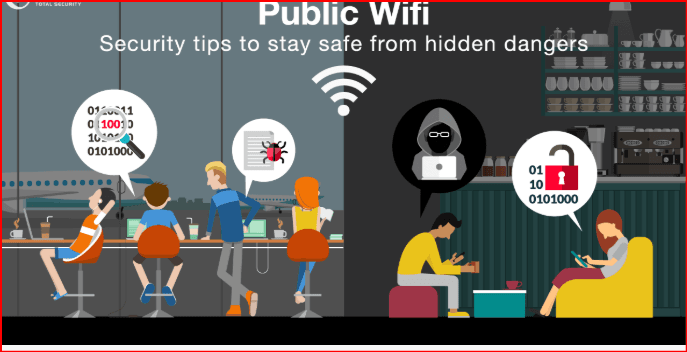
5. Avoid Using Public Wi-Fi for Sensitive Transactions
Public Wi-Fi networks are rarely secure, making them a popular target for hackers to intercept your data.
Never conduct sensitive activities like banking or shopping when connected to public Wi-Fi.
If you must use public Wi-Fi, use a VPN (Virtual Private Network) to encrypt your data and protect your online activities.
6. Be Cautious of App Permissions
Many apps request unnecessary permissions that can put your privacy at risk.
Review app permissions regularly. Only grant access to what’s necessary for the app to function. For example, why would a flashlight app need access to your camera, contacts, or location?
Revoke permissions for apps you no longer use to minimize exposure.
7. Avoid Downloading Apps from Untrusted Sources
While the official app stores (Google Play and Apple App Store) do their best to vet apps, malicious apps can still slip through.
Stick to official app stores and avoid downloading apps from third-party sources.
Read reviews and check app permissions before downloading.
Avoid installing "free" apps that sound too good to be true—they might be laden with malware.
8. Use a VPN for Added Privacy
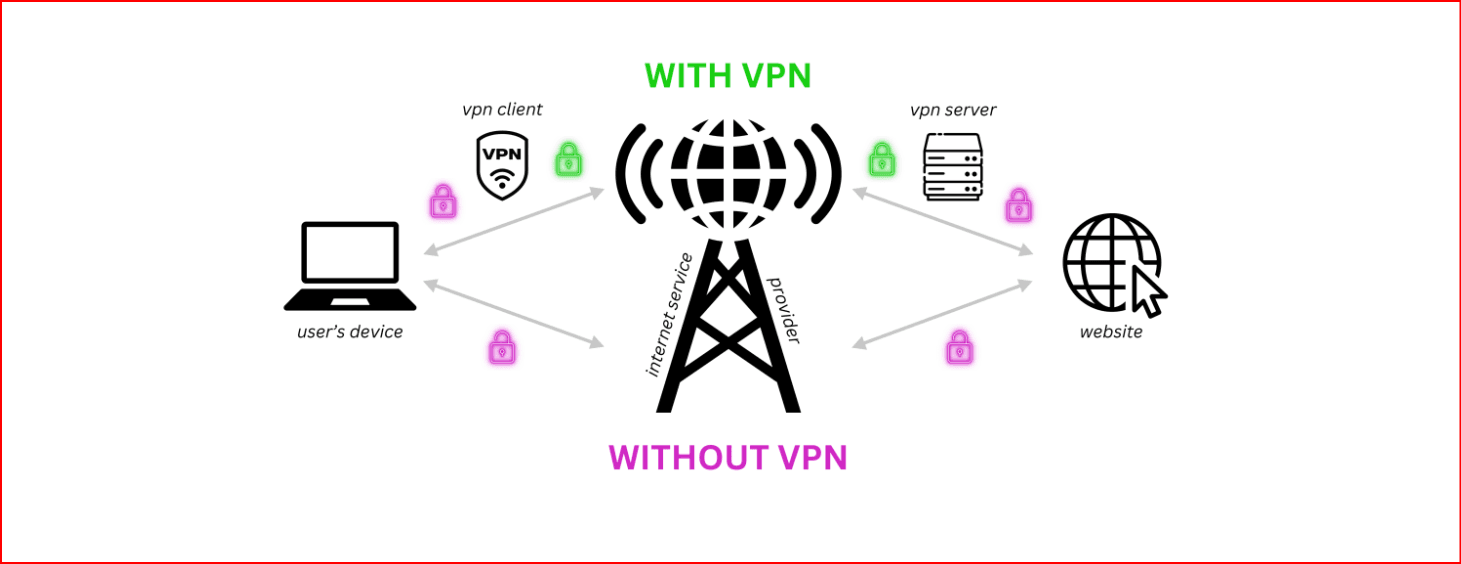
A VPN (Virtual Private Network) encrypts your internet traffic, making it harder for hackers to spy on your online activities.
Always use a VPN when accessing sensitive accounts or browsing the web, especially over public Wi-Fi.
VPNs also protect your IP address and help you stay anonymous online.
9. Back Up Your Data Regularly
In case your phone is lost, stolen, or damaged, backing up your data ensures you won’t lose precious files and contacts.
Use cloud storage (Google Drive, iCloud, OneDrive) to back up your photos, messages, and apps.
Set up automatic backups so you don’t have to worry about remembering to do it yourself.
10. Turn on “Find My Phone” Features
In case your phone gets lost or stolen, the "Find My Phone" feature allows you to locate your device, remotely lock it, or erase its data.
iPhone: Enable Find My iPhone in your iCloud settings.
Android: Use Find My Device through your Google account.
11. Be Careful About Charging in Public
Public USB charging stations might seem convenient, but they can be a hacking hotspot. Hackers can install malware or steal data via public charging ports.
Avoid using public USB chargers—carry your own power bank instead.
If you must charge in public, use USB data blockers to prevent data theft.
12. Don’t Click on Suspicious Links or Attachments
Phishing attacks, where hackers trick you into revealing your personal information, are one of the most common ways hackers gain access to your data.
Don’t click on suspicious links from unsolicited emails, text messages, or social media.
Be wary of attachments, especially from unknown contacts. Only download attachments from trusted sources.
13. Secure Your Online Accounts
Many online accounts have sensitive data like financial information or personal communications. It’s crucial to ensure these accounts are secure.
Change your passwords regularly and use a password manager to generate strong, unique passwords for each account.
Enable 2FA on accounts that support it to add an extra layer of security.
14. Use Encryption
Encryption protects your data by converting it into a format that can only be accessed by someone with the correct decryption key.
Turn on encryption (this is enabled by default on most modern smartphones).
Enable full-device encryption if it’s available on your phone’s settings for extra protection of your files and apps.
15. Monitor Your Data Usage
Hackers may also use your phone for unauthorized activities, including sending out spam or stealing your personal data. Monitoring your data usage can help you spot any unusual activity.
Use data monitoring apps to track your usage.
If you notice any unusual spikes in data, investigate further and take action to secure your phone.
16. Remove Unused Apps
Unused apps can become a security risk if left installed on your phone. These apps can sometimes collect and store data or remain vulnerable to exploits.
Delete apps you no longer use.
Regularly check your apps for updates and security patches.
Final Thoughts
In today's digital world, it’s essential to protect your phone from hackers. By following these steps—such as using strong passcodes, enabling two-factor authentication, regularly updating software, and staying cautious of suspicious links—you can significantly reduce the chances of your phone being compromised. Protect your data, back it up, and stay informed about new security threats to keep your phone safe.and you can take lik this articel on bibtrowser blog

 Multi-Account Management
 Prevent Account Association
 Multi-Employee Management
Recommended
See More 



