How to Scrape Walmart.com in 2026: Safe Product Data Collection Guide
 2026.06.29 00:46
 petro
petroHow to Scrape Walmart.com in 2026
Walmart.com is one of the largest ecommerce platforms in the United States, which makes its product pages valuable for price tracking, product research, competitor monitoring, availability checks, and ecommerce analytics.
However, scraping Walmart.com must be handled carefully. Walmart’s Terms of Use are updated regularly and state that unauthorized access or misuse of Walmart sites can make use of the site unauthorized. Walmart also provides developer and marketplace APIs for approved business use cases, which are safer than aggressive scraping.
This guide explains how to collect Walmart product data in a safer, more compliant way, what to avoid, and how BitBrowser can help teams organize browser profiles for legitimate research and account workflows.
What Does Scraping Walmart.com Mean?
Scraping Walmart.com means collecting public ecommerce data from Walmart pages or approved data sources.
Common Walmart data points include:
| Data Type | Example |
|---|---|
| Product title | Apple AirPods Pro |
| Product URL | Walmart product page link |
| Price | Current listed price |
| Availability | In stock / out of stock |
| Seller name | Walmart or third-party marketplace seller |
| Rating | Average star rating |
| Review count | Number of reviews |
| Product image | Main product photo |
| Category | Electronics, home, grocery, etc. |
| Shipping info | Delivery or pickup availability |
| Product ID | Walmart item identifier |
This data is useful for ecommerce sellers, affiliate websites, SEO teams, price comparison tools, and market researchers.
Is It Legal to Scrape Walmart.com?
It depends on how you collect the data, what data you collect, your location, your purpose, and whether your activity violates Walmart’s terms or technical restrictions.
Walmart’s robots.txt includes many disallowed areas, including /api/, /search, some product-related API/logger paths, store AJAX paths, and review/seller areas. That means automated crawling should not assume all Walmart pages are open for scraping.
For serious business use, the safer approach is:
This article is informational and not legal advice.
Best Methods to Collect Walmart Product Data
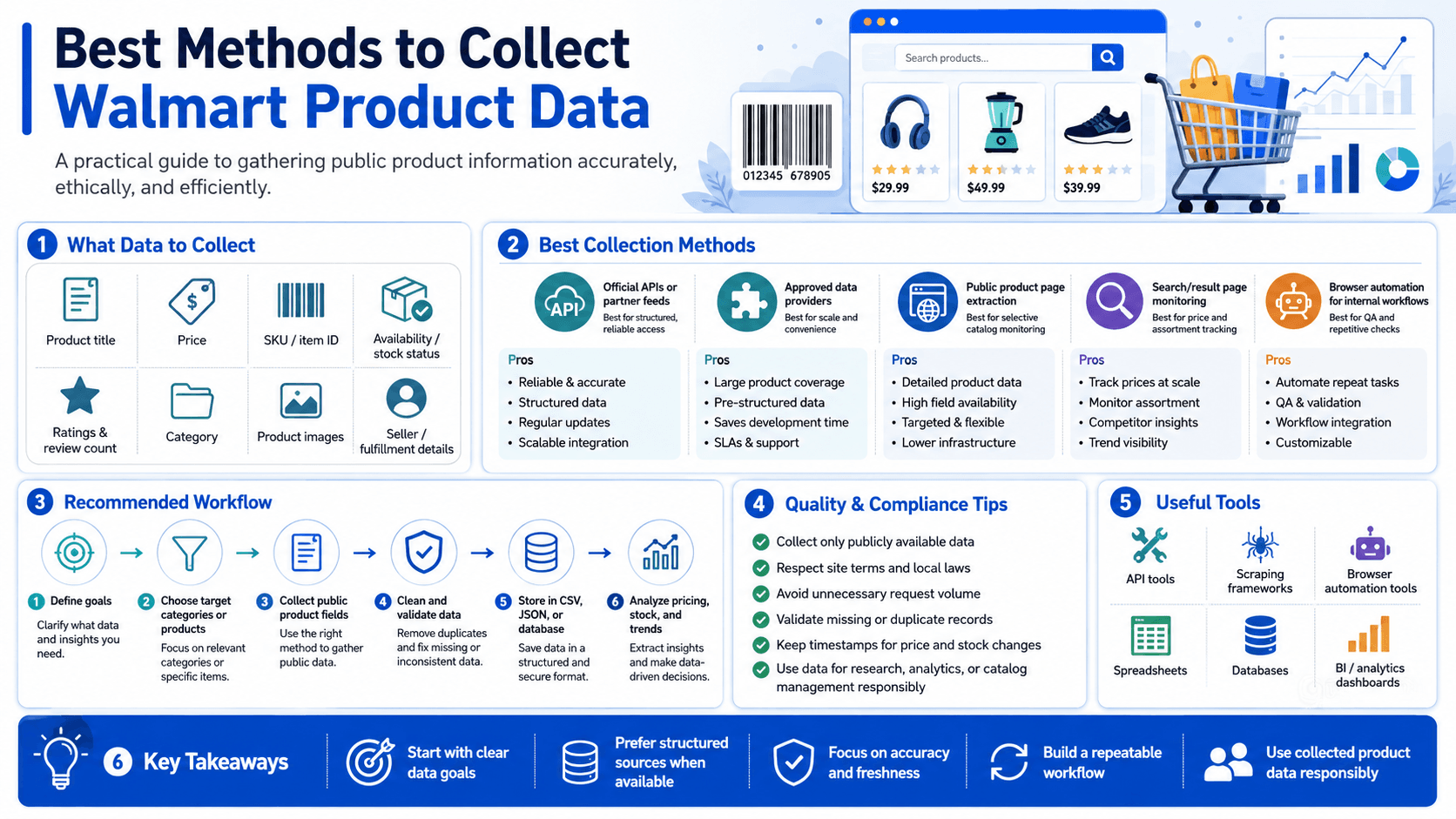
1. Use Walmart Official APIs
The best method is to use Walmart’s approved API ecosystem. Walmart Marketplace APIs support ecommerce workflows such as catalog, order management, pricing, fulfillment, inventory, reports, returns, and seller operations. Walmart also provides sandbox testing for API integrations before production use.
Best for:
- Walmart Marketplace sellers
- Inventory management
- Pricing updates
- Catalog management
- Order workflows
- Fulfillment tracking
- Seller analytics
A safe workflow looks like this:
Walmart account / API access
↓
Approved API request
↓
Structured JSON response
↓
Save product, price, inventory, or order data
↓
Analyze data in dashboard
This is more reliable than scraping HTML pages because APIs are structured, documented, and designed for business integrations.
2. Use Walmart I/O for Product and Affiliate Data
Walmart I/O provides API services that can give developers and third parties access to product information, metadata, localized price, and availability data for customer-facing experiences.
Best for:
- Affiliate websites
- Product comparison pages
- Shopping tools
- Price display widgets
- Product discovery apps
- Content websites that recommend Walmart products
This is usually better than scraping Walmart pages because it gives cleaner data and reduces the risk of blocks, CAPTCHA challenges, or broken scrapers.
3. Use SEO and Ecommerce Data Providers
For large-scale price tracking or competitive research, businesses often use ecommerce intelligence platforms or SERP/product-data providers.
These tools may help with:
- Price monitoring
- Competitor analysis
- Product availability tracking
- Historical price changes
- Marketplace seller analysis
- Category research
- Product ranking research
Before using any third-party provider, check how they collect data, whether they respect platform rules, and whether their data use is legally safe for your business.
4. Scrape Only With Permission or Clear Rights
If you are collecting data for a client, partner, or internal ecommerce workflow, make sure you have permission.
Safe examples include:
- Your own Walmart Marketplace seller data
- Your own product listings
- Partner-approved product feeds
- Affiliate API data
- Public product data used in a limited, compliant way
- Internal testing environments
Avoid collecting personal information, private account data, checkout data, payment data, or customer data.
What Walmart Data Should You Collect?
For most ecommerce research, you only need basic product-level fields.
Recommended fields:
| Field | Purpose |
|---|---|
| Product title | Identify item |
| Product URL | Link back to source |
| Price | Track price changes |
| Availability | Monitor stock |
| Seller | Compare marketplace sellers |
| Rating | Estimate buyer trust |
| Review count | Measure popularity |
| Category | Organize products |
| Image URL | Display product preview |
| Date checked | Build history |
| Zip code / region | Track localized availability where allowed |
Avoid collecting unnecessary data. The more sensitive or large-scale your collection becomes, the higher the compliance risk.
Example Data Structure
A clean Walmart product database could look like this:
product_id
product_title
product_url
brand
category
current_price
old_price
availability
seller_name
rating
review_count
image_url
zip_code
date_checked
source_method
Example table:
| Product | Price | Availability | Seller | Rating | Date Checked |
|---|---|---|---|---|---|
| Wireless Headphones | $49.99 | In stock | Walmart | 4.5 | 2026-06-29 |
| Coffee Maker | $34.88 | Out of stock | Third-party seller | 4.2 | 2026-06-29 |
| Gaming Keyboard | $59.00 | In stock | Walmart | 4.7 | 2026-06-29 |
Safe Technical Workflow
A professional Walmart data workflow should be built like this:
Define business goal
↓
Check Walmart Terms and robots.txt
↓
Choose official API, affiliate API, marketplace API, or approved provider
↓
Collect only necessary fields
↓
Respect rate limits and access rules
↓
Store structured product data
↓
Monitor changes over time
↓
Create reports for SEO, pricing, or inventory decisions
The goal is not to overload Walmart.com or bypass its protections. The goal is to collect useful business data in a stable and compliant way.
What to Avoid When Scraping Walmart.com
Avoid risky scraping methods such as:
| Risky Method | Why to Avoid It |
|---|---|
| CAPTCHA bypass | Violates trust and can trigger account/IP blocks |
| Scraping logged-in pages | May involve private or protected data |
| Scraping checkout/cart flows | High compliance and fraud risk |
| Ignoring robots.txt | Increases blocking and legal risk |
| Using free proxy lists | Often abused, unstable, and unsafe |
| High-frequency requests | Can look like bot abuse |
| Copying full product content | May create copyright and content-quality issues |
| Scraping customer data | Privacy and legal risk |
| Breaking anti-bot systems | Can violate terms and cause bans |
Walmart’s robots.txt explicitly blocks several automated paths, so a responsible crawler should check the current file before collecting data.
The Role of BitBrowser in Walmart Research
BitBrowser can be useful for teams that manage multiple ecommerce workflows, marketplace accounts, affiliate projects, product research tasks, or client campaigns. However, BitBrowser should not be used to bypass Walmart’s security systems, CAPTCHA, access controls, or Terms of Use.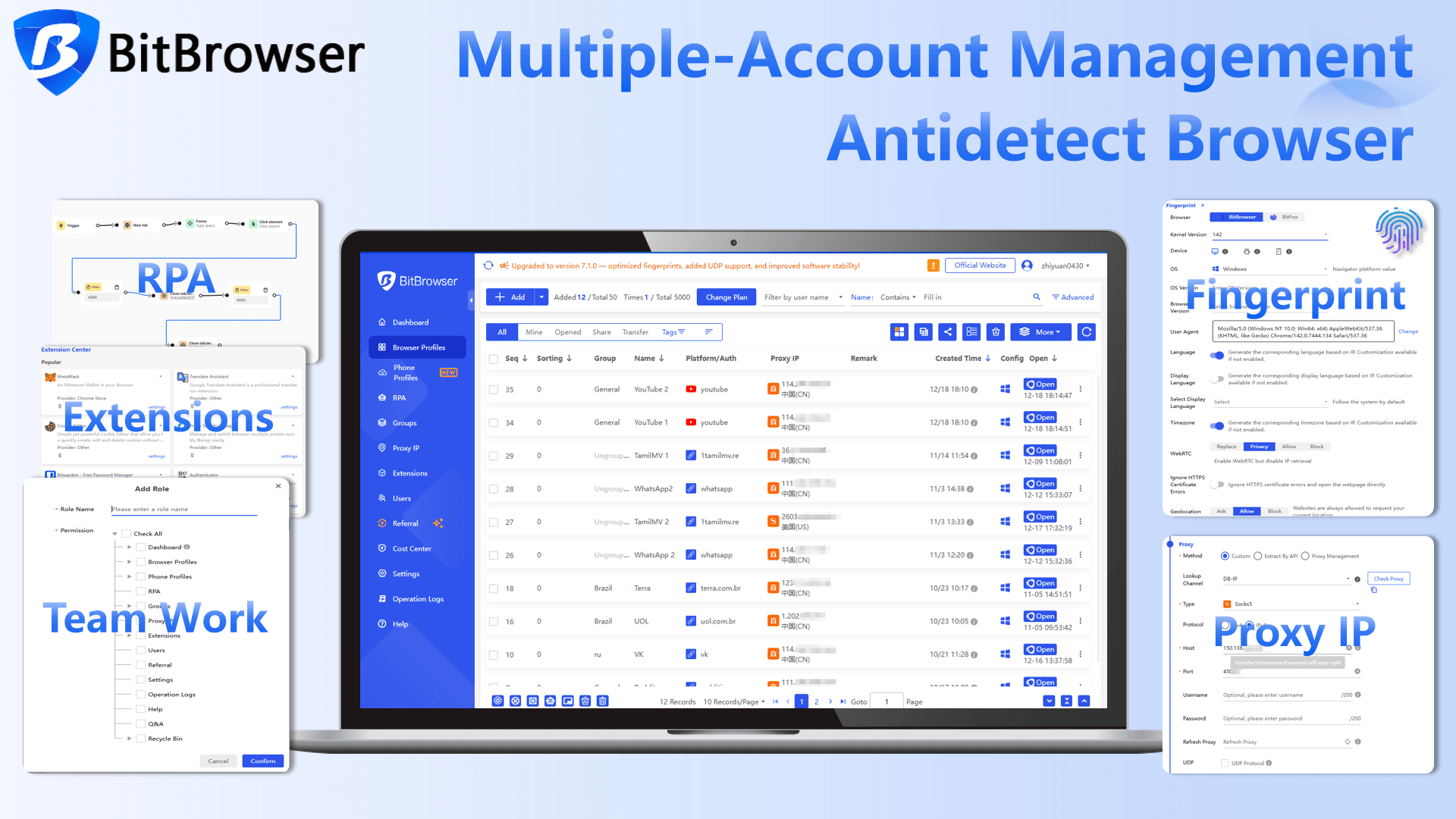
The correct role of BitBrowser is organization and session separation.
For example, an ecommerce team may have:
- One profile for Walmart Marketplace seller operations
- One profile for affiliate research
- One profile for competitor price checking
- One profile for SEO content research
- One profile for each client project
- One profile for each team member
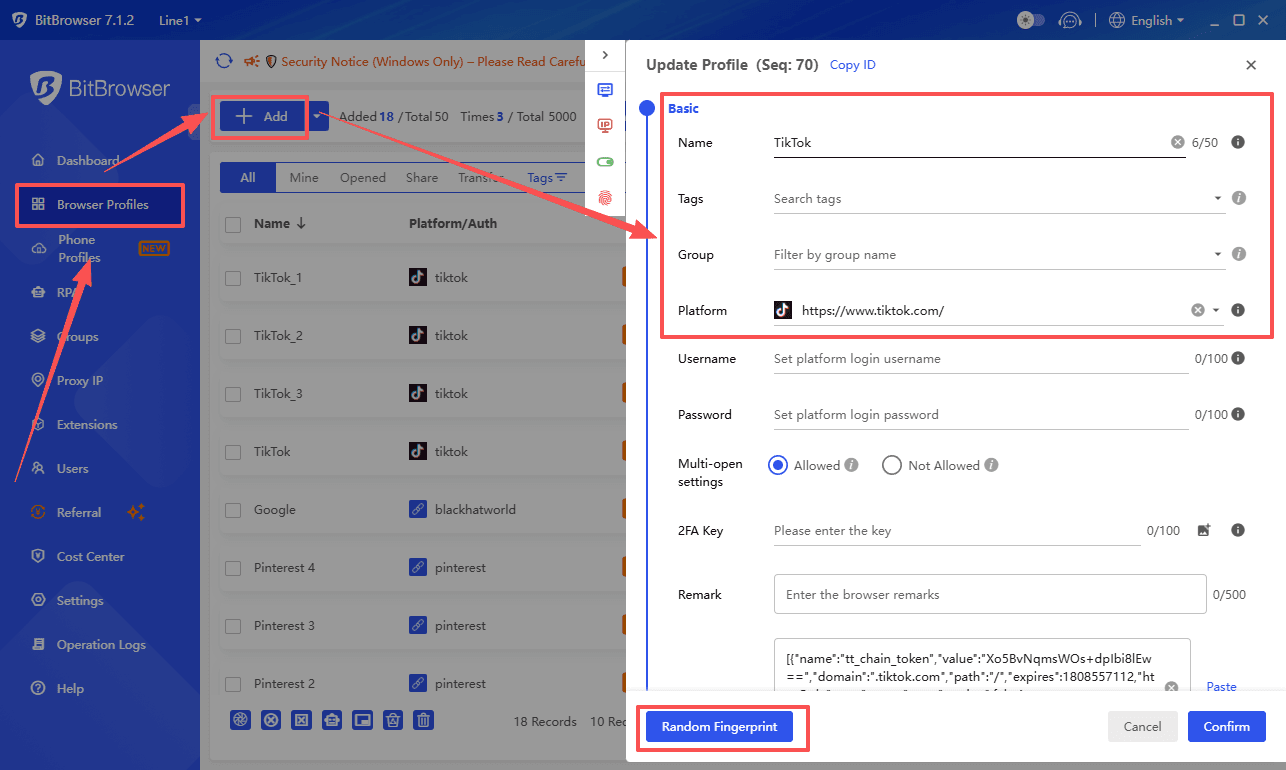
Each BitBrowser profile can keep its own cookies, login session, browser environment, and proxy configuration. This helps teams avoid mixing accounts, confusing sessions, or repeatedly logging in and out from the same browser.
How BitBrowser Helps Legitimate Walmart Workflows
BitBrowser can support professional workflows by helping users:
- Separate Walmart seller, research, and affiliate profiles
- Keep cookies and login sessions organized
- Avoid mixing client accounts in one browser
- Reduce repeated login/logout behavior
- Assign a stable proxy or network setup to each profile
- Improve team collaboration
- Keep research activity separate from personal browsing
- Manage multiple ecommerce projects more professionally
This does not mean BitBrowser “scrapes Walmart” or “bypasses Walmart.” It simply helps teams keep browser environments cleaner and more consistent.
BitBrowser and Walmart: What Users Should Avoid
Do not use BitBrowser for:
- CAPTCHA bypass
- Fake account creation
- Automated checkout abuse
- Review manipulation
- Scraping private account data
- Circumventing Walmart restrictions
- Aggressive bot activity
- Unauthorized access to protected endpoints
Used correctly, BitBrowser is a browser-profile management tool. Used incorrectly, it can still lead to account flags, blocked sessions, or legal risk.
Walmart Scraping Use Cases
1. Price Monitoring
Businesses can track price changes across product categories.
Example:
Product: Bluetooth Speaker
Old price: $39.99
New price: $29.99
Change: -25%
Action: Update comparison article
2. Availability Tracking
Sellers and affiliate sites may monitor whether products are in stock.
Example:
Product: Air Fryer
Status: Out of stock
Action: Replace product recommendation
3. Competitor Research
Marketplace sellers can analyze pricing, product titles, ratings, and seller positioning.
Useful checks include:
- Which sellers dominate a category
- Which products have the best ratings
- Which price ranges perform well
- Which products are frequently out of stock
- Which product descriptions are more complete
4. SEO Content Research
Content teams can use Walmart product data to improve buying guides, comparison posts, and product review pages.
Examples:
- “Best Budget Coffee Makers at Walmart”
- “Top Walmart Electronics Deals This Month”
- “Best Home Office Products Available at Walmart”
Always use original writing and do not copy Walmart product descriptions directly.
Best Practices for Walmart Product Data Collection
- Use Walmart APIs where possible
- Review Walmart Terms of Use before collecting data
- Check robots.txt before crawling
- Collect only the data you need
- Avoid logged-in, checkout, cart, and account pages
- Respect rate limits
- Do not bypass CAPTCHA or anti-bot systems
- Store data in a clean structured format
- Use product data for analysis, not copying content
- Use BitBrowser only for profile organization and legitimate workflows
Final Verdict
Scraping Walmart.com in 2026 should be treated as a compliance-sensitive ecommerce data workflow. The safest option is to use Walmart Marketplace APIs, Walmart I/O, affiliate APIs, approved data providers, or permission-based data sources.
Direct scraping can be fragile because Walmart has terms, robots.txt restrictions, bot protection, and dynamic pages. A professional strategy focuses on clean data, responsible collection, and clear business use.
BitBrowser can help ecommerce teams manage separate browser profiles for Walmart seller accounts, affiliate research, SEO workflows, and client projects. It can improve organization and session consistency, but it should not be used for bypassing Walmart security or violating platform rules.
The best approach is simple: collect only what you need, use approved methods first, respect Walmart’s rules, and keep your workflows organized.
Operate Multiple Accounts in Isolated, Secure Browser profiles
Use the BitBrowser to easily bypass platform anti-association detection, giving every profile an independent digital fingerprint.

 Multi-Account Management
 Prevent Account Association
 Multi-Employee Management
Recommended
See More 



